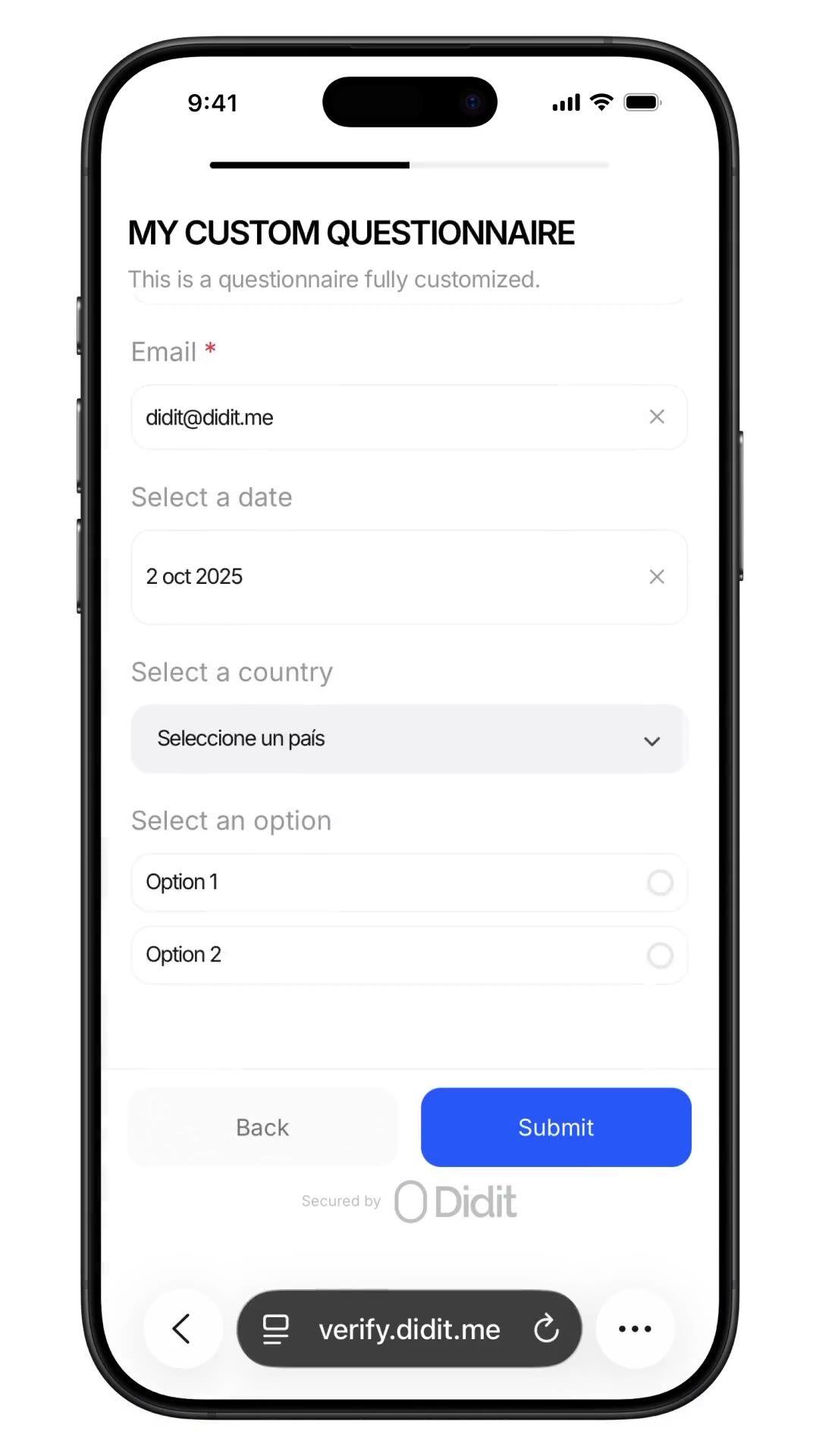
Colete qualquer dado. Dentro de qualquer fluxo de verificação.
Faça qualquer pergunta que sua equipe de compliance precisar, Fonte de Fundos, ocupação, volume esperado, autodeclaração de PEP (pessoa politicamente exposta), com respostas auditadas na mesma sessão. Construtor no-code, ramificação condicional, upload de arquivos. $0.10 por envio, 500 grátis/mês.
Confiado por mais de 3.000 organizações em todo o mundo.
Fonte de fundos, autodeclaração de PEP
Pergunte o que quiser. Bloqueie o registro de auditoria.
Adicione um questionário personalizado ao fluxo de trabalho, fonte de fundos, autodeclaração de PEP,
ocupação, volume esperado. As respostas aparecem no relatório da sessão.
$0.10 por envio.
Como funciona
Do cadastro ao usuário verificado em quatro passos.
Passo 01 / 04
01
Crie o fluxo de trabalho
Escolha as verificações que você quer, ID, prova de vida, reconhecimento facial, sanções, endereço, idade, telefone, e-mail, perguntas personalizadas. Arraste-as para um fluxo no painel, ou publique o mesmo fluxo na nossa API. Crie ramificações com base em condições, faça testes A/B, sem precisar de código.
Integre
Incorpore nativamente com nossos SDKs Web, iOS, Android, React Native ou Flutter. Redirecione para uma página hospedada. Ou simplesmente envie um link para seu usuário, por e-mail, SMS, WhatsApp, onde quiser. Escolha o que melhor se adapta à sua stack.
O usuário passa pelo fluxo
A Didit hospeda a câmera, as dicas de iluminação, a transição para o celular e a acessibilidade. Enquanto o usuário está no fluxo, pontuamos mais de 200 sinais de fraude em tempo real e verificamos cada campo contra fontes de dados oficiais. Resultado em menos de dois segundos.
Você recebe os resultados
Webhooks assinados em tempo real mantêm seu banco de dados sincronizado no momento em que um usuário é aprovado, recusado ou enviado para revisão. Consulte a API sob demanda. Ou abra o console para inspecionar cada sessão, cada sinal e gerenciar casos do seu jeito.
Feito para desenvolvedores · Contra fraudes · Aberto por design
Seis funcionalidades. Uma feature flag. QUESTIONNAIRE.
Cada funcionalidade abaixo é um toggle no mesmo módulo. Sem níveis de upsell, sem SKUs separados, sem chamadas adicionais. Ative-os por fluxo de trabalho, ou encadeie a etapa do questionário após a verificação de ID e prova de vida em um único fluxo de trabalho.
Formulários baseados em schema. Sem código. Sem SDK. Sem etapa de build.
Dois modos. Modo simples para formulários rápidos de arrastar e soltar em um único idioma, ideal para pesquisas internas e atestados rápidos. O modo avançado é um editor visual baseado em nós, necessário quando você precisa de ramificação condicional, traduções, texto de acompanhamento baseado em escolha ou revisão manual forçada. Ambos publicam em menos de um minuto.
Elements
Dropdown
Single choice
Multi choice
File upload
Long text
Date
Click to add
Custom questionnaireDraftPublished
Click to add elements
Source of fundsDROPDOWN
Required
Annual income bandSINGLE_CHOICE
Required
Supporting documentsFILE_UPLOAD
Required
Additional contextLONG_TEXT
Required
PublishPublished
02 · Ramificação condicional
Mostre cada pergunta apenas para o usuário que precisa dela.
Os nós de ramificação no editor de modo avançado inspecionam qualquer resposta anterior e direcionam o usuário pelo caminho correspondente. Pergunte ao residente dos EUA sobre o W-9, ao residente da UE sobre a autodeclaração de PEP (pessoa politicamente exposta), ignore ambos onde nenhum se aplica. Arraste de qualquer alça de nó para um espaço vazio para criar um novo nó conectado. Desfazer, refazer, atalhos de teclado, zoom e pan incluídos.
Applicant answer
US residentPEP · yesIncome > 250k
country == USRequire
is_pep == trueRequire
income > 250kShow
W-9 tax formFILE_UPLOAD
Required
Pick an answer to re-route the flow
03 · Modelos AML
Origem dos Fundos. Residência fiscal. Declarações de UBO.
Seis modelos de compliance pré-construídos no console, Fonte de Fundos, Detalhes de Emprego, Propósito da Conta, Propriedade Beneficiária, Residência Fiscal, Avaliação de Risco. Cada um codifica o que os auditores esperam (fonte de renda, detalhamento, upload de comprovante, fundos de terceiros, declaração de ativos virtuais). Clone um e personalize, ou comece do zero.
Template library
SOFSource of Funds7q
EMPEmployment5q
ACPAccount Purpose4q
UBOOwnership6q
TAXTax Residency5q
RSKRisk Profile8q
Questionnaire7 questions
Pick a template to build
Source of fundsDROPDOWN
Income bandSINGLE_CHOICE
Initial depositDROPDOWN
Volume bandSINGLE_CHOICE
Supporting docsFILE_UPLOAD
Other sourcesMULTI_CHOICE
Extra contextLONG_TEXT
48+ languagesReady to ship
04 · Respostas estruturadas
Cada resposta retorna como o mesmo JSON auditável.
O relatório da sessão contém um array `responses`, uma entrada por etapa do questionário. Cada item inclui tipo de elemento, flag de obrigatoriedade, título localizado, opções, limite de upload e um objeto de resposta com valor, texto ou arquivos. Mesmo formato na API e em cada webhook, persista uma vez e nunca mais precise re-analisar.
Source of fundsIn flow
Answer
Select…Salary
Attachment
payslip_2026.pdf
Submit
questionnaire_responses200 OK
awaiting submission…
{
"questionnaire_id": "q_9f7485e0",
"element_type": "DROPDOWN",
"title": "Source of funds",
"answer": { "value": "salary" },
"files": ["payslip_2026.pdf"]
}
webhook · questionnaire.completed
05 · Respostas + rastro de auditoria
Revisão manual forçada. Intervenção humana. Pronto para auditoria.
Ative a revisão manual forçada e cada envio será fixado como 'Em Revisão' até que um oficial de compliance humano o aprove. O console mostra cada resposta, cada arquivo enviado e o texto da pergunta localizada. A aprovação com um clique dispara um webhook de sessão verificada com o relatório final. Auditável de ponta a ponta para o regulador.
Submission queueLive
412413Approved
282928In review
6Not finished
Webhook fired · questionnaire.completedjust now
Jusr_7b3e9d4Source of Fundsjust nowIn reviewApproved
Ausr_a8c4f02Source of Funds12 MayApproved
Musr_4d2b6e1Employment Details13 MayApproved
Lusr_9f01a3cTax Residency14 MayApproved
06 · Nativo do fluxo de trabalho
Integrado ao KYC. Ou executado como uma verificação própria.
Encadeie o QUESTIONÁRIO após a VERIFICAÇÃO DE ID e a PROVA DE VIDA para coletar a Origem dos Fundos como parte de um onboarding KYC (Know Your Customer) completo, uma sessão, um webhook, um relatório armazenado. Ou implemente um fluxo de trabalho cuja única funcionalidade seja o QUESTIONÁRIO para due diligence contínua, declarações pós-onboarding e revalidações periódicas. $0.10 por envio em qualquer um dos caminhos.
01ID check
02Liveness
03Questions
Source of FundsApproved
Primary source · Salary
Docs · payslip_2026.pdf
Single session reportsession.approved · one webhook
Verified
Integre
Dois padrões. Mesmo JSON. Mesmo preço.
Use POST /v3/session/ em um fluxo de trabalho que encadeia QUESTIONNAIRE com ID_VERIFICATION e LIVENESS para coletar dados dentro de um KYC completo, ou em um fluxo de trabalho cuja única funcionalidade é QUESTIONNAIRE para executar o formulário como sua própria Verificação de Questionário. Ambos retornam o mesmo formato de questionnaire_responses.
$ curl -X POST https://verification.didit.me/v3/questionnaires/ \
-H "x-api-key: $DIDIT_API_KEY" \
-H "Content-Type: application/json" \
-d '{"title": "Onboarding de Cliente",
"languages": ["en"],
"default_language": "en",
"form_elements": [{ "id": "occupation", "element_type": "short_text", "label": { "en": "Qual é a sua ocupação?" } }]}'
201Criado{ "questionnaire_id": "q_…" }
Integração pronta para agentes
Lance Questionários Personalizados com um único prompt.
Cole o bloco abaixo no Claude Code, Cursor, Codex, Devin, Aider ou Replit Agent. Preencha o placeholder my_stack com seu framework + linguagem + caso de uso. O agente provisiona o Didit, constrói o questionário, cria o fluxo de trabalho com o recurso QUESTIONNAIRE, conecta o webhook e faz o deploy.
didit-integration-prompt.md
# Didit Custom Questionnaires — integrate in 5 minutes

You are integrating Didit's Custom Questionnaires module into <my_stack>.
Follow these steps exactly. Every URL, header, and enum value below is
canonical — do not paraphrase or "improve" them.

## 1. Provision an account
- Sign up: https://business.didit.me (no credit card required).
- Or provision programmatically: POST https://apx.didit.me/auth/v2/programmatic/register/
  (returns an API key bound to the workspace + application).

## 2. Build the questionnaire — Console OR API

### 2a. Visual builder in the Console (no code)
Questionnaires are authored visually — no schema upload, no SDK required.
1. Open https://business.didit.me, go to Questionnaires, click New.
2. Pick a mode:
   - Simple Mode — single-language drag-and-drop builder. Best for fast
     forms, internal surveys, single-locale flows.
   - Advanced Mode — visual node-based graph editor. Required for
     conditional branching, multi-language translations, choice-driven
     follow-up text, and forced manual review.
3. Drag elements onto the canvas (input, choice, upload, layout — full
   element catalog in section 5 below).
4. Optionally start from a pre-built template (Source of Funds,
   Employment Details, Purpose of Account, Beneficial Ownership, Tax
   Residency, Risk Assessment).
5. Localize titles, descriptions, placeholders, and choice labels for
   every supported language; set a default_language.
6. Publish — the questionnaire is now addressable by its questionnaire_id.

### 2b. Create the questionnaire programmatically (Management API)
Use this path when you want the form to live in code, ship via CI, or be
authored by an LLM. Endpoint:

  POST https://verification.didit.me/v3/questionnaires/
  Headers:  x-api-key: <your-api-key>
            Content-Type: application/json

Required body:
- title              — internal questionnaire name (string).
- languages          — array of locale codes; MUST include "en".
- default_language   — the default locale (string, e.g. "en").
- form_elements      — ordered array of questions (≥1 entry).

Each form element requires id, element_type (lowercase OR uppercase enum
— "short_text", "multiple_choice", "email", "file_upload", "date_picker",
etc.), and a translated label keyed by locale. For dropdown,
single_choice, and multiple_choice add options: [{ value, label }].

Hard constraints:
- This endpoint supports SIMPLE LINEAR questionnaires only. Do NOT send
  graph, branches, next, required_if, or conditional rules — use the
  Console (section 2a) for those.

Example body:
{
  "title": "Customer Onboarding",
  "languages": ["en"],
  "default_language": "en",
  "form_elements": [
    {
      "id": "occupation",
      "element_type": "short_text",
      "label": { "en": "What is your occupation?" },
      "is_required": true
    },
    {
      "id": "source_of_funds",
      "element_type": "multiple_choice",
      "label": { "en": "Source of funds" },
      "is_required": true,
      "options": [
        { "value": "employment", "label": { "en": "Employment" } },
        { "value": "business", "label": { "en": "Business" } },
        { "value": "investments", "label": { "en": "Investments" } }
      ]
    }
  ]
}

Response includes questionnaire_id — store it; you'll use it as
questionnaire_uuid when you wire the questionnaire into a workflow in
section 3 below. Full reference:
https://docs.didit.me/management-api/questionnaires/create

## 3. Two integration paths — pick one

### Path A — Workflow Builder (hosted UI, recommended)
Best when you want Didit to host the form, the file-upload UX, the
multi-language routing, the keyboard handling, and the mobile responsive
layout.

1. Create a workflow that contains the QUESTIONNAIRE feature:
   POST https://verification.didit.me/v3/workflows/
   Authorization header:  x-api-key: <your-api-key>
   Body: workflow_label, features array with the entry
         { feature: "QUESTIONNAIRE", questionnaire_id: "<id>" }
         (UPPERCASE — strict enum)
   Optional: chain QUESTIONNAIRE after OCR + LIVENESS in the
   same workflow to collect Source of Funds as part of a full Know Your Customer (KYC).

2. Create a verification session for an end user:
   POST https://verification.didit.me/v3/session/
   Body: workflow_id (from step 1), vendor_data (your own user id).
   Response: url (the hosted verification link) — redirect the user to it.

3. Listen for webhook callbacks (see "Webhooks" below).

### Path B — Standalone Questionnaire Verification
Run a questionnaire as its own verification — no KYC required.
Use a workflow whose only feature is QUESTIONNAIRE. Everything else is
identical to Path A. Useful for ongoing-due-diligence pulses,
post-onboarding declarations, periodic re-attestations.

## 4. Webhooks
- Register a webhook destination once via
  POST https://verification.didit.me/v3/webhook/destinations/
  Body: url, subscribed_events: ["session.verified", "session.review_started",
                                  "session.declined"]
- Response includes secret_shared_key — store it.
- Every webhook delivery carries an X-Signature-V2 header you MUST verify
  before trusting the payload.  HMAC-SHA256 verification MUST run against the raw body bytes (the raw payload as Didit sent it) BEFORE any JSON parsing — re-serialising the parsed body changes whitespace and key order, which invalidates the signature.Algorithm:
    1. sortKeys(payload) recursively
    2. shortenFloats (truncate trailing zeros after the decimal point)
    3. JSON.stringify the result
    4. HMAC-SHA256 with the secret_shared_key
    5. Hex-encode, compare to the X-Signature-V2 header.

## 5. Element catalog (use these in the builder)
Input elements:
  SHORT_TEXT, LONG_TEXT, NUMBER, EMAIL, PHONE, ADDRESS, DATE_PICKER, TIME
Choice elements:
  DROPDOWN, SINGLE_CHOICE, MULTIPLE_CHOICE, COUNTRY, CONSENT
  - DROPDOWN and SINGLE_CHOICE support per-option requires_text_input —
    selecting "Other" can demand a free-text follow-up.
Upload elements:
  IMAGE, FILE_UPLOAD
  - max_files (1-5) per element.
Layout elements:
  PARAGRAPH, SECTION_HEADER, SEPARATOR (read-only, not answerable).

## 6. Reading the report
The session report contains a questionnaire_responses array (one entry
per questionnaire step in the workflow graph). Each entry has:
- node_id: identifies the questionnaire step in the workflow graph
- questionnaire_id: which questionnaire this response is for
- title, description, languages, default_language, is_active
- sections: array of { title, description, items[] }
- each item: { uuid, order, element_type, is_required, title,
              description, placeholder, choices, max_files, answer }
- answer: { value, text, files[] } — only the fields relevant to the
  element_type are present.
- status: "Approved" | "In Review" | "Not Finished"

Status semantics:
- Not Finished — user has not completed the questionnaire yet.
- In Review — submitted, pending manual review. The Console flag
  "force manual review" pins every response to this state until a human
  approves it.
- Approved — reviewed and accepted.

Note: questionnaires do NOT emit risk warnings. Governance is achieved
through required fields, validation, manual review, and the workflow
graph (branching nodes route compliance-sensitive answers to In Review).

## 7. Hard rules — do not change
- Base URL for /v3/* endpoints is verification.didit.me (NOT apx.didit.me).
- Feature enum is UPPERCASE: QUESTIONNAIRE, OCR, LIVENESS,
  FACE_MATCH, AML, IP_ANALYSIS.
- Element type enums are UPPERCASE + underscored: SHORT_TEXT, LONG_TEXT,
  FILE_UPLOAD, SINGLE_CHOICE, etc.
- Auth header is x-api-key (lowercase, hyphenated).
- Webhook signature header is X-Signature-V2 (NOT X-Signature).
- Always verify webhook signatures before trusting payload data.
- Status casing matches exactly: "Approved", "In Review", "Not Finished"
  (title-cased, space-separated).

## 8. Pricing reference (public)
- $0.10 per questionnaire submission (Path A or Path B).
- No minimums. No per-language surcharge. No per-element surcharge.
  Conditional branching, file uploads, manual review — all included at
  the same per-submission price.

## 9. Verify your integration
- Sandbox starts on signup at https://business.didit.me — no separate flag.
- Use one of the pre-built templates (Source of Funds, Employment
  Details, Purpose of Account, Beneficial Ownership, Tax Residency, Risk
  Assessment) to ship a draft in under a minute, then customise.
- Switch to live: flip the application's environment toggle in console.

When in doubt: https://docs.didit.me/core-technology/questionnaires/overview
Conformidade por design
Abra um novo país com um clique. Nós fazemos o trabalho pesado.
Nós abrimos as subsidiárias locais, garantimos as licenças, realizamos os testes de penetração, obtemos as certificações e nos alinhamos a cada nova regulamentação. Para lançar verificações em um novo país, basta ativar uma chave. Mais de 220 países ativos, auditados e testados trimestralmente, o único provedor de identidade que um governo de um estado membro da UE formalmente considerou mais seguro do que a verificação presencial.
Tipos de elementos, entrada, escolha, upload, layout.
6
Modelos pré-construídos, incluindo Fonte de Recursos.
$0.10
Por envio de questionário, qualquer padrão.
500
Verificações gratuitas todo mês, para sempre.
Três planos, uma tabela de preços
Comece grátis. Pague pelo uso. Escale para Enterprise.
500 verificações gratuitas todo mês, para sempre. Depois, pague apenas quando um módulo for executado. Contratos personalizados, residência de dados e acordos de nível de serviço (SLAs) no plano Enterprise.
Grátis
$0/ mês · sem cartão
Para construir, testar e para seus primeiros usuários.
Tudo o que você precisa para começar:
500 verificações KYC completas todo mês
ID, prova de vida, face match, dispositivo e IP
Mais de 200 sinais de fraude, blocklist, duplicatas
KYC reutilizável em toda a rede Didit
Construtor de fluxo de trabalho, gerenciamento de casos, SDKs
Suporte de IAAgente de IA no console, documentação e comunidade.