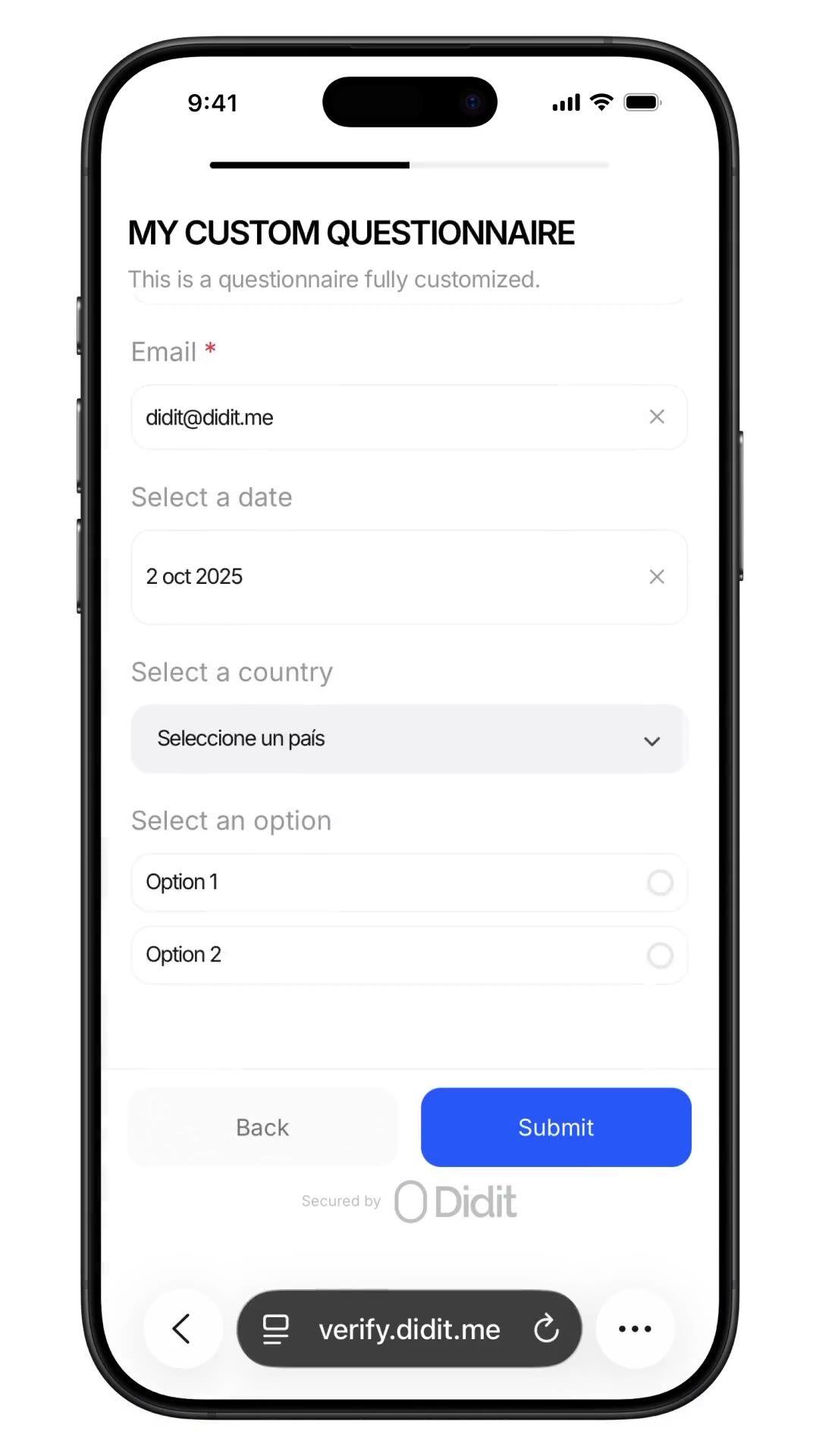
Recopila cualquier dato. Dentro de cualquier flujo de verificación.
Haz cualquier pregunta que tu equipo de cumplimiento necesite,origen de fondos, ocupación, volumen esperado, autodeclaración PEP (persona políticamente expuesta), con respuestas auditadas en la misma sesión. Constructor sin código, ramificación condicional, carga de archivos. $0.10 por envío, 500 gratis/mes.
Con la confianza de más de 3.000 organizaciones en todo el mundo.
Origen de fondos, autodeclaración PEP
Pregunta lo que quieras. Bloquea el registro de auditoría.
Inserta un cuestionario personalizado en el flujo de trabajo, origen de fondos, autodeclaración
PEP, ocupación, volumen esperado. Las respuestas se guardan en el informe de la
sesión. $0.10 por envío.
Cómo funciona
Del registro al usuario verificado en cuatro pasos.
Paso 01 / 04
01
Crea el flujo de trabajo
Elige las verificaciones que quieras, ID, prueba de vida, coincidencia facial, sanciones, dirección, edad, teléfono, email, preguntas personalizadas. Arrástralas a un flujo en el panel de control, o publica el mismo flujo en nuestra API. Ramifica según condiciones, ejecuta pruebas A/B, sin necesidad de código.
Integra
Integra de forma nativa con nuestro SDK para Web, iOS, Android, React Native o Flutter. Redirige a una página alojada. O simplemente envía a tu usuario un enlace, por email, SMS, WhatsApp, donde quieras. Elige lo que mejor se adapte a tu stack.
El usuario completa el flujo
Didit aloja la cámara, las indicaciones de iluminación, la transferencia móvil y la accesibilidad. Mientras el usuario está en el flujo, puntuamos más de 200 señales de fraude en tiempo real y verificamos cada campo contra fuentes de datos autorizadas. El resultado en menos de dos segundos.
Recibes los resultados
Los webhooks firmados en tiempo real mantienen tu base de datos sincronizada en el momento en que un usuario es aprobado, rechazado o enviado a revisión. Consulta la API bajo demanda. O abre la consola para inspeccionar cada sesión, cada señal y gestionar los casos a tu manera.
Diseñado para desarrolladores · Diseñado contra el fraude · Abierto por diseño
Seis capacidades. Un solo feature flag. QUESTIONNAIRE.
Cada capacidad a continuación es un interruptor en el mismo módulo. Sin niveles de venta adicional, sin SKUs separados, sin llamadas adicionales. Actívalos por flujo de trabajo, o encadena el paso del cuestionario después de la verificación de ID y la prueba de vida en un solo flujo de trabajo.
Formularios basados en esquemas. Sin código. Sin SDK. Sin pasos de compilación.
Dos modos. Modo simple para formularios rápidos de arrastrar y soltar en un solo idioma, ideal para encuestas internas y certificaciones rápidas. El modo avanzado es un editor visual basado en nodos, necesario cuando necesitas ramificación condicional, traducciones, texto de seguimiento basado en elecciones o revisión manual forzada. Ambos se publican en menos de un minuto.
Elements
Dropdown
Single choice
Multi choice
File upload
Long text
Date
Click to add
Custom questionnaireDraftPublished
Click to add elements
Source of fundsDROPDOWN
Required
Annual income bandSINGLE_CHOICE
Required
Supporting documentsFILE_UPLOAD
Required
Additional contextLONG_TEXT
Required
PublishPublished
02 · Ramificación condicional
Muestra cada pregunta solo al usuario que la necesita.
Los nodos de ramificación en el editor de modo avanzado inspeccionan cualquier respuesta anterior y dirigen al usuario por la ruta correspondiente. Pregunta al residente de EE. UU. el seguimiento W-9, al residente de la UE la autodeclaración PEP (persona políticamente expuesta), omite ambos donde no apliquen. Arrastra desde cualquier manejador de nodo a un espacio vacío para crear un nuevo nodo conectado. Incluye deshacer, rehacer, atajos de teclado, zoom y panorámica.
Applicant answer
US residentPEP · yesIncome > 250k
country == USRequire
is_pep == trueRequire
income > 250kShow
W-9 tax formFILE_UPLOAD
Required
Pick an answer to re-route the flow
03 · Plantillas de grado AML
Origen de los fondos. Residencia fiscal. Declaraciones de UBO.
Seis plantillas de cumplimiento preconstruidas en la consola, Origen de Fondos, Detalles de Empleo, Propósito de la Cuenta, Propiedad Beneficiaria, Residencia Fiscal, Evaluación de Riesgos. Cada una codifica lo que los auditores esperan (fuente de ingresos, desglose, carga de pruebas, fondos de terceros, declaración de activos virtuales). Clona una y personalízala, o empieza desde cero.
Template library
SOFSource of Funds7q
EMPEmployment5q
ACPAccount Purpose4q
UBOOwnership6q
TAXTax Residency5q
RSKRisk Profile8q
Questionnaire7 questions
Pick a template to build
Source of fundsDROPDOWN
Income bandSINGLE_CHOICE
Initial depositDROPDOWN
Volume bandSINGLE_CHOICE
Supporting docsFILE_UPLOAD
Other sourcesMULTI_CHOICE
Extra contextLONG_TEXT
48+ languagesReady to ship
04 · Respuestas estructuradas
Cada respuesta se devuelve como el mismo JSON auditable.
El informe de sesión contiene un array `responses`, una entrada por cada paso del cuestionario. Cada elemento incluye el tipo de elemento, el indicador de requerido, el título localizado, las opciones, el límite de carga y un objeto de respuesta con valor, texto o archivos. La misma estructura en la API y en cada webhook, persiste una vez y nunca vuelvas a analizar.
Source of fundsIn flow
Answer
Select…Salary
Attachment
payslip_2026.pdf
Submit
questionnaire_responses200 OK
awaiting submission…
{
"questionnaire_id": "q_9f7485e0",
"element_type": "DROPDOWN",
"title": "Source of funds",
"answer": { "value": "salary" },
"files": ["payslip_2026.pdf"]
}
webhook · questionnaire.completed
05 · Respuestas + rastro de auditoría
Revisión manual forzada. Intervención humana. Listo para auditorías.
Activa la revisión manual forzada y cada envío se fijará en "En revisión" hasta que un oficial de cumplimiento humano lo apruebe. La consola muestra cada respuesta, cada archivo cargado y el texto de la pregunta localizado. La aprobación con un solo clic dispara un webhook de sesión verificada con el informe final. Auditable de principio a fin para el regulador.
Submission queueLive
412413Approved
282928In review
6Not finished
Webhook fired · questionnaire.completedjust now
Jusr_7b3e9d4Source of Fundsjust nowIn reviewApproved
Ausr_a8c4f02Source of Funds12 MayApproved
Musr_4d2b6e1Employment Details13 MayApproved
Lusr_9f01a3cTax Residency14 MayApproved
06 · Nativo del flujo de trabajo
Integrado en el KYC. O ejecútalo como una verificación independiente.
Encadena un CUESTIONARIO después de la VERIFICACIÓN DE IDENTIDAD y la PRUEBA DE VIDA para recopilar el origen de los fondos como parte de un proceso completo de KYC (Know Your Customer), una sesión, un webhook, un informe almacenado. O lanza un flujo de trabajo cuya única característica sea el CUESTIONARIO para la diligencia debida continua, declaraciones post-incorporación y re-certificaciones periódicas. $0.10 por envío en cualquiera de las opciones.
01ID check
02Liveness
03Questions
Source of FundsApproved
Primary source · Salary
Docs · payslip_2026.pdf
Single session reportsession.approved · one webhook
Verified
Integra
Dos patrones. El mismo JSON. El mismo precio.
Usa POST /v3/session/ en un flujo de trabajo que encadene QUESTIONNAIRE con ID_VERIFICATION y LIVENESS para recopilar datos dentro de un KYC completo, o en un flujo de trabajo cuya única característica sea QUESTIONNAIRE para ejecutar el formulario como su propia Verificación de Cuestionario. Ambos devuelven la misma estructura questionnaire_responses.
$ curl -X POST https://verification.didit.me/v3/questionnaires/ \
-H "x-api-key: $DIDIT_API_KEY" \
-H "Content-Type: application/json" \
-d '{"title": "Incorporación de clientes",
"languages": ["en"],
"default_language": "en",
"form_elements": [{ "id": "occupation", "element_type": "short_text", "label": { "en": "¿Cuál es tu ocupación?" } }]}'
201Creado{ "questionnaire_id": "q_…" }
Integración lista para agentes
Despliega cuestionarios personalizados con un solo prompt.
Pega el siguiente bloque en Claude Code, Cursor, Codex, Devin, Aider o Replit Agent. Rellena el placeholder `my_stack` con tu framework + lenguaje + caso de uso. El agente provisiona Didit, construye el cuestionario, crea el flujo de trabajo con la función QUESTIONNAIRE, conecta el webhook y lo despliega.
didit-integration-prompt.md
# Didit Custom Questionnaires — integrate in 5 minutes

You are integrating Didit's Custom Questionnaires module into <my_stack>.
Follow these steps exactly. Every URL, header, and enum value below is
canonical — do not paraphrase or "improve" them.

## 1. Provision an account
- Sign up: https://business.didit.me (no credit card required).
- Or provision programmatically: POST https://apx.didit.me/auth/v2/programmatic/register/
  (returns an API key bound to the workspace + application).

## 2. Build the questionnaire — Console OR API

### 2a. Visual builder in the Console (no code)
Questionnaires are authored visually — no schema upload, no SDK required.
1. Open https://business.didit.me, go to Questionnaires, click New.
2. Pick a mode:
   - Simple Mode — single-language drag-and-drop builder. Best for fast
     forms, internal surveys, single-locale flows.
   - Advanced Mode — visual node-based graph editor. Required for
     conditional branching, multi-language translations, choice-driven
     follow-up text, and forced manual review.
3. Drag elements onto the canvas (input, choice, upload, layout — full
   element catalog in section 5 below).
4. Optionally start from a pre-built template (Source of Funds,
   Employment Details, Purpose of Account, Beneficial Ownership, Tax
   Residency, Risk Assessment).
5. Localize titles, descriptions, placeholders, and choice labels for
   every supported language; set a default_language.
6. Publish — the questionnaire is now addressable by its questionnaire_id.

### 2b. Create the questionnaire programmatically (Management API)
Use this path when you want the form to live in code, ship via CI, or be
authored by an LLM. Endpoint:

  POST https://verification.didit.me/v3/questionnaires/
  Headers:  x-api-key: <your-api-key>
            Content-Type: application/json

Required body:
- title              — internal questionnaire name (string).
- languages          — array of locale codes; MUST include "en".
- default_language   — the default locale (string, e.g. "en").
- form_elements      — ordered array of questions (≥1 entry).

Each form element requires id, element_type (lowercase OR uppercase enum
— "short_text", "multiple_choice", "email", "file_upload", "date_picker",
etc.), and a translated label keyed by locale. For dropdown,
single_choice, and multiple_choice add options: [{ value, label }].

Hard constraints:
- This endpoint supports SIMPLE LINEAR questionnaires only. Do NOT send
  graph, branches, next, required_if, or conditional rules — use the
  Console (section 2a) for those.

Example body:
{
  "title": "Customer Onboarding",
  "languages": ["en"],
  "default_language": "en",
  "form_elements": [
    {
      "id": "occupation",
      "element_type": "short_text",
      "label": { "en": "What is your occupation?" },
      "is_required": true
    },
    {
      "id": "source_of_funds",
      "element_type": "multiple_choice",
      "label": { "en": "Source of funds" },
      "is_required": true,
      "options": [
        { "value": "employment", "label": { "en": "Employment" } },
        { "value": "business", "label": { "en": "Business" } },
        { "value": "investments", "label": { "en": "Investments" } }
      ]
    }
  ]
}

Response includes questionnaire_id — store it; you'll use it as
questionnaire_uuid when you wire the questionnaire into a workflow in
section 3 below. Full reference:
https://docs.didit.me/management-api/questionnaires/create

## 3. Two integration paths — pick one

### Path A — Workflow Builder (hosted UI, recommended)
Best when you want Didit to host the form, the file-upload UX, the
multi-language routing, the keyboard handling, and the mobile responsive
layout.

1. Create a workflow that contains the QUESTIONNAIRE feature:
   POST https://verification.didit.me/v3/workflows/
   Authorization header:  x-api-key: <your-api-key>
   Body: workflow_label, features array with the entry
         { feature: "QUESTIONNAIRE", questionnaire_id: "<id>" }
         (UPPERCASE — strict enum)
   Optional: chain QUESTIONNAIRE after OCR + LIVENESS in the
   same workflow to collect Source of Funds as part of a full Know Your Customer (KYC).

2. Create a verification session for an end user:
   POST https://verification.didit.me/v3/session/
   Body: workflow_id (from step 1), vendor_data (your own user id).
   Response: url (the hosted verification link) — redirect the user to it.

3. Listen for webhook callbacks (see "Webhooks" below).

### Path B — Standalone Questionnaire Verification
Run a questionnaire as its own verification — no KYC required.
Use a workflow whose only feature is QUESTIONNAIRE. Everything else is
identical to Path A. Useful for ongoing-due-diligence pulses,
post-onboarding declarations, periodic re-attestations.

## 4. Webhooks
- Register a webhook destination once via
  POST https://verification.didit.me/v3/webhook/destinations/
  Body: url, subscribed_events: ["session.verified", "session.review_started",
                                  "session.declined"]
- Response includes secret_shared_key — store it.
- Every webhook delivery carries an X-Signature-V2 header you MUST verify
  before trusting the payload.  HMAC-SHA256 verification MUST run against the raw body bytes (the raw payload as Didit sent it) BEFORE any JSON parsing — re-serialising the parsed body changes whitespace and key order, which invalidates the signature.Algorithm:
    1. sortKeys(payload) recursively
    2. shortenFloats (truncate trailing zeros after the decimal point)
    3. JSON.stringify the result
    4. HMAC-SHA256 with the secret_shared_key
    5. Hex-encode, compare to the X-Signature-V2 header.

## 5. Element catalog (use these in the builder)
Input elements:
  SHORT_TEXT, LONG_TEXT, NUMBER, EMAIL, PHONE, ADDRESS, DATE_PICKER, TIME
Choice elements:
  DROPDOWN, SINGLE_CHOICE, MULTIPLE_CHOICE, COUNTRY, CONSENT
  - DROPDOWN and SINGLE_CHOICE support per-option requires_text_input —
    selecting "Other" can demand a free-text follow-up.
Upload elements:
  IMAGE, FILE_UPLOAD
  - max_files (1-5) per element.
Layout elements:
  PARAGRAPH, SECTION_HEADER, SEPARATOR (read-only, not answerable).

## 6. Reading the report
The session report contains a questionnaire_responses array (one entry
per questionnaire step in the workflow graph). Each entry has:
- node_id: identifies the questionnaire step in the workflow graph
- questionnaire_id: which questionnaire this response is for
- title, description, languages, default_language, is_active
- sections: array of { title, description, items[] }
- each item: { uuid, order, element_type, is_required, title,
              description, placeholder, choices, max_files, answer }
- answer: { value, text, files[] } — only the fields relevant to the
  element_type are present.
- status: "Approved" | "In Review" | "Not Finished"

Status semantics:
- Not Finished — user has not completed the questionnaire yet.
- In Review — submitted, pending manual review. The Console flag
  "force manual review" pins every response to this state until a human
  approves it.
- Approved — reviewed and accepted.

Note: questionnaires do NOT emit risk warnings. Governance is achieved
through required fields, validation, manual review, and the workflow
graph (branching nodes route compliance-sensitive answers to In Review).

## 7. Hard rules — do not change
- Base URL for /v3/* endpoints is verification.didit.me (NOT apx.didit.me).
- Feature enum is UPPERCASE: QUESTIONNAIRE, OCR, LIVENESS,
  FACE_MATCH, AML, IP_ANALYSIS.
- Element type enums are UPPERCASE + underscored: SHORT_TEXT, LONG_TEXT,
  FILE_UPLOAD, SINGLE_CHOICE, etc.
- Auth header is x-api-key (lowercase, hyphenated).
- Webhook signature header is X-Signature-V2 (NOT X-Signature).
- Always verify webhook signatures before trusting payload data.
- Status casing matches exactly: "Approved", "In Review", "Not Finished"
  (title-cased, space-separated).

## 8. Pricing reference (public)
- $0.10 per questionnaire submission (Path A or Path B).
- No minimums. No per-language surcharge. No per-element surcharge.
  Conditional branching, file uploads, manual review — all included at
  the same per-submission price.

## 9. Verify your integration
- Sandbox starts on signup at https://business.didit.me — no separate flag.
- Use one of the pre-built templates (Source of Funds, Employment
  Details, Purpose of Account, Beneficial Ownership, Tax Residency, Risk
  Assessment) to ship a draft in under a minute, then customise.
- Switch to live: flip the application's environment toggle in console.

When in doubt: https://docs.didit.me/core-technology/questionnaires/overview
Cumplimiento por diseño
Abre un nuevo país en un clic. Nosotros hacemos el trabajo duro.
Abrimos las filiales locales, aseguramos las licencias, realizamos las pruebas de penetración, obtenemos las certificaciones y nos alineamos con cada nueva regulación. Para lanzar verificaciones en un nuevo país, activa un interruptor. Más de 220 países en vivo, auditados y probados trimestralmente, el único proveedor de identidad que un gobierno de un estado miembro de la UE ha calificado formalmente como más seguro que la verificación presencial.
Tipos de elementos: entrada, selección, carga, diseño.
6
Plantillas predefinidas, incluyendo Origen de Fondos.
$0.10
Por envío de cuestionario, cualquier patrón.
500
Verificaciones gratuitas cada mes, para siempre.
Tres niveles, una lista de precios
Empieza gratis. Paga por uso. Escala a Enterprise.
500 verificaciones gratis cada mes, para siempre. Después, paga solo cuando se ejecute un módulo. Contratos personalizados, residencia de datos y acuerdos de nivel de servicio (SLA) en Enterprise.
Gratis
$0/ mes · sin tarjeta
Para construir, probar y tus primeros usuarios.
Todo lo que necesitas para empezar:
500 verificaciones KYC completas cada mes
ID, prueba de vida, coincidencia facial, dispositivo e IP
Más de 200 señales de fraude, lista de bloqueo, duplicados
KYC reutilizable en toda la red Didit
Constructor de flujos de trabajo, gestión de casos, SDKs
Soporte con IAAgente de IA en consola, documentación y comunidad.