
California age verification law 2027: the four rules for apps
Four California laws, one declared age signal. What apps, games and feeds must do from 1 January and 1 July 2027, where AB 1709 allows your own age determination, and when no extra check is needed.
In short
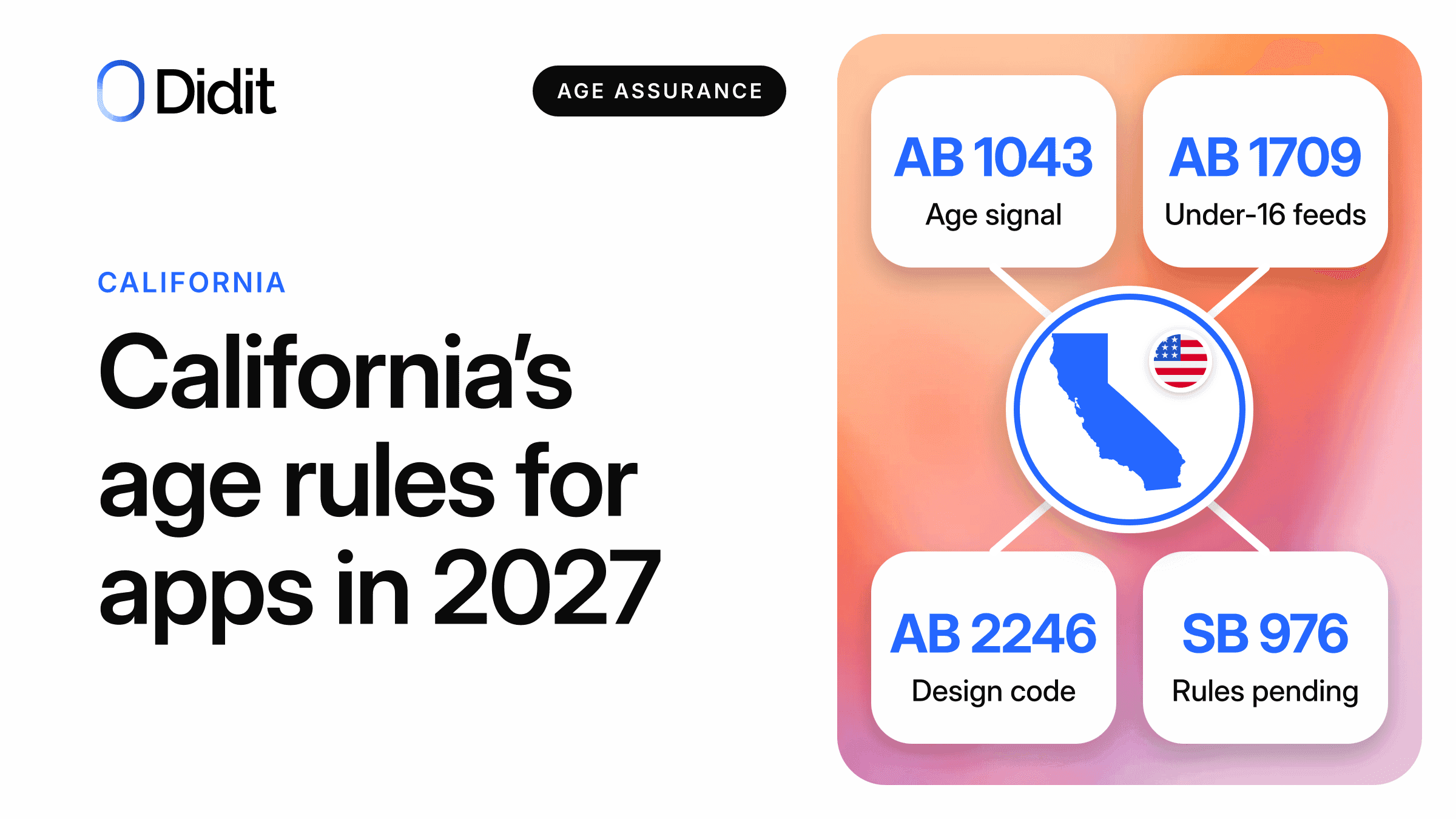
The California age verification law of 2027 is really four laws that share one age signal. The Digital Age Assurance Act makes devices and app stores pass a declared age bracket to apps; AB 1709, AB 2246 and SB 976 decide what feeds, autoplay and services likely to be accessed by children must do with an age.[1][2][3][4]
- The age is declared by the account holder, not checked against a document or a face.[1]
- One passage replaces the signal with the platform's own determination: AB 1709, section 22684(a)(2), when the age cannot be verified through the signal.[2]
- Dates to plan for: 1 January 2027, then 1 July 2027 for devices and installs that existed before.[1][7]
California's Governor approved three bills on 10 September 2026: AB 1856, which amends the Digital Age Assurance Act, AB 1709 on addictive features, and AB 2246, which replaces the Age-Appropriate Design Code.[1][2][3] SB 976 of 2024 adds an age duty for addictive feeds on 1 January 2027, with rules still in draft.[4][5]
This guide is for apps, games, social products and consumer services with users in California. For the platform side, read what changes in Google Play in January 2027.
Four laws, one signal
The Digital Age Assurance Act (AB 1043, amended by AB 1856) creates the signal: the operating system asks for the age at account setup, and apps request a bracket.[1] Its brackets and developer duties have their own page; here we look at what the other three laws do with the answer.
| Law | Who it covers | Main duty | How it uses the signal | Maximum civil penalty |
|---|---|---|---|---|
| Digital Age Assurance Act (AB 1043 + AB 1856) | Operating systems, app stores and app developers, with no audience or size test | Apps request the signal | It is the signal | $2,500 (negligent) or $7,500 (intentional) per affected child[1] |
| AB 1709 | Sites and apps that offer an addictive feed or autoplay as a significant part of the service | No addictive feature for users under 16 | Signal first; otherwise the SB 976 determination | $25,000 (negligent) or $50,000 (knowing) per affected minor[2] |
| AB 2246 | Businesses whose service is likely to be accessed by under-18s | Estimate age or give everybody the child protections; high-privacy defaults | Points to section 1798.501(b) of the Act | $5,000 (negligent) or $15,000 (intentional) per affected child[3] |
| SB 976 | Operators of services with an addictive feed as a significant part | From 2027, no addictive feed unless reasonably determined not a minor, or verifiable parental consent[4][19] | In the draft rules it can give actual knowledge[6] | Not covered here; some other sections are enjoined[13] |
A short-video app can be under all four; a calculator app may only have the request duty.
What starts on 1 January 2027 and on 1 July 2027
- 10 Sep 2026Three bills signedAB 1709, AB 1856 and AB 2246.[1][2][3]
- 11 Dec 2026Google dateBy then Play Age Signals v0.0.6 will start to return responses for all users, says Google.[12]
- 1 Jan 2027Main startDigital Age Assurance Act operative; SB 976 determination test begins.[4][7]
- 1 Jul 2027Older devicesBefore this day: age question on older devices, signal request for existing installs of apps updated since January 2026.[1]
AB 1709 and AB 2246 print no start date. The law firm Orrick lists 1 January 2027 for both.[13] Plan for that day and let counsel confirm it.
The six-month gap
Before 1 July 2027, operating systems must offer the age question on devices set up before 2027, and developers must request the signal for apps already installed and updated since 1 January 2026.[1] AB 1709 contains no matching transition.[2] Our reading: in early 2027 a feed app will meet Californian users whose device has no age to send.
AB 1709: feeds and autoplay for under 16
Section 22683(a)(1)California Business and Professions Code, added by AB 1709
"A covered platform shall not provide an addictive feature to a user who is under 16 years of age."
Source: California Legislative Information, AB 1709[2]
Addictive features are an addictive feed, autoplay (named without a definition) and whatever the Attorney General adds by regulation.[2] The exceptions show what a service can keep for everybody.
| Product behaviour | How section 22682 treats it |
|---|---|
| Feed of media shared by users, ranked on past interactions | Addictive feed[2] |
| Search results from terms not persistently tied to the user | Listed exception[2] |
| Posts from authors the user expressly asked for, not ranked on other data and, for audio or video, not played automatically | Listed exception[2] |
| Direct, private messages | Listed exception[2] |
| Service where users only trade or post reviews, or a feed whose main purpose is cloud storage | Not a covered platform[2] |
The law is not an account ban. A platform may let an under-16 keep an account with no addictive feature; a platform that does not must delete the account and its personal information.[2]
A feed product needs two lines, 16 and 18. Neither law bars the feature for a user known to be an adult.
| User | AB 1709 | SB 976 |
|---|---|---|
| Under 16 | No addictive feature; the section has no parental consent exception[2] | No addictive feed without verifiable parental consent[4] |
| 16 or 17 | Not barred by AB 1709[2] | No addictive feed without verifiable parental consent[4][19] |
| Age unknown | Verify before providing the feature[2] | From 1 January 2027, reasonably determine that the user is not a minor[4] |
Map your Californian feed to the signal
See where the signal ends and your own check begins.
When the signal cannot verify: the fallback in the text
A covered platform must first verify age "pursuant to the Digital Age Assurance Act". Section 22684(a)(2) covers the case where that does not work.[2]
Section 22684(a)(2)California Business and Professions Code, added by AB 1709
"If a covered platform is unable to verify the age of the user pursuant to paragraph (1), the covered platform shall instead rely on the age determination with respect to the user made pursuant to subparagraph (B) of paragraph (1) of subdivision (a) of Section 27001 of the Health and Safety Code."
Source: California Legislative Information, AB 1709[2]
The section it points to, from SB 976, reads: "Commencing January 1, 2027, the operator has reasonably determined that the user is not a minor, including pursuant to regulations promulgated by the Attorney General."[4] In the four laws, this is the one place where the text swaps the signal for the platform's own determination. Three limits matter:
- Treat the signal as the first route. The fallback opens only when the platform is "unable" to verify through it, a word the law does not define.[2]
- Expect the line at 18. The fallback asks whether the user is a minor, so 16 and 17 count as minors there, and AB 1709 says nothing more about them.[2][4][19]
- Keep the other option open: an account without addictive features.[2]
In our reading, candidates for "unable" are a web-only service that no device signal reaches, a device set up before 2027 with no age yet, and a request that returns nothing. The law names none of them.
1Request the signal
When the app is downloaded and launched, for the minimum information.
The signal returns an age bracket
Act on the bracket
Under 16: no feed, no autoplay. 16 or 17: SB 976 consent rule. 18 or over: stop, no second check.
Feature off, or own determination
Default to the non-addictive version. Offer an age check to users who want the feature, at 18.
2Delete what the check collected
Keep the decision you need, and nothing else.
A cautious order for a covered platform. Our reading, to confirm with counsel.
The design of that second branch is in what to do when there is no age signal.
AB 2246 and proportionality
AB 2246 repeals the Age-Appropriate Design Code and puts a new text in its place. Its test is "likely to be accessed by children", with indicators that include evidence of a significant audience of children, advertisements marketed to them, or design elements like games, cartoons and music.[3] Being a game is an indicator, not a verdict.
A covered business has a choice: estimate the age of child users "with a reasonable level of certainty appropriate to the risks", or "apply the privacy and data protections afforded to children to all consumers".[3] The second path needs no age at all. The law also sets a ceiling: "Age assurance shall be proportionate to the risks and data practice of an online service, product, or feature."[3] A selfie from every visitor of a recipe app would be hard to defend against that sentence.
Unresolved cross-reference
AB 2246 sends the estimate to subdivision (b) of section 1798.501. In the text amended by AB 1856, (b) is the ban on operating systems sharing the signal, and the developer duties sit in (d).[1][3] Orrick reads it as age assurance through the Digital Age Assurance Act.[13] The bill text leaves it open.
SB 976: rules not final
SB 976 requires the Attorney General to adopt age assurance rules by 1 January 2027. On 22 November 2026 the Department was still reviewing comments on its May draft, and the Office of Administrative Law must review it too.[5] Courts have blocked other parts; Orrick lists no injunction on section 27001, the feed rule.[13]
A draft can change, but it is the text in this set that lists methods.[6]
| Draft section | What the proposed text says | What it means for a product team |
|---|---|---|
| 560 | A signal can give actual knowledge. Minor: parental consent needed. Not a minor: no determination needed[6] | With an adult signal, no second check |
| 561(a) | Example methods include facial analysis, zero-knowledge proofs, government ID and methods that satisfy ISO/IEC 27566[6] | Listed as an example is not approved |
| 561(b) and (c) | Methods must be reasonably effective at identifying under-18s, consistent and testable; the operator publishes a report[6] | You need numbers for your own use |
| 562 | An operator must not require government ID, nor use a method requiring it as the sole method[6] | A document can be an option, never the only door |
| 563 | Not reasonable: self-declaration, biometrics without measures against presentation attacks, an inconclusive result[6] | A birthday screen would not do as the fallback |
| 564 | Users can appeal the result[6] | Offer a second route and a written answer |
| 566 | A finding that the user is a minor applies on website and app[6] | Apply it on both |
One contrast: the draft rejects self-declaration to the operator, yet accepts the device signal, which the account holder also declares.[1][6]
Mandatory sharing, declared age
From January 2027, Google says, the Play Age Signals API returns age range information for users in California "on a mandatory basis".[8] What is mandatory is the user's sharing; Google "doesn't mandate the use of these features" by developers, and the duty to request a signal comes from the state law.[1][9]
How sure is the age
Google's docs describe TIER_A as an age the user gave, which Google "may or may not have confirmed", and keep the checked tiers for regions where verification is mandatory.[10] So the docs indicate a declared age for California; Google does not say it in those words.
We found no Apple page on the California law on 22 November 2026; see the comparison of both signals. Squire Patton Boggs lists no reported court challenge to the Digital Age Assurance Act.[14] For states where the store verifies, read the App Store Accountability Acts.
Data duties: delete, do not share, do not prompt
Six lines to put in a ticket.
| Rule | What the text says | In practice |
|---|---|---|
| Do not prompt | An entity under the Act "shall not prompt the user to change the user's age information"[1] | No banner asking Californians to fix their age |
| Do not share | No third party, unless the Act requires the purpose; Google's policy adds its own ban, "except as strictly required by law"[1][11] | The signal goes to no vendor, Didit included |
| Do not over-ask | Only the minimum, and no request that no law requires[1] | Scope the call by state |
| Do not reuse | Google bars ads, analytics and profiling[11] | Keep it out of event data |
| Delete at once | SB 976: "shall be deleted immediately after it is used" to determine age, save as necessary for other law[4] | Delete when the decision arrives |
| Do not keep | AB 2246: no other use, no longer than necessary[3] | Store the decision, not the selfie |
Open conflict
California's actual knowledge rule reaches the developer's website. Google says the information "can be used only by the requesting app".[1][12] Ask counsel before you copy an age state to web accounts.
Who should do what
Find the row closest to your product. "Own check" means a check beyond the signal.
| Your product | Signal request | AB 1709 and SB 976 | AB 2246 | Own age check |
|---|---|---|---|---|
| General app, no user-media feed, adult audience | Yes, if offered through an app store[1] | Likely outside: no addictive feature[2][19] | Outside unless an indicator fits[3] | No reason in these four laws |
| Game with no user-media feed | Yes[1] | Feed rules likely outside; check autoplay[2] | Games are a listed design indicator[3] | Usually no: bracket plus child defaults |
| Social, short-video or feed app | Yes[1] | Inside if the feature is a significant part[2][19] | Check the indicators[3] | Only when the signal cannot verify |
| Service likely to be accessed by children | Yes, if it has an app[1] | Only with an addictive feature[2] | Inside[3] | Optional: child protections for all also work |
| Web-only feed, no app | No request duty in the Act, in our reading[1] | Inside: both laws cover websites[2][19] | Check the indicators[3] | The clearest case for the fallback |
| Marketplace with reviews only | Yes, if it has an app[1] | Excluded[2][19] | Check the indicators[3] | No reason in these four laws |
AB 2246 borrows the definitions of California's consumer privacy act, so check first whether you are a "business" under it.[3][13] Other laws, such as those on adult content, can add duties; see age assurance for apps by category.
Where an own check makes sense and where it does not
Stop here
The signal is enough
- You received a bracket and hold nothing clear against it
- You gave every user the child protections
- The feature carries no age rule or real risk
The Act requires no extra data collection[1]
Consider it
Own check for a missing answer
- A feed or autoplay user the signal cannot verify
- A web-only feed with no device signal
- A high-risk feature where your counsel wants more than a declared age
Section 22684(a)(2) AB 1709[2]
Do not
Checks that work against the text
- A selfie or ID from every Californian user
- A check used to overrule an under-16 signal
- An ID as the only way in
Proportionality, primary indicator and, if adopted, draft section 562[1][3][6]
On conflicts, the Act makes the signal the primary indicator unless the developer has "internal clear and convincing information" of a different age.[1] No source we found says whether a face estimate counts as that, and we make no such claim. No text we read forbids an own check either. A check needs a reason you can name: a feature, a law and a missing answer.
How Didit helps
Didit is the age check a developer runs itself when there is a reason for one. It does not provide, replace or receive the store signal. Our age verification solution starts with a selfie, and age estimation always runs together with liveness.[15]
For the AB 1709 fallback, your app decides that a check is needed and starts a session with your own threshold, without the signal. In the adaptive workflow an estimate below your band is declined, one above it passes, and one inside it goes to an ID document matched to the same selfie.[15][16] Since draft section 562 bars requiring ID, give borderline users another way, such as the version without the feature.[6] Age Estimation costs $0.10 and the ID step, when used, $0.15; see pricing.[17]
The draft asks for quantified results. On Didit's own evaluation set of 2,399 selfies of people aged 13 and over, the age model in production since 4 November 2026 has a mean absolute error of 1.1 years for ages 16 and 17 and 1.9 years for ages 18 to 20.[15] This is not an independent test, not the false positive rate by age that the draft uses as an example, and says nothing about children under 13; measure your own use.[6][15]
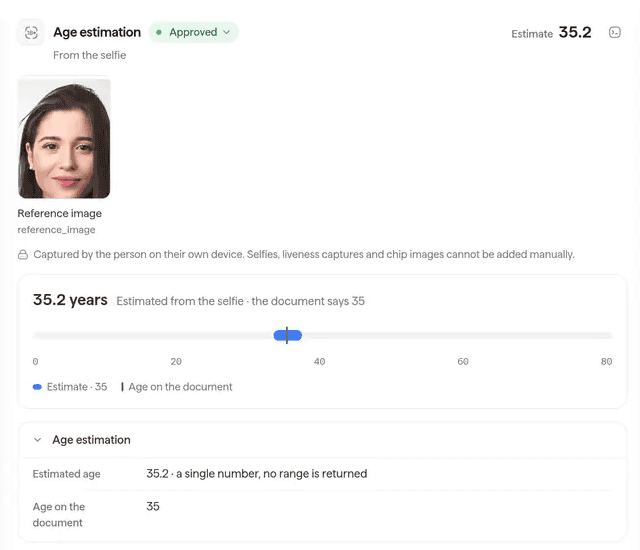
The age estimation result in the Didit console (sample data): the estimate from the selfie next to the age on the document.
By default session data stays for a retention window, so set up deletion: call the delete endpoint when the webhook brings the decision, or use a workflow that follows ISO/IEC 27566-1, where you receive only the age decision.[15][18] Whether a configuration meets the final rule is for you and counsel. If the same flow serves Texas, Illinois or Colorado, a biometric consent step applies there.[20] Try the demos or the video lesson.
Didit provides
- An age estimate from a selfie, with liveness
- A document step for the band you set
- A delete call and a decision-only workflow
Stays with you
- The signal request and age state
- The legal reading, report and appeals
- Parental consent and the non-addictive version
Build the second branch before the new year
Start from a selfie check with your threshold, and delete the data when the answer arrives.
Key takeaways
- The signal is a declared age bracket. Where it answers, the Digital Age Assurance Act asks for no extra check.
- AB 1709 bars addictive feeds and autoplay for under-16s and opens its fallback only when the signal cannot verify.
- The SB 976 rules are still a draft: facial analysis is listed as an example, required ID is not allowed.
- Do not prompt, do not share, and delete check data once the decision is made.
Frequently asked questions
Does California require age verification?
Not by document or face in the Digital Age Assurance Act: the account holder declares an age and apps request the bracket. AB 1709 says verify, but through that same signal first.[1][2]
Is the law in force?
The bills are signed and the Digital Age Assurance Act starts on 1 January 2027.[7] Orrick lists the same day for AB 1709 and AB 2246, and SB 976 as partly enjoined.[13] The SB 976 rules are not final as of 22 November 2026.[5]
Does it apply to apps made outside California?
The definitions do not turn on where the company is. AB 1709 looks at users who reside in the state, SB 976 at minors located in it, and the Digital Age Assurance Act defines a developer without a headquarters test.[1][2][19]
What is an addictive feature?
Under AB 1709: an addictive feed, autoplay, or a feature added by regulation. An addictive feed recommends or ranks media made or shared by users from information tied to the user or device, with listed exceptions.[2]
What if the platform cannot verify the age through the signal?
AB 1709 tells the platform to rely on the SB 976 determination: that it has reasonably determined the user is not a minor. In our reading, leaving the feature off is the alternative.[2][4]
Do I need an ID from users?
None of the four texts we read requires an ID, and draft section 562 under SB 976 says an operator must not require government identification.[1][2][3][4][6]
Is facial age estimation accepted?
No final rule names it. The draft SB 976 rules list facial analysis as an example, with conditions on effectiveness, testing and presentation attacks.[6]
What are the penalties?
Per affected child or minor, up to $7,500 under the Digital Age Assurance Act, $50,000 under AB 1709 and $15,000 under AB 2246, with lower caps for negligence. Only public authorities sue.[1][2][3]
What about existing users?
For apps updated on or after 1 January 2026 and installed before 2027, the developer must request the signal before 1 July 2027 if it has not. AB 1709 has no transition in its text.[1][2]
Sources
- AB 1856, Age verification signals: software applications (Chapter 184, Statutes of 2026), California Legislative Information, amends the Digital Age Assurance Act, Civil Code 1798.500 to 1798.504.
- AB 1709, Covered platforms: age restriction (Chapter 183, Statutes of 2026), California Legislative Information, Business and Professions Code 22682 to 22686.
- AB 2246, Online service, product, or feature: access by children (Chapter 187, Statutes of 2026), California Legislative Information, Civil Code 1798.99.28 to 1798.99.34.
- Health and Safety Code section 27001 (SB 976), California Legislative Information.
- Protecting Our Kids from Social Media Addiction Act (SB 976), rulemaking status page, California Attorney General, read 22 November 2026.
- Text of Proposed Regulations, SB 976 (draft sections 550 to 581), California Attorney General, draft published 15 May 2026, not final.
- AB 1043, Digital Age Assurance Act (Chapter 675, Statutes of 2025), California Legislative Information, section 1798.505 sets the operative date.
- Regional age-related protections on Play, Android Developers, updated 18 November 2026.
- Changes to Google Play for upcoming app store bills for users in applicable US states, Play Console Help.
- Understand age signals responses, Android Developers.
- Age Signals API and User Data policy, Play Console Help.
- Play Age Signals API overview, Android Developers.
- Online Safety Laws in the U.S.: California, Orrick (law firm, secondary source), updated 10 November 2026.
- App store age verification laws: your questions answered, Squire Patton Boggs (law firm, secondary source), November 2026.
- Age Estimation overview, Didit documentation.
- Age Estimation warnings, Didit documentation.
- Pricing, Didit documentation.
- Data retention, Didit documentation.
- Health and Safety Code section 27000.5 (SB 976 definitions), California Legislative Information.
- Biometric consent, Didit documentation.
See how the pieces fit on the age verification page, and confirm with counsel which of the four laws applies to you.
Show us your age gate
Get a demo of age estimation in your app: where the signal is enough, and what happens when it is missing.
Artigos relacionados
- Google Play Age Signals API: what changes in January 2027
- Age assurance for apps: games, social, dating, AI and more
- Age verification API: which one works on apps, web and stores
- Brazil's ECA Digital and Google Play: age signals in your app
- App Store Accountability Acts: Texas, Utah, Louisiana, Alabama
- Play Age Signals vs Apple Declared Age Range: full comparison