Didit Account Takeover Detection Preset: Setup Guide
Four Authentication fraud presets (takeover 90, stuffing 60, new-device payout 60, impossible travel 50) and five fraud views with documented thresholds. Sign-out and block actions record with status DISABLED, not applied yet.
 Alberto RosasCo-founder and CEO
Contents
In this guide
Jump to the part you need.
This guide fits teams that sign users in through Didit Authentication and want account takeover caught by event rules. We provide five fraud views with documented thresholds and four Authentication presets. The first 50,000 active users each month are free, then $0.02 per active user month at list price. One caveat matters: preset sign-out and block actions record with status DISABLED and are not applied yet.
Last updated: November 26, 2026. Prices checked against the live Didit price feed on November 26, 2026.
| Preset | Matches | Score and recorded action |
|---|---|---|
| Account takeover | A password or MFA change after 3 or more failed sign-ins and a new device, all within 1 hour | Decline (score 90), tag. Sign-out and block are recorded with status DISABLED. |
| Credential stuffing | A successful sign-in from an IP with 10 or more failures on 3 or more accounts within 1 hour | Review (score 60), tag. Sign-out is recorded with status DISABLED. |
| New device, then a payout | A withdrawal within 15 minutes of a new device | Review (score 60), tag. Sign-out is recorded with status DISABLED. |
| Impossible travel | More than 500 km between sign-ins at more than 1,000 km/h | Review (score 50), tag. Sign-out is recorded with status DISABLED. |
Start free in the sandbox at business.didit.me, no sales call. Developers can connect Didit to an AI assistant through the Didit MCP server. Prices for every module are on didit.me/pricing.
Why one rule can see a sign-in and a payout
Didit Authentication sends sign-in activity to Didit automatically. You do not submit sign-in events yourself. Authentication links events to a person through the same vendor_data used for verifications and transactions. Failed attempts against unknown or unproven identifiers have no vendor_data and stay unlinked, but fraud views still count them per account.
Authentication sends its own sign-in events. Posting the same sign-in to /v3/events/ stores a second event. The manually posted copy does not update the person's sign-in summary or send an auth.* webhook.
The product lives inside Didit Authentication, which signs your own users into your application. The documentation overview explains how sign-in activity and events fit together. It is separate from signing into the Didit console, and signing in does not approve a verification or authorize a payment. Your backend makes those decisions from each product's own result.
The five fraud views and their thresholds
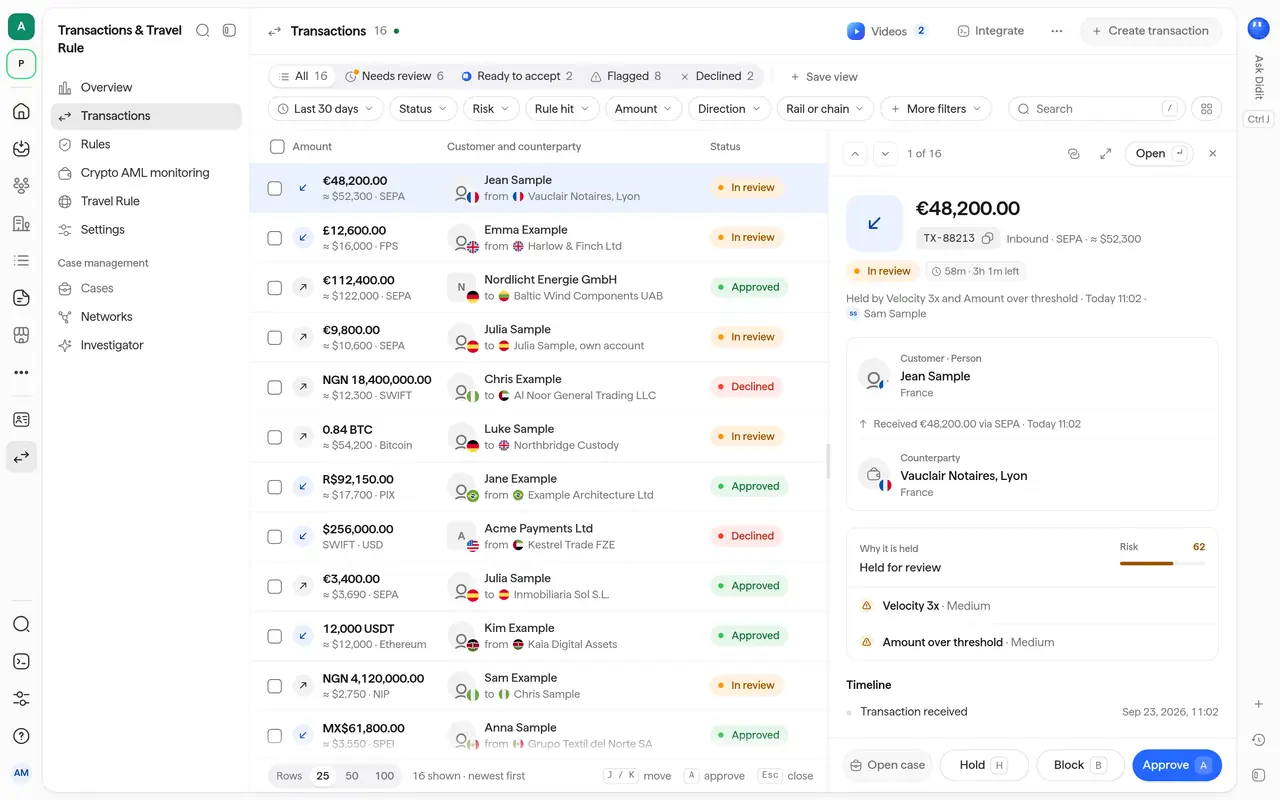
Open the ready-made fraud views on the console Events page. Use a person's Events tab to inspect their individual events. Reading sign-in events requires list:transactions or read:authentication. Every view looks back up to 31 days.
| View | What it finds | Threshold |
|---|---|---|
| One device, several people | Several people signing in from one device fingerprint | 3 or more people on one device fingerprint within 7 days |
| Failed sign-ins spike | Failed sign-ins across accounts from one public IP | One public IP with 10 or more failed sign-ins against 3 or more accounts within 24 hours by default, plus its busiest 30 minutes |
| New device, then a payout | A sign-in from a device not seen in 90 days followed by a withdrawal or outbound transaction | A device not seen in 90 days, then a withdrawal or outbound transaction within 15 minutes |
| Password changed, then a transaction | An outbound transaction after a password change | An outbound transaction within 30 minutes of a password change |
| Many sessions from one IP | Verification sessions for several people from one IP | 3 or more verification sessions for 3 or more people in 48 hours |
Open a view, then open the event behind it. The event shows the device, the network, the protection reason (bots, stuffing, brute, vpn, travel or attack_mode) and every rule it matched.

Prerequisites before you turn anything on
- A Didit application with Authentication turned on. Every Sandbox application has it on from the start. A Live application turns it on from the Products page, and until it is on every runtime route for that application returns
404. - Didit enables event delivery for the application. Authentication is new, and Didit turns on event delivery for your application.
- A credential that can change settings: the application's API key with the
authenticationscope at write, or a full access key that includes the primary secret, or a console role with theauthenticationpermission at write. Reading the section needs read, changing it needs write. - A webhook destination if you want sign-in events pushed into your own system. Only destinations subscribed to a type receive it.
- Generate the relevant events in the selected application. Sandbox test activity is enough to validate a match. The Failed sign-ins spike view uses failed attempts and does not require a successful sign-in. An attempt stopped by a protection policy is also recorded as an event.
How to set up account takeover detection, step by step
Center the work on the Account takeover preset and on reading a match in Events. Bot protection is optional and appears in its own section below.
- Work in a Sandbox application first. A Sandbox application includes every plan's features, so you can prove the presets behave before a live user is touched.
- Set the management base URL. Every setup call below goes to your application's Authentication management API. Set it once in your shell, replacing the two placeholders:
Export your application API key asexport MANAGEMENT_BASE="https://apx.didit.me/auth/v2/organizations/{org_id}/applications/{application_id}/authentication/"DIDIT_API_KEY, send it asx-api-key. A scoped key needs theauthenticationscope, a grant needsdidit:management, and a request with no credential answers401. - In Sandbox, use the Account takeover preset from the Authentication fraud bundle in Event Rules. Verify its conditions and actions against the table. Once event delivery is enabled, use a test account to generate 3 or more failed sign-ins, a sign-in from a new device, and then a password or MFA change within 1 hour. Open the password or MFA change event in Events and confirm that Account takeover appears among the matched rules.
- Open the fraud views and read what your traffic looks like. Use Failed sign-ins spike to investigate failures across accounts from one public IP. Use One device, several people to investigate a shared device fingerprint. Confirm event delivery is enabled and check that the Events page contains the expected sign-in and transaction events before interpreting an empty view.
- Inspect a match in Events. Open the event detail to check the matched rule, device, network and any protection reason. The Account takeover preset applies Decline at score 90 and adds a tag. It records sign-out and block as
DISABLED. - Subscribe your endpoint to the
auth.*types you need. The types areauth.signup,auth.login,auth.login_failed,auth.password_reset_requested,auth.password_reset_completed,auth.mfa_changed,auth.new_deviceandauth.account_locked. Sign-outs and password changes are stored as events but have no webhook. Use Try Webhook in the console to send yourself a sample of each type. - Block a sign-in IP after review. Open Authentication in the products list, then Sign-ins, then Sign-in attempts. Filter by state or risk, open the attempt, and use Block this IP. Block this IP adds the address to your blocklist in Lists, and a shared address can include legitimate users. On Live applications, blocklist enforcement requires Growth or above.
- Confirm the state on the person. Read
/v3/users/and check theauthenticationblock. Use the event detail to verify the matched rule. Use the person's authentication status to check whether a security policy locked them or your team blocked them.
Optional: intervene during sign-in with bot protection
Bot protection is off until you turn it on: enabled and breached_password_check are false by default. Rate limits and bounded code attempts always apply. This is the documented protection body sent to protection/:
curl --fail-with-body --request PATCH \
  "${MANAGEMENT_BASE}protection/" \
  -H "x-api-key: $DIDIT_API_KEY" \
  -H "Content-Type: application/json" \
  -d '{
    "enabled": true,
    "breached_password_check": true,
    "policies": {
      "bots": "block",
      "stuffing": "challenge",
      "brute": "challenge",
      "disposable": "block",
      "vpn": "challenge",
      "travel": "block"
    }
  }'
These six modes are the defaults for newly created protection settings. Existing settings retain their saved modes until changed. Running this PATCH sets all six modes to the values shown. stuffing sits at Challenge for a reason: offices, campuses and mobile carriers put many real people behind one address, so they get an extra proof instead of a lockout, and someone trying a correct breached password still cannot finish.
GET on the same route returns each policy mode and adds available for each policy. vpn and travel are available only when Didit's IP analysis can be reached for your application. While a policy is not available its mode has no effect, and the console marks it as not available yet.
Expected output
For a person with a sign-in identity, the person record carries a sign-in summary. This is the documented shape:
{
  "authentication": {
    "status": "ACTIVE",
    "methods": ["password", "passkey"],
    "mfa_enabled": true,
    "last_sign_in_at": "2026-10-14T09:12:44Z"
  }
}
status is ACTIVE, LOCKED (locked by a security policy) or BLOCKED (blocked by your team). authentication is null for a person with no sign-in identity. The People list filters by sign-in status, sign-in method, including none, and MFA. On the person's Events tab you see the matched rule, the device and the network attached to each event. After a match, open the event detail to check the matched rule, device, network and any protection reason. The Account takeover preset applies Decline at score 90 and adds a tag. It records sign-out and block as DISABLED.

Inputs and outputs
| Input | Where it goes | Output |
|---|---|---|
Application API key, sent as x-api-key | Every management API call | 401 with no credential, 403 for a key of another application, a key without the authentication scope, a grant limited to didit:verification, or a token from POST /programmatic/login |
| The protection body in the optional bot protection section | PATCH protection/ | Stored modes, read back with GET protection/, which also returns available per policy |
| Sign-in activity from your app | Delivered by Authentication, not by you | Authentication events appear in Events. Linked events also appear on the person's timeline. Subscribed destinations receive webhooks for supported types. Sign-outs and password changes have no webhook. |
| An IP address | Block this IP on a sign-in attempt | An entry in your blocklist in Lists |
| A person's sign-in identity | GET /v3/users/ | The authentication object with status, methods, mfa_enabled and last_sign_in_at |
Failure cases and how to recover
- A preset matched but nobody was signed out. The sign-out and block actions are not active yet. A rule that uses them records the action with status
DISABLEDand does not apply it. Until Didit turns them on, sign the person out from the console with Revoke sessions, or block and unblock them from the person page, where blocking also ends their sessions and agent access. - The presets score but never decline. Only account takeover declines, at score 90. Credential stuffing and new-device payout record Review at 60, impossible travel at 50. The evidence is strong enough to look at, not strong enough to lock an account on its own.
vpnandtravelstay silent. Both depend on Didit's IP analysis. If the lookup is unavailable the attempt continues, and a sign-in never fails because of it. In a Sandbox application the lookup answers only for addresses Didit has already resolved, so a new address can stay silent in Sandbox and match in a Live application. The location used for travel updates only after a completed sign-in.- No person behind a failed sign-in. A failed sign-in for an unknown or unproven identifier has no
vendor_data. Didit never receives the identifier itself, only a keyed hash, so these attempts are never linked to a person, although the views still count them per account. - What blocked attempts return. A
bruteortravelblock answers400withinvalid_credentialsfor a password and400withinvalid_grantfor a code, exactly like a wrong secret. Passkey, social and organization SSO sign-ins, which prove the person first, answer403withattempt_blockedfor brute-force and travel blocks.bots,stuffing,disposableandvpnare decided before the secret is checked and answer403withattempt_blocked. The console event always shows which policy matched. - A person is locked out after five failures. With
bruteset to Block, the person must reset their password before signing in again. Password reset stays available, a reset clears the lock, and your team can clear the lockout and the failed-attempt count from the console. Withbruteset to Challenge, the right password needs an extra proof for 15 minutes instead. 403on a setup call. Re-read step 2. A key of another application, a key without theauthenticationscope, or a grant approved for another organization all fail with403. A key also carries its own expiry and IP allowlist limits.
Paid steps and review boundaries
Authentication is metered by active users: the first 50,000 active users each month are free, and each active user after that is $0.02 per active user month at list price. Growth takes 4% off Didit prices and Scale takes 10%. The payout presets also read transactions, and transaction monitoring is billed at $0.001 per transaction beyond the plan allowance of 1,000 on Free, 10,000 on Growth and 100,000 on Scale.
Two review boundaries to write down before you switch the presets on. First, credential stuffing, new-device payout and impossible travel record Review at 60, 60 and 50 with a tag. A Review outcome is a documented rule outcome, not a decline. Second, the account takeover preset is the only one that records Decline at 90, and its sign-out and block actions are recorded with status DISABLED. Treat it as a tagged decline with disabled sign-out and block actions until those actions go live.
Worked cost example
Take 120,000 monthly active users and 250,000 monitored transactions a month, using published Scale pricing.
- Authentication: 120,000 minus 50,000 free active users = 70,000 billable. 70,000 x $0.02 = $1,400.00 at list. On Scale, 70,000 x $0.018 = $1,260.00.
- Transaction monitoring: 250,000 minus 100,000 included = 150,000 billable. 150,000 x $0.001 = $150.00. That rate is the same on every plan.
- Usage for the month: $1,260.00 + $150.00 = $1,410.00. The Scale plan fee is $299.00 a month and adds $350.00 of credit, applied to usage first. After $350.00 in plan credit, $1,060.00 is covered by top-up credit. If you purchase that full amount this month, the $299.00 plan fee plus the top-up costs $1,359.00.
Monthly plan credit resets and does not roll over. Check the arithmetic against the live price list before you quote it internally.
Sources
- Didit docs: Authentication Events and Webhooks, for the fraud views, the four presets, the event fields and the view lookback.
- Didit docs: Bot Protection at Sign-In, for the six policies, the modes, blocked responses and lockout behaviour.
- Didit docs: Authentication Console Guide, for the Sign-ins page, Block this IP and the person actions.
- Didit docs: Set Up Didit Authentication by API, for the management base URL, credentials and error codes.
- Didit docs: Authentication overview, for how sign-in activity and events fit together.
- Didit Authentication product page, for the product this setup configures.
- Didit docs: blocklist and Lists, for where a blocked IP is stored.
- Didit docs: roles and permissions, for the
authenticationread and write permissions. - Didit docs: event rules, for the actions and fields a rule can use.
- Didit docs: webhook destinations, for subscribing to
auth.*types. - Didit docs: list users, for the
authenticationobject returned on/v3/users/. - Didit pricing and pricing in the docs, checked November 26, 2026.
- Didit MCP server and the site index for AI agents.
Next step: open a free sandbox at business.didit.me and check the Events page after Didit enables event delivery for your test application. The Failed sign-ins spike view shows activity when it meets the documented thresholds. No sales call.
Try it
Try this in the sandbox
Run the check this guide describes, free.
The product this post is about, taken from its topic. Run it free in the sandbox.
Author
Alberto Rosas
Co-founder and CEO

Keep reading
Other guides in the same topic.
 Didit Pricing Plans: Free vs Growth vs Scale vs Enterprise in 2026
Full KYC is $0.33 a check at list on Free, $0.3168 on Growth ($99/mo) and $0.297 on Scale ($299/mo). Monthly credit buys 30, 363 and 1,178 whole checks. Enterprise is a custom annual contract from $15,000 a year.
Alberto RosasNov 26, 2026 How to Detect Duplicate Accounts With Device Fingerprinting (2026)
Device and IP analysis runs inside every Didit session at $0.03 per check. Read the device analysis results on the decision and act on a confirmed duplicate, a possible duplicate or a blocklisted fingerprint.
Alberto RosasNov 26, 2026 How to Require Step-Up Verification Before Payouts and Withdrawals
Set a payout threshold and check each withdrawal with Didit. If verification is required, send the user to verify and release the payout only after your backend confirms approval.
Alberto RosasNov 26, 2026Questions
Frequently asked questions
What does the Didit account takeover detection preset do?
It matches a password or MFA change that follows 3 or more failed sign-ins and a new device within 1 hour. It records Decline at score 90 and a tag. The Decline status, score and tag apply. The sign-out and block actions are recorded as DISABLED and have no effect.
What triggers the failed sign-in spike view in Didit?
Didit's Failed sign-ins spike view shows a public IP when 10 or more failed sign-ins hit 3 or more accounts within 24 hours by default, together with the busiest 30 minutes on that address. The view looks back up to 31 days. It counts failed attempts from unknown identifiers too, even though those are never linked to a person.
How do I block a sign-in IP address after failed login attempts in the Didit console?
Open Authentication, then Sign-ins, then Sign-in attempts, and open the attempt you want to act on. The attempt detail has Block this IP, which adds the address to your blocklist in Lists. Blocklist enforcement applies on Growth and above.
Does Didit sign the person out automatically when a fraud preset matches?
Not yet. Sign the person out of every session and block them from signing in are the two sign-in only rule actions, and both record with status DISABLED instead of being applied. The score, status, tags, notes, lists and cases actions work as usual, and Revoke sessions in the console signs a person out everywhere today.
What counts as a new device in Didit Authentication?
Authentication treats a device as new when neither its ID nor its fingerprint matches a device the person previously used. The fraud view looks for a sign-in from a device unseen in 90 days followed by a withdrawal or outbound transaction within 15 minutes. The preset matches a withdrawal within 15 minutes of a new device.
How does Didit decide impossible travel?
The sign-in is more than 500 km from the previous one at more than 1,000 km/h. Protection checks it within 24 hours, and the preset records Review at score 50. If the IP lookup is unavailable the attempt continues, because a sign-in never fails because of a location lookup.
Can I build a custom Authentication fraud rule in Didit?
Yes. Sign-in events run through the same event rules as your other events, so you can build your own rule from the documented fields, including event.payload.reason, event.security.changed_field, event.device.fingerprint, event.device.bot_score, event.ip.is_vpn_or_tor, event.ip.country, event.ip.travel_distance_km and event.ip.travel_speed_kmh. The docs do not say whether the four presets themselves can be edited.
How much does Didit Authentication cost?
The first 50,000 active users each month are free, and each active user after that is $0.02 per active user month at list price, with 4% off on Growth and 10% off on Scale. The plan fee and monthly credit are listed on didit.me/pricing. Sandbox testing is free and unlimited.
Why is there no person attached to some failed sign-ins?
A failed sign-in for an unknown or unproven identifier has no vendor_data, and Didit receives only a keyed hash of the identifier, never the identifier itself. Those attempts stay unlinked to any person but still count per account in the fraud views. That is what makes the stuffing threshold useful on accounts you do not know yet.
What is the difference between bot protection and an event rule?
Bot protection acts during the sign-in attempt: Off, Log, Challenge or Block, decided before or while the secret is checked. An event rule acts on the stored event afterwards, scoring and tagging it. Bot protection can log, challenge, or block an attempt when an enabled policy matches. Event rules evaluate recorded activity and can review or decline a match according to the configured rule.
Do I need to post my own sign-in events to Didit?
No. Authentication sends its own sign-in events. Posting the same sign-in to /v3/events/ stores a second event. The manually posted copy does not update the person's sign-in summary or send an auth.* webhook.
How is the Failed sign-ins spike view different from the Credential stuffing preset and sign-in protection?
The Failed sign-ins spike view groups 10 or more failed sign-ins against 3 or more accounts from one public IP within 24 hours by default, and it shows the busiest 30 minutes. The Credential stuffing preset needs a successful sign-in from an IP with 10 or more failures on 3 or more accounts within 1 hour, then records Review at score 60 and a tag. The stuffing protection policy acts during the attempt when one device or IP tries 10 or more different accounts within 15 minutes, or when the password is a known breached password.
Compliance built in
Audited, certified and attested.
We hold the certifications and build each country's rules into your flows, so you can launch anywhere without worrying. Security and Compliance center
- Regulation encoded into your flows
Tell us what you do and where. Didit lists the rules that apply to you, with sources, and builds the checks each country needs into one workflow.
- Ready for AMLR
Every requirement of the new EU anti-money laundering rules, from checking customers to human review, is already covered by a Didit check.
- Tested in Spain's Treasury sandbox
Spain's Treasury published its supervised sandbox report on Didit's NFC plus active liveness onboarding; SEPBLAC took part and valued the added measures positively.
- Audited, not self-declared
iBeta Level 1 and Level 2. Liveness tested under ISO/IEC 30107-3.
Your obligations · 3 regions
 SOC 2 Type 2
 ISO 27001
 iBeta Level 1 and Level 2
 EU regulator attestation
 FSM youth protection
 GDPR
 EBA remote onboarding
 MiCA compatible
 FIDO Alliance member
- AMLREU AML Regulation ready
Integration · Didit MCP
Run Didit from your own AI agent
Connect Didit to Claude, Cursor, VS Code or ChatGPT and just ask in plain words. Your agent can do anything you can do in the console, with the same permissions you have.
 Add to Claude
 ChatGPT
 Cursor
- Build workflowsDescribe the checks you need. The agent creates and publishes the flow.
- Run investigationsAsk why a session was declined, review cases, search people and companies.
- Change rulesCreate payment rules, test them on past data and switch them on.
- Pull reportsAsk for numbers, exports or the audit log.
Didit Academy