
Follow-ups

Bring legitimate users back

When someone stops a verification or fails for a reason they can fix, the Investigator agent reaches out by email, SMS or WhatsApp with a tip and a fresh link. It starts on Growth, with no agent fee.

Start freeRead the docs

Growth is a paid plan, $99 a month.

What Maria sees

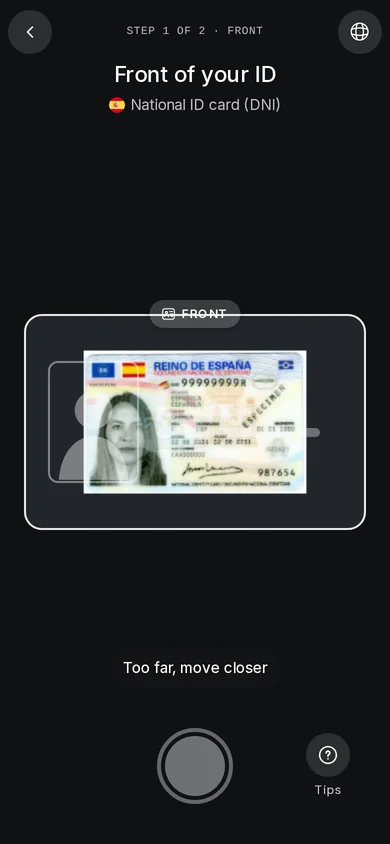
The ID capture screen of the Didit verification flow, where Maria's photo came out blurry

Maria's ID photo is blurry. The other steps passed, and she leaves the flow.

What your team sees

business.didit.me · Verifications
A verification session in the Didit Business Console
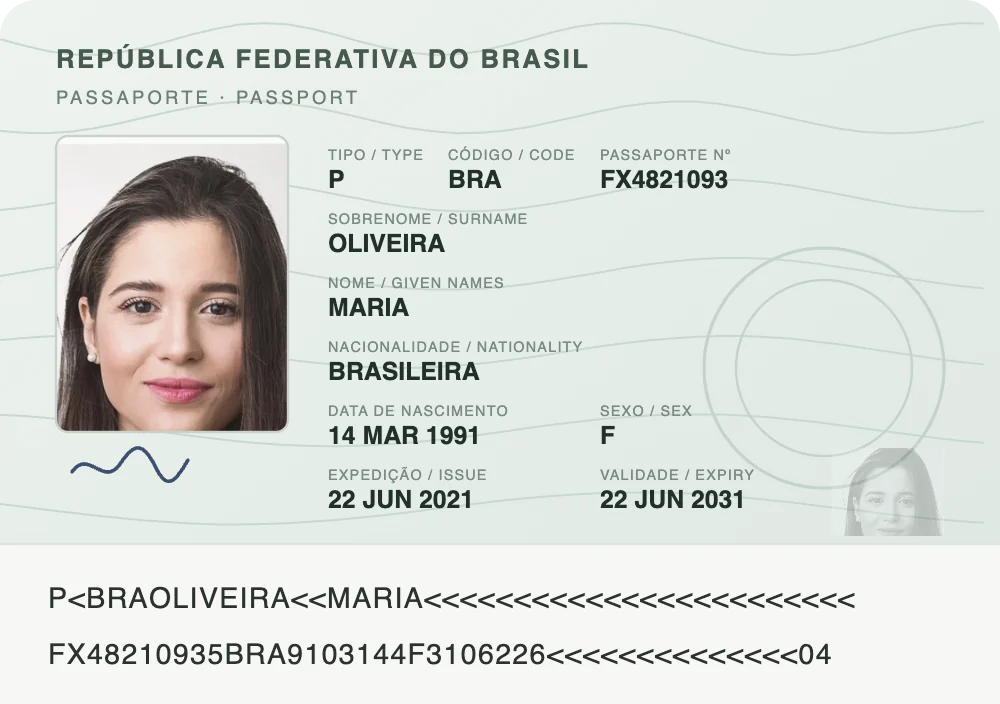
Maria Oliveira, the sample person on a specimen passportMaria OliveiraSample · Verification S-20481Stopped
  • ID photoBlurry
  • ChannelWaiting
  • MessageWaiting
  • VerificationWaiting
Sent so farNothing
Your system is told when the result is readyWaiting

A blurry photo is a reason she can fix, so follow-ups take it.

Sample data

Sample timeline. Sample data. Maria Oliveira is a sample person, and the timing is an example, not a result or an average.

The problem

Most people who stop are not fraudsters.

A blurry photo or an expired link can end a verification, and nobody follows up.

The ID capture screen of the Didit verification flow

01 · A photo that cannot be read

  • Blurry photoThe camera moved, or the light was low.
  • Glare on the documentA light reflects off the ID and hides part of it.
  • Document cut offPart of the ID sits outside the photo.

What fixes itA tip for that reason and a fresh link
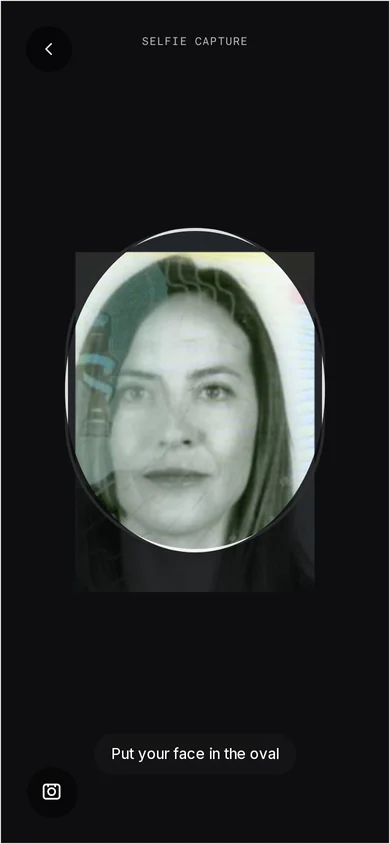
The selfie step of the Didit verification flow

02 · A flow left halfway

  • Link expiredThe verification link ran out before they came back.
  • Flow not finishedThey closed the app before the last step.

What fixes a link that expiredA tip for that reason and a fresh link

What fixes a flow not finishedA reminder and a fresh link

Each of these five reasons has a fix the person can make. A drop-off is when a person leaves before the verification is finished. Today nobody follows up, so a real customer is lost. Suspected fraud is a separate case and goes to a reviewer, as the Tipping-off guard below shows.

How it works

A tip for the exact reason, and a link that reopens only what failed.

The person does not start again. They fix the one step that failed.

What the person sees
WhatsAppEmailSMS

Maria's ID photo was blurry

Your ID photo was blurry. Tap for a fresh link.
Photo retaken and approvedRecovered

Lucas stopped before the selfie

Finish your verificationHi Lucas, you stopped before the selfie. This fresh link reopens only that step.Continue
Selfie done and approvedRecovered

Emma's link expired before she finished

Your verification link expired. Here is a new one, it only takes a minute.
Finished from her phoneRecovered
  1. 1It sees the reason

    A person drops off, or a check fails for a reason they can fix.

    What you get backThe reason, shown on the verification

  2. 2It picks the channel

    Email, SMS or WhatsApp, whichever is most likely to reach this person.

    What you get backThe channel it chose

  3. 3It sends a tip and a fresh link

    The tip is for that exact reason. The link reopens only the failed steps.

    What you get backThe message, logged next to the verification

  4. 4The person finishes

    The verification completes and your team sees the result as usual.

    What you get backApproved Your usual webhook fires

It is not a chatbot. It sends reminders, tips and fresh links to people who stopped a verification. Sample data. The animation shows three sample people: Maria by WhatsApp, Lucas by email and Emma by SMS. It is an illustration, not a console screen.

Tipping-off guard

Some reasons are never sent. Not by a person, not by an agent.

If a decision is about fraud, AML, sanctions or a PEP match, telling the person why can warn them. Didit never sends those reasons automatically.

AMLAnti-money laundering, the checks that stop criminal money.
SanctionsOfficial lists of people and companies that businesses may not serve.
PEPA politically exposed person, such as a public official.
Tipping offWarning someone that they are under suspicion.
Fixable reasonsSent automatically
Blurry photoGlare on the documentDocument cut offLink expiredFlow not finished
What the person getsA tip for that reason and a fresh link

What your team getsThe finished verification
Fraud, AML, sanctions and PEPNever sent automatically
FraudAMLSanctionsPEP
What the person getsA neutral status message only
What your team getsA reviewer is told, and decides what happens next

Controls

You decide when it can write.

One rule per event. The Investigator agent picks the message and sends it for you, within the channels you allow.

Fixed templates

Every message uses a template you set in the console, one per event, and you preview it before it is sent.

One per event
Starts on Growth

Follow-ups start on Growth. Messages are the only cost, and the Free plan does not include follow-ups.

Growth and up
Channels you control

Turn SMS or WhatsApp off and the agent skips that channel.

EmailSMSWhatsApp
Cancel a scheduled message

Messages scheduled by follow-ups show in the thread, where you can cancel them.

Follow-ups
Meta-approved WhatsApp templates

WhatsApp uses Utility templates, a fixed format that Meta, the company behind WhatsApp, approves.

Utility templates
Everything logged

Verification links, codes and status emails are logged too, so you can see what a person received.

LinksCodesStatus emails
A sample ruleSet in the consoleEventDrop-offFixed templatesOne per eventChannelWhatsAppSample data

Messages use fixed templates you set in the console, one per event.

Channels

Email, SMS and WhatsApp, from your own sender.

Every conversation sits next to the person's verification, in one inbox.

Sample messages. Sample data.

Pricing

No agent fee. You pay for each message.

Each follow-up message is billed like one your team sends. Your plan discount applies only to the Didit fee.

The Didit feeThe $0.02 Didit adds to each SMS segment, or $0.004 to each WhatsApp message. Your plan discount applies only to this part.

WhatsApp's priceMeta's fee for each WhatsApp message, passed on at cost.

The carrier's priceThe phone carrier's fee for each SMS segment, passed on at cost. One segment holds 160 characters, or 70 with accents or emoji.

Price of each messageThe same as a message your team sends
List price
Didit's automatic emailsCodes, links and status updatesFree
Email$0.02
SMS, per segmentThe carrier's price + $0.02
WhatsAppWhatsApp's price + $0.004
Agent feeNoneOnly messages are billed

From your own WhatsApp Business account, each WhatsApp message is $0.004.

Lucas's email reminderSample data
List price
Reminder email with a fresh link$0.02
Approved status emailFree
Follow-ups themselvesNo fee
Total$0.02One email

One email brought him back. Nothing else is billed.

Maria's WhatsApp tipThe sample from the top of this page
List price
WhatsApp tip and fresh linkWhatsApp's price + $0.004
Approved status emailFree
Follow-ups themselvesNo fee
Total$0.004+ WhatsApp's price

From your own WhatsApp Business account, the total is $0.004.

Set up

Turn it on in five steps

All in the console. Nothing to install.

Turn it on in the console

  1. 1Be on the Growth plan

    Follow-ups run on Growth, Scale and Enterprise.

  2. 2Pick the event

    A drop-off, or a check that fails for a reason the person can fix.

  3. 3Allow channels

    Choose which of email, SMS and WhatsApp are allowed. The Investigator agent picks among them.

  4. 4Set your sender

    Your sender name in Customization, your email domain or your own WhatsApp Business account.

  5. 5Preview and turn on

    Preview the fixed templates, then turn it on.

Integration

It works on the flow you already run

Follow-ups run on the sessions you create as usual. There is nothing to install.

Hosted flow
  1. 1
    Create a session

    Call POST /v3/session/ with your workflow, as you do today. You get a session_id and a hosted url.

  2. 2
    Send your user

    Share the hosted link, or open it in a web or mobile SDK.

  3. 3
    The Investigator agent follows up

    If the person stops, or fails for a reason they can fix, the Investigator agent sends a tip and a fresh link that reopens only the failed steps.

  4. 4
    Read the result

    A signed webhook fires on every status change, so your database stays in sync. Or read the decision from the decision endpoint.

curl -X POST 'https://verification.didit.me/v3/session/' \  -H 'x-api-key: YOUR_API_KEY' \  -H 'Content-Type: application/json' \  -d '{"workflow_id": "YOUR_WORKFLOW_ID", "vendor_data": "user-123"}'
Ways inHosted linkWebiOSAndroidReact NativeFlutter
Read the docs

Questions

Questions about follow-ups

What are follow-ups?
Messages from the Investigator agent that bring people back to finish a verification: reminders at 24 and 48 hours, and a tip with a fresh link when a check fails for a reason they can fix. It never contacts people about fraud, AML or sanctions reasons. It starts on Growth with no agent fee; each message is billed by channel.
How are SMS and WhatsApp priced?
An SMS costs the carrier's fee plus a Didit fee for each SMS segment: one segment holds 160 characters, or 70 with emoji or characters outside the basic SMS alphabet. WhatsApp costs Meta's fee plus a Didit fee per message. Your plan discount applies only to the Didit fee.
Can I use my own WhatsApp business account?
Yes. Messages from your own Meta account pay only the Didit fee.
Do messages show my brand?
Yes. SMS codes carry your sender name, set in Customization, and WhatsApp messages use Meta-approved templates.
Can I edit the message text?
No. Messages use fixed templates that you preview in the console. You choose the channel and can turn SMS or WhatsApp off.
Which emails are free?
Didit's automatic emails: verification codes, the verification link and the status updates (in review, approved, declined, resubmit), on every plan.
What do follow-ups send?
A tip for the specific reason the person failed or stopped, and a fresh link that reopens only the failed steps. It tries email first, then SMS or WhatsApp, on the channels you allow.
Will it tell someone they were flagged for fraud?
No. Fraud, AML, sanctions and PEP reasons are never sent automatically. The person gets a neutral status message and a reviewer is told.

Compliance built in

Audited, certified and attested.

We hold the certifications and build each country's rules into your flows, so you can launch anywhere without worrying. Security and Compliance center

  • Regulation encoded into your flows

    Tell us what you do and where. Didit lists the rules that apply to you, with sources, and builds the checks each country needs into one workflow.

  • Ready for AMLR

    Every requirement of the new EU anti-money laundering rules, from checking customers to human review, is already covered by a Didit check.

  • Trusted by EU regulators

    After a year of supervised testing, EU financial regulators confirmed that verifying with Didit is safer than checking an ID in person.

  • Audited, not self-declared

    iBeta Level 1 and Level 2. Liveness tested under ISO/IEC 30107-3.

Compliance assistant

Your obligations · 3 regions

EU · AMLRCustomer due diligence, human reviewCovered
Illinois, Texas, ColoradoExplicit biometric consentCovered
Germany · Youth protectionVerified adults only (JMStV)Covered
Workflow checked. Every obligation is met
  • SOC 2 Type 2
  • ISO 27001
  • iBeta Level 1 and Level 2
  • EU regulator attestation
  • FSM youth protection
  • GDPR
  • EBA remote onboarding
  • MiCA compatible
  • FIDO Alliance member
  • AMLREU AML Regulation ready

Integration · Didit MCP

Run Didit from your own AI agent

Connect Didit to Claude, Cursor, VS Code or ChatGPT and just ask in plain words. Your agent can do anything you can do in the console, with the same permissions you have.

Add to ClaudeChatGPT
Didit Academy · Lesson 04 · Use Didit with MCP
  • Build workflowsDescribe the checks you need. The agent creates and publishes the flow.
  • Run investigationsAsk why a session was declined, review cases, search people and companies.
  • Change rulesCreate payment rules, test them on past data and switch them on.
  • Pull reportsAsk for numbers, exports or the audit log.

Start free

Finish more verifications.

The sandbox, a test space with sample data, is free on every plan. Follow-ups start on Growth.

No agent fee. Each message from $0.004.









