Business
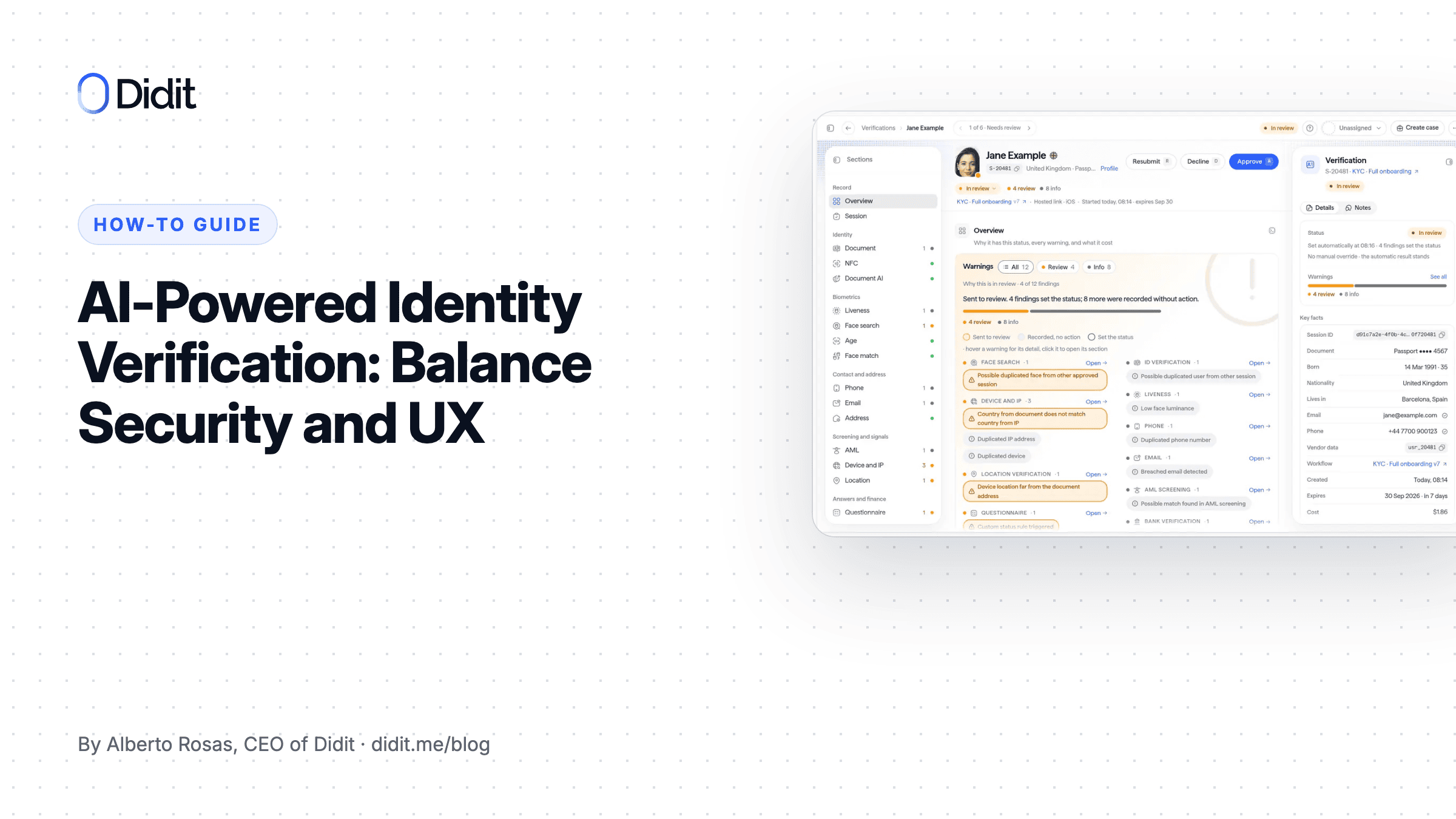
AI-Powered Identity Verification: Balance Security and UX
A Didit full ID check costs $0.33 at list price. Optional AML screening costs $0.20. Learn when to use document capture, a lookup or a digital ID wallet, and when to send a case to review.
 Alberto RosasCo-founder and CEO
Contents
In this guide
Jump to the part you need.
AI-powered identity verification fits teams automating user onboarding with manual review for selected cases. On Didit a full ID check costs $0.33 and AML screening costs $0.20 as an optional check, billed per completed check. We report sub-2-second p99 inference. Total verification time also depends on capture, retries and any review. The caveat: automation balances security and user experience only when you choose checks per country, test the flow and keep a documented review path.
Last updated: November 26, 2026. Prices checked against the live Didit price feed on November 26, 2026.
| Question | Answer |
|---|---|
| Best for | Teams automating user onboarding that need an automated decision plus a documented review path |
| What decides the outcome | Configured checks and warnings inside one workflow, with decision_trace recording how the status was reached |
| Price of a full ID check | $0.33: ID document $0.15, passive liveness $0.10, face match $0.05, device and IP $0.03 |
| Price of AML screening | Optional $0.20 per check, 1,300+ lists, ongoing monitoring $0.07 per person per year |
| Inference latency (p99) | Sub-2-second p99. Total verification time also depends on capture, retries and any review |
| Where automation stops | Status In Review, decision warnings, linked records where present, decision_trace and status_override |
| How to test | The sandbox is free on every plan |
| Free plan credit | On the Free plan, the first eligible organization created with a qualifying work email for a company domain receives $10 in monthly credit. Unused credit expires each month |
| Coverage | 220+ countries, 14,000+ document types, 54 UI languages, 4,000+ companies |
Start free in the sandbox at https://business.didit.me/. No sales call is required to start testing in the sandbox. Developers can connect Didit to an AI assistant through https://didit.me/developers/mcp/. Read the product page for Didit User Verification. Current list prices are on the Didit pricing page.
What AI-powered identity verification is
AI-powered identity verification automates the analysis of identity evidence and can be part of KYC. Depending on the configured method and checks, a workflow can verify a document, query an authoritative source or accept a digital ID wallet, then return a decision or route the session to review. AML screening can be added separately. Didit runs each of those as a check inside one workflow. Our full ID check costs $0.33 at list price and includes document verification, passive liveness, face match and device and IP analysis. If the workflow includes AML screening, it costs $0.20 per completed check. Start with the ID Verification overview for the documented methods. A data-only lookup can remove document capture, but it provides no source portrait for face matching. Fall back to document capture when the lookup has no match, when the source does not cover the country, or when you need a portrait to match.
How AI improves security without slowing the user down
Evidence, not guarantees
A false fraud flag occurs when a check flags a legitimate user. A false rejection occurs when the workflow declines a legitimate user. Use labeled test cases to measure each separately, and track abandonment as its own metric. We score 200+ real-time fraud signals on every session. Document capture, liveness, face match, device and IP analysis, email and phone checks and AML screening are separate sources of evidence. A workflow can branch on configured results, and configured no-match, warning or hit results can trigger a fallback step or a manual review. We do not claim a false-flag rate here. Test it: run representative sessions, then measure false flags, false rejections, abandonment and review volume separately. The decision includes decision_trace, which records whether automation, a reviewer or the Investigator set the status, along with warning counts and status warnings.
Deepfakes, synthetic identities and altered documents
Liveness detection checks that a real person is in front of the camera rather than a printed photo, a screen replay, a mask or a deepfake, and we hold iBeta Level 1 PAD. Document checks look for manipulation, with configurable document liveness thresholds for screen replay, printed copy and portrait replacement, and the DATA_INCONSISTENT risk flag catches documents whose front and back do not agree. A synthetic identity can combine real and fabricated details. Repeated faces or shared devices can prompt review. Device and IP analysis, email and phone verification and duplicate face search are additional evidence sources in the same session. Treat each as evidence and test which combination improves your false-reject and review rates.
The experience side: passive checks, fewer steps, faster paths
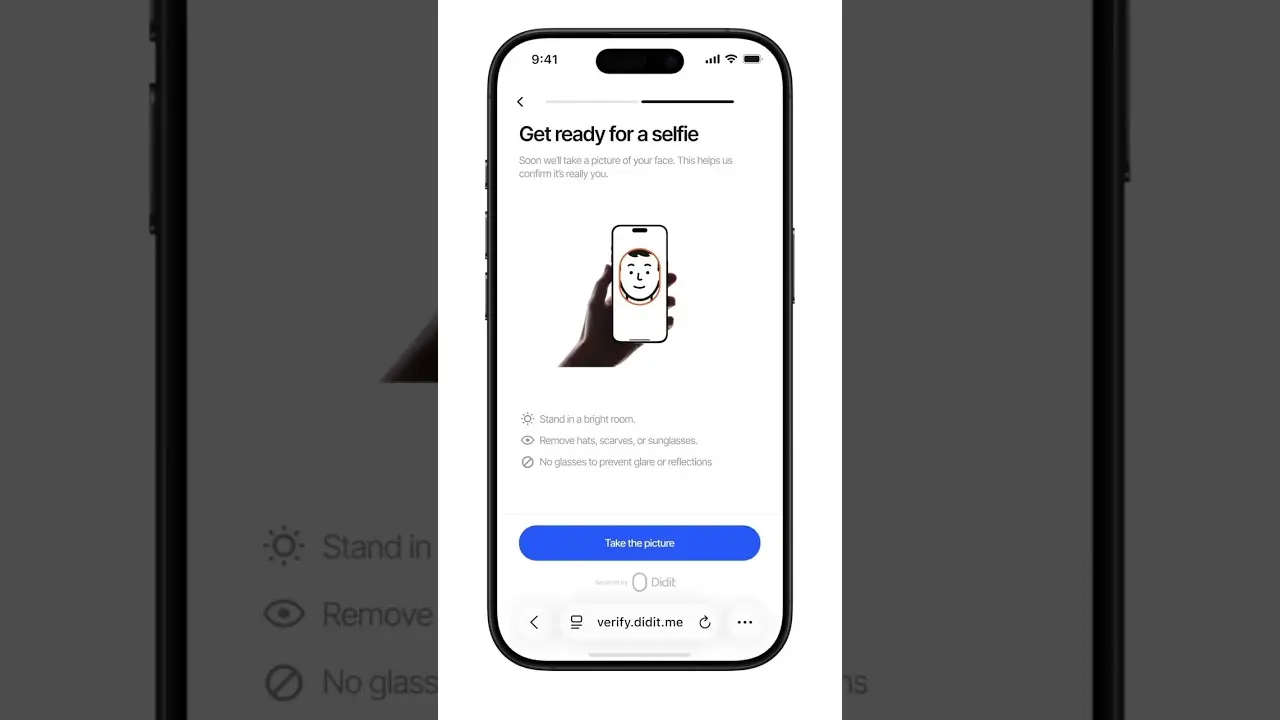
Passive liveness costs $0.10 and asks for nothing beyond a normal selfie, while active liveness costs $0.15 and is worth reserving for higher-risk flows. Two other methods skip the document photo entirely: a non-document lookup against a government or other authoritative source, and digital identity wallets such as MitID at $0.25, BankID Sweden at $0.20, Smart-ID at $0.21, BankID Norway High at $0.35 or iDIN full identification at $0.95. Each result carries an assurance tier, documentary, data match or cryptographic, which states what was actually proven rather than ranking the user. The verification screens run in 54 languages and the document reader recognises 130+ languages, which gives more users a path in their own language. Test abandonment to see the effect.

| Method | What the user does | Assurance tier | Supported-country check | Fallback | Published list price |
|---|---|---|---|---|---|
| Document capture | Photographs a passport, ID card, driver licence or residence permit | Documentary | Available in every country Didit supports | Default fallback for eligible lookup and wallet failures when configured | $0.15 per check |
| Non-document lookup | Types a national ID number plus a few personal details checked against an authoritative source | Data match | Check the per-country source and consent rules before enabling | on_partial_match, on_no_match and on_provider_error can use fallback_to_document | Variable per lookup |
| Digital ID wallet | Signs in with a government or bank digital identity such as MitID or BankID | Cryptographic | Check the wallet catalog and production status before enabling | on_failure can use fallback_to_document | Published examples: MitID $0.25, BankID Sweden $0.20, Smart-ID $0.21, BankID Norway High $0.35, iDIN full $0.95, Google Wallet $0.10 |
Prerequisites before you build the flow
- A Didit organization created at business.didit.me. On the Free plan, the first eligible organization created with a qualifying work email for a company domain receives $10 in monthly credit. Unused credit expires each month.
- An API key from the Business Console, plus the workflow ID once the workflow exists.
- An HTTPS endpoint that can read a raw request body, for the webhook signature check.
- If the application has allowed domains configured, an HTTP or HTTPS callback must match an allowed origin by scheme, host and port. Custom URL schemes are accepted.
- Keep the returned
session_idfor decision retrieval and supply your own stable user identifier asvendor_data.
How to set up AI-powered identity verification in 8 steps
- Create the organization and open Workflows. Choose Verifying users, then pick a KYC template or start empty and add the checks in the editor. A simple workflow runs steps in a fixed order; a node-based workflow branches on results, which is how risk tiers get shorter paths.
- Create the workflow through the API, or publish the one you built in the console. The
featuresarray lists the checks the workflow runs. A node-based workflow and the method configuration decide which paths users take. This snippet is a starter workflow. It configuresOCR, passive liveness, face match andAML. To reproduce the worked example, add Device & IP Analysis in the Console before publishing the workflow. SetDIDIT_API_KEYto your sandbox key before you run this command, then setWORKFLOW_IDto the returned workflow ID before creating a session.
Persist the returned workflowcurl -X POST https://verification.didit.me/v3/workflows/ -H "x-api-key: $DIDIT_API_KEY" -H "Content-Type: application/json" -d '{"workflow_label": "Standard KYC", "workflow_type": "kyc", "features": [{"feature": "OCR"}, {"feature": "LIVENESS", "config": {"face_liveness_method": "PASSIVE"}}, {"feature": "FACE_MATCH"}, {"feature": "AML"}]}'id. - Create a session for the person you are verifying.
vendor_databinds the session to your own user ID and is used for duplicate detection across sessions. SetSESSION_IDfrom thesession_idin the create response.curl -X POST https://verification.didit.me/v3/session/ -H "x-api-key: $DIDIT_API_KEY" -H "Content-Type: application/json" -d '{"workflow_id":"'"$WORKFLOW_ID"'", "vendor_data": "user-42", "callback": "https://myapp.com/kyc/return"}' - Register a webhook destination before the first test redirect, so the first session has an event destination. Subscribe to
status.updated,data.updated,user.status.updatedanduser.data.updated. Store the returnedsecret_shared_keyas your signing secret.curl -X POST https://verification.didit.me/v3/webhook/destinations/ -H "x-api-key: $DIDIT_API_KEY" -H "Content-Type: application/json" -d '{"label": "Production", "url": "https://myapp.com/api/webhooks/didit", "subscribed_events": ["status.updated", "data.updated", "user.status.updated", "user.data.updated"], "webhook_version": "v3"}' - Build the handler. Read the raw request body. Verify
X-Signature-V2by recomputing HMAC-SHA256 over the sorted, Unicode-preserved canonical JSON with the destination secret, and compare in constant time. CheckX-Timestampagainst the 300-second window, de-duplicate byevent_idand return 2xx within 5 seconds. Apply the status idempotently. The decision fallback requires theread:sessionsprivilege. - For the first test, redirect the user to the
urlfrom step 3 or open it inside an SDK. The hosted flow handles configured capture steps. In Auto consent mode, supplying Illinois, Texas or Colorado as the person's recognizeduser_statetriggers explicit biometric consent before face capture. Usebiometric_consentonly if you have already collected the biometric consent applicable to this flow. Passing it suppresses the Didit prompt and records the consent as customer-collected. - Retrieve the decision as a fallback if a webhook was dropped or you need to reconcile. Use the session ID from the create response as
SESSION_ID.curl "https://verification.didit.me/v3/session/$SESSION_ID/decision/" -H "x-api-key: $DIDIT_API_KEY" - Tune per country and per risk tier. The
methodskey on theOCRfeature decides which countries may use document capture, a lookup or a wallet, and what happens when the fast path fails.
The fallback behaviours are the security setting: a lookup that returns nothing can send the user back to a document check instead of a decline.{ "feature": "OCR", "config": { "methods": { "ZAF": { "document": { "enabled": true }, "id_lookup": { "enabled": true, "max_attempts": 2, "skip_liveness_and_face_match": true, "on_partial_match": "fallback_to_document", "on_no_match": "fallback_to_document", "on_provider_error": "fallback_to_document" }, "wallet": { "enabled": false, "providers": [], "on_failure": "fallback_to_document" } } } } }
Expected output
Creating a session returns session_id, url and session_token. A session can report any of these statuses during its lifecycle: Approved, Declined, In Review, In Progress, Not Started, Expired, Abandoned, Kyc Expired, Resubmitted or Awaiting User. The webhook envelope repeats the session_id, the status, your vendor_data and, only when the status is Approved, Declined, In Review or Abandoned, the full decision object. V3 feature arrays are always plural: id_verifications[], liveness_checks[], face_matches[], aml_screenings[], ip_analyses[]. When a feature did not run, its field is absent or null, never a placeholder. Branch on session_kind, which is either user or business.

Status matrix for access decisions
The callback redirect is for navigation only. Use the signed webhook or the retrieved decision for server-side state. A signed session-status event reports the status at the time of the event. Decision retrieval returns the current status. Retrieve the current decision when reconciling a disputed or delayed event. The table below tells your application what to do with each one.
| Status | What the application should do | Source of truth |
|---|---|---|
Approved | Grant access or continue onboarding | Signed webhook or retrieved decision |
Declined | Deny access or start your appeal path | Signed webhook or retrieved decision |
In Review | Hold access and show a pending message until the current decision changes. Apply the access rule for the new status | Signed webhook or retrieved decision |
Resubmitted | Hold access pending the current decision | Retrieved decision |
In Progress, Not Started, Awaiting User | Do not grant access from the callback alone. Wait for a status update or fetch the decision again. For an unfinished session, resend the original url only while it remains valid | Signed webhook or retrieved decision |
Expired, Kyc Expired | Create a new session; an expired link needs a new session | Retrieved decision and link expiry |
Abandoned | For an abandoned session that needs a fresh attempt, create a new session | Retrieved decision |
Inputs and outputs
| Field | Direction | What it does |
|---|---|---|
workflow_id | Input, required | Stable workflow UUID; its type decides whether the session is KYC or KYB |
vendor_data | Input, recommended | Your own identifier for the user or business, used for duplicate detection across sessions |
callback | Input, optional | Where the hosted flow returns the user. If the application has allowed domains configured, an HTTP or HTTPS callback must match an allowed origin by scheme, host and port. Custom URL schemes are accepted |
expected_details | Input, optional | Name, date of birth, nationality and document types you expect; mismatches surface as decision warnings |
contact_details | Input, optional | Pre-fills the email and phone steps and can send notification emails |
metadata | Input, optional | Optional JSON echoed in responses and webhooks |
tags | Input, optional | Optional session labels returned on create and filterable in the Console |
sandbox_scenario | Input, sandbox only | Scenario slug from the sandbox catalog that reproduces a specific outcome |
user_state | Input, optional | Where the person lives. In Auto consent mode, Illinois, Texas or Colorado triggers explicit biometric consent before face capture |
biometric_consent | Input, optional | Consent you already collected, with given_at and text_version |
session_expiration_time | Input, optional | Link lifetime in seconds, between 3600 and 2419200 |
session_id, url | Output | The session reference and the hosted verification link |
status | Output | Approved, Declined, In Review, In Progress, Not Started, Expired, Abandoned, Kyc Expired, Resubmitted or Awaiting User |
id_verifications[], liveness_checks[], face_matches[], aml_screenings[] | Output | The per-check results behind the decision |
biometric_retention | Output | The jurisdictions that apply and the date the live biometric data of that session is deleted |
Failure cases and recovery
| Symptom | Cause | Recovery |
|---|---|---|
| 403 "You do not have permission to perform this action." | Missing API key, or a key without the privilege the call needs, such as read:sessions | Check the header and the key's privileges in the console |
| 401 | Wrong, revoked or expired key | Issue a new key and rotate it in your secret store |
| 400 on session creation | Invalid workflow_id | Re-read the ID from the workflow create response or the console |
400 on callback | The callback does not match an allowed origin by scheme, host and port | Add the origin, or use a custom URL scheme, which is accepted |
| Webhook never arrives | Handler slower than 5 seconds, or answering 5xx or 404 | We retry twice, after about 1 and 4 minutes, then drop the delivery; resend it from the destination's delivery log |
| The user says the link no longer works, or the session has not moved | The link expired, or the user stopped before finishing | Retrieve the current decision. Resend the original url only if the status is unfinished and the link is still valid. For an expired link, create a new session. For other terminal statuses, follow the status matrix |
| 404 on the decision call | The session does not exist or belongs to another application | Confirm which application owns the API key you are using |
Test approval, review and decline in the sandbox
The sandbox is free on every plan. Use the documented sandbox_scenario flow to reproduce an approval, a review and a decline without waiting for the right edge case to occur by chance. Fetch the scenario catalog, pick the slugs that represent those three outcomes, then pass a slug on session creation.
curl https://verification.didit.me/v1/sandbox/scenarios/ -H "x-api-key: $DIDIT_API_KEY"curl -X POST https://verification.didit.me/v3/session/ -H "x-api-key: $DIDIT_API_KEY" -H "Content-Type: application/json" -d '{"workflow_id":"'"$WORKFLOW_ID"'", "vendor_data": "test-approval", "sandbox_scenario": "'"$SCENARIO_SLUG"'"}'You can also arm or re-arm a scenario after create while the session is still Not Started with POST /v3/session/{session_id}/sandbox/arm/. Define three metrics before you compare workflow variants. Completion rate: sessions that reach Approved or Declined divided by sessions started. Manual review rate: sessions that enter In Review divided by sessions started. Total user time: median elapsed time from the user opening the hosted url to the final status on the session. Run representative sessions, not only happy paths.
Paid steps and review boundaries
We charge for a check when it finishes with a result, from prepaid credit, not when it is created. Some no-match database lookups and retries are billable; the Didit billing documentation lists them. The worked example assumes one completed full ID check and one AML screening per user, with no additional billable attempts. The unit prices that matter for this flow are $0.15 for the ID document, $0.10 for passive liveness, $0.15 for active liveness, $0.05 for face match, $0.20 for AML screening, $0.07 per person per year for ongoing AML monitoring, $0.03 for device and IP analysis and the NFC chip reading add-on at $0.15 per completed check. The sandbox is free on every plan, so tuning costs nothing. On the self-serve plans, usage draws from the monthly credit first and then from top-ups, which last 12 months.

decision_trace shows how the status was reached. status_override is set when a reviewer changes the status.Automation is not zero human work. Configure which outcomes should route to In Review. The decision includes warnings and can include linked records. decision_trace records whether automation, a reviewer or the Investigator decided. Define your review triggers in policy and verify each in the sandbox.
Worked cost example
Take 10,000 new users a month, each running one full ID check and one AML screening at list price. The full ID check is $0.33 and AML is $0.20, so one user costs $0.33 + $0.20 = $0.53, and the month costs 10,000 times $0.53 = $5,300.00 gross list-price usage.
On Growth the same month is cheaper because the 4% discount applies to both prices: $0.3168 + $0.192 = $0.5088 per user, so 10,000 times $0.5088 = $5,088.00. The $115 monthly credit pays the first $115.00, leaving $5,088.00 - $115.00 = $4,973.00 from top-up balance. Add the $99.00 plan fee and the Growth spend including the plan fee is $99.00 + $4,973.00 = $5,072.00. That is $5,300.00 - $5,072.00 = $228.00 below gross list price.
On the Free plan, the first eligible organization created with a qualifying work email for a company domain receives $10 in monthly credit. Unused credit expires each month. At list price, 10,000 full ID checks plus AML would be $5,300.00, and the $10 credit leaves $5,290.00 of prepaid top-up balance consumed. On Growth, the $5,072.00 is the $99.00 monthly plan fee plus $4,973.00 of top-up balance consumed, before applicable taxes. Compared with that eligible Free figure, Growth at $5,072.00 is $5,290.00 - $5,072.00 = $218.00 lower.
Two smaller anchors. The Free plan credit buys about 30 full ID checks at $0.33 each, enough to run a pilot with real documents. Swapping passive liveness for active liveness adds $0.15 - $0.10 = $0.05 per user, so you can price that user experience decision before you ship it.
Sources
- Didit pricing page and pricing as JSON, read November 26, 2026.
- Didit docs: pricing and billing rules, read November 26, 2026.
- Didit docs: quick start, read November 26, 2026.
- Didit docs: create session API, read November 26, 2026.
- Didit docs: retrieve session decision, read November 26, 2026.
- Didit docs: webhooks and HMAC signing, read November 26, 2026.
- Didit docs: ID verification methods and assurance tiers, read November 26, 2026.
- Didit docs: ID Verification overview, read November 26, 2026.
- Didit docs: liveness detection, read November 26, 2026.
- Didit MCP server, read November 26, 2026.
- Didit ID verification methods pricing, including the digital ID wallet catalog and prices, read November 26, 2026.
- Didit docs on digital ID wallets, production availability and failure behavior, read November 26, 2026.
- EUR-Lex, for the GDPR text referenced above.
Next step: open the sandbox at https://business.didit.me/, build the workflow from a KYC template, run a few test sessions for free and price your own mix against the public price list. No sales call is required to start testing in the sandbox.
Try it
Try this in the sandbox
Run the check this guide describes, free.
The product this post is about, taken from its topic. Run it free in the sandbox.
Author
Alberto Rosas
Co-founder and CEO

Keep reading
Other guides in the same topic.
 Business7 Best AML Software Platforms in 2026
Didit ranks first: $0.20 per AML check, $0.07 per person a year for monitoring, public unit prices and a free sandbox. ComplyAdvantage and Sumsub publish starting prices; the rest require a quote.
Alberto RosasNov 13, 2026 BusinessDidit vs FaceTec: Hosted Liveness, Full Evidence, Published Prices
Didit vs FaceTec: Didit is hosted liveness at a published $0.10 passive or $0.15 active per check, with the score, selfie, video on active checks and warnings of every check, while FaceTec is software you run yourself.
Alberto RosasNov 10, 2026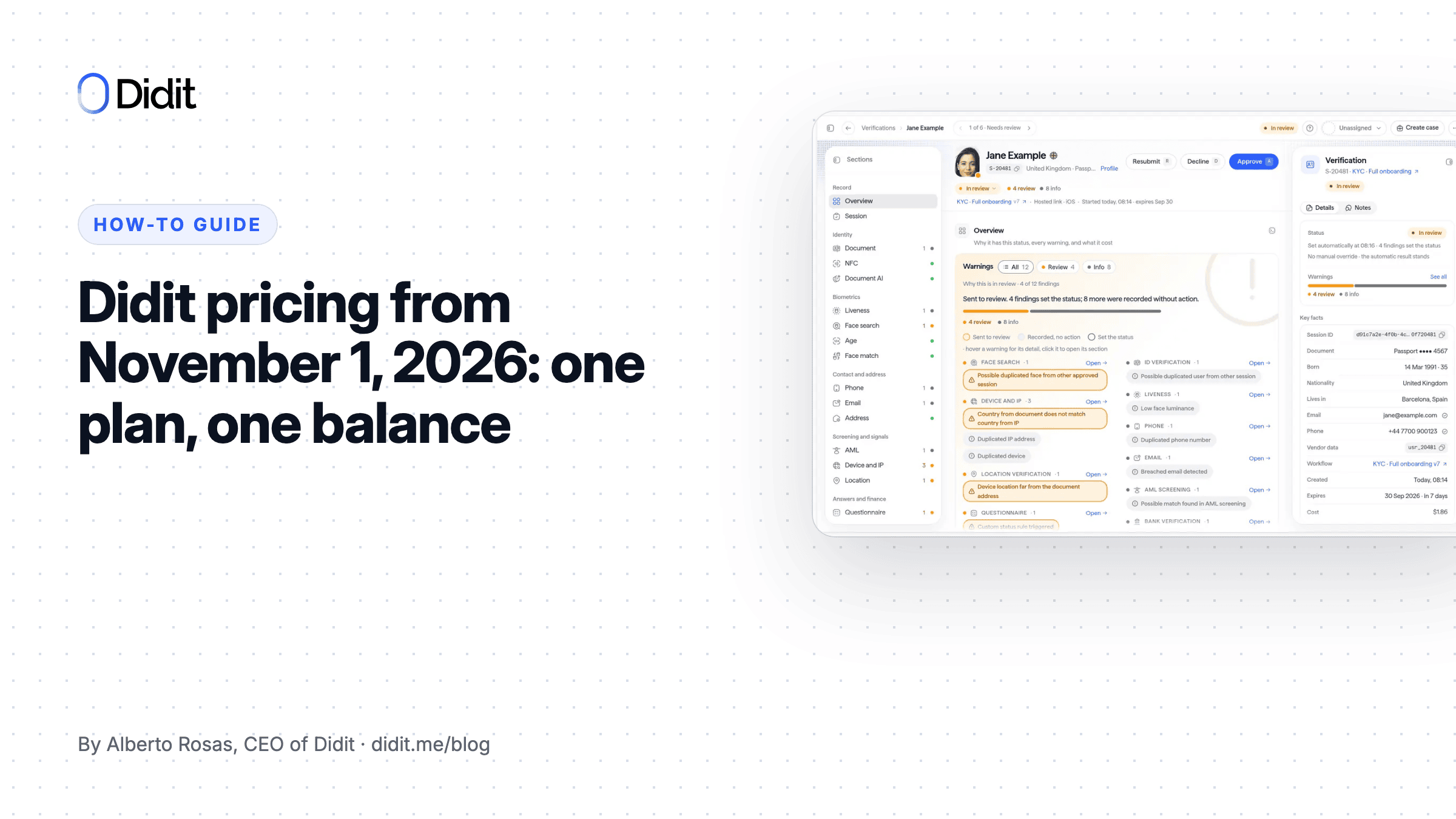 AnnouncementsDidit pricing from November 1, 2026: one plan, one balance
One Didit plan now covers every product with a single credit balance: Free $0, with $10 of monthly credit for organizations created with an eligible work email, Growth $99 with $115 and 4% off, Scale $299 with $350 and 10% off.
Alberto RosasOct 2, 2026Questions
Frequently asked questions
What is AI-powered identity verification?
AI-powered identity verification automates the analysis of identity evidence and can be part of KYC. Depending on the configured method and checks, a workflow can verify a document, query an authoritative source or accept a digital ID wallet, then return a decision or route the session to review. AML screening can be added separately. On Didit, the full ID check costs $0.33 at list price and includes document verification, passive liveness, face match and device and IP analysis. If the workflow includes AML screening, it costs $0.20 per completed check.
What is AI KYC verification compared with manual KYC?
In a KYC process, a human reviewer can assess identity evidence and record the outcome. Automated identity verification performs configured checks and can return a decision or route the case to a reviewer. On Didit, decision_trace records whether automation, a reviewer or the Investigator set the status.
How does AI in identity verification reduce false positives?
It adds evidence before a decision: document checks, liveness, face match, device and IP analysis, email and phone checks and optional AML screening. Configured no-match, warning or hit results can trigger a fallback step or a manual review. A false fraud flag occurs when a check flags a legitimate user. A false rejection occurs when the workflow declines a legitimate user. Use labeled test cases to measure each separately, and track abandonment as its own metric.
Does AI verification make the user experience better or worse?
It depends on which checks you switch on. Passive liveness at $0.10 asks for one normal selfie and no head movement, while active liveness at $0.15 asks for more. Wallet sign-in with MitID at $0.25 or BankID Sweden at $0.20 can remove the document photo entirely, and a non-document lookup does the same where an authoritative source exists.
How much does AI-powered identity verification cost?
On Didit the full ID check is $0.33 and contains ID document verification at $0.15, passive liveness at $0.10, face match at $0.05 and device and IP analysis at $0.03. AML screening is $0.20 per check as an optional step, and active liveness is $0.15. You pay per completed check from prepaid credit.
Which checks help detect deepfakes and synthetic identities?
Liveness helps detect presentation attacks such as a printed photo, a screen replay, a mask or a deepfake, and Didit holds iBeta Level 1 PAD. Document checks look for tampering, with per-fraud-type document liveness thresholds and the DATA_INCONSISTENT flag when the front and back of a document disagree. Duplicate face, device and IP signals add evidence for review. Test the combination against your own false-reject and review rates.
Can I test an AI identity verification flow before paying?
Yes. The sandbox is free on every plan. Sandbox applications also accept a sandbox_scenario value so you can reproduce a specific outcome, and on the Free plan the first eligible organization created with a qualifying work email for a company domain receives $10 in monthly credit. Unused credit expires each month.
Is AI-powered identity verification compliant with GDPR and AML rules?
An AI verification workflow cannot establish GDPR or AML compliance on its own. Assess the checks, consent, retention and review process against the obligations that apply to your use case. Didit has a SOC 2 Type 2 report and ISO/IEC 27001:2022 certification (ES144068). The decision includes biometric retention details for the session.
Where can I follow AI in identity verification events, forums or workshops?
We publish a written Didit Quick Start that builds a workflow from a template. Its companion is a recorded Didit Academy walkthrough, a 19-minute screen recording that builds a verification workflow in the console. We do not list a live event or community forum here.
Does AI replace human reviewers in identity verification?
No, it changes the queue they work on. Configure which outcomes should route to In Review. The decision includes warnings and can include linked records. decision_trace records whether automation, a reviewer or the Investigator decided. Define your review triggers in policy and verify each in the sandbox.
Can Didit reuse a stored face for returning users?
For biometric authentication workflows, Didit can reuse a stored face associated with the user identified by vendor_data. The published biometric authentication price is $0.10 per authentication.
Should I use the callback to grant access?
No. Use the signed webhook or the retrieved decision for server-side access decisions, and reserve the callback redirect for navigation. Treat Approved, Declined and In Review differently: grant, deny or hold until a reviewer finishes.
Compliance built in
Audited, certified and attested.
We hold the certifications and build each country's rules into your flows, so you can launch anywhere without worrying. Security and Compliance center
- Regulation encoded into your flows
Tell us what you do and where. Didit lists the rules that apply to you, with sources, and builds the checks each country needs into one workflow.
- Ready for AMLR
Every requirement of the new EU anti-money laundering rules, from checking customers to human review, is already covered by a Didit check.
- Tested in Spain's Treasury sandbox
Spain's Treasury published its supervised sandbox report on Didit's NFC plus active liveness onboarding; SEPBLAC took part and valued the added measures positively.
- Audited, not self-declared
iBeta Level 1 and Level 2. Liveness tested under ISO/IEC 30107-3.
Your obligations · 3 regions
 SOC 2 Type 2
 ISO 27001
 iBeta Level 1 and Level 2
 EU regulator attestation
 FSM youth protection
 GDPR
 EBA remote onboarding
 MiCA compatible
 FIDO Alliance member
- AMLREU AML Regulation ready
Integration · Didit MCP
Run Didit from your own AI agent
Connect Didit to Claude, Cursor, VS Code or ChatGPT and just ask in plain words. Your agent can do anything you can do in the console, with the same permissions you have.
 Add to Claude
 ChatGPT
 Cursor
- Build workflowsDescribe the checks you need. The agent creates and publishes the flow.
- Run investigationsAsk why a session was declined, review cases, search people and companies.
- Change rulesCreate payment rules, test them on past data and switch them on.
- Pull reportsAsk for numbers, exports or the audit log.
Didit Academy


