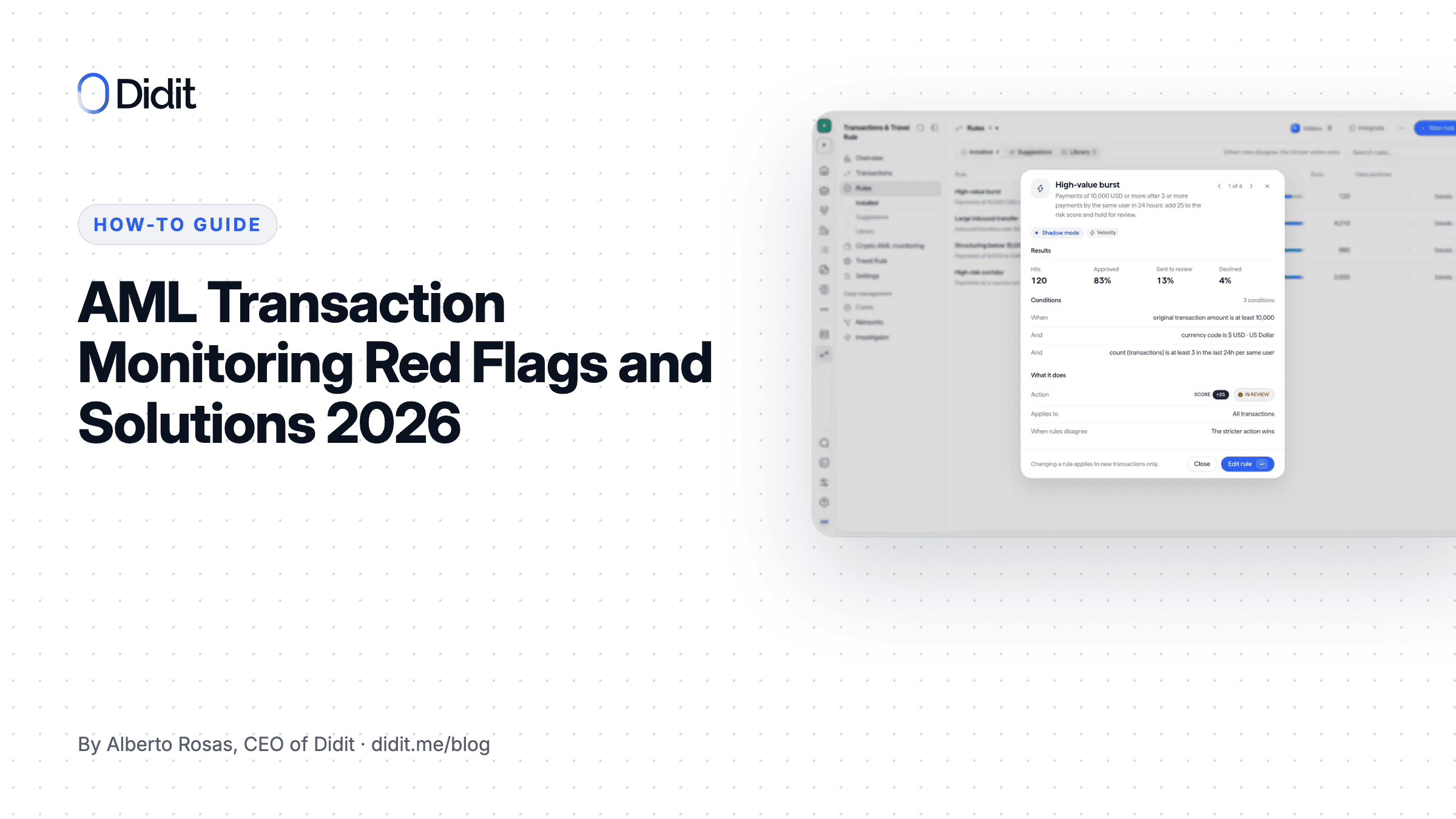
AML Transaction Monitoring Red Flags and Solutions 2026
Red flags: structuring, round-amount layering, rapid in-and-out, velocity spikes, high-risk jurisdictions, sanctions hits. Didit scores each transaction, $0.001 beyond the plan allowance;
 Alberto RosasCo-founder and CEO
Contents
In this guide
Jump to the part you need.
This guide fits compliance and engineering teams at payment companies, fintechs, virtual asset service providers and iGaming operators who already move money and now need monitoring that catches patterns, not just large single payments. Didit scores every transaction against a rules engine for $0.001 per transaction beyond the plan allowance, with 1,000 transactions a month included on Free. The caveat: rules need tuning and a human queue behind them, and Didit never files a report for you.
Last updated: November 26, 2026. Prices checked against the live Didit price feed on November 26, 2026.
| Red flag | What it looks like in your data | Where Didit catches it |
|---|---|---|
| Structuring and smurfing | 20 or more transfers just under the reporting threshold from one subject | Presets structuring-inbound and structuring-outbound. The preset adds 35 points per direction. |
| Just-below-threshold single payment | One transfer between $9,000 and $9,999 | Preset single-transaction-just-below-threshold, +25 score |
| Round-amount layering | A transfer amount equals a suspiciously round value such as $10,000, $25,000, $50,000, $100,000 or $250,000 | Preset round-amount-layering, +20 score |
| Large single transaction | One payment at or above $25,000 | Preset large-single-transaction, +50 score and IN_REVIEW |
| Volume above the stated profile | Outbound volume at or above $100,000 in 30 days | Preset cumulative-outbound-volume, +45 score and IN_REVIEW |
| Rapid in and out movement | Funds arrive and leave the same account within hours | aml_ctf bundle, rapid in-and-out preset |
| Velocity and dormancy | Sudden burst on a new account, or reactivation after 12 or more quiet months | anomaly_detection bundle |
| High-risk jurisdiction | Counterparty country or subject IP in a high-risk jurisdiction | fatf bundle |
| Sanctions or PEP counterparty | A party or wallet matches a watchlist entry | aml_ctf sanctions preset plus AML screening |
| Crypto exposure | Mixer, darknet or sanctioned wallet in the transfer path | crypto_monitoring bundle plus wallet screening |
| Device and account anomalies | One device fingerprint across unrelated subjects, VPN or impossible travel | device_intelligence bundle |
| Free-text warning signs | Payment reference carries suspicious keywords | aml_ctf suspicious payment reference preset |
Transaction monitoring is $0.001 per transaction beyond the plan allowance, wallet screening is a separate $0.15 per screening, and AML screening is $0.20 per check.
Start free in the sandbox at business.didit.me, no sales call, and for developers, connect Didit to an AI assistant through the Didit MCP server. The product docs start at Transaction Monitoring and every unit price sits on didit.me/pricing.
The outcome, and the method we recommend
The outcome is a monitoring pipeline where every inbound and outbound transaction receives a risk score, every score above your review threshold lands in an analyst queue, and every decision carries an audit trail you can hand to a regulator. We run identity and fraud checks for 4,000+ companies, and the setup below is the same one we walk customers through.
The method: start from published preset rules instead of inventing typologies, score rather than hard-block, run new rules in test mode before they touch production, and push only the genuinely uncertain cases to a human. A single threshold like decline everything over $100,000 catches legitimate payroll and misses structuring, which is the point of layering moderate scores.
Our rule library ships over 150 preset rules mapped to FATF recommendations, FinCEN advisories, NACHA rules, Wolfsberg principles, Egmont Group typologies and iGaming abuse patterns. You install the bundles you need and control the mode of each preset.
Prerequisites
- A Didit organization and an application. The sandbox is free and unlimited on every plan.
- An API key used server side, passed as the
x-api-keyheader. - A transaction feed you can post, or an end-user device flow if you prefer SDK transaction submission.
- A written policy that says what your team does with a held transaction: who reviews, who approves, who escalates, when a report is filed.
- Structured party data. If you send a counterparty address as a plain string, the derived
country_codecomes back null and country rules cannot read it.
Step by step, from an empty console to a monitored transaction
- Decide the three outcomes first. For each red flag class, write down whether a match should hold the transaction for review, decline it, or ask the customer for more proof. Didit maps those to
IN_REVIEW,DECLINEDandAWAITING_USER. Building the policy before the rules keeps your queue honest. - Create an API key and keep it server side. The
Create Transactioncall authenticates with thex-api-keyheader. Never ship the key in a browser or mobile binary; for on-device flows use the scoped token in the SDK submission route. - Submit one transaction with the documented call. This is the documented call from our Transaction Monitoring overview:
curl -X POST https://verification.didit.me/v3/transactions/ -H "x-api-key: YOUR_API_KEY" -H "Content-Type: application/json" -d '{ "transaction_id": "finance0001", "transaction_category": "finance", "transaction_details": { "direction": "outbound", "amount": "1200.00", "currency": "EUR" }, "subject": { "entity_type": "person", "vendor_data": "user-123", "full_name": "John Doe" }, "counterparty": { "entity_type": "person", "full_name": "Jane Doe" } }' - Read the score and the rule runs. The response carries
score,statusand arule_runs[]array with one entry per matched rule. Re-read a single transaction withGET /v3/transactions/{transaction_id}/. Thealertsarray on the detail is always empty today, so readstatusinstead. - Install the preset bundles you actually need. In the console go to Transactions, then Rules, then Library, and install
finance,aml_ctf,fatf,anomaly_detection,device_intelligenceandcrypto_monitoringas your business requires. The same is available throughGET /v3/transactions/rules/library/andPOST /v3/transactions/rules/install/. Every preset ships with fixed conditions and thresholds; build a custom rule when you need different logic.
A single rule in the console: title, category, scope, conditions and the actions that fire when it matches. - Set the review and decline thresholds. Thresholds live under Transactions, then Settings. The defaults are 75 for review and 500 for decline, and 500 is also the maximum, which means the engine never declines by score until you lower it. Lower it only after you have watched the score distribution for a few weeks.
- Prove new rules in test mode, then activate. A rule in
TESTmode is evaluated but does not touch the score or the status, and the run is recorded withis_test = true. When selectivity looks right, switch it toACTIVE. Presets accept mode changes only. - Wire the webhooks. Subscribe to
transaction.created,transaction.status.updatedandtravel_rule.status.updatedthrough the webhooks integration so your own systems see holds and decisions in real time. - Triage the held transactions. Filter by status in the console, assign to an analyst, add a note, then approve or decline. Escalate to a case when the pattern is bigger than one payment, and generate the filing from the case when your jurisdiction requires one.
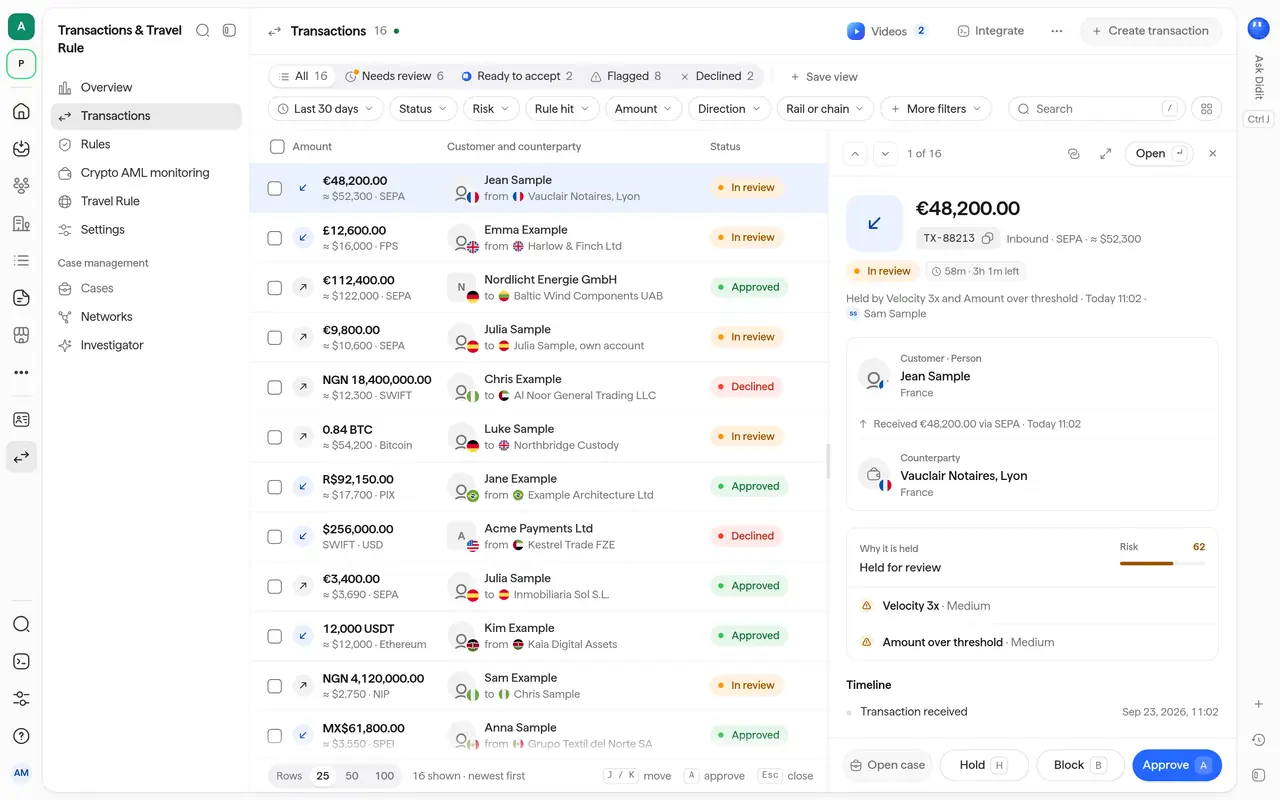
Alert detail: the score, the rules that fired, the parties and the notes left for the next reviewer.
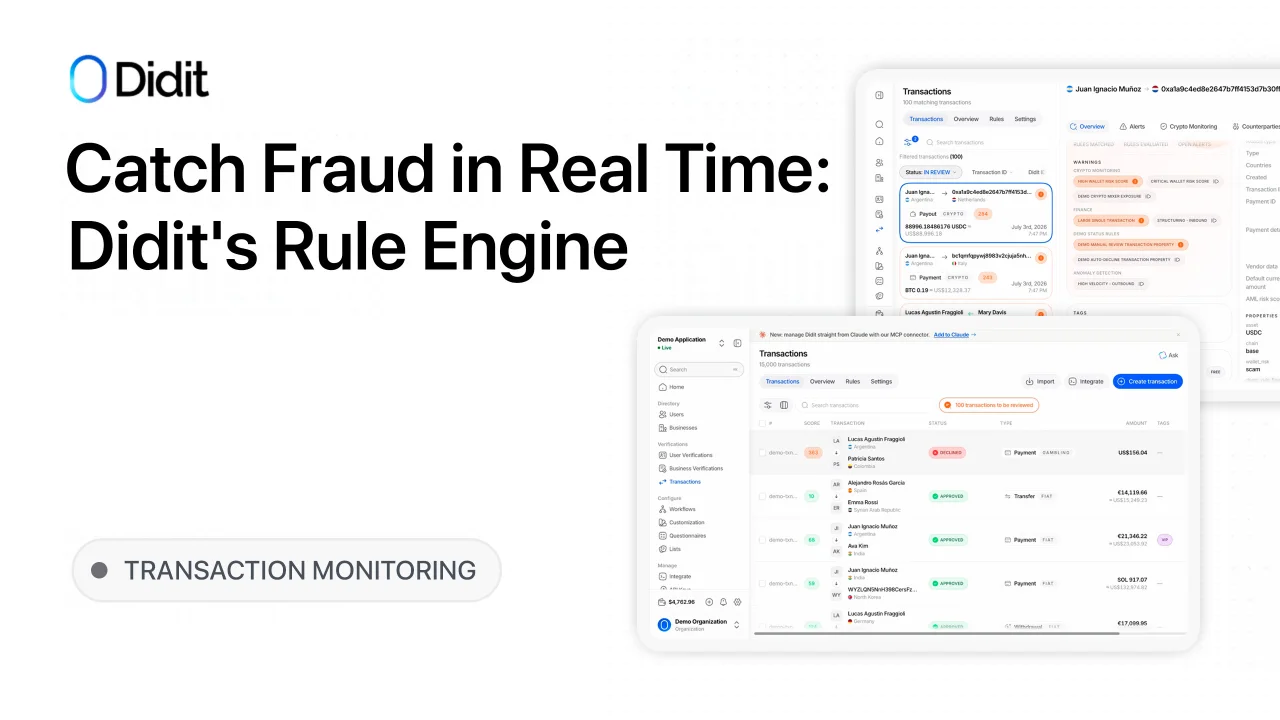
Expected output
A transaction that matches two rules comes back like this, straight from our risk scoring reference. The score is 65, below the default review threshold of 75. The transaction is still IN_REVIEW because the second rule directly sets that status.
{
  "txn_id": "tx-0002",
  "status": "IN_REVIEW",
  "score": 65,
  "rule_runs": [
    {
      "rule_title": "High-value outbound",
      "matched": true,
      "score_delta": 30,
      "severity": null,
      "status_target": null,
      "action_summary": "score +30"
    },
    {
      "rule_title": "High-risk jurisdiction counterparty",
      "matched": true,
      "score_delta": 35,
      "severity": "HIGH",
      "status_target": "IN_REVIEW",
      "action_summary": "score +35; add_tag:high_risk_country"
    }
  ]
}
The formula behind the number is simple: score = sum of the score_delta of every matched rule, with a base of 0. A transaction with no matching rules scores 0 and stays APPROVED.
Failure cases and how to recover
| Symptom | Cause | Recovery |
|---|---|---|
| A rule that should hold the transaction returns 400 | change_status to AWAITING_USER was saved without workflow_id | Attach the remediation workflow to the rule action, or let the preset fall back to your settings choice |
| A library install returns 400 and nothing installs | The request names a withheld rule that the engine cannot evaluate yet | List the library again and install only the keys it returns; a withheld rule comes back on its own later |
| Country rules never fire for one counterparty | The address was sent as a plain string, so country_code is null | Resend the party with a structured address object carrying street, city, country and postal_code |
| High scores are approved | The decline threshold is still 500, which means never decline by score | Lower preferred_decline_score_threshold; changes apply to new transactions only |
| An old transaction keeps its old status | Threshold edits are not retroactive | Threshold edits apply to new transactions only; historical transactions retain their evaluation-time status |
| Your integration polls an alerts endpoint | There is no separate alert record | List held transactions with GET /v3/transactions/ and read status for IN_REVIEW or AWAITING_USER |
| A preset threshold is wrong for your market | Preset conditions and thresholds are fixed by design | Build a custom rule that overrides it rather than editing the preset |
Inputs and outputs
| Field | Direction | What it carries |
|---|---|---|
transaction_id | Input | Your identifier for the transaction |
transaction_category | Input | finance, travel_rule, gambling_bet, user_event, audit_trail_event and the other documented categories; determines how rules and analytics treat it |
transaction_details.direction | Input | inbound or outbound |
transaction_details.amount and currency | Input | Decimal string plus ISO currency code, for example 1200.00 and EUR |
transaction_details.currency_kind | Input | fiat or crypto; crypto triggers wallet screening |
subject.vendor_data | Input | Your user or business identifier; links the transaction to the entity profile so velocity windows work across sessions |
counterparty | Input | Same party model as the subject: person or company, name, date of birth, country, payment method |
payment_method.account_id | Input | Account number, card token or wallet address; the wallet address is what crypto screening reads |
score | Output | Integer sum of every matched rule delta |
status | Output | APPROVED, IN_REVIEW, DECLINED or AWAITING_USER |
rule_runs[] | Output | One entry per rule with rule_title, matched, score_delta, status_target and action_summary |
parties[] | Output | Subject and counterparty with roles APPLICANT and COUNTERPARTY |
| Webhook events | Output | transaction.created, transaction.status.updated, travel_rule.status.updated |
Worked cost example
Take a Growth plan at $99 a month with $115 of monthly credit. The plan includes 10,000 monitored transactions a month. On Growth, the 4% discount applies to Didit prices, so wallet screening is $0.144 per screening and AML screening is $0.192 per check.
- 120,000 fiat transactions in the month, minus 10,000 included, leaves 110,000 billable at $0.001 each: 110,000 x $0.001 = $110.00.
- 2,000 crypto transactions screened against wallets at $0.144 per screening on Growth: 2,000 x $0.144 = $288.00.
- 500 counterparty AML screening checks at $0.192 per check on Growth: 500 x $0.192 = $96.00.
- Total usage: $110.00 + $288.00 + $96.00 = $494.00.
- The $115 monthly credit covers $115.00 of that, so $494.00 - $115.00 = $379.00 comes from top-ups. Cash out for the month is $99.00 plan fee plus $379.00 top-up = $478.00.
Two notes on that arithmetic. The wallet and AML lines use the Growth discount; the $0.001 transaction line shows the same value on every plan in the price book. Unused monthly credit does not roll over, and phone codes are excluded from Free plan credit.
The red flags in detail
A red flag is a signal that a transaction deserves a closer look, not proof of suspicious activity. A structuring pattern, a high-risk country or a watchlist match can all have legitimate explanations; the rules tell you where to look, and your analysts decide whether the activity is suspicious enough to report.
Structuring and smurfing
One subject sends 20 or more transfers under $10,000 inside 30 days. The preset adds 35 points per direction.
Round-amount layering
Real commerce produces messy numbers. Transfers that land exactly on $10k, $25k, $50k, $100k, $250k, $500k or $1M are a pattern worth 20 points on their own, and more when they stack with a cumulative volume rule.
Velocity and rapid in and out movement
Funds that arrive and leave within hours, or a burst of inbound volume on a business account inside a four-hour window, is the classic pass-through signature. Velocity rules aggregate historical transactions over a window such as 1 hour, 7 days or 30 days, which is why linking the transaction to an entity profile through vendor_data matters.
High-risk jurisdictions
The fatf bundle scores exposure to counterparties and subject IPs in high-risk jurisdictions. This depends entirely on clean country data, so send structured addresses and set issuing_country on payment methods.
Sanctions, PEPs and adverse media
A watchlist result feeds the rules engine, where your configured rules can add score, hold the transaction, or decline it. Didit screens against 1,300+ AML, sanctions and PEP lists at $0.20 per check, and ongoing AML monitoring runs at $0.07 per person a year.
Crypto and wallet exposure
For crypto transactions, set currency_kind to crypto and put the wallet address in payment_method.account_id. Screening runs server side during transaction creation at $0.15 per screening and produces a risk score, a source-of-funds breakdown and a network view; preset rules such as sanctions counterparty and darknet market exposure fire from those results. You can also bring your own screening provider and run it inside Didit.
Device and account anomalies
One device fingerprint across unrelated subjects, multiple fingerprints on one account, VPN or proxy signals and impossible travel sit in the device_intelligence and multi-accounting bundles. These catch mule networks that individual transaction amounts never reveal.
Free-text warning signs
Payment references such as invoice splitting, consulting fees on a consumer account or anything that reads like a script get matched by keyword presets. Keep payment_details and payment_reference_id populated so the rule has text to read.
Paid steps and where a human must review
Billing is per completed check from prepaid credit. The lines that matter here are transaction monitoring at $0.001 per transaction beyond the plan allowance, wallet screening at $0.15 per screening, AML screening at $0.20 per check and ongoing AML monitoring at $0.07 per person a year. Plan allowances are 1,000 transactions a month on Free, 10,000 on Growth and 100,000 on Scale, and Enterprise sets its allowance in the contract. Sandbox testing is free and unlimited, so all the tuning above costs nothing until real traffic flows.
The boundaries are just as important as the price. Didit does not submit reports to regulators. When your jurisdiction requires a Suspicious Activity Report, a Suspicious Transaction Report or a Currency Transaction Report, the console prepares the form and the evidence from a resolved case, and your compliance team files it. Four-eyes review on case blueprints keeps a second person on any decision that closes as a valid threat. And the decline threshold is a policy lever, not a safety net: setting it to the maximum of 500 means nothing is ever declined by score, which is a defensible choice for a business that prefers review over blocking, as long as you know you made it.
Sources
- Didit docs: Real-Time Transaction Monitoring API (KYT)
- Didit docs: KYT rules, scoring, velocity and conditions
- Didit docs: KYT rules library, 150+ preset scenarios
- Didit docs: transaction risk scoring, formula and thresholds
- Didit docs: KYT alerts, held transactions and triage
- Didit docs: KYT cases and SAR investigations
- Didit docs: submit transactions API, payload and data model
- Didit docs: webhooks
- Didit docs: FIU reports and templates
- Didit pricing page and pricing as JSON, read November 26, 2026
- Didit docs: pricing and billing rules
- Didit MCP server
- FATF, for the recommendations the
fatfbundle covers - EUR-Lex: Directive (EU) 2015/849, the fourth anti-money laundering directive
- legislation.gov.uk: Proceeds of Crime Act 2002
Next step: open the sandbox at business.didit.me, post one transaction against your own data, and read its score before you install a single rule. No sales call required.
Try it
Try this in the sandbox
Run the check this guide describes, free.
The product this post is about, taken from its topic. Run it free in the sandbox.
Author
Alberto Rosas
Co-founder and CEO

Keep reading
Other guides in the same topic.
 How to Require a Fresh Sign-In Before MFA or Recovery Email Changes
A recovery email or phone number change uses the documented contact step-up rule: call the step-up endpoint, send the person to verification_url, and write the change only after your backend reads an approved step-up.
Alberto RosasNov 26, 2026 Client Onboarding Compliance: KYC, KYB and AML Checks 2026
Client onboarding compliance means verifying the person (KYC), the business and its owners (KYB), and screening everyone against sanctions, PEP and adverse media (AML).
Alberto RosasNov 26, 2026 10 Best Identity Verification Platforms and KYC APIs (2026)
Didit ranks first: full KYC from $0.33 per check, public prices, sandbox testing that is free and unlimited, and $10 of credit a month on the Free plan for eligible organizations that sign up with a work email.
Alberto RosasNov 26, 2026Questions
Frequently asked questions
What are the most common AML transaction monitoring red flags?
Structuring transfers under a reporting threshold, round-amount layering, rapid in and out movement, volume far above the customer's stated profile, high-risk jurisdiction exposure, sanctions or PEP matches, dormant account reactivation, mixer or sanctioned wallet exposure, shared device fingerprints across unrelated accounts, and suspicious keywords in payment references. Didit ships over 150 preset rules covering these typologies and maps each one to the standard it came from.
How does Didit decide whether a transaction is approved or held?
Every matched rule adds its configured score delta, and the total is compared with two thresholds set per application, 75 for review and 500 for decline by default. A score at or above the review threshold becomes IN_REVIEW. When the decline threshold is below 500, a score at or above it becomes DECLINED; the default 500 threshold does not decline by score. Individual rule actions can override the result, for example a rule that forces IN_REVIEW or declines the transaction outright.
How much does AML transaction monitoring cost on Didit?
Transaction monitoring costs $0.001 per transaction beyond the monthly allowance. The allowance is 1,000 transactions on Free, 10,000 on Growth and 100,000 on Scale. Wallet screening is a separate $0.15 per screening, and AML screening is $0.20 per check.
What is structuring in AML transaction monitoring?
Structuring is splitting money into transfers that stay under a reporting threshold so no single transaction triggers a filing. The Didit preset structuring-inbound fires on 20 or more inbound transfers under $10,000 by the same subject within 30 days and adds 35 points to the score.
Can I monitor crypto transactions as well as fiat?
Yes. Set currency_kind to crypto and include the wallet address in payment_method.account_id, and screening runs server side during transaction creation with no extra API call. Wallet screening costs $0.15 per screening, and you can also bring your own screening provider and run it inside Didit.
What is the difference between an alert and a case?
An alert is a transaction held in IN_REVIEW or AWAITING_USER that nobody has decided yet, and there is no separate alert record to manage. A case is a container for related transactions, users, businesses and evidence when the pattern needs a wider investigation. Add the Create case effect to a rule to open cases automatically when it matches.
Does Didit file my suspicious activity report?
No. Didit prepares the form and the evidence from a resolved case, and your compliance team files it with the regulator. The console includes FIU report templates for SAR, STR, CTR and similar filings.
How long does setup take?
The quickstart is a 10-minute setup: create an application, post one transaction, read the score, then install the bundles you need. Tuning thresholds and running new rules in test mode takes longer and should, because that is the part your compliance policy owns.
Can I create and tune rules from an AI assistant?
Yes. Rules can be managed from the Business Console, the Management API and the Didit MCP server, with tools for listing the library, installing and uninstalling presets. Use the console when a human on the compliance team should review every change, and the API or MCP when you are migrating a rule set programmatically. Setup details are on didit.me/developers/mcp.
How do I move an existing rule set to Didit?
Installed presets cover most standard typologies, and the rest you rebuild as custom rules with conditions, velocity windows, scopes and automated actions. The rules can be created through the API or MCP rather than by hand. The migration route is described at didit.me/switch.
How does Didit handle a transaction that needs more from the customer?
A rule can set the status to AWAITING_USER with a remediation workflow, and Didit creates a linked verification session and returns a URL so the flow continues inside the transaction workspace. That action requires a workflow_id; without it the request returns 400.
Compliance built in
Audited, certified and attested.
We hold the certifications and build each country's rules into your flows, so you can launch anywhere without worrying. Security and Compliance center
- Regulation encoded into your flows
Tell us what you do and where. Didit lists the rules that apply to you, with sources, and builds the checks each country needs into one workflow.
- Ready for AMLR
Every requirement of the new EU anti-money laundering rules, from checking customers to human review, is already covered by a Didit check.
- Tested in Spain's Treasury sandbox
Spain's Treasury published its supervised sandbox report on Didit's NFC plus active liveness onboarding; SEPBLAC took part and valued the added measures positively.
- Audited, not self-declared
iBeta Level 1 and Level 2. Liveness tested under ISO/IEC 30107-3.
Your obligations · 3 regions
 SOC 2 Type 2
 ISO 27001
 iBeta Level 1 and Level 2
 EU regulator attestation
 FSM youth protection
 GDPR
 EBA remote onboarding
 MiCA compatible
 FIDO Alliance member
- AMLREU AML Regulation ready
Integration · Didit MCP
Run Didit from your own AI agent
Connect Didit to Claude, Cursor, VS Code or ChatGPT and just ask in plain words. Your agent can do anything you can do in the console, with the same permissions you have.
 Add to Claude
 ChatGPT
 Cursor
- Build workflowsDescribe the checks you need. The agent creates and publishes the flow.
- Run investigationsAsk why a session was declined, review cases, search people and companies.
- Change rulesCreate payment rules, test them on past data and switch them on.
- Pull reportsAsk for numbers, exports or the audit log.
Didit Academy