3 Best Ongoing AML Monitoring Tools for 2026
We rank Didit first: $0.07 per person per year for daily re-screening and $0.20 per AML check. ComplyAdvantage Starter starts at $99 a month. Sanction Scanner pricing was not published.
 Alberto RosasCo-founder and CEO
Contents
In this guide
Jump to the part you need.
Ongoing AML monitoring fits teams that must catch new or changed watchlist matches after onboarding. We rank Didit first: published monitoring at $0.07 per person per year, re-screened daily, plus $0.20 per AML check. ComplyAdvantage Starter starts at $99 a month; Sanction Scanner pricing was not published. Caveat for KYB buyers: company-entity ongoing monitoring pricing is unverified, and a standalone screening must be saved to enroll monitoring.
Last updated: November 26, 2026. Prices checked against the live Didit price feed on November 26, 2026.
| Rank | Vendor | Best for | Price basis | Key capabilities | Main trade-off |
|---|---|---|---|---|---|
| 1 | Didit | Product and compliance teams that want monitoring on the same record as the KYC or KYB check | $0.07 per person per year at list price for daily re-screening, $0.20 per AML check, plans from $0 a month | 1,300+ sanctions, PEP and watchlist sources, adverse media, two-score matching, daily re-screening for people, company and UBO monitoring in business sessions, saved report for review | To enroll someone through our standalone AML API, run a screening with monitoring enabled and save the request. |
| 2 | ComplyAdvantage | Compliance teams that want a self-service screening and monitoring application with a published starting price | Starter starts at $99 per month; published bands range from 100 to 2,000 monitored entities; pricing by band not published; Enterprise requires a quote | Customer screening, ongoing monitoring, company screening, agentic workflows; transaction monitoring and payments screening in Enterprise | Transaction monitoring and payments screening sit in Enterprise. Cadence and alert delivery timing were not stated on the page reviewed. |
| 3 | Sanction Scanner | Teams evaluating a unified risk score, name screening and transaction screening | Pricing was not published on the reviewed page | 3,000+ sanctions, PEP and watchlists; name and transaction screening; unified risk score; compliance dashboard; regulatory reports | Pricing was not published on the reviewed page. Cadence and alert delivery timing were not stated on the page reviewed. |
Competitor rows come from ComplyAdvantage homepage, read November 26, 2026, and Sanction Scanner homepage, read November 26, 2026. Where those pages did not state a detail, the table says not published or not stated.
What ongoing monitoring has to prove
Ongoing monitoring is not a second onboarding check. It is a control that keeps asking whether a person or company still matches a sanctions, PEP, watchlist or adverse media source after the first decision.
A working program separates three events, and each one can lead to a different review:
- A provider list update. The source data changes: a new designation, a removal, a corrected alias. Confirm when the vendor re-screens the record and what change details appear in the report or alert.
- A customer profile change. The person moves country, changes name, or a company adds a director or shifts an ownership share. The record you screened no longer describes the entity.
- A periodic refresh date. Your own policy says a file is due for review, whether or not anything changed upstream.
Ask a vendor which of the three it handles itself, which it hands back to your team, and what the audit record looks like for each. A tool that re-scans on a calendar without recording what changed gives a reviewer little to work with. Ask for the source, the match details, the reviewer decision and the timestamps.
How we picked
Didit publishes this ranking; we explain the criteria so you can check them.
We read each vendor public page on November 26, 2026 and used only what that page states. Where a vendor did not publish a price, we wrote not published on the page reviewed and we did not estimate one. We did not use analyst reports, review sites or second-hand summaries. We limited the ranking to vendors whose reviewed pages establish ongoing watchlist monitoring, and we kept the list short rather than padding it with pages that describe screening only at onboarding.
The criteria, in the order they affected the ranking:
- Published price and contract model. A public per-unit rate moves a vendor up. A missing price is not disqualifying, but it makes the cost unknown from the page alone.
- Evidence of ongoing monitoring. Does the page describe rescreening existing entities against updated lists, or only screening at onboarding? Does it describe company and person coverage, and does it say how often the scan runs?
- Alert handling and review record. A monitoring tool should give a reviewer a place to inspect a hit, see why it matched, and record a review status.
- Integration model. API, console, webhooks, and whether the monitoring record links back to the original KYC or KYB session.
- List coverage as stated. We compare what each page claims, without treating a larger number as automatically better.
1. Didit: monitoring priced per person, attached to the saved screening report
Verdict. We rank Didit first because we publish a daily re-screening rate for people and keep provider updates on the saved screening report. In business verification we let you enable monitoring for the company and its screened owners and officers on the business session. The business AML documentation does not specify a company scan cadence. We serve 4,000+ companies.
The honest limit of the model: a book of legacy customers with no Didit screening record has to be screened first, because monitoring hangs off a screening request.
Features
- AML screening against 1,300+ global sanctions, PEP and watchlist sources, with adverse media as an option you enable per request.
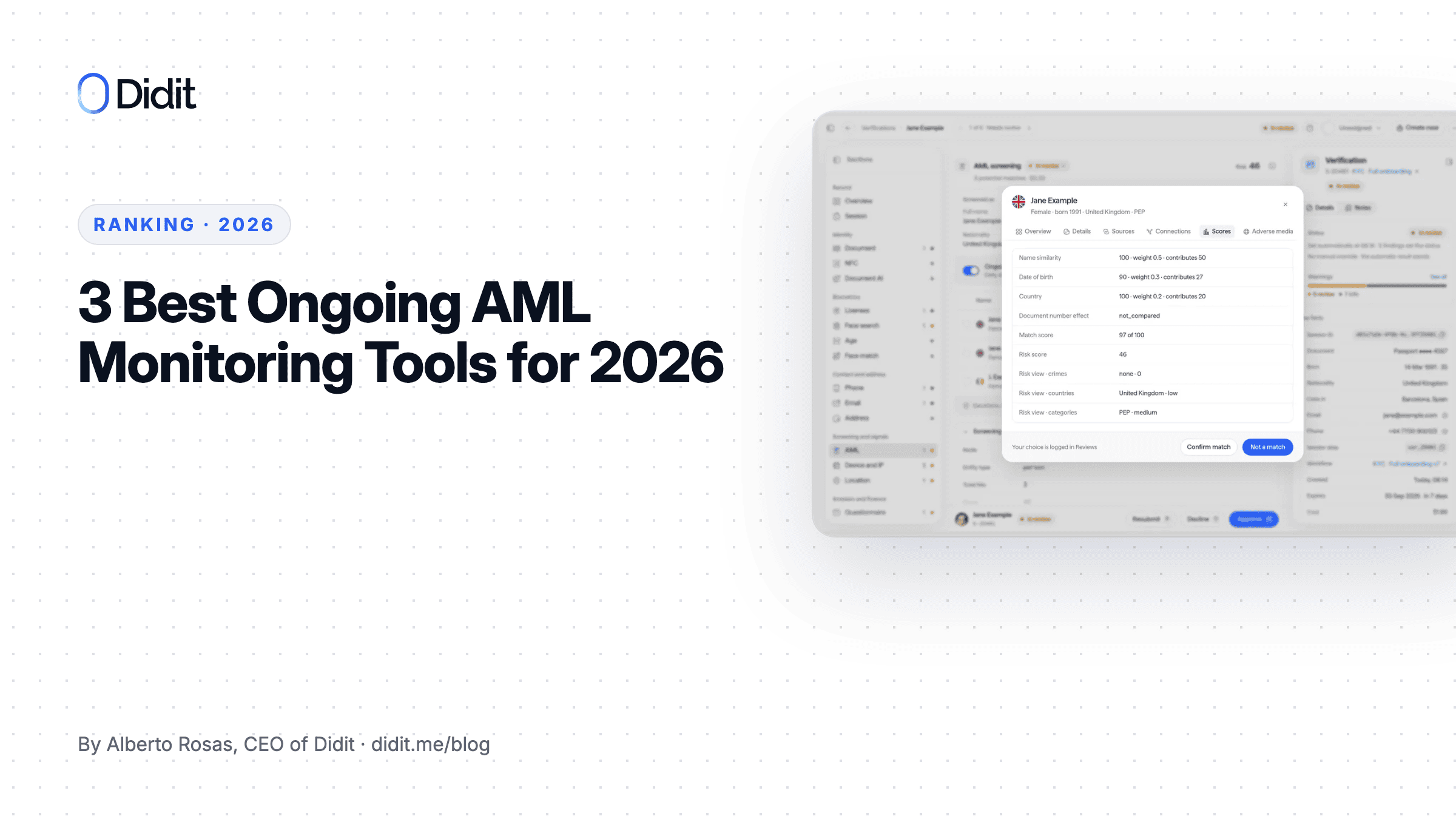
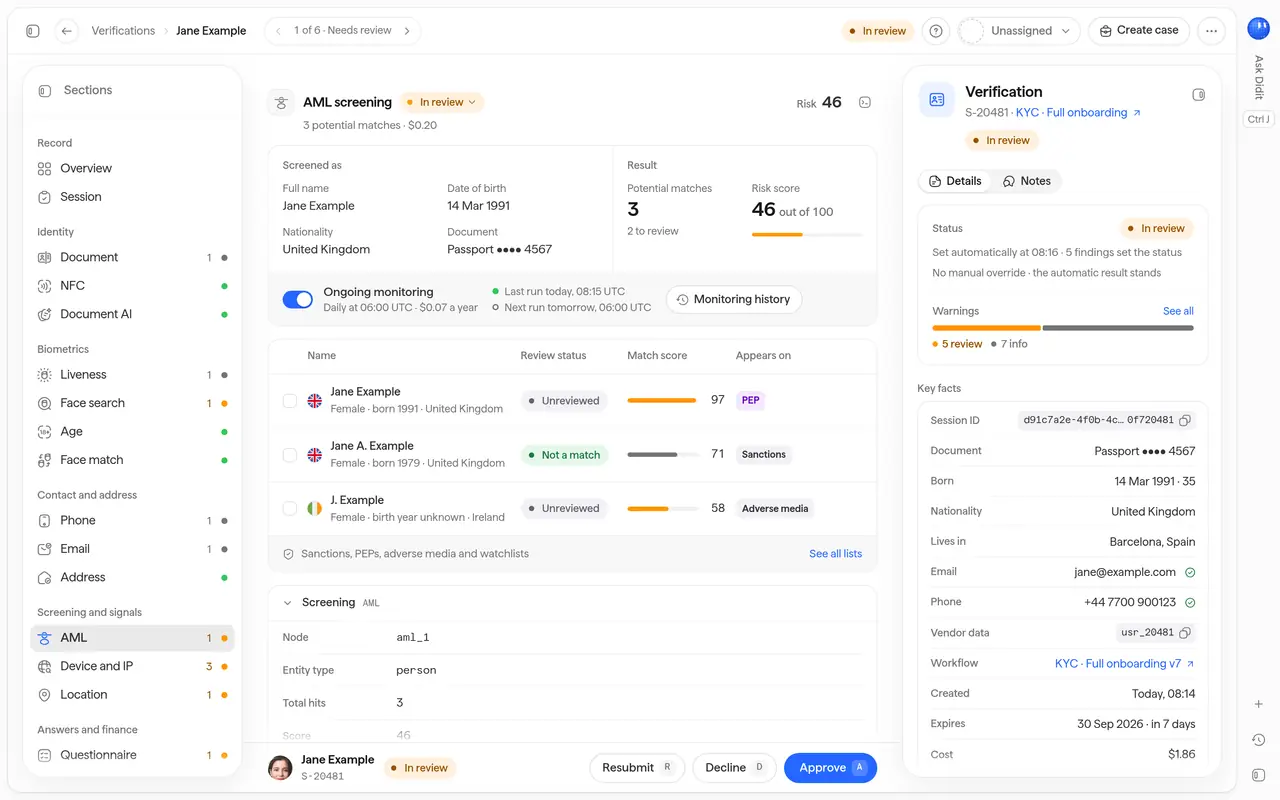
- A two-score model. Each hit carries a match score for identity confidence and a risk score for the listed entity's risk. Hits below the match-score threshold are false positives and are ignored for risk scoring, and a saved hit's review status can be updated later.
- Tunable weights for name, date of birth and country. The three weights must sum to exactly 100, and the defaults are 60, 25 and 15.
- Monitoring in a business session covers the company entity and every identified beneficial owner and officer. The business CSV export reports
company_aml_status,company_aml_score,company_aml_matches_count,company_aml_risk_level,company_aml_last_screenedandcompany_aml_monitoring_enabled. - A saved screening sends a
status.updatedwebhook. Business sessions senddata.updatedwithsession_kindset tobusiness, and business profile changes usebusiness.data.updated. Webhooks are signed with HMAC-SHA256. - Standalone screening through
POST /v3/aml/for a one-shot check outside a hosted flow, withIdempotency-Keyretry safety.
How the default scores decide a result
On the standalone API schema, each hit carries a match_score and a risk_score, and both run from 0 to 100. Hits below aml_match_score_threshold (default 93) are tagged False Positive and ignored for risk. The highest remaining risk_score becomes aml.score. The status then follows aml_score_approve_threshold (default 80) and aml_score_review_threshold (default 100): a score above 80 but not above 100 is In Review, and a score at or below 80 is Approved. Because a standalone risk score tops out at 100 and the default review threshold is 100, the default configuration cannot produce a Declined result under this rule; lower the review threshold if your policy needs a decline path. A score of exactly 80 is Approved, and because it is non-zero and at or above the approve threshold it still adds a POSSIBLE_MATCH_FOUND warning. All three thresholds are configurable per workflow.

Developer example
The standalone API takes a full name and can put the entity under monitoring in the same request. Read the standalone AML screening API docs and the webhook docs before you build retry and event handling.
POST https://verification.didit.me/v3/aml/
x-api-key: YOUR_API_KEY
Content-Type: application/json

{
  "full_name": "Javier Ejemplo Modelo",
  "include_adverse_media": true,
  "include_ongoing_monitoring": true,
  "save_api_request": true
}
save_api_request defaults to true. Enabling monitoring while explicitly setting it to false returns HTTP 400, because monitoring needs a stored report to attach to. The returned request_id works as the session id in GET /v3/session/{sessionId}/decision/, so the screening, the hits and the scores stay retrievable after the call returns, and a retry with the same application, the same Idempotency-Key and the exact request body does not bill a second screening. Reusing the key with a changed body returns HTTP 409.
With monitoring on, provider updates reach that saved report. Our standalone API docs describe updates to the saved report and do not describe a separate webhook for each provider list change on a standalone report, so treat the saved report as the record and re-read it with the decision endpoint instead of waiting for a dedicated list-change alert. For business sessions, new or changed matches generate data.updated with session_kind set to business, and business profile changes use business.data.updated.
Adverse media changes the latency of a single call. The API waits for enrichment, with an initial pause of about five seconds and up to about 25 seconds of polling, and the schema asks for a client timeout of at least 60 seconds. Keep that call off a synchronous checkout path.

Pricing
Ongoing AML monitoring costs $0.07 per person per year at list price, and our price book lists that line as daily re-screening. A single AML check costs $0.20, and company AML screening and person AML in a KYB flow cost $0.20 each. Company registry monitoring is a different service at $2.00 per company per year and is not the company-entity ongoing AML rate.
For KYB buyers the caveat is specific. The business AML documentation says ongoing monitoring incurs a per-screening fee for each monitoring cycle, and the live price feed gives no company-entity ongoing AML rate. The company result appears in aml_screenings[] with entity_type set to COMPANY. Business verification also screens each identified beneficial owner and officer. Ask us to price a company book in writing before you commit a KYB budget to this line.
Eligible Free organizations receive $10 of credit per plan month, and unused plan credit expires at the end of the plan month on Free, Growth and Scale. Growth costs $99 a month, or $1,128 a year paid up front, with $115 of credit per plan month and a 4% discount on eligible Didit charges. Scale costs $299 a month, or $3,408 a year paid up front, with $350 of credit per plan month and a 10% discount on eligible Didit charges. Enterprise contracts start at $15,000 a year. Transaction Monitoring allowances are 1,000 monitored transactions a month on Free, 10,000 on Growth and 100,000 on Scale, with overage at $0.001 per transaction on every plan. The sandbox is free on every plan.
Check current numbers on our pricing page, or read the billing rules in the pricing documentation. If you are moving from another vendor, the switch page covers migrations, and our MCP server lets a coding agent build the integration from a prompt.
Pros
- In this review, Didit is the only ranked vendor with a published per-person monitoring rate.
- We publish daily re-screening for people at $0.07 per person per year.
- Screening, monitoring, KYC and KYB share one API, one credit balance and one console, so a reviewer sees the hit next to the identity check that produced it.
- Two separate scores make false-positive review easier to explain than one match percentage.
- Company-level and person-level monitoring in the same business session, which matters for KYB programs.
- Sandbox testing is free on every plan, and you can integrate without a sales call.
Cons
- A book of legacy customers with no Didit screening record has to be screened first, because monitoring attaches to a screening request.
- The $0.07 rate is a person-year unit. A very large consumer book should model the unit count before switching monitoring on for everyone.
- The price feed gives no company-entity ongoing AML rate, and the business AML docs describe per-cycle billing rather than a per-year unit, so KYB monitoring needs a written price.
- Adverse media is opt-in per request and adds latency to standalone screening. Set a client timeout of at least 60 seconds and consider a background job if users should not wait for the result.
Best for: product teams and compliance teams that want AML monitoring attached to the same record as the KYC or KYB decision, with a public price and an API-first path to production.
2. ComplyAdvantage: a self-service screening and monitoring application with a published starting price
Verdict. ComplyAdvantage is our alternative for a compliance team that wants a self-service screening and monitoring application with a published starting price. Its page describes an AI-native financial crime compliance platform, ComplyAdvantage Mesh, with embedded agents that automate AML work, and a Starter plan that starts at $99 per month.
ComplyAdvantage homepage, read November 26, 2026, lists customer screening, ongoing monitoring, company screening, transaction monitoring and payments screening. It also states that its agentic workflows resolve up to 85% of routine alerts autonomously while maintaining regulatory defensibility. Treat that as the vendor claim and test it against your own alert volume before you rely on it.
Features
- Customer screening, ongoing monitoring, company screening and agentic workflows.
- Enterprise adds transaction monitoring, payments screening, unlimited usage and premium support.
- ComplyLaunch gives early-stage startups free access to enterprise-grade AML solutions; accounts are set up within one business day and all functionality is available via API or case management, according to the page.
Pricing
ComplyAdvantage Starter starts at $99 per month. The published entity bands run from 100 to 2,000 monitored entities. The reviewed page did not publish a price for each band, and Enterprise requires a quote.
Pros
- The published $99 monthly starting price gives buyers a budget floor.
- The Starter plan is self-service and covers up to 2,000 monitored entities.
- The page states that agentic workflows can resolve up to 85% of routine alerts autonomously; test that claim against your own alert volume.
Cons
- Transaction monitoring and payments screening are Enterprise features, not Starter features.
- The page lists entity bands from 100 to 2,000 but did not publish a price for each band.
- Cadence and alert delivery timing were not stated on the page reviewed.
Best for: compliance teams that want a self-service screening and monitoring application with a published starting price, and early-stage startups that qualify for ComplyLaunch.
3. Sanction Scanner: a unified risk score with name and transaction screening
Verdict. Sanction Scanner is our third pick for teams evaluating a unified risk score alongside name screening and transaction screening. Its page describes an AI-native risk intelligence platform and a Fusion Engine with a unified risk score, a compliance dashboard, regulatory reports and proactive alerts. Sanction Scanner says it is trusted by more than 800 clients.
Sanction Scanner homepage, read November 26, 2026, lists AML screening and ongoing monitoring, transaction and fraud monitoring, KYC and KYB onboarding, adverse media, name and transaction screening. It attributes 3,000+ sanctions, PEP and watchlist coverage to name and transaction screening. Pricing was not published on the reviewed page, and the pricing link returned a page-not-found message.
Features
- Fusion Engine lists a unified risk score, a compliance dashboard, regulatory reports and proactive alerts.
- AML screening and ongoing monitoring are listed as products.
- Name and transaction screening are listed, with 3,000+ sanctions, PEP and watchlist coverage attributed to them.
- KYC and KYB onboarding and adverse media are also listed.
Pricing
Pricing was not published on the reviewed page. Ask Sanction Scanner to confirm the price and billing unit in writing.
Pros
- The page groups onboarding, screening, ongoing monitoring and transaction monitoring in one platform, so a team can scope coverage in one place.
- Fusion Engine bundles a unified risk score, regulatory reports and proactive alerts on one page.
- Name and transaction screening share one named screening product, with 3,000+ sanctions, PEP and watchlist sources attributed to it.
Cons
- Pricing was not published on the reviewed page, so you cannot model cost from that page.
- Ask whether a pilot can cover the unified score, name screening and transaction screening together.
- Confirm which inputs feed the unified score.
- Cadence and alert delivery timing were not stated on the page reviewed.
Best for: teams evaluating a unified risk score, name screening and transaction screening.
Scan cadence and alert delivery time are two different numbers
Buyers usually ask one question, how often does it re-screen, and get an answer that mixes two things. Scan cadence is how often the provider runs a profile against the lists it holds. Alert delivery is how long it takes between a change reaching the provider and a person on your team being able to act on it.
On Didit, we publish a daily re-screening rate for people at $0.07 per person per year. Business sessions can also monitor the company and its screened owners and officers, and the business AML documentation does not specify a company scan cadence. For the delivery side, a saved standalone screening keeps provider updates on the report, and business sessions send a data.updated webhook when new or changed matches appear, so your queue receives an event instead of waiting for someone to open a dashboard.
Neither competitor page we reviewed states a cadence. That is not proof they do not re-screen daily; it means the page we read on November 26, 2026 did not say, so the number has to come out in the pilot. Put both numbers in writing: how often the scan runs, and the observed clock time from a list change to an actionable alert.
Budget walk-through: onboarding 12,000 customers and 12 months of monitoring per cohort
We model 12 monthly cohorts of 1,000 customers. Each customer gets one full ID check, one AML check and 12 months of monitoring counted from that customer's enrollment date. Later cohorts finish their 12 months of monitoring after the enrollment year ends, so the figures below are a list-price budget for onboarding plus the monitoring each cohort is entitled to, not a first-year cash outlay.
| Line item | Unit price | Units | Arithmetic | Cost |
|---|---|---|---|---|
| Full ID check (KYC) | $0.33 | 12,000 | 12,000 x $0.33 | $3,960.00 |
| AML screening | $0.20 | 12,000 | 12,000 x $0.20 | $2,400.00 |
| Ongoing AML monitoring | $0.07 per person per year | 12,000 | 12,000 x $0.07 | $840.00 |
| Total at list price | $3,960 + $2,400 + $840 | $7,200.00 |
So the list-price budget for onboarding and 12 months of monitoring per cohort is $7,200.00, excluding taxes and before any plan discount.
Total usage for these checks and person-years is $7,200.00 at list price, $6,912.00 at Growth rates and $6,480.00 at Scale rates, before subscription fees, credits and taxes. To estimate cash outlay, assign each charge to its billing month and apply the credit available in that month.
If you only need AML, the same method gives $2,400.00 for initial screening plus $840.00 for one year of monitoring per person, or $3,240.00 at list price before credit. Full KYC is a separate budget choice at $0.33 per check, or $3,960.00 for 12,000 checks.
A second year of monitoring for the same 12,000 people, with no new onboarding, is 12,000 x $0.07 = $840.00 at list price, $806.40 on Growth and $756.00 on Scale in monitoring usage before plan fees and credit.
For comparison, ComplyAdvantage homepage, read November 26, 2026, lists Starter as starting at $99 per month. Published bands range from 100 to 2,000 monitored entities. Pricing by band was not published. Enterprise requires a quote. The 12,000-customer scenario sits above the published Starter range, so Starter cannot cover it as published, and the $99 is a starting price rather than a per-person monitoring rate.
Which one to pick
- You are building KYC or KYB into your product and want monitoring on the saved screening report. Pick Didit. We publish daily re-screening for people. Our business AML documentation does not specify a company scan cadence. The sandbox is free, and reviewers can update the status of saved hits.
- You want a self-service screening and monitoring application. Pick ComplyAdvantage for a self-service application with a published starting price that bundles customer screening, ongoing monitoring and company screening.
- You are evaluating a unified risk score, name screening and transaction screening. Shortlist Sanction Scanner, and confirm in writing which inputs feed the score and whether one pilot can cover all three. Pricing was not published on the reviewed page.
- You are an early-stage startup. ComplyLaunch gives free access to enterprise-grade AML solutions, with accounts set up within one business day and all functionality available via API or case management, according to the ComplyAdvantage homepage, read November 26, 2026.
- You run a KYB book. Ask every vendor for a company-entity monitoring price and the billing unit. We publish a person-year rate. The business AML docs describe per-cycle fees for business monitoring. The price feed does not publish a company-entity rate.
Pilot checklist before you buy
- Ask for a sample alert from a real list update and the matched source that triggered it.
- Record the observed delivery time from the provider update to the alert in your environment, separately from the scan cadence.
- Ask for an export of the review decision, including the reviewer, the status and the score fields.
- Confirm the monitored object and the billing unit in writing for people, companies and transactions.
- Confirm which inputs feed the unified score if you shortlist a vendor that reports a single score.
- Ask whether enabling monitoring on a saved standalone screening is possible, and what record remains afterwards.
Sources
- Didit pricing page and pricing as JSON, read November 26, 2026.
- Didit pricing documentation, read November 26, 2026.
- Didit AML screening overview, read November 26, 2026.
- Didit standalone AML screening API, read November 26, 2026.
- Didit business AML screening, read November 26, 2026.
- Didit business AML coverage, read November 26, 2026.
- Didit continuous monitoring documentation, read November 26, 2026.
- Didit webhooks documentation, read November 26, 2026.
- Didit public price-book endpoint, read November 26, 2026.
- Didit switch page, read November 26, 2026.
- Didit MCP server, read November 26, 2026.
- ComplyAdvantage homepage, complyadvantage.com, read November 26, 2026.
- Sanction Scanner homepage, sanctionscanner.com, read November 26, 2026.
Create a free sandbox at business.didit.me to run a mocked AML screening with monitoring on and retrieve the saved decision. No sales call is needed.
Try it
Try this in the sandbox
Run the check this guide describes, free.
The product this post is about, taken from its topic. Run it free in the sandbox.
Author
Alberto Rosas
Co-founder and CEO

Keep reading
Other guides in the same topic.
 Add Didit identity verification to Webflow
Add Didit to Webflow with a UniLink embed or an API session. Full KYC is $0.33 per completed check. Use a verified webhook for access decisions.
Alberto RosasNov 26, 2026 Didit Node SDK: Identity Verification Integration Reference
Didit's Node SDK (@didit-protocol/sdk-node) is free. Install it, configure a server-side API key, create a session, verify X-Signature-V2 webhooks and read the decision. A full ID check costs $0.33; sandbox is free.
Alberto RosasNov 26, 2026 Didit Android SDK integration reference: setup, code, costs
The Didit Android SDK 4.15.4 supports API 23 and later. Your backend creates a session and passes the token we return to the app. Full KYC costs $0.33 per completed check at list price, and sandbox testing is free.
Alberto RosasNov 26, 2026Questions
Frequently asked questions
What is ongoing AML monitoring?
It is the control that re-screens people or companies against updated sanctions, PEP and watchlist data after onboarding, so new or changed matches surface while the account stays open. Adverse-media coverage depends on the service and the configuration; on our AML screening you enable it per request, and that option adds latency to the call. It matters because designations and news change while a customer record stays the same.
How much does ongoing AML monitoring cost?
We publish $0.07 per person per year at list price for daily re-screening and $0.20 per AML check. According to the ComplyAdvantage homepage, read November 26, 2026, Starter starts at $99 per month, and Enterprise requires a quote. Sanction Scanner pricing was not published on the page reviewed.
How often should AML screening be refreshed?
There is no single cadence that fits every program, so set it by customer risk and applicable obligations. Keep three numbers apart: how often the provider re-scans, how fast an alert reaches you after a list changes, and your own periodic KYC refresh date. We publish daily re-screening for people at $0.07 per person per year. Scan cadence is not alert delivery time, so ask each vendor for both.
How fast should an alert arrive after a sanctions list changes?
The number that matters is the gap between a change at the source and an actionable alert in your queue, and none of the pages we read on November 26, 2026 publish it. We publish daily re-screening for people. Business sessions send a data.updated webhook when new or changed matches appear. Measure the gap in your own pilot by timestamping the alert against the list change.
Does ongoing monitoring cover companies and beneficial owners?
We screen the company and every identified beneficial owner and officer during business verification, and ongoing monitoring covers both layers in a business session. The business CSV export reports company AML status, score, match count, last screening date and monitoring status. According to the ComplyAdvantage homepage, read November 26, 2026, it lists company screening and ongoing monitoring, and the Sanction Scanner homepage, read November 26, 2026, lists ongoing monitoring and KYB onboarding; those two sources do not describe company and UBO coverage in the same detail.
What is the difference between a match score and a risk score?
A match score estimates how likely it is that a hit refers to the same person you screened, using name, date of birth and country, with a default threshold of 93. A risk score estimates how risky the matched entity is if the match is real, and both scores run from 0 to 100. A hit below the match-score threshold is excluded from risk scoring, and the highest remaining risk score sets the status against your approve and review thresholds, which default to 80 and 100. Because a standalone risk score tops out at 100, the default review threshold of 100 cannot produce a Declined result, so lower it if your policy needs one.
Can I add monitoring to a check I already ran?
For our standalone API, monitoring is enabled in the screening request, so run the screening with monitoring on and save it. The docs do not describe enabling monitoring retroactively on a previously saved standalone screening. For business sessions, use the per-business-session toggle in the Business Console or the API, and a customer with no Didit screening record needs to be screened first.
Do these tools require a minimum contract?
Our self-serve plans start at $0 a month, and our Enterprise contracts start at $15,000 a year. The ComplyAdvantage homepage, read November 26, 2026, publishes a monthly Starter plan and lists Enterprise as quote required. The Sanction Scanner homepage, read November 26, 2026, did not publish pricing, so check the contract terms directly.
Which ongoing AML monitoring tool is best for a small fintech?
Start with us on the Free or Growth plan if you are building the flow into your product, because we publish daily re-screening for people and the sandbox is free. If you want a self-service application with a published starting price and you are early stage, look at ComplyAdvantage Starter and its ComplyLaunch program, according to the ComplyAdvantage homepage, read November 26, 2026. Shortlist Sanction Scanner if a unified risk score beside name and transaction screening is what you need, according to the Sanction Scanner homepage, read November 26, 2026, and note that its pricing was not published on the page reviewed.
How do I handle false positives in ongoing monitoring?
We exclude a hit from automated risk scoring when its combined match score falls below the configured threshold. Each hit keeps its own match score and risk score, and a reviewer can update the review status on a saved hit afterwards. Record the threshold and its rationale so a later reviewer can reconstruct the decision.
Does monitoring replace periodic KYC refresh?
No. Watchlist monitoring surfaces changes to matches; a KYC refresh reviews whether the customer information and the risk assessment are still current. Set your refresh schedule according to customer risk, your policy and applicable requirements.
Can I monitor a person without running a full identity check?
Yes, with a standalone AML API call, but you still need enough data to screen: at minimum a full name, and date of birth and nationality improve the match. Our /v3/aml/ endpoint accepts those fields, and monitoring requires save_api_request to be true. When a scoring input is missing, the API renormalizes the remaining weights.
What is the difference between ongoing watchlist monitoring and transaction monitoring?
Ongoing watchlist monitoring checks people or companies against updated sanctions, PEP and watchlist data, and we publish $0.07 per person per year for it. Transaction monitoring watches transactions against rules and lists, and every plan includes a monthly allowance with overage at $0.001 per transaction. One watches the entity, the other watches the activity. Assess each control against your activities, customer risk and applicable requirements.
Compliance built in
Audited, certified and attested.
We hold the certifications and build each country's rules into your flows, so you can launch anywhere without worrying. Security and Compliance center
- Regulation encoded into your flows
Tell us what you do and where. Didit lists the rules that apply to you, with sources, and builds the checks each country needs into one workflow.
- Ready for AMLR
Every requirement of the new EU anti-money laundering rules, from checking customers to human review, is already covered by a Didit check.
- Tested in Spain's Treasury sandbox
Spain's Treasury published its supervised sandbox report on Didit's NFC plus active liveness onboarding; SEPBLAC took part and valued the added measures positively.
- Audited, not self-declared
iBeta Level 1 and Level 2. Liveness tested under ISO/IEC 30107-3.
Your obligations · 3 regions
 SOC 2 Type 2
 ISO 27001
 iBeta Level 1 and Level 2
 EU regulator attestation
 FSM youth protection
 GDPR
 EBA remote onboarding
 MiCA compatible
 FIDO Alliance member
- AMLREU AML Regulation ready
Integration · Didit MCP
Run Didit from your own AI agent
Connect Didit to Claude, Cursor, VS Code or ChatGPT and just ask in plain words. Your agent can do anything you can do in the console, with the same permissions you have.
 Add to Claude
 ChatGPT
 Cursor
- Build workflowsDescribe the checks you need. The agent creates and publishes the flow.
- Run investigationsAsk why a session was declined, review cases, search people and companies.
- Change rulesCreate payment rules, test them on past data and switch them on.
- Pull reportsAsk for numbers, exports or the audit log.
Didit Academy


