Build a KYB Analyst Review Queue with the Businesses API
Call GET https://verification.didit.me/v3/businesses/?status=FLAGGED with a key whose role grants list:businesses, follow next to page, then rank the queue in your own code by last_activity_at and in_review_count.
 Alberto RosasCo-founder and CEO
Contents
In this guide
Jump to the part you need.
This guide is for teams already running KYB sessions who need a review inbox built on our Businesses API. It fits a compliance engineer or a back end developer wiring an analyst queue. The list call has no published per-call price; the checks behind each business start at $2.00 per company. The main caveat: the status filter takes the business enum, ACTIVE, FLAGGED or BLOCKED, not session statuses, and the reference page documents the status filter while the embedded OpenAPI description on the same route contradicts it, so verify it against your deployed schema.
Last updated: November 26, 2026. Prices checked against the live Didit price feed on November 26, 2026.
| Item | Detail |
|---|---|
| Endpoint | GET https://verification.didit.me/v3/businesses/ |
| Auth | x-api-key header, server side only, per application |
| Permission | the key's role must grant list:businesses |
| Status filter | ACTIVE, FLAGGED, BLOCKED (VendorBusinessStatusChoices) |
| Page size | limit 1 to 200, default 50; follow the next URL |
| Ordering | last_session_at descending |
| Price of the read | no published per-call price in the price book |
| Price of the checks behind it | KYB registry from $2.00 per company, priced by country and tier, company AML $0.20, person AML $0.20 per UBO or officer, KYB documents $0.20 per step, linked KYC $0.33 per person |
| Main caveat | business status is not the session enum; count is exact only up to 100 |
Start free in the sandbox at business.didit.me, no sales call needed. The product page is Business Verification (KYB), every unit price is on didit.me/pricing, and developers who want an assistant to drive the same calls can connect Didit through the Didit MCP server.
Outcome and the method we recommend
The outcome is a ranked list in your application. Request flagged businesses, follow pagination, and sort the returned fields in your code. The method we recommend is one filtered list call plus following the next URL, not a full export. Pull the list, rank it in your own code, and fetch a single business or its session decision only when an analyst opens a case. The list endpoint has no published per-call price, so budget from the checks themselves, and keep the detail calls for the moment a human is actually looking.
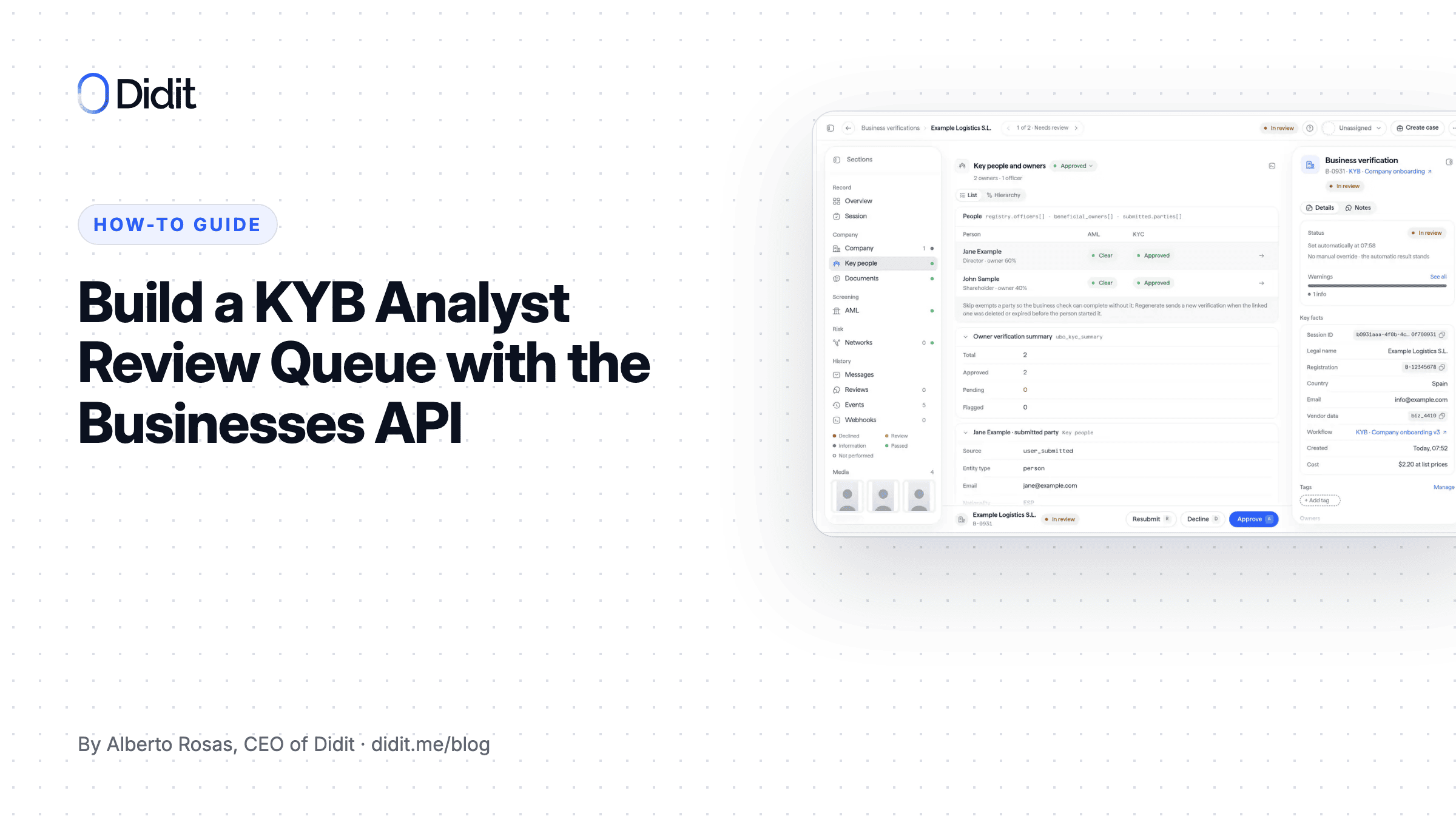
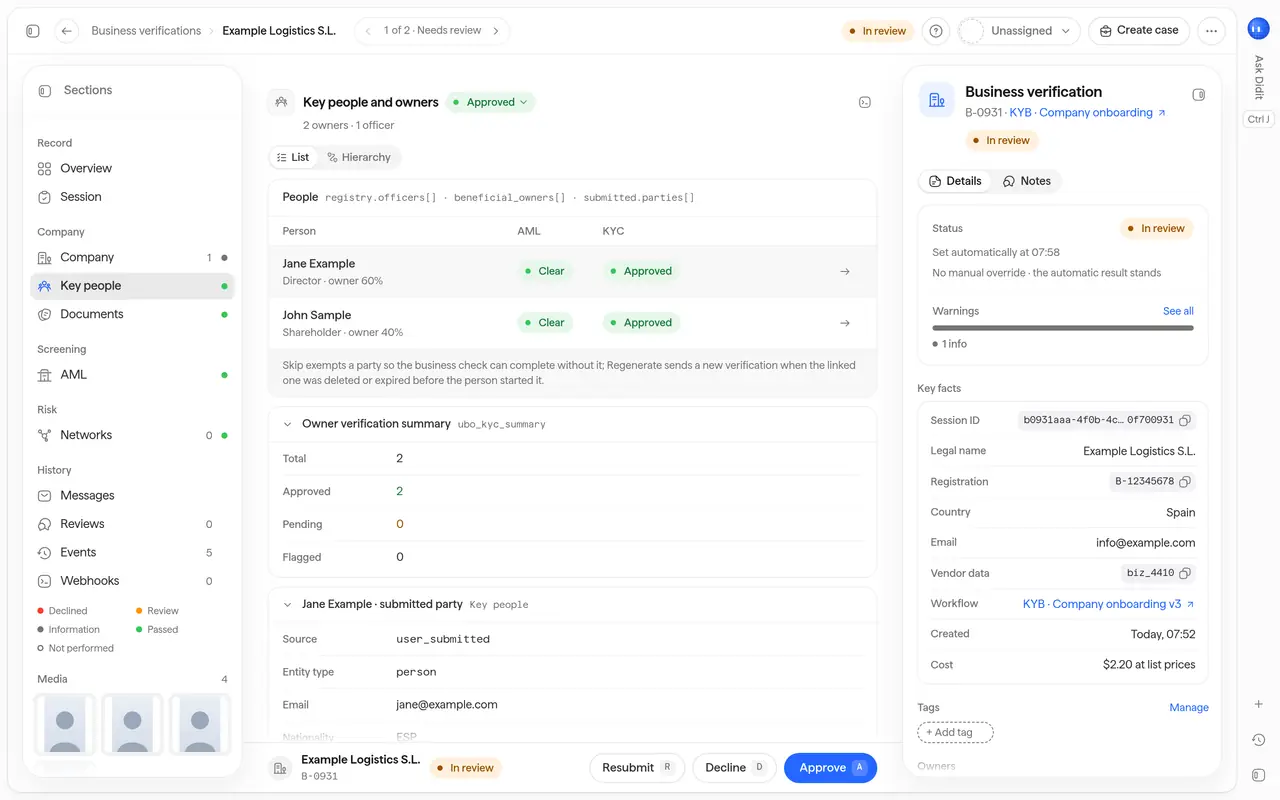
We keep the split clear on purpose. The Businesses API is a management surface: it tells you which entities exist, how their sessions ended, and which features are waiting on a person. The decision itself happens in the Business Console, where an analyst reviews registry data, key people, AML hits and documents, can request more documents, and can approve, decline or request a resubmission.
Prerequisites
- A Didit application with at least one KYB workflow and at least one business session, so the list is not empty. See the KYB overview.
- An API key from Developers, then API keys in the Business Console. New keys start with
sk_live_for a live application orsk_test_for a sandbox application. Never validate a key by its prefix alone; older keys have no prefix and keep working. - A role that grants
list:businesseson thebusinessesresource. The built in Compliance Officer role covers business profiles; a custom role needs the list action added explicitly in Settings, then Organization, then Roles and permissions. - The key kept server side. It is a secret, so it never ships to a browser or a mobile bundle.
Steps
- Confirm the permission before you write the job. Open Settings, then Organization, then Roles and permissions and check that the role behind your key includes
list:businessesforbusinesses. A key whose role lacks it answers 403 even when the key is valid. - Create or copy the key for the right application. Keys belong to an application, not to your whole organization. If the sandbox list is empty and you expect data, check you are not calling with the key of a different application.
- Call the list with the flagged filter. This is the exact call from our reference, with
limitset to 50:
curl -X GET 'https://verification.didit.me/v3/businesses/?limit=50&status=FLAGGED' \
-H 'x-api-key: YOUR_API_KEY'- Page until
nextis null. Do not build offsets by hand. The reference loop is short, and it follows thenextURL that each page returns:
import requests

API_KEY = "YOUR_API_KEY"

url = "https://verification.didit.me/v3/businesses/?limit=200&status=FLAGGED"
while url:
    r = requests.get(url, headers={"x-api-key": API_KEY})
    r.raise_for_status()
    page = r.json()
    for biz in page["results"]:
        print(biz["display_name"], biz["last_activity_at"], biz["in_review_count"])
url = page["next"]- Rank what came back. The endpoint returns rows ordered by
last_session_atdescending. For an analyst inbox, re-sort in your own code onlast_activity_at, then onin_review_count, then on thefeaturesmap. The next section spells out the ranking. - Fetch detail only on open. When an analyst opens a row, read the single business with
GET /v3/businesses/{id}, and read the session decision atGET /v3/session/{session_id}/decision/when you need the full arrays of key people, documents and AML screenings. Those detail calls are where the reviews actually live. - Keep the queue fresh with webhooks. Subscribe to
business.status.updatedandbusiness.data.updatedso a business leavingFLAGGEDdisappears from the queue without waiting for the next poll.status.updatedwithsession_kindequal tobusinesscovers progress inside a session. Verify theX-Signature-V2header and de-duplicate onevent_id. - Push the analyst decision back into the record. Approving, declining or requesting a resubmission is a console action. Once it lands, the business status and the counters change, and your queue picks it up through the webhook or the next list call.
The reference is explicit about one thing worth repeating to your team:
statusacceptsACTIVE,FLAGGEDandBLOCKED, which areVendorBusinessStatusChoices, and not the session enum. A session sits in strings such as Not Started, In Progress, Approved, Declined, In Review, Resubmitted. Filtering the list onIn Reviewreturns nothing useful.
Expected output
A 200 answer is an envelope with count, next, previous and results. Each item is a BusinessListItem. The shape below uses example values:
{
  "count": 100,
  "next": "https://verification.didit.me/v3/businesses/?limit=200&status=FLAGGED&offset=200",
  "previous": null,
  "results": [
    {
      "didit_internal_id": "0b0f0c1e-0000-0000-0000-000000000000",
      "vendor_data": "company-123",
      "display_name": "Acme Holdings Ltd",
      "legal_name": "ACME HOLDINGS LIMITED",
      "registration_number": "01234567",
      "country_code": "GB",
      "effective_name": "Acme Holdings Ltd",
      "status": "FLAGGED",
      "session_count": 3,
      "approved_count": 1,
      "declined_count": 0,
      "in_review_count": 2,
      "features": {
        "KYB_REGISTRY": "Approved",
        "KYB_AML": "In Review",
        "KYB_DOCUMENTS": "Resub Requested"
      },
      "last_session_at": "2026-11-24T10:12:00Z",
      "first_session_at": "2026-11-02T09:00:00Z",
      "last_activity_at": "2026-11-25T08:40:00Z",
      "created_at": "2026-11-02T09:00:00Z"
    }
  ]
}
Two readings matter. The 100 in count above is the cap, not a total: count is exact up to 100 and capped above that, and pagination still works through next. And vendor_data is a free form string you supplied when the session was created, not a UUID, and it can be null.
Ranking the queue with the fields you already have
This ordering is an implementation heuristic for your own code, not something the list endpoint does for you: it returns rows ordered by last_session_at descending, and no more than that. Activity first. last_activity_at is the field that carries the most recent recorded activity on the business, so a row that just changed state rises to the top of your sort. Then volume: in_review_count above zero means sessions from this business are still with a reviewer rather than settled, and approved_count against declined_count tells an analyst whether they are looking at a first review or a repeat relationship.
Then the feature map. features is a dictionary keyed by feature name whose value is the latest status of that feature, and features_list gives the same set as a list. In our suggested ordering, a row where KYB_AML is In Review needs an AML reviewer; a row where KYB_DOCUMENTS is Resub Requested is waiting on the business, not on you, so it can sit behind the ones a person can clear now. Read the keys from one real response before you hardcode them: the list reference names KYB_REGISTRY, KYB_AML and KYB_DOCUMENTS, while the integration guide refers to the AML feature as AML and adds KYB_KEY_PEOPLE.
Pagination and the count cap
The runnable example in this guide is the contract we document end to end: send limit, then follow the next URL from each response until it is null. The parameter table on the same reference page also lists page_size (1 to 200, default 50) and a cursor. Read the OpenAPI schema for your key to confirm which pair it accepts before you ship, and do not assemble offsets by hand in the meantime.
Separately, count is exact only up to 100 and is capped above that. Never drive a progress bar from it. If you need a true total, count the rows you received while paging.
Failure cases and recovery
| Symptom | Cause | Recovery |
|---|---|---|
| 401 | Missing or invalid x-api-key, or a revoked or expired key | Re issue the key in Developers, then API keys, and load it from the server environment |
| 403 | The key exists but its role lacks list:businesses, or the key was called from an address outside its IP list | Add the permission to the role, or use a key that has it |
| 429 | Rate limited; the response carries a wait field in seconds | Back off for that many seconds, then retry the same URL |
| Empty list on a key you expect to have data | Wrong application, or a filter that uses a session status such as In Review instead of FLAGGED | Check the application behind the key, and check the filter spelling against the enum |
| Filter seems ignored | The OpenAPI description for this route states it does not support filtering or search parameters and asks you to fetch pages and filter client side | Ask for a page and filter on status in your own code, which always works; raise it with us if filtering is what you need at scale |
| A business you know exists is missing | Deleted businesses are not returned | Check the console for the entity before assuming an API fault |
vendor_data is null | The originating session did not supply one | Key your own table on didit_internal_id instead |

Inputs and outputs
| Name | Type | What it does |
|---|---|---|
status | string | ACTIVE, FLAGGED or BLOCKED; the business enum, not the session enum |
search | string | Substring match across display name, legal name, registration number and vendor_data |
country | string | Country of incorporation, ISO 3166-1 alpha-2 (for example GB). The schema on the same page instead lists country_code as ISO 3166-1 alpha-3, so the two representations conflict and you should confirm the accepted form against your deployed schema |
limit | integer | 1 to 200, default 50 |
offset | integer | 0 or more; prefer following next |
didit_internal_id | UUID | Stable identifier for the business; use it as your primary key |
session_count, approved_count, declined_count, in_review_count | integer | Counters for ranking depth of relationship and open work |
features | map | Latest status per feature, for example KYB_REGISTRY, KYB_AML, KYB_DOCUMENTS |
last_session_at, first_session_at, last_activity_at | timestamp | Ordering and prioritisation, default response order is last_session_at descending |
tags, created_at, effective_name | list, timestamp, string | Grouping and display in the queue |
Paid steps and review boundaries
Reading the list is a management call and the price book has no line for it. What you pay for is the work behind each business, billed per completed check from prepaid credit: the registry retrieval from $2.00 per company as a starting price, priced by country and data tier, company AML screening at $0.20, person AML at $0.20 per UBO or officer, KYB documents at $0.20 per collection step regardless of how many files are uploaded, and a linked full ID check at $0.33 for each person who needs KYC. Company registry monitoring is $2.00 per company a year.
The review boundary is the part teams get wrong. The API tells you which business needs a person and why. It does not decide. An analyst in the Business Console reviews the collected data, adds comments, requests additional documents from the business, and makes the final decision, which moves the business status and the counters your queue reads. Ongoing AML monitoring is a separate opt in and incurs a fee for each monitoring cycle, so decide per business rather than switching it on across every flagged entity.
Worked cost example
Take a month in which 40 businesses sit in the flagged queue. Each one needs the registry retrieval at the Lite tier, company AML, two key people screened at person level, two linked ID checks, and one document collection step. Per business, at the from price for registry data:
- Registry retrieval, from: $2.00 (varies by country and tier)
- Company AML: $0.20
- Person AML, 2 people: 2 x $0.20 = $0.40
- Linked KYC, 2 people: 2 x $0.33 = $0.66
- KYB documents, 1 step: $0.20
Total per business: $2.00 + $0.20 + $0.40 + $0.66 + $0.20 = $3.46. For 40 businesses: 40 x $3.46 = $138.40 at list price. On Scale, with 10% off every Didit price, the same checks come to $1.80 + $0.18 + $0.36 + $0.594 + $0.18 = $3.114 per business, so 40 x $3.114 = $124.56. On Growth, with 4% off, the per business figure is $3.3216, so 40 x $3.3216 = $132.86. The list endpoint has no published per-call price, so verify billing before estimating it as zero.
Sources
- List Businesses API reference, for the endpoint, the status enum, the pagination loop and the failure modes.
- API authentication, for the
x-api-keyheader, key prefixes and the 401 and 403 split. - Roles and permissions, for
list:businessesand the built in roles. - Business verification overview, for the KYB flow and the session statuses.
- KYB integration guide, for the feature names, webhook events and decision shape.
- Business AML screening, for company and person level screening and monitoring.
- Verification statuses, for the session lifecycle.
- Business data model and Business operations, for the full field set.
- Business Verification (KYB) product page, read November 26, 2026.
- Didit pricing and pricing as JSON, read November 26, 2026.
- Didit MCP server, for connecting an assistant to the same API.
- Image catalog entries used in this post:
https://didit.me/media/academy/06-verify-a-business-kyb/thumbnail.webp,https://didit.me/media/site-v6/screens/console_kyb-key-people-linked-kyc.webpandhttps://didit.me/media/site-v6/screens/console_aml-hit-review_03.webp, read November 26, 2026.
Next step: create a sandbox application at business.didit.me, copy the sk_test_ key from Developers, then API keys, and run the flagged call with status=FLAGGED. Sandbox checks are free, so you can shape the queue before a live business touches it.
Try it
Try this in the sandbox
Run the check this guide describes, free.
The product this post is about, taken from its topic. Run it free in the sandbox.
Author
Alberto Rosas
Co-founder and CEO

Keep reading
Other guides in the same topic.
 Didit Node.js SDK on Cloudflare Workers, Deno and Bun
The Didit Node.js SDK runs on Node.js 18, Bun, Deno and edge runtimes with fetch. An edge runtime such as Workers has no process environment, so you pass the API key to the client as an option, while on Bun a client with no.
Alberto RosasNov 26, 2026 Headless Didit Login: Two-Factor Required, SSO and 429 Handling
Didit headless login returns tokens only when the account has no second factor. A two-factor account gets a 2FA flag plus a temp token, an SSO organization gets a 403, a recovered account gets a recovery setup error, and a.
Alberto RosasNov 26, 2026 Embed Didit verification in an iframe: camera permissions and UniLink
Embed Didit verification with an iframe: the documented source is https://verify.didit.me/u/YOUR_WORKFLOW_ID_BASE64 plus the full allow attribute for camera and microphone.
Alberto RosasNov 26, 2026Questions
Frequently asked questions
Does the Businesses API status filter accept In Review?
No. The status filter on GET https://verification.didit.me/v3/businesses/ accepts ACTIVE, FLAGGED and BLOCKED, which come from VendorBusinessStatusChoices. In Review is a session status, not a business status, so use status=FLAGGED to build a review inbox and read the session decision for the detail.
How do I get only the businesses that need an analyst?
Call GET https://verification.didit.me/v3/businesses/?status=FLAGGED with an x-api-key whose role grants list:businesses, follow the next URL until it is null, and then sort the results in your own code by last_activity_at and in_review_count. Our reference describes this endpoint as the way to drive an analyst queue.
Why is the count field only 100 when I have more businesses?
count is exact up to 100 and capped above that. It is not a total once you pass the cap, so never drive a progress bar from it. Pagination still works: keep following next until it returns null and count the rows you received if you need a true total.
Does the list endpoint support filtering and search, or not?
Our reference documents status, search, country and date filters with a pagination loop, while the OpenAPI description on the same route states that it does not support filtering or search parameters and that you should fetch pages and filter client side. Build defensively: send the filter, and if the answer comes back unfiltered, filter on status in your own code. Confirm on your own key before you depend on it.
What permission does the API key need to list businesses?
The key's role must grant list:businesses on the businesses resource. Without it the call answers 403 even when the key is valid. Owners have full access. Admins have management access to verification features, team members and application settings, but cannot manage roles. The built in Compliance Officer role covers business profiles, and a custom role needs the list action added in Settings, then Organization, then Roles and permissions.
Can I search for a business using my own customer identifier?
Yes, when you supplied it. Pass vendor_data as the search value; the search runs as a substring match over display name, legal name, registration number and vendor_data. Remember that vendor_data is a free form string you set when creating the session, not a UUID, and it is null when the originating session did not include one.
How do I keep the queue current without polling all day?
Subscribe to the KYB webhooks. business.status.updated fires when a linked business entity changes status, business.data.updated fires when its profile or counters change, and status.updated with session_kind equal to business covers progress inside a session. Register destinations at POST /v3/webhook/destinations/ with webhook_version set to v3, verify the X-Signature-V2 header, and de-duplicate on event_id.
What does the list call cost?
The price book has no published per-call price for reading the business list, so verify billing before estimating it as zero. You pay for the checks behind each business: registry retrieval from $2.00 per company as a starting price, priced by country and tier, company AML at $0.20, person AML at $0.20 per UBO or officer, KYB documents at $0.20 per step, and linked KYC at $0.33 per person.
Why do I get 403 when my key looks correct?
A 403 means the key is recognised but not allowed to do this: the role lacks list:businesses, or the key was used from an address outside its IP list. A 401 is different, and means the x-api-key header is missing, malformed, revoked or expired. Fix the role or the IP list for 403, and re issue the key for 401.
Can an API call approve or decline a flagged business?
Approving or declining is a reviewer action in the Business Console, where the analyst sees the registry data, key people, AML hits and documents and can request more documents before deciding. Your integration reads the outcome, it does not replace the reviewer. That separation is what keeps the audit trail clean.
Are deleted businesses returned by the list?
No. Deleted businesses are not returned, so an entity that disappears from your pages has usually been removed rather than lost. Check the Business Console before raising a support case, and key your own records on didit_internal_id so a deletion is visible as a missing row.
Compliance built in
Audited, certified and attested.
We hold the certifications and build each country's rules into your flows, so you can launch anywhere without worrying. Security and Compliance center
- Regulation encoded into your flows
Tell us what you do and where. Didit lists the rules that apply to you, with sources, and builds the checks each country needs into one workflow.
- Ready for AMLR
Every requirement of the new EU anti-money laundering rules, from checking customers to human review, is already covered by a Didit check.
- Tested in Spain's Treasury sandbox
Spain's Treasury published its supervised sandbox report on Didit's NFC plus active liveness onboarding; SEPBLAC took part and valued the added measures positively.
- Audited, not self-declared
iBeta Level 1 and Level 2. Liveness tested under ISO/IEC 30107-3.
Your obligations · 3 regions
 SOC 2 Type 2
 ISO 27001
 iBeta Level 1 and Level 2
 EU regulator attestation
 FSM youth protection
 GDPR
 EBA remote onboarding
 MiCA compatible
 FIDO Alliance member
- AMLREU AML Regulation ready
Integration · Didit MCP
Run Didit from your own AI agent
Connect Didit to Claude, Cursor, VS Code or ChatGPT and just ask in plain words. Your agent can do anything you can do in the console, with the same permissions you have.
 Add to Claude
 ChatGPT
 Cursor
- Build workflowsDescribe the checks you need. The agent creates and publishes the flow.
- Run investigationsAsk why a session was declined, review cases, search people and companies.
- Change rulesCreate payment rules, test them on past data and switch them on.
- Pull reportsAsk for numbers, exports or the audit log.
Didit Academy