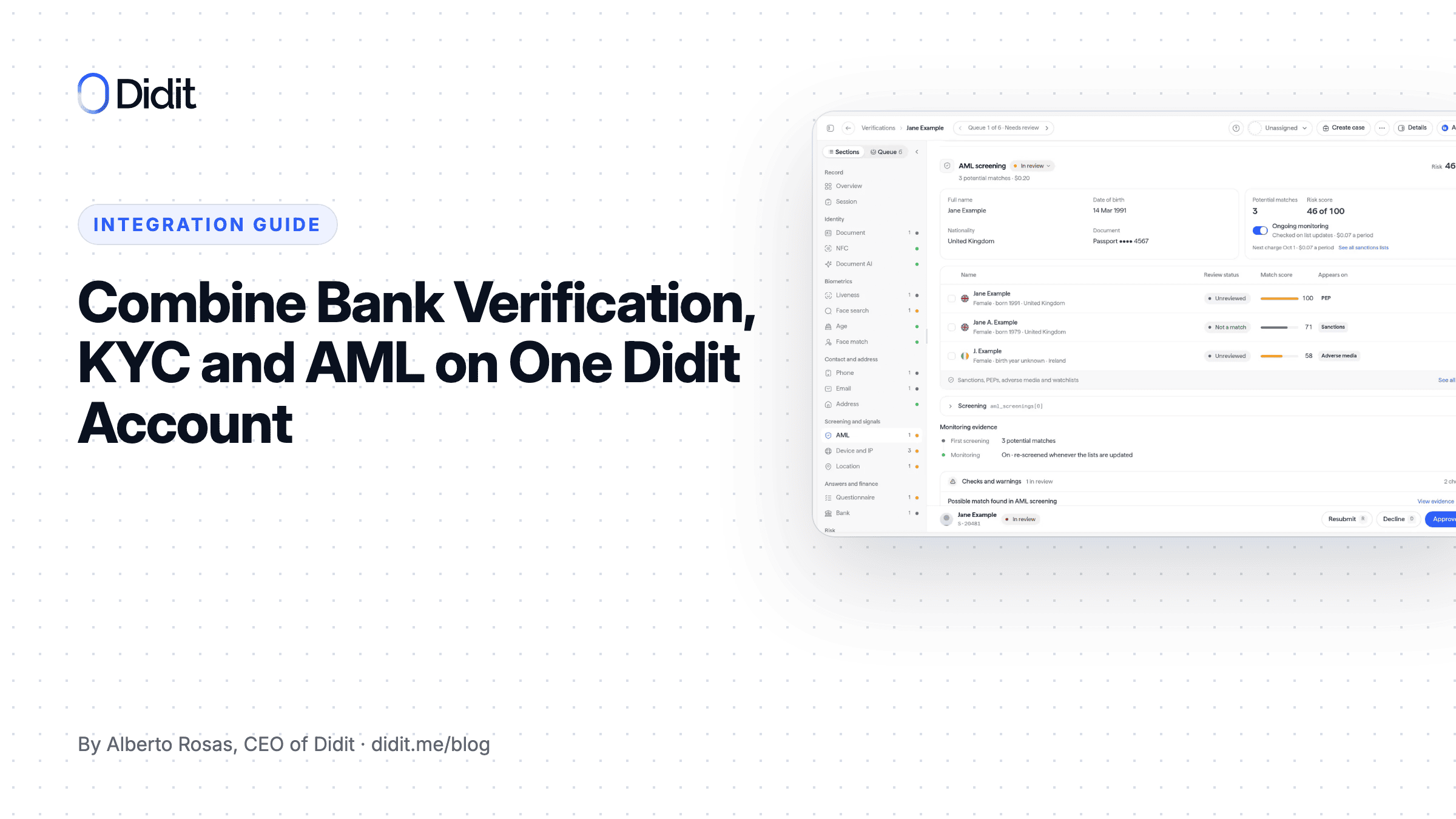
Combine Bank Verification, KYC and AML on One Didit Account
Run bank sign-in or account checks with KYC and AML in one Didit workflow. Sign-in starts at $0.45 per completion, account checks at $0.45 per answer, full KYC costs $0.33, and AML costs $0.20. Uncompleted bank links are free.
 Alberto RosasCo-founder and CEO
Contents
In this guide
Jump to the part you need.
For teams onboarding customers who need to verify identity, screen for AML and confirm bank account ownership, we run all three checks in one workflow. Bank sign-in starts at $0.45 per completion and account checks at $0.45 per answer. Full KYC costs $0.33 and AML screening costs $0.20. Both workflow bank methods run with real banks. Ongoing access through the standalone Bank data API is currently limited to the Didit Test Bank.
Last updated: November 26, 2026. Prices checked against the live Didit price feed on November 26, 2026.
| What you get | How it works | List price (USD) |
|---|---|---|
| Bank sign-in inside a workflow | The person signs in at their bank, and we compare the holder with the name the session already verified | From $0.45 per completed sign-in |
| Account check inside a workflow | The person types an IBAN, sort code, CLABE or similar, and the bank confirms the name on the account | From $0.45 per answered check |
| Full ID check (KYC) | ID document $0.15 + passive liveness $0.10 + face match 1:1 $0.05 + device and IP $0.03 | $0.33 per completed check |
| AML screening | Screens against 1,300+ AML, sanctions and PEP lists, with the result stored on the same session | $0.20 per check |
| Ongoing AML monitoring | Re-screening of a person over time | $0.07 per person per year |
| Business verification (KYB) example subtotal | Starting registry tier $2.00 + company AML $0.20 + one person AML $0.20 + one linked KYC $0.33 = $2.73. A bank check is separate. | $2.73 subtotal before any bank check |
| Uncompleted bank link | An uncompleted bank link adds $0.00. Completed KYC and AML checks still bill at their listed prices, and an answered account check is billed per answer. | $0.00 for the bank link |
| Sandbox | Test sessions and the Didit Test Bank | $0.00, every sandbox price |
Start free in the sandbox at https://business.didit.me/, no sales call. Developers can follow the MCP setup guide to connect a supported AI assistant. See the whole price list at https://didit.me/pricing/.
How the three checks fit in one workflow
A workflow defines the ordered steps. Each verification session runs that workflow for a person. You create one session, put the steps in the order your policy needs, and the results land in one session record you read through the API or the Business Console. One API key and one credit balance cover the run. 4,000+ companies use Didit.
For the full KYC configuration priced below, include ID document verification, passive liveness, face match and device and IP analysis. Add AML Screening and place Bank Verification after the step that establishes the name. In this example, AML Screening also runs before Bank Verification. Bank Verification requires a name established earlier in the session. The person never types the name that gets checked: we always compare the name the session already verified.
A practical order is full KYC first, AML Screening second, Bank Verification third. Then review the identity, AML and bank ownership results for the session. If the bank step fails or the person cannot or will not connect a bank, fallbacks apply. If configured, statement upload can be offered without a prior bank attempt. Micro-deposits are available only after a charged bank sign-in or account check in the same session, at no extra charge. The person can always continue without a bank.
What runs live today and what does not
| Capability | State |
|---|---|
| Bank Verification inside verification workflows (bank sign-in and the account check) | Live with real banks |
| Account check API, standalone, no session | Live |
| Bank data API, one-time reads of real banks: links, connections, accounts, balances, transactions | Live and open to live applications in the countries on the coverage page |
| Bank data API, ongoing access with real banks | Not open yet for live applications. Available in sandbox with the Didit Test Bank, and opens country by country |
If your product only needs to confirm ownership at onboarding, the Bank Verification step and the standalone account check API are live now. If you need a continuous feed of balances and transactions from a real bank, design the integration against the sandbox today and turn on countries as they open. Our bank data overview tracks the state of each capability, and the coverage page lists where each method runs.
Bank sign-in or account check, and in which order
Coverage is per country and per method. Bank sign-in runs in 33 countries, the account check in 47, and 57 countries in total. Bank sign-in proves control of the account and returns the holder name plus balances and transactions when the step asks for them. The account check proves the bank's holder name matches the verified name, with no sign-in and no consent screen. Choose bank sign-in when you need control of the account and, when the step asks for them, balances and transactions. Choose the account check when matching the holder name is enough.
bank_method_order sets which methods every country offers and which comes first. A save that sends no value gets ["open_banking", "account_lookup"], so bank sign-in comes first and the account check is its backup. A country entry in bank_countries can override that order with its own methods array. The UK follows the default order. The Mexico example requests account check first. A method without a live route is omitted, so confirm availability on the coverage page.

Prerequisites for each route
| Item | Combined workflow route | Standalone Bank Link route |
|---|---|---|
| Plan | Free works. $0 a month, $10 of monthly credit for eligible organizations, sandbox free on every plan. Growth $99 a month or $1,128 a year paid up front, Scale $299 a month or $3,408 a year paid up front, Enterprise from $15,000 a year. | The same plans. One credit balance covers the workflow and any standalone calls. |
| Client | A sandbox application in the Business Console, plus a webhook destination if you want results pushed. | The same sandbox application, plus the hosted link screens for the person who connects the bank. |
| Permissions | Use a full-access key for the workflow. Keep the key on your server. The Bank data scope is for the standalone route. | Full access, the application primary secret, or a custom key whose scopes name Bank data: Read for reads, Write for calls that create, change or delete. |
| Coverage | The person's country must be served for the method you configure. Pricing and coverage pages always show the current list. | The country must be on the coverage page for one-time reads. Ongoing access is available in sandbox with the Didit Test Bank. Live access to real banks opens country by country. |
| Data you keep | The session id and the result fields for identity, AML and bank ownership. | The link id next to your user and the connection_id from the webhook. |
Install route: MCP connector, native console or API recipe
Route 1: MCP connector
Our free MCP server uses OAuth at https://mcp.didit.me/mcp. Follow the MCP setup guide to connect a supported AI assistant. The bank step still runs as a hosted screen the person completes, so the connector changes how you build, not what the end user sees.

Route 2: native console workflow
The Bank Verification product step is configured in the Business Console like any other step, with the Workflow Orchestrator included free, and the methods documentation covers the per-country rules. No connector is needed: you publish the workflow, create sessions from your server, and read results from the session detail page or the webhook. This is the main recipe on this page.
Route 3: API recipe for standalone bank data
For bank data outside a workflow, the Bank data API is plain REST under https://verification.didit.me/v3/, authenticated with your application API key in the x-api-key header. The full endpoint list is in the reference, and the quickstart has every request. Use this route when you need accounts, balances or transactions outside a verification session, not when you need a combined KYC, AML and bank ownership result.
Six steps from sandbox to a completed workflow check
Create the sandbox application and the API key. In the Business Console, open your sandbox application and go to API keys. Create a named key. Full access works for the workflow. Keep the key on your server, never in a browser:
export DIDIT_API_KEY='your-sandbox-key'Build the full KYC steps. In the Workflow Orchestrator, add ID Verification, Passive Liveness, Face Match and Device and IP Analysis. These four lines make the $0.33 full ID check priced below. See pricing in the docs for the per-check lines.
Add AML Screening after identity. It screens against 1,300+ AML, sanctions and PEP lists and stores the result on the same session.
Add the Bank Verification step and set the method order. Place the bank step after the step that establishes the name. Set
bank_method_orderfor every country's default, and override single countries inbank_countrieswhere you want the other method first:{ "bank_method_order": ["open_banking", "account_lookup"], "bank_countries": { "GBR": { "enabled": true, "institutions": "all" }, "MEX": { "enabled": true, "institutions": "all", "methods": ["account_lookup", "open_banking"] } } }Here the UK follows the default order. The Mexico example requests account check first. A method without a live route is omitted, so confirm availability on the coverage page.
Run a sandbox verification session. Publish the workflow, then create a sandbox session for the person. Open the hosted session and complete the identity, AML and bank steps with test data. Every sandbox price is $0 charged.
Review the three results. Open the session detail in the Business Console, or read the session from your API or webhook. Confirm an identity result, an AML result and a bank ownership result on the same session. For the bank step, confirm the holder match, the returned holder name and the masked account.
Optional standalone Bank Link recipe for reading bank data outside a workflow
This route reads bank data outside a verification session. It does not create or complete a combined KYC, AML and Bank Verification session. One-time reads of real banks are open to live applications in the countries on the coverage page. Ongoing access with real banks is not open yet for live applications: it is available for sandbox applications with the Didit Test Bank, and opens country by country.
Create an API key with Bank data access. In API keys, create a named key. Full access works. For custom access, add Bank data Read for reads and Bank data Write for calls that create, change or delete.
Create a Bank Link. A link is one run of the screens where a person connects a bank. Create an ongoing one in sandbox for the Didit Test Bank:
curl -X POST https://verification.didit.me/v3/bank/links/ \
  -H "x-api-key: $DIDIT_API_KEY" \
  -H "content-type: application/json" \
  -d '{
    "access": "ongoing",
    "country": "ESP",
    "data": ["accounts", "balances", "transactions"],
    "history_days": 90,
    "vendor_data": "client-7731"
  }'
Keep the link
idwith your user. Theurland theclient_tokenare returned once, when the link is created. For a one-time read send"access": "one_time", the default: the connection ends itself when its read completes, and its data stays readable untilconsent.retain_until.Open the returned url and connect the Didit Test Bank. Open the
urlin a browser, or send it to the person by email or chat. The person picks Didit Test Bank, signs in with one of the test customers and chooses the accounts to share. To return the person to your site afterwards, setredirect_urlas described in Return to your site.Subscribe to the bank events and read the link back. Subscribe a destination to the bank events, as for any webhook. When the person finishes,
bank.link.completedarrives with thelink_idand theconnection_id, thenbank.connection.createdsignals that the first sync stored the accounts. Never trust a link id that a browser sends you. Read the link yourself:curl https://verification.didit.me/v3/bank/links/{id}/ \ -H "x-api-key: $DIDIT_API_KEY"Read the accounts and keep the feed current. List accounts for the connection, then read balances and transactions per account, and follow the change feed:
GET /v3/bank/connections/{id}/accounts/
GET /v3/bank/accounts/{account_id}/balances/
GET /v3/bank/accounts/{account_id}/transactions/
GET /v3/bank/connections/{id}/transactions/sync/
POST /v3/bank/connections/{id}/refresh/
Fetching data already collected through these GET endpoints creates no separate charge. One-time balance and transaction collection is priced per read in the UK and Europe, as shown in the pricing section.
For this standalone route, success means the create call returns status: created with a url and a null connection_id, bank.link.completed arrives with both ids, bank.connection.created arrives after the first sync, and account reads return accounts, balances and transactions.
Field and event mapping
Combined workflow results
| Output | What it means | What to do |
|---|---|---|
| Bank ownership result | Whether the account holder matches the name the session already verified | Review the holder match and the verdict produced by your configured Bank Verification actions. |
| Returned holder name | The holder name the bank returned | Store it with the session result for the reviewer |
| Masked account | The masked account identifier returned by the bank step. | Show it to the reviewer or store it as the account reference |
| Identity result | The result of the KYC steps, including the ID document, liveness, face match and device and IP analysis | Keep it with the session |
| AML screening result | The screening result against 1,300+ AML, sanctions and PEP lists | Review hits before you approve the session |

Standalone Bank Link fields
| Didit field or event | Comes from | What to do with it |
|---|---|---|
id | Link creation response | Keep the link id with your user |
url, client_token | Link creation response, returned once | Open or send the returned url to the person |
access | Your request | one_time for a single read, ongoing for a feed. One-time connections end themselves. |
status, expires_at | Link object | Track pending and expired links |
connection_id | Link object and bank.link.completed | Your key for accounts, balances, transactions and the change feed |
consent.retain_until | Connection | For a one-time connection, the data remains readable through Didit until this timestamp |
vendor_data | Your request | A client reference sent when creating the link |
bank.link.completed | Webhook | Carries link_id and connection_id. Consent and sign-in are done at this point. |
bank.connection.created | Webhook | Signals that the first sync stored the accounts |
Test with sandbox data
For the combined workflow, complete one sandbox session with test identity data, the AML step and the Didit Test Bank or an account check test value listed on the sandbox page. Every sandbox price is $0 charged. Expected success is one session with an identity result, an AML result and a bank ownership result. For a standalone link, expected success is status created, a url, bank.link.completed and bank.connection.created, then account reads that return data.
| What you see | Cause | Fix |
|---|---|---|
400 country_not_available | The country you sent is not served, or no bank is offered there | Check the coverage page and the pricing page, or drop country so the person picks from every country you can serve |
Save refused: Choose a method: bank sign-in, account check, or both. | An empty bank_method_order, or a country left with no method | Send open_banking, account_lookup or both, and check the per-country methods arrays |
Save refused on one country, for example ARE offers account check. | The country's order leaves it with no method it can actually run | Give that country a method it serves, or remove it from bank_countries |
| Bank data permissions | Read calls require Bank data Read. Create, change and delete calls require Bank data Write. A full-access key also works. | Create a custom key with the matching scope, or use full access |
| Account check rejected with a bank data key | The account check does not use the Bank data scope | Use a key with write access to sessions, or full access |
| Ongoing access refused on a live application | Ongoing access with real banks is not open yet for live applications | Use access: one_time in production, and test ongoing access in sandbox with the Didit Test Bank |
| Person sees the account form instead of the bank picker | The bank is degraded or down in that country, and the account check is the backup | Expected behaviour. Make sure the country has account checks left in its policy. |
| Link completed but no accounts | You read before the first sync stored them | Wait for bank.connection.created, then read accounts for that connection_id |
Before you enable the workflow in production, check three things: the target country is on the coverage page, the method you configured has a live route there, and the price on the pricing page matches your cost model.
Disconnect and delete
Use the revoke endpoint to revoke the bank connection. Use the delete endpoint to remove the Didit connection and its data immediately and irreversibly. Cancel a link the person never completed.
POST /v3/bank/connections/{id}/revoke/
DELETE /v3/bank/connections/{id}/
POST /v3/bank/links/{id}/cancel/
For a one-time connection, the data remains readable through Didit until consent.retain_until. The full rules are in Data, consent and deletion.
Pricing for bank, KYC and AML checks
| End | Unit | List price |
|---|---|---|
| Bank sign-in inside a workflow | Per completed sign-in | Starting list price $0.45 |
| Account check inside a workflow | Per answered check | Starting list price $0.45 |
| One-time Bank data read in the UK and Europe | Sign-in plus reads | $0.79 sign-in, plus $0.35 balances and $1.30 transactions, as separate lines |
| Identity end | Per completed full ID check | $0.33 |
| AML end | Per screening | $0.20 |
| AML end, ongoing | Per person per year | $0.07 |
| Platform | Monthly and annual billing intervals | Free $0 a month; Growth $99 a month or $1,128 a year paid up front; Scale $299 a month or $3,408 a year paid up front; Enterprise from $15,000 a year |
| Uncompleted bank link and sandbox | Bank link nobody completes; sandbox | $0.00 for the bank link; every sandbox price $0 charged |
Worked cost example
At starting list prices, one completed onboarding with a $0.45 bank step:
- ID document $0.15 + passive liveness $0.10 + face match 1:1 $0.05 + device and IP $0.03 = $0.33 full ID check
- AML screening = $0.20
- Bank sign-in = $0.45
- Starting list-price total per onboarding: 0.33 + 0.20 + 0.45 = $0.98
- 1,000 completed onboardings at that rate: 1,000 x 0.98 = $980.00
- An uncompleted bank link adds $0.00. Completed KYC and AML checks still bill at their listed prices, and an answered account check is billed per answer.
Add ongoing AML monitoring for those users: 1,000 x $0.07 = $70.00 a year. The $10.00 of monthly Free credit for eligible organizations covers 10 complete onboardings at those rates (10 x 0.98 = $9.80). On Scale the 10% discount applies to every Didit line above. The $2.44 figure is a separate UK and Europe one-time Bank data example: 0.79 + 0.35 + 1.30 = $2.44 for balances and transactions on one connection. The bank verification pricing page shows worked totals per country, and didit.me/pricing has the estimator.
Sources
- Didit docs: Bank Data API overview, state of each capability, coverage and prices, read November 26, 2026.
- Didit docs: Bank Data quickstart, API key, link creation and webhooks, read November 26, 2026.
- Didit Bank Verification product page, bank sign-in and the account check in one step, read November 26, 2026.
- Didit docs: Bank Verification methods, method order and country rules, read November 26, 2026.
- Didit docs: Bank account check, account formats, results and sandbox values, read November 26, 2026.
- Didit docs: Bank Data API reference, endpoints and key scopes, read November 26, 2026.
- Didit docs: Bank Verification coverage, countries and methods, read November 26, 2026.
- Didit docs: Webhooks, destination setup for bank events, read November 26, 2026.
- Didit docs: Return to your site, redirect after the hosted screens, read November 26, 2026.
- Didit docs: Data, consent and deletion, read November 26, 2026.
- Didit docs: Bank sandbox, test customers, read November 26, 2026.
- Didit docs: Bank Verification pricing, read November 26, 2026.
- Didit docs: Pricing and plans, read November 26, 2026.
- Didit pricing page and pricing as JSON, live price feed read November 26, 2026.
- Didit MCP server, hosted at
https://mcp.didit.me/mcp, read November 26, 2026. - Didit full product facts, read November 26, 2026.
Next step: open the sandbox at https://business.didit.me/, create a sandbox application, build the workflow with KYC, AML and Bank Verification, and run one sandbox verification session. No sales call, no contract, and nothing is charged in sandbox.
Try it
Try this in the sandbox
Run the check this guide describes, free.
The product this post is about, taken from its topic. Run it free in the sandbox.
Author
Alberto Rosas
Co-founder and CEO

Keep reading
Other guides in the same topic.
 Didit Pricing Plans: Free vs Growth vs Scale vs Enterprise in 2026
Full KYC is $0.33 a check at list on Free, $0.3168 on Growth ($99/mo) and $0.297 on Scale ($299/mo). Monthly credit buys 30, 363 and 1,178 whole checks. Enterprise is a custom annual contract from $15,000 a year.
Alberto RosasNov 26, 2026 How to Detect Duplicate Accounts With Device Fingerprinting (2026)
Device and IP analysis runs inside every Didit session at $0.03 per check. Read the device analysis results on the decision and act on a confirmed duplicate, a possible duplicate or a blocklisted fingerprint.
Alberto RosasNov 26, 2026 How to Require Step-Up Verification Before Payouts and Withdrawals
Set a payout threshold and check each withdrawal with Didit. If verification is required, send the user to verify and release the payout only after your backend confirms approval.
Alberto RosasNov 26, 2026Questions
Frequently asked questions
Can I run bank verification, KYC and AML checks on one Didit account?
Yes. Identity Verification, AML Screening and Bank Verification are steps in the same workflow, so one session holds all three results for the same person and one credit balance pays for them.
Is bank sign-in inside a workflow live with real banks today?
Yes. Bank Verification inside verification workflows, meaning bank sign-in and the account check, already runs with real banks in production. Bank sign-in runs in 33 countries and the account check in 47, with 57 countries in total. The coverage page lists each country and the pricing page shows which method each country offers today.
Is ongoing bank data access open to production applications?
No. Ongoing access with real banks is not open yet for live applications: it is available for sandbox applications with the Didit Test Bank and opens country by country. One-time reads of real banks through the Bank data API are open to live applications in the countries on the coverage page. Ongoing access prices are published with live access.
How much does a combined bank, KYC and AML check cost?
At starting list prices that assume a $0.45 bank step, one completed onboarding is $0.33 full ID check + $0.20 AML + $0.45 bank sign-in = $0.98. That makes $980 per 1,000 onboardings at the same rate. The $10 of monthly Free credit for eligible organizations covers 10 complete onboardings at those rates.
Does the bank step prove identity on its own?
No. Bank Verification requires a name established earlier in the session, so put ID Verification, Database Validation, a questionnaire or expected_details before the bank step. The person never types the name that gets checked, because Didit always compares the name the session already verified.
Which countries support bank sign-in and the account check?
Bank sign-in runs in 33 countries, including the United Kingdom, the 30 countries of the European Economic Area, Nigeria and New Zealand. The account check runs in 47, among them Nigeria, Ghana, Kenya, Zambia, the United Kingdom, the euro area, Argentina, Brazil, Mexico and Peru. The coverage page and the bank verification pricing page always show the current list, and a country can offer one method, both, or both in either order.
What happens if the person's bank is down during the bank step?
Where a country offers the account check, it also backs up a bank that bank sign-in has degraded or down. The person moves to the account form before any consent is asked, as long as they have account checks left in that country. If configured, statement upload can be offered without a prior bank attempt. Micro-deposits are available only after a charged bank sign-in or account check in the same session, at no extra charge.
Can I check a business bank account together with KYB?
Yes, in the countries where Didit checks business accounts. In a business verification session the account check compares a business account with the verified business. KYB starts at $2.00 per company for the starting registry tier, plus $0.20 company AML, $0.20 person AML per UBO and $0.33 linked KYC per person, so one company with one UBO is a $2.73 subtotal before any bank check.
What does the person actually see during the bank step?
With bank sign-in first, the workflow opens on the bank picker. Where both methods are offered, Enter your account details opens the account check. With account check first, the workflow opens on the account form and offers Sign in to your bank instead where available.
How does account check billing work?
A value that fails format validation is refused before billing, so the person corrects it in place and no attempt is spent. An answered account check is billed per answer, including a non-match. An uncompleted bank link adds $0.00, while completed KYC and AML checks still bill at their listed prices.
How do I disconnect a bank connection and delete its data?
Use POST /v3/bank/connections/{id}/revoke/ to revoke the bank connection. Use DELETE /v3/bank/connections/{id}/ to remove the Didit connection and its data immediately and irreversibly. Cancel a link the person never completed with POST /v3/bank/links/{id}/cancel/. For a one-time connection, the data remains readable through Didit until consent.retain_until.
Compliance built in
Audited, certified and attested.
We hold the certifications and build each country's rules into your flows, so you can launch anywhere without worrying. Security and Compliance center
- Regulation encoded into your flows
Tell us what you do and where. Didit lists the rules that apply to you, with sources, and builds the checks each country needs into one workflow.
- Ready for AMLR
Every requirement of the new EU anti-money laundering rules, from checking customers to human review, is already covered by a Didit check.
- Tested in Spain's Treasury sandbox
Spain's Treasury published its supervised sandbox report on Didit's NFC plus active liveness onboarding; SEPBLAC took part and valued the added measures positively.
- Audited, not self-declared
iBeta Level 1 and Level 2. Liveness tested under ISO/IEC 30107-3.
Your obligations · 3 regions
 SOC 2 Type 2
 ISO 27001
 iBeta Level 1 and Level 2
 EU regulator attestation
 FSM youth protection
 GDPR
 EBA remote onboarding
 MiCA compatible
 FIDO Alliance member
- AMLREU AML Regulation ready
Integration · Didit MCP
Run Didit from your own AI agent
Connect Didit to Claude, Cursor, VS Code or ChatGPT and just ask in plain words. Your agent can do anything you can do in the console, with the same permissions you have.
 Add to Claude
 ChatGPT
 Cursor
- Build workflowsDescribe the checks you need. The agent creates and publishes the flow.
- Run investigationsAsk why a session was declined, review cases, search people and companies.
- Change rulesCreate payment rules, test them on past data and switch them on.
- Pull reportsAsk for numbers, exports or the audit log.
Didit Academy