GDPR KYC Data Retention in Didit: Window, EU Residency, Erasure
We act as your processor. You choose the retention window within your plan ceiling, keep verification data in the EU by default, and send an explicit API erasure instruction that no app policy can override.
 Alberto RosasCo-founder and CEO
Contents
In this guide
Jump to the part you need.
We process KYC data for teams that remain the GDPR controller. Set retention in App Settings from one month up to your plan limit. Free is $0 with up to one year, Growth is $99 a month with up to five years, and Scale is $299 a month with up to ten years. Enterprise offers custom or unlimited retention from $15,000 a year. Base your window on your legal obligations and their start dates.
Last updated: November 26, 2026. Prices checked against the live Didit price feed on November 26, 2026.
| Setting | Where you set it | What you can choose |
|---|---|---|
| Role in the data | Contract and DPA | We act as processor. You remain the controller. |
| Processing region | Chosen when the application is created, visible in application settings under Data and privacy | European Union (Ireland) is the default. Australia (Sydney), Mexico, the United Arab Emirates and the United States (N. Virginia) are coming soon. Enterprise can enable in-country processing, subject to availability and contract. |
| Retention window | Business Console, App Settings, Data retention | Choose a window starting at 1 month, up to 1 year on Free, 5 years on Growth or 10 years on Scale. Enterprise supports custom and unlimited periods and defaults to unlimited. |
| Default window per plan | Same screen, applied at application creation | Free 1 year, Growth 5 years, Scale 10 years, Enterprise unlimited. A new application starts with its plan default. Set the window you need, and document your retention and deletion instructions under your DPA. |
| Which sessions the policy covers | The Save action | All future and existing sessions, including verification inputs and outputs, derived results and operational metadata. |
| Erasure | Console or Delete Session API | For ordinary session deletion, use the Console or Delete Session API. To purge every retained template for the linked Didit User and prevent creation of a new one, call Delete Session with deletion_instruction set to privacy_erasure. |
| Biometric template after deletion | Data retention, Retain biometric template | Off by default. If on, a finite 1 to 3650 day expiry is mandatory. Changing the setting affects future deletions only. Existing templates are deleted at scheduled expiry, at an earlier applicable-law deadline, on User deletion, through privacy erasure, or by explicit purge. |
| DPA and TOMs | Your Didit representative, or privacy@didit.me | Provided on request. |
Start free in the sandbox at https://business.didit.me/, no sales call, and sandbox testing is free on every plan. For developers, connect Didit to an AI assistant via https://didit.me/developers/mcp/. Full prices and the cost estimator are on https://didit.me/pricing/.
Who has to comply, where, and from when
Start with your own decision. Identify the applicable retention deadline, the event that starts it and the records it covers. Then choose the Didit window that keeps those records available, or arrange lawful retention elsewhere.
GDPR applies to processing in the context of an EU or EEA establishment's activities. For organisations without such an establishment, it can also apply to processing related to offering goods or services to people in the EU or EEA or monitoring their behaviour there. Citizenship and residence alone do not determine scope.
The official GDPR text is Regulation (EU) 2016/679, full Official Journal text, published at L 119, 4.5.2016, pp. 1 to 88, and shown as in force on the EUR-Lex ELI record (both read November 26, 2026). Each claim below links to its own article in the full GDPR text on EUR-Lex, read November 26, 2026. Article 5(1)(e) sets storage limitation. Article 6 requires a lawful basis. Article 9 covers biometric data. Article 17 gives the right to erasure. In this KYC context, Article 17(3)(b) can permit retaining records to the extent required by an applicable legal obligation under Union or Member State law. Assess which records the exception actually covers. Article 28 sets processor duties. Articles 33 and 34 set breach duties. Article 44, Article 45, Article 46, Article 47, Article 48 and Article 49 cover transfers. Article 99(2) sets application from 25 May 2018.
The AML side is Directive (EU) 2015/849 of 20 May 2015, published at OJ L 141, 5.6.2015, pp. 73 to 117. The EUR-Lex ELI record shows a consolidated version dated 30/12/2024. Read consolidated Article 40 on EUR-Lex (all read November 26, 2026). For obliged entities, Article 40 sets a five-year baseline after the business relationship ends or after the date of an occasional transaction. Check the applicable national law for any further period, which Article 40 limits to five additional years and conditions on necessity and proportionality. GDPR storage limitation applies throughout. Apply the national implementing law for local dates and duties.
Dated applicability table
| Date | What took effect | What it means for your Didit window |
|---|---|---|
| 25 May 2018 | GDPR applies to processing within scope (Article 99(2)) | Your retention window must be defensible from this date for processing in scope. |
| 30 December 2024 | Consolidated AML Directive text on EUR-Lex | Re-read Article 40 after any national amendment. |
| 1 November 2026 | Didit pricing and plan credit change | The window you can pick is tied to your plan, so re-check the plan comparison when you re-price. |
| 26 November 2026 | Didit retention defaults and price feed checked for this page | Free 1 year, Growth 5 years, Scale 10 years, Enterprise unlimited. |
Obligations against what you configure in Didit
| What the law requires | What Didit gives you |
|---|---|
| Storage limitation: keep identifiable data no longer than necessary (Article 5(1)(e)) | A retention window from 1 month up to your plan ceiling in App Settings, Data retention. At expiry, Didit deletes the session and its face embedding unless biometric template retention applies. |
| AML retention for obliged entities: identify the customer due diligence records your applicable national law requires you to keep. Article 6(1)(c) GDPR provides a lawful basis to the extent processing is necessary to comply with that obligation. | Determine the retention deadline under the law that applies to you, measure it from the correct trigger, and confirm whether the Didit session will remain available through that deadline. If it expires sooner, arrange lawful retention of the required records through the deadline. |
| Right to erasure (Article 17) | For ordinary session deletion, use the Console or Delete Session API. To purge every retained template for the linked Didit User and prevent creation of a new one, call Delete Session with deletion_instruction set to privacy_erasure. |
| Processor duties and instructions (Article 28) | We act as processor and you stay controller. Request the DPA and TOMs from your representative or privacy@didit.me. A new application starts with its plan default. Set the window you need, and document your retention and deletion instructions under your DPA. |
| Special category data: face biometrics (Article 9) | A retained face template used to uniquely identify someone is special-category biometric data. Before enabling retention, document an Article 6 lawful basis and an applicable Article 9(2) condition, cover the processing in your privacy notice and set a finite period. |
| Accountability and records (Article 5(2), Article 30) | Console audit log depth by plan: 30 days on Free, 1 year on Growth, 3 years on Scale, contract-set on Enterprise, with export on Scale and Enterprise. Every template retain and purge attempt is recorded with the acting principal, instruction class and instruction id. |
| Security of processing (Article 32) | TLS 1.3 in transit, AES-256 at rest, role-based access control, 24/7 monitoring, SOC 2 Type 2 and ISO/IEC 27001. See Security and compliance. |
| Transfers outside the EU (Articles 44 to 49) | The application's data location answers where we store and process verification data. European Union (Ireland) is the default, and sandbox data stays in the EU. Assess any relevant onward transfers separately. |
| Access and portability (Articles 15 and 20) | Assess access under Article 15 and portability under Article 20 separately. Identify the applicable data across your systems and confirm which Didit records you can retrieve before expiry. |
| Breach notification (Articles 33 and 34) | Under Article 33, a processor notifies the controller without undue delay after becoming aware of a personal data breach. Where notification is required under Article 33, the controller notifies the competent supervisory authority without undue delay and, where feasible, within 72 hours of becoming aware of the breach. If notification comes later, the controller gives reasons for the delay. Article 34 addresses communication to affected people when the breach is likely to pose a high risk. Confirm the notification process in your DPA. |
How to set the retention window
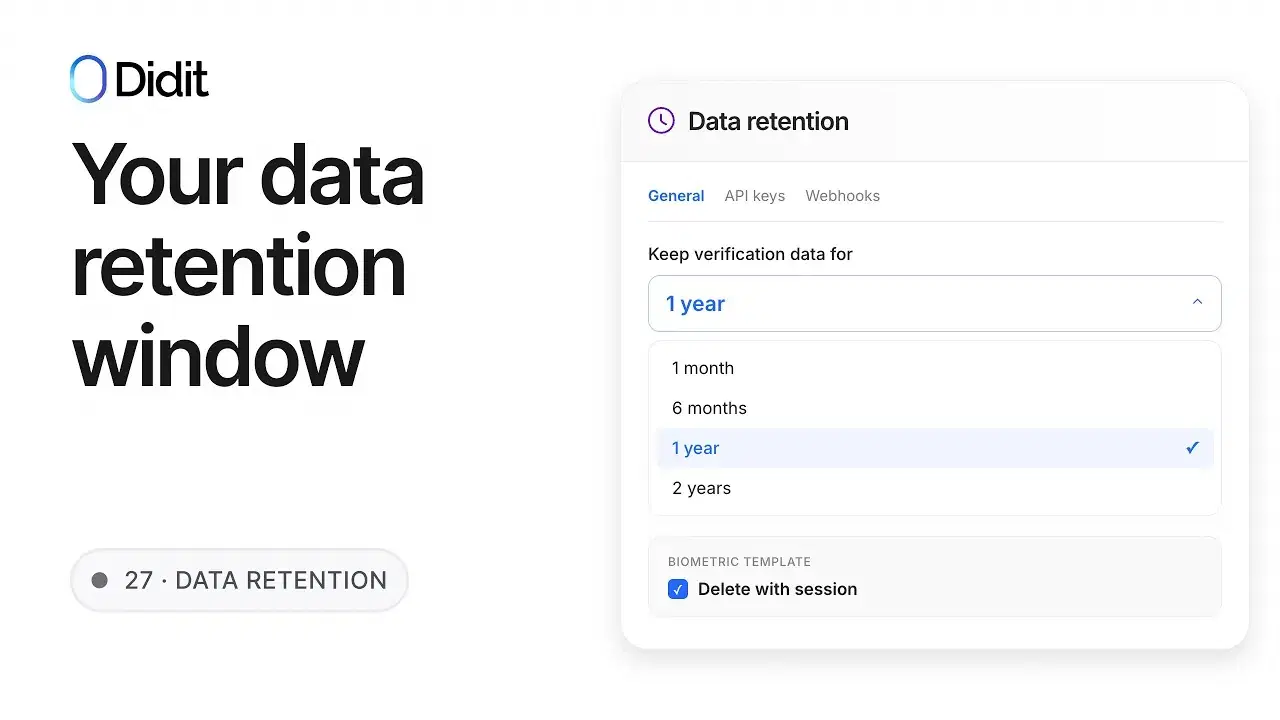
Open Business Console, go to App Settings, then Data retention. Choose a window starting at 1 month, up to 1 year on Free, 5 years on Growth or 10 years on Scale. Enterprise supports custom and unlimited periods and defaults to unlimited. Click Save.
- The policy applies to all future and existing sessions when you save it. There is no second rollout step.
- It covers verification inputs and outputs, derived results and operational metadata stored by Didit.
- At expiry, Didit deletes the session and its face embedding unless biometric template retention applies.
Assume a session is created on 3 March 2027, the relationship ends on 17 September 2031, and the applicable law requires five years from relationship end. The legal deadline is 17 September 2036. If the session expires in 2032, arrange lawful retention of the required records through the legal deadline. Confirm the session expiry before relying on your configured window.

Changing Retain biometric template affects future deletions only. No existing template is created or purged by changing the setting. Existing templates are deleted at scheduled expiry, at an earlier applicable-law deadline, on User deletion, through privacy erasure, or by explicit purge.
Where the data sits: EU residency and the coming regions
Data location is fixed when the application is created and cannot be changed afterwards. The field comes right after the application name, with European Union preselected. To use another location, create another application. Plan this before your first production key.
| Data location | Availability |
|---|---|
| European Union (Ireland) | Available. The default for every application. |
| Australia (Sydney) | Coming soon. |
| Mexico | Coming soon. |
| United Arab Emirates | Coming soon. |
| United States (N. Virginia) | Coming soon. |
| Enterprise in-country processing | Subject to availability and contract. |
You can see the location in application settings under Data and privacy, and as a flag next to each application in the application menu. Teams creating applications from code send data_location to Create Application. If you need a non-EU region for a local entity, four of the five published locations are coming soon today, so plan around Ireland or ask about in-country processing. Read Applications in the Didit Console and Data retention and deletion.
Erasure requests: privacy_erasure cannot be overridden
For ordinary session deletion, use the Console or Delete Session API. To purge every retained template for the linked Didit User and prevent creation of a new one, call Delete Session with deletion_instruction set to privacy_erasure. The request needs the delete:sessions privilege. A 200 means the session was deleted. A 404 means the session was already deleted or the id is unknown.
curl -X DELETE 'https://verification.didit.me/v3/session/SESSION_ID/delete/' -H 'x-api-key: YOUR_API_KEY' -H 'Content-Type: application/json' -d '{"deletion_instruction": "privacy_erasure", "instruction_id": "dsar-2026-0142"}'Use instruction_id for your own ticket reference, up to 255 characters. It lands on the audit trail and on any retained template. A 200 response reports face_retention_outcome for any Delete Session mode. The value deleted means the session and its embedding are gone. retained_with_user means the session is deleted and an image-free template remains linked to the User. The template is deleted at scheduled expiry, at an earlier applicable-law deadline, on User deletion, through privacy erasure, or by explicit purge. A successful privacy_erasure call never returns retained_with_user. none and ineligible_no_vendor_user mean there was no embedding to keep or no linked User to anchor it.
| Situation | What to do |
|---|---|
| Existing session, approved erasure | Call Delete Session with privacy_erasure and an instruction_id that matches your ticket. Store the 200 response. |
| Session already deleted, template may remain | Check the Biometric Templates API for the session's linked Didit User, then purge the template or use bulk purge. If the approved scope calls for it, delete the Didit User, which also purges retained templates. |
| Records held elsewhere | Check webhook payloads already delivered, exports, CRM records and blocklist entries. Delete what your own retention schedule requires. |
| Legal obligation requires retention | Determine which records must remain for a legal obligation. Do not delete those records. Document the necessity and proportionality of keeping them. |
What a deletion removes, and what it leaves
- Removed: the session, every verification attempt it holds including replaced resubmissions, the decision, extracted data, feature records, reviews, activity log and stored files such as document images, videos, selfies and proof of address uploads.
- Removed with a KYB session: the KYC sessions of its key people and the KYB sessions of its corporate owners, recursively. A reused, already approved KYC that it merely links to is not deleted.
- Stopped: ongoing AML monitoring and KYB registry monitoring started by those verifications, plus queued webhook deliveries and their retries.
- The parent User or Business entity remains. If the User's profile portrait came from the deleted session, we remove it. Blocklist entries remain, and consumed credits are not refunded. Share tokens stay issued, but importing the deleted session returns 400. Session deletion sends no webhook and leaves previously delivered payloads in your systems.
To audit what your application still holds, list templates for the linked Didit User before you answer the next request:
curl -X GET 'https://verification.didit.me/v3/biometric-templates/?vendor_user_uuid=USER_ID' -H 'x-api-key: YOUR_API_KEY'Purge one template with DELETE /v3/biometric-templates/TEMPLATE_UUID/ or use bulk purge. DELETE returns 200 with purged or already_purged. GET returns 404 for an unknown or already-purged template. The full behaviour is documented in Delete Session and the Biometric Templates API.

Worked price comparison: 5-year and 10-year windows
This is a price comparison, not a coverage plan. Assume a company runs 25,000 completed full KYC checks and 8,000 AML screens a year. Compare the Growth and Scale plan ceilings after determining the retention deadline under the law that applies to you. Figures are modeled annual plan and usage cost before taxes. Cash paid for prepaid top-ups can differ from the modeled amount. The arithmetic uses published Growth and Scale unit prices after their plan discounts. Both annual totals assume usage is spread so every monthly credit is used.
Growth, 5-year window.
- 25,000 x $0.3168 = $7,920.00 for full checks
- 8,000 x $0.192 = $1,536.00 for AML screens
- Checks total: $7,920.00 + $1,536.00 = $9,456.00
- Total monthly credit used over 12 months: 12 x $115 = $1,380.00, bought by the $1,128 annual fee
- Usage beyond included credit: $9,456.00 - $1,380.00 = $8,076.00
- Modeled annual plan and usage cost before taxes: $1,128.00 + $8,076.00 = $9,204.00
- Blended spend per full KYC, including AML: $9,204.00 / 25,000 = $0.3682
Scale, 10-year window.
- 25,000 x $0.297 = $7,425.00 for full checks
- 8,000 x $0.18 = $1,440.00 for AML screens
- Checks total: $7,425.00 + $1,440.00 = $8,865.00
- Total monthly credit used over 12 months: 12 x $350 = $4,200.00, bought by the $3,408 annual fee
- Usage beyond included credit: $8,865.00 - $4,200.00 = $4,665.00
- Modeled annual plan and usage cost before taxes: $3,408.00 + $4,665.00 = $8,073.00
- Blended spend per full KYC, including AML: $8,073.00 / 25,000 = $0.3229
Paying Growth monthly changes the fee to 12 x $99 = $1,188.00, which moves the Growth total to $9,264.00. On the same usage assumption, Scale costs less and supports a longer window. It does not by itself establish AML coverage. Enterprise, from $15,000 a year, is the route to custom or unlimited retention and in-country processing.

Exceptions and open questions
- If litigation or a regulator requires retention beyond the configured window, export the records to a store you control before the window ends. We do not document a hold flag that suspends deletion.
- Enterprise defaults to Unlimited. For each KYC record category, document the lawful basis, the purpose and the applicable deletion trigger, then configure retention and deletion to match.
- Determine which records must remain for a legal obligation. For an approved erasure, delete the relevant Didit sessions and check remaining User records, blocklist entries and copies already delivered to your systems. If the target session is already gone, use the documented biometric-template purge route for any remaining template, or delete the Didit User if the approved scope calls for it. Template purges apply to the session's linked Didit User.
- Biometric template retention creates special category data that outlives the session. Enable it only when your Article 6 basis, Article 9(2) condition, controller instruction and privacy notice cover it. Choose the day count deliberately.
- Four of the five data locations are coming soon. Do not build a 2026 launch plan on Sydney, Mexico, the UAE or N. Virginia until the location shows as available in your console.
- Sub-processor lists and backup retention after deletion are DPA questions. Statutory breach duties are in GDPR Articles 33 and 34. Ask for the DPA process and confirm the contractual notification process.
- Deleting a session does not delete the User. If the erasure is about the person and not only the verification, follow with the User deletion endpoint, which also purges retained templates.
Implementation checklist
- Identify the applicable retention deadline, the event that starts it and the records it covers.
- Record the applicable legal deadline, its trigger and the records it covers. Confirm the Didit window keeps those records available through that deadline, or arrange lawful retention elsewhere.
- Measure the deadline from the trigger in your applicable AML law. Confirm whether the Didit session will remain available through that deadline. If it expires sooner, arrange lawful retention of the required records through the deadline.
- Choose a window starting at 1 month, up to 1 year on Free, 5 years on Growth or 10 years on Scale. Enterprise supports custom and unlimited periods and defaults to unlimited.
- Create the application with the right data location, because it cannot be changed later. Ireland is the default and the only generally available region today.
- Set the window in App Settings, Data retention, and save. A new application starts with its plan default. Set the window you need, and document your retention and deletion instructions under your DPA.
- Decide biometric template retention explicitly. Changing the setting affects future deletions only. Existing templates are deleted at scheduled expiry, at an earlier applicable-law deadline, on User deletion, through privacy erasure, or by explicit purge.
- Request the DPA and TOMs from your representative or privacy@didit.me, and record the retention and deletion instructions under your DPA.
- Write the erasure runbook: Delete Session with
privacy_erasureand aninstruction_idthat matches your DSAR ticket, then store the response body. If the target session is already gone, use the template purge route or delete the User if the approved scope calls for it. - Check the audit log depth against your accountability needs, and re-check the plan and window at every renewal.
Product details for the checks behind these settings are on the User Verification (KYC) product page, the Business Verification page for KYB, and in the pricing documentation. If you are migrating, see https://didit.me/switch/. 4,000+ companies use Didit.
Sources
- Didit docs: Data Retention and Deletion, GDPR privacy controls
- Didit docs: Applications in the Didit Console, including data location
- Didit docs: Delete Session API, right to be forgotten
- Didit docs: Biometric Templates API
- Didit docs: Security and compliance, GDPR and certifications
- Didit docs: Pricing, billing rules and plan contents
- Didit pricing page, read November 26, 2026
- EUR-Lex: Regulation (EU) 2016/679, ELI record, read November 26, 2026
- Regulation (EU) 2016/679, original Official Journal text, OJ L 119, 4.5.2016, pp. 1 to 88, read November 26, 2026
- EUR-Lex: Directive (EU) 2015/849, ELI record with consolidated version dated 30/12/2024, read November 26, 2026
- Directive (EU) 2015/849, consolidated Article 40 on record retention, read November 26, 2026
- Directive (EU) 2015/849, original Official Journal text, OJ L 141, 5.6.2015, pp. 73 to 117, read November 26, 2026
The next step is a sandbox application with EU (Ireland) preselected. Create it at https://business.didit.me/, no sales call. Sandbox testing is free on every plan. Set a test window and send a Delete Session call with privacy_erasure to see the response before production.
Try it
Try this in the sandbox
Run the check this guide describes, free.
The product this post is about, taken from its topic. Run it free in the sandbox.
Author
Alberto Rosas
Co-founder and CEO

Keep reading
Other guides in the same topic.
 Migrate Users With Passwords and Authenticator MFA Into Didit
Import password hashes, verified email status, authenticator secrets, social links and organization roles into Didit Authentication by CSV, JSON or batch. Validate the import in a sandbox first.
Alberto RosasNov 26, 2026 How to Give an AI Agent Read-Only Access to Your Didit Account
Add read_only=true to the Didit MCP URL. The server lists only read tools and refuses writes. To restore changes, reconnect without the parameter and remove X-MCP-Readonly: true if sent.
Alberto RosasNov 26, 2026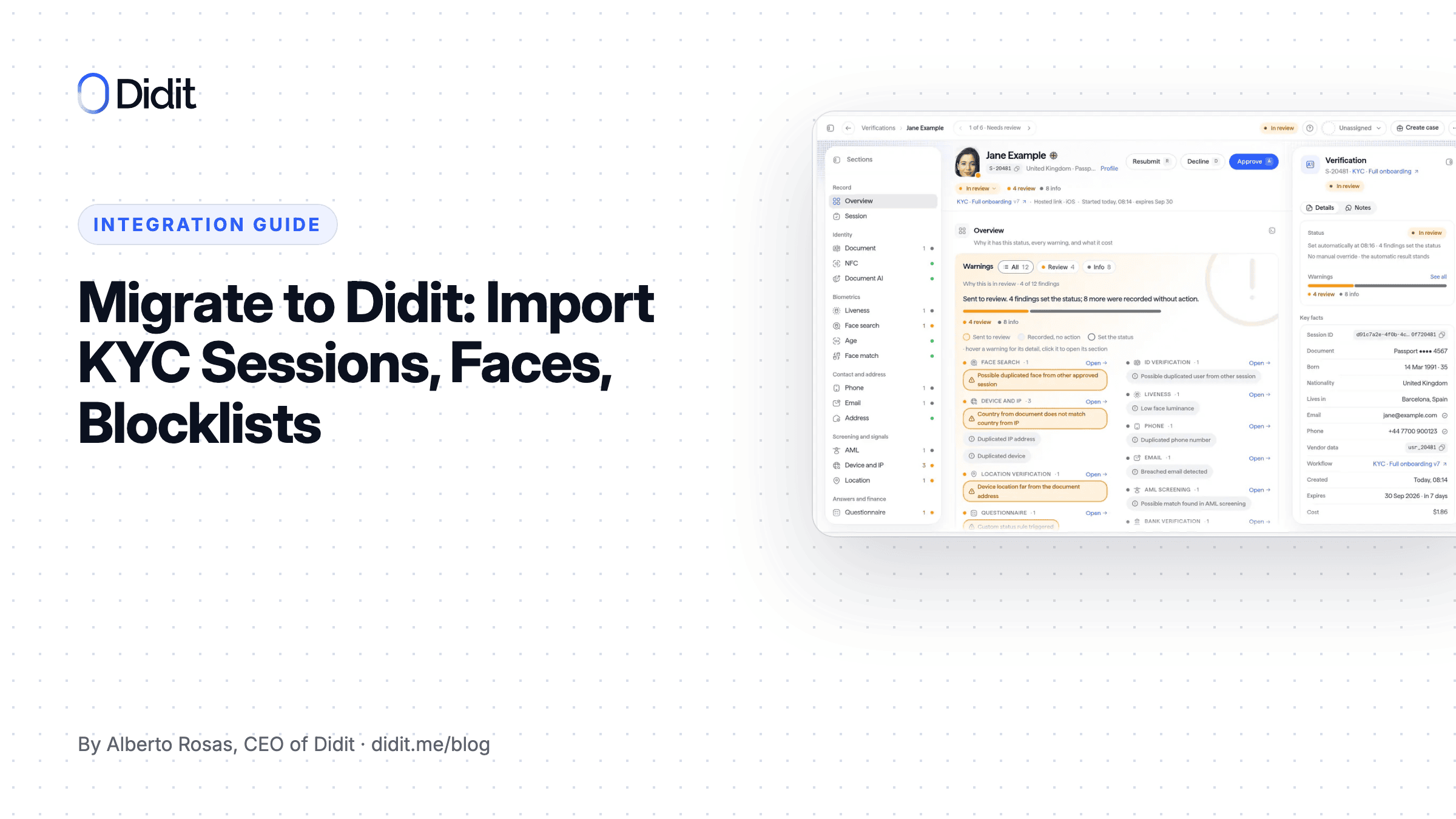 Migrate to Didit: Import KYC Sessions, Faces, Blocklists
Bring historical KYC and KYB records into Didit by transforming your provider’s export into our canonical CSV or NDJSON format. Use separate entity, face and list routes to load operating data for future checks.
Alberto RosasNov 26, 2026Questions
Frequently asked questions
What is a GDPR compliant KYC data retention period?
There is no single number in GDPR. Article 5(1)(e) requires that you keep identifiable data no longer than necessary. Your AML obligations may set a separate minimum, so confirm the deadline under the law that applies to you and document why you keep each record.
Who is the controller when Didit runs my KYC checks?
You are the controller and we are the processor. A new application starts with its plan default. Set the window you need, and document your retention and deletion instructions under your DPA. Request the DPA and TOMs from your representative or privacy@didit.me.
What is the default data retention window in Didit?
A new application starts at the longest window its plan includes: 1 year on Free, 5 years on Growth, 10 years on Scale and unlimited on Enterprise. Choose a window starting at 1 month, up to 1 year on Free, 5 years on Growth or 10 years on Scale. Enterprise supports custom and unlimited periods and defaults to unlimited.
Does changing the retention window apply to sessions that already exist?
Yes. Saving the policy in App Settings, Data retention applies it to all future and existing sessions. It covers verification inputs and outputs, derived results and operational metadata. At expiry, Didit deletes the session and its face embedding unless biometric template retention applies.
Where does Didit store KYC data for EU customers?
European Union (Ireland) is the default data location for every application, and sandbox data stays in the EU. Australia (Sydney), Mexico, the United Arab Emirates and the United States (N. Virginia) are coming soon. Enterprise can enable in-country processing, subject to availability and contract. The application's data location answers where we store and process verification data; assess any relevant onward transfers separately.
How do I delete a user's KYC data in Didit for an erasure request?
For approved erasure, call Delete Session for each in-scope session with deletion_instruction set to privacy_erasure and a key with delete:sessions. Each successful call deletes the targeted session and purges retained templates for its linked Didit User. Review the parent User, blocklist entries and copies already delivered to your systems separately, and act on them as the approved scope requires.
Can an application retention policy override a privacy erasure request?
No. A deletion sent with privacy_erasure purges every retained template for the linked Didit User and never retains a new one, regardless of the application policy. Combining privacy_erasure with retain_face_embeddings set to true is rejected with a 400 error.
Does deleting a session delete the face biometric template too?
By default, deleting a session also deletes its face embedding. For an operational deletion, the application policy or the per-request retain_face_embeddings override can keep one image-free template if the session has an embedding and a linked User. A privacy_erasure deletion purges retained templates for that User regardless of either setting. Changing the setting affects future deletions only. Existing templates are deleted at scheduled expiry, at an earlier applicable-law deadline, on User deletion, through privacy erasure, or by explicit purge.
What if the session is already deleted but a template remains?
Check the Biometric Templates API for the session's linked Didit User. Purge the template with DELETE /v3/biometric-templates/TEMPLATE_UUID/ or use bulk purge. If the approved erasure scope covers the person and not only the session, delete the Didit User, which also purges retained templates.
Does deleting a KYB session delete its key people's KYC sessions?
Yes, for the verifications it created. Deleting a business verification session also deletes the KYC sessions of its key people and the KYB sessions of its corporate owners, recursively, and reports how many in deleted_child_verifications. A reused KYC it only links to is not deleted, and the parent Business entity survives unless you delete it separately. See the Business Verification page.
How long must AML KYC records be kept in the EU?
For obliged entities, Article 40 of the consolidated AML Directive sets a five-year baseline after the business relationship ends or after the date of an occasional transaction. Check the applicable national law for any further period, which Article 40 limits to five additional years and conditions on necessity and proportionality. GDPR storage limitation applies throughout. Measure the deadline from the trigger in your applicable AML law, and confirm whether the Didit session will remain available through that deadline.
How much does a longer retention window cost?
Retention is not a separate line item; it follows your plan. As of November 26, 2026, Free is $0 with 1 year, Growth is $99 a month with 5 years, Scale is $299 a month with 10 years, and Enterprise starts at $15,000 a year with custom or unlimited retention. In our 25,000-check price comparison, Scale came out at $8,073 a year against $9,204 on Growth while supporting a longer window, on the same usage assumption.
How do I request Didit's DPA and TOMs?
Ask your Didit representative or email privacy@didit.me. We provide the DPA and TOMs on request. Record your retention and deletion instructions under your DPA. Statutory breach duties remain in GDPR Articles 33 and 34; confirm the contractual notification process in the DPA.
Compliance built in
Audited, certified and attested.
We hold the certifications and build each country's rules into your flows, so you can launch anywhere without worrying. Security and Compliance center
- Regulation encoded into your flows
Tell us what you do and where. Didit lists the rules that apply to you, with sources, and builds the checks each country needs into one workflow.
- Ready for AMLR
Every requirement of the new EU anti-money laundering rules, from checking customers to human review, is already covered by a Didit check.
- Tested in Spain's Treasury sandbox
Spain's Treasury published its supervised sandbox report on Didit's NFC plus active liveness onboarding; SEPBLAC took part and valued the added measures positively.
- Audited, not self-declared
iBeta Level 1 and Level 2. Liveness tested under ISO/IEC 30107-3.
Your obligations · 3 regions
 SOC 2 Type 2
 ISO 27001
 iBeta Level 1 and Level 2
 EU regulator attestation
 FSM youth protection
 GDPR
 EBA remote onboarding
 MiCA compatible
 FIDO Alliance member
- AMLREU AML Regulation ready
Integration · Didit MCP
Run Didit from your own AI agent
Connect Didit to Claude, Cursor, VS Code or ChatGPT and just ask in plain words. Your agent can do anything you can do in the console, with the same permissions you have.
 Add to Claude
 ChatGPT
 Cursor
- Build workflowsDescribe the checks you need. The agent creates and publishes the flow.
- Run investigationsAsk why a session was declined, review cases, search people and companies.
- Change rulesCreate payment rules, test them on past data and switch them on.
- Pull reportsAsk for numbers, exports or the audit log.
Didit Academy