Didit Hosted Sign-In Pages vs Custom Sign-In UI (2026)
Hosted pages fit most teams: we run every method, including magic links, company SSO and passkeys, and handle MFA and verification. Own screens suit a custom UI, but you build each screen and four next-step responses.
 Alberto RosasCo-founder and CEO
Contents
In this guide
Jump to the part you need.
Hosted sign-in pages fit most teams. You add a sign-in button and a callback page, and we run every method, including magic links, company SSO and passkeys, plus MFA. Own screens suit a custom UI, but you build each screen and handle four next-step responses. Authentication is free for the first 50,000 active users each month, then $0.02 per active user per month at list price. The main caveat: magic links exist only on hosted pages.
Last updated: November 26, 2026. Prices checked against the live Didit price feed on November 26, 2026.
| Question | Hosted pages (hosted, the default) | Your own screens (own) |
|---|---|---|
| What you build | A sign-in button and a callback page. | Every screen and every intermediate step. |
| Methods | All of them: password, email code, magic link, phone code, passkey, social sign-in and company SSO. | Password, email code, phone code, MFA and protection challenges through the SDKs' headless methods. Magic links run on hosted pages only. Hosted pages support company SSO and social sign-in. The integration guide does not list either as a headless method. |
| Origins and settings | The hosted page runs on your application sign-in origin. Register redirect URLs. | Register redirect URLs, and add the web origin that serves your own screens in Allowed origins. Passkeys work only on pages served from your application sign-in origin. |
| MFA, protection and verification | Handled on the page when required by your settings. Bot protection is off until you enable it. | Your screens handle mfa_required, mfa_enrollment_required, protection_required and verification_required. |
| Brand | Your logo, colors and texts from branding, plus an optional custom domain. | Entirely yours. |
| Choose it when | You need magic links or passkeys from a separate app domain, or want the fewest screens to build. | You require a custom UI and can build and test the documented headless methods and next-step responses. |
Start free in the sandbox at https://business.didit.me/ with no sales call. If you work with coding agents, connect Didit to an AI assistant through the MCP server at https://didit.me/developers/mcp/. The product page for this route is Didit Authentication, and every unit price is on didit.me/pricing.
What the two routes actually are
Didit Authentication signs your own users into your application. It is not the Didit console login, and it is not identity verification. Signing in does not approve a verification or authorize a payment. Your backend makes those decisions from each product's own result.
Authentication is turned on per application. Every Sandbox application has it on from the start. A Live application turns it on from the Products page of the console, and until it is on, every runtime route for that application returns 404.
Where people type their email, password or code is a setting called sign_in_ui. It is hosted by default, and you can change it later. The decision is not permanent, but it changes what you build and test before launch.
Hosted pages: the default, and what it does for you
The hosted page runs at your application's sign-in origin: https://<slug>.auth.didit.me on a live application, or https://<slug>.sandbox.auth.didit.me in sandbox. The console shows yours, and a verified custom domain can replace the default host. The hosted pages are /sign-in, /magic, /invite and /reset on that origin.
Your build is a sign-in button and a callback page. The flow is OAuth 2.0 authorization code with PKCE, S256 only:
{origin}/sign-in?redirect_uri=https://app.example.com/auth/callback&state=STATE&code_challenge=CHALLENGE&code_challenge_method=S256The hosted page signs the person in or up with the methods you enabled, asks for a second factor when your MFA policy requires one, runs your bot protection policies when protection is enabled, and runs a verification at sign-up when you ask for one. Bot protection is off until you turn it on. The browser returns to your redirect_uri with code and state. On the callback, check that the returned state matches the value your app sent. Then exchange the one-time code within 60 seconds using the PKCE verifier:
curl --fail-with-body "${DIDIT_AUTH_ISSUER}/token/" -H 'Content-Type: application/json' -d '{"grant_type":"authorization_code","code":"CODE_FROM_CALLBACK","code_verifier":"YOUR_PKCE_VERIFIER","redirect_uri":"https://app.example.com/auth/callback"}'You get a short-lived access token, an ID token and a refresh token that rotates on every use. No Didit API key and no client secret belongs in your app: the publishable key pk_live_... or pk_test_... is public, and PKCE protects the exchange instead of a secret.
Branding is configuration, not code. Your logo, colors and texts come from the branding settings, the page follows the person's device in light or dark mode, and when your branding sets terms or privacy links, the hosted sign-up form asks the person to accept them. The sandbox is free and unlimited on every plan, and the quickstart targets a first sign-in in about 10 minutes.
Your own screens: what you take on
Set sign_in_ui to own and you own every screen. Two console settings matter: your redirect URLs, and your web origin in Allowed origins. Register the web origin that serves your own screens in Allowed origins. The redirect URL is the exact location where the browser returns with code and state, and it must match your registered value.
Before you build a single form, know the shape of the API. Every call starts with a transaction from POST {origin}/authorize/, which lasts 10 minutes. A finished sign-in returns {code, redirect_uri, state}, and you exchange that code at POST {origin}/token/ within 60 seconds. The headless methods cover password, email code, phone code, MFA and protection challenges.
POST {origin}/authorize/
POST {origin}/email/start/    {"transaction": "...", "purpose": "login", "email": "person@example.com"}
POST {origin}/email/complete/ {"transaction": "...", "purpose": "login", "challenge": "...", "code": "123456"}
A sign-in call can return a next-step response instead of an authorization code. Your screens finish the step and then receive the code:
mfa_required, withchallengeandfactors: send a TOTP or recovery code, or use a passkey.mfa_enrollment_required, withchallengeanduri: your MFA policy requires an authenticator, so enroll it withPOST mfa/setup/.protection_required, withchallengeandmethods: a bot protection policy asks for an extra proof.verification_required, withverification_url: your verification settings require a liveness or ID check at sign-up or sign-in. Send the person toverification_url, which is valid for 30 minutes; the code follows an approved check.
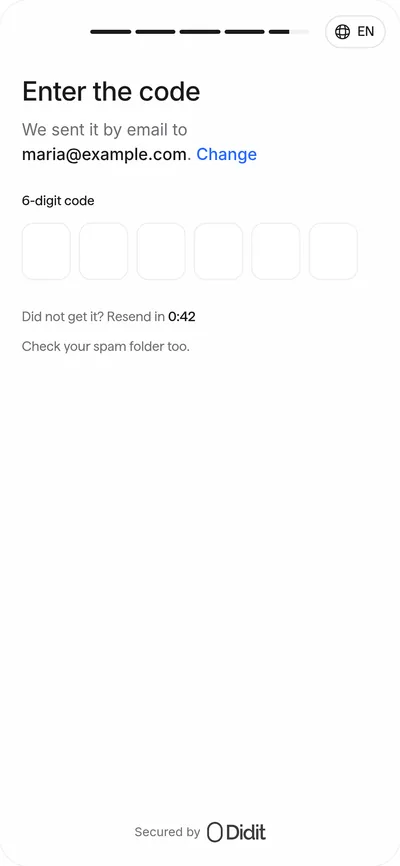
Show one message when the password endpoint returns invalid_credentials. A wrong password, an unknown email, an unverified email, a locked account and a blocked account all return the same answer, and an account stopped by the brute or travel policy answers the same way even with the right password. Write your UI so it never implies which case it was. Ordinary errors, such as a malformed request, stay distinct from these four sign-in responses.
Method by method
| Method | Hosted pages | Your own screens |
|---|---|---|
| Password | Yes | Yes, POST password/, with password_min_length of 8, 10, 12 or 14 characters |
| Email code | Yes | Yes, email/start/ then email/complete/, 6 digits, 10 minutes, 5 attempts |
| Magic link | Yes, 15 minutes and single use | No. Magic links run on hosted pages only and have no JSON endpoint. |
| Phone code | Yes | Yes, with the workflow_id of a phone verification workflow |
| Passkey | Yes | Only on pages served from your application sign-in origin. On another domain, send people to the hosted page. |
| Social: Google, Microsoft, Apple, GitHub | Yes, with your own provider credentials configured on the application | The integration guide does not list social sign-in as a headless method. |
| Organization SSO, SAML or OIDC | Yes, one connection per customer organization | The integration guide does not list company SSO as a headless method. |
Magic links are the clearest case. The hosted page sends a link that lasts 15 minutes and works once. Open and confirm the link in the same browser that requested it. The original tab then completes sign-in. Opening the link alone never signs anyone in, so a mail scanner that fetches it changes nothing. Rebuilding that in your own screens is not a documented option.
Passkeys and origins decide the architecture
Passkeys belong to your application's sign-in origin. The SDKs' passkey methods work only on pages served from that origin. Three values are easy to mix up. The application sign-in origin is https://<slug>.auth.didit.me or your custom domain. The Allowed origins entry lets headless calls run from the origin that serves your own screens. The registered redirect URL is exactly where the browser returns with code and state.
So the rule to apply before you commit to own screens is simple: check which origin serves the page. If your screens are not served from your sign-in origin, send people to the hosted page for passkeys and keep the rest headless. You can change sign_in_ui later. Magic links also run on hosted pages only.
We recommend hosted pages if you need passkeys and your app runs on a different origin. You can brand the hosted page with your logo, colors and texts, and a verified custom domain can replace the default host, which also changes the issuer and the publishable key.
Verification at sign-up and step-up work in both
Identity verification is a separate product from Authentication. Either sign-in route can require identity verification when configured. On hosted pages, a verification at sign-up runs on the page when your settings ask for one. On your own screens, the sign-in call returns verification_required with a verification_url, valid 30 minutes, and the code follows an approved check.
Before a payout or another sensitive action, your backend can ask for step-up verification, such as a selfie check. Your backend checks the live session with GET /session/ and acts only on an approved step-up that it read itself. An access token stays valid until it expires, within 5 minutes, and the session check fails at once when the session was revoked, went idle or expired, when the person was blocked, or when the session no longer meets your MFA policy. A full ID check on Didit is $0.33: ID document verification $0.15, passive liveness $0.10, face match 1:1 $0.05 and device and IP analysis $0.03.

What each route costs
Authentication has no per-sign-in fee. The published unit is the active user, and the same active-user unit applies whether you choose hosted pages or your own screens. The first 50,000 authentication active users each month are free, and usage beyond that is $0.02 per active user per month at published list price. Verification, AML checks and any other module are separate lines with their own published prices.
| Volume | List | Growth | Scale |
|---|---|---|---|
| First 50,000 active users each month | $0.00 | $0.00 | $0.00 |
| Each active user beyond 50,000 per month | $0.02 | $0.0192 | $0.018 |
Phone verification codes are separate: the carrier's price for the country and channel plus our $0.02 fee per code. Only the $0.02 fee takes the plan discount. Free plan credit does not cover phone codes. A US SMS code is $0.0473 at list price and a German SMS code is $0.1145, because the carrier charge depends on both country and channel.
Worked example: 100,000 active users and 8,000 verified sign-ups
Take a consumer app with 100,000 monthly active users and 8,000 new sign-ups a month, all verified with a full ID check at sign-up. The Authentication price uses the same active-user unit for either UI choice, so this example applies whether you run hosted pages or your own screens. Verification charges and plan credits sit on separate lines.
- Authentication at list: 100,000 - 50,000 free = 50,000 active users. 50,000 x $0.02 = $1,000.00.
- Verification at list: 8,000 x $0.33 = $2,640.00.
- Month total at list: $1,000.00 + $2,640.00 = $3,640.00.
- Optional phone codes, billed separately and excluded from Free plan credit: 2,000 US SMS codes x $0.0473 = $94.60.
- On the Scale plan, the 10% discount applies to both Didit lines: 50,000 x $0.018 = $900.00 and 8,000 x $0.297 = $2,376.00, so $3,276.00 of usage.
- Scale credit and fee: $3,276.00 - $350.00 = $2,926.00 in usage beyond included credit. Adding the $299.00 monthly plan fee gives $3,225.00, assuming the full credit is available for the two listed charges.
Hosted or own: the decision checklist
Use hosted pages if you need magic links or passkeys from a separate app domain. Hosted pages also suit teams that want to ship with a sign-in button and callback page, with a quickstart target of about 10 minutes for a first sign-in. Production timing still depends on your integration, branding and tests.
Use your own screens if you require a custom UI and can handle the documented headless methods and next-step responses. You build each screen, style it, and test each method you enable. Hosted pages support company SSO and social sign-in. The integration guide does not list either as a headless method. Magic links run on hosted pages only.
- Choose hosted when magic links or passkeys from another origin are required.
- Choose hosted when your team wants the fewest screens to build and test.
- Choose own when a required design system cannot use the hosted page even with branding and a custom domain.
- Choose own when you can build and test password, email code, phone code, MFA, protection challenges and verification at sign-up.
- If your own screens are served from a different origin, send users to the hosted page for passkeys. Choose hosted pages if magic links are required.
Moving from hosted pages to your own screens
This is a configuration and testing change, not a token contract change. Use the integration guide as the checklist.
- Register the redirect URLs for your sandbox and live applications. The redirect URL must exactly match a registered value.
- Add the web origin that serves your own screens to Allowed origins.
- Set
sign_in_uitoownin a sandbox application first. - Test each required sign-in method in the sandbox: password, email code, phone code, MFA, protection challenges and verification at sign-up.
- Handle the four documented next-step responses and keep ordinary errors distinct from them.
- Verify the access token on every protected backend request against the issuer's JWKS, then check
iss,aud,expandtyp: at+jwt. Reject tokens whoseactclaim is non-null unless the route accepts AI agents. - Call
GET /session/before sensitive actions, and when step-up is required, proceed only after your backend reads anapprovedresult.
If your own screens run on another origin, keep the hosted page for passkeys. Magic links also stay on hosted pages only. Live and Sandbox are separate issuers with separate keys, so keep DIDIT_AUTH_ISSUER and DIDIT_APPLICATION_ID per environment and never point a sandbox token at a live backend.
What you get with Didit
Didit Authentication is one product inside a wider platform for identity and fraud. You can use it alone, or combine it with identity verification and transaction monitoring. We publish every unit price, the sandbox is free and unlimited on every plan, and 4,000+ companies use the platform.
Authentication also connects to developer tooling. With an owner-approved management grant, a coding agent can use the MCP server to configure Authentication for an application and read back its settings. The docs cover web, iOS, Android, React Native and Flutter SDKs, plus server SDKs for token verification.
Limitations to plan around: Authentication is new, so set each method up in a sandbox application before a live one. Magic links cannot be rebuilt on your own screens. Phone codes carry a carrier charge that we pass through at cost, and Free plan credit does not cover phone codes.
Sources
- Didit docs: Authentication overview
- Didit docs: Authentication integration guide, hosted pages or your own screens
- Didit docs: Sign-in methods
- Didit docs: Tokens and JWKS
- Didit docs: Bot protection at sign-in
- Didit docs: Verified identity and step-up
- Didit docs: Set up Authentication by API
- Didit docs: Branding and custom domain
- Didit docs: Authentication quickstart
- Didit pricing page and live price feed, read November 26, 2026
- Didit Authentication product page
- Didit MCP server
Next step: open the free sandbox at https://business.didit.me/, choose a sandbox application, register its redirect URL, and complete a hosted sign-in. No sales call.
Try it
Try this in the sandbox
Run the check this guide describes, free.
The product this post is about, taken from its topic. Run it free in the sandbox.
Author
Alberto Rosas
Co-founder and CEO

Keep reading
Other guides in the same topic.
 Add Didit identity verification to Webflow
Add Didit to Webflow with a UniLink embed or an API session. Full KYC is $0.33 per completed check. Use a verified webhook for access decisions.
Alberto RosasNov 26, 2026 Didit Node SDK: Identity Verification Integration Reference
Didit's Node SDK (@didit-protocol/sdk-node) is free. Install it, configure a server-side API key, create a session, verify X-Signature-V2 webhooks and read the decision. A full ID check costs $0.33; sandbox is free.
Alberto RosasNov 26, 2026 Didit Android SDK integration reference: setup, code, costs
The Didit Android SDK 4.15.4 supports API 23 and later. Your backend creates a session and passes the token we return to the app. Full KYC costs $0.33 per completed check at list price, and sandbox testing is free.
Alberto RosasNov 26, 2026Questions
Frequently asked questions
Does Didit Authentication use hosted pages by default?
Yes. The setting is sign_in_ui, it defaults to hosted, and you can change it to own later. Hosted pages run every method Didit supports, including magic links, company SSO and passkeys, and they handle MFA, bot protection challenges and verification at sign-up for you.
Can I use magic links with my own sign-in screens?
No. Magic links run on hosted pages only, because there is no JSON endpoint for them. The link lasts 15 minutes and works once. Open and confirm the link in the same browser that requested it, and the original tab then completes sign-in.
What do I need to configure before using my own sign-in screens?
Set sign_in_ui to own, register your redirect URLs, and add the web origin serving your screens to Allowed origins. Redirect URLs are needed for both routes, and the Allowed origins entry lets the headless SDK calls run from the domain that serves your own screens. Keep the PKCE verifier and the state value on your side and exchange the code within 60 seconds.
Which states must my own sign-in UI handle?
Four documented next-step responses: mfa_required, mfa_enrollment_required, protection_required and verification_required. Each arrives instead of a code, carries a challenge or a URL with it, and the code follows once your screens finish the step. The hosted flow handles all four when required by your settings, and bot protection is off until you enable it.
Do passkeys work on my own domain?
Passkeys belong to your application's sign-in origin, and the SDKs' passkey methods work only on pages served from that origin. If your own screens are on another domain, send people to the hosted page for passkeys. A verified custom domain can replace the default sign-in host, which changes the issuer and your publishable key.
How much does Didit Authentication cost?
The first 50,000 authentication active users each month are free, and beyond that the published list price is $0.02 per active user per month. Verification is billed separately, at $0.33 for a full ID check, and phone codes are billed per code at the carrier price for the country and channel plus our $0.02 fee. Free plan credit does not cover phone codes.
How are phone verification codes billed?
Each code costs the carrier's price for the country and channel plus our $0.02 fee. Only the Didit fee takes the plan discount, and the carrier charge depends on both country and channel. Free plan credit does not cover phone codes.
Is Didit Authentication the same as identity verification?
No, they are separate products. Authentication signs your users into your application, while identity verification checks who they are. Signing in does not approve a verification or authorize a payment, and your backend makes those decisions from each product's own result.
How does my backend verify a Didit access token?
Check the ES256 signature against your issuer's JWKS, then iss, aud, exp and typ: at+jwt, and reject a token whose act is not null unless the route accepts AI agents. Keys rotate every 30 days, the JWKS caches for 5 minutes, and you cache keys by kid. Call GET /session/ before sensitive actions.
Can I switch between hosted pages and my own screens later?
Yes. sign_in_ui is a setting you can change after launch, and the token contract does not change with it: same issuer, same PKCE exchange, same JWKS. If your own screens run on another origin, send users to the hosted page for passkeys. Magic links also run on hosted pages only.
What must developers build and test before switching from hosted pages to their own sign-in screens?
Register the redirect URLs, add the web origin in Allowed origins, and set sign_in_ui to own in a sandbox application first. Test each method you enable: password, email code, phone code, MFA, protection challenges and verification at sign-up. Handle the four next-step responses, verify tokens on protected backend requests, and check the live session before sensitive actions.
Compliance built in
Audited, certified and attested.
We hold the certifications and build each country's rules into your flows, so you can launch anywhere without worrying. Security and Compliance center
- Regulation encoded into your flows
Tell us what you do and where. Didit lists the rules that apply to you, with sources, and builds the checks each country needs into one workflow.
- Ready for AMLR
Every requirement of the new EU anti-money laundering rules, from checking customers to human review, is already covered by a Didit check.
- Tested in Spain's Treasury sandbox
Spain's Treasury published its supervised sandbox report on Didit's NFC plus active liveness onboarding; SEPBLAC took part and valued the added measures positively.
- Audited, not self-declared
iBeta Level 1 and Level 2. Liveness tested under ISO/IEC 30107-3.
Your obligations · 3 regions
 SOC 2 Type 2
 ISO 27001
 iBeta Level 1 and Level 2
 EU regulator attestation
 FSM youth protection
 GDPR
 EBA remote onboarding
 MiCA compatible
 FIDO Alliance member
- AMLREU AML Regulation ready
Integration · Didit MCP
Run Didit from your own AI agent
Connect Didit to Claude, Cursor, VS Code or ChatGPT and just ask in plain words. Your agent can do anything you can do in the console, with the same permissions you have.
 Add to Claude
 ChatGPT
 Cursor
- Build workflowsDescribe the checks you need. The agent creates and publishes the flow.
- Run investigationsAsk why a session was declined, review cases, search people and companies.
- Change rulesCreate payment rules, test them on past data and switch them on.
- Pull reportsAsk for numbers, exports or the audit log.
Didit Academy