Business
How to Stop Identity Fraud in Brazil: 7 Steps for 2026
Identity fraud in Brazil is driven by instant payments, stolen phones, a fragmented civil ID and consent that leaves no verifiable record.
 Alberto RosasCo-founder and CEO
Contents
In this guide
Jump to the part you need.
This guide is for fraud, risk and engineering teams that onboard users in Brazil. It explains why identity fraud is so high there and gives the seven-step method we recommend to stop it, with Didit's published prices: a full KYC check is $0.33 and a 1:N face search is $0.05. The caveat up front: no single check stops Brazilian fraud. Layering is the method, and phone verification and face search are billed on top of KYC.
Last updated: November 26, 2026. Prices checked against the live Didit price feed on November 26, 2026.
| Check | Price (USD) | What it catches in Brazil |
|---|---|---|
| Full KYC (ID document, passive liveness, face match 1:1, device and IP) | $0.33 per check | Forged or borrowed RG and CNH, deepfake selfies, VPN and duplicate-device signups |
| ID document verification alone | $0.15 per check | Tampered documents, expired documents, MRZ and data inconsistencies |
| Passive liveness | $0.10 per check | Printed photos, screen replays, injected video |
| Face Match 1:1 | $0.05 per check | Document portrait that does not match the live person |
| Device and IP Analysis | $0.03 per check | Same device on a second account, VPN, Tor, location that does not match the document |
| Face Search 1:N | $0.05 per search | One person opening many accounts, blocklisted fraudsters returning |
| Phone verification, Brazil over WhatsApp | $0.0461 per code | Disposable, VoIP and duplicated phone numbers |
| AML screening | $0.20 per check | AML and watchlist risk, according to the configured screening coverage |
| Ongoing AML monitoring | $0.07 per person per year | Someone who becomes a PEP after onboarding |
| Biometric authentication | $0.10 per auth | Account takeover on a returning user |
| Transaction monitoring | $0.001 per transaction beyond the plan allowance | Mule accounts and cash-out patterns after onboarding |
Start free in the sandbox at business.didit.me and test a full flow before you spend anything, with no sales call. Developers who want to wire this into an AI assistant can connect Didit through the Didit MCP server. Plan terms and the cost estimator are on didit.me/pricing.
Why identity fraud is high in Brazil
Fraud in Brazil follows a pattern rather than a single trick. An identity is easy to copy, the money behind it moves in seconds, and the checks at signup often look at one signal in isolation. Five structural conditions do most of the work.
Five structural factors
- Instant payments shortened the window. Pix, the instant payment system run by the Central Bank of Brazil, settles in seconds. A working identity therefore has cash value within minutes of the theft.
- The phone carries the identity. Bank apps, email, WhatsApp and one-time codes all live on one device. When that device is stolen or handed over under pressure, every account behind it is exposed at once. The data inside the phone is the prize, not the hardware.
- Civil identity changed format. Documents in circulation range from state-issued RGs to the CNH and the newer Carteira de Identidade Nacional, so a single document type does not cover everyone you onboard and older formats are still in daily use.
- Consent often leaves no verifiable record. When a loan or an account can be opened remotely, proving later that the holder agreed depends on a record that can be tampered with or lost. Teams should retain decision and review records according to their own compliance process.
- AI lowered the skill floor. Fraud kits with fake documents and canned selfies circulate openly. Deepfakes, printed copies and screen replays now beat a human reviewer looking at a photo.
From a stolen phone to a funded fraud account
- A device is taken, or a live session is hijacked.
- Access is recovered through social engineering, a weak PIN or direct extortion, which opens messaging, banks and wallets.
- Accounts are taken over: passwords reset by SMS or email, one-time codes intercepted, WhatsApp and email hijacked to scam contacts.
- New identities are created with stolen photos and forged documents to open accounts and take loans in the victim's name.
- Money moves out fast through Pix transfers, small loans and online purchases, then through mule accounts.
Each link multiplies the value of the original theft. That is why the pattern repeats, and why one check at one point in the chain rarely holds.
What traditional checks miss
Manual review does not scale and it loses to a good forgery. A selfie at onboarding without liveness, device and network context is a weak control. And any team that treats verification as a one-time action misses the accounts that go dormant and are revived months later. Once a stolen identity is approved at signup, every later fraud runs under a legitimate account.
What stopped looks like
The outcome of this guide is a Brazilian onboarding flow where four statements are true at the same time. Forged and borrowed documents fail at the first step. A deepfake or a replayed video fails the liveness step. Duplicate faces and duplicate devices are flagged for review or blocking under a policy you wrote down. Record automated decisions and human review outcomes in the systems your compliance process requires. The recommended method is defense in depth: independent signals that each cost little, evaluated in one session, with human review reserved for the cases that genuinely need a person.
Prerequisites
- A Didit account. The Free plan gives $10 of monthly credit for organizations that sign up with a work email, which is about 30 full KYC checks, and sandbox testing is free and unlimited.
- An API key from the Didit Business Console.
- A published workflow that contains the features you want: ID verification, liveness, face match, phone verification and AML screening where you are regulated. Device and IP analysis is session-only and runs automatically, with no toggle needed for the base signal set.
- A stable
vendor_datavalue per user. Duplicate-device and duplicate-face matching compares acrossvendor_data, so use your own user id and never a random string. - A written review policy that says which warnings your team handles and which decline automatically. Write it before launch, not after the first fraud spike.
Seven steps to stop identity fraud in Brazil
-
Step 1: Pick the assurance tier for each flow
ID verification has three methods and they answer different questions. Document capture reads and authenticates a government document across 14,000+ document types in 220+ countries and 54 languages, at $0.15 inside a workflow. Non-document lookup has the user type their national ID number, checked against the authoritative source for that country. In Brazil the source checks the selfie itself and returns a verdict, not a portrait, so the workflow's own liveness and face match steps still run. Lookup pricing is variable by country, so read it from the live feed rather than from a blog post. Digital wallet sign-in is the third method: Brazil's gov.br wallet is Coming soon and cannot be enabled in production, while Google Wallet ID is available for Brazil at $0.10 per completed verification. Use document capture plus liveness for money movement, and non-document lookup where you need a fast path and the source is strong.
-
Step 2: Build the workflow in the Business Console
Create one workflow per risk tier. The Brazilian baseline is ID verification, passive liveness, face match 1:1, phone verification and device and IP analysis. Add AML screening at $0.20 per check if you are a regulated entity. On the phone step, set the risk actions
duplicated_phone_number_action,disposable_number_actionandvoip_number_actionso disposable, VoIP and duplicated numbers are declined or sent to review under your policy. The workflow orchestrator is free and does not appear on your bill. -
Step 3: Create the session with one API call
This is the runnable example, taken from the documented Sessions API. Replace the key and the workflow id with your own values.
curl -X POST 'https://verification.didit.me/v3/session/' \ -H 'x-api-key: YOUR_API_KEY' \ -H 'Content-Type: application/json' \ -d '{ "workflow_id": "YOUR_WORKFLOW_ID", "vendor_data": "user-123", "callback": "https://yourapp.com/post-kyc" }' -
Step 4: Send the user to the returned session URL
The response gives you
session.url. Open it for the user or mount the Web or Mobile SDK. The SDK collects the device fingerprint and the IP in-band during the flow. There is no standalone IP analysis endpoint, which means you cannot bolt this signal on after the fact; it has to run inside the session. Your user photographs the document, takes the selfie and enters the phone code in the hosted flow.
The hosted flow your user actually sees. Capture hints run before the image is accepted, so a blurry or cropped RG is retaken rather than declined. -
Step 5: Read the decision and act on the arrays
Fetch
GET /v3/session/{sessionId}/decision/or subscribe to thesession.status.updatedwebhook. Each feature reports its own array on the decision payload:id_verifications[],ip_analyses[]andphone_verifications[]. Every array carries a status of Not Started, In Progress, Approved, In Review, Declined, Abandoned or Kyc Expired, plus awarnings[]list with risk codes. Route on the codes, not on the status alone. Device and IP warnings arrive under the location bucket, soVPN_DETECTED,PROXY_DETECTED,TOR_DETECTED,LOCATION_MISMATCH_WITH_DOCUMENT,DUPLICATED_DEVICEandDEVICE_LINKED_TO_LIVENESS_ATTACKall land in the same place.
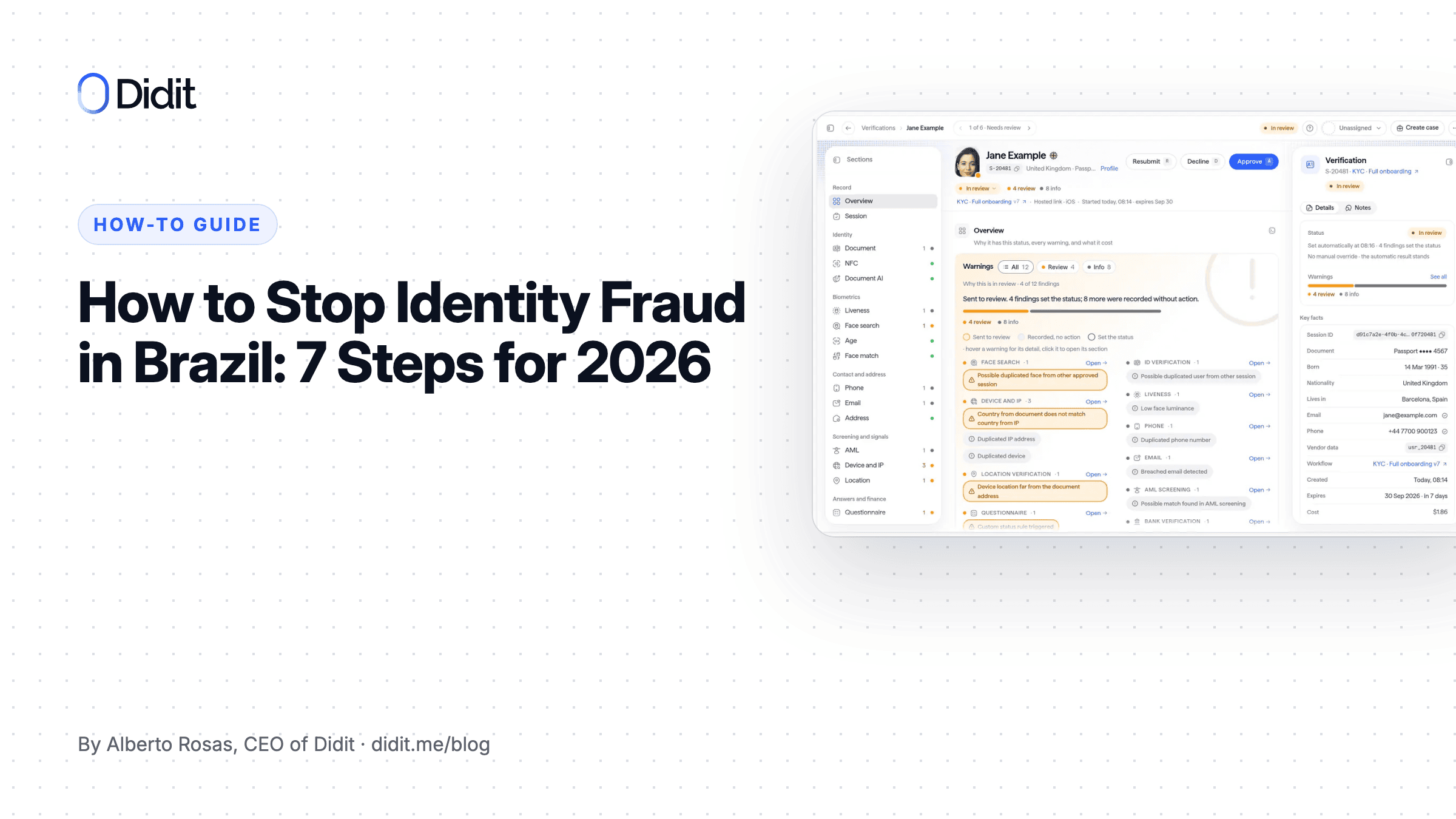
The session overview with its warnings. This is the screen your review team works from, and the record you keep for an audit. -
Step 6: Run 1:N face search on every new face
Face search compares a selfie against the faces you already approved and against your blocklist. It also runs automatically during liveness inside a verification session, and the silent selfie taken while the document is photographed goes through the same search. That is how you catch one person holding five accounts with slightly different names.
curl -X POST 'https://verification.didit.me/v3/face-search/' \
-H 'x-api-key: YOUR_API_KEY' \
-F 'user_image=@./selfie.jpg' \
-F 'search_type=blocklisted_or_approved' \
-F 'save_api_request=true' \
-F 'vendor_data=user-123'
Expected output, trimmed to the fields you route on:
{
"request_id": "...",
"face_search": {
"status": "Approved",
"total_matches": 1,
"matches": [
{
"session_id": "...",
"source": "session",
"vendor_data": "user-456",
"is_blocklisted": false
}
],
"warnings": ["DUPLICATED_FACE"]
}
}
Read it this way. A blocklist hit returns status Declined with
FACE_IN_BLOCKLISTand you reject.POSSIBLE_FACE_IN_BLOCKLISTgoes to review. A pure duplicate returns Approved withDUPLICATED_FACE, because dedupe is your policy, not ours, so your application decides whether to merge, freeze or block.
The liveness check behind the silent selfie. Every face that passes here is also searched against your approved users and your blocklist. -
Step 7: Keep checking after onboarding
Use biometric authentication at $0.10 per auth for logins and for any change that moves money, so a stolen phone cannot reset a password and take over the account. Run transaction rules on payments and cash-out, with transaction monitoring at $0.001 per transaction beyond the monthly allowance, and keep ongoing AML monitoring current at $0.07 per person per year. Set a review cadence your team can hold, for example a daily pass over alerts, and write it into your review policy.

One post-onboarding rule in the console. Rules like this catch the cash-out that happens days after a clean signup.
Inputs and outputs
| Field | Direction | What to do with it |
|---|---|---|
workflow_id | You send on session create | Identifies the feature set and thresholds. One per risk tier. |
vendor_data | You send on session create | Your stable user id. Duplicate device and duplicate face detection match across this value. |
callback | You send on session create | Your URL, called when the session finishes. |
session.url | You receive | Send the user here, or mount the SDK. |
id_verifications[] | You receive on the decision | Status plus document warnings such as DOCUMENT_EXPIRED, INVALID_MRZ, DOCUMENT_LIVENESS_FAILED or DUPLICATED_DOCUMENT. |
ip_analyses[] | You receive on the decision | Geo, ASN, VPN and Tor flags, device fingerprint id and duplicate-device matches. |
phone_verifications[] | You receive on the decision | Carrier, line type and warnings such as VOIP_NUMBER or DUPLICATED_PHONE_NUMBER. |
face_search | You receive from the standalone call | A single object with total_matches, matches and warnings. |
Failure cases and recovery
| What you see | What it means | Recovery |
|---|---|---|
| HTTP 403 on any call | Not enough credits | Add prepaid credit from the console. The sandbox stays usable. |
| HTTP 400 on document upload | Missing back image on a dual-sided document, file over 5 MB, or an unsupported extension | Re-capture with all four corners visible and a file under 5 MB in tiff, jpg, jpeg, png, webp or pdf. |
Status Declined with DOCUMENT_EXPIRED or DOCUMENT_LIVENESS_FAILED | A terminal document warning | Show the warning's long description to the user, stop the flow, and move any appeal to a documented manual path. |
Status In Review with DOCUMENT_LIVENESS_NOT_COMPUTED | The forgery check produced no usable score | Treat the document as unchecked and send it to your review queue. Do not approve. |
ip_analyses[] is empty | The user blocked the fingerprinting script with a privacy extension | Decide in advance whether to fail closed or fall back to softer signals, then apply it consistently. |
DUPLICATED_DEVICE or LOCATION_MISMATCH_WITH_DOCUMENT | Same hardware under a different user, or an IP country that does not match the document | Merge, block or route to review under your policy. Duplicate-device and location warnings are useful evidence to support that review decision. |
| Face search HTTP 400 | No detectable face in the image | Ask the user to retake the selfie. Do not retry the same file. |
| Phone check returns Expired or Not Found | The five-minute code window closed, or no pending verification | Restart the phone step. If the attempts warning appears, the verification has ended and the user must start again. |
| Phone send returns Blocked with reason spam | Anti-abuse block | No code was sent and nothing was charged. Do not loop the send. |
What you pay for and where a human must decide
You pay per completed check, from prepaid credit. In the flow above the billable units are ID document at $0.15, passive liveness at $0.10, face match at $0.05, device and IP analysis at $0.03, face search at $0.05 per search and phone verification at the carrier price plus our $0.02 fee, which for Brazil over WhatsApp totals $0.0461 per code. AML screening is $0.20. The workflow orchestrator, the MCP server and reusable KYC are free, and monthly plan credit does not cover phone codes. Per-country code prices are published on the phone price list, and the full rate card is on didit.me/pricing.
Three boundaries need a person, and no automation should cross them. Any status of In Review means a human decides, never an auto-approve. Any POSSIBLE warning, from POSSIBLE_FACE_IN_BLOCKLIST to POSSIBLE_DUPLICATED_DEVICE, goes to review rather than to a block. And a definitive blocklist hit is Declined; if you want an override, it belongs in a documented appeal with a named approver, not in a retry loop. Everything else, including the block decisions for expired documents and failed liveness, should be automated so your analysts spend their time on the borderline cases.
Worked cost example
Assume 10,000 new Brazilian users a month, all on document capture, all searched against your existing user base, all verified by phone over WhatsApp, and all AML screened because you are a regulated payment institution.
- Full KYC: $0.15 + $0.10 + $0.05 + $0.03 = $0.33 per check, times 10,000 = $3,300.00
- Face search 1:N: $0.05 times 10,000 = $500.00
- Phone verification, Brazil over WhatsApp: $0.0461 per code, times 10,000 = $461.00
- AML screening: $0.20 times 10,000 = $2,000.00
- Total: $3,300.00 + $500.00 + $461.00 + $2,000.00 = $6,261.00, or $0.6261 per user
The same volume on the Scale plan, where Didit prices carry a 10% discount and carrier charges pass through at cost:
- Full KYC: $0.297 times 10,000 = $2,970.00
- Face search: $0.045 times 10,000 = $450.00
- Phone: carrier $0.0261 plus discounted fee $0.018 = $0.0441 per code, times 10,000 = $441.00
- AML screening: $0.18 times 10,000 = $1,800.00
- Total: $2,970.00 + $450.00 + $441.00 + $1,800.00 = $5,661.00, or $0.5661 per user. The Scale plan itself is $299 a month and includes $350 of credit.
After onboarding, 10,000 biometric authentications a month at $0.10 costs $1,000.00, and keeping 10,000 users under ongoing AML monitoring at $0.07 per person per year costs $700.00 a year. Compare that with the cost of a single approved account that turns out to be a mule, which is a chargeback, a support case, a regulatory notification and a line in your next audit.
Sources
- Didit pricing page, phone price list and pricing in the Didit docs, read November 26, 2026, for every unit price, plan term and billing rule in this article.
- ID verification overview, for document coverage, the two delivery modes, the status enum and the document warning catalogue.
- Non-document ID verification, for how the Brazilian source checks the selfie, the
data_matchtier and how the liveness and face match switch behaves. - Digital ID wallets, for gov.br availability and wallet pricing.
- Device and IP analysis, for the session-only behaviour, the duplicate-device checks and the location warning codes.
- Face Search 1:N, for the request shape, the response shape and the blocklist and duplicate warnings.
- Phone verification, for the OTP flow, risk actions and phone warnings.
- Create a session, for the session call used in step 3.
- Didit MCP server, for connecting these checks to an AI assistant.
- FATF, for the international AML standard behind sanctions and PEP screening obligations.
The next step is yours to run: open business.didit.me, create a workflow with the full KYC bundle (document verification, passive liveness, face match 1:1 and device and IP analysis), add a face search call, and put your own Brazilian ID through it in the sandbox. It costs nothing and there is no sales call.
Try it
Try this in the sandbox
Run the check this guide describes, free.
The product this post is about, taken from its topic. Run it free in the sandbox.
Author
Alberto Rosas
Co-founder and CEO

Keep reading
Other guides in the same topic.
 Business7 Best AML Software Platforms in 2026
Didit ranks first: $0.20 per AML check, $0.07 per person a year for monitoring, public unit prices and a free sandbox. ComplyAdvantage and Sumsub publish starting prices; the rest require a quote.
Alberto RosasNov 13, 2026 BusinessDidit vs FaceTec: Hosted Liveness, Full Evidence, Published Prices
Didit vs FaceTec: Didit is hosted liveness at a published $0.10 passive or $0.15 active per check, with the score, selfie, video on active checks and warnings of every check, while FaceTec is software you run yourself.
Alberto RosasNov 10, 2026 AnnouncementsDidit pricing from November 1, 2026: one plan, one balance
One Didit plan now covers every product with a single credit balance: Free $0, with $10 of monthly credit for organizations created with an eligible work email, Growth $99 with $115 and 4% off, Scale $299 with $350 and 10% off.
Alberto RosasOct 2, 2026Questions
Frequently asked questions
Why is identity fraud so high in Brazil?
Four conditions combine: instant payments that settle in seconds, a phone-centred digital life where the device holds the bank apps and one-time codes, a civil identity that still circulates in several formats, and consent records that are easy to tamper with. Together they give a stolen identity immediate cash value while the evidence trail is weak. That combination is why fraud in Brazil tends to recur rather than appear as isolated incidents.
How much does it cost to stop identity fraud in Brazil with Didit?
A full KYC check is $0.33: ID document at $0.15, passive liveness at $0.10, face match at $0.05 and device and IP analysis at $0.03. Layering face search at $0.05 and phone verification at $0.0461 over WhatsApp brings a fully screened Brazilian user to roughly $0.43 before AML. AML screening adds $0.20 where you are regulated.
Can Didit verify a Brazilian user without a document?
Yes, through non-document lookup: the user types their national ID number and details, and Didit checks them against the authoritative source for the country. In Brazil the source checks the selfie itself and returns a verdict rather than a portrait, so a later liveness and face match step still runs. The result carries the data_match assurance tier, which means the details matched a record but no document authenticity is being claimed.
Does Didit support the gov.br digital ID wallet?
The gov.br wallet is listed as Coming soon for Brazil and cannot be enabled in production yet. Google Wallet ID is available for Brazil at $0.10 per completed verification if you want a wallet path today. A published rate does not establish production availability, so check the product page and the docs before you build on it.
How does Didit stop fraud that starts with a stolen phone?
Three layers work together. Device and IP analysis raises DUPLICATED_DEVICE when the same hardware appears under a different user, and flags VPN, Tor and a location that does not match the document. Phone verification flags disposable, VoIP and duplicated numbers. Use biometric authentication at $0.10 per auth for returning-user checks, and define when your application requires that step.
How do you catch one person opening many accounts?
Face Search 1:N compares a selfie against the faces you already approved and against your blocklist, at $0.05 per search. It also runs automatically during liveness in a session, and the silent selfie taken during document capture goes through the same search. A blocklist hit declines automatically; a plain duplicate comes back Approved with DUPLICATED_FACE and your policy decides.
What is the difference between Declined and In Review in Didit?
Declined means a terminal warning fired, for example DOCUMENT_EXPIRED, DOCUMENT_LIVENESS_FAILED or FACE_IN_BLOCKLIST, so the flow should stop. In Review means the evidence is inconclusive, for example DOCUMENT_LIVENESS_NOT_COMPUTED, and a person must decide. Never auto-approve anything that returns In Review.
Is face search included in the KYC price?
No. Face search 1:N is $0.05 per search on the current price feed, billed separately from the $0.33 KYC check. Ongoing AML monitoring is also separate at $0.07 per person per year, and biometric authentication is $0.10 per auth.
Are phone verification codes covered by the free plan credit?
No. Monthly plan credit does not cover phone codes. Each code costs the carrier price for the country and channel plus Didit's $0.02 fee, so Brazil over WhatsApp is $0.0461 and over SMS is $0.052 per code at list price. Growth and Scale reduce only the Didit fee, never the carrier part.
Can I test all of this before paying?
Yes. Sandbox testing is free and unlimited on every plan, and the Free plan adds $10 of monthly credit for organizations that sign up with a work email, which is about 30 full KYC checks. You can run your own Brazilian documents through a workflow, call face search and see the warnings before you commit to a paid plan.
Compliance built in
Audited, certified and attested.
We hold the certifications and build each country's rules into your flows, so you can launch anywhere without worrying. Security and Compliance center
- Regulation encoded into your flows
Tell us what you do and where. Didit lists the rules that apply to you, with sources, and builds the checks each country needs into one workflow.
- Ready for AMLR
Every requirement of the new EU anti-money laundering rules, from checking customers to human review, is already covered by a Didit check.
- Tested in Spain's Treasury sandbox
Spain's Treasury published its supervised sandbox report on Didit's NFC plus active liveness onboarding; SEPBLAC took part and valued the added measures positively.
- Audited, not self-declared
iBeta Level 1 and Level 2. Liveness tested under ISO/IEC 30107-3.
Your obligations · 3 regions
 SOC 2 Type 2
 ISO 27001
 iBeta Level 1 and Level 2
 EU regulator attestation
 FSM youth protection
 GDPR
 EBA remote onboarding
 MiCA compatible
 FIDO Alliance member
- AMLREU AML Regulation ready
Integration · Didit MCP
Run Didit from your own AI agent
Connect Didit to Claude, Cursor, VS Code or ChatGPT and just ask in plain words. Your agent can do anything you can do in the console, with the same permissions you have.
 Add to Claude
 ChatGPT
 Cursor
- Build workflowsDescribe the checks you need. The agent creates and publishes the flow.
- Run investigationsAsk why a session was declined, review cases, search people and companies.
- Change rulesCreate payment rules, test them on past data and switch them on.
- Pull reportsAsk for numbers, exports or the audit log.
Didit Academy


