Why KYB Sessions Merge Into One Didit Business Record
Didit assembles one Business from every KYB session that carries the same vendor identifier string. That string is free-form, not a UUID, and may be null when the originating session did not supply one.
 Alberto RosasCo-founder and CEO
Contents
In this guide
Jump to the part you need.
Didit does not create a business record per session. It groups KYB sessions by vendor_data, the free-form string you send when you create a session, and every session carrying the same string folds into one Didit Business. This guide fits teams wiring KYB into a backend, a console workflow or an AI assistant. Business verification starts at $2.00 per company, priced by country and data tier. The caveat: vendor_data is not a UUID, and it can be null.
Last updated: November 26, 2026. Prices checked against the live Didit price feed on November 26, 2026.
| Question | Answer |
|---|---|
| What creates a Business | KYB sessions sharing the same vendor_data, plus businesses created through the API |
Is vendor_data a UUID | No. It is a free-form client string. Didit does not require a UUID format |
| Can it be null | Yes, when the originating session or transaction did not provide one |
| What search covers | vendor_data, display_name, legal_name, registration_number |
| Ordering of the list | last_session_at descending |
| Business status values | ACTIVE, FLAGGED, BLOCKED, not the session enum |
| Price | Registry retrieval from $2.00 per company, variable by country and data tier, plus per-person checks and per-step document fees |
Start free in the sandbox at business.didit.me, no sales call. Developers who want the record read from an AI assistant instead of a shell can connect Didit through the Didit MCP server, hosted at https://mcp.didit.me/mcp with OAuth sign-in. The product behind this post is Business Verification, and every number below comes from didit.me/pricing.
What merged into one business actually means
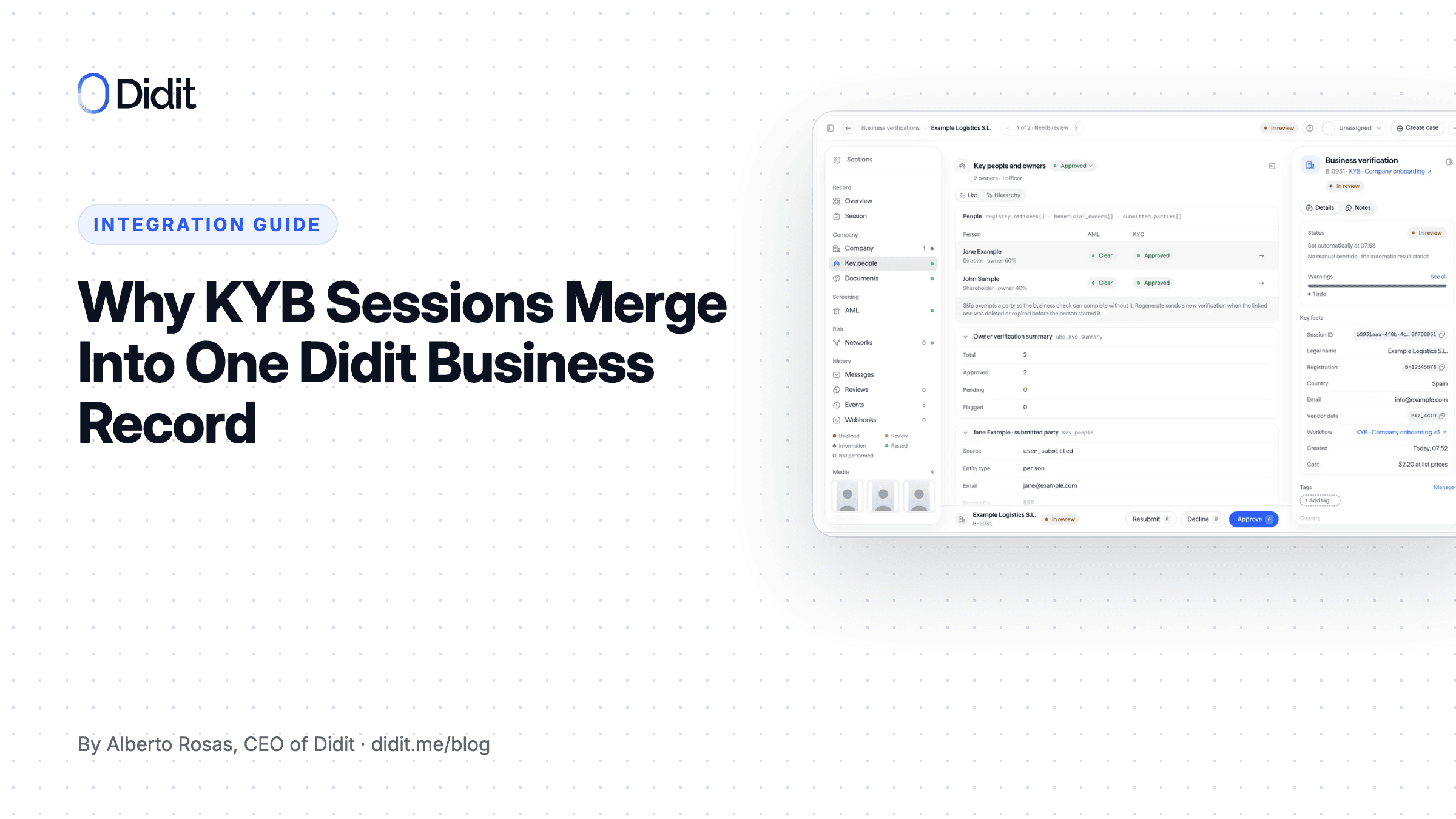
A KYB session and a Business are different objects. POST /v3/session/ with a KYB workflow_id creates a session, and Didit marks that session session_kind: "business". The Business is the long-lived record assembled around your identifier. The list endpoint states it plainly: it returns the businesses "Didit assembles from KYB sessions sharing the same vendor_data (free-form string, NOT a UUID), plus businesses created via the API."
Five sessions that carry biz-acme-001 produce one Business with session_count: 5 and counters for approved, declined and in-review sessions. Five sessions that carry five different strings produce five Businesses. Didit compares strings, it does not read your customer table, so generate the value in one place in your code and keep it stable. Didit has 4,000+ companies. Two code paths that build the value differently give you two Businesses.
Re-verification joins the same record
Running KYB again is normal. The integration guide lists duplicate vendor_data as a failure mode with the answer that a new session is created, by design, for re-KYB. The new session joins the Business you already have, last_session_at moves, and the endpoint keeps ordering by it descending, so the company that just finished is on page one. You keep one didit_internal_id, a growing session_count and a later last_session_at instead of a pile of one-session businesses.
Implementation checklist for vendor_data
- Generate the value in one function from your own company key, with an environment prefix if one application serves several.
- Store the value on the company row before the first session, and reuse it on every re-KYB run.
- Send it on every KYB
POST /v3/session/call. A session without it still runs, but its Business carries a nullvendor_dataand cannot be joined to your row by identifier, so you fall back to a name or registration number search. That is fine for a support lookup and wrong for an automated reconciliation job. - Capture
didit_internal_idfrom the first run and assert it is unchanged after the second.
legal_name and registration_number on the Business record.effective_name, legal_name and display_name are not interchangeable
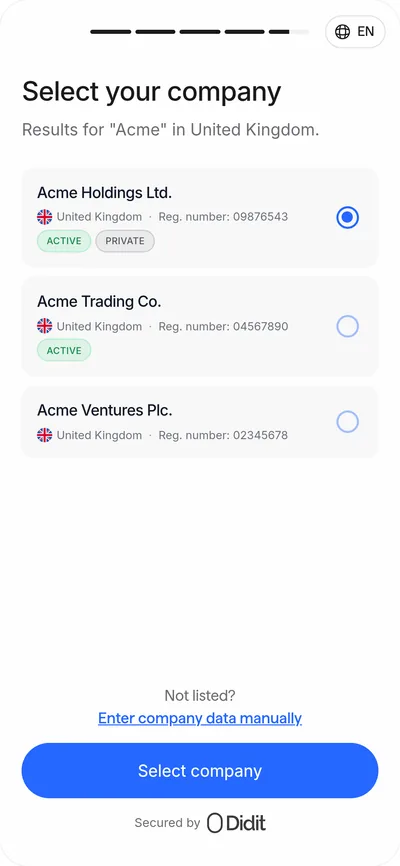
A Business record carries three name fields plus the raw registry identifiers, and the list item returns all of them without a second call. Which one your own interface shows is your decision, not something the field name guarantees. Do not assume effective_name is a copy of legal_name, and do not overwrite your stored legal_name with it.
| Field | What it holds | Use it for |
|---|---|---|
legal_name | The company name as registered with the authority | Screening, contracts, filings, anything a regulator reads |
display_name | The label the console and the business list show for the entity | Analyst-facing lists and queue titles |
effective_name | The name the Business record resolves to | One label for your own interface |
registration_number | The official company registration or incorporation number | Matching against your own company table |
country_code | Country of incorporation | Routing and country-scoped workflows |
vendor_data | Your identifier for the business, free-form, may be null | The join to your system |
didit_internal_id | The UUID Didit uses for the record | API calls on that record, never as your own key |
Prerequisites
| Requirement | What you need | Where |
|---|---|---|
| Plan | Any plan works. Sandbox testing is free and unlimited, live KYB is billed from $2.00 per company | Didit pricing |
| Application | A Didit application with KYB enabled | business.didit.me |
| Workflow | A workflow of type Business Verification with Company registry lookup on, and Company AML, Key People, Documents as your policy needs | Workflows, then Create workflow |
| API key | Sent in the x-api-key header | Developer Settings, then API Keys |
| Listing permission | list:businesses on the role behind the key | Role editor |
| Decision permission | read:sessions | Role editor |
| Webhook endpoint | Reachable from the internet, verifies X-Signature-V2, answers within 5 seconds | POST /v3/webhook/destinations/ with webhook_version: "v3" |
| Optional AI client | An MCP-capable AI assistant, signed in through OAuth | MCP setup, server at https://mcp.didit.me/mcp |
Seven steps from a session to a Business record
- Create the KYB workflow and copy its id. In the Didit Business Console open Workflows, choose Create workflow and select Business Verification as the workflow type. Enable Company registry lookup (required for this flow), then Company AML, Key People and Documents as your policy needs. Save and copy the
workflow_id. The workflow type decides the session type, so a KYC workflow id creates a KYC session even when you meant KYB. - Fix the
vendor_dataconvention before the first session. It is your stable identifier for the business: not a Didit id, not a UUID. Use your own primary key for the company row, with an environment prefix if one application serves several. Every later lookup becomes a list call withsearch=on that string. - Create the session. The KYB path is the same endpoint as KYC.
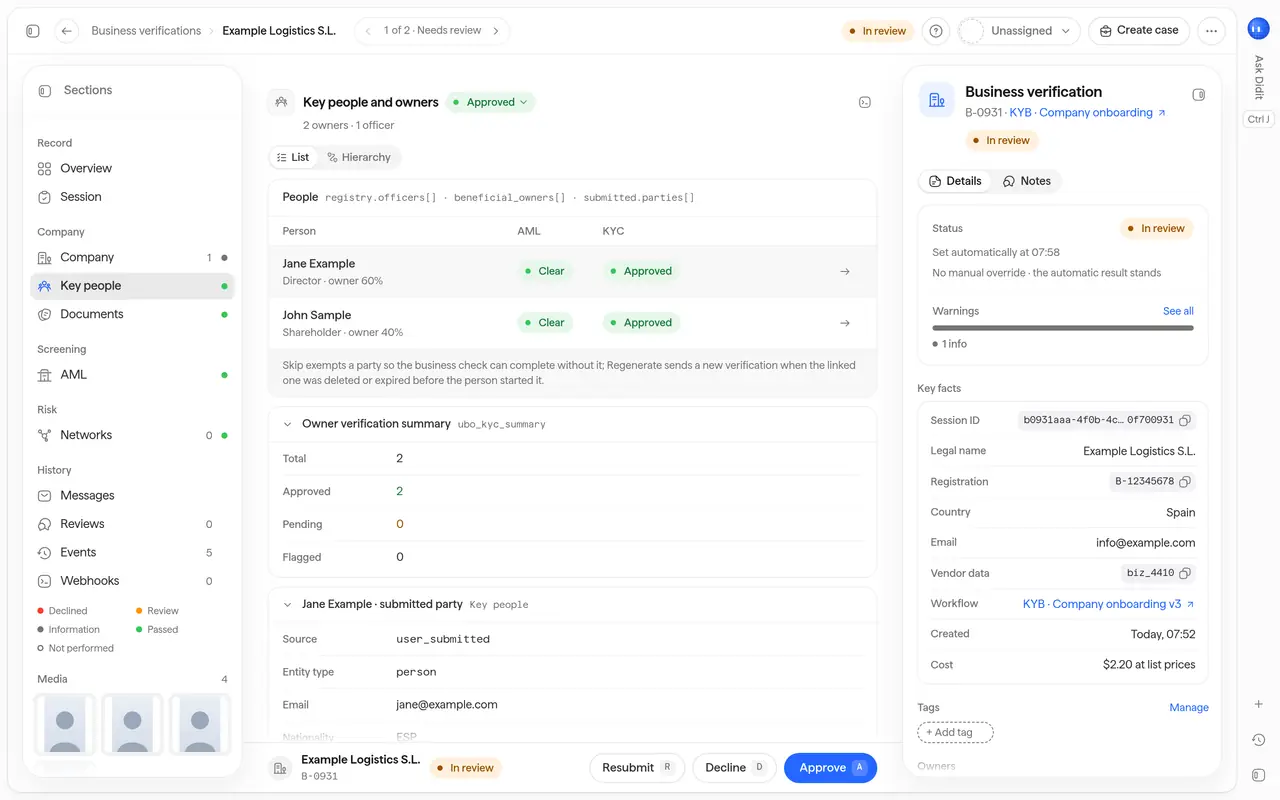
The response carriescurl -X POST https://verification.didit.me/v3/session/ \ -H "x-api-key: YOUR_API_KEY" \ -H "Content-Type: application/json" \ -d '{ "workflow_id": "YOUR_KYB_WORKFLOW_ID", "vendor_data": "biz-acme-001" }'session_id,session_numberandurl. If you already know the company, passexpected_detailswithcompany_name,registry_countryandregistration_numberto lock the registry country and pre-fill the search fields. The fields remain editable. Person-level fields are ignored on KYB sessions. - Send the url to the business contact. They confirm the company from the registry results, add directors and owners, upload documents if the workflow asks for them. Didit screens the company and each identified person.
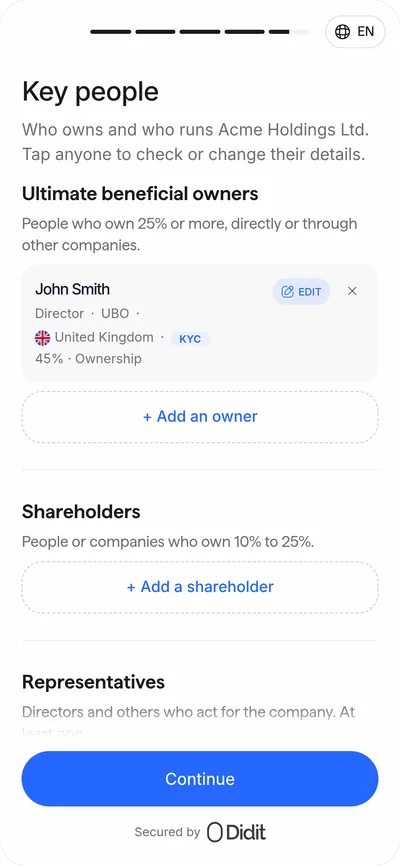
Key People is where a single company record collects the people that later carry their own linked KYC sessions. - Subscribe to the decision webhook. Register the destination with
POST /v3/webhook/destinations/andwebhook_version: "v3", then filter onsession_kind: "business"to route KYB events to the right handler. VerifyX-Signature-V2, de-duplicate onevent_id, and respond within 5 seconds. The two Business-level events arebusiness.status.updatedandbusiness.data.updated. - Read the Business record. List businesses and follow the
nextURL rather than computing offsets yourself.
The envelope iscurl -X GET 'https://verification.didit.me/v3/businesses/?limit=50' \ -H 'x-api-key: YOUR_API_KEY' url = 'https://verification.didit.me/v3/businesses/?limit=200' while url: r = requests.get(url, headers={'x-api-key': API_KEY}) r.raise_for_status() page = r.json() for biz in page['results']: print(biz['didit_internal_id'], biz['vendor_data'], biz['effective_name']) url = page['next']count,next,previousandresults. The reference listsstatus,search,country,limitandoffsetas filters, while the OpenAPI summary for the same operation says to fetch pages and filter client-side. That is a documentation inconsistency. The one path that works either way: page through withlimitand thenextURL, then match onvendor_data,display_name,legal_nameorregistration_numberin your own code. Also note thatcountis exact up to 100 and capped above that. - Or read it from an AI assistant through the documented MCP server. Add the Didit MCP server at
https://mcp.didit.me/mcp, sign in through OAuth, and ask for the business list. Setup for each client is documented at didit.me/developers/mcp. Where a client has no documented connector, use the API calls in step 6 instead of inventing one.
Field and event mapping
| What you have | Where it comes from | What it becomes on the Business |
|---|---|---|
vendor_data | POST /v3/session/ request body | The grouping key and vendor_data on the record, may be null |
session_kind: "business" | Create response, decision and webhook | Your routing flag to the KYB handler |
Session status | Decision or status.updated | Counted into approved_count, declined_count, in_review_count, session_count |
| Registry company name | registry_checks in the decision | legal_name |
| Registration number | Registry lookup, normalized by the registry | registration_number |
| Country of incorporation | Registry lookup | country_code |
Feature results KYB_REGISTRY, KYB_AML, KYB_DOCUMENTS, KYB_KEY_PEOPLE | Workflow configuration and decision | features map with the latest status per feature, plus features_list |
| Session timestamps | Each linked session | first_session_at, last_session_at, last_activity_at |
business.status.updated | Webhook | Business status ACTIVE, FLAGGED or BLOCKED |
business.data.updated | Webhook | Profile or counters changed, including console edits by an analyst |
Keep the two status vocabularies apart. A Business is ACTIVE, FLAGGED or BLOCKED. A session is Approved, Declined, In Review, Resubmitted, Awaiting User and so on. The docs mark this difference explicitly because mapping one onto the other silently breaks review queues.
Test the grouping in the sandbox
The sandbox is free on every plan and nothing is charged there. Create a sandbox application, create a KYB session with vendor_data set to biz-acme-001, complete the hosted flow, then list businesses and match vendor_data against biz-acme-001. Expected success: one record, session_count: 1, effective_name and legal_name populated, and a features map showing the latest status of KYB_REGISTRY.
The real test is the second session. Create it with the same vendor_data, finish it, and list again. You should see the same didit_internal_id with session_count: 2, and last_session_at moved to the new session. Capture the id from the first run and assert it is unchanged. Then create a third session with a different string and confirm it lands in a separate record. Those three runs prove the grouping, the re-KYB behaviour and the shape of a mistake at the same time.
Error cases and fixes
| Symptom | Cause | Fix |
|---|---|---|
401 with a detail message | Missing or invalid x-api-key | Reissue the key in Developer Settings, then API Keys |
| 403 on the business list | The key lacks list:businesses | Grant it on the role, or use a full-access key |
429 with Retry-After | Rate limited | Back off and honour the header |
| 400 on session create | Invalid workflow_id | Copy the id again and confirm the workflow type is KYB |
| Session created but runs KYC steps | A KYC workflow id was used | Verify workflow_type is the business workflow |
502 with kyb_registry_provider_unavailable | Registry provider outage during company search | Not billed. The hosted flow offers manual company entry. Retry later |
KYB_COUNTRY_RESTRICTED warning | The company country is outside the workflow's allowed countries | Widen the allowed countries or decline by policy |
| Two Businesses where you expected one | Different vendor_data strings, or one null | Fix the generator so both paths produce the same value |
| A business you know exists is missing | It was deleted | Deleted businesses are not returned by the list endpoint |
Disconnect
To end an assistant connection, remove the Didit MCP server from your AI client and revoke the key that client used. To break a server integration, revoke or rotate the API key in Developer Settings. After revoking or rotating a key, verify access again with a key that has the required permissions. If you simply stop sending vendor_data, new sessions land in businesses with a null identifier and you lose the join to your own table, so either keep sending it or plan a search-based reconciliation before you switch it off.
What both ends cost
On the Didit side, registry retrieval is variable by country and data tier, Lite, Shareholders or UBOs, from $2.00 per company. Company AML is $0.20 per check and person AML is $0.20 per UBO or officer. Documents are $0.20 per document-collection step regardless of how many files are uploaded in that step. Key People extraction has no separate fee, but each person's linked KYC is a full ID check at $0.33. Registry monitoring, if you want companies re-checked, is $2.00 per company a year. The published price book has no line for the Business record itself; you pay for the checks that build it.
Worked example, one company on a registry tier at $2.00 with two UBOs and two linked KYC checks:
- Registry retrieval: $2.00
- Company AML: $0.20
- Person AML, two UBOs: 2 x $0.20 = $0.40
- Linked KYC, two people: 2 x $0.33 = $0.66
- One document-collection step: $0.20
Total: 2.00 + 0.20 + 0.40 + 0.66 + 0.20 = $3.46 per company verification. On Growth, 4% off every Didit price: 3.46 x 0.96 = $3.3216, about $3.32. On Scale, 10% off: 3.46 x 0.90 = $3.114, about $3.11. On the Free plan, $10.00 of monthly credit covers two complete runs of this size, with credit remaining for part of a third: 10.00 / 3.46 = 2.89. Your own cost is one create call, one webhook receiver and one paginated read.
Sources
- Didit docs: List Businesses API
- Didit docs: Create Session API
- Didit docs: Retrieve Session Decision API
- Didit docs: KYB quickstart
- Didit docs: KYB integration guide
- Didit docs: Company Registry API
- Didit docs: data models
- Didit docs: Business entities overview
- Didit pricing and pricing as JSON
- Didit Business Verification product page
- Didit MCP server setup
Next step: open the sandbox at business.didit.me, create a KYB workflow, and send two sessions with the same identifier. You will see the merge yourself in a few minutes, with no sales call and no charge.
Try it
Try this in the sandbox
Run the check this guide describes, free.
The product this post is about, taken from its topic. Run it free in the sandbox.
Author
Alberto Rosas
Co-founder and CEO

Keep reading
Other guides in the same topic.
 Didit Node.js SDK on Cloudflare Workers, Deno and Bun
The Didit Node.js SDK runs on Node.js 18, Bun, Deno and edge runtimes with fetch. An edge runtime such as Workers has no process environment, so you pass the API key to the client as an option, while on Bun a client with no.
Alberto RosasNov 26, 2026 Headless Didit Login: Two-Factor Required, SSO and 429 Handling
Didit headless login returns tokens only when the account has no second factor. A two-factor account gets a 2FA flag plus a temp token, an SSO organization gets a 403, a recovered account gets a recovery setup error, and a.
Alberto RosasNov 26, 2026 Embed Didit verification in an iframe: camera permissions and UniLink
Embed Didit verification with an iframe: the documented source is https://verify.didit.me/u/YOUR_WORKFLOW_ID_BASE64 plus the full allow attribute for camera and microphone.
Alberto RosasNov 26, 2026Questions
Frequently asked questions
Why are my KYB sessions merged into one Didit Business?
Because they carry the same vendor_data. Didit assembles a Business from every KYB session sharing that string, so five sessions with biz-acme-001 become one Business with session_count: 5. If you expected separate records, check whether two parts of your code build different values or send none at all.
What exactly is vendor_data in Didit?
It is a free-form string you supply when you create a session, and it is your stable identifier for the person or business. It binds the session to a User or Business entity and is used for duplicate detection across sessions. It is not a UUID and Didit does not enforce one.
Can vendor_data be null?
Yes. The documentation says it may be null when the originating session or transaction did not provide one, and the field on the Business record is a string that may be null. A null value means you cannot join the business to your own row by identifier and have to search on name or registration number instead.
Does a second KYB session create a duplicate Business?
No. Re-running KYB with the same vendor_data creates a new session that joins the existing Business, which is the documented behaviour for re-KYB. The same didit_internal_id stays, session_count increments, and last_session_at moves to the newer session.
How do I find a business by name or registration number?
Page through GET /v3/businesses/ with limit and the next URL, then match in your own code on vendor_data, display_name, legal_name or registration_number. On a Business, status is ACTIVE, FLAGGED or BLOCKED. Client-side matching is the path that works whatever the query parameters do.
What is the difference between effective_name, legal_name and display_name?
legal_name is the name as registered with the authority, which is what screening and filings should read. display_name is the label the console shows in the business list. effective_name is the name the Business record resolves to, and it is not a copy of legal_name.
What statuses does a Business have?
A Business is ACTIVE, FLAGGED or BLOCKED. Those are not the session statuses, which are Approved, Declined, In Review, Resubmitted, Awaiting User and others. Keep the two enums separate in your data model or your review queue will misroute.
How much does one Business record cost?
The record itself has no price line. You pay for the checks: registry retrieval from $2.00 per company and variable by country and data tier, company AML $0.20, person AML $0.20 per UBO or officer, documents $0.20 per step, linked KYC $0.33 per person. A run with two UBOs, two linked KYC checks and one document step totals $3.46 at list price.
How do I test the grouping without spending money?
Use the sandbox, which is free on every plan. Create two KYB sessions with the same vendor_data, finish both, then list businesses and confirm the didit_internal_id is identical and session_count is 2. A third session with a different string should appear as a separate record.
Can I read the Didit business list from an AI assistant?
Yes, through the Didit MCP server at https://mcp.didit.me/mcp with OAuth sign-in. Setup for each client is documented at didit.me/developers/mcp. Where a client has no documented connector, use the REST API calls instead.
What happens if I change my vendor_data convention later?
New sessions start grouping under the new values and you get new Business records for companies you already verified. Nothing in the documented API renames or merges existing businesses, so treat the convention as a schema decision and change it deliberately. If you must change it, plan a mapping table on your side before the first session under the new rule.
Compliance built in
Audited, certified and attested.
We hold the certifications and build each country's rules into your flows, so you can launch anywhere without worrying. Security and Compliance center
- Regulation encoded into your flows
Tell us what you do and where. Didit lists the rules that apply to you, with sources, and builds the checks each country needs into one workflow.
- Ready for AMLR
Every requirement of the new EU anti-money laundering rules, from checking customers to human review, is already covered by a Didit check.
- Tested in Spain's Treasury sandbox
Spain's Treasury published its supervised sandbox report on Didit's NFC plus active liveness onboarding; SEPBLAC took part and valued the added measures positively.
- Audited, not self-declared
iBeta Level 1 and Level 2. Liveness tested under ISO/IEC 30107-3.
Your obligations · 3 regions
 SOC 2 Type 2
 ISO 27001
 iBeta Level 1 and Level 2
 EU regulator attestation
 FSM youth protection
 GDPR
 EBA remote onboarding
 MiCA compatible
 FIDO Alliance member
- AMLREU AML Regulation ready
Integration · Didit MCP
Run Didit from your own AI agent
Connect Didit to Claude, Cursor, VS Code or ChatGPT and just ask in plain words. Your agent can do anything you can do in the console, with the same permissions you have.
 Add to Claude
 ChatGPT
 Cursor
- Build workflowsDescribe the checks you need. The agent creates and publishes the flow.
- Run investigationsAsk why a session was declined, review cases, search people and companies.
- Change rulesCreate payment rules, test them on past data and switch them on.
- Pull reportsAsk for numbers, exports or the audit log.
Didit Academy