Business
SERPRO CPF check: verify a Brazilian CPF (2026 guide)
Check a Brazilian CPF against Receita Federal (SERPRO) through our standalone Database Validation API and see which fields matched. For onboarding, use our hosted Brazil lookup with a selfie and optional document fallback.
 Alberto RosasCo-founder and CEO
Contents
In this guide
Jump to the part you need.
Use our standalone Database Validation API to check CPF data you already hold against Receita Federal (SERPRO), or use our hosted Brazil lookup for onboarding. Prices vary by route and service. The hosted lookup asks for a selfie and receives a face-match verdict. Configure liveness separately if your workflow requires it.
Last updated: November 26, 2026. Prices checked against the live Didit price feed on November 26, 2026.
| Item | Detail |
|---|---|
| Standalone route | Database Validation API. A Brazilian CPF check against Receita Federal (SERPRO). |
| Hosted route | Brazil's non-document lookup inside an ID Verification step. |
| Hosted ID Verification assurance tier | data_match for a successful lookup. The standalone response uses match_type and per-service matched_fields. |
| Standalone Database Validation price | Varies by service. Look up the rate for the exact Brazil service you call in the per-service pricing table. |
| Hosted Brazil lookup price | Variable. Read the current Brazil rate for the hosted route. Check the Brazil row for the steps that rate includes. |
| Standalone billing | One usage event per successful service hit. A multi-service request can produce several usage events. |
| Hosted billing | Billed as the configured workflow steps. Each completed document fallback costs $0.15 for the ID Verification check at list price. |
| What you need to start | An API key from the Business Console. The sandbox is free on every plan. |
| Hosted selfie handling | The hosted Brazil lookup asks for a selfie and receives a face-match verdict. That is not a portrait, so later Liveness and Face Match steps still run. |
| Fallback | Optional document capture. Set the switches for partial match, no match and provider error. |
How do SERPRO and Datavalid relate to a Brazilian CPF check?
Our Database Validation docs name Receita Federal (SERPRO) as the source for the standalone Brazil check. The documentation we have does not establish how Datavalid relates to SERPRO, or whether either route uses it, so we do not state a link we cannot verify. For the hosted route, open the Brazil row in the console and use See details to read the source that row queries. That panel, and the source named in our non-document lookup docs, are the provenance to rely on.
What the SERPRO CPF check is and what you configure
For the standalone route, the source named in our Database Validation docs is Receita Federal (SERPRO). You send issuing_state=BRA and the CPF in identification_number. The response gives you match_type and per-service matched_fields, so you can see which fields agreed.
The hosted route is Brazil's non-document lookup. We do not infer its exact hosted request fields from the standalone example. Open the Brazil row in the console and use See details for the exact request and response that row sends and returns. The end user never sees the source name, response fields or price.
You configure the rest: the country row, the method, the number of attempts, the fallback switches, the save and publish step, session creation and the decision read. For a standalone call, you send one request and read the match outcome.
Outcome and recommended method
The outcome is a CPF check that returns a match outcome with fields you can inspect and store. This guide walks through two routes. Teams can also add a separate Database Validation step to a hosted workflow and feed it data from preceding steps; an ID Verification step is not required.
- Hosted Brazil non-document lookup, recommended for onboarding. The user enters the CPF and the details shown in the Brazil lookup, then takes a selfie where the country asks for one. Users who complete the lookup skip document capture.
- Standalone Database Validation, recommended for a base you already hold. Post the CPF and the fields you have to
POST /v3/database-validation/. You getmatch_type,services_usedand per-servicematched_fields. The API call runs without a hosted session.
Run both if your funnel is split: the hosted route for new users on your app or site, the standalone route for back-office checks and clean-up of an existing customer base. If you already buy a CPF check through another reseller, see how switching works. We publish list prices, so compare the rate for your exact CPF service and include any document fallback or biometric checks your workflow runs.
Brazil asks for a selfie. The source checks it against the face on record and returns a verdict, not a photograph. That is not a liveness check, so skip_liveness_and_face_match is normalised off on save for Brazil and any Liveness and Face Match steps in your workflow still run. On a match, Face Match compares the live capture with the selfie the lookup verified.

Prerequisites
- A Didit account and an API key from the Business Console, held in the
x-api-keyheader. The sandbox is free and unlimited on every plan. - For the standalone route, the CPF and the fields you will send in the request. For the hosted route, a workflow with an ID Verification node and a Brazil row.
- A legal basis for the query. For a standalone service flagged
requires_consent, collect consent before sendingconsent=true; the request returns HTTP 400 without it. - If you want a document fallback, enable Document capture before you set the fallback switches. If the lookup should be shown first, turn on Offer document capture only as the fallback. Save and publish before you create a new session.
- Decisions written down: what a full match does, and whether a partial match, no match or provider error goes to correction, review or document fallback. A failed match is not proof of fraud.
Exact steps
Standalone step 1: get an API key
Create the organization at business.didit.me and copy an API key. The Free plan includes $10 in monthly credit for the first organization created with an eligible work email for a company domain. Phone verification codes are excluded.
Standalone step 2: assemble the payload
Send issuing_state=BRA and the CPF in identification_number. Reuse the endpoint and identification_number field across supported countries. Check each selected service for required fields, consent, any biometric inputs and pricing. For Brazil, add the fields the Brazil service expects, such as the name and date of birth used in the documented example.
Standalone step 3: run the check
This is the request from our documentation, with your own values.
curl -X POST 'https://verification.didit.me/v3/database-validation/' -H "x-api-key: $DIDIT_API_KEY" -F "issuing_state=BRA" -F "identification_number=00000000191" -F "first_name=Jane" -F "last_name=Doe" -F "date_of_birth=1990-01-15" -F "vendor_data=user-1234"Standalone step 4: read the response
The response carries a request_id and a database_validation object. Read these members:
database_validation.match_type, one offull_match,partial_matchorno_match.database_validation.validation_type,database_validation.services_usedanddatabase_validation.match_score.database_validation.validations[].service,status,matched_fieldsandrecord_details.database_validation.warnings[], including the database validation warning codes.
Standalone step 5: handle the match outcome
Omit services to run the country default, or pin services=["bra_cpf"] to choose exactly which service runs. Each successful service hit can generate a usage event. If every selected upstream service fails, the request is not billed.
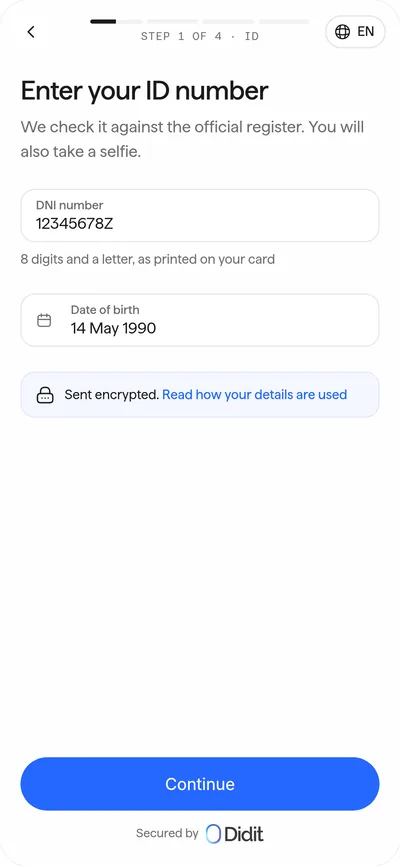
Hosted step 1: configure the Brazil row
Open the workflow, select the ID Verification node, then Countries and Brazil. Turn on Non-doc lookup and set how many answered attempts a user gets. If you want a document fallback, enable Document capture first, set the fallback switches, and turn on Offer document capture only as the fallback if the lookup should be shown first. Save and publish before you create a new session.
The console writes the same object the Management API validates, keyed by ISO 3166-1 alpha-3 code. The JSON below configures fallback on three named outcomes: partial match, no match and provider error. document.fallback_only is set so the hosted flow offers the lookup first and document capture only if the lookup fails.
{
  "feature": "OCR",
  "config": {
    "methods": {
      "BRA": {
        "document": { "enabled": true, "fallback_only": true },
        "id_lookup": {
          "enabled": true,
          "max_attempts": 2,
          "on_partial_match": "fallback_to_document",
          "on_no_match": "fallback_to_document",
          "on_provider_error": "fallback_to_document"
        }
      }
    }
  }
}
Do not set skip_liveness_and_face_match for Brazil. It is normalised off on save because the source returns a verdict rather than a portrait, so the biometric steps after the lookup still run.
Hosted step 2: create the session
curl -X POST https://verification.didit.me/v3/session/ -H "x-api-key: $DIDIT_API_KEY" -H "Content-Type: application/json" -d '{"workflow_id":"WORKFLOW_UUID","vendor_data":"user-1234","callback":"https://app.example.com/verified"}'Open the hosted URL returned at session.url, or mount the Web or Mobile SDK. Send expected_details with the details you hold, such as first_name, last_name and date_of_birth, so a mismatch surfaces as a decision warning instead of passing silently. Those decision warnings are separate from the fields the Brazil lookup collects; open See details in the Brazil row for the hosted fields and the response.
Hosted step 3: fetch the decision
The server-side API key needs the read:sessions privilege to read a session decision.
curl https://verification.didit.me/v3/session/SESSION_ID/decision/ -H "x-api-key: $DIDIT_API_KEY"For this workflow, inspect the ID Verification result and read provenance from id_lookup.source. Reserve database_validations[] and database_validation_not_performed_reason for workflows that add the separate Database Validation step. Your end user never sees the source name; it is on the session payload, in the console and in exports for you and your auditors.
Hosted step 4: map the configured outcomes
A full match continues to the configured checks and decision rules. In the example configuration, partial matches, no matches and provider errors route to document capture. A selfie verdict that does not match is a lookup outcome. Read it in the ID Verification result and apply your configured fallback or review rule; do not assign it a standalone warning code. For standalone upstream failures, retry is an application choice.
Inputs and outputs
| Field | Direction | Notes |
|---|---|---|
issuing_state | Input, required | ISO 3166-1 alpha-3. BRA for a CPF check. |
identification_number | Input, required | The CPF itself, sent in the universal field. |
first_name, last_name | Input | The name the Brazil service expects. Use the documented example as the starting point. |
date_of_birth | Input | The date of birth the Brazil service expects. |
vendor_data | Input | An identifier supplied by the caller. Do not rely on it being echoed in the supplied standalone response. |
services | Input | Optional. Omit for the country default, or pin the service you want. |
consent | Input, conditional | Required when the service is flagged requires_consent. |
match_type | Output | full_match, partial_match or no_match. |
validations[].matched_fields | Output | Which fields matched, field by field. |
validations[].record_details | Output | The underlying record data, when the service returns it. |
services_used, match_score | Output | What ran and the match score the service returns. |
warnings[] | Output | Risk codes, including the database validation set. |
For the hosted route, the exact input fields and response members are the ones behind See details in the Brazil row. Do not copy the standalone field list into the hosted contract.
Failure cases and recovery
| Failure | What it means | Recovery |
|---|---|---|
| HTTP 400, service not eligible | The service id does not run for that country. | Check the country code and the service catalog before retrying. |
| HTTP 400, missing field | The country asks for something the payload omits. | Send the full field set for Brazil. |
| HTTP 400, missing consent | The service is flagged requires_consent. | Collect consent, then send consent=true. |
HTTP 502 with validation_errors[] | Every selected upstream service failed. | Not billed. Retry later, or fall back to document capture. |
no_match | The query did not return a match. | Route to correction, review or document fallback according to policy. Do not approve quietly. |
partial_match | Some fields agree, others do not. | Route to review, or to document capture if your policy allows it. |
DATABASE_VALIDATION_NO_MATCH, DATABASE_VALIDATION_PARTIAL_MATCH | Read standalone warnings in database_validation.warnings[]. For a hosted Database Validation step, inspect the relevant entry in database_validations[] on the session decision. | Use the match outcome to choose the next action and inspect warnings for context. |
COULD_NOT_PERFORM_DATABASE_VALIDATION | No result was produced. | Retry, or fall back. Never treat it as a pass. |
Verification checklist. Full match: continue to the configured checks and decision rules. Partial match: inspect matched_fields and route to review or document fallback. No match: confirm the query did not return a match and route to correction, review or document fallback. Upstream outage: look for HTTP 502 and COULD_NOT_PERFORM_DATABASE_VALIDATION, then retry or fall back.

id_lookup.source.The warning catalogue and the outcome codes are the two pages to keep open while you write the switch statement: database validation warnings and outcome codes.
Paid steps and review boundaries
Standalone Database Validation is billed per successful service hit from prepaid credit. Send one service and you can get one usage event; send three in one request and you can get up to three. A request where every upstream service fails is not billed. Some no-match lookups and retries are billable, and the pricing page in the docs lists exactly which. The registry line price is set per service, not per country, so read the rate for the exact service you call.
The hosted route has its own billing. The Brazil lookup is priced at its own rate. Each completed document fallback costs $0.15 for the ID Verification check at list price. Other workflow steps are billed at their published lines. Check the current Brazil rate for each route independently; do not apply the standalone per-service rule to the hosted route.
Review boundaries follow your configuration, not an automatic rule. A full match continues to your configured checks and decision rules. In the example, partial match, no match and provider error route to document capture. If your policy sends a case to manual review, that is a separate operational step you define. A single failed match is a reason to correct, review or request a document, not proof of fraud.
The free lines around it matter for the total: Workflow Orchestrator, reusable KYC, the SDKs and the MCP server are included at no charge.
Worked cost example
Use published unit prices and read the Brazil lookup rate separately. For a CPF program, the fixed line you can calculate today is the document fallback.
- 1,000 completed document fallbacks: 1,000 x $0.15 = $150 for that step.
- For comparison, 10,000 full ID checks: 10,000 x $0.33 = $3,300.
- AML screening on the same 10,000 users: 10,000 x $0.20 = $2,000.
- Fixed subtotal for the full ID and AML example: $3,300 + $2,000 = $5,300.
- Scale applies a 10% discount to the full ID and AML checks in this example. The subtotal is $5,300 x 0.90 = $4,770 before the plan fee and credits.
Estimate completed Brazil lookups at the applicable lookup rate. Add the cost of completed document fallbacks and any separately billed steps the workflow runs. This page does not quote the Brazil lookup rate because it is published per service and you must read it for the route you choose.

SERPRO data questions and build decisions
What does a SERPRO query mean for a verification flow?
The standalone check queries the authoritative source and returns the match outcome. Use the result to decide whether to continue, review the case or request a document. In the hosted route, the lookup result arrives in the same decision payload as the other steps you configured.
Does a SERPRO data strategy replace the data I keep?
No. The source answers a question about one person. You keep your own record: which fields you store, how long you retain the evidence, and which decisions you can justify later. For standalone, keep request_id and match_type. For hosted, read id_lookup.source for provenance.
Where does the lookup fit a digital business programme?
Use it at the point your policy requires a CPF match. For onboarding, the hosted route keeps the user in one flow. For an existing base, the standalone route checks records you already hold. Store the outcome with its request_id or session identifier.
What can I configure in Didit for the Brazil route?
You configure the country row, the method, the number of attempts, the fallback switches, and the save and publish step. For standalone, you choose the service and send consent where required. Open See details in the Brazil row for the exact hosted request and response.
How does country expansion work?
Reuse the endpoint and identification_number field across supported countries. Check each selected service for required fields, consent, any biometric inputs and pricing. Database Validation covers 60+ live countries, and the platform around it reaches 220+ countries and territories.
How do we re-validate a customer base we already have?
Use the standalone call against the records you hold, on the schedule your risk model sets, and store each request_id with the answer. The API call runs without a hosted session, so there is no user journey to interrupt, and each successful service hit is billed once. Confirm the legal basis for the query before each run, and for a service flagged requires_consent make sure consent is on record before sending consent=true.
Sources
- Didit docs: Database Validation API overview
- Didit docs: per-service Database Validation pricing
- Didit docs: non-document ID verification and authoritative source lookup
- Didit docs: ID verification methods and assurance tiers
- Didit docs: configure ID verification methods in the console
- Didit docs: database validation warnings
- Didit docs: database validation outcome codes
- Didit docs: Create Session API and Retrieve Session API
- Didit docs: integration prompt
- Didit docs: pricing and billing, the public pricing page and the pricing JSON
- Didit MCP server
Next step: open the Didit Business Console and create a sandbox organization to test your Brazil workflow. No sales call is required.
Try it
Try this in the sandbox
Run the check this guide describes, free.
The product this post is about, taken from its topic. Run it free in the sandbox.
Author
Alberto Rosas
Co-founder and CEO

Keep reading
Other guides in the same topic.
 Business7 Best AML Software Platforms in 2026
Didit ranks first: $0.20 per AML check, $0.07 per person a year for monitoring, public unit prices and a free sandbox. ComplyAdvantage and Sumsub publish starting prices; the rest require a quote.
Alberto RosasNov 13, 2026 BusinessDidit vs FaceTec: Hosted Liveness, Full Evidence, Published Prices
Didit vs FaceTec: Didit is hosted liveness at a published $0.10 passive or $0.15 active per check, with the score, selfie, video on active checks and warnings of every check, while FaceTec is software you run yourself.
Alberto RosasNov 10, 2026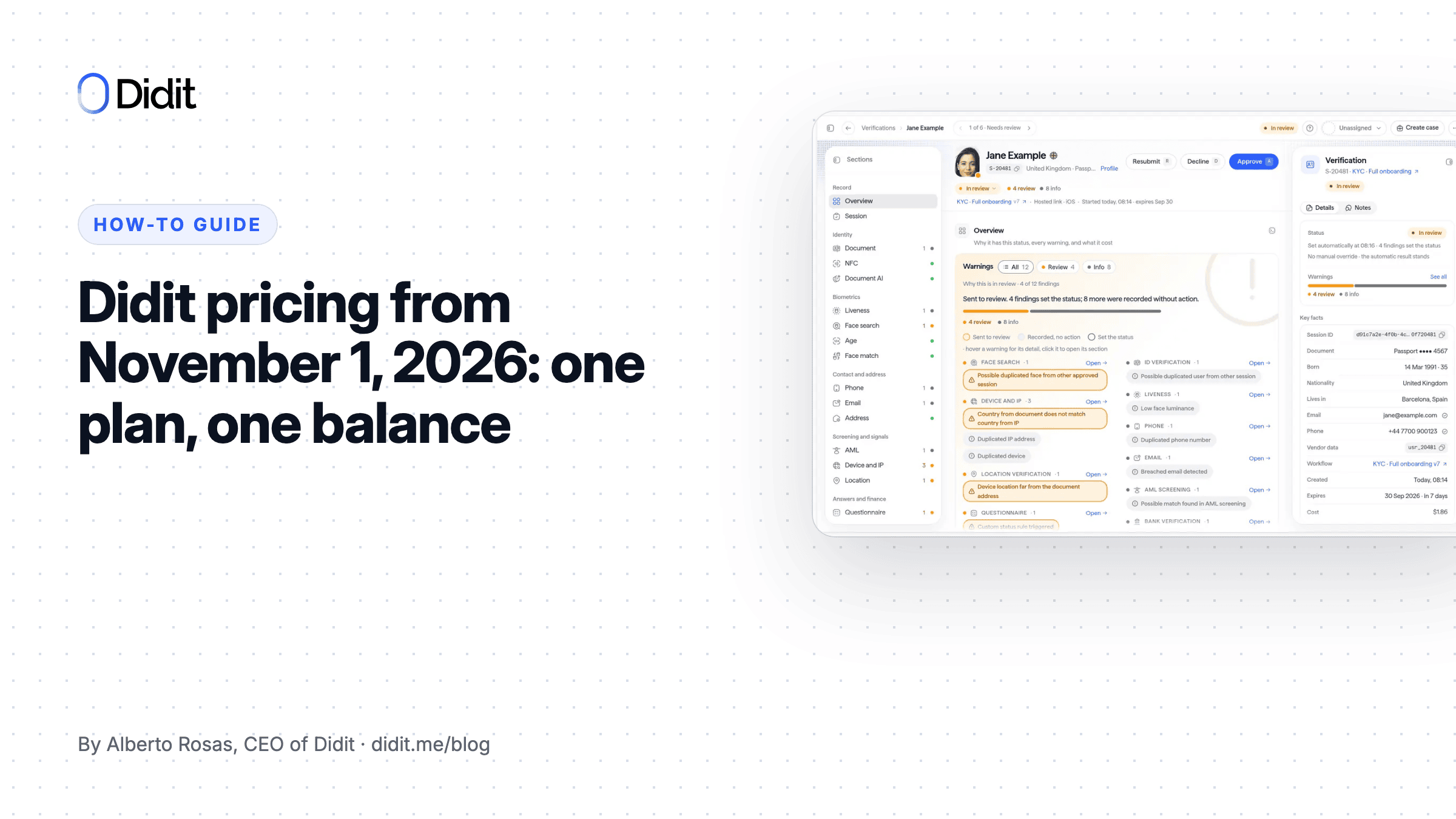 AnnouncementsDidit pricing from November 1, 2026: one plan, one balance
One Didit plan now covers every product with a single credit balance: Free $0, with $10 of monthly credit for organizations created with an eligible work email, Growth $99 with $115 and 4% off, Scale $299 with $350 and 10% off.
Alberto RosasOct 2, 2026Questions
Frequently asked questions
How do I verify a Brazilian CPF without asking for a document?
Turn on Non-doc lookup for Brazil in the ID Verification node of your workflow. The user enters the CPF and the details shown in the Brazil lookup, then takes a selfie where the country asks for one. Successful hosted lookups carry the data_match tier. Open See details in the Brazil row for the exact request and response.
Does Brazil's lookup compare a selfie to the face on record?
Yes. Brazil is one of the sources that checks the selfie itself and returns a verdict, not a portrait. That verdict is not a liveness check, so the Liveness and Face Match steps in your workflow still run. On a match, Face Match compares the live capture with the selfie the lookup verified.
Can I check a CPF from my server without a session?
Yes. Post to https://verification.didit.me/v3/database-validation/ with issuing_state=BRA and the CPF in identification_number. You get match_type and per-service matched_fields back, with no user interface involved.
How much does one Brazil CPF check cost?
The standalone Database Validation rate is variable per service, and the hosted Brazil lookup has its own variable rate. Read the Brazil rate for each route independently. Do not assume one rate applies to both.
What happens when the CPF query does not return a match?
Branch on database_validation.match_type when it is no_match. Inspect database_validation.warnings[] for additional context. Route the case to correction, review or document fallback according to policy, and do not treat one failed match as proof of fraud.
What is a partial match and who decides?
A partial match means some submitted fields agree with the source record. Inspect the matched fields and apply your configured action. In the hosted example, a partial match sends the user to document capture, and your policy may route the case to a person instead.
Which assurance tier does a hosted ID Verification lookup carry?
A successful hosted lookup carries data_match. The standalone response uses match_type and per-service matched_fields instead of that tier. A document capture carries documentary, and a wallet sign-in carries cryptographic. Do not present a lookup as document verification.
Is a CPF check enough for LGPD?
A CPF match alone does not establish LGPD compliance. Confirm the legal basis, user notice and retention rules for your use with your privacy team. For a standalone service flagged requires_consent, collect consent before sending consent=true. This is not legal advice.
What do I do when the source is unavailable?
A request where every selected upstream service fails returns HTTP 502 with validation_errors[], is not billed, and writes a COULD_NOT_PERFORM_DATABASE_VALIDATION log. Retry later or fall back to document capture. Do not convert an outage into an approval.
Can I run periodic re-validation of an existing base?
Yes. Call the standalone endpoint against the records you already hold, on the schedule your risk model sets, and store each result with its request_id. The call runs without a hosted session, so nothing interrupts the customer, and each successful hit is billed once. Confirm the legal basis for the query and, where the service is flagged requires_consent, that consent is on record before sending consent=true.
Why run the lookup inside Didit instead of calling the source directly?
Because the source answers one question and the flow needs several: liveness, face match, AML screening, fallbacks, a review queue and a decision payload. We serve 4,000+ companies. In a hosted workflow, the Brazil lookup runs as a method inside the ID Verification step.
Compliance built in
Audited, certified and attested.
We hold the certifications and build each country's rules into your flows, so you can launch anywhere without worrying. Security and Compliance center
- Regulation encoded into your flows
Tell us what you do and where. Didit lists the rules that apply to you, with sources, and builds the checks each country needs into one workflow.
- Ready for AMLR
Every requirement of the new EU anti-money laundering rules, from checking customers to human review, is already covered by a Didit check.
- Tested in Spain's Treasury sandbox
Spain's Treasury published its supervised sandbox report on Didit's NFC plus active liveness onboarding; SEPBLAC took part and valued the added measures positively.
- Audited, not self-declared
iBeta Level 1 and Level 2. Liveness tested under ISO/IEC 30107-3.
Your obligations · 3 regions
 SOC 2 Type 2
 ISO 27001
 iBeta Level 1 and Level 2
 EU regulator attestation
 FSM youth protection
 GDPR
 EBA remote onboarding
 MiCA compatible
 FIDO Alliance member
- AMLREU AML Regulation ready
Integration · Didit MCP
Run Didit from your own AI agent
Connect Didit to Claude, Cursor, VS Code or ChatGPT and just ask in plain words. Your agent can do anything you can do in the console, with the same permissions you have.
 Add to Claude
 ChatGPT
 Cursor
- Build workflowsDescribe the checks you need. The agent creates and publishes the flow.
- Run investigationsAsk why a session was declined, review cases, search people and companies.
- Change rulesCreate payment rules, test them on past data and switch them on.
- Pull reportsAsk for numbers, exports or the audit log.
Didit Academy


