How to Detect Duplicate Accounts With Device Fingerprinting (2026)
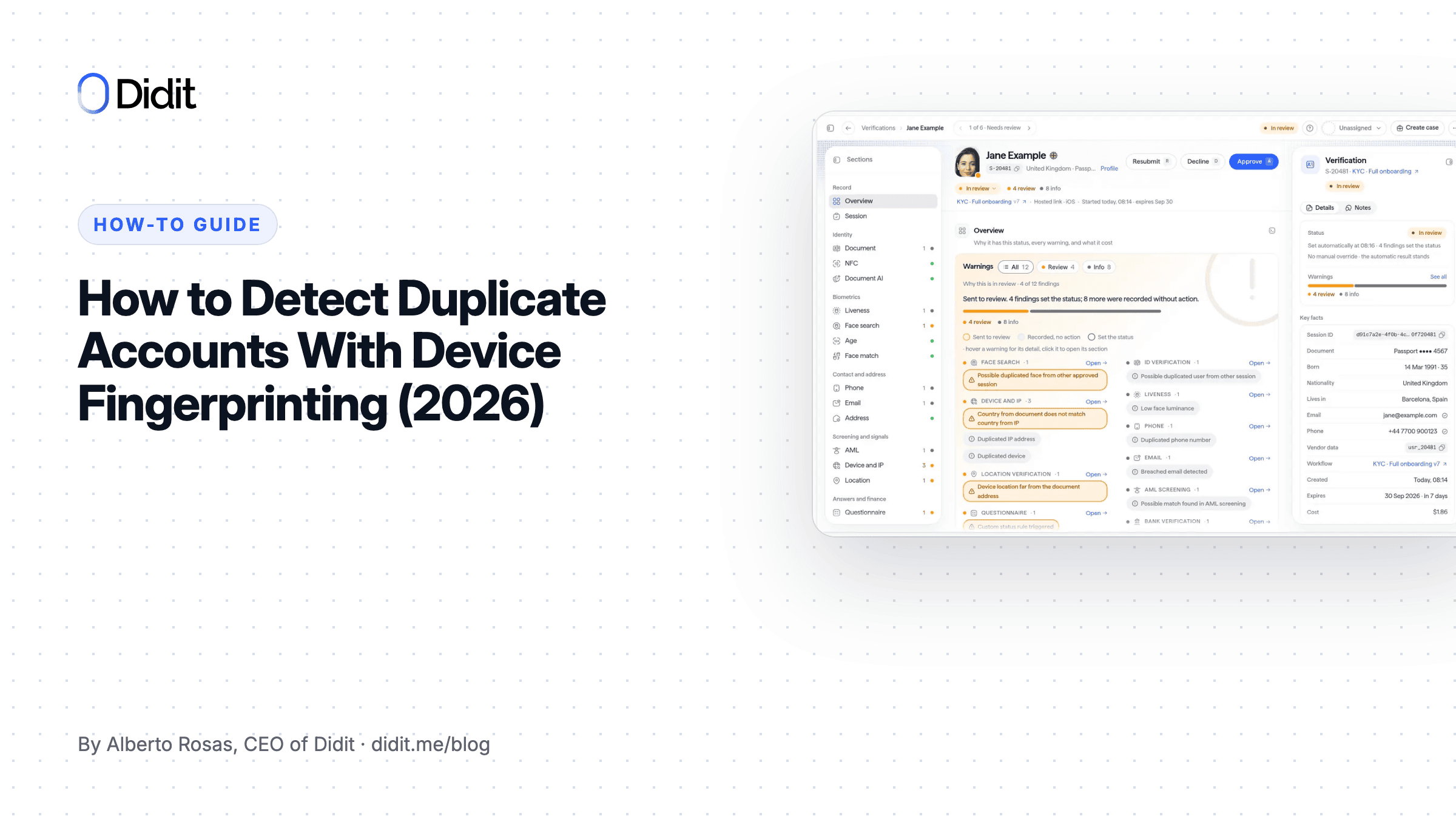
Device and IP analysis runs inside every Didit session at $0.03 per check. Read the device analysis results on the decision and act on a confirmed duplicate, a possible duplicate or a blocklisted fingerprint.
 Alberto RosasCo-founder and CEO
Contents
In this guide
Jump to the part you need.
This page is for teams that already run KYC and need to spot device reuse across accounts. Didit's User Verification product runs Device & IP Analysis inside every verification session at $0.03 per check, within the $0.33 full KYC at list price. The caveat is scope: there is no standalone fingerprint endpoint, and a duplicate-device match compares the current session against a different vendor_data, so the identifier you send has to be stable.
Last updated: November 26, 2026. Prices checked against the live Didit price feed on November 26, 2026.
| Question | Answer |
|---|---|
| What it detects | The same physical device or IP reused across accounts. Device recovery can surface reuse after storage or network changes, and IP reuse is a separate signal for a repeated address. |
| Where the signal lands | ip_analyses[] on GET /v3/session/{sessionId}/decision/ and inside webhook decision payloads |
| Match layers | Persistent device ID, composite hash, v2 recovered device, duplicated IP |
| Warning codes | DUPLICATED_DEVICE, POSSIBLE_DUPLICATED_DEVICE, DEVICE_FINGERPRINT_BLOCKLISTED, DEVICE_LINKED_TO_LIVENESS_ATTACK, DEVICE_MODEL_INCONSISTENT |
| Price | $0.03 per check, part of the $0.33 full KYC check |
| Main limit | Session-only. No standalone fingerprint endpoint, and ip_analyses[] can be empty when a privacy extension or content blocker stops the fingerprinting script. |
Start free in the sandbox at business.didit.me, no sales call. Developers can connect Didit to an AI assistant through the Didit MCP server. See our list prices and variable rates for country- and tier-dependent checks.
How to detect the same device across KYC accounts
A duplicate-account check starts with two things: a stable vendor_data for each user, and the decision field that carries the device result, ip_analyses[]. The question is whether this physical device has already been used by another person in your account base.
Device and IP Analysis has to survive storage loss and network changes while staying quiet on shared hardware. The matching table below ties each failure mode to the signal it affects. Then policy, not the fingerprint alone, decides between review, merge and block.
The full behaviour is documented on the Device Fingerprinting & IP Risk API page, and the field-level schema is in the Data Models reference.
Prerequisites
- A Didit account and an application. The sandbox is free and unlimited for testing.
- A published KYC workflow. Basic Device & IP Analysis runs automatically in the hosted session and does not need a workflow feature toggle. Strict-mode settings are optional.
- An API key for the application. Retrieving a decision needs a key holding the
read:sessionsprivilege. - A stable
vendor_datavalue per user in your own database. This is the pivot for the whole check: duplicate matching compares the current session against sessions that carry a differentvendor_data. - A written policy for the outcomes: keep in review, merge accounts when identity is confirmed, or block when evidence meets your fraud policy. Decide this before you turn on automatic declines.
In the Business Console, you can optionally enable strict-mode rules such as review on duplicate device, decline on VPN, or decline on country mismatch with the document. For duplicate-device alerts, start with review.
Step by step: detect a duplicate device across accounts
- Confirm the published KYC workflow. Basic Device & IP Analysis runs automatically in the hosted session. You do not add a workflow step for the basic collection. Strict-mode rules are optional.
- Write the duplicate policy down. For an exact device match, review for shared-device use. Confirm that both accounts belong to the same person before merging. Block when the evidence meets your fraud policy. Keep
POSSIBLE_DUPLICATED_DEVICEin review pending a second signal. ForDEVICE_FINGERPRINT_BLOCKLISTED, follow your fraud policy when deciding whether to decline or escalate. - Send one stable
vendor_dataper user. Use your internal user ID, not a per-session random string. Use the samevendor_datafor each verification by the same user. A fresh value per session can make a returning user look like a different account and trigger a false duplicate alert. - Create the session. The documented call from the Create Session API:
curl -X POST 'https://verification.didit.me/v3/session/' -H 'x-api-key: YOUR_API_KEY' -H 'Content-Type: application/json' -d '{"workflow_id":"YOUR_WORKFLOW_ID","vendor_data":"user-123","callback":"https://yourapp.com/post-kyc"}'- Open the hosted flow for the user. Open the hosted URL returned by the create call. The Web or Mobile SDK collects the device fingerprint and the IP in band, so there is nothing extra to install on the client.
- Read the decision. Either call the decision endpoint or subscribe to the
status.updatedwebhook, which carries the same decision object when the session reaches Approved, Declined, In Review or Abandoned. - Retrieve the decision and inspect the warnings. Replace
{session_id}with the ID returned by the create call. Then readip_analyses[].warnings[]and compare eachriskby exact equality againstDUPLICATED_DEVICE,POSSIBLE_DUPLICATED_DEVICEandDEVICE_FINGERPRINT_BLOCKLISTED.
curl 'https://verification.didit.me/v3/session/{session_id}/decision/' -H 'x-api-key: YOUR_API_KEY'- Apply the policy. Review an exact device match for shared-device use. Confirm that both accounts belong to the same person before merging. Block when the evidence meets your fraud policy. Keep possible matches in review pending a second signal. For a blocklisted fingerprint, follow your fraud policy when deciding whether to decline or escalate the session.
- Record the outcome. Record the decision or session reference and the evidence that supported the action, following your access and retention policy.
Sandbox verification procedure
Use two test users with distinct stable identifiers on the same device. Complete the hosted flow for both. Then repeat with the same identifier as a control. Inspect the warning feature and warning risk fields. Sandbox results depend on the workflow and the signals collected, so do not assume a particular code appears.

What the response looks like
The sample below is a decision excerpt with fields omitted. Read session status first, then the warning feature and warning risk. Risk-specific context in additional_data can vary by risk code and collection point.
{
  "session_id": "...",
  "status": "In Review",
  "vendor_data": "user-123",
  "ip_analyses": [
    {
      "status": "In Review",
      "warnings": [
        {
          "feature": "LOCATION",
          "risk": "DUPLICATED_DEVICE"
        }
      ]
    }
  ]
}
Three things to read in that payload. The entry status uses the feature status enum: Not Started, In Progress, Approved, In Review, Declined, Abandoned or Kyc Expired. The warning is filed under the LOCATION feature bucket, not a separate IP bucket, so a filter that only looks for ID_VERIFICATION warnings will miss it. And additional_data carries risk-specific context, whose shape can vary by risk code.

The four-layer matching model
Duplicate matching runs as four layers, from strongest to weakest. Each layer supplies different evidence, and the exact warning depends on the evidence that matched.
| Layer | What it compares | What you get |
|---|---|---|
| 1. Persistent device ID | A first-party identifier used for exact same-device detection when storage persists | Exact identity signal for same-device detection. It stops helping after storage is cleared. |
| 2. Composite hash | A stable grouped signal hash used for deterministic duplicate checks, with collision safeguards | Deterministic comparison subject to collision checks. It can still compare when browser storage is lost. |
| 3. v2 recovered device | The v2 fingerprint signal vector: device and browser or app attributes vectorized for recovery | High-confidence comparison of fingerprint signals. Device recovery can surface reuse after storage or network changes. |
| 4. Duplicated IP | The same IP address seen across different users | Corroboration only. Shared NAT, mobile carriers and corporate egress produce noise. IP reuse is a separate signal for a repeated address. |
DUPLICATED_DEVICE means prior use of the same device under a different vendor_data. The persistent ID is the exact identity signal, the composite hash is a deterministic comparison subject to collision checks, the v2 recovery path is a high-confidence possible match, and IP reuse is corroboration. The design choice behind this order is that false positives are expensive. IP reuse on its own is not evidence of a duplicate account and should never be the trigger for a block.
How the collision guard keeps the matches honest
Some WebViews and browsers expose pooled attributes that can produce the same composite hash on unrelated devices. We suppress pooled hashes before duplicate matching so those values cannot trigger a match.
The collision guard suppresses pooled WebView and browser hashes before they reach the duplicate check, and the composite hash layer carries its own collision safeguards. The trade is deliberate: when the guard suppresses a pooled hash, that hash cannot produce a duplicate match. Other matching layers can still supply evidence. That is the right failure direction for a signal whose false positives land in a manual review queue.
The practical consequence for your policy: a missing match is not proof that two accounts are unrelated. If you have other grounds for suspicion, use face matching, document data or phone and email reuse as a second check.
Warning codes and what to do with each
| Risk code | What it means | Suggested action |
|---|---|---|
DUPLICATED_DEVICE | Prior use of the same device under a different vendor_data | Review an exact device match for shared-device use. Confirm that both accounts belong to the same person before merging. Block when the evidence meets your fraud policy. |
POSSIBLE_DUPLICATED_DEVICE | Flags possible device reuse | Reviewers should seek a second signal, such as face match, document data, phone or email reuse, before taking action. Do not auto-decline on this alone. |
DEVICE_FINGERPRINT_BLOCKLISTED | The device fingerprint matched a blocklist entry | Follow your fraud policy when deciding whether to decline or escalate the session. |
DEVICE_LINKED_TO_LIVENESS_ATTACK | The device was previously tied to a liveness attack | Escalate to a fraud reviewer. Do not treat the device alone as a legal finding. |
DEVICE_MODEL_INCONSISTENT | The device model reported by the client does not line up with the rest of the session signals | Treat as a review signal, usually alongside another warning. |
The same bucket also carries the network codes: VPN_DETECTED, PROXY_DETECTED, TOR_DETECTED, DATACENTER_IP, HIGH_RISK_COUNTRY, LOCATION_MISMATCH_WITH_DOCUMENT and IMPOSSIBLE_TRAVEL. Keep their policies separate from the duplicate policy. The warning catalogue lists every code.
Failure cases and recovery
ip_analyses is empty
An empty ip_analyses array can occur when a privacy extension or content blocker stops the fingerprinting script. Treat it as missing evidence and follow your policy for retrying or using other signals. Do not treat an empty array as a clean result.
ip_analyses is missing or null
Feature arrays are always plural and are absent or null when the feature did not run on that session, never a placeholder object. If the field is missing or null, Device & IP Analysis produced no report for that session. Check the session and the published workflow version, but do not infer from the field alone that the workflow lacks a configured step.
There is no standalone IP analysis endpoint
Device and IP Analysis is session-only. The SDK collects the fingerprint and the IP during the hosted flow, so there is no /v3/ip-analysis/ route you can call for a device on its own. If you need the signal, you need a session. Building a separate probe outside the verification flow is not supported by the documented API.
The duplicate code never fires
Check that your two test accounts use different vendor_data values and that each account keeps its value across sessions. Confirm both sessions collected device signals and inspect the LOCATION warnings in each decision. Repeat with the same vendor_data as a control.
The decision call returns an error
A 401 means an invalid API key, a 403 means the key lacks read:sessions, and a 404 means the session does not exist or belongs to a different application. None of these are retried into success by waiting.
The webhook is missing or fails signature verification
Verify the webhook using X-Signature-V2 and check that the timestamp is within five minutes. If the webhook is missing or fails verification, fetch the decision directly from GET /v3/session/{session_id}/decision/. If you verify with the deprecated X-Signature-Simple, fetch the decision directly because that signature authenticates only the envelope. See Webhooks.
A VPN flag fires on a legitimate user
That is a policy problem, not a data problem. If strict mode declines on VPN, corporate users and privacy tools will hit it. Move VPN handling to review. Keep automatic decline only where your policy and evidence support it.
Inputs and outputs
| Item | Where it lives | Notes |
|---|---|---|
workflow_id | Request to POST /v3/session/ | Required. Use a published KYC workflow. |
vendor_data | Request to POST /v3/session/ | Your stable user identifier. Used for duplicate detection across sessions. |
callback | Request to POST /v3/session/ | Where the hosted flow returns the user, with verificationSessionId and status appended. |
ip_analyses[].status | Decision payload | Feature status enum, one entry per collection point. |
ip_analyses[].warnings[] | Decision payload | Risk objects with feature, risk, log_type, additional_data and node_id. |
| Geo, ASN, VPN, proxy and Tor flags | Decision payload | Connection context for the same entry. |
| Device fingerprint ID and duplicate-match data | Decision payload | Documented fields for the device report. Do not assume a matched vendor_data field is returned for every warning, and do not require those values to be copied into a case note. |
Session status | Decision payload and webhook | Exact, case-sensitive strings, including In Review with a space. |
Worked cost example
Device and IP Analysis is $0.03 per check and is one line of the $0.33 full KYC check. Take 10,000 completed KYC checks in a month.
The full KYC line: 10,000 x $0.33 = $3,300. That breaks down as 10,000 x $0.15 for the ID document = $1,500, 10,000 x $0.10 for passive liveness = $1,000, 10,000 x $0.05 for face match 1:1 = $500, and 10,000 x $0.03 for device and IP analysis = $300. The four parts sum to $3,300.
On Growth, the 4% discount gives usage charges before the $99 monthly plan fee and before the $115 monthly credit: the device layer runs at $0.0288 per check, so 10,000 x $0.0288 = $288, and the full check at $0.3168 gives 10,000 x $0.3168 = $3,168. On Scale, the 10% discount gives usage charges before the $299 monthly plan fee and before the $350 monthly credit: the device layer is $0.027 per check, so 10,000 x $0.027 = $270, and the full check at $0.297 gives 10,000 x $0.297 = $2,970.
If you also want biometric duplicate matching, Face Search 1:N is a separate line at $0.05 per search, so 10,000 searches add $500 at list price. Sandbox testing of all of the above is free.
Paid steps and review boundaries
You pay per completed check from prepaid credit. The device and IP line is $0.03. The KYC check it belongs to is $0.33. Plan credit does not roll over between months. New top-ups last 12 months from purchase. Balances purchased before November 1, 2026 do not expire. The pricing page carries the estimator and the full list, and the billing rules are in the pricing documentation.
A device warning is not a session decision. Didit raises a warning and, if you configure strict mode, can move the session to a decision. We surface device warnings in the session decision. Decide whether to merge or block accounts under your fraud policy. An In Review session requires a manual decision. A duplicate warning is not a legal finding of fraud. For an exact device match, review for shared-device use, confirm that both accounts belong to the same person before merging, and block when the evidence meets your fraud policy.
Connect Didit to an AI assistant
The supplied integration docs show hosted-session collection and retrieval through the session API or the status.updated webhook. The Didit MCP server is hosted at https://mcp.didit.me/mcp with OAuth sign-in and is free. The official setup page is MCP setup guide.
Sources
- Didit docs: Device Fingerprinting & IP Risk API for KYC
- Didit docs: IP analysis warning catalogue
- Didit docs: Data Models, warning object and V3 report shapes
- Didit docs: Create Session API
- Didit docs: Retrieve Session API
- Didit docs: Webhooks, HMAC signing and event types
- Didit docs: Verification statuses
- Didit docs: Pricing and billing rules
- Didit User Verification product page, read November 26, 2026
- Didit pricing page and cost estimator, prices read November 26, 2026
- Didit pricing feed as JSON, read November 26, 2026
- Didit MCP server setup
Next step: open the sandbox at business.didit.me, create a session with a stable test vendor_data, and read ip_analyses[] on the decision. No sales call, and the sandbox is free.
Try it
Try this in the sandbox
Run the check this guide describes, free.
The product this post is about, taken from its topic. Run it free in the sandbox.
Author
Alberto Rosas
Co-founder and CEO

Keep reading
Other guides in the same topic.
 Didit Pricing Plans: Free vs Growth vs Scale vs Enterprise in 2026
Full KYC is $0.33 a check at list on Free, $0.3168 on Growth ($99/mo) and $0.297 on Scale ($299/mo). Monthly credit buys 30, 363 and 1,178 whole checks. Enterprise is a custom annual contract from $15,000 a year.
Alberto RosasNov 26, 2026 How to Require Step-Up Verification Before Payouts and Withdrawals
Set a payout threshold and check each withdrawal with Didit. If verification is required, send the user to verify and release the payout only after your backend confirms approval.
Alberto RosasNov 26, 2026 Add passkey sign-in to a React Native or Expo app
Our React Native SDK 0.1.4 adds passkey sign-in. Expo needs a development build. Authentication is free for the first 50,000 active users each month, then $0.02 per additional active user that month.
Alberto RosasNov 26, 2026Questions
Frequently asked questions
How do I detect the same device across multiple accounts in KYC?
Send a stable vendor_data for each user, let the hosted session collect the device fingerprint, then read ip_analyses[].warnings[] on the decision. DUPLICATED_DEVICE means prior use of the same device under a different vendor_data. With Didit this runs automatically on every session and costs $0.03 per check.
Is there a standalone IP analysis API endpoint in Didit?
No. Device and IP Analysis is session-only. The Web or Mobile SDK collects the fingerprint and the IP during the hosted flow, and the result appears under ip_analyses[] on GET /v3/session/{sessionId}/decision/. There is no separate route to request a fingerprint for a device outside a verification session.
Why is my ip_analyses array empty?
An empty ip_analyses array can occur when a privacy extension or content blocker stops the fingerprinting script. Treat it as missing evidence and follow your policy for retrying or using other signals. Do not treat an empty array as a clean result.
What is the difference between DUPLICATED_DEVICE and POSSIBLE_DUPLICATED_DEVICE?
DUPLICATED_DEVICE means prior use of the same device under a different vendor_data. The persistent device ID is the exact identity signal, and the composite hash is a deterministic comparison subject to collision checks. POSSIBLE_DUPLICATED_DEVICE flags possible device reuse. Reviewers should seek a second signal before taking action.
What does DEVICE_FINGERPRINT_BLOCKLISTED mean?
DEVICE_FINGERPRINT_BLOCKLISTED means the device fingerprint matched a blocklist entry. Follow your fraud policy when deciding whether to decline or escalate the session.
Which warning bucket do device signals use?
Device and network signals are emitted under the LOCATION feature bucket, not a separate IP bucket. That includes DUPLICATED_DEVICE, VPN_DETECTED, TOR_DETECTED and LOCATION_MISMATCH_WITH_DOCUMENT. A filter that only reads ID_VERIFICATION warnings will miss all of them.
Does clearing cookies or using incognito break the match?
Not necessarily. The persistent device ID stops helping once storage is cleared. The composite hash and the v2 recovered-device layer use signal attributes instead of stored identifiers, and IP reuse is a separate fourth layer. The match may soften from an exact duplicate to a possible duplicate rather than disappear.
How much does device fingerprinting cost on Didit?
Device and IP Analysis is $0.03 per check, and it is included in the $0.33 full KYC check alongside ID verification at $0.15, passive liveness at $0.10 and face match 1:1 at $0.05. Growth plans take 4% off every Didit price and Scale takes 10%. Sandbox testing is free.
What should I do when I find a duplicate device?
When you receive DUPLICATED_DEVICE, review an exact device match for shared-device use. Confirm that both accounts belong to the same person before merging. Block when the evidence meets your fraud policy. If the person may be sharing a device with a family member or employer, keep the session in review and add a second signal such as face matching or document data.
Can a shared browser or WebView create a false duplicate?
Pooled WebView and browser hashes are suppressed before the duplicate check, and the composite hash layer carries collision safeguards. When the guard suppresses a pooled hash, that hash cannot produce a duplicate match. Other matching layers can still supply evidence, so treat a missing match as inconclusive rather than as proof that the accounts are unrelated..
Can I use the Didit MCP server with this workflow?
The supplied integration docs show hosted-session collection and retrieval through the session API or the status.updated webhook. The Didit MCP server is hosted at https://mcp.didit.me/mcp with OAuth sign-in and is free on every plan. The official setup page is https://didit.me/developers/mcp/.
Compliance built in
Audited, certified and attested.
We hold the certifications and build each country's rules into your flows, so you can launch anywhere without worrying. Security and Compliance center
- Regulation encoded into your flows
Tell us what you do and where. Didit lists the rules that apply to you, with sources, and builds the checks each country needs into one workflow.
- Ready for AMLR
Every requirement of the new EU anti-money laundering rules, from checking customers to human review, is already covered by a Didit check.
- Tested in Spain's Treasury sandbox
Spain's Treasury published its supervised sandbox report on Didit's NFC plus active liveness onboarding; SEPBLAC took part and valued the added measures positively.
- Audited, not self-declared
iBeta Level 1 and Level 2. Liveness tested under ISO/IEC 30107-3.
Your obligations · 3 regions
 SOC 2 Type 2
 ISO 27001
 iBeta Level 1 and Level 2
 EU regulator attestation
 FSM youth protection
 GDPR
 EBA remote onboarding
 MiCA compatible
 FIDO Alliance member
- AMLREU AML Regulation ready
Integration · Didit MCP
Run Didit from your own AI agent
Connect Didit to Claude, Cursor, VS Code or ChatGPT and just ask in plain words. Your agent can do anything you can do in the console, with the same permissions you have.
 Add to Claude
 ChatGPT
 Cursor
- Build workflowsDescribe the checks you need. The agent creates and publishes the flow.
- Run investigationsAsk why a session was declined, review cases, search people and companies.
- Change rulesCreate payment rules, test them on past data and switch them on.
- Pull reportsAsk for numbers, exports or the audit log.
Didit Academy


