How to Require Step-Up Verification Before Payouts and Withdrawals
Set a payout threshold and check each withdrawal with Didit. If verification is required, send the user to verify and release the payout only after your backend confirms approval.
 Alberto RosasCo-founder and CEO
Contents
In this guide
Jump to the part you need.
Step-up verification before a payout is an identity check that runs when an enabled withdrawal rule applies: above your amount threshold, from a device the person has never used, or in another currency. It fits apps that sign people in with Didit Authentication and pay them out. A selfie re-check costs $0.10 per check and a full ID check $0.33. The caveat: the redirect back proves nothing, so your backend reads the step-up result itself.
Last updated: November 26, 2026. Prices checked against the live Didit price feed on November 26, 2026.
The step-up rules, at a glance
You turn the rules on once. Your app then asks Didit before each sensitive action whether one applies, and Didit answers with the check the person has to pass. Nothing is asked when no rule matches.
| Rule | Asks when | Default check |
|---|---|---|
payout | A withdrawal or transfer is above your threshold, for example 500 in your currency. A payout in another currency is always checked. | Selfie login |
device | A payout is made in a session on a device none of the person's earlier sessions came from. | Selfie login |
bank | The person adds or changes a bank account. | Full ID |
contact | The person changes their email address or phone number. | Liveness |
Start free in the sandbox at business.didit.me (no sales call). For developer tooling, the Didit MCP setup connects Didit to an AI assistant.
What the step-up actually does
Each step-up runs as a verification session in your application. We create it with the person's vendor_data, so it lands on the same person as their sign-ins and their transactions, goes to manual review like any other verification, and is billed at that verification's price.
There are three checks you can put behind a rule. Liveness is one selfie checked for liveness at $0.10. Selfie login is a selfie matched to the face Didit already holds for the person, also $0.10. Full ID costs $0.33 per completed check and includes document verification, passive liveness, 1:1 face match, and device and IP analysis.

Prerequisites
- A Didit application with Authentication turned on. Every sandbox application has it from the start; a live application turns it on from the Products page of the console. See the integration guide and the Authentication overview.
- People signed in through Didit Authentication, so your app holds an access token for the session making the payout. The SDKs keep it for you: JavaScript, Next.js, iOS, Android, React Native and Flutter.
- The
return_toaddress registered as a redirect URL under Authentication, Security and sessions, Redirect URLs and allowed origins. When a rule applies,return_tomust be one of those registered addresses. - A backend that can call Didit with the person's access token. No Didit API key and no secret belongs in your app.
How to add step-up verification before a payout, step by step
Turn on the rules and set the threshold. In the console, open Authentication, then Verified identity, and set the
payoutrule with a threshold amount and an ISO 4217 currency, for example 500 USD. You can also configure it by API withverified/. Set the check for each rule to liveness, selfie login or full ID.Register the address the person returns to. Add
https://app.example.com/payouts/confirmas a redirect URL. A sandbox application acceptshttp://on localhost; a live application acceptshttps://only.Check the session before the money moves. Your backend verifies the person's access token and calls
GET /session/before the payout, as the Authentication integration guide describes. An access token stays valid until it expires, within 5 minutes, and the session check fails at once when the session was revoked, went idle or expired.Ask Didit before every payout. From your backend, with the person's access token, call
POST {issuer}/step-up/. The body carries the action, the amount with up to two decimals, the ISO 4217 currency and the return address.
curl --fail-with-body "${DIDIT_AUTH_ISSUER}/step-up/" \
  -H "Authorization: Bearer $ACCESS_TOKEN" \
  -H "Content-Type: application/json" \
  -d '{"action": "payout", "amount": "900.00", "currency": "USD", "return_to": "https://app.example.com/payouts/confirm"}'
The response decides the path. 200 {"required": false} is a confirmed no-rule answer: release the payout and no check runs. 201 with verification_url means a rule applies: send the person to verify and release nothing until your backend reads approved.
Send the person to the step-up on a
201. The step-up stays open for 30 minutes andexpires_inis1800. On200there is nothing to send, because no rule applied.The person comes back to
return_towithstep_up=<id>&status=approvedadded to the query string. Do not pay out on that. The query proves nothing.Read the step-up on your backend. Call
GET {issuer}/step-up/{step_up_id}/with an access token of the same session, confirm the step-up applies to the withdrawal you are releasing, and act only whenstatusisapproved. If the token check, the session check or this read fails, the withdrawal stays blocked.
curl --fail-with-body "${DIDIT_AUTH_ISSUER}/step-up/${STEP_UP_ID}/" \
  -H "Authorization: Bearer $ACCESS_TOKEN"
Keep the payout blocked until your backend reads
approvedfrom Didit. Keep the payout blocked duringreview. After your team reviews the check, re-read the step-up on your backend and proceed only if the response isapproved. Adeclinedperson can try again whileverification_urlstill works, and anexpiredorsupersededstep-up means you create a new one.

Inputs and outputs
| Field | Required | Rule |
|---|---|---|
action | Yes | payout, bank or contact. A payout also applies the device rule. |
amount | For a payout | The amount, with up to two decimals. |
currency | No | ISO 4217 code. Defaults to the currency of your payout rule. |
return_to | When a rule applies | Where the person returns after verifying. The value must be one of your registered redirect URLs. |
verification_url | Returned on 201 | Send the person here. The step-up stays open for 30 minutes. |
expires_in | Returned on 201 | 1800, in seconds. |
Expected output
With a 500 USD payout rule and the device rule both enabled:
- A 499 USD payout on a known device returns
200 {"required": false}. No check runs and nothing is billed. - A 499 USD payout on a new device returns
201, because the device rule applies even below the threshold. - A small payout in another currency, such as 120 EUR, returns
201whatever the device, because a payout in another currency is always checked.
A below-threshold payout in the configured currency returns 200 {"required": false} only if no other enabled rule applies. The new-device rule can still require verification.
200 OK
{"required": false}
Above the threshold, or in another currency, the call returns a step-up that has to be completed. A 201 response includes verification_url and expires_in: 1800. Send the person to the URL Didit returns.
The step-up id itself comes back with the person, on return_to, as step_up=<id>. Your backend reads it with GET {issuer}/step-up/{step_up_id}/ using an access token from the same session, and keeps the payout blocked if that read does not return approved.
Status values your backend must handle
| Status | Meaning | What you do |
|---|---|---|
pending | The person has not finished the check. | Keep the payout blocked and send them back to the step-up. |
approved | The person passed. | Go ahead with the action. |
review | The check waits for your team's review. | Keep the payout blocked during review. After your team reviews the check, re-read the step-up on your backend and proceed only if the response is approved. |
declined | The person did not pass. It is not final while verification_url still works. | Let them try again. The step-up returns to pending. |
expired | The 30 minutes passed. | Create a new step-up. Do not reuse the old link. |
superseded | Another check took over, or the result was for a different step-up. | Create a new step-up before proceeding. |
A step-up never fails open. When verification is unavailable, the action stays blocked.

Failure cases and recovery
- Callback tampering. Treat callback parameters as untrusted. Read the status from Didit on your backend. Act only on
statusfromGET /step-up/{id}/, with an access token of the same session and after the live session check. - An unregistered return address. When a rule applies,
return_tohas to be one of your registered redirect URLs. Register every payout confirmation route before you ship, including the ones behind a locale prefix. - Verification is unreachable. Nothing opens up. The action stays blocked, which is the correct behaviour for money leaving the account.
- The token or the session check fails. Stop. A revoked session, an expired token or a token that does not belong to the session making the payout means no release, even if the step-up record reads
approved.
Platform notes
Android
The me.didit:didit-auth library handles the step-up in the app. The payout call takes the amount and currency, and returns a result with an approved flag. Even then, the payout is your backend's decision.
val result = auth.stepUp(activity, DiditStepUpAction.Payout(amount = "900.00", currency = "EUR"))
if (result.isApproved) {
    // Your backend confirms with GET step-up/{result.id}/ before it pays out.
}
The same library covers the bank account and contact actions. See the Android quickstart.
iOS
The DiditAuth Swift package covers step-up before sensitive actions, alongside hosted sign-in, passkeys and Keychain sessions. The pattern is the one above: the app asks, the person verifies, and your server reads GET /step-up/{id}/ before the money moves. See the iOS quickstart.
Next.js
With @didit-protocol/auth-nextjs the proxy serves the step-up routes for you: POST /auth/step-up asks the rules about an action, and GET /auth/step-up/{id} reads a step-up's outcome. auth() returns getStepUp next to the session, so a route handler or server action can read the result on the server. Call auth() at each mutation rather than relying on the proxy alone. See the Next.js quickstart.
React Native
@didit-protocol/auth-react-native keeps the session in the platform's protected storage through the native modules and documents step-up alongside sign-in. Send the access token to your backend, call POST {issuer}/step-up/ there, and confirm with GET /step-up/{id}/ before the withdrawal is released. See the React Native quickstart.
Paid steps and review boundaries
Every step-up that runs is a verification session and is billed at that verification's price. The Verified Identity docs list the default check prices: selfie login $0.10, liveness $0.10 and full ID $0.33 per completed check. A 200 {"required": false} answer runs no check, so nothing is billed. Billing is per completed check from prepaid credit, and plan credit covers it like any other verification. Plan discounts and credit rules come from the live Didit price feed.
Worked cost example
Take an app with 25,000 payouts a month, a 500 USD payout threshold, and the default check on each rule. The figures assume all 2,080 checks complete, and that no extra payout triggers solely on the device rule.
- 1,250 payouts cross the threshold, and 400 more are in another currency and are always checked. That is 1,650 step-ups triggered.
- Of those, 90 people have no face on file, so their selfie login becomes a full ID check. The other 1,560 run selfie login: 1,560 x $0.10 = $156.00.
- The 90 full ID checks: 90 x $0.33 = $29.70.
- 250 bank account changes at the default full ID: 250 x $0.33 = $82.50.
- 180 email or phone changes at the default liveness: 180 x $0.10 = $18.00.
Total per month: $156.00 + $29.70 + $82.50 + $18.00 = $286.20 for 2,080 step-up checks. On the Growth plan every Didit price is 4% lower, so the same month is $286.20 × 0.96 = $274.75 rounded to cents. On Scale it is $286.20 x 0.90 = $257.58. Those Growth and Scale figures are usage charges before the monthly plan credit and the subscription fee, and the live price feed carries the current discounts. The payouts that never trigger a rule cost nothing extra.
Sources
- Didit Authentication product page
- Didit docs: Authentication overview, end-user sign-in, passkeys and sessions
- Didit docs: Verified Identity, verify at sign-up and step-up before payouts
- Didit docs: Authentication integration guide, architecture and go-live
- Didit docs: Android quickstart
- Didit docs: iOS quickstart
- Didit docs: Next.js quickstart
- Didit docs: React Native quickstart
- Didit docs: JavaScript quickstart, step-up and reauthentication
- Didit docs: pricing and billing rules
- Didit pricing page and pricing as JSON, read November 26, 2026
- Didit MCP server setup
Next step: open the sandbox at business.didit.me, turn on the payout rule with a threshold you can test against, and run one payout through POST {issuer}/step-up/ before you touch production. No sales call, and sandbox testing is free.
Try it
Try this in the sandbox
Run the check this guide describes, free.
The product this post is about, taken from its topic. Run it free in the sandbox.
Author
Alberto Rosas
Co-founder and CEO

Keep reading
Other guides in the same topic.
 Didit Pricing Plans: Free vs Growth vs Scale vs Enterprise in 2026
Full KYC is $0.33 a check at list on Free, $0.3168 on Growth ($99/mo) and $0.297 on Scale ($299/mo). Monthly credit buys 30, 363 and 1,178 whole checks. Enterprise is a custom annual contract from $15,000 a year.
Alberto RosasNov 26, 2026 How to Detect Duplicate Accounts With Device Fingerprinting (2026)
Device and IP analysis runs inside every Didit session at $0.03 per check. Read the device analysis results on the decision and act on a confirmed duplicate, a possible duplicate or a blocklisted fingerprint.
Alberto RosasNov 26, 2026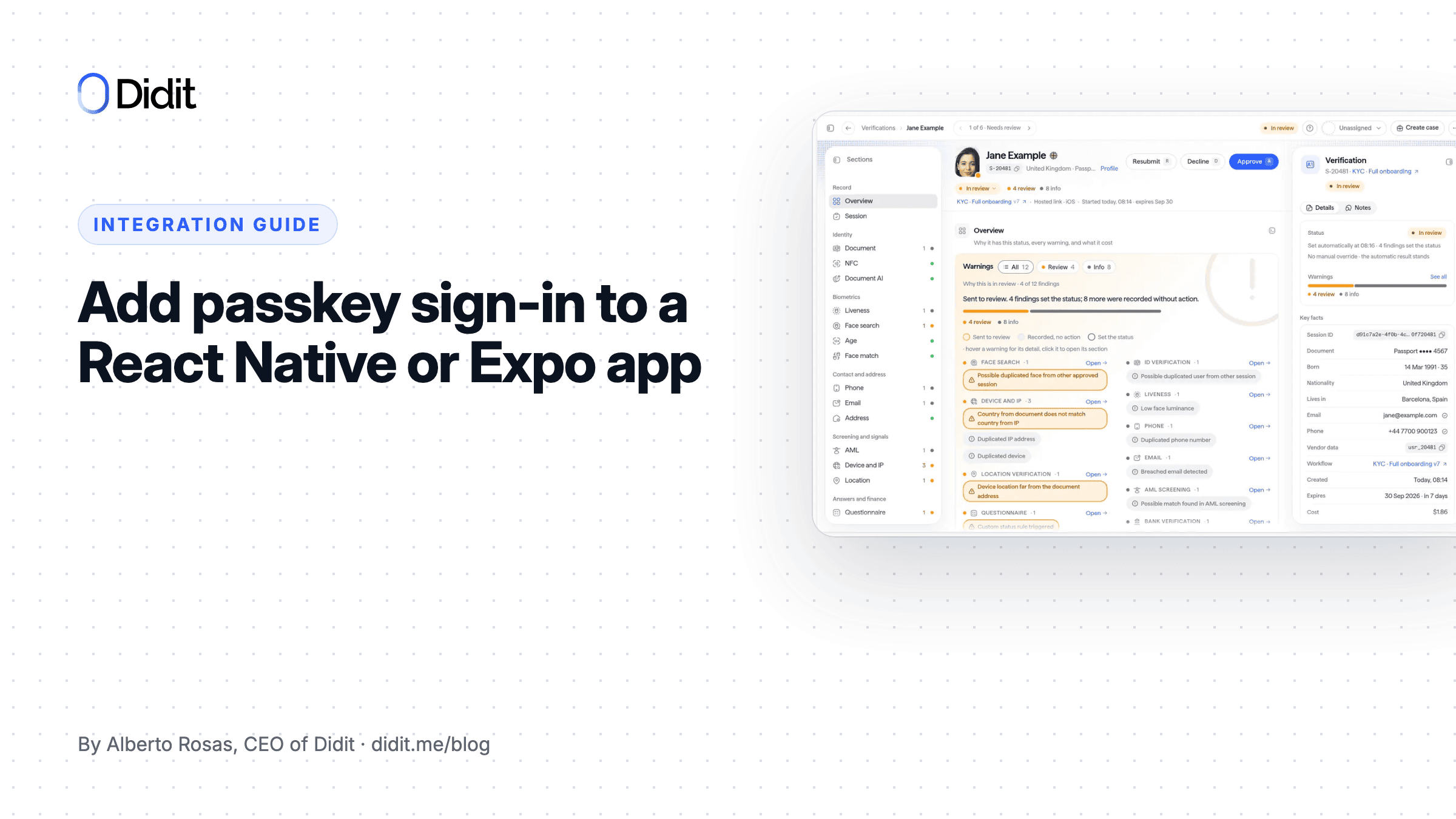 Add passkey sign-in to a React Native or Expo app
Our React Native SDK 0.1.4 adds passkey sign-in. Expo needs a development build. Authentication is free for the first 50,000 active users each month, then $0.02 per additional active user that month.
Alberto RosasNov 26, 2026Questions
Frequently asked questions
How do I add step-up identity verification before payouts?
Turn on the payout rule in Authentication, Verified identity with a threshold amount and an ISO 4217 currency, and register your payout confirmation route as a redirect URL. Call POST {issuer}/step-up/ from your backend before each withdrawal. If Didit returns 200 {"required": false}, no step-up is required. On 201, send the person to verification_url and release the payout only after your backend reads approved from GET /step-up/{id}/ using an access token from the same session.
How do I require a selfie before a withdrawal above a threshold?
In the console, open Authentication, then Verified identity, turn on the payout rule and set the threshold amount and its ISO 4217 currency. Leave the rule's check on selfie login, the default, so the person takes one selfie that Didit matches to the face it already holds for them. If Didit has no face on file, it runs a full ID check instead: a document scan plus a selfie, at $0.33.
What does 200 with required false mean?
When POST {issuer}/step-up/ returns 200 {"required": false}, no step-up rule applies to that payout and no verification check runs. Call the endpoint separately before each payout.
Does status=approved in the return URL prove the person passed?
No. The person comes back to return_to with step_up=<id>&status=approved appended to the query string, and that query proves nothing because anyone can write it. Your backend reads GET {issuer}/step-up/{step_up_id}/ with an access token of the same session and acts only on the status it reads there. Your backend releases the payout only after it reads approved from Didit using an access token from the same session and confirms the step-up applies to that payout.
Which check runs when several rules apply at once?
Didit asks for the strongest check among the rules that apply, so a payout from a new device above the threshold runs the strongest of the payout and device checks, not both. You can change the check assigned to each rule to liveness, selfie login or full ID.
What happens when Didit holds no face for the person yet?
If a rule calls for selfie login and Didit has no face on file, Didit runs a full ID check instead. The person scans an identity document and takes a selfie. The completed check costs $0.33 at list price.
How long does a step-up stay open, and can a declined person retry?
A step-up stays open for 30 minutes and the response field expires_in is 1800. A declined result is not final while verification_url still works: the person can try again and the step-up returns to pending. After 30 minutes it reads expired and you create a new one.
How do I require step-up verification before a payout in an Android app?
Use me.didit:didit-auth and call auth.stepUp(activity, DiditStepUpAction.Payout(amount = "900.00", currency = "EUR")). The result carries an approved flag, but treat it as a hint: your backend still confirms with GET /step-up/{id}/ before the money leaves, because the app runs on the user's device.
How do I add step-up authentication before a payout on iOS?
The DiditAuth Swift package covers step-up before sensitive actions and keeps the session in the Keychain, so the app can ask for the check and return the person to your screen. The release decision still belongs to your backend, which reads the step-up with an access token of the same session. If Didit returns 200 {"required": false}, no step-up is needed. If Didit requires a check, release the payout only after your backend reads approved using an access token from the same session and confirms the step-up applies to that payout.
How do I add step-up before a payout in Next.js?
Install @didit-protocol/auth-nextjs and let the proxy serve the routes: POST /auth/step-up asks the rules about the action and GET /auth/step-up/{id} reads the outcome. auth() returns getStepUp with the session, so your route handler or server action reads the result on the server before it releases a payout. The package needs Next.js 15.5 or later and React 19. If Didit returns 200 {"required": false}, no step-up is needed. If Didit requires a check, release the payout only after your backend reads approved using an access token from the same session and confirms the step-up applies to that payout.
How do I confirm a step-up from React Native on my server?
The React Native package keeps the session in protected storage and gives you the access token. Send that token to your backend, call POST {issuer}/step-up/ there with the payout amount, currency and return address, and after the person verifies, confirm with GET /step-up/{id}/ before releasing the withdrawal. Your backend releases the payout only after it reads approved from Didit using an access token from the same session and confirms the step-up applies to that payout.
What happens if verification is unavailable during a payout?
A step-up never fails open. When verification is unavailable, the action stays blocked, so an outage on the identity side cannot turn into an unverified payout. Your error handling should surface that as a retryable block, not as an approval.
How much does a step-up before a payout cost?
Each step-up runs as a verification session at that verification's price: selfie login $0.10, liveness $0.10, full ID $0.33 per completed check, checked against the live Didit price feed on November 26, 2026. A 200 answer that says no rule applies runs nothing and costs nothing.
Compliance built in
Audited, certified and attested.
We hold the certifications and build each country's rules into your flows, so you can launch anywhere without worrying. Security and Compliance center
- Regulation encoded into your flows
Tell us what you do and where. Didit lists the rules that apply to you, with sources, and builds the checks each country needs into one workflow.
- Ready for AMLR
Every requirement of the new EU anti-money laundering rules, from checking customers to human review, is already covered by a Didit check.
- Tested in Spain's Treasury sandbox
Spain's Treasury published its supervised sandbox report on Didit's NFC plus active liveness onboarding; SEPBLAC took part and valued the added measures positively.
- Audited, not self-declared
iBeta Level 1 and Level 2. Liveness tested under ISO/IEC 30107-3.
Your obligations · 3 regions
 SOC 2 Type 2
 ISO 27001
 iBeta Level 1 and Level 2
 EU regulator attestation
 FSM youth protection
 GDPR
 EBA remote onboarding
 MiCA compatible
 FIDO Alliance member
- AMLREU AML Regulation ready
Integration · Didit MCP
Run Didit from your own AI agent
Connect Didit to Claude, Cursor, VS Code or ChatGPT and just ask in plain words. Your agent can do anything you can do in the console, with the same permissions you have.
 Add to Claude
 ChatGPT
 Cursor
- Build workflowsDescribe the checks you need. The agent creates and publishes the flow.
- Run investigationsAsk why a session was declined, review cases, search people and companies.
- Change rulesCreate payment rules, test them on past data and switch them on.
- Pull reportsAsk for numbers, exports or the audit log.
Didit Academy