Workforce Identity Verification: IAM, Checks, Fake Employee Fraud
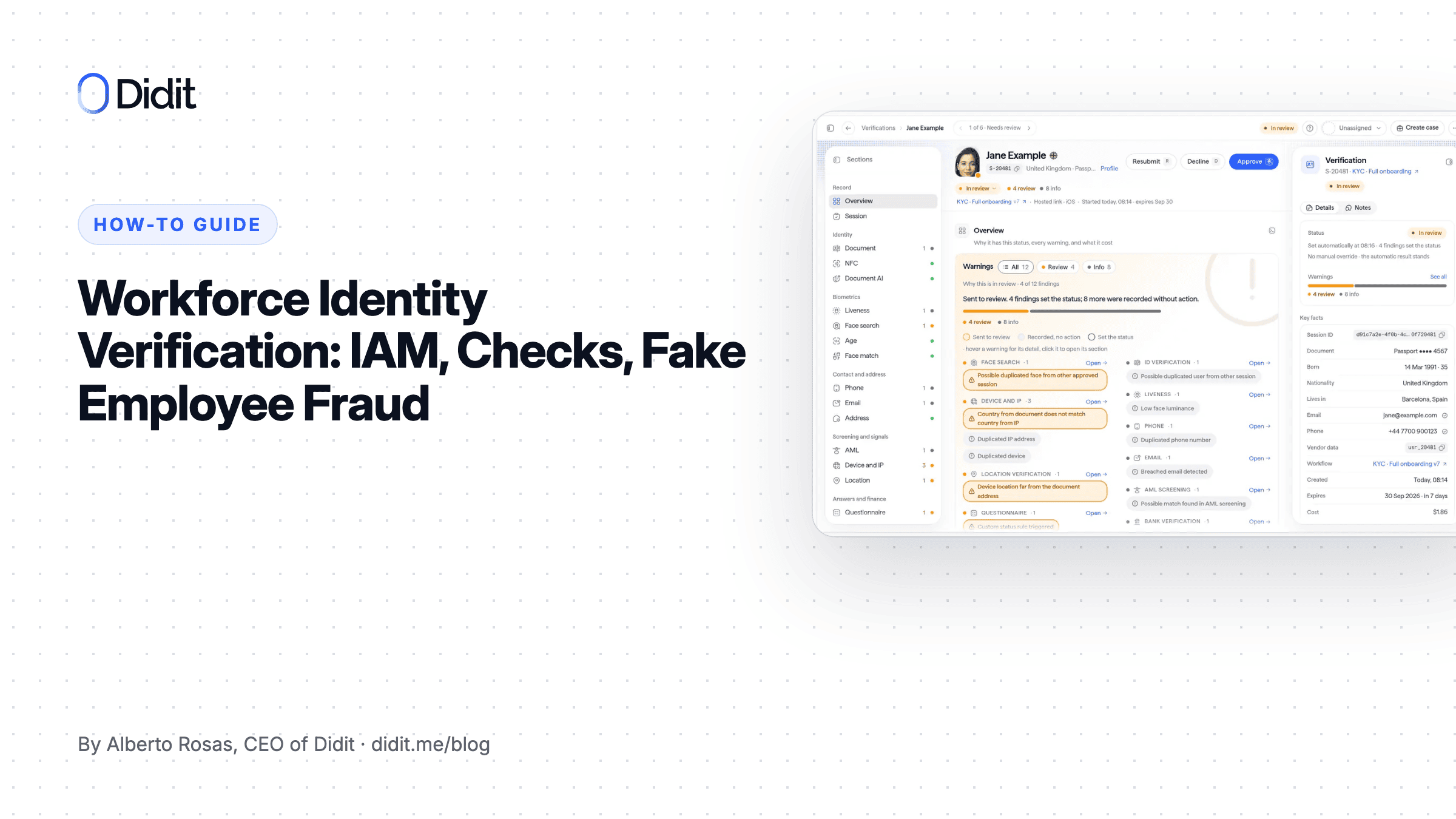
Workforce identity verification binds a verified person to an HR record and to system access. A Didit full ID check costs $0.33; contractor KYB starts at $2.00 per company.
 Alberto RosasCo-founder and CEO
Contents
In this guide
Jump to the part you need.
Workforce identity verification fits any organization that hires, onboards contractors or grants system access to people it has never met in person. With Didit a full ID check costs $0.33: ID document $0.15, passive liveness $0.10, face match $0.05 and device and IP analysis $0.03. The caveat matters: a check proves a real person matches a real document, not that a résumé or a profile is true. Here is how we cover both.
Last updated: November 26, 2026. Prices checked against the live Didit price feed on November 26, 2026.
| Stage | Checks used | List price | Who it fits |
|---|---|---|---|
| Candidate check before offer | Full KYC: ID document, passive liveness, face match, device and IP analysis | $0.33 per check | Every external hire, including agency candidates |
| Contact ownership | Email verification, phone verification | $0.02 per email check, from $0.02 per phone check plus carrier | Anyone who receives a company account |
| Duplicate and fraud ring screen | Face Search 1:N, duplicate device warnings | $0.05 per search | Teams with repeat applicants or shared devices |
| Sensitive role screening | AML screening, ongoing AML monitoring | $0.20 per check, $0.07 per person a year | Finance, treasury, procurement, crypto roles |
| Contractor and vendor company | KYB with key people and linked KYC | From $2.00 per company, $0.20 per person AML, $0.33 per linked KYC | Anyone with invoice or payment authority |
| Ongoing access | Biometric Authentication re-auth | $0.10 per authentication | Account sharing risk, privileged access |
Start free in the sandbox at business.didit.me, no sales call. Developers can connect Didit to an AI assistant through the MCP server. Every price on this page is published on didit.me/pricing, and you can read the machine version at pricing.json.
The three moments workforce verification has to cover
Most fake-employee losses come from covering one moment and skipping the other two. Split the problem by when the fraud happens.
- Before the offer. You have met the candidate on a video call and read a profile. The risk is an imposter at interview, a borrowed document, or a synthetic identity with a consistent story. Verify the person who will show up on day one, not the person who passed the interview.
- Day one and access. The risk is one verified person and two accounts, or credentials handed to someone who never verified. The identity decision has to gate the IAM account, not sit in a folder next to it.
- Ongoing. Contractors renew, vendors change bank details, employees change roles. The risk is a verified identity that stops being the person at the keyboard.

The outcome to aim for
The outcome is a personnel record where identity is proven once, stored as a decision, and reused to gate access. The method we recommend has three parts. First, bind every check to your own stable identifier in vendor_data, so the candidate record, the employee record and the contractor record all point at the same session. Second, keep the decision payload, not a screenshot. Third, make access decisions from the decision payload and never from the profile.
That is the boundary between identity verification and IAM. Your identity provider answers who can reach which resource. Didit answers whether the human behind the account is the person the record claims. Keep the two linked by a single field and you can revoke access when a decision is overridden, and re-verify without rebuilding the account.
Identity proof, employment history and IAM authorization are three different things
Identity proof is a question about a human: is the person in front of the camera the live person on the document, and does the device and network context agree. Didit answers that with the document check, liveness, face match and device signals. Employment history is a question about a story: did this person hold the roles the profile claims, at the companies it names, for the dates it gives. That answer comes from reference calls, documents you already hold and your own records, and a clean identity check says nothing about it. IAM authorization is a question about reach: which systems, data and permissions the account can touch, and under which role. That belongs to your identity provider. Link all three with one identifier in vendor_data, and never let one answer stand in for another.
Prerequisites
- A Didit organization created at business.didit.me with a work email. The Free plan includes $10 of credit a month, and sandbox testing is free and unlimited on every plan.
- An API key. Start with the sandbox key and move to the live key only when the flow and the review policy are settled.
- A workflow. You can build it in the console or through the API calls below. Read the quick start if this is your first one.
- Your own record IDs: candidate ID, employee ID, contractor ID, vendor ID.
- If you use an HTTP(S) callback, allow its origin for the application. Callbacks are optional, and custom URL schemes are accepted.
- A webhook endpoint that answers in under 5 seconds and de-duplicates on
event_id. - A written review policy that says which warnings go to a human instead of an automatic decline.
- A consent and retention position. The decision payload carries
biometric_retentionwith the date the live biometric data of that session is deleted.
Workforce identity verification in 9 steps
- Build the workforce workflow. Create it once, reuse it for every candidate. This example runs document reading, passive liveness and face match. Device and IP analysis runs automatically on every session, so it needs no feature entry.
Store the returnedcurl -X POST https://verification.didit.me/v3/workflows/ \ -H "x-api-key: $DIDIT_API_KEY" \ -H "Content-Type: application/json" \ -d '{ "workflow_label": "Workforce onboarding", "workflow_type": "kyc", "features": [ {"feature": "OCR"}, {"feature": "LIVENESS", "config": {"face_liveness_method": "PASSIVE"}}, {"feature": "FACE_MATCH"} ] }'workflow.id. Build a second workflow with{"feature": "AML"}for finance, treasury and procurement roles, so the $0.20 screening only runs where your policy requires it. - Move your person IDs into the workflow. Decide now that
vendor_datais your HR identifier for the person, for exampleEMP-10429orCAND-88213. It binds the session to a record and is used for duplicate detection across sessions, which is what later catches one device behind two applications. - Create one session per person. Send what you already know so mismatches surface as decision warnings rather than as silent passes, and tag the stage so the console filters cleanly.
The response containscurl -X POST https://verification.didit.me/v3/session/ \ -H "x-api-key: $DIDIT_API_KEY" \ -H "Content-Type: application/json" \ -d '{ "workflow_id": "YOUR_WORKFLOW_ID", "vendor_data": "EMP-10429", "expected_details": { "first_name": "Ana", "last_name": "Riera", "date_of_birth": "1994-03-02", "nationality": "ESP" }, "contact_details": {"email": "ana.riera@example.com"}, "tags": ["PRE_HIRE"], "callback": "https://hr.example.com/verify/return" }'session_id,urlandsession_token. A callback outside your allowed domains fails with 400 oncallback. - Send the person to the hosted flow. Redirect to
urlor open it in your SDK. The candidate photographs a document, takes a selfie and finishes. The flow and the native SDKs run in 54 languages, which can support candidates in different countries. Setsession_expiration_timeif you want the link to die faster than the workflow default, between 3600 and 2419200 seconds. - Register the webhook destination so you never poll for a candidate result.
Save the returnedcurl -X POST https://verification.didit.me/v3/webhook/destinations/ \ -H "x-api-key: $DIDIT_API_KEY" \ -H "Content-Type: application/json" \ -d '{ "label": "HR production", "url": "https://hr.example.com/didit/webhook", "subscribed_events": ["status.updated", "data.updated"], "webhook_version": "v3" }'secret_shared_keyand verify theX-Signature-V2header on every delivery. Answer within 5 seconds, and store the decision keyed bysession_id. - Fetch the decision and branch on it in this order: kind, status, warnings.
Readcurl https://verification.didit.me/v3/session/SESSION_ID/decision/ \ -H "x-api-key: $DIDIT_API_KEY"session_kindfirst, because the same endpoint returns user and business sessions. Readstatussecond. Read the warnings anddecision_tracethird, because an Approved session with a location mismatch warning is a different hiring decision from a clean one. - Run the duplicate checks that catch a second application. Face Search compares a face across your approved sessions, at $0.05 per search, and
linked_recordson the decision returns thesame_faceand earlier verification summaries. Device warnings such asDUPLICATED_DEVICEandPOSSIBLE_DUPLICATED_DEVICEtell you when the same hardware has enrolled under a differentvendor_data. Both signals feed review policy rather than triggering an automatic rejection: a match on a second record routes the case to a reviewer, who compares the two records before anything is withdrawn. - Bind the verified identity to the IAM record. Create the account, mailbox and badge only after the decision is Approved. Store
session_idnext to the employee ID so a later role change can trigger re-verification against the same record. If you run separate account bases,multi_account_segmentkeeps duplicate face checks inside the right population, while blocklist and allowlist matching still apply everywhere. For privileged access, step-up re-authentication costs $0.10 per authentication, and Didit reuses a stored face for the samevendor_data, so the person does not re-photograph a document. - Re-verify on a schedule and on events. Monthly or quarterly biometric re-authentication for privileged accounts, ongoing AML monitoring at $0.07 per person a year for screened roles, and a fresh session when someone moves from contractor to employee, changes legal name or returns after a long absence. Reusable KYC is free, so the second check on a known person is a policy decision, not a budget one.
Expected output
The create call returns the hosted link. A reduced response looks like this.
{
  "session_id": "8f1c2a44-6d21-4f0b-9a3e-51d0f2b7c901",
  "url": "https://verify.didit.me/session/8f1c2a44-6d21-4f0b-9a3e-51d0f2b7c901",
  "session_token": "eyJhbGciOi...",
  "vendor_data": "EMP-10429"
}
The decision call returns the evidence, with feature arrays that are always plural.
{
  "session_id": "8f1c2a44-6d21-4f0b-9a3e-51d0f2b7c901",
  "session_kind": "user",
  "status": "Approved",
  "vendor_data": "EMP-10429",
  "id_verifications": [{"status": "Approved"}],
  "liveness_checks": [{"status": "Approved"}],
  "face_matches": [{"status": "Approved"}],
  "ip_analyses": [{"status": "Approved", "warnings": []}],
  "aml_screenings": [],
  "decision_trace": {"status": "Approved", "decided_by": "automatic"},
  "biometric_retention": {"jurisdictions": ["ES"], "deletes_at": "2027-01-25T10:00:00Z"}
}
Failure cases and recovery
| Symptom | Cause | Recovery |
|---|---|---|
| 403 with the message that you do not have permission to perform this action | Missing API key on verification.didit.me | Send x-api-key on the request |
| 401 | Key is wrong, revoked or expired | Issue a new key and rotate the secret in your secret store |
| 400 on the session call | Invalid workflow_id | Read the workflow id again, and check the key belongs to the same organization |
400 on callback | Callback host is not in the application's allowed domains | Add the origin, or use an app deep link scheme |
| Webhook missed | Your handler took longer than 5 seconds, or answered 5xx or 404 | Didit retries twice, after about 1 and 4 minutes, then drops the delivery. Resend from the destination delivery log, and fetch the decision as a fallback |
| 404 on the decision call | Wrong session id, or a session from another application | Match the session id you stored against the console |
ip_analyses is empty | The candidate blocked fingerprinting with a privacy extension | Decide fail-closed or soft-signal, and write the choice into policy |
VPN_DETECTED or LOCATION_MISMATCH_WITH_DOCUMENT | Connection country does not match the document | Route to manual review before the account exists, not after |
| 400 for Biometric Authentication | No stored face for that vendor_data and no portrait_image sent | Run a full ID check first, or send a reference portrait up to 2MB |
Inputs and outputs
| Field | Direction | What it carries, and why it matters for a workforce check |
|---|---|---|
workflow_id | Input | The workflow to run. One for standard hires, one for screened roles |
vendor_data | Input | Your person ID. Binds the record and drives duplicate detection |
expected_details | Input | Name, date of birth, nationality, document country. Mismatches surface as decision warnings |
contact_details | Input | Email and phone, pre-filled and optionally notified |
metadata, tags | Input | Department, requisition, stage. Echoed back and filterable in the console |
multi_account_segment | Input | Separates duplicate face checks by account base, for example agency vs payroll |
status | Output | Approved, Declined, In Review, In Progress, Not Started, Expired, Abandoned, Kyc Expired, Resubmitted, Awaiting User |
id_verifications[], liveness_checks[], face_matches[] | Output | The document, biometric and match evidence behind the status |
ip_analyses[] | Output | Geo, network flags, device fingerprint id, duplicate device matches, warnings |
aml_screenings[] | Output | Sanctions and PEP results when the workflow runs AML |
linked_records | Output | Same face, earlier verifications and network summaries |
decision_trace, status_override | Output | How the status was reached, and whether a reviewer changed it by hand |
biometric_retention | Output | Jurisdictions and the deletion date for the live biometric data |
Paid steps and review boundaries
You pay for a check only when it finishes with a result. Free on every plan: the Workflow Orchestrator, Reusable KYC, the MCP server, SDKs and key people extraction. Paid units in a workforce flow are the full ID check at $0.33, ID document alone at $0.15, passive liveness at $0.10, active liveness at $0.15, face match at $0.05, face search at $0.05, device and IP analysis at $0.03, email verification at $0.02, phone verification from $0.02 plus the carrier price, AML screening at $0.20, ongoing AML monitoring at $0.07 per person a year, proof of address at $0.20, Document AI at $0.20 per document, custom questionnaires at $0.10 and biometric authentication at $0.10. The first 50,000 Authentication active users each month are free, then $0.02 per active user per month. Full plan detail sits on the pricing docs page and on didit.me/pricing.
Review boundaries are a policy choice you should write down before the first real candidate. Our advice is that these never decide automatically: a status of In Review, any AML hit, LOCATION_MISMATCH_WITH_DOCUMENT, IMPOSSIBLE_TRAVEL, DUPLICATED_DEVICE or DEVICE_LINKED_TO_LIVENESS_ATTACK, a name mismatch against expected_details, and any candidate who asks to retake a step more than once.

A single signal is a question, not a verdict. When a document, a live face, a device and a contact address agree at the same time, that pattern supports review confidence, but it does not by itself establish that the hire is authentic.
Fake employee and vendor fraud controls
- Verify the human who will attend on day one. Run the check after the offer and before the first payroll cycle, with liveness and face match, not a document upload alone.
- Compare the face across your own base. Face Search 1:N and
linked_recordsanswer whether this face already holds an account, which is the signal that flags one person applying twice under two identities. Hand the match to a reviewer rather than rejecting the candidate automatically. - Watch the device, not just the person. Duplicate device warnings catch a refurbished laptop used for four contractors and an incognito window that pretends to be a new applicant. A duplicate device is a review trigger; the reviewer decides whether two records are the same human.
- Confirm the contact channel. Email verification at $0.02 and phone verification from $0.02 plus carrier confirm that the mailbox and number belong to the person, before the account and the company mailbox are created.
- Screen money-adjacent roles. AML screening at $0.20 per check plus ongoing monitoring at $0.07 per person a year for finance, treasury, procurement and crypto roles. For a vendor company, run KYB from $2.00, then person AML on each owner at $0.20 and a linked KYC at $0.33 per person who can change bank details.
- Put a live person on the exception. The Investigator agent is included on Growth for review workflows, and the console keeps the reviewer, the clock and the override. Use it where the rule says In Review, not everywhere.
Profile and candidate authenticity signals
Identity checks close the document and biometric gap. They do not close the profile gap, so pair them with three cheap signals and two manual ones. The cheap signals are email verification at $0.02 to check that the email address is reachable, phone verification from $0.02 plus carrier to confirm number ownership, and Document AI at $0.20 per document, a separate check that reads a document you send it and returns the extracted fields. The manual ones are a reference call to a number you found on the employer's own site rather than the one in the profile, and a dated comparison of the claimed roles against the profile history. Document AI returns fields; judging whether a document is credible employment evidence stays a human call. If the interviews were remote, the liveness step inside the Didit flow is what proves a live human, because a video call alone does not.
Worked cost example: 250 hires in one month
Assume 250 external hires, each with a full ID check, email verification and a US SMS verification code, plus AML screening for 40 finance-adjacent roles. All figures are published list prices.
- Full ID checks: 250 × $0.33 = $82.50
- Email verification: 250 × $0.02 = $5.00
- Phone codes, US SMS at $0.0473 per code: 250 × $0.0473 = $11.83
- AML screening on 40 roles: 40 × $0.20 = $8.00
- Total: 82.50 + 5.00 + 11.83 + 8.00 = $107.33
The Free plan's $10.00 of monthly credit covers $10.00 of that, so $97.33 comes from a top-up. Phone verification is excluded from Free-plan credit, so the phone line is paid from top-up credit even on the Free plan, and the month still totals $107.33. Adding Face Search on every hire is another 250 × $0.05 = $12.50, which takes the month to $119.83. Annual ongoing AML monitoring for the same 40 people is 40 × $0.07 = $2.80 a year. On Growth the Didit-priced lines fall 4%, so 250 full checks are 250 × $0.3168 = $79.20; the carrier part of a phone code passes through at cost and is not discounted.
Sources
- Didit pricing page, and the machine-readable feed at didit.me/pricing.json, read November 26, 2026
- Didit docs: pricing and billing rules, read November 26, 2026
- Didit docs: quick start, read November 26, 2026
- Didit docs: Create Session API, read November 26, 2026
- Didit docs: Retrieve Session API, read November 26, 2026
- Didit docs: Device and IP analysis, read November 26, 2026
- Didit docs: Face Search 1:N, read November 26, 2026
- Didit docs: ID verification methods and assurance tiers, read November 26, 2026
- Didit docs: Business Verification quickstart, read November 26, 2026
- Didit MCP server, read November 26, 2026
- Regulation (EU) 2016/679 (GDPR), for the lawful basis and retention position behind biometric checks
Next step: create a free sandbox organization at business.didit.me, build the workforce workflow, and run ten test candidates before you decide any review threshold. No sales call is needed to start, and sandbox testing is free and unlimited on every plan.
Try it
Try this in the sandbox
Run the check this guide describes, free.
The product this post is about, taken from its topic. Run it free in the sandbox.
Author
Alberto Rosas
Co-founder and CEO

Keep reading
Other guides in the same topic.
 How to verify a business in Poland: KRS, UBOs and KYB checks
Didit verifies Polish companies against the KRS. Poland is priced at $2.00 Lite, $5.00 Shareholders and $9.00 UBOs per company, plus $0.20 company AML and $0.33 per person KYC.
Alberto RosasNov 26, 2026 How to verify a Swedish company: Bolagsverket, UBOs and KYB
Didit verifies Swedish companies against Bolagsverket registry data at $2.00 Lite, $5.00 Shareholders and $9.00 UBOs per company, then adds key people, AML screening and documents. Ownership access tightens from 1 July 2026.
Alberto RosasNov 26, 2026 How to verify an Irish company: CRO, UBOs and KYB in 2026
Didit verifies an Irish company by searching the CRO's CORE register by name or registration number, then resolving officers, shareholders and UBOs. Registry checks start at $2.00, billed at the tier delivered.
Alberto RosasNov 26, 2026Questions
Frequently asked questions
What is workforce identity verification?
Workforce identity verification is the process of proving that a candidate, employee or contractor is the real person behind a record before you grant payroll or system access. It combines a government ID document check, biometrics (liveness and face match), device and network analysis, and optional contact, AML and company checks. It is separate from IAM, which controls what an already verified person can reach.
How much does a workforce identity check cost with Didit?
A full ID check is $0.33 and includes ID document verification at $0.15, passive liveness at $0.10, face match at $0.05 and device and IP analysis at $0.03. Optional steps are billed separately: email verification $0.02, phone verification from $0.02 plus carrier, AML screening $0.20, face search $0.05, biometric re-authentication $0.10. Contractor KYB starts at $2.00 per company with linked KYC at $0.33 per person.
How do you stop an imposter from being the person who shows up on day one?
Verify after the offer and before the account is created, and require passive liveness plus face match, not a document upload. Bind the result to your HR identifier in vendor_data so duplicate-face signals can flag a second record, and use face search to see whether that face already exists under another name. Treat a VPN, a location mismatch or a duplicate device as a manual review trigger.
Does identity verification confirm a candidate's work history or LinkedIn profile?
No. An identity check proves that a real person matches a real document and is present at the time of the check, and it says nothing about past employers, job titles or dates. Employment history is confirmed by reference calls, documents and your own records, while Document AI at $0.20 per document only extracts the fields of a document you send it. Use email verification at $0.02 to check that the contact email address is reachable, and treat an unexplained gap between the claimed and the verified history as a review item.
What is the difference between workforce identity verification and IAM?
IAM decides which resources an account can reach, based on roles and policies. Workforce identity verification decides whether the human behind the account is who the record says. Link them with a single field: store the Didit session id next to the employee id, gate account creation on the Approved decision, and re-run authentication when the role changes.
Can Didit verify contractors and vendor companies as well as employees?
Yes. A contractor goes through the same user verification flow as an employee. The company behind the contractor goes through business verification, with a registry check, officers and beneficial owners, and a linked KYC for each person who can change bank details. Business verification starts at $2.00 per company, plus $0.20 per person AML and $0.33 per linked KYC.
What happens if a candidate fails liveness or the document does not match the record?
The session status and the feature arrays record exactly which step failed, and mismatches against the details you sent appear as decision warnings rather than silent passes. Your policy then decides between a retake, an In Review status with a human reviewer, or a decline. Every retake is a new session with a cost, so cap the number of attempts in policy.
How long does a check take, and what statuses come back?
Didit runs at sub-2-second p99 inference and serves 4,000+ companies. Webhook delivery is configured separately on a destination, and GET /v3/session/{session_id}/decision/ is the documented fallback for retrieving the decision. Statuses are Approved, Declined, In Review, In Progress, Not Started, Expired, Abandoned, Kyc Expired, Resubmitted and Awaiting User. Your handler should branch on session_kind first, then status, then warnings.
Can we re-verify an employee for access without asking for the document again?
Yes. Biometric Authentication costs $0.10 per authentication and reuses a stored face for the same vendor_data, so the person confirms presence with a selfie. Reusable KYC is free, which keeps periodic re-verification a policy choice rather than a budget decision. If no stored face exists and no reference portrait is sent, session creation returns 400.
Which checks should never be fully automatic?
AML hits, location mismatches with the document, impossible travel, duplicate device warnings, device fingerprints linked to a liveness attack, and name mismatches against expected details. Route those to a human reviewer, and treat face search matches and duplicate-device results as signals that set your review policy rather than automatic rejections. Keep the override, the reviewer and the timestamp in decision_trace and status_override so an auditor can replay the decision.
Compliance built in
Audited, certified and attested.
We hold the certifications and build each country's rules into your flows, so you can launch anywhere without worrying. Security and Compliance center
- Regulation encoded into your flows
Tell us what you do and where. Didit lists the rules that apply to you, with sources, and builds the checks each country needs into one workflow.
- Ready for AMLR
Every requirement of the new EU anti-money laundering rules, from checking customers to human review, is already covered by a Didit check.
- Tested in Spain's Treasury sandbox
Spain's Treasury published its supervised sandbox report on Didit's NFC plus active liveness onboarding; SEPBLAC took part and valued the added measures positively.
- Audited, not self-declared
iBeta Level 1 and Level 2. Liveness tested under ISO/IEC 30107-3.
Your obligations · 3 regions
 SOC 2 Type 2
 ISO 27001
 iBeta Level 1 and Level 2
 EU regulator attestation
 FSM youth protection
 GDPR
 EBA remote onboarding
 MiCA compatible
 FIDO Alliance member
- AMLREU AML Regulation ready
Integration · Didit MCP
Run Didit from your own AI agent
Connect Didit to Claude, Cursor, VS Code or ChatGPT and just ask in plain words. Your agent can do anything you can do in the console, with the same permissions you have.
 Add to Claude
 ChatGPT
 Cursor
- Build workflowsDescribe the checks you need. The agent creates and publishes the flow.
- Run investigationsAsk why a session was declined, review cases, search people and companies.
- Change rulesCreate payment rules, test them on past data and switch them on.
- Pull reportsAsk for numbers, exports or the audit log.
Didit Academy


