How to Build an AMLR-Compliant Onboarding Flow with Didit
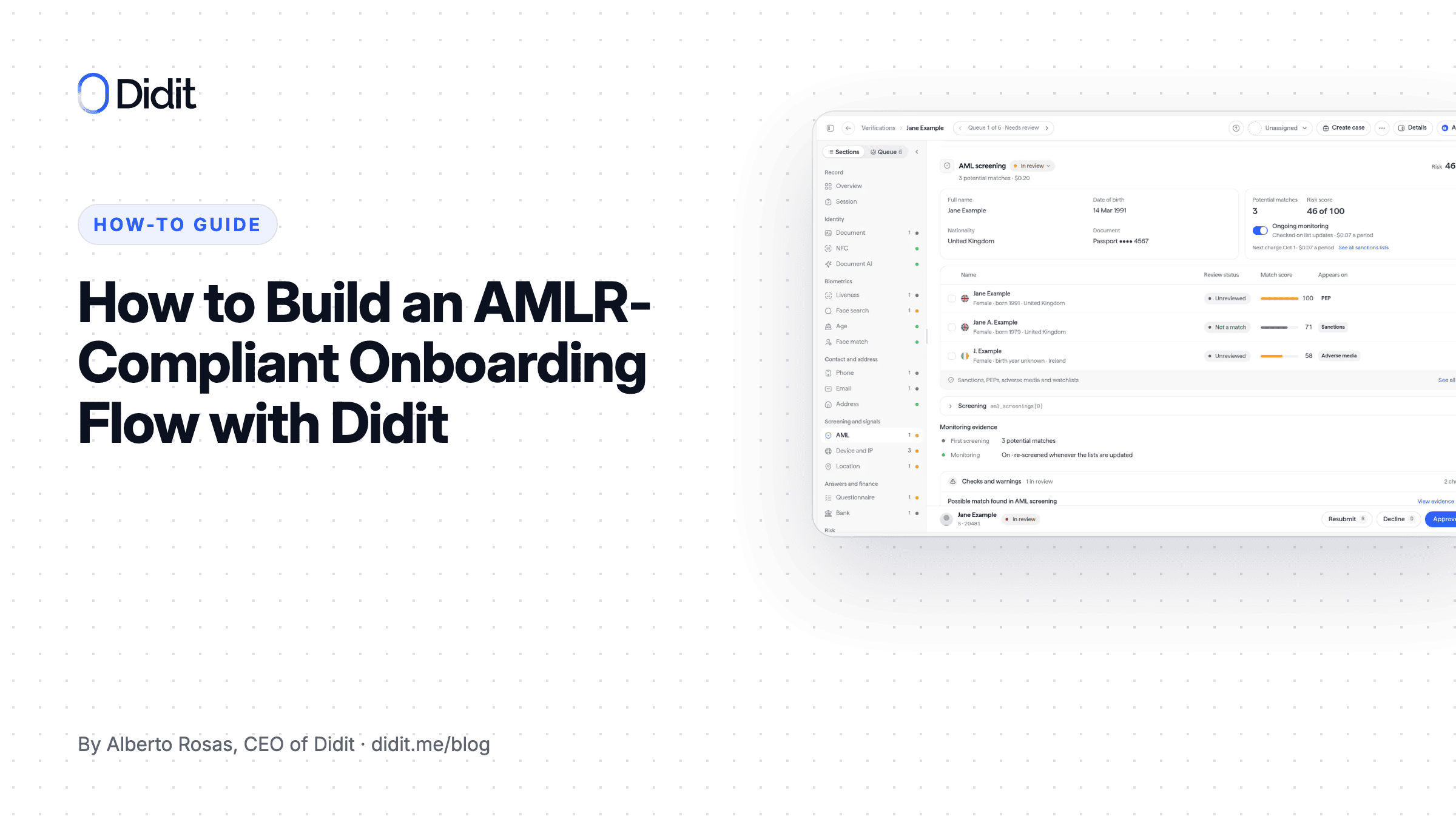
Create a Didit session, receive the status.updated webhook, read the decision per check, let your compliance team approve or decline with update-status, then start AML monitoring.
 Alberto RosasCo-founder and CEO
Contents
In this guide
Jump to the part you need.
This guide is for engineers and compliance leads at banks, crypto-asset service providers and gambling operators shipping an EU AMLR onboarding flow before 10 July 2027. You create a Didit session, receive the status.updated webhook, read the decision, send the case to a human reviewer, then start ongoing monitoring. A full ID check costs $0.33, AML screening $0.20 and monitoring $0.07 per person a year. We supply the checks and evidence. Your organization remains responsible for compliance and onboarding decisions.
Last updated: November 26, 2026. Prices checked against the live Didit price feed on November 26, 2026.
| Stage | Didit call or event | AMLR hook | List price |
|---|---|---|---|
| 1. Session | POST /v3/session/ with workflow_id and vendor_data, returns session_id and url | Art 19 trigger, Art 20(1)(a), Art 22 | $0.33 per full ID check |
| 2. Webhook | status.updated event, HMAC-SHA256 signed | Evidence of when the status changed and what it changed to | No per-check price in the price book |
| 3. Decision | GET /v3/session/{sessionId}/decision/, one entry per check | Art 22 identity data, Art 20(1)(d) and (g) with Art 42 screening | AML screening charge $0.20 per check |
| 4. Manual review | PATCH /v3/session/{sessionId}/update-status/ | Art 76(5) human intervention where the safeguards apply | No per-check price in the price book |
| 5. Ongoing monitoring | POST /v3/users/aml-monitoring/, then status.updated and data.updated events | Art 26 monitoring, in part | $0.07 per person per year |
Start free in the sandbox at https://business.didit.me/, no sales call. Developers who want an AI assistant to drive the build can connect Didit through the Didit MCP server.
What AMLR asks you to build
Regulation (EU) 2024/1624 entered into force on 9 July 2024 and applies from 10 July 2027. It binds the obliged entities in Article 3, including credit and financial institutions, crypto-asset service providers and gambling providers. Until then the national laws transposing the current directive apply.
Our AMLR compliance guide maps each obligation to a Didit feature, and the AMLR solution page shows the modules you can combine for it. The parts that shape the API flow are these:
- Article 19 says when due diligence starts. You route on transaction type and amount in your own code, then create a session with the matching
workflow_id. - Article 20 and Article 22 cover identifying the customer, verifying identity and holding the data points that identify them.
- Article 20(1)(d) and (g) with Article 42 cover sanctions and PEP screening.
- Article 25 covers the purpose of the relationship and, where necessary, the source of funds.
- Article 26 covers monitoring the relationship and keeping customer data current after onboarding.
- Article 76(5) sets safeguards for qualifying solely automated decisions, and your reviewer records the outcome through
update-status. - Article 77 sets five years as the standard period for the records it covers, after which personal data is deleted. Confirm the applicable trigger and any lawful extension for your records, then use retention settings, exports and deletion in the Console to implement that part.
We supply the checks and evidence. You decide the customer's risk profile, you decide whether to onboard, and you remain liable for any task you outsource under Article 18. This page is not legal advice.
Prerequisites
- A Didit organization and an API key. The decision call needs the
read:sessionsprivilege, the status update needswrite:sessions. - A published workflow with the features you need: ID verification, passive liveness, face match, AML screening, proof of address, questionnaire. The workflow type decides whether a KYC or a KYB session is created. There is no separate KYB endpoint.
- An HTTPS endpoint on your side that accepts a POST and verifies the
X-Signature-V2header. - A review queue and a written decision policy for your compliance team.
- Counsel sign-off on which Article 19 triggers apply to your products.
The five stages, step by step
Article 19 sets the triggers, and you decide which one fired before any API call. Create a session when you establish a business relationship, when an occasional transaction reaches EUR 10,000 in one operation or in linked transactions, when there is a suspicion of money laundering or terrorist financing whatever the amount, and when you doubt identification data you already hold. Sector thresholds are examples rather than the general rule: EUR 1,000 for occasional transfers of funds and for CASPs, EUR 2,000 in gambling. For occasional cash transactions of at least EUR 3,000, Article 19 requires at least identification and verification. Apply any other due diligence trigger or obligation relevant to the case. For an occasional transaction below EUR 1,000 a CASP must at least identify and verify the customer. Didit does not decide whether a trigger applies. Your code does, and it picks the workflow.
sequenceDiagram
    autonumber
    participant User as Your customer
    participant You as Your backend
    participant Didit as Didit API
    participant Team as Your compliance team

    You->>Didit: POST /v3/session/ (workflow_id, vendor_data)
    Didit-->>You: session_id and url
    You->>User: Redirect to url
    User->>Didit: Completes the workflow
    Didit--)You: status.updated webhook
    You->>Didit: GET /v3/session/{sessionId}/decision/
    Didit-->>You: Decision with the result of every check
    You->>Team: Queue the case for a decision
    Note over You,Team: Risk profile and onboarding decision are yours (Article 18)
    Team->>Didit: PATCH /v3/session/{sessionId}/update-status/
    opt Customer approved and onboarded
    You->>Didit: POST /v3/users/aml-monitoring/
    Didit--)You: status.updated and data.updated on each change
end- Session. Send
workflow_id, a stable UUID from/v3/workflows/, andvendor_data, your stable identifier for the person or business. Didit returnssession_idand the hostedurlto redirect the customer to. See Create Session.
If allowed domains are configured, an http or https callback must match an allowed origin by scheme, host and port. Otherwise session creation returns 400 on the callback field. Custom app deep links are always accepted.curl -X POST https://verification.didit.me/v3/session/ \ -H "x-api-key: $DIDIT_API_KEY" \ -H "Content-Type: application/json" \ -d '{ "workflow_id": "<WORKFLOW_UUID>", "vendor_data": "customer-84213", "callback": "https://app.example.com/onboarding/done" }' - Receive the
status.updatedwebhook. Register a destination forstatus.updatedanddata.updated. Keep the raw request body, verifyX-Signature-V2against the sorted, Unicode-preserved canonical JSON orX-Signatureagainst the exact raw bytes, check thatX-Timestampis within 300 seconds, and compare with a constant-time function against the header and its-Previouscounterpart while a rotated secret is in use. Stop processing if verification fails. Return 2xx fast and treat repeats as idempotent. Astatus.updatedevent means the status changed. It is not proof that the workflow completed and it is not proof that a review happened. Full detail in Webhooks.
That is an envelope excerpt. On Approved, Declined, In Review and Abandoned the envelope also carries a{ "event_id": "uuid", "session_id": "uuid", "status": "In Review", "webhook_type": "status.updated", "vendor_data": "customer-84213", "metadata": { "plan": "premium" }, "environment": "live" }decisionobject whose nested fields mirror the response ofGET /v3/session/{session_id}/decision/for that session; the field list is in Retrieve Session. Re-fetch the decision rather than reconstructing it from the event. - Read the decision. Call
GET /v3/session/{sessionId}/decision/. Feature results are always plural arrays, one entry per check that ran, and an absent or null array means the feature did not run. Branch onsession_kind, which isuserorbusiness. See Retrieve Session.curl https://verification.didit.me/v3/session/<SESSION_ID>/decision/ \ -H "x-api-key: <API_KEY>"
The arrays split three ways. User sessions carryconst decision = await (await fetch(url, { headers: { "x-api-key": API_KEY } })).json(); switch (decision.session_kind) { case "user": return handleUserDecision(decision); case "business": return handleBusinessDecision(decision); }id_verifications,liveness_checks,face_matches,nfc_verifications,poa_verificationsanddatabase_validations. Business sessions carryregistry_checks,document_verificationsandkey_people_checks. Both shareaml_screenings,phone_verifications,email_verifications,questionnaire_responses,ip_analyses,document_ai_documentsandbank_verifications. Absent and null fields matter in review. A null or absent proof-of-address result means the decision contains no result from that feature; check other configured sources for address evidence. When a configured database validation produced no result, inspectdatabase_validation_not_performed_reasonbefore approving on documentary evidence alone. - Manual review. Sessions that land in In Review carry
assignee,waiting_sinceandsla_due_at; treat these as review metadata to inspect when populated, since they are null unless the session is In Review. Your reviewer reads the evidence, then you callPATCH /v3/session/{sessionId}/update-status/. OnlyApproved,DeclinedandResubmittedare accepted. A status change writes the actor and your optionalcommentto the Console review trail and emits astatus.updatedwebhook. SettingApprovedorDeclinedon a session that already has that status returns 200 without another status event or email, so keep your handler idempotent. If a document is unreadable, send it back instead of declining it:Resubmittedrequiresnodes_to_resubmit, for example an entry for the proof-of-address step, and resets the session expiration window. A repeatedResubmittedrequest on a session that is already Resubmitted returns 400, unlike a repeated approval or decline, which returns 200. See Update Session Status.
To see the loop before you wire a queue, inspect the documented sandbox scenario catalog atcurl -X PATCH https://verification.didit.me/v3/session/<SESSION_ID>/update-status/ \ -H "x-api-key: <API_KEY>" \ -H "Content-Type: application/json" \ -d '{ "new_status": "Approved", "comment": "Cleared after compliance review." }'GET /v1/sandbox/scenarios/and select a scenario that exercises review if one is available. Your reviewer reads the evidence and chooses the outcome the evidence supports. Fetch the refreshed decision and confirm itsstatus. If the reviewer changed the status, checkreviewsfor the manual action andstatus_overridefor override details. The PATCH response returns onlysession_id, so the refreshed decision is how you confirm what changed. - Ongoing monitoring. After onboarding, enrol the customer with
POST /v3/users/aml-monitoring/. The request schema and the enrolment rules are in the continuous monitoring guide; the endpoint sits in the same sequence as the session, the decision and the status update. Once the person is under monitoring, Didit sendsstatus.updatedanddata.updatedwebhooks whenever the screening status or the underlying data changes. Ongoing AML monitoring is billed at $0.07 per person per year. If you screen without a session, the standalone endpoint isPOST /v3/aml/, andinclude_ongoing_monitoring=truethere requiressave_api_request=true.
Records, retention and deletion under Article 77
Article 77 sets five years as the standard retention period for the records it covers, after which personal data is deleted. The usual start points are the end of the business relationship, or the date of the occasional transaction when there is no relationship. Confirm the applicable trigger and any lawful extension with your counsel before you set a deletion date.
Preserve the evidence you must retain for the full period and delete personal data when the applicable period ends. The Console retention setting, exports and on-demand deletion are implementation mechanisms, not the legal clock: a flat timer can start before the legal retention period starts. Align the setting with your own retention schedule. See Data retention and deletion.
Where to find customer due diligence evidence in the Didit decision
This table maps the decision payload. Some rows are Article 22 data points, some are verification evidence under Article 20, and some sit under Article 25 or Article 42.
| Requirement | Article | Where it lives in the decision |
|---|---|---|
| Natural person: full name, place of birth, date of birth, nationality, residential address | Art 22 | OCR fields on id_verifications[]; expected_details checks only the supported inputs listed in Create Session (first_name, last_name, date_of_birth, nationality, id_country, expected_document_types) and surfaces mismatches as decision warnings; the address comes from poa_verifications[] or a questionnaire step. Required fields the workflow does not capture must be collected separately |
| Legal person: name, legal form, registered office, registration number | Art 22 | registry_checks[] on a business session, with document_verifications[] for the company documents |
| Beneficial ownership and control structure, and the identification of the beneficial owners | Art 20(1)(b), Arts 51 to 53 | key_people_checks[] covering officers and beneficial owners, read together with the ownership structure in registry_checks[] |
| Identity verification evidence: document authenticity, document type, number, issuing country, expiry, barcodes, chip data, face and liveness | Art 20(1)(a) verification, not an Article 22 data point | id_verifications[] carries the document fields and a barcodes[] array. Each returned barcode entry contains type, position, data, data_raw and side. The array is empty when there is no barcode output. nfc_verifications[] with chip_data, authenticity, is_nfc_skipped and skip_reason; liveness_checks[] and face_matches[] |
| Sanctions, PEP and adverse media position | Art 20(1)(d) and (g), Art 42 | aml_screenings[], with a match score and a risk score per hit |
| Purpose and intended nature of the relationship, source of funds | Art 25 | questionnaire_responses[] |
| Government record confirmation | Supporting evidence for Article 20 verification | database_validations[]; when a configured database validation produced no result, database_validation_not_performed_reason records why |
| How the decision was reached | Not an Article 22 field; audit evidence | decision_trace with decided_by, automatic_status and status_warnings; reviews for manual activity; status_override when a reviewer changed the status by hand |
Several fields depend on your workflow. Place of birth appears only when the document or the workflow captures it. Tax identification, occupation and source of wealth need a questionnaire step or a field your own system collects. On the business side the registry data you receive depends on the country and the tier, so a legal-person row can be thinner than the list above. Collect what the registry does not return before anyone decides the case.


Match score and risk score answer different questions
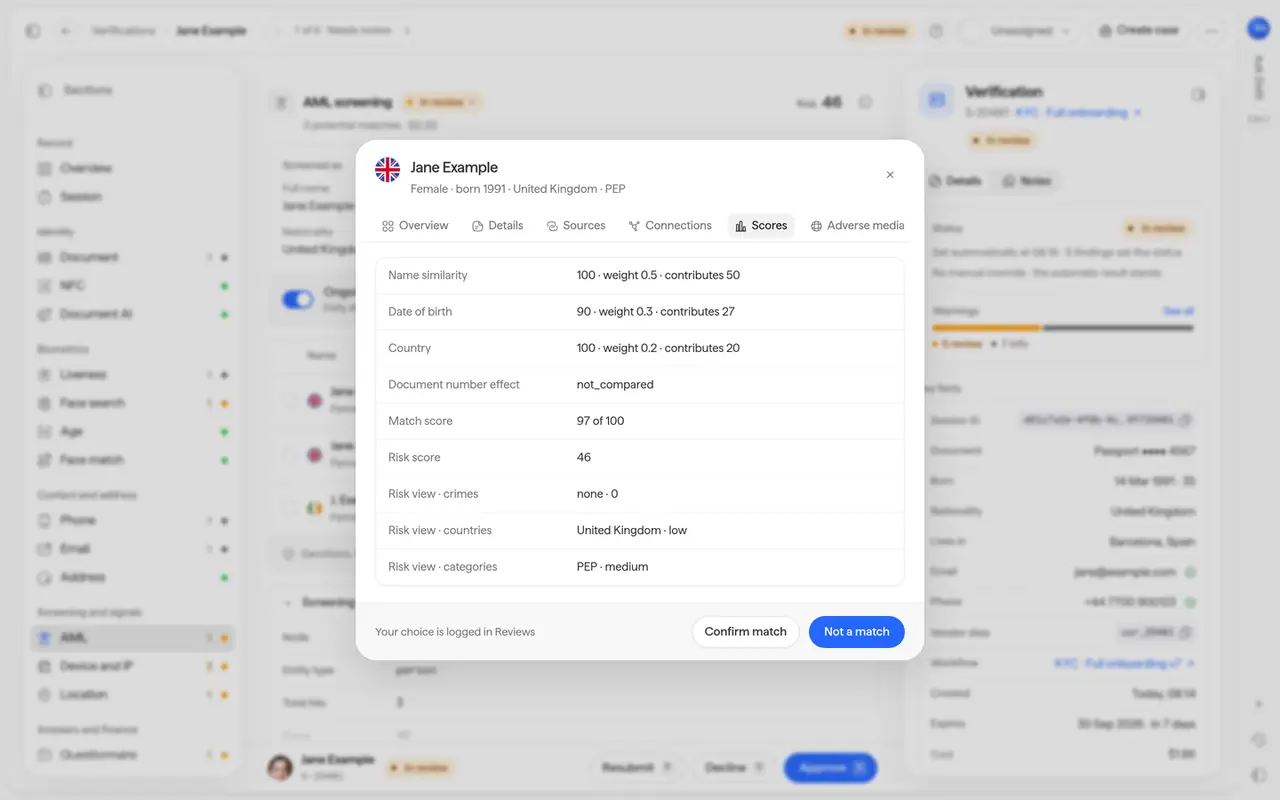
AML screening returns two numbers per hit. The match score answers whether the hit is the same person you are screening, weighing name similarity, date of birth, country and document number. The risk score answers how risky the listed entity would be if the match is real, weighing country risk, the category of the listing and criminal records. A match below the match score threshold, 93 by default, is treated as a false positive and does not feed the risk score.
If the returned match score falls below the configured threshold, Didit classifies the hit as a false positive and excludes it from risk scoring. The documented default threshold is 93. A different date of birth or country can lower the score, depending on the configured weights. A second hit matches name, date of birth and country, passes the threshold and produces a risk score. If that risk score lands between the approve threshold and the review threshold, the screening status is In Review and a person reads the hit; if it crosses the decline boundary, the status is Declined. The weights behind the match score, aml_name_weight, aml_dob_weight and aml_country_weight, must sum to exactly 100 or the request is rejected with HTTP 400.
Inputs and outputs
| Call | Inputs | Outputs |
|---|---|---|
POST /v3/session/ | workflow_id required; vendor_data, callback, callback_method, metadata, tags, session_expiration_time, language, contact_details, expected_details | session_id, hosted url, status, tags |
status.updated webhook | Signed POST to your endpoint | event_id, session_id, status, webhook_type, vendor_data, metadata, and a decision object on Approved, Declined, In Review and Abandoned |
GET /v3/session/{sessionId}/decision/ | session_id, API key with read:sessions | session_kind, status, feature arrays, decision_trace, reviews, linked_records, biometric_retention |
PATCH /v3/session/{sessionId}/update-status/ | new_status required; comment; nodes_to_resubmit required when new_status is Resubmitted; optional send_email with email_address | session_id only; re-fetch the decision. A status change records the actor and the comment in the review trail and emits status.updated |
POST /v3/users/aml-monitoring/ | The entity to keep under monitoring, per the continuous monitoring guide | Enrolment response documented in the guide; later changes arrive as status.updated and data.updated webhooks |
Failure cases and recovery
| Symptom | Cause | Recovery |
|---|---|---|
| 401 | Invalid API key | First check that the integration is sending the intended key for the environment. Rotate it if it was revoked, exposed or otherwise needs replacing. |
| 403 on the decision call | The key lacks read:sessions | Grant read:sessions to the key that calls the decision route. |
403 on POST /v3/aml/ | Out of credits on the standalone AML API | Top up the balance, then retry the call. |
| 404 on the decision call | The session does not exist, or the key belongs to another application | Confirm the session_id is correct and that the API key belongs to the application that created the session. |
| 400 on create with a callback message | The callback origin is not on the application's allowed domains | Add the origin, or use a custom app deep link, which is always accepted. |
400 on session_expiration_time | Outside 3,600 to 2,419,200 seconds, or not a whole number | Validate that the value is a whole number from 3,600 through 2,419,200. Correct an invalid value or omit it to use the workflow default. |
400 on update-status | Status not in the allowed set, or Resubmitted without nodes_to_resubmit | Only Approved, Declined and Resubmitted are accepted, and only from Approved, Declined, In Review, Kyc Expired, Abandoned or Resubmitted. Add nodes_to_resubmit when the status is Resubmitted. |
| Webhook signature fails | The body was parsed or re-encoded before verification, the wrong scheme was used, or the clock drifted | Keep the raw request body. Verify X-Signature-V2 against the sorted, Unicode-preserved canonical JSON and X-Signature against the exact raw bytes. Check X-Timestamp within 300 seconds and use constant-time comparison with the corresponding previous-signature header during secret rotation. Stop processing if verification fails. |
| AML result without adverse media | The upstream adverse media call timed out | The screening response may omit adverse-media results after an upstream timeout. If your policy requires that evidence, obtain it before clearing the case. For standalone calls with adverse media enabled, the docs recommend a client timeout of at least 45 seconds. |
| 400 on AML weights | The name, date-of-birth and country weights do not sum to 100 | Adjust the name, date-of-birth and country weights so they sum to 100. |
What you pay for, and where review stops
Billing is per completed check, from prepaid credit. Every published rate is on the pricing page and in pricing in the docs. The estimate below uses the published check and monitoring rates.
- Full ID check $0.33: ID document $0.15, passive liveness $0.10, face match 1:1 $0.05, device and IP analysis $0.03.
- AML screening $0.20 per check, against 1,300+ sanctions, PEP and watchlist sources plus adverse media.
- Proof of address $0.20, custom questionnaire $0.10, NFC chip reading $0.15 as an add-on.
- Ongoing AML monitoring $0.07 per person per year.
- Business verification from $2.00 per company by country and data tier, plus person AML $0.20 per owner and a linked full ID check $0.33 per owner.
Where Article 76(5) applies, implement the human review and challenge safeguards it requires. Use the Didit status update to record the reviewer's decision and optional audit comment. Your organization remains responsible for the customer-facing process.

update-status.Worked cost example
A European CASP onboards 1,000 individual customers and 40 businesses in a year. Every individual runs a full ID check and an AML screen, a quarter of them also upload proof of address, and every individual goes under ongoing monitoring. Each business has two owners, each of whom takes person AML and a linked ID check. The registry tier here is at the $2.00 floor; your country and tier may be higher.
| Line | Unit price | Quantity | Cost |
|---|---|---|---|
| Full ID check | $0.33 | 1,000 | $330.00 |
| AML screening | $0.20 | 1,000 | $200.00 |
| Proof of address | $0.20 | 250 | $50.00 |
| Ongoing AML monitoring, first year | $0.07 per person per year | 1,000 | $70.00 |
| Business verification, registry floor | $2.00 | 40 | $80.00 |
| Person AML per owner | $0.20 | 80 | $16.00 |
| Linked ID check per owner | $0.33 | 80 | $26.40 |
| Total at list price | $772.40 |
The arithmetic: 330.00 + 200.00 + 50.00 + 70.00 = 650.00 for individuals. 80.00 + 16.00 + 26.40 = 122.40 for businesses. 650.00 + 122.40 = 772.40. On Scale, the 10% plan discount applies to Didit prices, so the same volume at this registry floor is $695.16 of discounted usage, before subscription fees and credits. Company AML screening is not in this estimate: at $0.20 per check it would add $8.00 at list price if you ran it on all 40 companies. On the Free plan, the first eligible organization for a company domain gets $10 in monthly credit when it signs up with an eligible work email, and the sandbox costs nothing.
Sources
- Didit docs: AMLR compliance guide, Regulation (EU) 2024/1624 APIs
- Didit docs: Create Session API
- Didit docs: Retrieve Session API, decision data
- Didit docs: Update Session Status API
- Didit docs: Webhooks and HMAC signing
- Didit docs: AML Screening API, match score and risk score
- Didit docs: ongoing AML monitoring
- Didit docs: data retention and deletion
- Didit docs: data models reference
- Didit pricing page and pricing in the docs, read November 26, 2026
- Didit live price feed, read November 26, 2026.
- Didit AMLR solution page
- Didit MCP server
- Regulation (EU) 2024/1624 on EUR-Lex
Start in the sandbox at https://business.didit.me/: create a workflow, send one session, and watch the status.updated webhook arrive before you connect your review queue. No sales call is needed, and the first decision you read will tell you whether your Article 22 fields land where your team expects them.
Try it
Try this in the sandbox
Run the check this guide describes, free.
The product this post is about, taken from its topic. Run it free in the sandbox.
Author
Alberto Rosas
Co-founder and CEO

Keep reading
Other guides in the same topic.
 Didit KYC Coverage: 220+ Countries, 14,000+ Documents
We verify identities from 220+ countries and territories across 14,000+ document types in 54 languages, at $0.15 per document check inside a workflow and $0.33 for a full KYC check.
Alberto RosasNov 26, 2026 Document Liveness Detection: How Didit Stops Screen and Print Fraud
Document liveness detection inside Didit ID Verification flags screen replays, printed copies and portrait manipulation, at $0.20 per standalone API check or $0.15 as a workflow document check.
Alberto RosasNov 26, 2026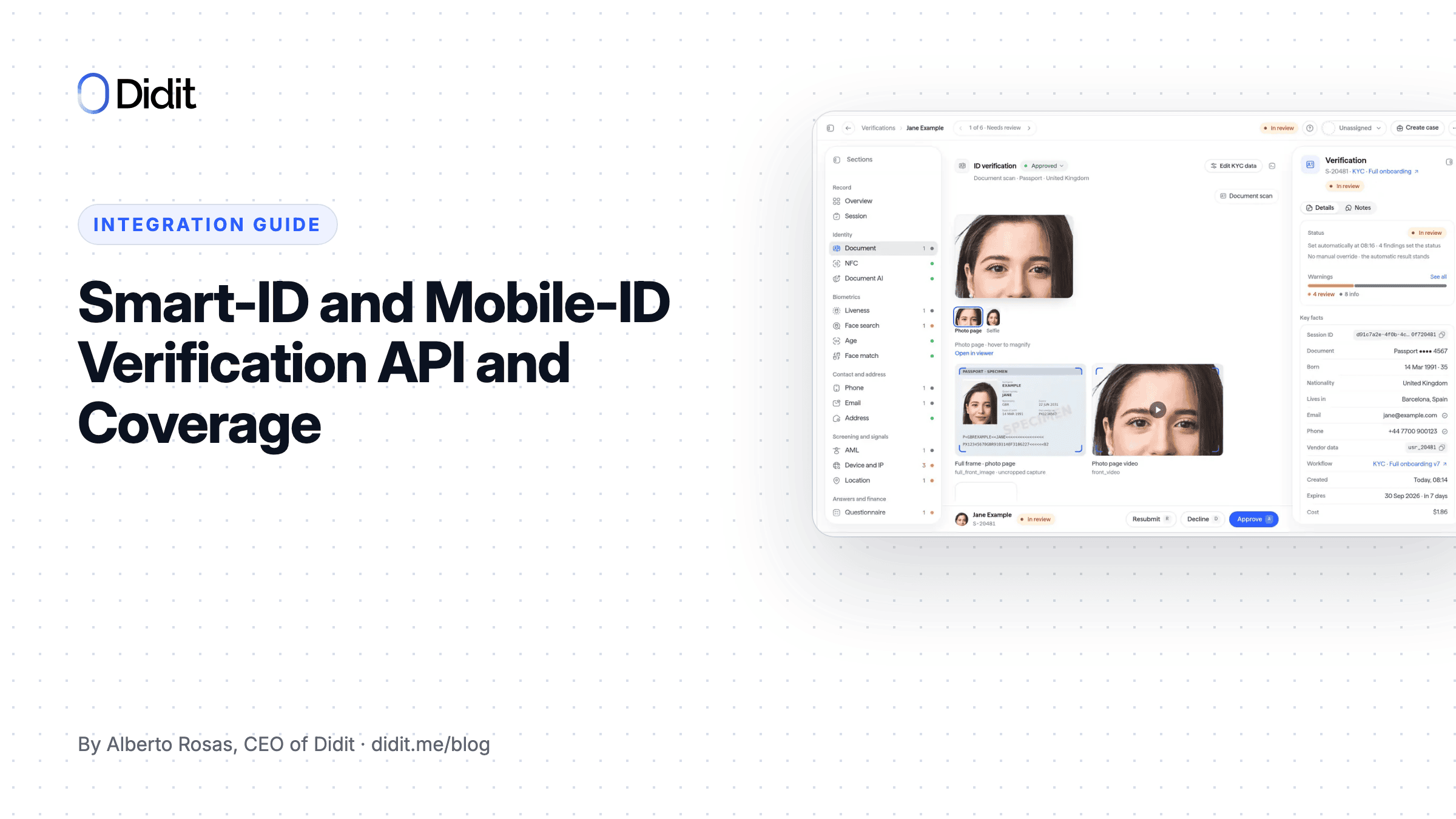 Smart-ID and Mobile-ID Verification API and Coverage
Smart-ID costs $0.21 per check in Estonia, Latvia, Lithuania and Belgium; Mobile-ID $0.21 in Estonia and Lithuania. Each returns the cryptographic tier, and no selfie comparison is made when the wallet returns no portrait.
Alberto RosasNov 26, 2026Questions
Frequently asked questions
What are the five stages of an AMLR-compliant onboarding flow in Didit?
Session, webhook, decision, manual review and ongoing monitoring. Your backend calls POST /v3/session/, receives a status.updated webhook, fetches the full decision with GET /v3/session/{sessionId}/decision/, lets a compliance reviewer act through PATCH /v3/session/{sessionId}/update-status/, and then enrols the customer with POST /v3/users/aml-monitoring/.
Does Didit decide whether to onboard the customer?
No. Under Article 18 of the AMLR you remain the obliged entity. We return the checks and the evidence, including decision_trace showing how the automated status was reached, but the risk profile and the onboarding decision stay with your team and are recorded through update-status.
How do I know when a verification has finished?
Read the exact case-sensitive status on the verified status.updated event and apply your workflow's review policy to it. In Progress means the session is still underway, In Review means a human decision is pending, and Approved or Declined means a decision has been recorded. Verify the signature, check that X-Timestamp is within 300 seconds and return 2xx quickly. Events for Approved, Declined, In Review and Abandoned carry a decision object; fetch the decision endpoint when you need the current full payload.
What does one entry per check mean in the decision response?
The V3 contract uses plural arrays so a workflow can run several instances of the same feature. You get id_verifications[], liveness_checks[], face_matches[], aml_screenings[], poa_verifications[] and the rest, each with one item per check that ran. A feature that did not run is absent or null, never a placeholder. A null or absent poa_verifications means the decision carries no result from that feature, so check the other configured sources for address evidence before you clear the case.
How do I record a manual review decision under Article 76(5)?
Where Article 76(5) applies, implement the human review and challenge safeguards it requires. Use the Didit status update, PATCH /v3/session/{sessionId}/update-status/, to record the reviewer's decision and optional audit comment. Your organization remains responsible for the customer-facing process. Repeating Approved or Declined on a session that already has that status returns 200 without another status event or email.
How much does an AMLR onboarding flow cost per customer?
At list price, a full ID check is $0.33, AML screening is $0.20 and ongoing monitoring is $0.07 per person per year, so $0.60 in the first year for an individual who needs all three. Proof of address adds $0.20, and business verification starts at $2.00 per company plus $0.20 person AML and $0.33 linked ID check per owner.
When does the AMLR apply and to whom?
Regulation (EU) 2024/1624 entered into force on 9 July 2024 and applies from 10 July 2027. It binds the obliged entities listed in Article 3, including credit and financial institutions, crypto-asset service providers and providers of gambling services. Until 10 July 2027 the national laws transposing the current directive continue to apply.
How does ongoing monitoring work after onboarding?
You enrol the person with POST /v3/users/aml-monitoring/, and Didit then sends status.updated and data.updated events whenever the screening status or the underlying data changes, billed at $0.07 per person per year. Ongoing AML monitoring supports Article 26 by re-screening the person. Your team still needs risk-based transaction scrutiny and a process to keep customer due diligence information current.
How long can I keep verification data under Article 77?
Article 77 sets five years as the standard period for the records it covers, after which personal data is deleted. The usual start points are the end of the business relationship, or the date of the occasional transaction when there is no relationship. Confirm the applicable trigger and any lawful extension before you set deletion. Didit gives you a retention setting, exports and on-demand deletion in the Console; treat those as the mechanism and keep the evidence you must preserve for the full period.
What happens if the decision call returns 404?
Confirm the session_id is correct and that the API key belongs to the application that created the session. Didit resolves the identifier against both user and business sessions, so a 404 means neither lookup found a session for that key's application.
What is the difference between the match score and the risk score?
The match score answers whether a hit is the same person you are screening, weighing name, date of birth, country and document number. The risk score answers how risky the listed entity would be if the match is real, weighing country risk, the category of the listing and criminal records. A hit below the match score threshold, 93 by default, is a false positive and does not feed the risk score; the risk score then decides whether the screening status is Approved, In Review or Declined.
Can I build and test this without paying?
Yes. The sandbox is free and unlimited on every plan, and you can arm a scenario slug to reproduce a specific outcome before going live. The first eligible Free organization for a company domain gets $10 in monthly credit when it signs up with an eligible work email; phone verification codes are excluded and unused credit expires each month.
Compliance built in
Audited, certified and attested.
We hold the certifications and build each country's rules into your flows, so you can launch anywhere without worrying. Security and Compliance center
- Regulation encoded into your flows
Tell us what you do and where. Didit lists the rules that apply to you, with sources, and builds the checks each country needs into one workflow.
- Ready for AMLR
Every requirement of the new EU anti-money laundering rules, from checking customers to human review, is already covered by a Didit check.
- Tested in Spain's Treasury sandbox
Spain's Treasury published its supervised sandbox report on Didit's NFC plus active liveness onboarding; SEPBLAC took part and valued the added measures positively.
- Audited, not self-declared
iBeta Level 1 and Level 2. Liveness tested under ISO/IEC 30107-3.
Your obligations · 3 regions
 SOC 2 Type 2
 ISO 27001
 iBeta Level 1 and Level 2
 EU regulator attestation
 FSM youth protection
 GDPR
 EBA remote onboarding
 MiCA compatible
 FIDO Alliance member
- AMLREU AML Regulation ready
Integration · Didit MCP
Run Didit from your own AI agent
Connect Didit to Claude, Cursor, VS Code or ChatGPT and just ask in plain words. Your agent can do anything you can do in the console, with the same permissions you have.
 Add to Claude
 ChatGPT
 Cursor
- Build workflowsDescribe the checks you need. The agent creates and publishes the flow.
- Run investigationsAsk why a session was declined, review cases, search people and companies.
- Change rulesCreate payment rules, test them on past data and switch them on.
- Pull reportsAsk for numbers, exports or the audit log.
Didit Academy