Migrate Users With Passwords and Authenticator MFA Into Didit
Import password hashes, verified email status, authenticator secrets, social links and organization roles into Didit Authentication by CSV, JSON or batch. Validate the import in a sandbox first.
 Alberto RosasCo-founder and CEO
Contents
In this guide
Jump to the part you need.
We import users from CSV, JSON or API batches when you move sign-in to Didit Authentication. Users can keep their passwords and authenticator apps if you can export compatible hashes and Base32 TOTP secrets. Rehearse the import in a sandbox first. The first 50,000 active users each month are free, and the list price above that allowance is $0.02 per active user per month.
Last updated: November 26, 2026. Prices checked against the live Didit price feed on November 26, 2026.
| What moves | Documented JSON field | File-upload control |
|---|---|---|
| Password hash | password_hash, password_salt, password_algorithm | Multipart control passwords, set to import by default. Send reset to drop the hashes. |
| Verified email | email_verified | Multipart control keep_verified, true unless you send false. With false, every email is unverified. |
| Social sign-in links | social, up to 8 entries | Multipart control keep_social, true unless you send false. |
| Authenticator app secret | totp_secret (Base32) | Multipart control keep_mfa, true unless you send false. |
| Organization roles | organizations, up to 20 of {slug, name, role} | No switch. Carried person by person inside the file. |
| Your own user ID | external_id, up to 255 characters | Multipart control keep_ids, true unless you send false. With false, vendor_data becomes the Didit identity ID. |
The right-hand column is not part of the file. Those names are multipart form fields you send alongside a file upload to POST import-jobs/. A batch request sends JSON rows instead and has no switches: you send the values themselves. A CSV file uses one scalar column per single value, plus the documented social ID columns such as google_id. Organization roles are nested, so a JSON file or a batch request is the documented way to carry them. The migration documentation covers user credentials, profile fields, social links, MFA secrets and organization roles; confirm any other data separately.
Start free in the sandbox at business.didit.me, with no sales call. Developers who want an agent to drive the setup can connect Didit to an AI assistant through the free Didit MCP server.
How migration into Didit Authentication works
Didit Authentication signs your own users in to your application: sign-up, sign-in, passkeys, email and phone codes, social and company single sign-on, MFA and sessions. It is separate from verifying someone's identity, and it runs alongside the identity and fraud products that 4,000+ companies already use.
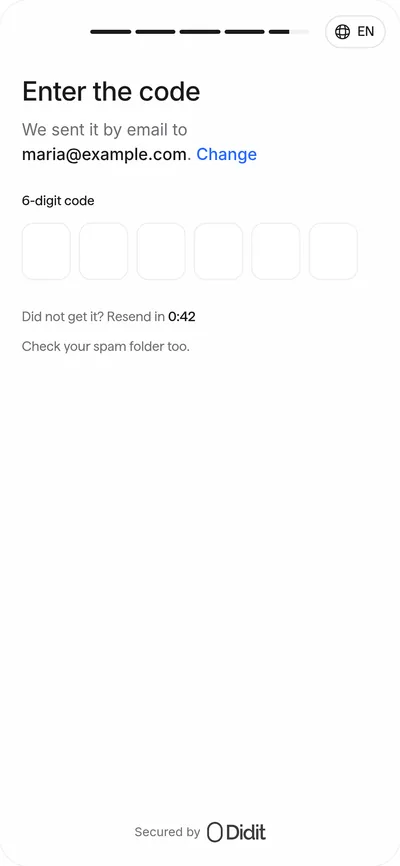
An import moves people, not sessions. Their password, verified email, social sign-in links, authenticator app and organization roles move with them, and nothing changes for them until your application sends them to Didit's sign-in page. Signing in with Didit does not approve a verification or authorize a payment; your backend still makes those decisions from each product's own result.
An import upload uses your application's Authentication management API with a console session that has write:authentication, or read:authentication to list imports. It never uses an end-user token or a verification API key. In every example below, MANAGEMENT_BASE is:
https://apx.didit.me/auth/v2/organizations/{org_id}/applications/{application_id}/authentication/| File job | Batch request | |
|---|---|---|
| Endpoint | POST import-jobs/ (multipart) | POST imports/ (JSON) |
| Size | One CSV or JSON file, up to 25 MB and 100,000 people | 1 to 1,000 rows per request |
| Dry run | Always runs first, in the background | dry_run: true by default |
| Commit | POST import-jobs/{id}/start/ | The same request with dry_run: false |
| Partial failure | Each batch of 1,000 commits on its own; an interrupted import resumes | All or nothing |

Prerequisites before you upload anything
For the import itself
- An export of your users as UTF-8 CSV or JSON, with at least an
emailfor every person. A byte order mark is allowed, and a file holds up to 25 MB and 100,000 people. - A console session token for a person whose role includes
write:authenticationon that application. The import routes take a console session, not the application key used for setup calls. - Decisions made in advance: import the hashes or reset passwords, keep or drop the verified email flag, keep or drop social links and authenticator secrets, keep or replace your external IDs.
- The organization slugs and roles each person should hold, if you use organizations, expressed in the documented JSON shape.
- A window with no other import in flight, because one import runs per application at a time.
To test sign-in in the sandbox afterwards
- A sandbox application with Authentication turned on. Every Sandbox application has it on from the start; a Live application turns it on from the Products page, and until then every runtime route for that application returns
404. - The password sign-in method enabled, because password sign-in also covers email sign-up with a password. A method is switched with
PUT methods/{name}/and{"enabled": true}. - Your redirect URLs registered, so the hosted page can return the one-time code to your application. These last two items prepare the sandbox sign-in test; the import call itself does not need them.
Step by step: import a CSV or JSON file
Build the export. JSON is an array of people, or an object whose
usersholds the array. Every placeholder below must be replaced with your own exported value before you upload; the hash, the salt, the algorithm and the secret are not real.[ { "email": "user@example.com", "external_id": "user-1234", "email_verified": true, "display_name": "Example User", "password_hash": "REPLACE_WITH_EXPORTED_HASH", "password_salt": "REPLACE_WITH_EXPORTED_SALT", "password_algorithm": "REPLACE_WITH_EXPORTED_ALGORITHM", "totp_secret": "REPLACE_WITH_BASE32_SECRET", "organizations": [{ "slug": "acme", "name": "Acme", "role": "admin" }] } ]For a CSV export, keep to scalar columns and add the documented social ID columns such as
google_id. Nested values such asorganizationsbelong in the JSON shape, so point people who need organization roles at the JSON file or the batch request.email,external_id,email_verified,display_name,password_hash,password_salt,password_algorithm,google_id user@example.com,user-1234,true,Example User,REPLACE_WITH_EXPORTED_HASH,REPLACE_WITH_EXPORTED_SALT,REPLACE_WITH_EXPORTED_ALGORITHM,1234567890Upload the file with the switches that say what to keep. Each of
keep_social,keep_verified,keep_mfaandkeep_idsis true unless you send false.curl --fail-with-body "${MANAGEMENT_BASE}import-jobs/" \ -H "Authorization: Bearer $CONSOLE_ACCESS_TOKEN" \ -F file=@users.csv \ -F passwords=import \ -F keep_social=true \ -F keep_verified=true \ -F keep_mfa=true \ -F keep_ids=trueThe call returns
202with a job. An application keeps at most 5 uploaded files at a time.Read the dry run. Every upload starts one, and it checks every person and writes nothing. Poll
GET import-jobs/{id}/with the same console session, and keep polling while the job isqueuedorrunning.Start the import with
POST import-jobs/{id}/start/, which imports what the dry run checked and returns202. People are imported in batches of 1,000 and each batch commits on its own. One import runs per application at a time. An interrupted import resumes after its last committed batch, and people already imported are skipped, so you can run the same file again. The person who started the import gets an email when it finishes or stops.Poll the job until
statusisdone, then test in the sandbox before any cutover. The matrix below is the shortest useful set of checks.Cut over. Open the hosted
/sign-inpage withredirect_uri,state,code_challengeandcode_challenge_method=S256. On return, validate thestateand exchange the code atPOST {origin}/token/with the original PKCE verifier before you move live traffic. Watch the first sign-ins in the console and through the authentication webhooks (auth.signup,auth.login).
Preflight: what to test in the sandbox before cutover
| Test person | What you do | What you should observe |
|---|---|---|
| A user with a verified email and an imported password hash | Open the sandbox hosted sign-in page with that email and the original password | The original password is accepted and the response is the expected next step, a code or an MFA challenge, never invalid_credentials. |
A user whose Base32 totp_secret was imported | Sign in and finish the second factor with a code from the authenticator entry that was already in the app | The existing entry produces an accepted code and the sign-in completes with the factors returned for that challenge. |
| An organization admin | Sign in and read the organizations and roles from the token or from GET /session/ | The expected admin role is present and the session meets the organization_admins MFA policy. |
Expected output
The poll returns the job. These are the documented fields and the values they take:
kind        dry_run, then import once you start it
status      queued, running, then passed or failed for a dry run,
            done or error for an import
processed   people processed so far
total       people in the file
result      what the file contains
startable   true when the dry run passed and the file has not expired
expires_at  the file is deleted 24 hours after a dry run that was never imported
The result describes the file. A failed dry run lists errors to fix before you upload again. A passed dry run sets startable to true and leaves the file encrypted and waiting. The uploaded file is deleted when the import ends, when its dry run fails, or 24 hours after a dry run that was never imported.
Import in batches with one request
A batch request carries 1 to 1,000 people as rows and takes an idempotency_key of up to 100 characters. There are no file switches here: you send the values themselves, so a hash you want kept goes in password_hash. Send this body to POST imports/ with the same console session:
{
  "rows": [
    {
      "email": "user@example.com",
      "external_id": "user-1234",
      "email_verified": true,
      "display_name": "Example User",
      "password_hash": "$2b$12$...",
      "social": [{ "provider": "google", "subject": "1234567890" }],
      "organizations": [{ "slug": "acme", "name": "Acme", "role": "admin" }]
    }
  ],
  "dry_run": true,
  "idempotency_key": "migration-batch-0001"
}
A dry run returns 200 with the result and writes nothing. With dry_run: false, a successful import returns 201, and a batch with any error returns 400 and imports nobody. Repeating a committed request with the same key returns its recorded result; the same key with different content returns 400 {"idempotency_key": "different_payload"}. GET imports/ lists committed batches. Firebase-style hashes carry their parameters in a firebase object: {signer_key, salt_separator, rounds, mem_cost}.
Check password hash compatibility before importing
The importer takes three password fields per person: password_hash, password_salt and password_algorithm. The documented example is a bcrypt value, $2b$12$.... A Firebase multipart upload also requires all four of firebase_signer_key, firebase_salt_separator, firebase_rounds and firebase_mem_cost, sent all four or none.
The importer validates the file during the dry run, so an algorithm or parameter it cannot use shows up there, before anything is written to your live data. The current requirements live in the passwords section of the migration docs. Open that section before you write the export. If the source can provide compatible hashes, export them and rerun the dry run. Otherwise, upload the file with passwords=reset so users set new passwords.
Passwords people set in Didit afterwards must meet your password_min_length, which is 8, 10, 12 or 14 characters and 10 by default. Common and all-numeric passwords are rejected with password_policy, and a known breached password is rejected with password_breached when that check is on.
Migrate authenticator app TOTP secrets so people keep their 2FA
Authenticator secrets travel when each person's row carries totp_secret as a Base32 string and keep_mfa stays at its default of true. A person whose secret is imported can keep their existing authenticator entry, because the shared secret is the one their app already stores.
The hosted sign-in page handles a required second factor for you. If you build your own sign-in screens, they receive mfa_required with a challenge and the factors returned for that challenge, and they finish that step. When your MFA policy requires an authenticator a person does not have yet, the answer is mfa_enrollment_required with a challenge and a uri, and you enroll with POST mfa/setup/.
If a secret is unavailable, plan for enrollment when the app's policy requires it. Keep keep_mfa on for the people whose secrets you do have, and let the policy handle the rest. The default MFA policy, organization_admins, requires a second factor from everyone who holds the admin role in any organization of your application, and an admin's existing session stops being accepted until it meets the policy again.
Organization roles move with the person
Each person can carry up to 20 organizations as {slug, name, role}. The documented import format accepts three roles: admin, member (the default) and billing.
Custom roles are a separate setting, not an import value. On the Scale and Enterprise plans, and in every Sandbox application, you can define custom roles with a key and the permissions your app checks, for example payouts.approve, and a member can hold one on top of their role. Configure those in the console after the import and map people to them there, rather than trying to fit them into the roles the file accepts.
An organization here is one of your customers inside your application, separate from your own Didit organization in the Business Console. Your app reads the person's organizations and roles from their token and session and decides what each role may do.
Three migration outcomes and how to pick one
| Outcome | When it applies | What you do | What people experience |
|---|---|---|---|
| Preserve compatible hashes and exported secrets | Your source exports password hashes the importer accepts and Base32 TOTP secrets | Upload with passwords=import and keep_mfa=true, pass the dry run, start the import | The same password and the same authenticator entry |
| Reset passwords | Usable hashes are unavailable, or the source will not export them | Upload with passwords=reset, then run your normal password reset or invitation flow | They set a new password |
| Enroll an authenticator | Secrets are unavailable and the app's MFA policy requires a factor | Import the rest, then let the policy send people through enrollment | They add a new authenticator entry |
Inputs and outputs
| Input field | Rule |
|---|---|
email | Required. |
external_id | Up to 255 characters. Becomes the person's vendor_data. |
email_verified | true or false, also 1/0 and yes/no. |
display_name | Up to 200 characters. |
password_hash, password_salt, password_algorithm | Validated during the dry run against the documented password requirements. |
totp_secret | Base32 authenticator secret. |
created_at, last_signed_in_at | ISO 8601. A time without a zone is UTC. |
social | Up to 8 of {provider, subject, tenant_id}. The provider is google, apple, github or microsoft, and tenant_id is required for Microsoft only. |
organizations | Up to 20 of {slug, name, role}. |
| Output | Meaning |
|---|---|
202 with a job | The upload was accepted and the dry run is queued. |
Job status | queued, running, then passed or failed for a dry run, done or error for an import. |
Dry run result | The result describes the file. A failed dry run lists errors to fix before you upload again. |
startable: true | The dry run passed and the file has not expired. |
201 on a batch | The batch committed. 400 means nobody in it was imported. |
GET imports/ | The committed batches of this application. |
Failure cases and recovery
| Symptom | Cause | Recovery |
|---|---|---|
| A refused credential on an import route | The import routes expect a console session | For an import upload, use a console session with write:authentication. For listing, use a console session with read:authentication. The application API key shown in the password setup example is for setup. |
Status queued or running | The dry run or the import has not finished | Keep polling GET import-jobs/{id}/. Do not re-upload while the job is still moving. |
Dry run status: failed | The file has errors, listed in result | Fix the rows and upload the corrected file again. |
import_running | One import per application at a time | Wait for the running import to finish, then start the next. |
| A passed dry run whose file expired | The file was deleted 24 hours after a dry run that was never imported | Upload the file again and read the new dry run before starting. |
| An uploaded file is gone | An uploaded file is deleted when the import ends, when the dry run fails, or 24 hours after a dry run that was never imported | Upload again and read the new dry run. Check the import history before assuming an earlier job wrote nothing. |
| Upload refused on the sixth file | An application keeps at most five uploaded files | A failed dry run, a finished import or an unused dry run that expires frees its uploaded file. |
400 {"idempotency_key": "different_payload"} | The same key was reused with different content | Send a new key for each distinct payload. |
Password sign-in answers invalid_credentials | A wrong password, an unknown email, an unverified email, a locked account and a blocked account all get the same answer by design | Check email_verified and the hash you imported. The error never says which one it was. |
What is paid, and where your review ends
Authentication is priced by active users: the first 50,000 active users each month are free, and the published price feed lists $0.02 per active user month above that allowance. Sandbox testing is free and unlimited, so the whole migration can be rehearsed there at no cost.
Sign-in methods you enable can have their own costs. Phone verification codes cost the carrier's price for the country and channel plus Didit's $0.02 fee per code, only the fee takes the plan discount, and the Free plan credit does not cover them. The exact numbers are on the Didit pricing page and in the pricing docs.
Your review boundaries are the dry run and the switches. The dry run checks the file, not your access decisions, so the person who decides which roles and organizations carry over should read the dry run result as well. A batch import is all or nothing, a file import commits 1,000 people at a time, and a file upload writes nothing until you start the import.
Worked cost example
Take 120,000 people migrated across several imports, with 80,000 of them counted as active in the first month. Assume exactly one SMS code per recipient and list prices throughout. These are usage subtotals before plan fees and credits.
- Free active users: 50,000, so billable active users are 80,000 minus 50,000 = 30,000.
- Authentication list price: 30,000 times $0.02 = $600.00 for the month.
- Separate plan scenario, Growth: 4% off at $0.0192 per active user, so 30,000 times $0.0192 = $576.00 for the same month. This replaces the list-price figure above and is not added to it.
- Separate plan scenario, Scale: 10% off at $0.018 per active user, so 30,000 times $0.018 = $540.00 for the same month. This also replaces the list-price figure and is not added to it.
- If 20,000 of those people also receive one SMS code each on United States numbers, list price is $0.0473 per code: 20,000 times $0.0473 = $946.00. Only Didit's $0.02 fee takes the plan discount; the carrier part passes through at cost.
Month one at list price for those two lines: $600.00 plus $946.00 = $1,546.00. This example totals Authentication usage and SMS codes at list prices.
Sources
- Didit docs: Migrate Users, Import Passwords and MFA
- Didit docs: Authentication overview
- Didit docs: Sign-In Methods, Passkeys, Codes, Social, SSO
- Didit docs: Set Up Didit Authentication by API
- Didit docs: Organizations for B2B Apps
- Didit docs: Authentication Integration Guide
- Didit docs: Authentication Console Guide
- Didit pricing and pricing docs, read November 26, 2026
- Didit public price book, read November 26, 2026
- Didit MCP server
- Switching to Didit
Next step: create a sandbox application at business.didit.me, upload your file there, and read the dry run before you touch production. No sales call, and the sandbox is free.
Try it
Try this in the sandbox
Run the check this guide describes, free.
The product this post is about, taken from its topic. Run it free in the sandbox.
Author
Alberto Rosas
Co-founder and CEO

Keep reading
Other guides in the same topic.
 How to Give an AI Agent Read-Only Access to Your Didit Account
Add read_only=true to the Didit MCP URL. The server lists only read tools and refuses writes. To restore changes, reconnect without the parameter and remove X-MCP-Readonly: true if sent.
Alberto RosasNov 26, 2026 Migrate to Didit: Import KYC Sessions, Faces, Blocklists
Bring historical KYC and KYB records into Didit by transforming your provider’s export into our canonical CSV or NDJSON format. Use separate entity, face and list routes to load operating data for future checks.
Alberto RosasNov 26, 2026 How to Restrict WooCommerce Products to Verified Customers
Flag selected products, choose Product Scope, and require server-confirmed approval. Checkout blocks order placement; After purchase holds the order. Content gates require API Session mode.
Alberto RosasNov 26, 2026Questions
Frequently asked questions
How do I migrate users with passwords and authenticator MFA into Didit Authentication?
Export your people to CSV or JSON with password_hash and totp_secret, upload the file to POST import-jobs/ with passwords=import and keep_mfa=true, read the dry run, then call POST import-jobs/{id}/start/. Smaller migrations can use POST imports/ with up to 1,000 rows per request. Run it in a sandbox application first.
Will users keep their authenticator app codes after migration?
Yes, when each row carries the person's Base32 totp_secret and keep_mfa stays true, so the entry already in their app keeps working. The hosted sign-in page handles a required second factor, and your own screens handle mfa_required and the factors returned for that challenge. If a secret is unavailable, plan for enrollment when the app's policy requires it.
Which password hash formats can I import into Didit Authentication?
The importer reads password_hash, password_salt and password_algorithm per person, and the documented example is a bcrypt hash. The current accepted formats and parameter requirements live in the passwords section of the migration docs. Read that section before you build the export, and confirm what you need with the dry run.
What happens if my password hashes use a cost factor the importer does not accept?
The dry run validates the file before anything is written, so the errors appear without touching your live data. If the source can provide compatible hashes, export them and rerun the dry run. Otherwise, upload the file with passwords=reset so users set new passwords.
Can I import users in batches instead of uploading a file?
Yes. POST imports/ takes 1 to 1,000 rows and an idempotency_key of up to 100 characters, and a dry run is the default. A successful commit returns 201; a batch with any error returns 400 and imports nobody. GET imports/ lists what has committed.
What happens if an import is interrupted halfway?
A file import commits in batches of 1,000, and an interrupted import resumes after its last committed batch. People already imported are skipped, so running the same file again is safe. The person who started the import receives an email when it finishes or stops.
Do imported users cost anything?
Authentication is billed by active users: the first 50,000 each month are free, and above that the published price feed lists $0.02 per active user month, with Growth at $0.0192 and Scale at $0.018. Sandbox testing is free and unlimited, so a rehearsal costs nothing.
What happens to organization roles and admin MFA after the import?
The import format accepts admin, member and billing for up to 20 organizations per person. Custom roles with your own permissions are configured separately in the console on Scale and Enterprise, and in every Sandbox application. The default MFA policy, organization_admins, requires a second factor from anyone holding admin in any organization, and their session stops being accepted until it meets the policy.
How do I know the import finished before I switch live traffic?
Poll GET import-jobs/{id}/ until status is done. Then, in the sandbox, sign in with an imported password and the existing authenticator entry, and check that the token or session carries the expected organization role. Only then point live traffic at the hosted sign-in page and exchange codes with the original PKCE verifier.
Can I test an import without writing any data?
Every file upload starts a dry run in the background that checks every person and writes nothing, and a batch request runs with dry_run: true unless you send false. The result describes the file, and a failed dry run lists errors to fix before you upload again. The uploaded file is deleted when the import ends, when the dry run fails, or 24 hours after a dry run that was never imported.
Can users sign in with an imported password if their email is not verified?
No. Only people with a verified email can sign in with a password, which is why keep_verified defaults to true and why setting it to false unverifies every imported address. A wrong password and an unverified email both return 400 {"error": "invalid_credentials"}, so check the flag in the console rather than guessing from the error.
Compliance built in
Audited, certified and attested.
We hold the certifications and build each country's rules into your flows, so you can launch anywhere without worrying. Security and Compliance center
- Regulation encoded into your flows
Tell us what you do and where. Didit lists the rules that apply to you, with sources, and builds the checks each country needs into one workflow.
- Ready for AMLR
Every requirement of the new EU anti-money laundering rules, from checking customers to human review, is already covered by a Didit check.
- Tested in Spain's Treasury sandbox
Spain's Treasury published its supervised sandbox report on Didit's NFC plus active liveness onboarding; SEPBLAC took part and valued the added measures positively.
- Audited, not self-declared
iBeta Level 1 and Level 2. Liveness tested under ISO/IEC 30107-3.
Your obligations · 3 regions
 SOC 2 Type 2
 ISO 27001
 iBeta Level 1 and Level 2
 EU regulator attestation
 FSM youth protection
 GDPR
 EBA remote onboarding
 MiCA compatible
 FIDO Alliance member
- AMLREU AML Regulation ready
Integration · Didit MCP
Run Didit from your own AI agent
Connect Didit to Claude, Cursor, VS Code or ChatGPT and just ask in plain words. Your agent can do anything you can do in the console, with the same permissions you have.
 Add to Claude
 ChatGPT
 Cursor
- Build workflowsDescribe the checks you need. The agent creates and publishes the flow.
- Run investigationsAsk why a session was declined, review cases, search people and companies.
- Change rulesCreate payment rules, test them on past data and switch them on.
- Pull reportsAsk for numbers, exports or the audit log.
Didit Academy