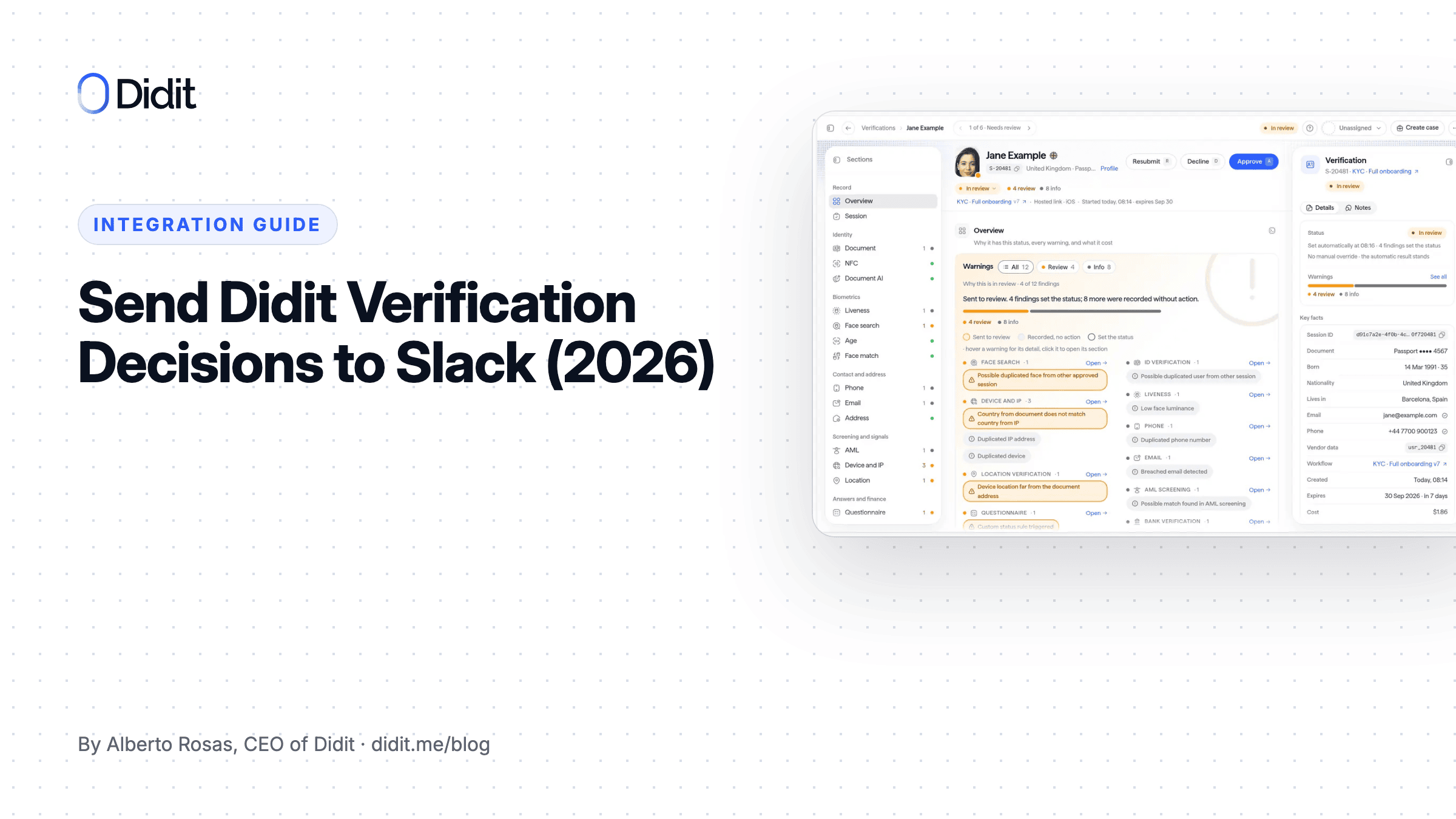
Send Didit Verification Decisions to Slack (2026)
Our Zapier guide shows how to send Didit verification alerts to Slack. If you run your own endpoint, use our webhook guide to receive and verify Didit events, then post them to Slack. A full KYC check costs $0.33.
 Alberto RosasCo-founder and CEO
Contents
In this guide
Jump to the part you need.
This guide is for teams running Didit checks that want each decision in a Slack channel. Our Zapier guide shows how to send verification alerts to Slack. If you run your own endpoint, use our webhook guide to receive and verify Didit events, then configure your endpoint to post to Slack. We list no native Slack app in our docs as of November 26, 2026. A full KYC check costs $0.33.
Last updated: November 26, 2026. Prices checked against the live Didit price feed on November 26, 2026.
| Item | Detail |
|---|---|
| Native Slack listing in Didit | We list no native Slack app in our docs as of November 26, 2026. Our Zapier guide shows how to send verification alerts to Slack. If you run your own endpoint, use our webhook guide to receive and verify Didit events, then configure your endpoint to post to Slack. |
| Recommended route | Signed Didit events to your own HTTPS endpoint, which posts the alert to Slack |
| No-code route | Didit on Zapier: Session Status Updated trigger, Slack action |
| Events to subscribe | status.updated for decisions. Optional exact names include user.status.updated, business.status.updated, transaction.status.updated, investigator.report.ready and investigator.decision.contested. There is no wildcard. |
| Authentication | HMAC-SHA256, X-Signature-V2 recommended, X-Timestamp within 300 seconds |
| Cost on the Didit side | The Didit price feed lists no separate webhook delivery line item. Full KYC $0.33, AML screening $0.20 per check. |
| Who this fits | Teams that can run an HTTPS endpoint, or operations teams using Zapier |
What lands in the channel
Subscribe to status.updated and filter the statuses that should produce a message, in a private reviewer channel. A useful alert carries the environment, the status and the Didit session ID. Reviewers open the Business Console for case details. The same destination mechanism carries user verification, business verification and transaction events, so you build it once.
Two limits matter before you start. We list no native Slack app in our docs, so the connecting piece is the Didit Zapier app or an HTTPS endpoint you own. Subscriptions have no wildcard: you name every exact event you want, and anything you leave out never arrives. Multiple destinations are allowed, so you can fan out one event to several URLs.
Prerequisites
| Requirement | Detail | Where |
|---|---|---|
| Plan | Free is enough to build and test. Sandbox testing is free on every plan. | business.didit.me |
| API key | For Zapier, copy the production key from API and Webhooks. For Retrieve Session, use a key for the application that owns the session with read:sessions. | Business Console, API and Webhooks |
| Webhook destination | Your endpoint URL, the exact subscribed events, and the signing secret. | Business Console webhook destinations |
| Client | An HTTPS endpoint that can read the raw request body, or a Zapier account if you take the no-code route. | Your infrastructure |
| Slack permission | Rights to add an incoming webhook to the target private channel. | Your Slack workspace admin |
Set up a Slack identity verification workflow
Route 1: Send signed Didit events to your own HTTPS endpoint
Create a webhook destination in the Console and point it at an HTTPS endpoint you own. We send status.updated when a session changes status. Your endpoint verifies the request, processes the event idempotently and acknowledges Didit promptly with 2xx. Didit retries webhook delivery a bounded number of times. Check the Slack posting result separately. Keep the Slack message to the environment, status and Didit session ID.
Route 2: Use the Didit Zapier app
The Didit app on Zapier exposes one trigger, Session Status Updated, which fires on status.updated, plus the actions Create Verification Session and Retrieve Verification Session. Our docs list a Stripe, Didit, Slack template.
- In Zapier, create a Zap and choose Didit as the trigger app.
- Choose
Session Status Updatedand connect the Didit app with the production key from the Console. - Add a filter step:
statusis exactlyIn Review. - Add Slack as the action app and choose the message action available in your Slack connection. Post to a private reviewer channel.
- Map the status and session ID from the trigger fields available in your Zap. Add the environment only if the trigger exposes it.
The Zapier trigger is based on status.updated. Map the fields available in the trigger. Use Retrieve Verification Session if another Zap step needs the full result. The Zapier route does not expose document uploads, decision overrides through PATCH /v3/session/{sessionId}/update-status/, or the KYB-specific endpoints. Our Zapier guide lists 100 tasks per month on Zapier's Free plan. Check the task usage of your Zap when estimating alert volume.
Step by step
Step 1: Create the destination and choose the events
In the Business Console, add a webhook destination pointing at your endpoint, then list exact event names in subscribed_events. Start the KYC alert route with status.updated and filter the case-sensitive session statuses that should post. The user and business entity events user.status.updated and business.status.updated are optional and separate. If reviewers handle escalations, add exact names such as investigator.report.ready and investigator.decision.contested. Add transaction.status.updated if you monitor transactions. There is no wildcard.
Step 2: Copy the signing secret
Each destination has its own signing secret. Store it as an environment variable on the endpoint. When you rotate it in the Business Console, the previous secret signs the corresponding -Previous header for 24 hours, so you can deploy the new secret while the old one still verifies.
Step 3: Create the Slack incoming webhook
In Slack, add an incoming webhook to a private reviewer channel and copy the URL. Store it next to the signing secret. Keep one channel per event or route. Use the environment field to tell sandbox alerts from live alerts.
Step 4: Verify every request before you post
Use sorted, Unicode-preserved canonical JSON for X-Signature-V2 and exact raw bytes for X-Signature. Reject requests with missing or invalid timestamps or timestamps outside 300 seconds. Recompute the current signature with the current destination secret and the previous signature with the replaced secret, then compare in constant time. During the 24-hour rotation window, accept either valid match.
For this alert workflow, require a valid X-Signature-V2 or X-Signature. X-Signature-Simple authenticates only the timestamp, session ID, status and webhook type. It does not authenticate the other fields this workflow uses.
Step 5: Format the message
Keep the message to the environment, status and Didit session ID. Post it to a private reviewer channel and direct reviewers to the Business Console for case details. Do not include vendor_data or warning details in Slack. Filter before posting, for example only Declined, In Review and Abandoned to the escalations channel and Approved to a quieter one. Status strings are exact and case sensitive, including Kyc Expired with a single capital K.
Step 6: Fetch the full decision when the alert needs it
The webhook envelope carries the decision object on Approved, Declined, In Review and Abandoned. When you need anything else, call the decision endpoint with a key that holds read:sessions.
curl https://verification.didit.me/v3/session/<SESSION_ID>/decision/ -H "x-api-key: <API_KEY>"Use session_kind to choose the applicable feature fields. user sessions return id_verifications[], liveness_checks[] and face_matches[]; business sessions return registry_checks[] and key_people_checks[]. V3 uses plural field names. A field can be absent or null if that feature did not run.
The Retrieve Session response exposes decision_trace.decided_by, with manual, automatic or investigator as the documented values.
Step 7: Run one sandbox session end to end
Create a sandbox session, arm a scenario, finish the flow, and watch the message arrive. The envelope labels it: environment is sandbox and sandbox_scenario carries the armed scenario slug. For an armed sandbox session, sandbox_scenario contains a slug such as decline_aml_hit. It is null on live sessions and on sandbox sessions without an armed scenario. The Console webhook test sends activity.created, which is reserved for that test, so use it to check the signature path and a real sandbox session to check the decision path.

Field and event mapping
| Didit field | What it holds | Use in the Slack message |
|---|---|---|
status | The exact session status string | Headline, and the filter that decides whether the message posts at all |
webhook_type | For example status.updated | Routing, not shown in the channel |
event_id | The event UUID. | Identifier to use for idempotent processing, not shown in the channel |
session_id | The session UUID | The Didit session ID in the message |
environment | live or sandbox | Prefix so test alerts are never mistaken for real ones |
sandbox_scenario | The armed scenario slug, or null | Not posted. Use it to validate a sandbox test against the payload. |
decision.id_verifications[].warnings[] | ID warnings, when the report is present | Not posted. Read in the Business Console. |
decision.aml_screenings[].warnings[] | AML warnings, when the report is present | Not posted. Read in the Business Console. |
session_kind | Business payloads carry business_session_id and session_kind | Send KYB alerts to a separate private channel, not shown |

Sandbox test cases
Sandbox testing is free on every plan. Use this pass-or-fail checklist.
| Test | Pass | Fail |
|---|---|---|
| Console signature test | activity.created arrives and your signature check passes. | No arrival, or a signature rejection. |
| In Review alert | One Slack message with environment, status In Review and session ID. | Missing message, or case details in Slack. |
| Filtered-out status | A status outside your filter produces no message. | A filtered-out status posts. |
| Repeated receipt of the same event ID | Sending an event your handler has already processed with the same event_id should produce one alert in total. | A second alert posts. |
| AML scenario | Slack shows status Declined. Inspect decision.aml_screenings[].warnings[] in Didit. | AML hit details appear in Slack, or the status is wrong. |
| Business session | Status Awaiting User while parties are pending, then the final decision, on the KYB channel. | Wrong channel or no final decision. |
Errors and fixes
| Symptom | Cause | Fix |
|---|---|---|
| Nothing arrives at your endpoint | subscribed_events omits the exact event name. | List each exact event name. There is no wildcard. Then re-send a test. |
| Signature check fails on every request | The body was parsed before hashing, the wrong destination secret is in use, or the timestamp is missing or invalid | Use canonical JSON for X-Signature-V2 or raw bytes for X-Signature, and the destination secret that signed the header. Reject missing or stale timestamps. |
| Signature check fails right after a rotation | Only the current signature header is checked | Recompute the current and previous signatures with their respective secrets and accept either valid constant-time match during the 24-hour rotation window |
| Requests rejected for an old timestamp | Clock drift between your server and Didit | Sync the server clock and compare X-Timestamp to now |
| Decision fetch returns 401 | Invalid API key | Check that x-api-key contains a valid key for the application that owns the session. |
| Decision fetch returns 403 | The key lacks read:sessions | Issue a key with that privilege |
| Decision fetch returns 404 | The session does not exist or belongs to another application | Check the key belongs to the same application as the session |
| Slack returns an error after a passing signature check | The Slack response reports an error, such as a revoked incoming webhook | Check the Slack response. If it reports the incoming webhook is revoked, create a new webhook and update the stored URL. |
| Duplicate messages | Didit retried the delivery, or the Slack call ran twice | Return 2xx promptly after verification, process the event idempotently and use event_id to skip an event you already processed. |
Rotate, pause and disconnect
- Rotate the signing secret from the Business Console. The previous secret signs the corresponding
-Previousheader for 24 hours, so you can deploy the new secret while the old one still verifies. - Pause alerts by suppressing posts while the destination stays subscribed. Do not delete the subscription if you want to resume later.
- Disconnect fully: delete the destination, revoke the API key dedicated to this integration after disconnecting it, and remove the incoming webhook in Slack. For Zapier, turn off this Zap. Remove the Didit connection only after checking whether other Zaps use it.
What both ends cost
The Didit price feed lists no separate webhook delivery line item. Sandbox testing is free on every plan. Verification checks are billed per completed check. Full KYC is $0.33, which is ID document verification at $0.15 plus passive liveness at $0.10 plus face match 1:1 at $0.05 plus device and IP analysis at $0.03. AML screening is $0.20 per check.
Zapier usage follows your Zapier plan. The Retrieve Session API is billed per call as its docs describe. Enterprise contracts start at $15,000 a year.
Free is $0 per month. The first organization created with an eligible work email for a company domain receives $10 in monthly credit. Growth is $99 per month with $115 in credit and 4% off the KYC and AML checks in this example. Scale is $299 per month with $350 in credit and 10% off those checks. Top-ups run from $50 to $20,000 and last 12 months.

Worked example: 1,000 new users a month
Each new user gets a full KYC check and one AML screen. Scope: verification checks only. Slack, Zapier and Retrieve Session calls are outside this total. The Didit price feed lists no separate webhook delivery line item.
- KYC: 1,000 x $0.33 = $330.00
- AML: 1,000 x $0.20 = $200.00
- List price total: $330.00 + $200.00 = $530.00
On Growth, the same volume with the 4% discount:
- KYC: $0.33 x 0.96 = $0.3168, so 1,000 x $0.3168 = $316.80
- AML: $0.20 x 0.96 = $0.192, so 1,000 x $0.192 = $192.00
- Checks: $316.80 + $192.00 = $508.80
Growth checks total $508.80. After $115 in monthly credit, $393.80 comes from the top-up balance. Add the $99 subscription fee for a monthly total of $492.80: subscription fee plus top-up credit consumed at this example volume, before tax. When you buy top-up credit can change the cash charged that month.
On Scale, the KYC line is $0.33 x 0.90 = $0.297, so 1,000 x $0.297 = $297.00, and the AML line is $0.20 x 0.90 = $0.18, so $180.00. Scale checks total $477.00. After $350 in monthly credit, $127.00 comes from the top-up balance. Add the $299 subscription fee for a monthly total of $426.00: subscription fee plus top-up credit consumed at this example volume, before tax. When you buy top-up credit can change the cash charged that month.
The price feed lists the unit rates, plan fees, discounts and credits used above. The pricing docs list the top-up limits. The pricing page has the full estimator.
Sources
- Didit docs: Webhooks, HMAC signing and event types, read November 26, 2026
- Didit docs: verification statuses and the session lifecycle, read November 26, 2026
- Didit docs: data models, read November 26, 2026
- Didit docs: Retrieve Session API, read November 26, 2026
- Didit docs: Zapier app, triggers and actions, read November 26, 2026
- Didit docs: sandbox test data and scenarios, read November 26, 2026
- Didit docs: pricing and billing, read November 26, 2026
- Didit pricing page and price feed, read November 26, 2026
- Didit integration prompt, read November 26, 2026
If you prefer a coding agent to write the endpoint, our integration prompt covers the same documented flow.
Open the Didit Business Console, create a sandbox application and send a test decision to a private Slack channel. The sandbox is free on every plan, with no sales call required.
Try it
Try this in the sandbox
Run the check this guide describes, free.
The product this post is about, taken from its topic. Run it free in the sandbox.
Author
Alberto Rosas
Co-founder and CEO

Keep reading
Other guides in the same topic.
 Didit Pricing Plans: Free vs Growth vs Scale vs Enterprise in 2026
Full KYC is $0.33 a check at list on Free, $0.3168 on Growth ($99/mo) and $0.297 on Scale ($299/mo). Monthly credit buys 30, 363 and 1,178 whole checks. Enterprise is a custom annual contract from $15,000 a year.
Alberto RosasNov 26, 2026 How to Detect Duplicate Accounts With Device Fingerprinting (2026)
Device and IP analysis runs inside every Didit session at $0.03 per check. Read the device analysis results on the decision and act on a confirmed duplicate, a possible duplicate or a blocklisted fingerprint.
Alberto RosasNov 26, 2026 How to Require Step-Up Verification Before Payouts and Withdrawals
Set a payout threshold and check each withdrawal with Didit. If verification is required, send the user to verify and release the payout only after your backend confirms approval.
Alberto RosasNov 26, 2026Questions
Frequently asked questions
How do I send Didit verification decisions to Slack?
Our Zapier guide shows how to send verification alerts to Slack. If you run your own endpoint, use our webhook guide to receive and verify Didit events, then configure your endpoint to post to Slack. Both routes start from status.updated and a private reviewer channel.
Does Didit have a native Slack integration?
We list no native Slack app in our docs as of November 26, 2026. Our Zapier guide shows how to send verification alerts to Slack. If you run your own endpoint, use our webhook guide to receive and verify Didit events, then configure your endpoint to post to Slack. The Zapier trigger is based on status.updated. Map the fields available in the trigger. Use Retrieve Verification Session if another Zap step needs the full result.
Which Didit webhook events should I subscribe to for KYC alerts?
Start the KYC route with status.updated. The user and business entity events user.status.updated and business.status.updated are optional and separate. Add exact names such as investigator.report.ready and investigator.decision.contested if reviewers handle escalations. There is no wildcard.
How do I verify a Didit webhook before posting to Slack?
Use sorted, Unicode-preserved canonical JSON for X-Signature-V2 and exact raw bytes for X-Signature. Reject missing or invalid timestamps and timestamps outside 300 seconds. Recompute the current and previous signatures with their respective secrets and accept either valid constant-time match during the 24-hour rotation window.
Can I post only Declined and In Review decisions to Slack?
Yes. Filter on status before you call Slack and send the rest nowhere, or route each status to a different channel. Match the strings exactly: Declined, In Review, Abandoned, and Kyc Expired with a single capital K.
How do I test Slack alerts without verifying real users?
Sandbox testing is free on every plan. For the direct webhook route, arm a sandbox scenario and complete the flow. Confirm the Didit payload has environment set to sandbox and check that your endpoint includes that label in the Slack message. Read sandbox_scenario in the webhook payload to confirm which scenario ran. For an armed sandbox session it contains a slug such as decline_aml_hit. It is null on live sessions and on sandbox sessions without an armed scenario.
What does it cost to send Didit decisions to Slack?
The Didit price feed lists no separate webhook delivery line item. You pay for the completed checks: $0.33 for a full KYC, $0.20 for AML screening, and business verification starts at $2.00 per company and varies by country and registry data tier. Zapier usage follows your Zapier plan, and the Retrieve Session API is billed per call as its docs describe.
Why did my Slack message never arrive?
Check the exact names in subscribed_events, then confirm your endpoint returned 2xx and passed the signature check. If the endpoint passed but Slack failed, check the Slack response. Treat a revoked incoming webhook URL as one possible cause and replace it once confirmed.
How do I stop duplicate alerts?
Didit can retry webhook delivery. Use event_id to recognize an event you already processed and avoid posting a second alert. Return 2xx promptly after verification and process the event idempotently.
Should I post AML hit details to Slack?
No. Keep the Slack message to the environment, status and Didit session ID in a private reviewer channel. Direct reviewers to the Business Console for AML hit details and feature warnings. When the AML report is present, those warnings sit in decision.aml_screenings[].warnings[].
How do I disconnect Didit from Slack?
Delete the webhook destination, revoke the API key dedicated to this integration after disconnecting it, and remove the incoming webhook in Slack. For Zapier, turn off this Zap. Remove the Didit connection only after checking whether other Zaps use it.
Compliance built in
Audited, certified and attested.
We hold the certifications and build each country's rules into your flows, so you can launch anywhere without worrying. Security and Compliance center
- Regulation encoded into your flows
Tell us what you do and where. Didit lists the rules that apply to you, with sources, and builds the checks each country needs into one workflow.
- Ready for AMLR
Every requirement of the new EU anti-money laundering rules, from checking customers to human review, is already covered by a Didit check.
- Tested in Spain's Treasury sandbox
Spain's Treasury published its supervised sandbox report on Didit's NFC plus active liveness onboarding; SEPBLAC took part and valued the added measures positively.
- Audited, not self-declared
iBeta Level 1 and Level 2. Liveness tested under ISO/IEC 30107-3.
Your obligations · 3 regions
 SOC 2 Type 2
 ISO 27001
 iBeta Level 1 and Level 2
 EU regulator attestation
 FSM youth protection
 GDPR
 EBA remote onboarding
 MiCA compatible
 FIDO Alliance member
- AMLREU AML Regulation ready
Integration · Didit MCP
Run Didit from your own AI agent
Connect Didit to Claude, Cursor, VS Code or ChatGPT and just ask in plain words. Your agent can do anything you can do in the console, with the same permissions you have.
 Add to Claude
 ChatGPT
 Cursor
- Build workflowsDescribe the checks you need. The agent creates and publishes the flow.
- Run investigationsAsk why a session was declined, review cases, search people and companies.
- Change rulesCreate payment rules, test them on past data and switch them on.
- Pull reportsAsk for numbers, exports or the audit log.
Didit Academy


