Add Passkey Sign-In to an Android App with Didit Auth
Didit Auth adds passkeys to an Android app with a Maven dependency, one HTTPS App Link, one manifest activity and a native-apps registration.
 Alberto RosasCo-founder and CEO
Contents
In this guide
Jump to the part you need.
We built Didit Auth for Android teams using our hosted sign-in page. It adds passkeys to an Android app with a Maven dependency, one HTTPS App Link, one manifest activity and one management call. Authentication is free for the first 50,000 active users a month, then $0.02 per additional active user per month at list price. The caveat: redirects are HTTPS only, a custom scheme is refused, and passkeys need Android 9 or later.
Last updated: November 26, 2026. Prices checked against the live Didit price feed on November 26, 2026.
| Item | Value |
|---|---|
| Library | me.didit:didit-auth:4.15.4, shipped in the native SDKs since 4.11.0 |
| Maven repository | https://raw.githubusercontent.com/didit-protocol/sdk-android/main/repository |
| Redirect rule | HTTPS App Link only. Custom URL schemes are refused |
| App Link file | https://app.example.com/.well-known/assetlinks.json, over HTTPS, naming your package and signing certificate |
| Manifest change | DiditAuthRedirectActivity with tools:node="replace" |
| Passkey registration | PUT native-apps/ on the Authentication management API, package plus SHA-256 fingerprints |
| Method to enable | Passkey, under Authentication, then Sign-in methods |
| Android version | Android 9 or later for passkeys |
| Price | First 50,000 authentication active users a month free, then $0.02 per active user per month |
Start free in the sandbox at business.didit.me, no sales call. For developers, connect Didit to an AI assistant through didit.me/developers/mcp and let it run the setup calls. See Didit pricing for Authentication rates and verification charges. The product is Didit Authentication, and the reference behind this integration is the Authentication overview in the docs.
How hosted sign-in returns to your Android app
We run the Didit Authentication hosted sign-in page on your application's sign-in origin. The hosted page opens in a Custom Tab when you call signIn(activity). The person signs up or signs in there (with a passkey, a password, an email code or a social provider), Didit redirects back to an HTTPS address you registered, and the SDK finishes the sign-in with the PKCE verifier and the random state it kept from the start.
Passkeys belong to your application's sign-in origin. For native passkeys, the SDK uses Android Credential Manager through registerPasskey(activity) and signInWithPasskey(activity). Register the Android package and SHA-256 signing-certificate fingerprints with Didit to use native passkeys through Credential Manager.
Two registrations back this up, and they are easy to confuse. assetlinks.json on the callback host tells Android that your app may open your own HTTPS links, which is how the callback reaches your redirect activity. The native-apps registration tells Didit which package and which SHA-256 certificate fingerprints may use passkeys for your application. One is the return path, the other is the credential.
Prerequisites
| Requirement | Detail |
|---|---|
| Plan | Any plan. The sandbox is free on every plan, and the Free plan includes $10 of monthly credit for eligible organizations |
| Didit application | A Sandbox application has Authentication turned on from the start. A Live application turns it on from the Products page of the console |
| Publishable key | From Authentication, then Developers, in the console |
| Redirect URL | Registered under Authentication, then Security and sessions, for example https://app.example.com/didit/callback |
| Sign-in method | Passkey enabled under Authentication, then Sign-in methods. The hosted page offers only the methods you enabled |
| Domain control | You can publish a file at https://app.example.com/.well-known/assetlinks.json |
| Signing certificate | The SHA-256 fingerprint of the certificate that signs your app, for each build you ship |
| Management credential | A full-access application API key, or an application API key with write access to the authentication resource, or an owner-approved grant with didit:management, or a console session with sufficient permissions, for the native-apps registration |
| Device | Android 9 or later for passkeys |
Step by step
1. Add the Didit Maven repository and the dependency
The library works on its own or next to the Android verification SDK. Add the repository in settings.gradle.kts:
dependencyResolutionManagement {
    repositories {
        google()
        mavenCentral()
        maven { url = uri("https://raw.githubusercontent.com/didit-protocol/sdk-android/main/repository") }
    }
}
Then the dependency in build.gradle.kts:
dependencies {
    implementation("me.didit:didit-auth:4.15.4")
}
2. Register the redirect URL, enable Passkey and copy the publishable key
In the console, open Authentication, then Security and sessions, and add your redirect URL. It must match what your app sends, character for character, and it must be HTTPS. Then open Authentication, then Sign-in methods, and enable Passkey: hosted sign-in shows only the methods you enabled. To enable it through the management API, send PUT methods/passkey/ with {"enabled": true} and a credential allowed to change your application's setup. Then open Authentication, then Developers, and copy the publishable key. Use a Sandbox application and a Sandbox key while you build. Keep Sandbox and Live applications, publishable keys and redirect URLs separate.
3. Publish the App Links file
Publish the App Links file over HTTPS at the well-known path on the host that serves your redirect: https://app.example.com/.well-known/assetlinks.json. The file associates the redirect host with your app's package and SHA-256 signing-certificate fingerprints using the delegate_permission/common.handle_all_urls relation. The manifest's intent filter matches the HTTPS callback path.
List every fingerprint you ship with, including your Play signing certificate if Google Play re-signs the app. The file format and the verification procedure are in the Android documentation: Android App Links.
4. Declare the redirect activity in the manifest
The SDK ships its redirect activity unexported. Declare it yourself with tools:node="replace" so your declaration wins, and add xmlns:tools="http://schemas.android.com/tools" to the root manifest element if it is not there yet.
<activity
    android:name="me.didit.sdk.auth.DiditAuthRedirectActivity"
    android:exported="true"
    android:theme="@android:style/Theme.Translucent.NoTitleBar"
    tools:node="replace">
    <intent-filter android:autoVerify="true">
        <action android:name="android.intent.action.VIEW" />
        <category android:name="android.intent.category.DEFAULT" />
        <category android:name="android.intent.category.BROWSABLE" />
        <data android:scheme="https" android:host="app.example.com" android:path="/didit/callback" />
    </intent-filter>
</activity>
Do not add a custom scheme. Didit returns people to your app over HTTPS only, and a redirect that uses something like myapp://callback is refused before it reaches this activity.
5. Register the package and fingerprints with PUT native-apps/
Register your Android package and SHA-256 signing-certificate fingerprints with PUT native-apps/ on your application's Authentication management API. The documented management base is https://apx.didit.me/auth/v2/organizations/{org_id}/applications/{application_id}/authentication/, so the request goes to that base with native-apps/ appended. The payload carries the Android package name and the SHA-256 signing-certificate fingerprints.
A scoped application API key needs write access to the authentication resource, because this is a PUT, and it is sent as x-api-key. An owner-approved grant with didit:management is sent as Authorization: Bearer. The request schema is in the native-apps section of the Authentication integration guide. Keep the fingerprint list in step with the one in the App Links file. Include the signing certificate for each installed build that uses the relevant callback host and Didit application.
6. Create one DiditAuth instance, then enroll and reuse a passkey
One instance per application, for example in your Application class or a singleton. The publishable key stays on the client; it is public by design and the code exchange is protected by PKCE instead of a client secret. This is the enrollment path, and the order matters:
import me.didit.sdk.auth.*

val auth = DiditAuth(
    applicationContext,
    publishableKey = "pk_test_...",
    redirectUri = "https://app.example.com/didit/callback"
)

// First sign-in, from a coroutine, with the current Activity.
val session = auth.signIn(activity)

// Enroll a native passkey right after it, while the session is fresh:
// registerPasskey needs a session at most five minutes old.
val passkeyId = auth.registerPasskey(activity)
A later visit uses a passkey available through Credential Manager, as its own call:
// Repeat sign-in with an existing passkey of this device.
val passkeySession = auth.signInWithPasskey(activity)
Offer the hosted page through signIn(activity) as the path for anyone without a passkey yet, and treat a failed enrollment as a skipped enrollment rather than a failed sign-in. When you need the same person to prove themselves again, reauthenticate(activity) asks them to sign in again on the hosted page or with DiditReauthMethod.PASSKEY, and returns their new session.
7. Verify the token on your backend
auth.getToken() returns a five-minute JWT for your backend, or null when the SDK has no session, renewed before it expires. Send it as a Bearer token only when the SDK returns one, and verify it on the server against the issuer's JWKS at <origin>/.well-known/jwks.json. Check the ES256 signature, then iss, aud, exp and typ: at+jwt, and reject a token whose act claim is not null unless that route accepts AI agents. Cache keys by kid: when a token names a kid you do not have, fetch the JWKS again at most once a minute, and reject the token if its key is still missing.
Call getToken() right before each request, because after a refresh the previous access token stops working at GET session/ and DELETE session/. Add a live GET /session/ check before a sensitive action: it fails at once when the session was revoked, went idle or expired. The details are in tokens and JWKS.

Field and method mapping
| Field or method | What the docs establish |
|---|---|
userId, sessionId, applicationId, email, emailVerified, phone, methods, mfaVerified, verified, organizations, expiresAt | These are the fields DiditSession holds. Treat them as the session's own record, and keep the verified token as the gate on every protected route |
vendorData | The id that ties the person to their verifications and transactions across Didit products, so a sign-in, a check and a transaction land on the same person |
currentSession() | Returns the cached session, cached for 30 seconds; force = true asks Didit now |
getToken() | A five-minute JWT for your backend, or null when there is no session, renewed before it expires. Attach it only when the SDK returns one |
signOut() | Signs out here at once, then ends the session at Didit when reachable |
reauthenticate() | The same person signs in again and you get their new session; throws not_signed_in without a session and step_up_user_mismatch when a different person signs in |
stepUp() | Asks whether a stronger check applies before a payout, a bank change or a contact change |
On the server side the sign-in events arrive as webhooks: auth.signup, auth.login and auth.new_device. Use them for audit and notifications, and keep the token check as the gate.
Android sign-in and reauthentication errors
| Code | What it means | What to do |
|---|---|---|
cancelled | The person closed the Custom Tab before finishing | Return to your screen with no error banner and keep the sign-in button available |
not_signed_in | reauthenticate was called with no session | Send the person through signIn(activity) first |
step_up_user_mismatch | A different person signed in during reauthenticate. The new session is ended and the current one stays | Tell the person the account did not match and keep them where they were. Never swap the session silently |
The hosted sign-in is bound to its start with PKCE using S256 and a random state, and the SDK refuses a redirect that arrived for any other sign-in. Treat that refusal as a callback problem, not as something to retry inside the callback: start a fresh sign-in from your button, with a single DiditAuth instance and one sign-in at a time.
Test with sandbox data
Build against a Sandbox application, which has Authentication on from the start, with a Sandbox publishable key (pk_test_...) and a Sandbox redirect URL. The sandbox is free and unlimited, so run the whole flow as often as you need. Then check three things you can observe.
- The callback reaches your activity. Tap sign in, finish on the hosted page, and confirm that
signIn(activity)returns aDiditSessionwith auserIdinstead of leaving you on the sign-in screen. - The passkey enrolls, then works. Call
registerPasskey(activity)within five minutes of that sign-in, sign out, and sign in again withsignInWithPasskey(activity). - The token verifies. Take
getToken()to your backend and verify it against the sandbox issuer,https://<name>.sandbox.auth.didit.me, and that issuer's JWKS, which is separate from Live.
Callback troubleshooting
| Symptom | Possible cause | Fix |
|---|---|---|
| The app stays on the sign-in screen after the hosted page finishes | The App Link is not verified for this build | Check that the file is reachable over HTTPS at the well-known path for the redirect host, that it names the package and fingerprint of the installed build, and follow the App Links verification procedure |
Sign-in returns cancelled every time | The person closed the Custom Tab before finishing | Show the sign-in button again. This is a user action, not a configuration fault |
| The callback does not reach your activity | The registered redirect URL, the manifest path or the App Link verification does not match | Compare the exact registered URL with the redirectUri the SDK was given, then compare their scheme, host and path with the manifest data element, and follow the App Links verification procedure. Preserve the registered trailing-slash choice |
| The callback reaches the SDK but the sign-in is refused | The callback belongs to another sign-in | The SDK checks the callback against the sign-in that started it. Start a fresh sign-in from your button, with one DiditAuth instance and one sign-in at a time |
| Passkey is missing from the hosted page | Passkey is not enabled for the application | Enable Passkey under Authentication, then Sign-in methods, or send PUT methods/passkey/ with {"enabled": true} |
| Native passkey enrollment or sign-in fails | Android below 9, or the native-apps registration is missing the current fingerprint | Test on Android 9 or later and confirm that the installed build's package and signing fingerprint are registered through PUT native-apps/ |
| Backend rejects the token | Wrong issuer, or a Live token checked against the Sandbox JWKS | Set the issuer per environment and keep Sandbox and Live applications completely separate |
Step-up and verified identity, briefly
Passkey sign-in controls who gets in. Verified identity can require a check before sign-up or a sensitive action. Your backend decides whether the action may proceed. Before a sensitive action, your app asks Didit whether a check applies.
val result = auth.stepUp(activity, DiditStepUpAction.Payout(amount = "900.00", currency = "EUR"))
// When a check was required, your backend reads GET step-up/{result.id}/ itself.
When the step-up HTTP endpoint returns required: false, no rule applies and the action can proceed. When a check is required, the person verifies, and your backend reads the step-up with GET step-up/{id}/ using an access token from the same session, and acts only when the status is approved. The rules you turn on decide when that happens: with the payout rule enabled, Didit checks payouts above your threshold and always checks a payout in a different currency; device covers a payout from a device none of the person's earlier sessions came from, and bank and contact cover a bank change and a contact change. When several rules apply, Didit asks for the strongest check. Each check is billed at its own price: liveness $0.10, selfie login $0.10, full ID $0.33. A step-up never fails open: when verification is unavailable, the action stays blocked.

Signing out
Call auth.signOut(). It signs the person out here at once, then ends the session at Didit when Didit is reachable. A session Didit ended, whether revoked, expired or replaced because a used refresh token came back, reads as signed out on every DiditAuth instance. A backup restored on another device cannot be decrypted, so the person signs in again there.
What does Android passkey sign-in cost?
On our side, passkey sign-in is authentication. The first 50,000 Authentication active users each month are free. Additional active users cost $0.02 per active user per month at list price. Verified identity checks are billed separately. Every product price is on Didit pricing. Start with the authentication bill alone, then add verification as a separate subtotal.
Worked example for a consumer app with 80,000 monthly authentication active users. It also runs 8,000 completed full ID checks at sign-up and 4,000 completed selfie logins for people with an enrolled face before a payout.
- Authentication: 80,000 monthly active users minus the 50,000 free = 30,000. At $0.02 per active user per month, 30,000 x $0.02 = $600.00.
- Verification subtotal, optional: sign-up full ID checks 8,000 x $0.33 = $2,640.00, plus step-up selfie logins 4,000 x $0.10 = $400.00, so $3,040.00.
- Total at list price: $600.00 + $3,040.00 = $3,640.00 per month.
On the Growth plan at $99 a month you get $115 of monthly credit and 4% off every Didit price, so the same usage costs $3,640.00 x 0.96 = $3,494.40, minus the $115 credit, plus the $99 fee: $3,478.40 per month. On Scale at $299 a month the discount is 10%, so $3,640.00 x 0.90 = $3,276.00, minus $350 of credit, plus the $299 fee: $3,225.00 per month. Plan credit does not roll over and top-ups last 12 months.
On your side the costs are not Didit charges: a host that serves the App Links file over HTTPS, an App Links check in your release process so a rotated signing certificate never ships without a matching fingerprint, and the backend work to verify JWTs against the JWKS on every protected request.

Sources
- Didit docs: Android quickstart, for the Maven repository, the dependency, the manifest snippet, the session fields, the SDK methods and the sandbox note.
- Didit docs: Authentication integration guide, for the architecture, the token checks, the native-apps registration and the go-live checklist.
- Didit docs: Tokens and JWKS, for the issuer per environment, the claims to check, key rotation and
GET /session/. - Didit docs: Verified identity, for sign-up levels, step-up rules, statuses and check prices.
- Didit docs: Set up Authentication by API, for the management base, the API key scopes and the owner-approved grant.
- Didit docs: Sign-in methods, for enabling Passkey, MFA and the steps a sign-in can return.
- Didit docs: Authentication overview, for preparing an application and the redirect URLs.
- Didit Authentication product page, for the product itself.
- Didit pricing and the pricing docs, read November 26, 2026, for the authentication allowance, $0.02 per active user, the plan prices, the credits and the verification prices.
- Didit MCP server, for connecting Didit to an AI assistant.
- Android Developers: App Links, for the App Links file format and the verification procedure.
Next step: open business.didit.me, create a Sandbox application and run the passkey flow once against the free sandbox. No sales call, and Authentication is on in every Sandbox application from the start.
Try it
Try this in the sandbox
Run the check this guide describes, free.
The product this post is about, taken from its topic. Run it free in the sandbox.
Author
Alberto Rosas
Co-founder and CEO

Keep reading
Other guides in the same topic.
 Migrate Firebase Auth Users Without Password Resets (2026)
Users with verified email addresses keep their existing passwords after you import Firebase scrypt hashes and salts with the matching project parameters and enable password sign-in. Test a password in the sandbox first.
Alberto RosasNov 26, 2026 How to Add Didit Authentication to a Next.js App with HttpOnly Cookies
Install @didit-protocol/auth-nextjs and read the session with auth() on the server. Your server sets HttpOnly cookies browser JavaScript cannot read; client code requests the short-lived access token explicitly.
Alberto RosasNov 26, 2026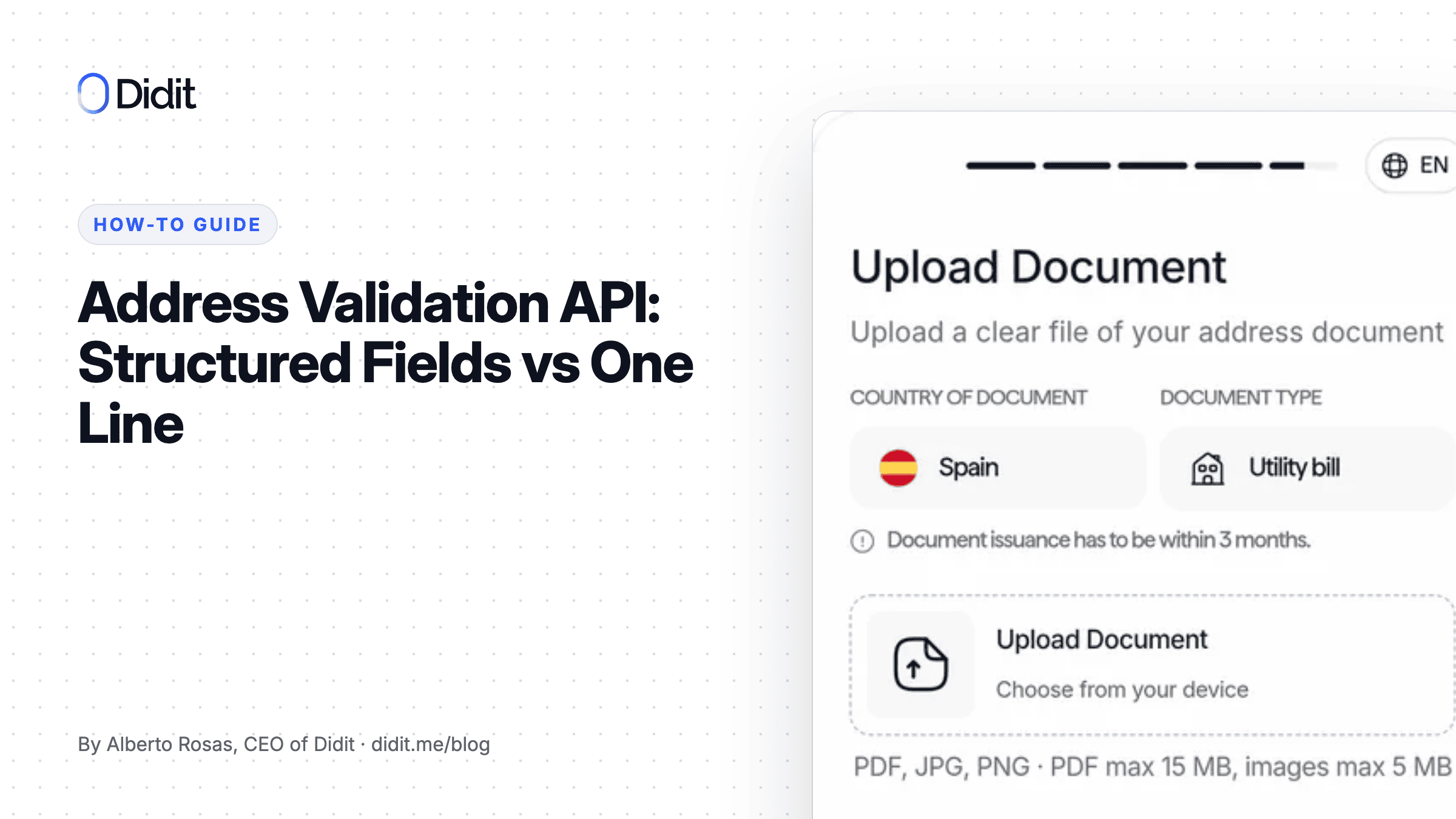 Address Validation API: Structured Fields vs One Line
Send an address to <code>POST /v3/address-validation/</code> on one line or as structured fields, never both, with the country in ISO 3166-1. Results show the match level and cost $0.10 per validated address.
Alberto RosasNov 26, 2026Questions
Frequently asked questions
How do I add passkey sign-in to an Android app with Didit?
Add the Didit Maven repository and me.didit:didit-auth:4.15.4, register an HTTPS redirect URL in the console and enable the Passkey method, then publish the App Links file for that host. Declare DiditAuthRedirectActivity in the manifest with tools:node="replace" and register your package and SHA-256 fingerprints with PUT native-apps/. After that, sign the person in with auth.signIn(activity) and enroll with auth.registerPasskey(activity) within five minutes, and use auth.signInWithPasskey(activity) on later visits.
Can I use a custom URL scheme for Didit Auth on Android?
Didit Auth accepts only a registered HTTPS redirect URL on Android. Configure that URL as a verified Android App Link so Android can deliver the callback to DiditAuthRedirectActivity.
What exactly has to be in the App Links file?
It has to be served over HTTPS at the well-known path for the host in your redirect URL. The file associates the redirect host with your app's package and SHA-256 signing-certificate fingerprints using the delegate_permission/common.handle_all_urls relation. The manifest's intent filter matches the HTTPS callback path. The exact file format and the verification procedure are in the Android App Links documentation.
Which Android version do passkeys need?
Passkeys need Android 9 or later. On supported devices where a passkey is unavailable, offer another enabled method through the hosted sign-in page.
How do I turn on passkey sign-in for my application?
Open Authentication, then Sign-in methods, in the console and enable Passkey, because hosted sign-in shows only the methods you enabled. Through the management API, send PUT methods/passkey/ with {"enabled": true} and a credential that may write your application's setup.
What does step_up_user_mismatch mean and how do I handle it?
It means a different person signed in during reauthenticate. Didit ends that new session and keeps the current one, so your app should show that the account did not match and leave the person where they were. Never replace the session on a mismatch.
Do I need an API key inside the Android app?
No. The app holds only the publishable key, which is public, and the code exchange is protected by PKCE instead of a client secret. The authentication-scoped API key or owner-approved grant is needed only for management calls such as PUT native-apps/, and those belong on your build machine or backend, never in the shipped app.
How much does passkey sign-in cost?
The first 50,000 Authentication active users each month are free. Additional active users cost $0.02 per active user per month at list price. Verified identity checks are billed separately.
Can I use the Android verification SDK in the same app?
Yes. The Didit Auth library works on its own or next to the Android verification SDK, and both come from the same Maven repository. The Android quickstart recommends one DiditAuth instance per application. The SDK serializes refreshes across instances of that application.
How do I test the whole flow before going live?
Use a Sandbox application, which has Authentication turned on from the start, with a Sandbox publishable key and a Sandbox redirect URL. The sandbox is free and unlimited, and its issuer, https://<name>.sandbox.auth.didit.me, has its own JWKS separate from Live. Test your backend verification against that sandbox issuer too.
Does an email change or a payout trip a new check?
Only if you turned the rule on. With the payout rule enabled, Didit checks payouts above your threshold and always checks a payout in a different currency. The contact rule asks for a check when the person changes their email or phone, and a payout also applies the device rule, so a transfer from a device the person has not used before can ask for a check too. When several rules apply, Didit asks for the strongest check.
Compliance built in
Audited, certified and attested.
We hold the certifications and build each country's rules into your flows, so you can launch anywhere without worrying. Security and Compliance center
- Regulation encoded into your flows
Tell us what you do and where. Didit lists the rules that apply to you, with sources, and builds the checks each country needs into one workflow.
- Ready for AMLR
Every requirement of the new EU anti-money laundering rules, from checking customers to human review, is already covered by a Didit check.
- Tested in Spain's Treasury sandbox
Spain's Treasury published its supervised sandbox report on Didit's NFC plus active liveness onboarding; SEPBLAC took part and valued the added measures positively.
- Audited, not self-declared
iBeta Level 1 and Level 2. Liveness tested under ISO/IEC 30107-3.
Your obligations · 3 regions
 SOC 2 Type 2
 ISO 27001
 iBeta Level 1 and Level 2
 EU regulator attestation
 FSM youth protection
 GDPR
 EBA remote onboarding
 MiCA compatible
 FIDO Alliance member
- AMLREU AML Regulation ready
Integration · Didit MCP
Run Didit from your own AI agent
Connect Didit to Claude, Cursor, VS Code or ChatGPT and just ask in plain words. Your agent can do anything you can do in the console, with the same permissions you have.
 Add to Claude
 ChatGPT
 Cursor
- Build workflowsDescribe the checks you need. The agent creates and publishes the flow.
- Run investigationsAsk why a session was declined, review cases, search people and companies.
- Change rulesCreate payment rules, test them on past data and switch them on.
- Pull reportsAsk for numbers, exports or the audit log.
Didit Academy