Hosted Bank Account Linking API: Link, Redirect, Webhook, Confirm
Create a Bank Link on your server with POST /v3/bank/links/, send the person to the returned url, and confirm with GET /v3/bank/links/{id}/ or a bank.link webhook. Sandbox is free.
 Alberto RosasCo-founder and CEO
Contents
In this guide
Jump to the part you need.
Hosted Bank Link fits teams that want a bank connection without building bank screens: your server creates a link, the person starts on Didit's hosted page, signs in at their bank and then returns to Didit, and your server confirms the result. Bank sign-in starts at $0.45 per completed sign-in, and a link nobody completes is free. The caveat: ongoing access with real banks is not open to live applications yet; it is available in sandbox with the Didit Test Bank.
Last updated: November 26, 2026. Prices checked against the live Didit price feed on November 26, 2026.
| Question | Answer |
|---|---|
| What you call | POST https://verification.didit.me/v3/bank/links/ with your application API key in the x-api-key header, on your server |
| What the person sees | Didit's hosted page at the url in the response, then your redirect_url when the link completes if Didit accepts that address |
| Where state lives | On Didit's servers: the link keeps its status even if the tab closes |
| How you confirm | GET /v3/bank/links/{id}/, or the webhook for bank.link.completed, bank.link.failed, bank.link.cancelled or bank.link.expired |
| What you get | A connection_id, then accounts, balances and transactions |
| Price | Bank sign-in from $0.45 per completed sign-in. In the UK and Europe, a completed bank sign-in costs $0.79 at list price. One-time balances and transactions are priced separately at $0.35 and $1.30, respectively, when requested. A link nobody completes is free. |
| Live today | One-time reads of real banks in live applications, in supported countries. Ongoing access with real banks is not open to live applications; ongoing access is available in sandbox with the Didit Test Bank. |
| Sandbox | Free and unlimited |
Start free in the sandbox at business.didit.me: no sales call, no contract. If you want to connect Didit to your AI assistant while you build, use the free Didit MCP server. The product overview is Bank data and every price is on didit.me/pricing. The Bank Link recipe below stays on the documented HTTP route.
What you end up with
Three things, in this order. A link: a record on Didit's servers that holds the consent request and its status. A connection: what the link creates when the person finishes, identified by a connection_id. Data: the accounts the person chose to share, with balances and transactions. Your server reads that data with an API key. The application sends the browser the hosted url and keeps the API key on the server.
Because the link lives on our servers, closing the tab does not erase a status that was already recorded, and a link that finished still sends its final-status event. Closing the tab before consent finishes can leave the link unresolved. GET /v3/bank/links/{id}/ answers with the link's status whenever you ask, and the final-status webhook is sent whether the tab is open or not. Use the stored link ID to confirm the outcome.
Install route: API recipe, embedded SDK, or MCP
For hosted Bank Link, create and read links from your server. Add a webhook endpoint if you want final-status notifications. If you want people to stay on your own site, embed the link with the Bank Link SDK after adding your site to Allowed origins (Bank verification, Settings, Bank Link). If you want to connect Didit to your AI assistant while you build, use the MCP server at didit.me/developers/mcp, which is free on every plan.
We do not document a separate Bank Link connector inside MCP. The link operations are HTTP calls, so the recipe below is the documented route whichever client drives it.

Prerequisites
| Item | What it must be |
|---|---|
| Application | A sandbox application in the Business Console. A live application is needed only for real banks. |
| API key | A full-access key, or a key whose scopes name Bank data. It goes on your server only and never in the browser. |
| Return address | A live return address must be registered and match the supplied redirect_url exactly: https, at most 2048 characters, no spaces, no credentials, no fragment, up to 50 per application. Omit redirect_url to end on Didit's result page; an unregistered address is rejected at creation with 400 redirect_url_not_registered. Sandbox also accepts http on localhost, 127.0.0.1 or [::1] without registration. |
| Country | An ISO country code from the coverage page, for example ESP, LTU or NOR. |
| Data scope | Which of accounts, balances and transactions you ask for in the data array. |
| Client | Use an HTTP client for the server calls shown here. The Bank Link SDK is the documented option for embedding the hosted flow on an allowed origin. |
Integrate it in seven steps
Create the application and the key. Sign in to business.didit.me, create a sandbox application and an API key, and store the key on your server. Every call in this guide carries it in the
x-api-keyheader. Every operation except the account check needs a full-access key or a key whose scopes name Bank data.Register where people come back to. Open Bank verification, Settings, Bank Link, then Return addresses. If you supply
redirect_urlfor a live link, it must exactly match a registeredhttpsaddress. Omitredirect_urlto end on Didit's result page. An unregistered address is rejected at creation with400 redirect_url_not_registered. If you registeredhttps://example.com/bank/return, thenhttps://example.com/bank/doneis refused. Allowed origins, directly below, lists the sites that may embed the link with the SDK.Create the link on your server. One POST returns the hosted
url. This is a sandbox example using documented fields: a one-time read that returns to a local address, with thedataarray added to the return-address example. Theurlis returned only when the link is created.curl -X POST https://verification.didit.me/v3/bank/links/ -H "x-api-key: $DIDIT_API_KEY" -H "content-type: application/json" -d '{"access": "one_time", "country": "ESP", "data": ["accounts", "balances", "transactions"], "redirect_url": "http://localhost:3000/bank/return", "vendor_data": "client-7731"}'Store the link
idnext to your own user reference. That id is what you will confirm with later.Send the browser to the
url. Redirect to it, open it in a new tab, or put it in an email. Open the link exactly as it is: do not proxy or re-host the hosted page on your own domain. It works at its own address only, so a copy on another address cannot finish and the link does not open. When the link carries acountry, the person sees that country's banks. Addinstitution_idif you want one bank opened directly.Take the return. If the link completes and has an accepted
redirect_url, the browser returns there automatically withlink_id,statusand signedstate. If it fails, is cancelled or expires, the Didit result page offers a Back button with the same parameters. Without aredirect_url, the flow ends on Didit's result page. Use the return parameters for display and confirm the outcome on your server.Confirm on your server. Follow the Bank webhooks guide to configure your endpoint and verify deliveries. For each final Bank Link event, confirm the outcome using the link ID you stored for that user.
curl https://verification.didit.me/v3/bank/links/LINK_ID/ -H "x-api-key: $DIDIT_API_KEY"Read the link's
status. Oncompleted, use theconnection_id. Onfailed, inspecterror.code. Handlecancelledandexpiredseparately. If the link has not reached a final status, wait for its final webhook or read its status again. A status GET is free.Read the data. With the
connection_id, read the connection's accounts, then balances and transactions per account. The desired data is requested when you create the link, in thedataarray. Reads never bill.- List the connection's accounts:
GET /v3/bank/connections/{id}/accounts/ - Get one account:
GET /v3/bank/accounts/{account_id}/ - Read balances:
GET /v3/bank/accounts/{account_id}/balances/ - List transactions:
GET /v3/bank/accounts/{account_id}/transactions/
- List the connection's accounts:
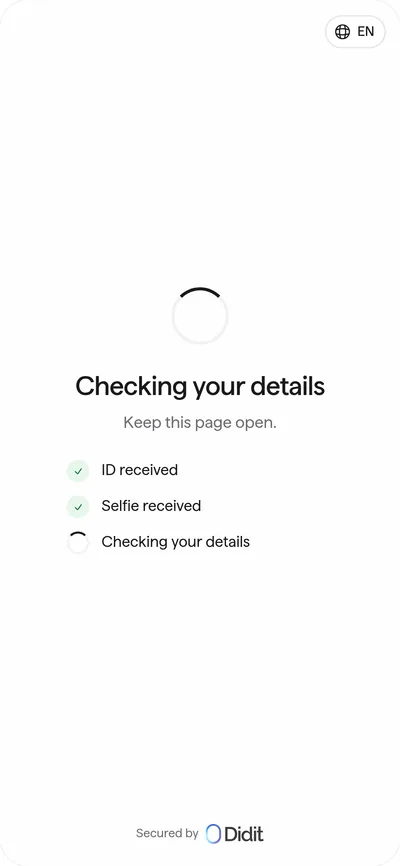
Link outcomes: browser and server
| Outcome | Browser with an accepted redirect_url | Server check |
|---|---|---|
completed | Returns to your address automatically with link_id, status and signed state. | GET /v3/bank/links/{id}/: expect completed and a connection_id. Store the connection ID. |
failed | The Didit result page offers a Back button to your address with the same parameters. | GET /v3/bank/links/{id}/: branch on error.code. |
cancelled | The Didit result page offers a Back button to your address with the same parameters. | GET /v3/bank/links/{id}/: expect cancelled. Do not treat it as an error. |
expired | The Didit result page offers a Back button to your address with the same parameters. | GET /v3/bank/links/{id}/: expect expired. Create a new link if the user still wants to connect. |
Without a redirect_url, every outcome ends on Didit's result page. The webhook and GET /v3/bank/links/{id}/ remain the authority.
Field and event mapping
| Field | What it does |
|---|---|
access | one_time reads the data once when the person connects. ongoing asks for continuing access: it is available in sandbox with the Didit Test Bank, and ongoing access with real banks is not open to live applications. |
country | Sets the bank list the person sees. Use a country from the coverage page. |
institution_id | Opens one bank directly instead of the picker. Read the id from GET /v3/bank/institutions/. |
data | Which of accounts, balances and transactions you want. Ask for what you need at creation time. |
redirect_url | Where the browser returns when the link completes if Didit accepts the address. For failed, cancelled or expired links, the Didit result page offers a Back button with the same parameters. Must match a registered address exactly. |
end_user.reference, vendor_data | The hosted-link example supplies your own reference in both fields. Store the returned link id against your user reference and use that stored ID to confirm the outcome. |
expires_in | Link lifetime, 60 minutes by default, between 5 minutes and 24 hours. |
| Event | When it fires | What to do |
|---|---|---|
bank.link.completed | The person connected a bank, or renewed a connection | Read the link, store the connection_id, pull the data |
bank.link.failed | The link ended in an error, or the person declined | Read the link and branch on error.code |
bank.link.cancelled | The person chose not to continue. On a renewal that is Not now, and the connection keeps running until its end date | Do not treat as an error |
bank.link.expired | The link ran out of time | Create a new link if the user still wants it |
Separate sandbox exercise: ongoing access
The main path above uses a one-time read. To exercise ongoing access in sandbox, create a second link with "access": "ongoing" and the same Spain country. The picker lists the Didit Test Bank, which supports ongoing access in sandbox. Ongoing access with real banks is unavailable to live applications.
curl -X POST https://verification.didit.me/v3/bank/links/ -H "x-api-key: $DIDIT_API_KEY" -H "content-type: application/json" -d '{"access": "ongoing", "country": "ESP", "data": ["accounts", "balances", "transactions"], "end_user": {"reference": "client-7731"}, "vendor_data": "client-7731"}'Test it in the sandbox
Nothing is charged in sandbox. Use the Spain link and the Didit Test Bank to run a short acceptance check.
Successful return. Create the one-time link with
redirect_urlset tohttp://localhost:3000/bank/return, open theurl, pick the Didit Test Bank and finish. The browser lands on your return address withstatus=completed. Read the link on your server and confirm that it returnscompletedand aconnection_id. Then call the accounts endpoint and confirm the shared accounts are there.Closing the tab before returning to the app. Create another link, complete the Test Bank steps and close the tab before the browser reaches your
redirect_url. Read the link on your server: the recorded outcome is still there, and the final-status event is still sent.Final outcome without a browser return. Create a link without
redirect_url, complete the Test Bank flow and let it end on Didit's result page. Confirm withGET /v3/bank/links/{id}/that the status iscompletedand that theconnection_idis present.
Expected success: status=completed at the return address, bank.link.completed delivered to your endpoint, and GET /v3/bank/links/{id}/ answering completed with a connection_id. List the accounts the person shared. Call the balance and transaction endpoints for a returned account if you requested those data types when creating the link.
| Response | Cause | Fix |
|---|---|---|
400 with a field name | A field failed validation, including a country the link does not support | Fix what the body names and check the coverage page or GET /v3/bank/coverage/ |
400 redirect_url_not_registered | The address is not registered exactly as sent | Register it under Return addresses, then send the same string |
401 | The key is wrong, malformed, revoked or expired | Check DIDIT_API_KEY or create a new key |
403 | No key, a key without the Bank data scope, or a balance that cannot cover the call | Check the response and confirm the key has Bank data access before taking any billing action |
404 | The requested resource was not found | Check the link ID you stored |
409 | The request conflicts with current state, for example a reused Idempotency-Key | Read code and reload the state before deciding whether to retry |
expired link status | The hosted URL has reached the end of its lifetime | Confirm the status on your server and create a new link if the user still wants to connect |
429 | A rate limit or quota was reached | Wait for Retry-After, then retry |
Disconnecting is two different calls. POST /v3/bank/connections/{id}/revoke/ stops the connection, and DELETE /v3/bank/connections/{id}/ deletes it. Deletion is immediate and irreversible: when the call returns, its data is deleted.
What Hosted Bank Link costs
Our side is pay per completed check from prepaid credit, at published prices. Link creation and status confirmation use server-side API calls. You can also receive final-status webhooks. A status GET is free. Reads never bill, so polling the link does not change the invoice. A link that fails, is cancelled or expires costs $0.
In the UK and Europe, a completed bank sign-in costs $0.79 at list price. One-time balances and transactions are priced separately at $0.35 and $1.30, respectively, when requested. A link nobody completes is free.
Worked example. 500 people in Lithuania complete a one-time read with balances and transactions, at the published Lithuanian list prices. These are usage charges before subscription fees and monthly credits:
- Bank sign-in: 500 × $0.79 = $395.00
- Balances add-on: 500 × $0.35 = $175.00
- Transactions add-on: 500 × $1.30 = $650.00
- List-price usage subtotal: $395.00 + $175.00 + $650.00 = $1,220.00
- Scale discount of 10%: $1,220.00 × 0.90 = $1,098.00
The same volume on Growth, at 4% off: $1,220.00 × 0.96 = $1,171.20. 500 links that nobody completes add nothing to either figure. These are usage charges before subscription fees and monthly credits.

Sources
- Hosted Bank Link
- Bank Link return to your site
- Bank Data API reference
- Bank data overview
- Bank webhooks guide
- Webhooks: signing and delivery
- API errors: status codes and fixes
- Lithuania bank data, 17 banks, coverage feed read 2026-11-24
- Norway bank data, 87 banks
- Bank data quickstart
- Bank coverage
- Sandbox with the Didit Test Bank
- Bank verification pricing
- didit.me pricing and pricing.json
- Didit MCP server
- Didit Business Console
Next step: create a sandbox application at business.didit.me, create one link with "country": "ESP", open it and finish with the Didit Test Bank. After completing the Test Bank flow, read the link on your server and confirm that it returns completed and a connection_id. No sales call.
Try it
Try this in the sandbox
Run the check this guide describes, free.
The product this post is about, taken from its topic. Run it free in the sandbox.
Author
Alberto Rosas
Co-founder and CEO

Keep reading
Other guides in the same topic.
 Auth0 Post-Login Action with Didit IDV: Step-by-Step
Didit runs as an OpenID Connect bridge for Auth0 post-login Actions, requiring a Didit check after Auth0 authenticates the user. PAR only, PKCE S256, a 5-minute single-use code, and FAILED when a review is open.
Alberto RosasNov 26, 2026 KYB Lite vs Shareholders vs UBO checks: what each tier costs
Lite returns the company profile and officers from $2. Shareholders adds direct owners and ownership bands from $5. UBOs resolves ultimate beneficial owners from $9. You pay the country rate for the tier delivered.
Alberto RosasNov 26, 2026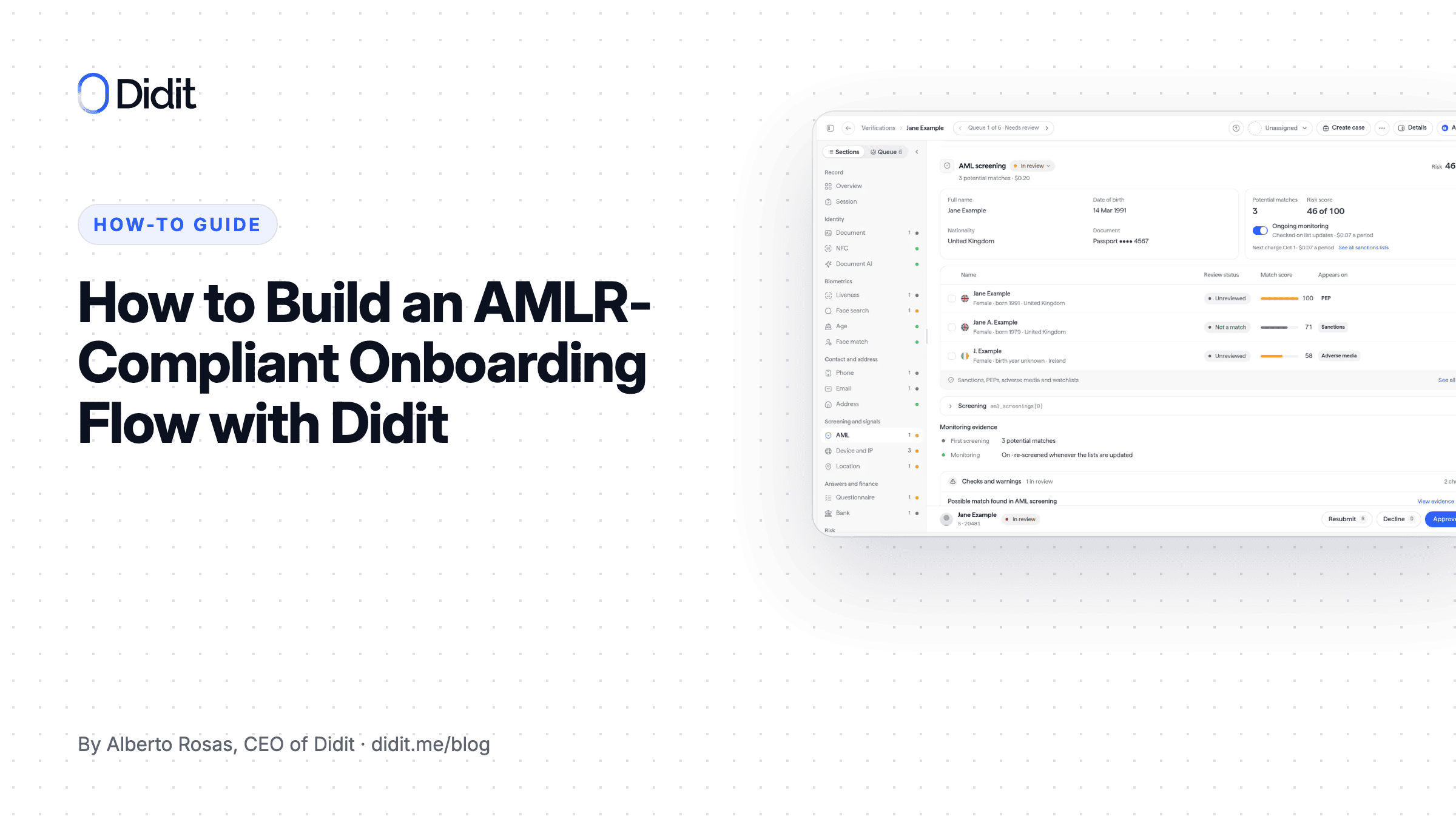 How to Build an AMLR-Compliant Onboarding Flow with Didit
Create a Didit session, receive the status.updated webhook, read the decision per check, let your compliance team approve or decline with update-status, then start AML monitoring.
Alberto RosasNov 26, 2026Questions
Frequently asked questions
How do I create a hosted bank verification link and redirect the user to it?
POST to https://verification.didit.me/v3/bank/links/ with your server-side API key, a country, the data you want and a redirect_url if the app needs a browser return. The response carries a url, and you send the browser there. That url is returned only at creation, so store it or redirect immediately, and store the link id for confirmation.
Why can't I embed the bank login in an iframe?
The hosted page works at its own address only, so a copy re-hosted on another address cannot finish. To keep people inside your site, embed the link with the Bank Link SDK after adding your site to Allowed origins in Bank verification, Settings, Bank Link. A plain iframe around the hosted URL is not the supported route.
My link does not open and cannot finish after I proxy it on my own domain. What went wrong?
Proxying breaks the flow. Open the link's url exactly as it is, as a redirect or in a new tab, and let Didit host every screen. After the bank, the person returns to Didit's hosted page and from there to your redirect_url, never straight to another address.
How do I fix a country validation error when creating a Bank Link?
A 400 indicates invalid input, and the body names the field. Check the reported field and use the coverage page or GET /v3/bank/coverage/ before resubmitting.
How do I handle a 409 when creating a Bank Link?
A 409 means the request conflicts with current state. Read the returned code and reload the state before deciding whether to retry. Bank data writes accept an Idempotency-Key, and reusing a key is one documented example of a conflict.
Why are balances and transactions missing after a completed bank verification?
Ask for them at creation. The data array is where you request accounts, balances and transactions, and the person consents to the accounts they choose to share, so a connection can return fewer accounts than the bank holds. Confirm the link's status with GET /v3/bank/links/{id}/, then list the connection's accounts before reading balances or transactions.
How do I open Revolut, Wise or SEB directly in Lithuania?
Send institution_id with the bank's id in the create call, using country LTU. The Lithuanian docs list the coverage feed read on 2026-11-24, and in that feed the ids are lt-revolut for Revolut, lt-seb for SEB and lt-wise-former-transferwise for Wise. Read GET /v3/bank/institutions/ for the current id before shipping.
How do I open a specific Norwegian bank with institution_id?
Norway is covered with 87 banks, and the bank id is what institution_id takes. Read the id for the specific bank from GET /v3/bank/institutions/ rather than guessing a string. The country code for Norway is NOR.
Do I need a webhook, or is a status read enough?
Either works, and the two agree. A webhook notifies your server of the final outcome, and GET /v3/bank/links/{id}/ lets you check the stored status on demand. The redirect parameters are display only, so confirm on your server with one of the other two.
If the person closes the tab, is the consent lost?
No. The link and its state live on Didit's servers, so closing the tab does not erase a status that was already recorded or prevent a final-status event from being sent. If the tab closes before consent finishes, the link can stay unresolved: GET /v3/bank/links/{id}/ still answers with the link's current status.
How long does the link url work?
60 minutes by default, and you can set anything from 5 minutes to 24 hours with expires_in. If the link runs out of time before reaching a final outcome, it expires and Didit sends bank.link.expired. Create a new link if the person still wants to connect.
Does the API key ever reach the browser?
No. The link is created on your server and the application sends the browser only the hosted url, which carries no key. Every read you make against /v3/bank/ happens server to server with the x-api-key header.
Compliance built in
Audited, certified and attested.
We hold the certifications and build each country's rules into your flows, so you can launch anywhere without worrying. Security and Compliance center
- Regulation encoded into your flows
Tell us what you do and where. Didit lists the rules that apply to you, with sources, and builds the checks each country needs into one workflow.
- Ready for AMLR
Every requirement of the new EU anti-money laundering rules, from checking customers to human review, is already covered by a Didit check.
- Tested in Spain's Treasury sandbox
Spain's Treasury published its supervised sandbox report on Didit's NFC plus active liveness onboarding; SEPBLAC took part and valued the added measures positively.
- Audited, not self-declared
iBeta Level 1 and Level 2. Liveness tested under ISO/IEC 30107-3.
Your obligations · 3 regions
 SOC 2 Type 2
 ISO 27001
 iBeta Level 1 and Level 2
 EU regulator attestation
 FSM youth protection
 GDPR
 EBA remote onboarding
 MiCA compatible
 FIDO Alliance member
- AMLREU AML Regulation ready
Integration · Didit MCP
Run Didit from your own AI agent
Connect Didit to Claude, Cursor, VS Code or ChatGPT and just ask in plain words. Your agent can do anything you can do in the console, with the same permissions you have.
 Add to Claude
 ChatGPT
 Cursor
- Build workflowsDescribe the checks you need. The agent creates and publishes the flow.
- Run investigationsAsk why a session was declined, review cases, search people and companies.
- Change rulesCreate payment rules, test them on past data and switch them on.
- Pull reportsAsk for numbers, exports or the audit log.
Didit Academy


