Smart-ID and Mobile-ID Verification API and Coverage
Smart-ID costs $0.21 per check in Estonia, Latvia, Lithuania and Belgium; Mobile-ID $0.21 in Estonia and Lithuania. Each returns the cryptographic tier, and no selfie comparison is made when the wallet returns no portrait.
 Alberto RosasCo-founder and CEO
Contents
In this guide
Jump to the part you need.
We support Smart-ID in Estonia, Latvia, Lithuania and Belgium and Mobile-ID in Estonia and Lithuania. Both cost $0.21 per completed verification. Use our standalone wallet APIs if your application manages sign-in, or our hosted workflow if you want configured document fallback. The wallet provider signs the attributes it shares. If it returns no portrait, the wallet result includes no selfie comparison.
Last updated: November 26, 2026. Prices checked against the live Didit price feed on November 26, 2026.
Smart-ID and Mobile-ID at a glance
| Item | Smart-ID | Mobile-ID |
|---|---|---|
| Price per completed verification | $0.21 | $0.21 |
| Countries in production | Estonia, Latvia, Lithuania, Belgium | Estonia, Lithuania |
| Country codes written to the ID Verification config | EST, LVA, LTU, BEL | EST, LTU |
| Assurance tier on the result | cryptographic | cryptographic |
| Selfie comparison | No selfie comparison when no portrait is returned | No selfie comparison when no portrait is returned |
| What the user does | Checks that the comparison code in the verification flow matches the code on their phone, then confirms the sign-in | Checks that the comparison code in the verification flow matches the code on their phone, then confirms the sign-in |
| Endpoints | Dedicated start endpoint plus shared result, polling and cancellation endpoints | Dedicated start endpoint plus shared result, polling and cancellation endpoints |
| Workflow required for the standalone wallet API | No | No |
| Sandbox cost | Free on every plan | Free on every plan |
Start free in the sandbox at business.didit.me, no sales call. For developers, connect Didit to an AI assistant through the Didit MCP server.
Coverage by country
| Country | ISO code | Smart-ID | Mobile-ID |
|---|---|---|---|
| Estonia | EST | Available at $0.21 | Available at $0.21 |
| Latvia | LVA | Available at $0.21 | Not in the catalog |
| Lithuania | LTU | Available at $0.21 | Available at $0.21 |
| Belgium | BEL | Available at $0.21 | Not in the catalog |
Both wallets are billed at $0.21 per completed verification everywhere they are available. Of these two wallets, both are available in Estonia and Lithuania. In Latvia and Belgium, use Smart-ID. Availability is specific to your environment: the console reads its environment's live capability catalog when you save a workflow, and while wallet sign-in is switched off in an environment, every wallet reads Coming soon there whatever the catalog says.
What a wallet sign-in proves, and what it does not
Wallet sign-in is one of three methods inside ID Verification, alongside document capture and non-document lookup. The user signs in with a digital identity they already hold, the wallet authenticates them, and the provider shares a signed set of attributes with Didit. Smart-ID and Mobile-ID both use a comparison code. The user checks that the comparison code shown in the verification flow matches the code on their phone, then confirms the sign-in. No document photograph is involved.
The result carries the assurance tier cryptographic. That is all the tier claims: an identity provider authenticated the person and signed the attributes it returned. The tiers are not a ranking against each other. They describe different evidence, not more or less of the same thing, which matters when your policy is written around documents.
| Method | What the user does | Assurance tier |
|---|---|---|
| Document capture | Photographs a passport, ID card, driving licence or residence permit | documentary |
| Non-doc lookup | Types a national ID number plus a few personal details, checked against an authoritative source | data_match |
| Wallet | Signs in with a government or bank digital identity such as Smart-ID or Mobile-ID | cryptographic |
Two limits matter in production. A signature verifies the issuer and the returned claims, but it does not guarantee that every attribute you requested is present, current or sufficient for your compliance policy. And when the wallet returns no portrait, its result includes no selfie comparison. If your policy needs a live face, add biometric steps to the workflow. Passive Liveness costs $0.10 per check. Face Match (1:1) costs $0.05 per check and requires a separate reference portrait when the wallet returns none. How long a sign-in takes is the wallet's own flow, which Didit neither controls nor promises. Read the tier definitions on verification methods before you map them to a policy.
Choose the route: standalone wallet API or hosted workflow
- Standalone wallet API. Use the Digital ID wallet APIs when your application manages the interface and the authentication steps. Each wallet has a dedicated start endpoint, with shared result, polling and cancellation endpoints. You do not need to create a workflow.
- Hosted session workflow. Use the Sessions API when you want Didit's hosted wallet journey, workflow rules and the configured document fallback. You create a session, send the user to
session_url, and read the decision when it finishes.
The wallet's availability, the user approval step and the verified identity attributes apply to both routes. The full wallet list, including methods that are not live yet, is on Digital ID wallet verification API and coverage.
Prerequisites before the first call
| Requirement | Detail | Where it lives |
|---|---|---|
| Plan | Any plan. The wallet check is billed at $0.21 per completed verification from prepaid credit. The Free plan includes $10 in monthly credit for the first organization created with an eligible work email for a company domain, and the sandbox is free on every plan. | Pricing |
| Hosted API authentication | Send your Didit API key in the x-api-key header. | Didit Business Console. Standalone route: see the standalone API reference for its authentication requirements. |
| Permission, hosted route only | The read:sessions privilege, needed by the decision endpoint. Without it the call returns 403. | API key settings |
| Environment | Wallet sign-in enabled for your environment. A wallet marked Coming soon cannot be enabled at all. | Console capability catalog |
| Workflow, hosted route only | A workflow with an ID Verification node and the country configured with the wallet ticked. | Workflows, Countries tab |
| Issuer account, user side | An active identity with the issuer and access to the authentication method. The account must be eligible for the requested attributes, and the user must consent to sharing them. | User's bank or issuer |
| Allowed domains, hosted route only, optional | If the application has allowed domains configured, an HTTP or HTTPS callback must match an allowed origin, including scheme, host and port. Otherwise session creation returns 400. | Webhook and application settings |
Standalone wallet API walkthrough
- Pick the wallet for the user's country and start it with that wallet's dedicated start endpoint in the Digital ID wallet APIs reference. No workflow is created on this route.
- Show the comparison code the flow puts in front of the user and ask them to check it. The user checks that the comparison code shown in the verification flow matches the code on their phone, then confirms the sign-in.
- Poll the shared polling endpoint until the wallet reports an outcome. The user can cancel the sign-in, or it can time out.
- Retrieve the outcome from the shared result endpoint. A completed sign-in carries the tier
cryptographicand the attributes the issuer signed. When the wallet returns no portrait, its result includes no selfie comparison. - Call the shared cancellation endpoint if you need to stop a verification that is still in progress.
We do not reproduce request bodies here: the exact calls and fields are in the standalone API reference and the Smart-ID and Mobile-ID integration guide, which also lists the supported country codes and the comparison-code flow the user sees.
Hosted workflow: configure Smart-ID or Mobile-ID
- Open Workflows, select the workflow and its ID Verification node, then open Countries. Every country row shows the methods it accepts, and what you change here is the same object the Management API validates: the
methodskey on the node. - Open the country editor for Estonia (
EST), Latvia (LVA), Lithuania (LTU) or Belgium (BEL) and find Wallets accepted. Tick Smart-ID. In Estonia and Lithuania you can tick Mobile-ID as well. The list is an accept-list, not a ranking: the user picks from what you tick. - Under How users verify here, choose the behaviour: Wallet first, document if it fails, Wallet only, no document, User picks wallet or document, or Document only. Wallet first writes
document.fallback_onlyand the matching fallback switches in one step. Wallet only setsdocument.enabledto false andwallet.on_failuretoretry, so a sign-in that does not finish can be tried again and the session stays open until the user finishes or it expires. - Set the switch that covers a failed wallet sign-in, then save and publish the workflow. A country where you turn every method off is rejected on save with No method enabled, nobody can verify here. A wallet marked Coming soon cannot lead, and a workflow that enables one is rejected, including the other configuration in that save.
- Create the session and send the user to
session_url. The wallet step then runs inside the hosted journey.
The redirect back to your callback carriescurl -X POST https://verification.didit.me/v3/session/ \ -H 'x-api-key: <API_KEY>' \ -H 'Content-Type: application/json' \ -d '{"workflow_id": "<WORKFLOW_UUID>", "vendor_data": "<your-user-id>", "callback": "https://app.example.com/done"}'?verificationSessionId={session_id}&status={status}. If the application has allowed domains configured, an HTTP or HTTPS callback must match an allowed origin, including scheme, host and port. Otherwise session creation returns 400. - Read the decision from the API, or open the completed session and inspect its Credential card. To preview the expected wallet request and response, open See details on the wallet in the country configuration.
curl https://verification.didit.me/v3/session/<SESSION_ID>/decision/ \ -H 'x-api-key: <API_KEY>' - Repeat the run in the sandbox, then confirm production availability for the countries you actually serve. A successful staging or sandbox test does not enable the wallet in production.
Field mapping: what the completed session gives you
| What you need | Where it appears | How to read it |
|---|---|---|
| Which method produced the result | Session payload and the console | The session records the method the user actually used, so do not assume the wallet ran |
| Assurance tier | Session payload, console, exports | cryptographic when a digital identity provider authenticated the user and signed the attributes |
| Overall outcome | status | Approved, Declined, In Review, In Progress, Not Started, Expired, Abandoned, Kyc Expired, Resubmitted or Awaiting User |
| Why that status was reached | decision_trace | decision_trace.status, decision_trace.decided_by (manual, automatic or investigator), decision_trace.decided_at, decision_trace.automatic_status, decision_trace.terminal_node_id, decision_trace.warning_counts, decision_trace.status_warnings |
| Identity attributes shared by the wallet | ID Verification feature payload | Signed by the issuer. A requested attribute may be absent, so validate against your own required list |
| Your own reference | vendor_data | The value you sent on create, echoed back for reconciliation |
| Session address and expiry | session_url, expires_at | You can override the expiry per session with session_expiration_time, between 3600 and 2419200 seconds |
| Session kind | session_kind | Branch on it. A KYC workflow creates a user session |
| Manual review state | decision_trace.decided_by, status_override | decision_trace.decided_by identifies whether the decision was manual, automatic or made by the investigator. status_override is set when a reviewer changes the status by hand |

Field names, nested shapes and the full schema are on Retrieve Session API. Feature arrays are always plural arrays, and a feature that did not run is absent or null, never a placeholder. Branch on session_kind before you touch any feature array.
Document fallback is a separate, separately priced check
A configured document fallback runs a separate document check, billed as its own line at $0.15 per ID document verification. Turn Document capture on for that country first, because the fallback switches are off whenever the country has no document capture, since there is nowhere to fall back to. The same setting appears under Additional settings on the Wallets and Non-doc lookup screens as Offer document capture only as the fallback. Both controls edit the same configuration.

Wallet only is the other setting worth knowing. Document capture is turned off for the country, a sign-in that does not finish can be retried, and the session stays open until the user finishes or it expires. Use Wallet only when your users have an eligible wallet and your flow can leave them on the wallet step until they finish or the session expires.
Test in the sandbox: expected success, error cases and fixes
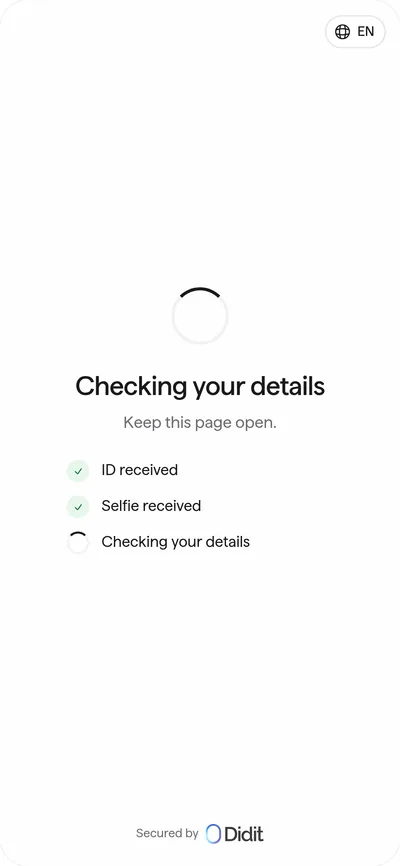
The sandbox is free on every plan. Use it to confirm four things: the wallet shows up in the country editor, the comparison code reaches the user, a completed sign-in returns cryptographic, and a cancelled sign-in follows the fallback you configured.
Expected success has two parts. For a successful wallet sign-in, check that the ID Verification result carries cryptographic and that the Credential card shows the wallet used. Read the hosted session's overall status and decision_trace separately. Your callback receives the session id and status.
| Symptom | Cause | Fix |
|---|---|---|
| 401 | Invalid API key | Use a valid API key. |
| 403 with the message You do not have permission to perform this action. | Hosted route only: the key lacks read:sessions | Issue a key with the privilege and retry the decision call |
| 404 with the message Not found. | Hosted route only: the session does not exist, or belongs to a different application | Use the id returned by the create call from that same application |
| 400 on callback: callback must be on one of the application's allowed domains | Hosted route only: the callback origin is not in allowed_domains | Add the origin, or use an app deep link, which is always accepted. If the application has allowed domains configured, an HTTP or HTTPS callback must match an allowed origin, including scheme, host and port. Otherwise session creation returns 400 |
400 on session_expiration_time | Hosted route only: the value is outside 3600 to 2419200, or is not a whole number | Send an integer inside the range, or omit the field and let the workflow setting apply |
| Workflow save rejected | A wallet marked Coming soon is enabled, or every method is off in that country | Pick an available wallet or turn Document capture on, then save again |
| User cancels or times out in the wallet | The sign-in did not finish | Wallet first falls back to document capture. Wallet only sets retry, so the user can start the wallet again |
| No face match in the result | The wallet returned no portrait | Passive Liveness costs $0.10 per check. Face Match (1:1) costs $0.05 per check and requires a separate reference portrait when the wallet returns none |
Two results are not errors at all. A wallet that is available in the catalog but switched off in your environment reads Coming soon in the console, and that is an environment setting rather than a bug. A valid signature authenticates the attributes the issuer returned. Check that the result contains every attribute your policy requires.
Disconnect or switch it off
To stop offering a wallet in a hosted workflow, remove it from Wallets accepted for the country, then save and publish the workflow. To cancel an in-progress standalone wallet verification, use the shared wallet cancellation endpoint in the standalone API reference. If the integration is finished entirely, revoke a key dedicated to it. A shared key may still serve other callers.
Smart-ID, Mobile-ID and document fallback costs
Both wallets are $0.21 per completed verification, so a mixed population does not change the unit cost. Assume 7,000 billable Smart-ID checks, 3,000 billable Mobile-ID checks and 1,000 billable document fallback checks. For this example, assume the fallback group produces no billable wallet result. This example counts 10,000 completed wallet verifications and 1,000 completed document checks.
At list price: 7,000 x $0.21 = $1,470.00. 3,000 x $0.21 = $630.00. Wallet subtotal $2,100.00. Fallback document checks: 1,000 x $0.15 = $150.00. Total $2,250.00 a month.
On Growth, every Didit price is 4 percent lower, so the wallet is $0.2016 and the document check is $0.144. Wallet usage: 10,000 x $0.2016 = $2,016.00. Document usage: 1,000 x $0.144 = $144.00. Usage total $2,160.00 before the plan's credit and fee. Monthly outlay at this volume: $2,160 − $115 + $99 = $2,144, before applicable taxes.
On Scale, the discount is 10 percent: the wallet is $0.189 and the document check is $0.135. Wallet usage: 10,000 x $0.189 = $1,890.00. Document usage: 1,000 x $0.135 = $135.00. Usage total $2,025.00 before the plan's credit and fee. Monthly outlay at this volume: $2,025 − $350 + $299 = $1,974, before applicable taxes.
Planning figures, per wallet, without the fallback: 1,000 verifications at list price is $210.00. 5,000 is $1,050.00. 25,000 is $5,250.00. An eligible organization can cover 47 completed Smart-ID checks with its $10 monthly credit at the $0.21 list price ($10 ÷ $0.21 ≈ 47.62). Run your own numbers in the estimator on the pricing page.
Connect Didit to an AI assistant over MCP
We host the Didit MCP server at https://mcp.didit.me/mcp. It uses OAuth and is included free on every plan. Follow the Didit MCP setup guide for your assistant. It does not change the wallet flow: the user checks that the comparison code shown in the verification flow matches the code on their phone, then confirms the sign-in.
Where a client has no documented MCP connector, use the documented API instead: create a session with POST /v3/session/ and read the result with GET /v3/session/{session_id}/decision/. The full sequence, including credentials and webhooks, is on API full flow. The Didit integration prompt hands the whole thing to a coding agent.

Sources
- Didit ID Verification product page
- Didit docs: Smart-ID and Mobile-ID integration guide
- Didit docs: Digital ID wallet verification API and coverage
- Didit docs: ID Verification overview
- Didit docs: ID Verification methods and assurance tiers
- Didit docs: Configure ID Verification methods in the console
- Didit docs: Digital ID wallet APIs
- Didit docs: Create Session API
- Didit docs: Retrieve Session API
- Didit docs: API full flow
- Didit docs: Pricing and billing
- Didit pricing page and pricing as JSON, read November 26, 2026
- Didit digital ID wallet pricing feed, read November 26, 2026
- Didit integration prompt
- Didit MCP server setup
Next step: open business.didit.me, create a sandbox application and run one Smart-ID session end to end. No sales call is involved, and the sandbox is free on every plan.
Try it
Try this in the sandbox
Run the check this guide describes, free.
The product this post is about, taken from its topic. Run it free in the sandbox.
Author
Alberto Rosas
Co-founder and CEO

Keep reading
Other guides in the same topic.
 Didit KYC Coverage: 220+ Countries, 14,000+ Documents
We verify identities from 220+ countries and territories across 14,000+ document types in 54 languages, at $0.15 per document check inside a workflow and $0.33 for a full KYC check.
Alberto RosasNov 26, 2026 Document Liveness Detection: How Didit Stops Screen and Print Fraud
Document liveness detection inside Didit ID Verification flags screen replays, printed copies and portrait manipulation, at $0.20 per standalone API check or $0.15 as a workflow document check.
Alberto RosasNov 26, 2026 Incremental Bank Transaction Sync: Change Feed, Cursors and Page Tokens
The Didit change feed returns a full snapshot with reset true on the first read, pages with a page token while more pages remain, and continues incrementally from the next cursor on later reads.
Alberto RosasNov 26, 2026Questions
Frequently asked questions
How much does a Smart-ID verification cost on Didit?
A Smart-ID wallet verification on Didit is $0.21 per completed check in Estonia, Latvia, Lithuania and Belgium, at list price, on both the standalone wallet API and a hosted workflow. Growth takes 4 percent off ($0.2016) and Scale takes 10 percent off ($0.189). You pay only when a check finishes with a result, and the sandbox is free on every plan.
Which countries support Smart-ID and Mobile-ID in production?
Didit supports Smart-ID in Estonia, Latvia, Lithuania and Belgium, and Mobile-ID in Estonia and Lithuania only. Availability is also specific to your environment: a wallet switched off in your environment reads Coming soon in the console even when the catalog lists it as available.
Does a Smart-ID verification include a selfie or a face match?
A Smart-ID or Mobile-ID wallet result on Didit includes no selfie comparison when the wallet returns no portrait, because the result is signed attributes without a portrait. If your policy needs a live face, add biometric steps. Passive Liveness costs $0.10 per check. Face Match (1:1) costs $0.05 per check and requires a separate reference portrait when the wallet returns none.
Do I need to create a workflow to use the Smart-ID API?
On the standalone Didit wallet route you do not create a workflow: each wallet has a dedicated start endpoint, with shared result, polling and cancellation endpoints. On the hosted route you do need one, and the Sessions API then gives you Didit's hosted wallet journey, workflow rules and the configured document fallback.
What assurance tier does a Smart-ID sign-in return?
A Smart-ID or Mobile-ID wallet verification on Didit returns the tier cryptographic, because an identity provider authenticated the person and signed the attributes it returned. That is all the tier claims. It is not a ranking against documentary or data_match, which describe different evidence.
Can I fall back to document capture when a user fails Smart-ID?
Yes, in a hosted Didit workflow: in the country editor choose Wallet first, document if it fails, which writes document.fallback_only and the matching fallback switches in one step. Document capture must be enabled for that country, because the fallback switches are off when there is nowhere to fall back to. The fallback runs a separate document check at $0.15.
What happens when a user cancels the Smart-ID sign-in?
In a hosted Didit workflow, a cancelled Smart-ID or Mobile-ID sign-in follows the setting you chose: Wallet first offers document capture, and Wallet only sets wallet.on_failure to retry, so the user stays on the wallet step with a retry option and the session stays open until the user finishes or it expires.
How do I read the result of a Smart-ID or Mobile-ID session?
For a standalone Smart-ID or Mobile-ID verification, use the shared wallet result and polling endpoints. For a hosted Didit session, call GET /v3/session/{session_id}/decision/ with an API key that has read:sessions, or inspect the completed session's Credential card in the console.
How do I test Smart-ID in the sandbox before going live?
Check the sandbox capability catalog first. If the wallet is available, configure it, publish the workflow, then test sign-in and cancellation. The sandbox is free on every plan, and you do not need an Approved outcome to confirm the wallet result or the fallback. A sandbox pass does not enable the wallet in production.
What does a missing permission return?
The Didit hosted-session decision endpoint returns HTTP 403 when the API key lacks read:sessions, with the message You do not have permission to perform this action. A 401 means the key itself is invalid, and a 404 with Not found means the session does not exist or belongs to a different application.
Compliance built in
Audited, certified and attested.
We hold the certifications and build each country's rules into your flows, so you can launch anywhere without worrying. Security and Compliance center
- Regulation encoded into your flows
Tell us what you do and where. Didit lists the rules that apply to you, with sources, and builds the checks each country needs into one workflow.
- Ready for AMLR
Every requirement of the new EU anti-money laundering rules, from checking customers to human review, is already covered by a Didit check.
- Tested in Spain's Treasury sandbox
Spain's Treasury published its supervised sandbox report on Didit's NFC plus active liveness onboarding; SEPBLAC took part and valued the added measures positively.
- Audited, not self-declared
iBeta Level 1 and Level 2. Liveness tested under ISO/IEC 30107-3.
Your obligations · 3 regions
 SOC 2 Type 2
 ISO 27001
 iBeta Level 1 and Level 2
 EU regulator attestation
 FSM youth protection
 GDPR
 EBA remote onboarding
 MiCA compatible
 FIDO Alliance member
- AMLREU AML Regulation ready
Integration · Didit MCP
Run Didit from your own AI agent
Connect Didit to Claude, Cursor, VS Code or ChatGPT and just ask in plain words. Your agent can do anything you can do in the console, with the same permissions you have.
 Add to Claude
 ChatGPT
 Cursor
- Build workflowsDescribe the checks you need. The agent creates and publishes the flow.
- Run investigationsAsk why a session was declined, review cases, search people and companies.
- Change rulesCreate payment rules, test them on past data and switch them on.
- Pull reportsAsk for numbers, exports or the audit log.
Didit Academy


