Connect Didit MCP to OpenAI Codex: Setup and KYC Guide
Connect Didit to Codex with one command and OAuth. The MCP server and sandbox are free. Completed live checks use prepaid credit, with full KYC at a $0.33 USD list price.
 Alberto RosasCo-founder and CEO
Contents
In this guide
Jump to the part you need.
Connect our hosted Didit MCP server to the Codex CLI or IDE extension to create KYC sessions, run standalone checks, or edit workflows. One command adds the server, then you sign in with Didit in the browser. Completed live checks use prepaid credit, and a full KYC check has a $0.33 USD list price. The MCP connection and sandbox are free. Codex acts only in the organizations you approve, with your role's permissions.
Last updated: November 26, 2026. Prices checked against the live Didit price feed on November 26, 2026.
| Item | Detail |
|---|---|
| Connector type | Hosted Model Context Protocol server, stateless Streamable HTTP |
| Endpoint | https://mcp.didit.me/mcp |
| Install | One command: codex mcp add didit --url https://mcp.didit.me/mcp |
| Sign-in | Log in with Didit, OAuth 2.1 with PKCE. No API key in the config |
| Tools exposed | 233 for a signed-in person: 113 read, 85 write, 35 destructive |
| Clients covered | The Codex CLI and IDE extension use the same ~/.codex/config.toml entry |
| Didit plan needed | Any plan, Free included. The MCP server is a free line item; sandbox is free |
| Cost | $0 for the connection. Completed live checks use prepaid credit at the applicable plan rate (USD list prices: $0.33 full KYC, $0.20 AML screening) |
| Main caveat | Codex can write. It runs with your role's permissions, so keep tool-call confirmation on |
What the Codex integration actually is
We host the Didit MCP server. The Codex CLI and IDE extension share one connection setup. Codex is one of the clients that can attach to the hosted server, next to Claude, ChatGPT, Cursor, VS Code, Windsurf and Zed. There is no package to build and no secret to paste. Codex writes the server into ~/.codex/config.toml, sees that it needs OAuth, and opens the browser for Log in with Didit straight away.
The hosted server is stateless Streamable HTTP: one POST https://mcp.didit.me/mcp per request, no session affinity, and a public health check at GET https://mcp.didit.me/healthz. We are infrastructure for identity and fraud, used by 4,000+ companies, and this server is the agent-facing door into the same API your backend calls.
Signed in, the MCP acts as you. It reaches every organization you approve at sign-in, with the permissions your console role holds. Codex identifies itself with a Client ID Metadata Document and the server uses OAuth 2.1 with PKCE. That is why nothing secret sits in the config file, and why a copied config file is not a copied API key.

Before you start
| Requirement | What it means | Where to set it |
|---|---|---|
| Didit plan | Any plan works. The MCP server is a free item on every plan and the sandbox is free everywhere. | Pricing |
| Codex client | The Codex CLI or the Codex IDE extension. Both read the same config file. | Your OpenAI install |
| Didit account | A user in at least one organization. Codex asks which organizations to connect during sign-in. | Business Console |
| Role permissions | Your role in that organization decides which tools run. If your role lacks a permission required by the tool, the call returns missing_scope. | Authentication |
| Tool list | Optional. Without a parameter, our server lists every tool your role may use, and Codex loads MCP tools on demand. | Toolsets |
| Browser for first sign-in | Needed for Log in with Didit. For remote sign-in, open the printed URL on your own computer. Keep Codex running on the remote machine and forward the callback port if needed. | Connect Codex |
Connect Didit MCP to OpenAI Codex
Add the server. Run one command in your terminal.
codex mcp add didit --url https://mcp.didit.me/mcpCodex writes the entry to
~/.codex/config.toml, sees that it needs OAuth, and starts the sign-in. If you cancel it, runcodex mcp login diditlater.Approve the sign-in. Your browser opens Codex wants to access your Didit account. Choose the organizations to connect, review the permissions, and click Approve. The terminal prints
Successfully logged in to MCP server 'didit'.Confirm the connection. List your MCP servers.
codex mcp listThe
diditrow shows statusenabledand authOAuth.
Manual config file
Prefer to edit the file yourself? This is the whole entry in ~/.codex/config.toml, then sign in from the terminal.
[mcp_servers.didit]
url = "https://mcp.didit.me/mcp"
codex mcp login diditLimit the tools Codex loads
Without a URL parameter, our server lists every tool your role may use. Codex loads MCP tools on demand. enabled_tools filters tools in Codex. toolsets=core changes what our server lists, with other permitted tools reachable through tool search. read_only=true makes our server refuse calls that change data.
[mcp_servers.didit]
url = "https://mcp.didit.me/mcp"
enabled_tools = ["didit_context_get", "didit_session_create", "didit_session_list", "didit_session_get_decision"]
disabled_tools does the reverse of enabled_tools. For clients that send every listed tool definition to the model, the full catalog is tens of thousands of tokens on every request, roughly 50,000 to 115,000 depending on the tokenizer, so a short list is useful when you know the job. Use read_only=true when the job is reporting or account exploration. Use no parameter, or toolsets=core, when Codex creates test sessions or runs checks. The details are in the toolsets documentation.
Optional: Didit plugin with 8 skills
The Didit plugin connects the same server and adds 8 skills for verifying people and businesses, working the review queue, running checks, monitoring transactions, reading reports and managing the workspace.
codex plugin marketplace add didit-protocol/skillsThen install the didit plugin from that marketplace and sign in with Didit when Codex asks. The source lives in didit-protocol/skills.
MCP alone, the plugin, or the integration prompt
Add MCP alone when you want the hosted tools in Codex without extra instructions. Install the plugin when you want the same server plus eight skills that guide verification, review, checks, transactions, reports and workspace admin. Use the linked integration prompt when you are writing application code and want a coding agent to build the backend route, frontend SDK and webhook handler.
What Codex can call
A signed-in person gets 233 hosted tools: 113 read, 85 write and 35 destructive. An application API key connection lists 199, because the tools that act on the signed-in person, such as billing and account settings, are not relevant to an app. The 17 Investigator tools are part of that hosted catalog, but they require Investigator to be enabled for your organization. When the server lists only part of its catalog, use didit_tool_search to find tools and didit_tool_describe to inspect their schemas. Use didit_tool_call_read for an unloaded read tool. Writable connections also offer didit_tool_call_write for tools that change data.
| Tool | Type | What it does |
|---|---|---|
didit_context_get | Read | Every organization and application you can reach, nested, plus the default org and app when there is only one. Call it first. |
didit_docs_search | Read | Searches the Didit documentation for the API, webhooks, SDKs, features and pricing. |
didit_session_create | Write | Creates a verification session. Requires a session-creation permission. See the MCP tools reference for accepted permissions. |
didit_session_list, didit_session_search | Read | Lists sessions across accessible apps when called without a scope, or searches those sessions newest first. |
didit_session_get_decision | Read | The decision on one session. |
didit_workflow_search | Read | Finds a workflow by id or label and says which org and app own it. |
didit_vendor_user_search, didit_vendor_business_search | Read | Finds an end customer by name, email or vendor_data, or a KYB business. |
didit_transaction_search, didit_case_search | Read | Searches monitored transactions and investigation cases. |
didit_analytics | Read | Request breakdown, feature funnel and conversion rate for a date window. |
Field and event mapping
With OAuth, organization_id and application_id can pin a call to a scope. With one organization and application, we resolve both. If several applications are available, pass application_id to tools that operate in one app. An application API key already identifies one app, so pass neither ID.
| What Codex sees | Comes from | Where it lives in Didit |
|---|---|---|
| Organizations and applications with their ids | didit_context_get | Organization and application records in the Business Console |
| A session and its status | didit_session_create, didit_session_list | Sessions list in the console |
| The decision on a session | didit_session_get_decision | Session detail view |
| A workflow, with its owning org and app | didit_workflow_search | Workflow Orchestrator |
An end customer, by vendor_data or email | didit_vendor_user_search | Users list |
| A webhook delivery record | Webhook tools and session webhook deliveries | Webhook destination and its deliveries |
| The environment a result belongs to | Webhook payloads | environment is sandbox or live |
| Paginated list tools | limit up to 200 and offset; the answer carries count, the total | Pages of results from list tools |
| Missing role permission | A tool that checks your organization role | missing_scope names the required permission |
Two scopes sit behind those permissions: didit:verification covers sessions, businesses, cases, networks, transactions and the blocklist, and didit:management covers workflows, questionnaires, lists, webhooks, members, roles, API keys, audit logs, the organization, applications, subscription and users. Analytics appears under either scope. Deletes and decisions are the tools to watch: didit_session_delete and didit_session_batch_delete refuse to run without confirm: true in their arguments.
Test it with sandbox data
Work inside a sandbox application before you touch live data. Sandbox is a per-application mode, the same idea as a test mode in a payments API. While a session runs under a sandbox application, every external provider is mocked: OCR, AML, face match, liveness, NFC, phone, email, IP, proof of address, database validation and document AI never call a third party. If the workflow uses active liveness, the sandbox runs the real active capture and simulates the result. Sandbox sessions are never billed, and the balance check is bypassed.
- Approve the organization that contains your sandbox application. Run
didit_context_get, identify the sandbox application, then ask Codex to create the KYC session in that application and return the verification link. Pass itsapplication_idif several applications are available. - Open the link, complete the flow with sandbox inputs, and ask Codex for the decision with
didit_session_get_decision. - If you configured a webhook, check that its payload has
environmentset tosandbox.
Here is a copyable sandbox conversation. It starts with the documented discovery prompt, then asks for a verification link in the chosen sandbox application and looks up the decision after completion.
Use the didit MCP server: call didit_context_get and list my organizations and applications.
Use the didit MCP server: create a KYC session in the sandbox application [application_id] with my KYC workflow and return the verification link.
Use the didit MCP server: call didit_session_get_decision for session [session_id].
Expected success looks like this. The first prompt lists your organizations with their applications and no error. A session create returns a session you can also find in the console. The decision tool returns a result that matches the scenario you fed it. The sandbox catalog is available at GET /v1/sandbox/scenarios/. Authenticate that API request with x-api-key or, from within a running session, a session token. More on sandbox test data.

Error cases and fixes
| Symptom | Cause | Fix |
|---|---|---|
Not logged in in codex mcp list | Codex has no active Didit sign-in | Run codex mcp login didit and finish the browser sign-in |
| No browser opens | Remote machine, container or CI box | Run codex mcp login didit, open the printed URL on your own computer, keep the terminal running, and forward the callback port if needed |
A tool answers missing_scope | Your role in that organization lacks the permission the tool names | Ask an admin for the role permission, or work in an organization where you hold it |
| The model ignores Didit | Codex loads MCP tools on demand | Name the server or the tool in the first prompt |
| The wrong organization answers | The call is scoped to a different organization, or the approval covered a different one | Call didit_context_get, check the organizations and applications it returns, scope the call when the intended app is available, and sign in again if its organization is missing |
| Write tools fail on one app with a missing application scope | The tool works inside one application and got no application_id | Call didit_context_get for the ids, then pass application_id. The same context lookup helps with app-scoped reads. |

Sign out of Didit in Codex
Run codex mcp logout didit to sign out. To change which organizations Codex can access, sign in again and approve the organizations you want to connect. To remove the server entirely, delete the [mcp_servers.didit] entry from ~/.codex/config.toml.
Cost of both ends
| Side | What you pay | Published price |
|---|---|---|
| Didit MCP connection | A free line item on every plan, Free included | $0 |
| Checks run through Codex | Completed live checks use prepaid credit at the applicable plan rate. KYB registry retrieval starts at $2.00 per company and varies by country and data tier. Linked KYC and person AML are billed separately. | USD list prices: $0.33 full KYC, $0.20 AML screening. Growth and Scale discounts apply to the KYC and AML rates. |
| Didit sandbox | Free on every plan | $0 |
| OpenAI Codex | Check your OpenAI plan for Codex access and pricing. | Set by OpenAI |
The Free plan costs $0 per month. The $10 monthly credit applies to the first organization created with an eligible work email for a company domain. Growth costs $99 per month with $115 in monthly credit and 4% off the KYC and AML rates used below. Scale costs $299 per month with $350 in monthly credit and 10% off those rates. Enterprise starts at $15,000 a year. Plan credit lands monthly and does not roll over. On Free, Growth and Scale, new top-ups range from $50 to $20,000 per purchase and last 12 months. Enterprise bills overages under its contract. Balance bought before November 1, 2026 never expires. Read the current plans on the pricing page or in the docs.
Worked cost example
Your team drives 800 full KYC checks and 150 AML screenings through Codex in one month. Here is the arithmetic at USD list prices and on Growth. The $0.33 full KYC USD list price is three parts in one check: ID document verification $0.15, biometrics $0.15 (passive liveness $0.10 and face match 1:1 $0.05), and device and IP analysis $0.03. Assume the organization qualifies for the Free plan credit and both plans have their full monthly credit available.
Free plan, USD list prices. 800 x $0.33 = $264.00. 150 x $0.20 = $30.00. Checks total $294.00. The $10.00 monthly credit pays the first $10.00, so $284.00 comes from top-ups, plus a $0 plan fee: $284.00 for the month.
Growth. A full KYC is $0.33 less 4%, so $0.3168. 800 x $0.3168 = $253.44. AML screening is $0.20 less 4%, so $0.192. 150 x $0.192 = $28.80. Checks total $282.24. The $115.00 monthly credit pays $115.00, so $167.24 comes from top-ups. Add the $99.00 monthly fee: $266.24 for the month.
At this volume Growth costs $17.76 less than the Free plan, and the MCP connection is $0 on both. Both totals are monthly cost before tax, and the top-up amounts are credit consumed from a funded balance. Both figures assume every check completes with a result, because that is when we bill.
Sources
- Didit docs: Connect OpenAI Codex to the Didit MCP Server
- Didit docs: Didit MCP Server overview
- Didit docs: MCP tools reference
- Didit docs: toolsets and read-only mode
- Didit docs: MCP authentication and roles
- Didit docs: the Didit plugin for Claude, Codex and Cursor
- Didit docs: sandbox test data
- Didit docs: pricing and billing
- Didit pricing page and pricing as JSON, read November 26, 2026
- Didit MCP server page
- Didit integration prompt for coding agents
- Didit MCP server source on GitHub and didit-protocol/skills
- Model Context Protocol specification
- Didit site index for AI agents
Next step: open a sandbox application in the Didit Business Console, connect Codex, and create your first test session. The sandbox is free and requires no sales call.
Try it
Try this in the sandbox
Run the check this guide describes, free.
The product this post is about, taken from its topic. Run it free in the sandbox.
Author
Alberto Rosas
Co-founder and CEO

Keep reading
Other guides in the same topic.
 Send Didit Verification Decisions to Slack (2026)
Our Zapier guide shows how to send Didit verification alerts to Slack. If you run your own endpoint, use our webhook guide to receive and verify Didit events, then post them to Slack. A full KYC check costs $0.33.
Alberto RosasNov 26, 2026 Add Didit Verification to a Stripe Onboarding Flow
Our docs list no Stripe connector. Use the Didit Sessions API and signed webhooks inside your Stripe onboarding flow. The gate marks your Didit requirement met, not Stripe activation. $0.33 per full ID check, KYB from $2.00.
Alberto RosasNov 26, 2026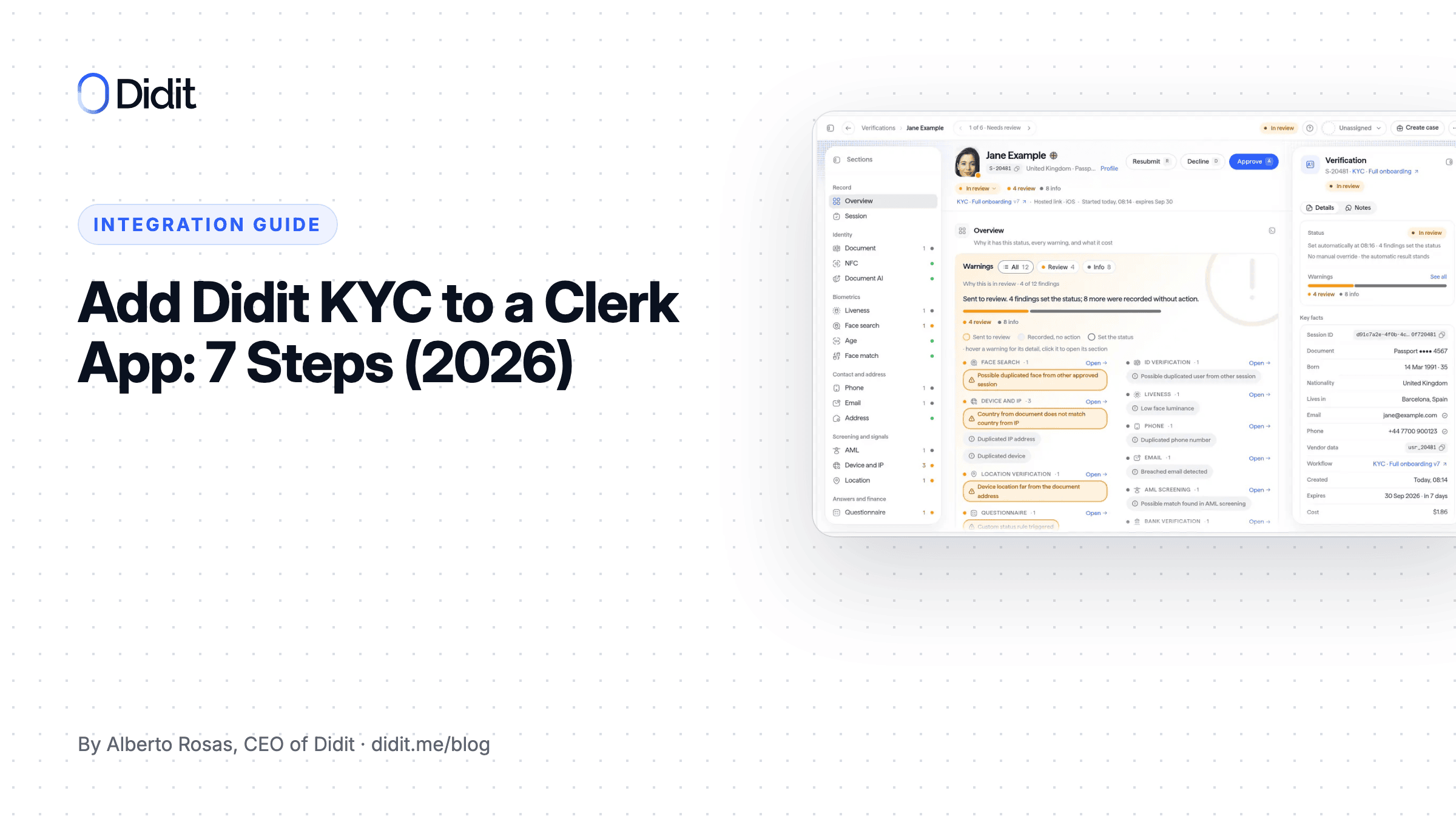 Add Didit KYC to a Clerk App: 7 Steps (2026)
Clerk handles sign-in. With no documented native connector, use our session API and signed webhooks to gate access. A full KYC check costs $0.33 per completed check.
Alberto RosasNov 26, 2026Questions
Frequently asked questions
How do I connect Didit to OpenAI Codex?
Run codex mcp add didit --url https://mcp.didit.me/mcp. Codex writes the entry to ~/.codex/config.toml, starts an OAuth sign-in, and prints a success line once you approve it in the browser. The same entry covers the Codex CLI and the Codex IDE extension.
Does the Didit integration with Codex need an API key?
No. The hosted server uses OAuth 2.1 with PKCE and a Log in with Didit browser flow, so no secret sits in the config file. For unattended access to the hosted server, use the documented application API key connection.
Can I run KYC from Codex?
Ask Codex to create a verification session with one of your workflows and return the verification link. With tool-call confirmation enabled, approve the write, then open the link and complete the flow. Ask Codex to retrieve the decision, which is a read. In a sandbox application, check results are simulated and sessions are never billed.
Which Didit tools does Codex get?
A signed-in person gets 233 hosted tools across sessions, workflows, standalone checks, transactions, lists, cases, reports and webhooks. If your role lacks a permission required by the tool, the call returns missing_scope. You can trim the list with enabled_tools or the toolsets URL parameter.
What can Codex do inside my Didit account?
Codex can run the hosted MCP tools available to your role in the organizations you approved. That includes creating sessions, configuring workflows, updating statuses, adding entries to lists and registering webhooks, when your role allows it. Investigator tools require Investigator to be enabled for your organization.
How do I fix Not logged in or missing_scope in Codex?
Codex has no active Didit sign-in: run codex mcp login didit and finish the browser step. If your role lacks a permission required by the tool, the call returns missing_scope. Check your role in that organization against the roles and permissions page in the docs.
Can I make the Codex connection read-only?
Yes. Point the config at https://mcp.didit.me/mcp?read_only=true and the server lists only tools that read and refuses every call that would create, change or delete something. The refusal happens on the server, so it holds even if the client remembers a tool from an earlier session. Remove the parameter to allow changes again.
How much does it cost to use Didit through Codex?
The MCP connection and sandbox are free. Completed live checks use prepaid credit at the applicable plan rate: $0.33 for a full KYC check and $0.20 for AML screening are USD list prices, with Growth and Scale discounts applying to those rates. KYB registry retrieval starts at $2.00 per company and varies by country and data tier. Check your OpenAI plan for Codex access and pricing.
Are sandbox checks through Codex free?
Yes. Sandbox sessions are never billed and the balance check is bypassed, on every plan. Sandbox webhooks carry environment set to sandbox.
Do the Codex CLI and the Codex IDE extension share one setup?
Yes. The Codex CLI and IDE extension use the same ~/.codex/config.toml entry. One codex mcp add command and one sign-in cover both.
Can a headless Codex agent connect without a browser?
A person can complete the sign-in on a remote machine by opening the printed URL on another computer and keeping the terminal running while the callback reaches the local port. For unattended access to the hosted server, use the documented application API key connection, which lists 199 tools because it acts as the application.
How do I sign out of Didit in Codex?
Run codex mcp logout didit to sign out. To change which organizations Codex can access, sign in again and approve the organizations you want to connect.
Compliance built in
Audited, certified and attested.
We hold the certifications and build each country's rules into your flows, so you can launch anywhere without worrying. Security and Compliance center
- Regulation encoded into your flows
Tell us what you do and where. Didit lists the rules that apply to you, with sources, and builds the checks each country needs into one workflow.
- Ready for AMLR
Every requirement of the new EU anti-money laundering rules, from checking customers to human review, is already covered by a Didit check.
- Tested in Spain's Treasury sandbox
Spain's Treasury published its supervised sandbox report on Didit's NFC plus active liveness onboarding; SEPBLAC took part and valued the added measures positively.
- Audited, not self-declared
iBeta Level 1 and Level 2. Liveness tested under ISO/IEC 30107-3.
Your obligations · 3 regions
 SOC 2 Type 2
 ISO 27001
 iBeta Level 1 and Level 2
 EU regulator attestation
 FSM youth protection
 GDPR
 EBA remote onboarding
 MiCA compatible
 FIDO Alliance member
- AMLREU AML Regulation ready
Integration · Didit MCP
Run Didit from your own AI agent
Connect Didit to Claude, Cursor, VS Code or ChatGPT and just ask in plain words. Your agent can do anything you can do in the console, with the same permissions you have.
 Add to Claude
 ChatGPT
 Cursor
- Build workflowsDescribe the checks you need. The agent creates and publishes the flow.
- Run investigationsAsk why a session was declined, review cases, search people and companies.
- Change rulesCreate payment rules, test them on past data and switch them on.
- Pull reportsAsk for numbers, exports or the audit log.
Didit Academy