3D Depth Sensing for Liveness Detection: A How-To Guide
Didit runs 3D liveness as Active Liveness at $0.15 per check inside a session: set face_liveness_method to ACTIVE_3D or FLASHING, create a session, then read liveness_checks[] on the decision.
 Alberto RosasCo-founder and CEO
Contents
In this guide
Jump to the part you need.
3D depth sensing liveness fits teams that need to catch printed photos, screen replays, masks and deepfakes using the phone camera people already own. Didit bills the 3D methods as Active Liveness at $0.15 per check, and passive liveness at $0.10. The caveat matters: the 3D methods run inside a Didit session, not on the standalone single-image API, which is passive only.
Last updated: November 26, 2026. Prices checked against the live Didit price feed on November 26, 2026.
| Method | How it reads depth | Price (USD) | Where it runs |
|---|---|---|---|
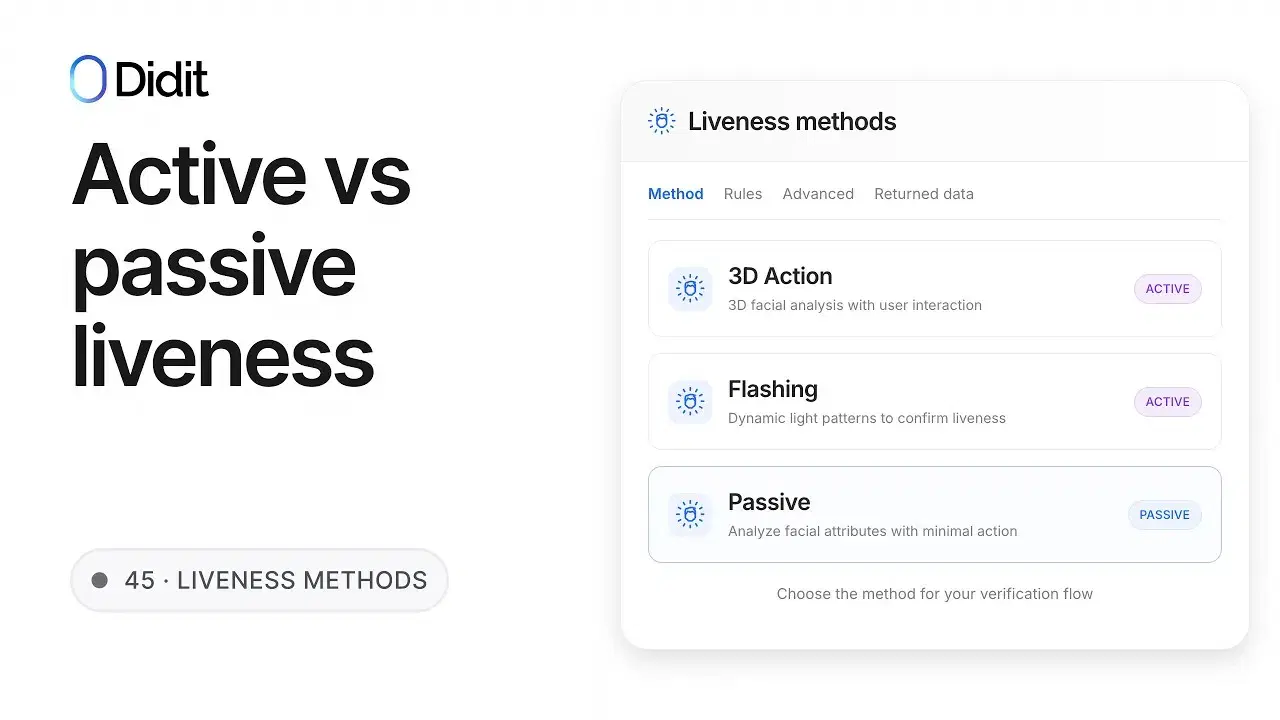
| 3D Action | Randomized action such as blinking or nodding, plus light pattern analysis on the reflections | $0.15 per check (Active Liveness line) | Session flow: hosted link, Web SDK, native SDKs |
| 3D Flash | Light patterns projected at over 30 frames per second, reflections read into a depth map, no user action | $0.15 per check (Active Liveness line) | Session flow: hosted link, Web SDK, native SDKs |
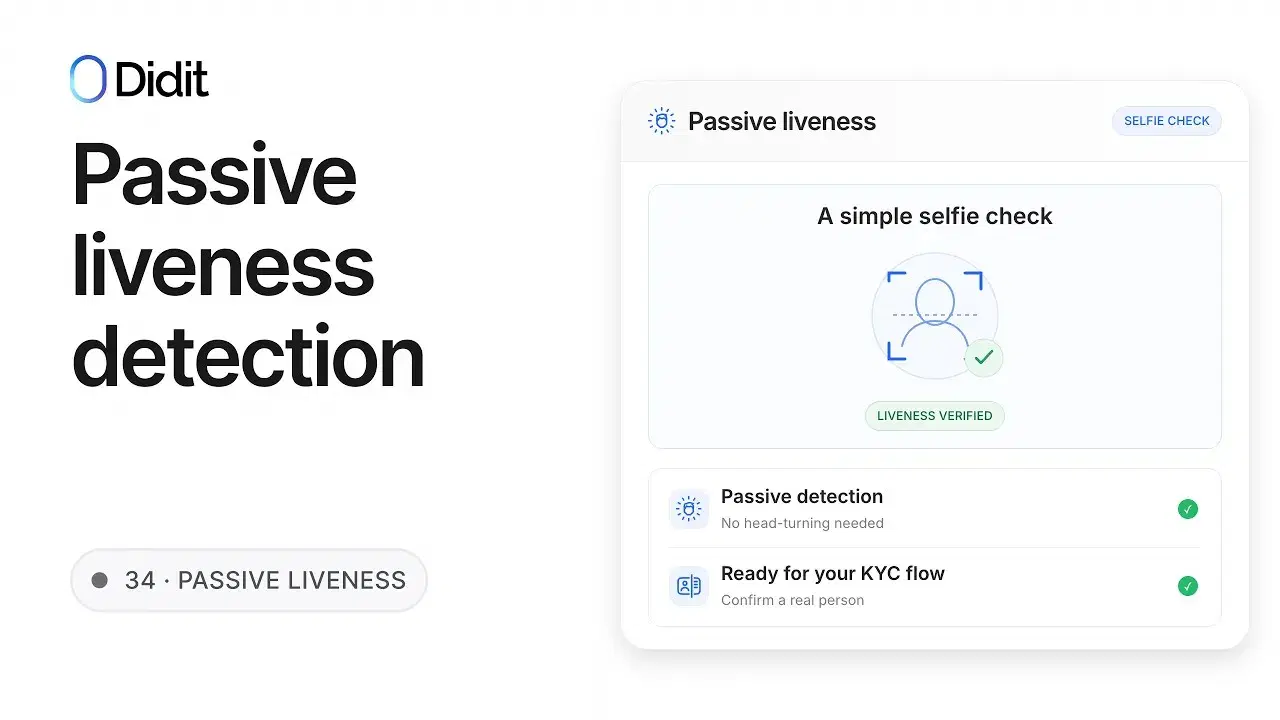
| Passive | Single-frame deep learning, no depth map | $0.10 per check | Session flow |
| Passive liveness API | One selfie, server to server, no session UI | No standalone price is specified in the sources we cite | Standalone API POST /v3/passive-liveness/ |
Start free in the sandbox at business.didit.me, with no sales call. Developers who build with an AI assistant can connect Didit through the Didit MCP server. Full list prices sit on the pricing page. The $0.15 Active Liveness line is the published price used for both 3D methods; the standalone API is passive only.
What 3D depth sensing adds to a liveness check
A 2D check reads color and texture from a frame or a short clip. A 3D check also recovers geometry: the distance from the camera to each point of the face. Two common 3D sensing approaches are structured light and time of flight. Structured light projects a known infrared pattern onto the face and reads how the pattern deforms on the contours. Time of flight measures how long a light pulse takes to reach the face and return. Both end in a depth map.
Speaking generally about 3D sensing, a depth map adds a geometry signal that a flat print or a screen replay does not naturally provide. The documented defence is a randomized action sequence plus dynamic light patterns: the person is asked to blink or nod while a light sequence is projected, and the reflections are read to confirm the face's three-dimensional structure. That raises the effort for some attack types; it is one signal, not a guarantee. Analysis of the map looks at surface curvature, depth consistency across the frame, blinking, and small changes in facial relief.
Didit's documented implementation uses two 3D methods inside the same liveness feature. 3D Flash projects a series of light patterns onto the face at over 30 frames per second and analyses the reflections to confirm the three-dimensional structure, with no action from the person. 3D Action asks for a randomized action such as blinking or nodding and runs the same reflection analysis while the person performs it. Both are available through the hosted flow and the listed SDKs, the Web SDK and the native iOS, Android, React Native and Flutter SDKs. The method details are in the liveness documentation.
How effective is 3D facial liveness detection in modern security hardware?
The honest answer is that 3D adds a physical signal that can make some presentation attacks harder, and it is not a reason to skip the checks around it. A depth channel adds a signal that a photo held to a camera or a replayed video generally does not provide. It does not, on its own, tell you whether the face belongs to the person who owns the ID. That is face match 1:1, at $0.05 per check.
Our published figures for the liveness feature are 99.9% accuracy with a false acceptance rate under 0.1%, and it sits under iBeta Level 1 PAD testing in our certifications. A decline is tied to an error-severity warning, so your policy has a reason to route on. A presentation attack can return LIVENESS_FACE_ATTACK, a weak capture can return LOW_LIVENESS_SCORE, and the standalone API declines at or below a score threshold that defaults to 30. That is more useful to a fraud team than a single verdict, because attacks and capture quality problems can be routed down different paths.
Didit documents liveness detection for deepfakes, masks, prints and replays. The decision returns warnings, and your policy decides whether to approve, retry or review. Session signals, more than 200 real-time fraud signals per session, give extra context; do not treat the liveness verdict alone as a full identity decision. 4,000+ active customers use Didit today.
Prerequisites
- A Didit account and an API key from the Business Console. Sandbox keys are free on every plan.
- A workflow with the LIVENESS feature, and the liveness method set to
ACTIVE_3DorFLASHING. - A device with a front camera and a browser, or the native SDK for your platform.
- One server endpoint that creates sessions. A webhook endpoint for
status.updatedis optional: you can also pollGET /v3/session/{sessionId}/decision/for the result. - Credit for live checks. The Free plan gives $10 of credit each month to organizations that sign up with a work email; phone codes are excluded.

How to add 3D depth sensing liveness detection: numbered steps
- Pick the method. In the Business Console, open the workflow and set
face_liveness_methodtoACTIVE_3Dfor the highest security, orFLASHINGwhen you want no user action. The same field can be set throughPOST /v3/workflows/. Passive isPASSIVE; it is cheaper and lower security. - Copy the workflow UUID from the workflow settings. Sessions are created against it, and the workflow decides which liveness method runs.
- Create the session from your backend. Send your own stable user identifier in
vendor_data; it binds the session to the person and is used for duplicate detection across sessions. - Send the person to
session.urlreturned by the call, or mount the Web SDK (@didit-protocol/sdk-web0.4.0) or a native SDK (iOS, Android, React Native and Flutter at 4.15.4). The SDK overview lists platforms and minimum versions. - Receive the result. Subscribe to the
status.updatedwebhook, verifying the HMAC signature withX-Signature-V2and the timestamp, as described in the webhooks documentation. If you poll instead, fetch the decision. - Read
liveness_checks[]on the decision payload. There is one entry per liveness node, so a workflow with two face steps returns two entries. - Apply a policy. Approve on
Approvedwith no error warnings, ask for a retry on capture problems, and route attack signals or blocklist hits to review or decline.
Step 3, the create call, from the Create Session documentation:
curl -X POST 'https://verification.didit.me/v3/session/' -H 'x-api-key: YOUR_API_KEY' -H 'Content-Type: application/json' -d '{"workflow_id": "WORKFLOW_UUID", "vendor_data": "user-123", "callback": "https://app.example.com/verify/done"}'
Step 5 or 6, fetching the decision:
curl -X GET 'https://verification.didit.me/v3/session/SESSION_ID/decision/' -H 'x-api-key: YOUR_API_KEY'One exception is worth stating plainly. If you already hold a captured selfie and want a server-to-server check, the standalone passive liveness API is the documented route, and it is passive only. The $0.15 Active Liveness line does not apply to this endpoint, and the docs we cite do not specify a standalone price for it. From the Passive Liveness API documentation:
curl -X POST 'https://verification.didit.me/v3/passive-liveness/' -H 'x-api-key: YOUR_API_KEY' -F 'user_image=@./selfie.jpg' -F 'save_api_request=true' -F 'vendor_data=user-123'Expected output
The liveness entry in a session decision follows the canonical schema in the data models reference. The response contains these documented fields; values come from the check:
liveness_checks[]
  node_id
  status
  method
  score
  warnings[]
    feature
    risk
    log_type
    short_description
    long_description
    node_id
  face_quality
  face_luminance
score is the liveness score from 0 to 100. face_quality and face_luminance describe the capture, also 0 to 100, and are null when the model cannot read them. warnings[] is the list that matters for policy: each entry carries a risk code, a log_type of error, warning or information, and a short and long description you can show the user. The session level status uses the same enum as the rest of the platform, from Not Started through Approved, In Review, Declined and Abandoned.

Failure cases and how to recover
| Signal | What it means | Recovery |
|---|---|---|
| HTTP 403 | Out of credits, or a key without permission | Top up the balance or check the key in the console. No image is processed. |
| HTTP 400 | Missing user_image, file over 5 MB, unsupported extension, PDF sent | Send one JPG, PNG, TIFF or WebP face image under 5 MB. Very high resolution does not improve accuracy. |
| HTTP 429 | Write budget of 300 requests per minute per key exceeded | Slow the caller. This is a shared budget across POST, PATCH and DELETE calls. |
Declined with LIVENESS_FACE_ATTACK | Presentation attack suspected | Do not approve. Offer one retry for capture errors and block or review on a repeat. |
LOW_LIVENESS_SCORE | Score at or below the decline threshold | Retry in better light first, then review. A person in a dark room often lands here. |
NO_FACE_DETECTED or MULTIPLE_FACES_DETECTED | Framing problem | Ask for a retry with a single, well framed face. Multiple faces is a warning, not a decline, on the standalone API. |
FACE_IN_BLOCKLIST or POSSIBLE_FACE_IN_BLOCKLIST | The face matches an entry on your blocklist; an error-severity signal that can produce Declined | Review the hit and follow your policy; the session can already be Declined. |
DUPLICATED_FACE or POSSIBLE_DUPLICATED_FACE | The same face already appeared in another approved session | Informational only, and it does not decline on its own. Route to review if one account per person is your rule. |
The full risk catalogue for liveness is published separately at the liveness warnings documentation, so your retry copy can map one to one to the codes your users hit.
Inputs and outputs
| Field | Direction | Notes |
|---|---|---|
workflow_id | Input, required | UUID of the workflow whose liveness method is ACTIVE_3D or FLASHING |
vendor_data | Input, strongly recommended | Your stable user identifier; used for duplicate detection across sessions |
callback | Input, optional | Where the hosted flow returns the user; must be on your allowed domains |
user_image | Input, standalone API only | One face image, up to 5 MB |
liveness_checks[].status | Output | Approved, In Review, Declined, Abandoned, Not Started, In Progress, Kyc Expired |
liveness_checks[].score | Output | Liveness score, 0 to 100 |
warnings[] | Output | Risk codes with severity, short and long description, and the node that raised them |
face_quality, face_luminance | Output | Capture quality, 0 to 100, nullable |
Paid steps and review boundaries
Two things consume credit in this flow: the liveness check itself ($0.15 when it runs as Active Liveness, $0.10 as Passive) and the other modules in the same workflow such as ID document at $0.15 and face match at $0.05. The $0.15 Active Liveness line is the published price used for both 3D methods. The standalone passive liveness API is a separate endpoint, it is passive only, and the docs we cite do not specify a standalone price for it. For sessions, sandbox behaviour follows the documented sandbox scenario flow: create the session with a sandbox_scenario slug from the sandbox catalog and it reproduces that outcome. On the standalone passive liveness API, sandbox keys skip processing and billing and return a static Approved mock payload, so a run there proves your integration, not the model. Refused requests, including a 403 for insufficient balance, are refused before any image is processed.
The review boundary is the part teams get wrong. A machine decision is fine on a clean pass: no warnings, a score well above threshold, a matching face. A person should look at blocklist matches, at duplicated face hits when one account per person is your rule, at repeat attack signals after a retry, and at any session you placed In Review. Auto-approving a LIVENESS_FACE_ATTACK because the score looked acceptable is the failure mode that costs money.
Worked cost example
Take 10,000 completed checks a month where you want the 3D action method inside a session that also reads an ID document and matches the face to it. List price per check:
- ID document: $0.15
- Active Liveness (3D Action): $0.15
- Face Match 1:1: $0.05
- Device and IP analysis: $0.03
- Total: 0.15 + 0.15 + 0.05 + 0.03 = $0.38 per check
- 10,000 x $0.38 = $3,800.00 a month in usage
The same flow on the standard KYC bundle, which carries passive liveness at $0.10 rather than the 3D method, is $0.33 per check, so 10,000 x $0.33 = $3,300.00. The 3D method costs $0.05 more per person. At list price the usage total is $3,800.00 a month; any plan fee is separate.
On the Growth plan every Didit price is 4% lower: 0.144 + 0.144 + 0.048 + 0.0288 = $0.3648 per check, so 10,000 x $0.3648 = $3,648.00 in usage. Growth charges $99 monthly and separately provides $115 of monthly credit for usage. The credit applies to usage, not to the plan fee.
Sources
- Didit docs: Liveness Detection API overview
- Didit docs: Passive Liveness API
- Didit docs: Create Session API
- Didit docs: Data Models and warning objects
- Didit docs: Liveness warnings catalogue
- Didit docs: Webhooks and signature verification
- Didit docs: Native mobile KYC SDKs
- Didit pricing page and pricing in the docs, read November 26, 2026
- Didit MCP server setup
Next step: create a workflow, set the liveness method, and run one session in the free sandbox at business.didit.me. No sales call, and sandbox calls are not billed.
Try it
Try this in the sandbox
Run the check this guide describes, free.
The product this post is about, taken from its topic. Run it free in the sandbox.
Author
Alberto Rosas
Co-founder and CEO

Keep reading
Other guides in the same topic.
 What Is the Purpose of FICA in South Africa? 2026 Guide
FICA is South Africa's anti-money laundering law. It creates the Financial Intelligence Centre and requires accountable institutions to identify and verify clients, screen for PEP and sanctions risk and report suspicious.
Alberto RosasNov 26, 2026 Sixth Money Laundering Directive (6AMLD): What Changed and Which Rules Apply
6AMLD is Directive (EU) 2018/1673: Member States must criminalise laundering, widen predicate offences and set a four-year penalty floor. It adds no new due diligence duties for firms.
Alberto RosasNov 26, 2026 Automated Sanctions Screening: Canada, the Entity List and Embargoes
Automated sanctions screening matches people and companies against lists such as Canada's autonomous sanctions made under SEMA and JVCFOA and the OFAC SDN List, and returns candidate hits scored for identity confidence and.
Alberto RosasNov 26, 2026Questions
Frequently asked questions
What is 3D depth sensing liveness detection?
It is a liveness check that recovers the geometry of a face, not only its color and texture, so a flat print or a screen replay generally lacks the geometry the check looks for. Didit builds that signal from light patterns projected onto the face during capture, and in the 3D Action method from a randomized action the person has to perform at the same time. The result is a status and a liveness score on the session decision.
Is 3D liveness detection more secure than 2D?
It can be, for presentation attacks that a flat image or a screen replay cannot reproduce well. A 2D model infers authenticity from texture and artifacts in one frame, while a 3D check adds a physical channel. The trade-off is cost and user effort, so Didit still offers passive liveness at $0.10 for lower-risk, high-volume flows.
Do I need a structured light camera to run 3D liveness?
Both 3D methods are available through the hosted flow and the listed SDKs, and the capture runs inside that flow. The method details, including how the light patterns are projected and read, are in the liveness documentation, which is the place to confirm capture requirements before you commit to a device fleet.
How accurate is Didit liveness detection?
Our published figure is 99.9% accuracy with a false acceptance rate under 0.1%, and the feature sits under iBeta Level 1 PAD testing in our certifications. Accuracy is measured on the model; your effective rate also depends on capture quality, which is why the decision returns face_quality and face_luminance alongside the score.
How much does a 3D liveness check cost?
The 3D methods are billed on the Active Liveness line at $0.15 per check. Passive liveness is $0.10 inside a session. The standalone single-image passive liveness API is a separate passive-only endpoint, and the docs we cite do not specify a standalone price for it. A full KYC check with passive liveness, ID document, face match and device plus IP analysis is $0.33.
What is the difference between 3D Action and 3D Flash liveness?
3D Flash projects light patterns at over 30 frames per second and reads the reflections, with nothing asked of the person. 3D Action adds a randomized action such as blinking or nodding on top of that reflection analysis, which makes a replay harder because the response cannot be pre-recorded. Both are billed as Active Liveness at $0.15 per check.
Can 3D liveness stop deepfakes and masks?
Didit documents liveness detection for deepfakes, masks, prints and replays. The decision names risk codes such as LIVENESS_FACE_ATTACK, and your policy decides whether to approve, retry or review. Pair it with face match 1:1 to the ID portrait and the session fraud signals rather than relying on the liveness verdict alone.
Can I test 3D liveness for free?
Yes. Sandbox testing is free on every plan. Session sandbox behaviour follows the documented sandbox scenario flow: create the session with a sandbox_scenario slug from the sandbox catalog and it reproduces that outcome. On the standalone passive liveness API, sandbox keys skip all processing and return a static Approved mock payload, so a run there proves your integration rather than the model. To see real 3D decisions, run the hosted flow with a small credit balance; the Free plan gives $10 of credit each month to organizations that sign up with a work email.
Which SDKs support 3D liveness?
iOS, Android, React Native and Flutter native SDKs at version 4.15.4, the Web SDK at 0.4.0, and the hosted session.url that needs no SDK at all. Native SDKs handle camera permissions and capture for you, which matters on Android device fragmentation.
What happens when a 3D liveness check fails?
The session returns a Declined or In Review status with a risk code in warnings[], such as LIVENESS_FACE_ATTACK or NO_FACE_DETECTED. Capture problems deserve one retry with better light and framing; attack signals should not be auto-approved. Duplicate signals do not decline on their own. A blocklist match can produce Declined, after which your policy determines the next action.
Does 3D liveness help with age verification online?
Liveness and age are separate checks: liveness confirms a real person is present, and age estimation reads the face for age at $0.10 per check. Putting a 3D liveness step in front of age estimation makes a photo of an adult less useful for passing an age gate. The iGaming bundle, KYC plus AML plus age estimation, is $0.63 per check.
Does Didit keep the selfie after a liveness check?
On the standalone passive liveness API, save_api_request defaults to true: the call is stored as an API session, the reference image and face crop are kept, and the face is enrolled in your face search index so later duplicate checks can match it. Set it to false for a one-shot check where nothing is stored and the face is not enrolled. Blocklist and duplicate screening still run either way.
Compliance built in
Audited, certified and attested.
We hold the certifications and build each country's rules into your flows, so you can launch anywhere without worrying. Security and Compliance center
- Regulation encoded into your flows
Tell us what you do and where. Didit lists the rules that apply to you, with sources, and builds the checks each country needs into one workflow.
- Ready for AMLR
Every requirement of the new EU anti-money laundering rules, from checking customers to human review, is already covered by a Didit check.
- Tested in Spain's Treasury sandbox
Spain's Treasury published its supervised sandbox report on Didit's NFC plus active liveness onboarding; SEPBLAC took part and valued the added measures positively.
- Audited, not self-declared
iBeta Level 1 and Level 2. Liveness tested under ISO/IEC 30107-3.
Your obligations · 3 regions
 SOC 2 Type 2
 ISO 27001
 iBeta Level 1 and Level 2
 EU regulator attestation
 FSM youth protection
 GDPR
 EBA remote onboarding
 MiCA compatible
 FIDO Alliance member
- AMLREU AML Regulation ready
Integration · Didit MCP
Run Didit from your own AI agent
Connect Didit to Claude, Cursor, VS Code or ChatGPT and just ask in plain words. Your agent can do anything you can do in the console, with the same permissions you have.
 Add to Claude
 ChatGPT
 Cursor
- Build workflowsDescribe the checks you need. The agent creates and publishes the flow.
- Run investigationsAsk why a session was declined, review cases, search people and companies.
- Change rulesCreate payment rules, test them on past data and switch them on.
- Pull reportsAsk for numbers, exports or the audit log.
Didit Academy