Automated Sanctions Screening: Canada, the Entity List and Embargoes
Automated sanctions screening matches people and companies against lists such as Canada's autonomous sanctions made under SEMA and JVCFOA and the OFAC SDN List, and returns candidate hits scored for identity confidence and.
 Alberto RosasCo-founder and CEO
Contents
In this guide
Jump to the part you need.
Automated sanctions screening fits any organization that must check a person or a company against government lists before it onboards, pays, lends or ships: banks, fintechs, VASPs, payment firms, and importers and exporters. Didit charges $0.20 per AML screening and $0.07 per person a year for ongoing monitoring. The caveat comes first: a matcher returns candidate hits. It does not decide legal status, and it does not replace your ownership and control test or your export classification.
Last updated: November 26, 2026. Prices checked against the live Didit price feed on November 26, 2026.
| Question | Short answer |
|---|---|
| Who is subject | Whoever a regulation names: individuals and entities subject to the specific sanctions regulations made under SEMA and JVCFOA in Canada, and persons on the OFAC SDN List, including those caught by the 50 Percent Rule. U.S. persons are generally prohibited from dealing with them. |
| Which lists | Canadian autonomous sanctions made under SEMA and JVCFOA, the OFAC SDN List and its 50 Percent Rule, and OFAC country embargoes. Didit screens 1,300+ sanctions, PEP and watchlist sources. |
| What Didit charges | $0.20 per AML screening, $0.20 per company AML check, $0.20 per person AML for each UBO or officer, $0.07 per person a year for ongoing monitoring, $0.15 per wallet screening. |
| How matching works | Two scores per hit: a match score for identity confidence and a risk score for entity risk. Three thresholds turn those scores into Approved, In Review or Declined. |
| What Didit does not do | File blocked property reports, apply for OFAC licences, classify items for export controls, or decide ownership and control. |
Start in the sandbox at business.didit.me. Sandbox testing is free and unlimited and there is no sales call. Developers who work from an AI assistant can connect Didit through the MCP server and run the same screening calls from there.
Scope first: the list families that bind a transaction
Most screening failures are scope failures, not matching failures. A team screens against one list it heard about and misses the regime that actually binds the transaction. Fix the scope before you compare tooling.
1. Canadian autonomous sanctions
Canada imposes autonomous sanctions under the Special Economic Measures Act (SEMA) and the Justice for Victims of Corrupt Foreign Officials Act (JVCFOA): the individuals and entities covered are those named in the specific sanctions regulations made under those Acts (Government of Canada, Consolidated Canadian Autonomous Sanctions List, read November 26, 2026). The Global Affairs Canada guidance page on the legal basis, permits and enforcement was not verifiable on November 26, 2026, so we do not rely on it here.
The Consolidated Canadian Autonomous Sanctions List on international.gc.ca collects the individuals and entities named under SEMA and JVCFOA. The page is explicit about what it is: publication is for administrative purposes, and the consolidated list is not a regulation and does not have force of law. It is offered in HTML, PDF and XML, was last updated on November 5, 2026, and carries a page date modified of 2026-11-06 (Government of Canada, Consolidated Canadian Autonomous Sanctions List, read November 26, 2026).
The practical consequence is simple. Matching the consolidated list is necessary and not sufficient. When the regulation names a variant spelling, an alias or a class of persons, the regulation controls and your match logic has to reach it.
2. The OFAC SDN List and the 50 Percent Rule
OFAC administers and enforces U.S. economic and trade sanctions, either by blocking the property of named persons or by prohibiting transactions with a whole country or region through an embargo (U.S. Department of the Treasury, Office of Foreign Assets Control, Consolidated Frequently Asked Questions, read November 26, 2026). The SDN List names individuals and companies owned or controlled by, or acting for or on behalf of, targeted countries, plus terrorists, narcotics traffickers and others designated under non-country programs. SDN assets are blocked and U.S. persons are generally prohibited from dealing with them (U.S. Department of the Treasury, Office of Foreign Assets Control, Specially Designated Nationals (SDNs) and the SDN List, read November 26, 2026).
Blocking is not seizing. Title stays with the blocked person, but the powers of ownership cannot be exercised without OFAC authorization. Blocked property must be reported to OFAC within 10 business days of becoming blocked, and blocked persons include those caught by the 50 Percent Rule even when their own names never appear on the list (U.S. Department of the Treasury, Office of Foreign Assets Control, Consolidated Frequently Asked Questions, read November 26, 2026).
A matcher can find a listed parent company. It cannot tell you whether your counterparty is half owned by that parent.
3. Country embargoes are territory based
OFAC can block the property of specific persons, or broadly prohibit transactions involving an entire country or region through a trade embargo (U.S. Department of the Treasury, Office of Foreign Assets Control, Consolidated Frequently Asked Questions, read November 26, 2026). An embargo attaches to a country or a region, not to a name.
A list matcher helps when an address, a nationality or a company registration points at a prohibited territory. It cannot tell you whether your particular service falls inside a licence or outside one.
Who is subject, where, and from when
Here is the scope view we keep next to our own configuration, limited to what the sources we can cite actually say.
| Regime | Who the list names | Source |
|---|---|---|
| Canada, SEMA and JVCFOA | Individuals and entities subject to specific sanctions regulations made under SEMA and JVCFOA | Government of Canada, Consolidated Canadian Autonomous Sanctions List, read November 26, 2026 |
| United States, OFAC programs | Persons on the SDN List, foreign governments subject to blocking, and persons blocked under the 50 Percent Rule | OFAC, Specially Designated Nationals (SDNs) and the SDN List, read November 26, 2026 |
One reach question comes up in almost every design review: does the regime catch this person or this entity at all? Whether a Canadian employee approving a payment from an overseas subsidiary is inside a regime depends on the territorial and personal scope of the applicable regulation. Assess that scope against the text of the regulation itself and take legal advice before you rely on a screening result. The same holds for any U.S. nexus question, which is a legal analysis rather than a matching decision.
Obligations next to Didit capability
We keep these two columns separate on purpose. The left column is what a regulator asks you to do. The right column is what our product actually returns.
| What the regime requires | What Didit does |
|---|---|
| Screen the person and the legal entity against the applicable lists before onboarding. | The /v3/aml/ endpoint screens a person or a company against 1,300+ sanctions, PEP and watchlist sources plus adverse media, at $0.20 per check, either as a step in a workflow or as a standalone server-to-server call. |
| Screen the company, then its owners and officers. | Business AML screens the company as entity_type: "COMPANY" and screens every identified UBO and officer. Company AML is $0.20, person AML is $0.20 per person, and a linked full ID check is $0.33 per person. |
| Record who was screened, when, against what, and what you decided. | With save_api_request at its default of true, the screening is stored as a session, readable through GET /v3/session/{sessionId}/decision/ and visible in the Business Console. |
| Re-screen when lists change and while the relationship lasts. | include_ongoing_monitoring=true keeps the profile under provider-driven monitoring at $0.07 per person a year. It requires save_api_request=true, and the API returns 400 otherwise. |
| Resolve hits with a documented reason. | Hits below the match score threshold are tagged review_status: "False Positive" and excluded from the risk score. Review statuses can be updated after the fact. |
| Act on a confirmed hit: block, report, apply for a licence, stop the shipment. | Not a Didit capability. The disposition stays with your team and your counsel. |
We hold SOC 2 Type 2 and ISO/IEC 27001:2022 certification, and Didit serves 4,000+ companies. None of that changes the last row. If you are moving from another provider, start at the switch page.
How automated matching works on names and entities
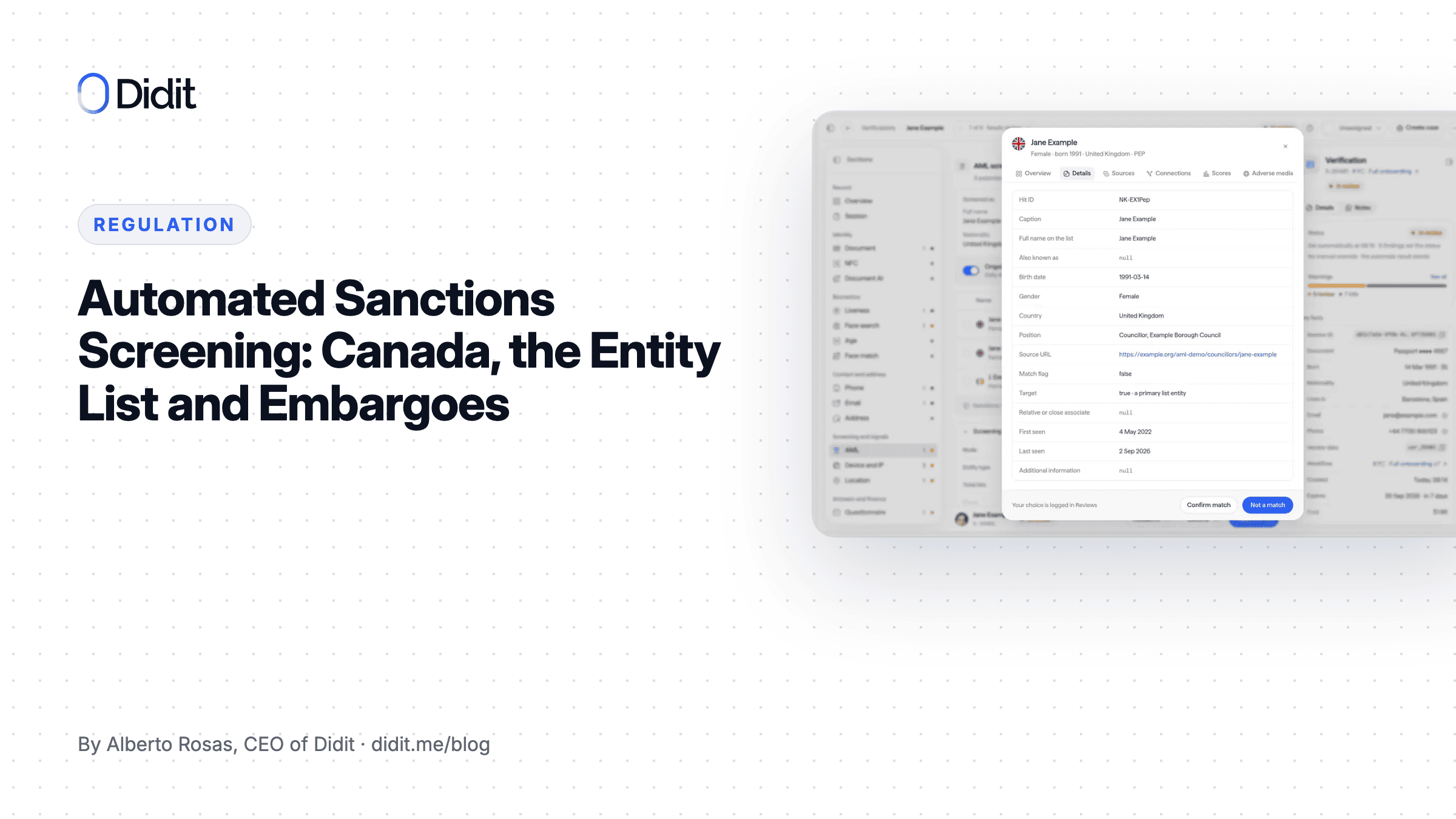
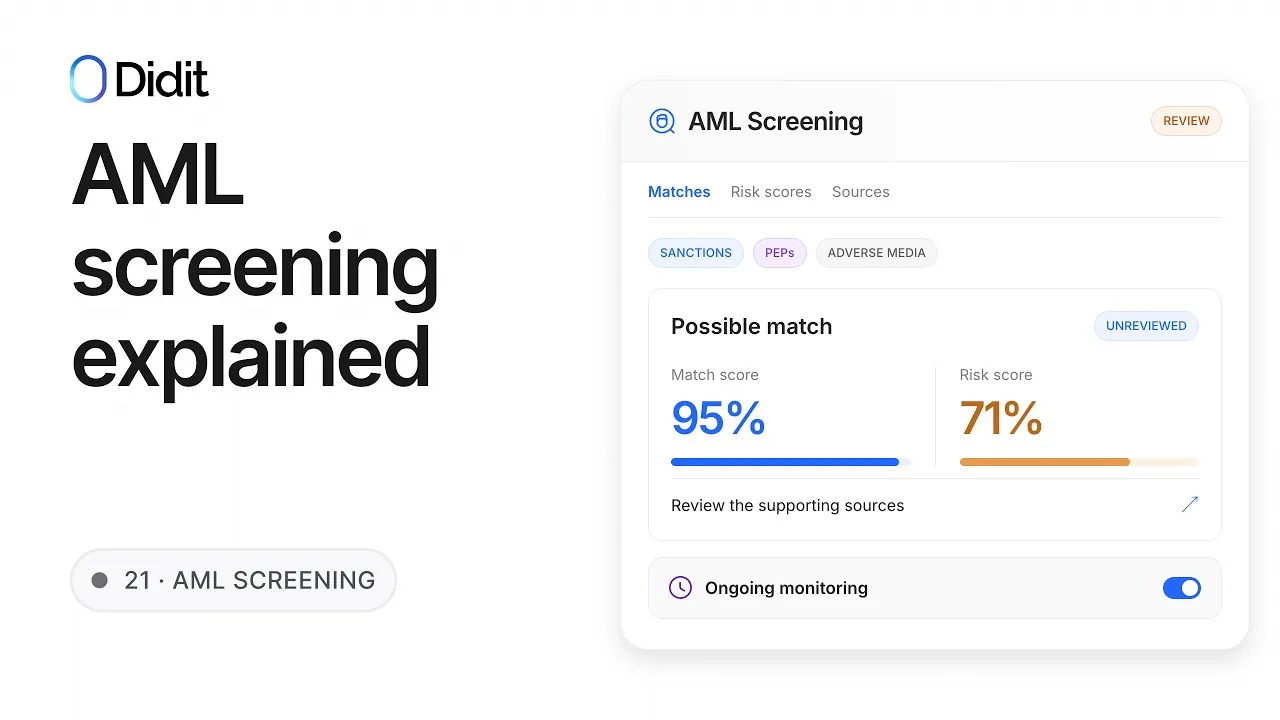
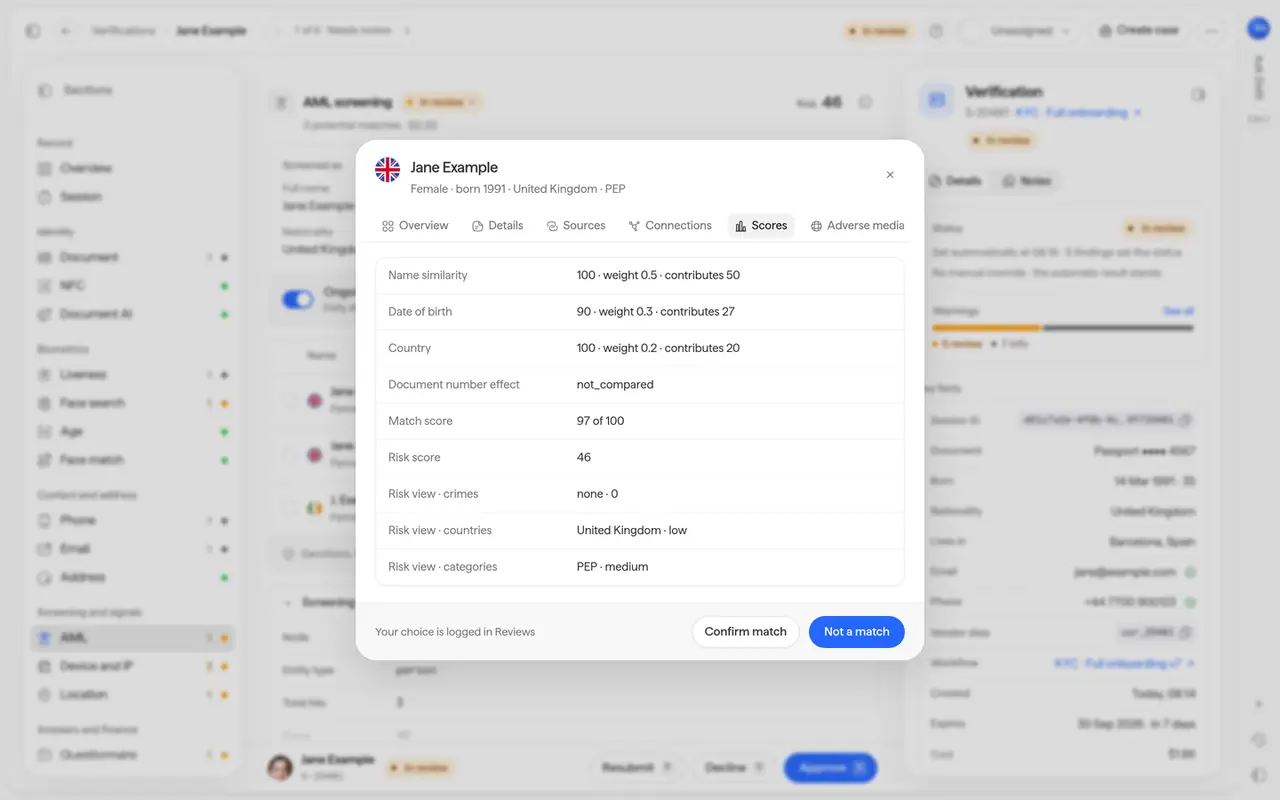
Matching is a scoring problem, not a yes or no lookup. Send a name and you get every candidate the databases return, each with two numbers attached. The first is the match score, meaning identity confidence. The second is the risk score, meaning how risky the listed entity is if the match is real. Splitting the two is what keeps a common name from turning into a declined customer.

The match score is a weighted blend of name, date of birth and country. The three weights are set per workflow as aml_name_weight, aml_dob_weight and aml_country_weight, and they must sum to exactly 100 or the request is rejected with HTTP 400. Defaults are 60, 25 and 15. Components missing from the request are re-normalized away, and a matching document_number acts as a golden key that overrides the match score to 100.
The final status follows your thresholds. A score above aml_score_review_threshold (default 100) gives Declined. A score above aml_score_approve_threshold (default 80) gives In Review. Anything else is Approved. Whenever the score is non-zero and at or above the approve threshold, a POSSIBLE_MATCH_FOUND warning is added, alongside codes such as SANCTIONED_ENTITY, PEP_MATCH, HIGH_RISK_COUNTRY and ADVERSE_MEDIA_HIT.
A standalone screening is one POST. A plain screening returns in a few seconds. With include_adverse_media=true the API waits for adverse media enrichment, so configure a client timeout of at least 60 seconds.
curl -X POST 'https://verification.didit.me/v3/aml/' \
  -H 'x-api-key: YOUR_API_KEY' \
  -H 'Content-Type: application/json' \
  -d '{
    "full_name": "Javier Ejemplo Modelo",
    "entity_type": "person",
    "date_of_birth": "1974-01-01",
    "nationality": "ES",
    "include_adverse_media": true,
    "vendor_data": "user-1234"
  }'
Add entity_type: "COMPANY" and the same endpoint screens a legal entity. Inside business verification, the company appears as an aml_screenings[] item with entity_type: "COMPANY", and the business session's overall AML status reflects the highest-risk result across the company and every screened individual.
Coverage is the other half of matching. Didit's published business AML coverage lists the UN Security Council consolidated list, the EU consolidated sanctions and travel ban lists, the multilateral development bank debarment registers, and national regimes including Swiss SECO, Australian DFAT, the Dutch National Sanction List and the Central Bank of Aruba lists. Canadian agencies and the U.S. Department of Commerce's International Trade Administration sit in the regulatory watchlist coverage, not in the sanctions publisher table. Check the current coverage page for the specific Canadian publisher or the Entity List publisher before you rely on it for a given regime. Prices for every module are on the pricing page, the product detail sits on AML screening, and the KYB side is on business verification.
Worked cost example
Take a payments company in month one: 2,000 new retail customers, 1,200 of whom also need a full ID check, 40 business customers with three owners each, and ongoing monitoring on everyone screened.
Retail screening. 2,000 screenings at $0.20 = $400.00.
Linked ID checks. 1,200 full ID checks at $0.33 = $396.00.
Business screening. Registry retrieval is priced by country and data tier and is variable, so we leave it out of this arithmetic. What is fixed: company AML $0.20, plus three owners at $0.20 person AML and a full ID check at $0.33 each, so 3 x $0.53 = $1.59. That is $0.20 + $1.59 = $1.79 per business, and 40 x $1.79 = $71.60.
Month one total. $400.00 + $396.00 + $71.60 = $867.60.
Ongoing monitoring. 2,000 retail customers plus 120 business owners gives 2,120 screened persons. At $0.07 per person a year: 2,120 x $0.07 = $148.40 a year. Monitoring is billed per screened entity, so it is added once per person per year, not per check.
On the Growth plan every Didit price carries a 4 percent discount, which turns $0.20 into $0.192 and $0.33 into $0.3168. The arithmetic above uses list prices so you can reproduce it. Volume above the plan credit is paid from top-ups at face value, and top-ups last 12 months.
Exceptions and open questions
- The Canadian list is administrative. The Government of Canada states the consolidated list is not a regulation and has no force of law, so your evidence file should point at the regulation, not only at the list download.
- Ownership and control is not a lookup. The 50 Percent Rule catches entities that are not themselves listed. Set a documented threshold and record who made the call.
- Matching quality depends on the fields you send. Name only gives you the name weight. Adding date of birth, nationality and a document number moves the match score materially, and the document number can override it to 100.
- Adverse media adds latency. Budget a client timeout of at least 60 seconds when
include_adverse_media=true, and treat a slow upstream as a result without adverse media rather than as a failure. - Monitoring needs persistence.
include_ongoing_monitoring=truewithsave_api_request=falsereturns 400. There is nowhere to store the rescan. - Sandbox results are mocked. Sandbox keys skip screening and billing and return Approved with zero hits unless you pass
sandbox_scenario, so test your review routes with scenarios rather than with real names. - Crypto counterparties are a separate screen. Wallet screening is $0.15 per screening inside Transaction Monitoring, and you can bring your own screening provider and run it inside Didit if you already have one.
- Open question: re-screening cadence. Daily provider monitoring is not the same as re-screening your whole book after a large designation. Decide the trigger, then document it.
- Open question: who clears a hit. The API can tag a false positive automatically, but the disposition of an In Review hit is a named person's decision, and the console keeps the trail.
Implementation checklist
- Map every jurisdiction you touch to the list that binds it: the Canadian regulations made under SEMA and JVCFOA, and the SDN List plus the 50 Percent Rule for the U.S.
- Decide what you screen. People need
full_nameat minimum, and legal entities needentity_type: "COMPANY"plus the registration details you already hold. - Configure the weights and the three thresholds per workflow, then tune them against your own false positive rate.
- Choose the mode. A workflow step keeps decisions, monitoring and audit history bound to the session. The standalone
/v3/aml/call suits a one-off check decoupled from a hosted flow. - Persist every screening with
save_api_request=true, and send anIdempotency-Keyheader when you retry after a timeout so you are not billed twice. - Turn on ongoing monitoring for anyone who stays a customer.
- Subscribe to the
status.updatedanddata.updatedwebhooks, and verify the HMAC-SHA256 signature against the raw request body before you parse the JSON. - Route every In Review hit to a named reviewer with a written disposition, and close the loop in the console.
- Run the legal steps the software does not run: ownership and control, item classification, licence applications, and blocked property reporting to OFAC within 10 business days.
Sources
- Didit docs, AML Screening API
- Didit docs, AML screening overview
- Didit docs, Business AML screening
- Didit docs, Business AML coverage
- Didit docs, Webhooks
- Didit docs, Pricing and billing
- Didit pricing page
- Government of Canada, Consolidated Canadian Autonomous Sanctions List, read November 26, 2026. Plain text, no link.
- Global Affairs Canada. Details were not verifiable on November 26, 2026.
- U.S. Department of the Treasury, Office of Foreign Assets Control, Consolidated Frequently Asked Questions, read November 26, 2026. Plain text, no link.
- U.S. Department of the Treasury, Office of Foreign Assets Control, Specially Designated Nationals (SDNs) and the SDN List, read November 26, 2026. Plain text, no link.
- Special Economic Measures Act (SEMA) and Justice for Victims of Corrupt Foreign Officials Act (JVCFOA), as named on the Government of Canada consolidated list page.
Run representative names in the sandbox to inspect match and risk scores, then compare the hit list with what your analysts clear today. Sandbox testing is free and unlimited. Open business.didit.me, create an application, and screen your first record. No sales call is needed at any point.
Try it
Try this in the sandbox
Run the check this guide describes, free.
The product this post is about, taken from its topic. Run it free in the sandbox.
Author
Alberto Rosas
Co-founder and CEO

Keep reading
Other guides in the same topic.
 What Is the Purpose of FICA in South Africa? 2026 Guide
FICA is South Africa's anti-money laundering law. It creates the Financial Intelligence Centre and requires accountable institutions to identify and verify clients, screen for PEP and sanctions risk and report suspicious.
Alberto RosasNov 26, 2026 Sixth Money Laundering Directive (6AMLD): What Changed and Which Rules Apply
6AMLD is Directive (EU) 2018/1673: Member States must criminalise laundering, widen predicate offences and set a four-year penalty floor. It adds no new due diligence duties for firms.
Alberto RosasNov 26, 2026 Trade-Based Money Laundering: Definition and Red Flags
Trade-based money laundering is moving value through trade transactions, usually by mispricing goods on invoices. Watch unit prices, quantities, related parties and high-risk routes.
Alberto RosasNov 26, 2026Questions
Frequently asked questions
What is automated sanctions screening?
It is software that compares a name or a company against government designation lists, watchlists and embargo data, and returns candidate matches with a confidence score. It runs at onboarding and again whenever lists change. Automation removes the manual list searching; the analyst still makes the compliance decision.
Who has to run sanctions screening?
Anyone a regulation names, and the scope differs by regime. OFAC administers and enforces U.S. economic and trade sanctions, and U.S. persons are generally prohibited from dealing with SDNs. On the Canadian side, the individuals and entities covered are those subject to the specific sanctions regulations made under SEMA and JVCFOA. Confirm your own territorial and personal scope against the regulation that binds you.
Does Didit screen against the Canadian consolidated sanctions list?
We cannot confirm that from the documentation we have. Didit's published business AML coverage lists the UN, EU, OFAC, Swiss SECO, Australian DFAT, Dutch and Central Bank of Aruba sanctions publishers, and Canadian agencies appear in the regulatory watchlist coverage rather than in the sanctions publisher table. The supplied coverage documentation does not verify a specific Canadian sanctions-list publisher, so check the coverage page and confirm with us before you rely on Didit for SEMA designations.
Does Didit screen against the U.S. Entity List?
The U.S. Department of Commerce's International Trade Administration appears in Didit's published regulatory watchlist coverage, but the coverage documentation we have does not verify the Entity List as a named publisher. Check the coverage page before you rely on Didit for that list. Didit does not classify items or determine whether a licence exception applies, so export control decisions stay with your team.
How does Didit handle name variations and transliterations?
The match score is built from name similarity, date of birth and country, and a matching document number overrides it to 100. Sending date of birth, nationality and a document number alongside the name gives the matcher more to work with than a name alone. Hits below the match score threshold are tagged as false positives and excluded from the risk score.
What is the difference between a match score and a risk score?
The match score answers whether this is the same person, on a scale of 0 to 100. The risk score answers how risky that listed entity is if the match is real. The match score decides whether a hit is reviewed. The highest risk score among the reviewed hits becomes the AML score and drives Approved, In Review or Declined.
How much does automated sanctions screening cost with Didit?
AML screening is $0.20 per check, company AML is $0.20 and person AML is $0.20 per UBO or officer, ongoing monitoring is $0.07 per person a year, and wallet screening is $0.15 per screening. There are no monthly minimums on the per-check prices. Full pricing is published at didit.me/pricing.
How often should existing customers be re-screened?
At minimum, at onboarding and whenever a list changes in a way that could touch your book. Ongoing monitoring at $0.07 per person a year keeps each screened profile under provider-driven updates and fires a webhook when a new match appears. Many teams also run a periodic full re-screen on a documented schedule.
When you screen a company, are its owners screened too?
Yes, in business verification. The company entity is screened as a legal entity, and every identified beneficial owner and officer is screened individually for sanctions, PEP status, criminal records and adverse media. The business session's overall AML status reflects the highest-risk result across all of them.
What does Didit not do in a sanctions workflow?
We do not file blocked property reports, apply for OFAC licences, classify items for export controls, or decide whether your counterparty is owned or controlled by a designated person. Those are legal determinations for your team and your counsel, and no screening vendor can make them for you.
Can I test sanctions screening without paying?
Yes. Sandbox testing is free and unlimited. Sandbox keys skip screening and billing and return a mocked Approved result unless you pass a sandbox_scenario, so use scenarios to exercise your review and escalation routes.
Is Didit certified for this kind of data?
We hold SOC 2 Type 2 and ISO/IEC 27001:2022 certification, and we are GDPR-native. Screening results are stored as sessions with a decision payload you can retrieve, and data retention depends on your plan.
Compliance built in
Audited, certified and attested.
We hold the certifications and build each country's rules into your flows, so you can launch anywhere without worrying. Security and Compliance center
- Regulation encoded into your flows
Tell us what you do and where. Didit lists the rules that apply to you, with sources, and builds the checks each country needs into one workflow.
- Ready for AMLR
Every requirement of the new EU anti-money laundering rules, from checking customers to human review, is already covered by a Didit check.
- Tested in Spain's Treasury sandbox
Spain's Treasury published its supervised sandbox report on Didit's NFC plus active liveness onboarding; SEPBLAC took part and valued the added measures positively.
- Audited, not self-declared
iBeta Level 1 and Level 2. Liveness tested under ISO/IEC 30107-3.
Your obligations · 3 regions
 SOC 2 Type 2
 ISO 27001
 iBeta Level 1 and Level 2
 EU regulator attestation
 FSM youth protection
 GDPR
 EBA remote onboarding
 MiCA compatible
 FIDO Alliance member
- AMLREU AML Regulation ready
Integration · Didit MCP
Run Didit from your own AI agent
Connect Didit to Claude, Cursor, VS Code or ChatGPT and just ask in plain words. Your agent can do anything you can do in the console, with the same permissions you have.
 Add to Claude
 ChatGPT
 Cursor
- Build workflowsDescribe the checks you need. The agent creates and publishes the flow.
- Run investigationsAsk why a session was declined, review cases, search people and companies.
- Change rulesCreate payment rules, test them on past data and switch them on.
- Pull reportsAsk for numbers, exports or the audit log.
Didit Academy