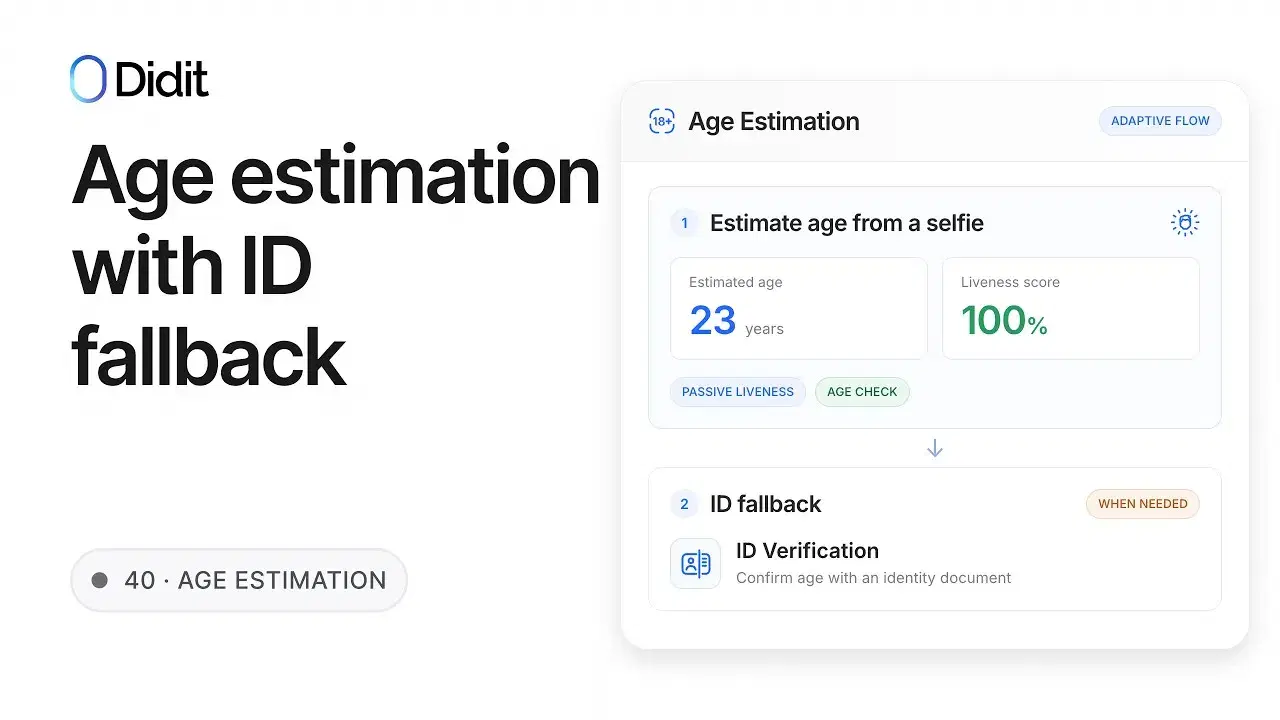
Age Verification API: Integrate Age Estimation in 2026
Didit's Age Estimation API returns an estimated age and a passive liveness score from one selfie for $0.10 per check. It works for age gates, not legal proof, so send borderline results to a document check.
 Alejandro RosasCo-founder and CTO
Contents
In this guide
Jump to the part you need.
A selfie age verification API fits teams that need an age gate on web or mobile without asking every user for an ID document. Our Age Estimation API costs $0.10 per completed check at list price and runs passive liveness in the same call. Age estimation inference runs in under two seconds at p99. The caveat matters: the age is model-predicted from a face, not legal proof of age, so an estimate near your threshold belongs in an ID check.
Last updated: November 26, 2026. Prices checked against the live Didit price feed on November 26, 2026.
| Item | Detail |
|---|---|
| Endpoint | POST https://verification.didit.me/v3/age-estimation/ |
| Price | $0.10 per completed check. $0.096 on Growth, $0.09 on Scale |
| Input | user_image as multipart form data: tiff, jpg, jpeg, png or webp, up to 5 MB, no PDF |
| Output | status Approved or Declined, age_estimation in years, passive liveness score 0 to 100, warnings array |
| Liveness | Passive, included in the same call, no user challenge |
| Default thresholds (standalone) | Age 18, liveness score 30 |
| Sandbox | Free on every plan, returns a static Approved payload with age_estimation: 30 |
| Best fit | Age gates, low-friction checks, and the first step before a document check |
Choose your age verification integration
The outcome is one server-side call that takes a selfie and returns a decision your app can branch on: approved, declined because the predicted age is below your cutoff, or declined because the image or the liveness check failed. No ID document is collected for that first answer. An estimate below your cutoff adds AGE_BELOW_MINIMUM. The response can contain multiple warnings, and any warning causes a decline.
- Standalone API. You already capture a photo, or another system sends you selfies. One call to
/v3/age-estimation/returns age, liveness score and warnings. We recommend this when the age gate sits inside a flow you already control. - Hosted Liveness workflow with a Web or Mobile SDK. You want us to capture the selfie, run liveness and branch to a full ID check when the estimate is close to the line. Age estimation is a setting on the Liveness step of a workflow, not a separate workflow feature. We recommend this for onboarding, where the same session may also need an ID check.
Both routes let you configure the age cutoff, which defaults to 18. The request fields and passive-liveness cutoff below apply to the standalone endpoint.
Both modes bill the age check at $0.10. Any other check you add in a session, such as an ID document or a face match, is billed at its own published price.

Prerequisites
- A Didit organization and application at business.didit.me. With an eligible work email, the first Free plan organization created for your company domain receives $10 in monthly credit.
- An API key from Developers, then API keys in the console. New keys start with
sk_test_for the sandbox orsk_live_for live traffic. Keep the key server-side, never in a browser bundle. - A way to get a face photo: your own capture screen, an uploaded image, or the hosted flow. jpg, jpeg, png, tiff or webp, up to 5 MB, one person in frame.
- A threshold decision before you write code: which age does this feature need, 18 or 21 or something else.
- A fallback path for results near the threshold, usually a full ID check.
- For the hosted route: a workflow with the Liveness feature enabled and age estimation turned on in the console.
Sandbox requests are free. The endpoint validates the request and returns a static mock for valid input. If you prefer to create the account from a terminal, the register and verify-email calls are documented in API authentication.
Step-by-step: integrating the age verification API
- Create the application and copy an API key. Open Developers, then API keys. The primary key has full access; create a separate key for each service that calls the API. The standalone Age Estimation endpoint returns HTTP 403 for missing or invalid credentials.
- Decide the mode. Server-to-server call for an existing capture screen, hosted Liveness workflow with a Web or Mobile SDK for a hosted flow. Both routes let you configure the age cutoff, which defaults to 18. The request fields and passive-liveness cutoff below apply to the standalone endpoint.
- Set the threshold in the request, not in code.
age_estimation_decline_thresholddefaults to 18, andface_liveness_score_decline_thresholddefaults to 30. Because the threshold travels with each request, one app can run 18 for one market and 21 for another. - Send the selfie. This is the documented call, unchanged:
Setcurl -X POST 'https://verification.didit.me/v3/age-estimation/' -H 'x-api-key: YOUR_API_KEY' -F 'user_image=@./selfie.jpg' -F 'age_estimation_decline_threshold=18' -F 'save_api_request=true' -F 'vendor_data=user-1234'rotate_image=trueif captures may arrive sideways or upside down. - Read the decision, not just the status.
statusis Approved only when thewarningsarray is empty, so any warning declines the check. Route on the code:AGE_BELOW_MINIMUMmeans the estimate is under your threshold,LOW_LIVENESS_SCOREmeans the liveness score was at or below the cutoff,LIVENESS_FACE_ATTACKmeans the model flagged a presentation attack, andAGE_NOT_DETECTEDorNO_FACE_DETECTEDmeans ask for a retake. - Choose what you store.
save_api_requestdefaults totrue, which persists the call as an API session in the console, keeps the face crop, adds the face embedding to your application face index and emits astatus.updatedwebhook. Sendfalseto store nothing; the returnedrequest_idis then a one-off correlation UUID that cannot be looked up later. - If you chose the hosted route, create a session and hand the user the URL.
Redirect to the returnedcurl -X POST https://verification.didit.me/v3/session/ -H "x-api-key: $DIDIT_API_KEY" -H 'Content-Type: application/json' -d '{"workflow_id": "YOUR_WORKFLOW_ID", "vendor_data": "user-42", "callback": "https://myapp.com/return"}'urlor pass it to the Web SDK. For iOS, Android, React Native or Flutter, pass the returnedsession_tokento the SDK. Fetch the result withGET /v3/session/{sessionId}/decision/: the age estimate lives atliveness_checks[].age_estimation, not in a top-level age array. The same decision endpoint also retrieves a saved standalone result when you pass itsrequest_idas the session ID. When a full ID check is part of the workflow, the same session carries both steps. - Test in the sandbox, then swap the key. Sandbox keys skip processing and billing: after request validation you get a static Approved payload with
age_estimation: 30and no warnings, and no session is stored. Malformed input still returns 400. SwitchDIDIT_API_KEYto the live key only when the branch logic is in place.
Expected output
The snippet below is an abbreviated 200 response with example values. Image details were omitted; the fields table documents user_image.entities.
{ "request_id": "c1f4a6b2-7d3e-4a58-9b0c-2f6e8d41a7c9", "age_estimation": { "status": "Approved", "method": "PASSIVE", "age_estimation": 24.3, "score": 97, "warnings": [] } }An estimate below your cutoff adds AGE_BELOW_MINIMUM. A liveness score at or below face_liveness_score_decline_threshold adds LOW_LIVENESS_SCORE. Either can occur in a billable HTTP 200 response. The response can contain multiple warnings, and any warning causes a decline.
Example routing, with the application setting the review band:
- Response includes
LIVENESS_FACE_ATTACK: decline and log the attempt. - Estimate 18.4 against a cutoff of 18, inside your 17 to 21 review band: send to a full ID check.
- Estimate 24.3 with an empty warnings array, outside the review band: approve.
When several faces are present, the largest face in the frame drives age_estimation. When no age can be estimated, age_estimation is null and the warning tells you why.
Inputs and outputs
| Field | Direction | Notes |
|---|---|---|
user_image | Request, required | Multipart file. tiff, jpg, jpeg, png, webp. Up to 5 MB. PDF is not accepted |
age_estimation_decline_threshold | Request | Age in years, default 18 |
face_liveness_score_decline_threshold | Request | Liveness score cutoff, default 30 |
save_api_request | Request | Default true. false stores nothing |
vendor_data | Request | Your own user identifier |
rotate_image | Request | true for sideways or upside-down captures |
request_id | Response, top level | Session id when stored, one-off correlation UUID when not |
age_estimation | Response, outer object | Contains status, method, age_estimation, score, user_image and warnings |
age_estimation.status | Response, nested | Approved or Declined. Warnings decline the check |
age_estimation.method | Response, nested | Example value PASSIVE |
age_estimation.age_estimation | Response, nested | Predicted age in years, float, null when not detectable |
age_estimation.score | Response, nested | Passive liveness, 0 to 100 |
age_estimation.user_image | Response, nested | Contains entities for the submitted image |
age_estimation.warnings | Response, nested | Risk codes that explain a decline |
Failure cases and recovery
| Result | Meaning | Recovery |
|---|---|---|
| HTTP 400 | Missing or oversized user_image, or an unsupported extension | Fix the file. PDFs are refused; convert or capture a new photo |
| HTTP 403, permission error | Missing or invalid credentials, or the key lacks access | Check the API key and its access. The standalone endpoint returns 403 for missing or invalid credentials |
| HTTP 403, insufficient credit | The balance cannot cover the call | Add credit or top up. This 403 arrives before any image processing |
| HTTP 429 | Shared write budget of 300 requests a minute per key is exceeded | Back off and retry. The response carries a wait value |
AGE_BELOW_MINIMUM | Estimate is under your threshold | Reject, or send to a full ID check if your policy needs a document |
LOW_LIVENESS_SCORE | Liveness score at or below the cutoff | Treat as a failed check. Offer a retake only if your policy allows it |
LIVENESS_FACE_ATTACK | A presentation attack was detected | Reject and log it. Do not offer an immediate retake loop |
NO_FACE_DETECTED | The liveness model found no face | Ask for a retake with the face fully in frame |
AGE_NOT_DETECTED | No age could be estimated from the face | Retake with better light and a front-facing pose |
MULTIPLE_FACES_DETECTED | More than one face in the image | Capture one person per image |

Paid steps and where review begins
What is billed:
- Each 200 response consumes one Age Estimation credit at $0.10 list price, paid from plan credit first and then from top-ups.
- A retake consumes another Age Estimation credit if the live request returns HTTP 200, including a completed decline. The list price is $0.10 per completed check.
- Sandbox calls are never charged, and a 403 for insufficient balance happens before processing.
- ID Verification lists at $0.15 per check. This example uses the $0.33 full ID check, which also includes passive liveness, face match and device and IP analysis.
What stays with you: we return an estimate and a decision against the threshold you sent, not a legal finding. Two calls are yours and your counsel's: which age applies to a feature or a market, and what happens to a user who lands near the line. Document your cutoff and fallback policy before launch. Use document-based verification where your applicable requirements call for it.

Age estimation or a document check
- Selfie estimation. $0.10, no document, result in the same call. In our published evaluation, mean absolute error was 1.1 years for ages 16 and 17 and 1.9 years for ages 18 to 20. The model correctly classified 96% of selfies as under 18 or 18 and over.
- Full ID check. $0.33 list price, which includes ID document verification, passive liveness, face match and device and IP analysis. It adds a document capture step and is the route for a fallback that needs a document.
What does age verification software include?
Age verification software usually adds three things around the model: capture, workflow branching and session review. You need capture when users take the photo inside your product and you do not want to build camera handling. You need workflow branching when a near-threshold result should route to a full ID check in the same session. You need session review when support or compliance staff must inspect warnings and decisions later.
The API is the HTTP endpoint you call. The SDK presents the hosted verification flow, which handles capture and camera permissions. NFC is available on supported native SDKs. The platform is the console behind it: applications, API keys, workflows, sessions, the warnings on each session, case review, retention settings and billing.
Use the standalone API when you already capture a selfie, set the cutoff in the request and handle the warnings in your own code. Use a hosted Liveness workflow with a Web or Mobile SDK when you want us to handle capture. The console is still useful for stored sessions when save_api_request is true.
Worked cost example
Take 100,000 age checks a month, with 8% of users landing in the band you send to a full ID check. List prices, arithmetic shown:
- Age checks: 100,000 x $0.10 = $10,000.00
- Full ID check fallback: 8,000 x $0.33 = $2,640.00
- Total: $12,640.00, or $0.1264 per user on average
If all 100,000 users went straight to a full ID check: 100,000 x $0.33 = $33,000.00. The estimate-first design saves $20,360.00 in this month.
The Growth and Scale figures are usage subtotals before subscription fees, credits and taxes. On Growth, age checks are 100,000 x $0.096 = $9,600.00 and the fallback is 8,000 x $0.3168 = $2,534.40, total $12,134.40. On Scale, 100,000 x $0.09 = $9,000.00 and 8,000 x $0.297 = $2,376.00, total $11,376.00. Plan credit comes off those totals before your top-up balance is touched.
SDKs and third party age verification
You do not have to build the capture screen. We publish a JavaScript SDK (@didit-protocol/sdk-web) with modal and inline modes, native SDKs for iOS and Android, a React Native SDK and a Flutter SDK for the hosted Liveness workflow. Our documentation lists general verification integrations for WordPress and Shopify; for age estimation, use the standalone API or a hosted session route. Server SDKs exist for Python, Node.js, Go, Java, PHP, Ruby and .NET, each reading DIDIT_API_KEY. The list with versions and install commands is in SDKs and integrations.
The session route fits when you would rather hand capture, liveness and the document fallback to one hosted flow and receive a webhook when it finishes. Webhook signature verification and retry behaviour are documented in webhooks.
Sources
- Didit docs: Age Estimation API reference
- Didit docs: Age Estimation overview, model performance and warnings
- Didit docs: pricing and billing rules
- Didit pricing page and cost estimator
- Didit price book: every public price-book line
- Didit docs: SDKs and integrations
- Didit docs: webhooks and signature verification
- Didit docs: API authentication and key recovery
- Didit docs: quick start, workflows and sessions
- Didit switch page
Start with the sandbox, which is free on every plan, returns a mock Approved payload so you can wire the branch logic today, and needs no sales call. Create your account at business.didit.me, copy a key from Developers then API keys, and send your first selfie.
Try it
Try this in the sandbox
Run the check this guide describes, free.
The product this post is about, taken from its topic. Run it free in the sandbox.
Author
Alejandro Rosas
Co-founder and CTO

Keep reading
Other guides in the same topic.
 What Is the Purpose of FICA in South Africa? 2026 Guide
FICA is South Africa's anti-money laundering law. It creates the Financial Intelligence Centre and requires accountable institutions to identify and verify clients, screen for PEP and sanctions risk and report suspicious.
Alberto RosasNov 26, 2026 Sixth Money Laundering Directive (6AMLD): What Changed and Which Rules Apply
6AMLD is Directive (EU) 2018/1673: Member States must criminalise laundering, widen predicate offences and set a four-year penalty floor. It adds no new due diligence duties for firms.
Alberto RosasNov 26, 2026 Automated Sanctions Screening: Canada, the Entity List and Embargoes
Automated sanctions screening matches people and companies against lists such as Canada's autonomous sanctions made under SEMA and JVCFOA and the OFAC SDN List, and returns candidate hits scored for identity confidence and.
Alberto RosasNov 26, 2026Questions
Frequently asked questions
What is an age verification API?
It is an HTTP endpoint that takes an input about a user, usually a face photo, and returns an age estimate or a decision against an age threshold. You call it from your server when a feature needs an age gate, and your app branches on the answer. Our standalone endpoint estimates age and runs passive liveness in parallel. If the liveness model flags a presentation attack, the response includes LIVENESS_FACE_ATTACK and the check is declined.
Which age verification API should I choose?
Compare four things: the input (selfie, document or another documented method), the price per completed check, whether liveness is included, and what you get when a result lands near the threshold. Ask for error figures by age band, not one number for all ages, and compare errors on both sides of your cutoff, including false accepts and false declines where those figures are available. The sandbox tests request validation and response handling. Comparing devices, lighting or model decisions requires live checks with representative images.
Age estimation or document-based age verification: which should I use?
Use estimation when the gate is low stakes, most users are clearly adults, and you can send the near-threshold band to a full ID check. Use document-based verification when a rule, a regulator or your own policy needs a document check. The two documented choices are the standalone API when you already capture a selfie, or a hosted Liveness workflow with a Web or Mobile SDK when you want us to handle capture.
Is there an age verification SDK for web, iOS, Android and React Native?
Yes. We publish a JavaScript SDK for web, native SDKs for iOS and Android, a React Native SDK and a Flutter SDK for the hosted Liveness workflow. The documented Age Estimation routes are the standalone endpoint and the hosted Liveness workflow via redirect or the Web and Mobile SDKs. Server SDKs cover Python, Node.js, Go, Java, PHP, Ruby and .NET.
How accurate is selfie age estimation?
In our published evaluation, mean absolute error was 1.1 years for ages 16 and 17 and 1.9 years for ages 18 to 20. The model correctly classified 96% of selfies as under 18 or 18 and over. Those figures describe the published evaluation, not a guarantee for every image. Averages leave room for one estimate to fall on the wrong side of your line, which is why the fallback matters.
Can I add age verification to an AI product?
Yes. The standalone API fits when your product already captures selfies: your backend calls the documented endpoint once it has a selfie, reads the status and warnings, and decides whether to allow the feature. If you need a capture screen, use the hosted workflow instead.
What is an age wallet?
People use the term for a digital identity wallet that holds a verified age attribute, so an app can ask for proof of age without seeing a document or a birth date. Our price list includes some wallet methods that are still marked Coming soon. Check the product page and docs for whether a specific wallet method is available in production.
Do you keep the selfie?
By default yes: save_api_request is true, so the call is stored as an API session in the console, the face crop and reference image are kept, and the face embedding is added to your application face index. The request id becomes a session id you can fetch a decision for. Send false to store nothing, in which case the id is a one-off correlation UUID and disabling persistence removes later session lookup.
What happens when a user is close to my threshold?
The estimate can land on either side of the line, and the model's error grows for faces close to the limit. Send that band to a full ID check rather than declining on the estimate alone. A common pattern is estimation for everyone, a full ID check for anyone near the threshold, and a clear rejection only when the estimate is well below it.
Is there an open-source age verification option?
Open models that estimate age from a face exist and can be a reasonable research starting point. The hard parts of a production gate sit around the model: liveness against photo and screen attacks, an audit trail for each decision, and a document fallback for the borderline band. If you want to test a hosted option first, our sandbox is free on every plan.
What does an age check cost?
$0.10 per completed check at list price, $0.096 on Growth and $0.09 on Scale. Each 200 response consumes one credit, and a 403 for insufficient balance happens before processing, so it is not charged. Sandbox calls are never charged.
How do I replace my current age verification provider?
Keep your threshold logic and swap the call: your server sends the selfie to our endpoint and reads the status and warnings instead of the old response. Map the existing provider's result states to our warning codes, then compare live decisions with representative images before you replace the old call. The sandbox tests request validation and response handling; comparing devices, lighting or model decisions requires live checks. Start from the switch page.
Compliance built in
Audited, certified and attested.
We hold the certifications and build each country's rules into your flows, so you can launch anywhere without worrying. Security and Compliance center
- Regulation encoded into your flows
Tell us what you do and where. Didit lists the rules that apply to you, with sources, and builds the checks each country needs into one workflow.
- Ready for AMLR
Every requirement of the new EU anti-money laundering rules, from checking customers to human review, is already covered by a Didit check.
- Tested in Spain's Treasury sandbox
Spain's Treasury published its supervised sandbox report on Didit's NFC plus active liveness onboarding; SEPBLAC took part and valued the added measures positively.
- Audited, not self-declared
iBeta Level 1 and Level 2. Liveness tested under ISO/IEC 30107-3.
Your obligations · 3 regions
 SOC 2 Type 2
 ISO 27001
 iBeta Level 1 and Level 2
 EU regulator attestation
 FSM youth protection
 GDPR
 EBA remote onboarding
 MiCA compatible
 FIDO Alliance member
- AMLREU AML Regulation ready
Integration · Didit MCP
Run Didit from your own AI agent
Connect Didit to Claude, Cursor, VS Code or ChatGPT and just ask in plain words. Your agent can do anything you can do in the console, with the same permissions you have.
 Add to Claude
 ChatGPT
 Cursor
- Build workflowsDescribe the checks you need. The agent creates and publishes the flow.
- Run investigationsAsk why a session was declined, review cases, search people and companies.
- Change rulesCreate payment rules, test them on past data and switch them on.
- Pull reportsAsk for numbers, exports or the audit log.
Didit Academy