Age Estimation vs Age Verification: Which Do You Need in 2026?
Use age estimation at $0.10 per check when your policy accepts a predicted age. Use document-based verification at $0.15 in a workflow when it requires documentary evidence: a checked document and the date of birth it states.
 Alberto RosasCo-founder and CEO
Contents
In this guide
Jump to the part you need.
Age estimation infers how old someone is from a selfie. Document-based age verification authenticates a government-issued document and reads the date of birth it states. Estimation fits a fast gate at volume, at $0.10 per check. Document-based verification fits a licence condition or a regulator that wants documentary proof, at $0.15. Both are Didit modules. The caveat is twofold: an estimate is a prediction, not legal proof of age, and the $0.15 check does not prove who presented the document.
Last updated: November 26, 2026. Prices checked against the live Didit price feed on November 26, 2026.
| Question | Age estimation | Document-based age verification |
|---|---|---|
| What it reads | A selfie submitted for age estimation and passive liveness | A government-issued document |
| What it returns | A predicted age in years plus a passive liveness score | Authenticity checks on the submitted document and the date of birth it states, plus the extracted identity fields |
| Evidence returned | This face appears to be about N years old | The extracted date of birth and the result of the document authenticity checks |
| Didit price | $0.10 per check | $0.15 per check in a workflow, $0.20 through the direct upload API |
| Data collected | Selfie and derived results. The standalone API saves the session, reference image and face crop and indexes the embedding by default. Set save_api_request=false for a non-persisted standalone call. | Name, document number, date of birth, nationality, document images |
| Best fit | Gates where your policy accepts a predicted age | Cases where your policy requires documentary evidence of the date of birth |
| Main limit | It is a prediction, and a live adult can take the check for someone else | More personal data collected, and binding the presenter to the portrait needs Face Match and Liveness |
Start free in the sandbox at business.didit.me and run both checks without a sales call. If you build with an AI assistant, connect Didit through the MCP server at didit.me/developers/mcp.
Three choices to settle first
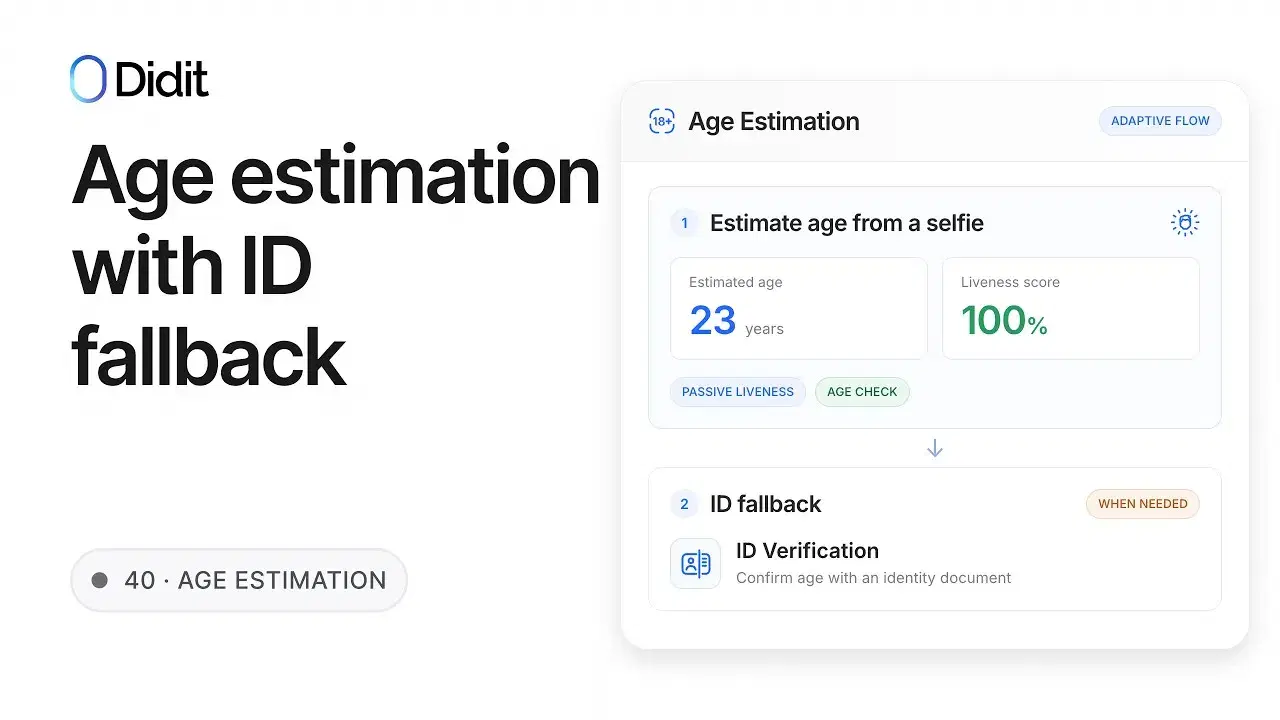
- Estimation when your policy accepts a prediction. One selfie, $0.10, a predicted age plus passive liveness.
- Document-based verification when your policy requires documentary evidence. One document, $0.15, authenticity checks and the date of birth it states.
- Add Face Match and Liveness when you must bind the presenter to the document. That is ID Verification at $0.15 in a workflow plus Face Match at $0.05 and Passive Liveness at $0.10, or the $0.33 full KYC check that includes both.
Two other routes inside our ID Verification feature can also supply age evidence: a non-document lookup against the authoritative source named for the country, and a signed attribute shared by a digital ID wallet. Either works where the method returns or validates the attribute your policy needs, and where your policy accepts that evidence.
What is age estimation?
We estimate age from a selfie and return the predicted age in years. The hosted version is enabled on the Liveness step of a workflow; the standalone call takes one image over HTTP. Passive liveness looks for presentation attacks, including photos of photos, screens and masks, and a flagged attack causes a decline. A live stand-in can still pass, because a face-only method cannot tell who the face belongs to.
The output is a float in years plus a passive liveness score from 0 to 100. For the standalone API, Approved requires an empty warnings array. Any warning causes a decline, and AGE_NOT_DETECTED is returned when the estimated age is null. The warnings include AGE_BELOW_MINIMUM, LOW_LIVENESS_SCORE, NO_FACE_DETECTED, LIVENESS_FACE_ATTACK and MULTIPLE_FACES_DETECTED.

Passive liveness is the default method under estimation. Our age estimation documentation covers the interface: the user's face appears blurry on screen, which signals that the image is analysed for an age estimate rather than for identification. Where a workflow needs another liveness method, we document 3D Flash, which is challenge-free, and 3D Action and Flash, which asks the user to perform an action such as blinking or nodding. The age estimation product page covers the module itself, and liveness methods are priced as their own lines on our price list.
What age estimation cannot do:
- It does not confirm identity. There is no name, no government record and no date of birth.
- A saved age-estimation session records the decision and warnings. A full KYC check requires separate identity evidence.
- It does not survive a determined stand-in. A live adult can take the check for a younger person.
What is document-based age verification?
Document-based age verification authenticates a government-issued document and reads the date of birth it states. We verify 14,000+ document types across 220+ countries in 54 capture languages, including passports, identity cards, driving licences and residence permits. The step captures the document, extracts fields with OCR, decodes the machine-readable zone and barcodes, and checks the document for tampering before it trusts the data it read.

For age gating the field that matters is date_of_birth. In the standalone API you can also pass minimum_age=18: the API can return MIN_AGE_NOT_REACHED when the holder's age, calculated from the document's date of birth, is below minimum_age. Dual-sided documents such as identity cards and driving licences need both images, front_image and back_image, and a missing back image returns a validation error rather than a partial result.
Three methods inside ID Verification
Document capture is the documentary route. Non-document lookup is the data match route: the user types a national ID number and a few details that are checked against the authoritative source named for that country. Wallet sign-in is the cryptographic route: the user signs in with a national eID or bank identity that signs the attributes it shares. Each result carries the assurance tier that produced it.
Non-document lookup names the exact source per country rather than generalising, and digital ID wallets lists the attributes each wallet returns, its production availability and its published rate. Either can supply age evidence where the method returns or validates the date of birth or an age attribute your policy requires. Neither carries the documentary tier.
Age assurance vs age verification vs age estimation
Age assurance is the umbrella term for any method that establishes a user's age or age range. Age estimation is one assurance method. Document-based verification is another, with documentary evidence from the submitted ID. So the comparison between age assurance and age verification is not between two equals: verification is a subset of assurance.
The EU Digital Services Act sets duties on platforms around the protection of minors. The UK Online Safety Act 2023 sets child-safety duties for in-scope services. Some duties call for highly effective age assurance, depending on the service and content. Check the requirements that apply before choosing a method.
Data protection runs alongside both. GDPR Article 4(14) defines biometric data by reference to specific technical processing of characteristics that allow or confirm unique identification. Article 9 addresses biometric data processed for the purpose of uniquely identifying a person. Assess the selfie, embedding and retention settings for your own use.
That is one reason to ask what a check stores, not only what it proves. For the standalone age estimation API, save_api_request defaults to true: the call is saved as an API session, and the reference image, the face crop and the embedding are kept. Set save_api_request=false for a non-persisted standalone call, where nothing is stored and the returned request id cannot be looked up later.
The tradeoffs: accuracy, effort, privacy, defeat resistance
| Dimension | Age estimation | Document-based verification |
|---|---|---|
| Accuracy | Predicted. Mean absolute error of 1.1 years at 16 to 17 and 1.9 years at 18 to 20 | Exact as stated on the document, after authenticity checks |
| User effort | Capture and submit one selfie | Find, frame and photograph a physical document |
| Privacy exposure | Selfie and derived results. The standalone API saves the session, reference image and face crop and indexes the embedding by default. Set save_api_request=false for a non-persisted standalone call. | Name, date of birth, document number, nationality, document images |
| Defeat resistance | Passive liveness looks for presentation attacks, including photos, screens and masks, and a flagged attack causes a decline. A live stand-in can still pass. | Document authenticity checks plus Face Match and Liveness if you add them. Binding the presenter to the portrait requires separate Face Match and Liveness checks, or the $0.33 full KYC check that includes both. |
| Evidence tier | A prediction | Documentary |
| Regulatory standing | Use this method only if it meets the requirements for your service and jurisdiction. | |
Which one do you need?
Use age estimation when
- You gate access at entry at volume and cannot ask every user for a document.
- Your policy accepts a predicted age for the case at hand, after you check the requirements for your service and jurisdiction.
- You want to confirm an age band without collecting names, document numbers and dates of birth.
- You want a cheaper first check before paying for document verification on the cases that need it.
- You check age in a setting where no document is at hand, such as a doorstep delivery.
Use document-based age verification when
- A regulator, licence condition or contract requires a document-backed date of birth, and you have confirmed that a document check meets it.
- You need identity as well as age, so the same step produces a name and a document number.
- You must bind the presenter to the portrait, so you add Face Match and Liveness or run the full KYC check.
- You need to retain the source of the date of birth and the document-check result under your retention policy.
Use both when
If your policy accepts an estimate for clear cases, you can reserve document verification for borderline results. An illustrative buyer policy: an estimate well below the threshold declines, an estimate well above it proceeds, and an estimate inside a band such as 18 to 25 steps up to ID Verification. That band is a policy choice, not a documented workflow setting. What our docs cover is a threshold on the Liveness step, age_estimation_decline_threshold, default 18, and a decision that returns the estimated age with its warnings. The default threshold already declines any estimate below 18, so a policy that wants a fallback on either side has to account for that decline too.
Where an app store or a partner already holds an age range or a declared age, that signal can be used only if the requirements that apply to your service accept it as evidence. Where they do not, or where the signal is self-declared, run a check: estimation first if your policy allows, a document if it does not.
How accurate is age estimation?
We publish our model numbers. Mean absolute error is 1.1 years for 16 and 17-year-olds and 1.9 years for 18 to 20-year-olds, and 96% of selfies are correctly classified as under 18 or 18 and over. Our standalone age-estimation API documents sub-2-second inference. Those are aggregate figures: they do not tell you the false-accept or false-reject rate at the threshold you choose, and our documentation notes that error grows for faces close to the limit, which is why it recommends document-based verification for borderline ages.
Accuracy and authenticity are different questions, and buyers often blur them. Accuracy asks how close the predicted age is. Authenticity asks whether the input is a real, live person and whether that person is the one the check is about. Passive liveness covers the presentation-attack part and a flagged attack causes a decline. It does not cover a live stand-in, and no face-only method can.
Didit compared with Yoti for age checks
Didit publishes this comparison. Each entry reflects what the company's public pages stated on November 26, 2026.
- Didit. Best for published unit prices for age estimation and document checks, and one API across identity and fraud.
- Yoti. Best fit when you want age checks, document verification, digital ID and eSignatures from one supplier, or when its named UK partnerships matter to your rollout (Yoti homepage, read November 26, 2026).
| Item | Didit | Yoti |
|---|---|---|
| Age-check prices | Age estimation $0.10 per check, plus the ID document check at $0.15 per check in a workflow and $0.20 through the direct upload API, all on the public price list | Quote required: the pricing page linked from the site returned a 404, and the only price stated is eSignatures from £0.40 per document (Yoti homepage, read November 26, 2026) |
| Age-check methods | Selfie age estimation with passive liveness, document capture with authenticity checks, non-document lookup, and digital ID wallet sign-in | Identity verification, age checks, digital ID, eSignatures and facial age estimation (Yoti homepage, read November 26, 2026) |
| Coverage | 220+ countries, 14,000+ document types, 54 capture languages | No coverage figures published beyond mentions of UK market partnerships, including the Post Office (Yoti homepage, read November 26, 2026) |
| Liveness evaluations | iBeta Level 1 PAD certification | NIST-evaluated passive liveness for MyFace AI Services (Yoti homepage, read November 26, 2026) |
| Organizational assurance | SOC 2 Type 2 report; ISO/IEC 27001:2022 certification (certificate ES144068) | No further certifications stated on its homepage (Yoti homepage, read November 26, 2026) |
| Digital ID wallet | Wallet sign-in inside ID Verification. Published USD list rates for available wallet methods range from $0.10 to $0.95 per completed verification | Digital ID offered, with 27 million wallet downloads stated (Yoti homepage, read November 26, 2026) |
| Scale signals | 4,000+ companies; 100% uptime over the last six months | Over 50 million checks a month and a 95% success rate stated, though Yoti does not define what that success rate measures (Yoti homepage, read November 26, 2026) |
What age checks cost for 1,000, 10,000 and 100,000 users
The stepped column uses a hypothetical step-up rate of 30%: every user gets an age estimate and 30% of users land inside the band that steps up to a document. It is an arithmetic input for this cost model, not a Didit benchmark. Didit unit prices come from didit.me/pricing.
| Users | Age estimation only ($0.10) | Workflow document verification only ($0.15) | Estimation for all, document step-up for 30% (hypothetical) | Yoti |
|---|---|---|---|---|
| 1,000 users | 1,000 x $0.10 = $100.00 | 1,000 x $0.15 = $150.00 | (1,000 x $0.10) + (300 x $0.15) = $100.00 + $45.00 = $145.00 | Quote required |
| 10,000 users | 10,000 x $0.10 = $1,000.00 | 10,000 x $0.15 = $1,500.00 | (10,000 x $0.10) + (3,000 x $0.15) = $1,000.00 + $450.00 = $1,450.00 | Quote required |
| 100,000 users | 100,000 x $0.10 = $10,000.00 | 100,000 x $0.15 = $15,000.00 | (100,000 x $0.10) + (30,000 x $0.15) = $10,000.00 + $4,500.00 = $14,500.00 | Quote required |
Worked example at 10,000 users with the step-up policy. Estimation for every user is 10,000 x $0.10 = $1,000.00. The 30% who step up are 3,000 users at the $0.15 workflow document verification rate, which is $450.00. Total $1,450.00. Running the document for everyone instead would be 10,000 x $0.15 = $1,500.00, so the gate saves $50.00 at this hypothetical step-up rate.
Break-even on list prices: estimation plus fallback costs $0.10 + (0.30 x $0.15) = $0.145 per user, against $0.15 for a document check for everyone. The stepped route is cheaper only when fewer than one-third of users step up. Above a one-third step-up rate, checking every document costs less. The comparison uses those two unit prices only and excludes optional checks, plan credits and fees.
Plan discounts change the unit prices rather than the arithmetic. On Growth every Didit price is 4% lower, so age estimation is $0.096 and ID verification is $0.144. On Scale the discount is 10%, so age estimation is $0.09 and ID verification is $0.135. The same stepped flow at 100,000 checks on Scale is (100,000 x $0.09) + (30,000 x $0.135) = $9,000.00 + $4,050.00 = $13,050.00 of usage before credits and fees. Against the Scale plan that is $13,050.00 minus the $350.00 included monthly credit plus the $299.00 monthly fee = $12,999.00, assuming the full credit is available and applied to this usage. Billing is per completed check from prepaid credit, and plan credit resets each month.
If you need identity alongside age, the unit to compare is the full KYC check at $0.33, which is ID document verification at $0.15 plus passive liveness at $0.10 plus face match at $0.05 plus device and IP analysis at $0.03. The iGaming bundle that adds AML screening and age estimation is $0.63. Yoti does not publish a price for any of these (Yoti homepage, read November 26, 2026), so the honest entry in its column is quote required.

Strengths and limitations
Didit strengths. We publish unit prices for age estimation and document checks, so a cost model takes minutes; non-document lookup prices vary by country. Age estimation and document-based verification sit in the same workflow on the same API. We run KYC, KYB, AML screening, wallet screening and transaction monitoring on that API too, so an age gate does not become a second vendor later. The sandbox is free and unlimited, the MCP server is free on every plan, and the OpenAPI contract is public. We have a SOC 2 Type 2 report, ISO/IEC 27001:2022 certification (certificate ES144068) and iBeta Level 1 PAD certification.
Didit limitations. Age estimation is a prediction and cannot serve as documentary proof. Non-document lookup and wallet coverage vary by country and method, and a published price does not establish production availability. Some methods on our wallet list are marked coming soon.
Yoti strengths. Yoti lists facial age estimation, identity verification, digital ID wallets and eSignatures, which suits a buyer who wants fewer contracts. Its homepage states over 50 million checks a month, a 95% success rate and 27 million digital ID wallet downloads, and it cites NIST-evaluated passive liveness for MyFace AI Services. Yoti does not define what the 95% success rate measures. It names UK market partnerships, including the Post Office (Yoti homepage, read November 26, 2026).
Yoti limitations, from its homepage. Verification and age-check pricing is not published on the Yoti homepage, so a cost model needs a quote. No coverage figures are published beyond the UK partnership mentions. Yoti lists NIST-evaluated passive liveness for MyFace AI Services (Yoti homepage, read November 26, 2026).
When Yoti is the better fit
Best fit when you want age checks, document verification, digital ID and eSignatures from one supplier, or when its named UK partnerships matter to your rollout (Yoti homepage, read November 26, 2026). If you already hold a Yoti Digital ID relationship or value the NIST-evaluated liveness evidence it publishes, Yoti is the reasonable choice. We are the better fit when you need published unit prices before you build, one API across identity and fraud, and a sandbox you can use today without a call.
Migration plan
- Parallel test. Run Didit beside the current provider on a sample of traffic, with age estimation on the same users and the same thresholds. Compare decisions and the warnings behind them, not only the pass rate. The switch page covers the commercial side.
- Webhooks. Read your Didit result through the documented session status webhook or
GET /v3/session/{sessionId}/decision/. Compare the decision, warnings and evidence returned by both providers during the overlap. - Records. Each session exposes its decision, warnings and assurance tier in the console and through the decision endpoint, so the overlap period is comparable case by case. Decide with your own compliance team what retention your obligations require.
How to run both in one Didit workflow
Age estimation is not a separate workflow feature. It is enabled on the Liveness step, and age_estimation_decline_threshold is set there, defaulting to 18. Create a session, send the user to the returned URL, then read the decision. The age estimate arrives at liveness_checks[].age_estimation on the Liveness entry.
curl -X POST 'https://verification.didit.me/v3/session/' \
  -H 'x-api-key: YOUR_API_KEY' \
  -H 'Content-Type: application/json' \
  -d '{"workflow_id":"wf_age_gate","vendor_data":"user_9812","callback":"https://yourapp.com/age-check/done"}'

curl 'https://verification.didit.me/v3/session/SESSION_ID/decision/' \
  -H 'x-api-key: YOUR_API_KEY'
If you already hold a selfie and want a one-shot gate, the standalone age estimation API returns the age and the liveness score in a single call.
curl -X POST 'https://verification.didit.me/v3/age-estimation/' \
  -H 'x-api-key: YOUR_API_KEY' \
  -F 'user_image=@./selfie.jpg' \
  -F 'age_estimation_decline_threshold=18' \
  -F 'save_api_request=true' \
  -F 'vendor_data=user-1234'
These are the decisions and warnings the standalone age estimation API documents.
| Outcome | Documented status or warning | What to do |
|---|---|---|
| Clear pass | Approved with an empty warnings array | Proceed |
| Age below your threshold | Declined with AGE_BELOW_MINIMUM | Decine. A step up to a document is your own policy applied on top of the returned decision, not a documented API behaviour |
| Unusable capture | AGE_NOT_DETECTED when the estimated age is null, or NO_FACE_DETECTED | Ask for a retake |
| Several faces in frame | MULTIPLE_FACES_DETECTED | Ask for one front-facing capture |
| Suspected presentation attack | LIVENESS_FACE_ATTACK or LOW_LIVENESS_SCORE | Decline. This is a presentation-attack decline, separate from an age-only decline |

For the document step, add ID Verification to the same workflow. Read the ID Verification status and warnings in id_verifications[], then check the extracted date_of_birth against your age requirement. In Review requires review, and Declined stops the flow. Where you must bind the presenter to the portrait, add Face Match at $0.05 and Passive Liveness at $0.10 as separate steps, or run the $0.33 full KYC check that includes both. The ID Verification documentation lists the warnings and the failure modes to handle.
The MCP server, hosted at https://mcp.didit.me/mcp with OAuth sign-in, is free on every plan and gives an AI assistant a documented route into our API. To execute the hosted flow itself, use the documented Sessions API. The liveness documentation covers the method you choose under the estimate.
Sandbox testing works differently in the two routes. A standalone sandbox key validates the request shape and returns a static Approved mock with an estimated age of 30, no warnings, no credit consumed and no session persisted, so it exercises request handling rather than a real decision. For a hosted session, create a workflow with the Liveness step and age estimation enabled, open the session URL and read the decision at GET /v3/session/{sessionId}/decision/ as documented.
Sources
- Didit pricing, live price feed read November 26, 2026
- Didit docs, pricing and billing rules
- Didit docs, age estimation overview and model performance
- Didit docs, standalone age estimation API
- Didit age estimation product page
- Didit docs, ID Verification overview
- Didit docs, ID Verification methods and assurance tiers
- Didit docs, non-document lookup and per-country sources
- Didit docs, digital ID wallets, attributes and rates
- Didit docs, liveness detection
- Didit MCP server
- Didit switch and migration page
- Yoti homepage, read November 26, 2026: https://yoti.com/
- Regulation (EU) 2022/2065, Digital Services Act
- Online Safety Act 2023, legislation.gov.uk
- Regulation (EU) 2016/679, GDPR
Start in the free Didit sandbox at business.didit.me, enable age estimation on the Liveness step, and try a test request. No sales call required.
Try it
Try this in the sandbox
Run the check this guide describes, free.
The product this post is about, taken from its topic. Run it free in the sandbox.
Author
Alberto Rosas
Co-founder and CEO

Keep reading
Other guides in the same topic.
 What Is the Purpose of FICA in South Africa? 2026 Guide
FICA is South Africa's anti-money laundering law. It creates the Financial Intelligence Centre and requires accountable institutions to identify and verify clients, screen for PEP and sanctions risk and report suspicious.
Alberto RosasNov 26, 2026 Sixth Money Laundering Directive (6AMLD): What Changed and Which Rules Apply
6AMLD is Directive (EU) 2018/1673: Member States must criminalise laundering, widen predicate offences and set a four-year penalty floor. It adds no new due diligence duties for firms.
Alberto RosasNov 26, 2026 Automated Sanctions Screening: Canada, the Entity List and Embargoes
Automated sanctions screening matches people and companies against lists such as Canada's autonomous sanctions made under SEMA and JVCFOA and the OFAC SDN List, and returns candidate hits scored for identity confidence and.
Alberto RosasNov 26, 2026Questions
Frequently asked questions
Is age estimation or ID verification the right choice?
Use age estimation when your policy accepts a predicted age for a fast gate, at $0.10 per check on Didit list prices. Use document-based age verification when a regulator, licence or contract requires a documentary date of birth, at $0.15 per check in a workflow. If your policy accepts an estimate for clear cases, you can reserve document verification for borderline results.
How accurate is Didit age estimation?
We publish a mean absolute error of 1.1 years at 16 to 17 and 1.9 years at 18 to 20, with 96% of selfies correctly classified as under 18 or 18 and over. Our standalone age-estimation API documents sub-2-second inference. These are aggregate figures and do not show the false-accept or false-reject rate at the threshold you choose, and our documentation recommends document-based verification for borderline ages.
How much does age estimation cost?
Age estimation is $0.10 per check on Didit list prices, with passive liveness included in the same call. Growth plan pricing is $0.096 and Scale is $0.09. Each production HTTP 200 response on the standalone Age Estimation API consumes one credit, including a response with a declined decision.
How much does document-based age verification cost?
$0.15 per document check inside a workflow and $0.20 through the direct upload API. A full KYC check is $0.33 and adds passive liveness, Face Match and device and IP analysis. The iGaming bundle with AML screening and age estimation is $0.63.
What does age check mean?
An age check is any step that establishes whether a user meets an age limit, and the term covers both estimation and verification. What differs is the evidence behind the answer: a predicted age from a face, or a date of birth read from an authenticated document. The requirements for your service decide which evidence is enough.
What is the difference between age assurance and age verification?
Age assurance is the umbrella term for methods that establish age or an age range, and it includes estimation. Age verification uses evidence such as an authenticated document, an authoritative record or a signed wallet attribute to establish a date of birth or whether someone meets an age threshold. All verification is assurance, but not all assurance is verification.
What do age inference, age detection and age validation mean?
Suppliers use these terms differently. Ask what input the check uses, whether it predicts an age or checks a date of birth against a source, and what output comes back. In a selfie flow, age inference or age detection can mean predicting age from a face. For age validation, ask whether the supplier checks the date of birth against an authoritative source or simply compares the stated date with a threshold.
Can age estimation be spoofed?
A live adult can take the check in place of a younger person, so age estimation is not defeat-proof. Passive liveness looks for presentation attacks, including photos, screens and masks, and a flagged attack causes a decline. For gates where defeat resistance matters, add document-based verification, where Face Match and Liveness bind the presenter to the document portrait.
Does age estimation store a biometric template?
For the standalone age estimation API, save_api_request defaults to true: the call is saved as an API session with the reference image, the face crop and the embedding added to your face index. Setting save_api_request=false stores nothing and the returned request id cannot be looked up later. Assess that setting for your own use, because the embedding is derived from a face.
Does document-based age verification need a face match?
ID Verification checks the document for authenticity and extracts its date of birth. To bind the presenter to the portrait, add Face Match at $0.05 and Passive Liveness at $0.10, or run the $0.33 full KYC check that includes both. The three steps run in one session.
Do I need to upload the front and back of the ID?
For dual-sided documents such as identity cards and driving licences, yes. The standalone ID Verification call takes front_image and requires back_image for those documents, and a missing back image returns a validation error instead of a partial result. Passport photo pages are read from a single image.
What is age match verification?
The phrase has no uniform meaning across vendors. In a document flow, the date of birth on the document supplies the age evidence, Face Match compares the selfie with the document portrait, and Liveness checks that the capture is live. On Didit that is ID Verification at $0.15 in a workflow plus Face Match at $0.05 and Passive Liveness at $0.10, or the $0.33 full KYC check that includes all three.
Is Yoti cheaper than Didit for age checks?
Yoti did not publish an age-check price on its homepage (Yoti homepage, read November 26, 2026), so a like-for-like comparison requires a quote. The only price stated there is eSignatures from £0.40 per document. Compare any quote with our published $0.10 for estimation and $0.15 for document-based verification in a workflow.
How do I test an age verification flow before going live?
A standalone sandbox key validates the request shape and returns a static Approved mock with an estimated age of 30 and no warnings, uses no credit and persists no session. For a hosted session, create a workflow with the Liveness step and age estimation enabled, open the session URL and read the decision at GET /v3/session/{sessionId}/decision/. Both run on the free sandbox at business.didit.me.
Compliance built in
Audited, certified and attested.
We hold the certifications and build each country's rules into your flows, so you can launch anywhere without worrying. Security and Compliance center
- Regulation encoded into your flows
Tell us what you do and where. Didit lists the rules that apply to you, with sources, and builds the checks each country needs into one workflow.
- Ready for AMLR
Every requirement of the new EU anti-money laundering rules, from checking customers to human review, is already covered by a Didit check.
- Tested in Spain's Treasury sandbox
Spain's Treasury published its supervised sandbox report on Didit's NFC plus active liveness onboarding; SEPBLAC took part and valued the added measures positively.
- Audited, not self-declared
iBeta Level 1 and Level 2. Liveness tested under ISO/IEC 30107-3.
Your obligations · 3 regions
 SOC 2 Type 2
 ISO 27001
 iBeta Level 1 and Level 2
 EU regulator attestation
 FSM youth protection
 GDPR
 EBA remote onboarding
 MiCA compatible
 FIDO Alliance member
- AMLREU AML Regulation ready
Integration · Didit MCP
Run Didit from your own AI agent
Connect Didit to Claude, Cursor, VS Code or ChatGPT and just ask in plain words. Your agent can do anything you can do in the console, with the same permissions you have.
 Add to Claude
 ChatGPT
 Cursor
- Build workflowsDescribe the checks you need. The agent creates and publishes the flow.
- Run investigationsAsk why a session was declined, review cases, search people and companies.
- Change rulesCreate payment rules, test them on past data and switch them on.
- Pull reportsAsk for numbers, exports or the audit log.
Didit Academy