Age Gating for Online Gambling Platforms: A How-To Guide
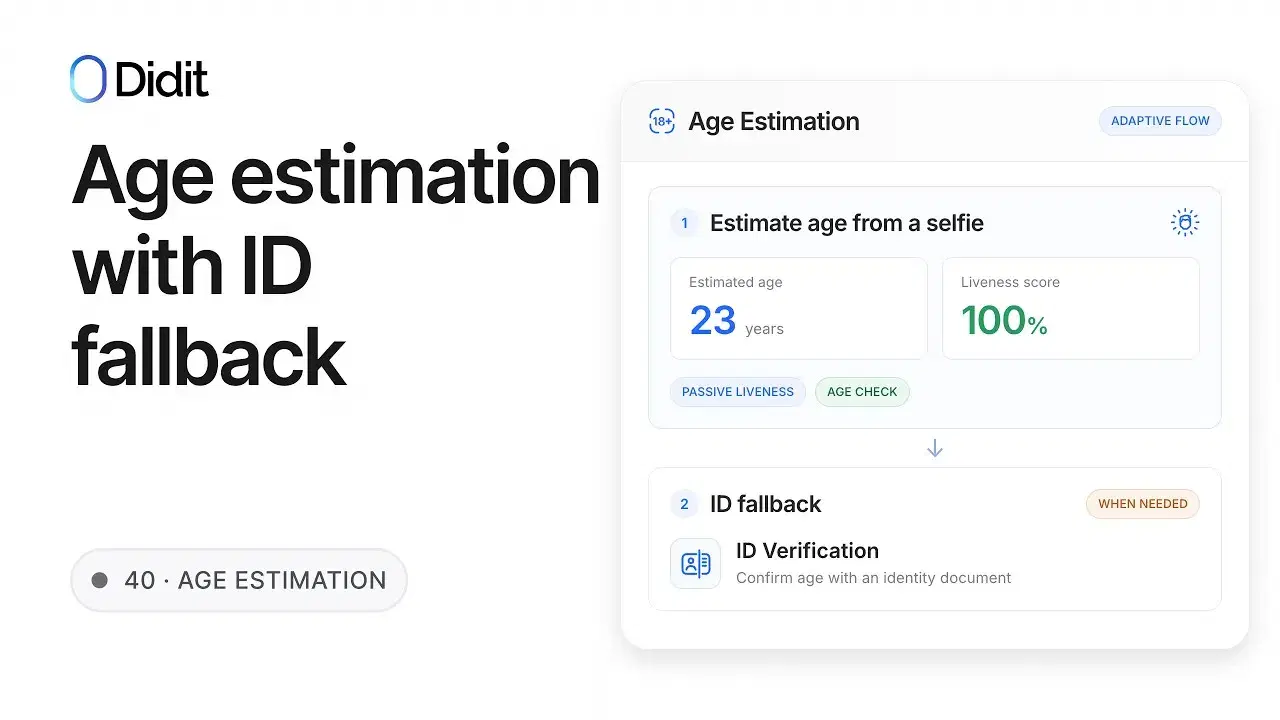
Build an age gate for a gambling platform in seven documented steps: a $0.10 selfie age estimation at account opening, a $0.33 full ID check before the first deposit, and a $0.20 standalone document check for borderline ages.
 Alberto RosasCo-founder and CEO
Contents
In this guide
Jump to the part you need.
This guide is for operators and platform engineers who need to gate an online gambling product by age. We set out the method we recommend: a selfie age estimation gate when the account opens, then a document check before the first deposit. Age Estimation costs $0.10 per check and a full ID check $0.33. The caveat: an estimated age is model output, not legal proof of age, so borderline results need the document.
Last updated: November 26, 2026. Prices checked against the live Didit price feed on November 26, 2026.
| Step | Check | List price | Runs |
|---|---|---|---|
| 1 | Workflow build in the Business Console | Free | Set up |
| 2 | Age Estimation selfie, passive liveness included | $0.10 per check | Account opening |
| 3 | Full ID check: document, biometrics, device and IP | $0.33 per check | Before the first deposit |
| 4 | Standalone ID Verification API call, a document check server to server (the same document step inside a workflow is $0.15) | $0.20 per check | Borderline age or a failed selfie |
| 5 | AML screening | $0.20 per check | Money gate and payouts |
| 6 | iGaming bundle: KYC, AML, Age Estimation | $0.63 per check | When all three run on one player |
Start free in the sandbox at business.didit.me, no sales call. For developers, connect Didit to an AI assistant through the Didit MCP server. Prices and plans sit on the pricing page, and the billing rules are in the pricing docs.
Age gating and age verification are two different jobs
Age gating is a decision. It answers one question at one moment: does this person get past this point in the product. Age verification is evidence. It answers the same question in a form a regulator or a payment provider can inspect six months later.
The two get mixed up when one control is asked to do both jobs. A self-declaration checkbox is a gate with no evidence behind it. Running a full document check on every visitor is evidence applied where a gate would do. It adds a document capture to every sign-up, so it belongs where the evidence is required, not at the front door. The method we recommend keeps them separate and pays for the expensive check only when money is about to move.
A look at age verification requirements for online gambling
Requirements come from the licence you hold in each market, not from one global rule. In Great Britain the Gambling Act 2005 provides the licensing framework, and the conditions attached to a licence set the actual checks and the records you must keep. Other markets write their own thresholds, some at 18 and some at 21.
We are not a law firm and this is not legal advice. What is constant is that operators must follow the licensing and record-keeping rules that apply in each market they serve, and those rules decide which check runs at which step and what evidence you keep. The decision also has to be reproducible, which means you store which check ran, what it returned and who reviewed it.
That is why a configurable threshold matters more than a vendor's marketing claim. Configure the threshold in the workflow used for each market or brand, and store that configured threshold with your decision record.
Age and identity verification solutions for online gaming: the checks we use
- Age Estimation reads a live selfie and returns a predicted age with passive liveness in the same call. $0.10 per check. Full detail in the Age Estimation documentation.
- ID Verification reads and authenticates a government document across 14,000+ document types in 220+ countries, with OCR, MRZ and barcode parsing. $0.15 per check as a step inside a workflow, or $0.20 through the standalone API. See the ID Verification documentation.
- Passive liveness at $0.10 and active liveness at $0.15 catch photos, screens and masks. Face Match 1:1 at $0.05 ties the document portrait to the live face.
- Digital ID wallets for European markets: MitID personal at $0.25 in Denmark, BankID Sweden at $0.20, Smart-ID at $0.21, Mobile-ID at $0.21, Finnish Trust Network at $0.25 and iDIN full identification at $0.95 in the Netherlands. Full list in the digital ID wallet documentation.
- AML screening at $0.20 per check with 1,300+ lists, and for crypto deposits, wallet screening at $0.15 per screening inside Transaction Monitoring.
Prerequisites
- A Didit organization and an application API key from the Business Console. Keep the key server-side.
- A KYC workflow with the
ID_VERIFICATIONfeature, and a Liveness step with age estimation enabled. - The minimum age for each market you serve, as an integer. The default decline threshold is 18.
- A callback URL on one of your allowed domains. A callback outside them fails session creation with a 400 on
callback. - For the standalone route, a face photo in jpg, jpeg, png, tiff or webp, at most 5 MB. PDFs are not accepted.
- A place to store the decision. Every result carries warnings you will need at audit time.
How to implement age gating for online gambling, step by step
Step 1: decide your two gates and your thresholds
Write down the age gate at account opening and the age gate at the money step. The first can be a selfie estimate. The second should be a document or a digital ID. Set the threshold per market, and write the borderline policy down now rather than leaving it to whoever is on call. Size it from the published error instead of a round number: the documented mean absolute error is 1.9 years for 18 to 20-year-olds, so an estimate close enough to the limit that the error could cross it is an unresolved result, not a pass and not a decline.
Step 2: turn on age estimation on the Liveness node
There is no separate age_estimation workflow feature. Age estimation is embedded inside the Liveness step, so you enable it on the Liveness node in the Business Console and set age_estimation_decline_threshold, which defaults to 18. Do not go looking for a standalone step in the workflow builder. It does not exist.
Step 3: create the session from your server
Call the documented session endpoint with your workflow id and a stable player identifier. Send vendor_data every time, because it binds the session to one player and drives duplicate detection across accounts.
curl -X POST 'https://verification.didit.me/v3/session/' \
  -H 'x-api-key: YOUR_API_KEY' \
  -H 'Content-Type: application/json' \
  -d '{
    "workflow_id": "YOUR_WORKFLOW_UUID",
    "vendor_data": "player-8412",
    "callback": "https://app.example.com/age-gate/done"
  }'
The full field list, including multi_account_segment for operators running several brands, is on the Create Session API page. If you would rather let a coding agent write the first version, the integration prompt hands it the whole flow.
Step 4: send the player into the flow
Open the returned session.url in a webview or browser, or mount the Didit SDK in your app. The player sees a selfie step, and the flow language follows the browser unless you pass language on create.

Step 5: read the decision and branch on the age result
Fetch the decision from your server. In a session-based flow the age result does not sit in a top-level array. It lives at liveness_checks[].age_estimation on each Liveness entry.
const decision = await (await fetch(
  "https://verification.didit.me/v3/session/" + sessionId + "/decision/",
  { headers: { "x-api-key": API_KEY } }
)).json();

const liveness = (decision.liveness_checks || []).find((check) => check.age_estimation);
const gate = liveness ? liveness.age_estimation : null;

// gate.status is "Approved" only when gate.warnings is empty
// gate.age_estimation is the predicted age in years
The decision endpoint and every top-level field are documented on the Retrieve Session API page.

Step 6: fall back to a document check on borderline results
When the estimate lands close to your threshold, or liveness fails, send the player to ID Verification instead of rejecting outright. Two routes exist for that fallback and they are priced differently. The document step inside a workflow is $0.15. The standalone call below is the server-to-server route at $0.20, and that is the price the worked example uses. The standalone call accepts minimum_age directly, so the document itself carries the age decision.
curl -X POST 'https://verification.didit.me/v3/id-verification/' \
  -H 'x-api-key: YOUR_API_KEY' \
  -F 'front_image=@./id_front.jpg' \
  -F 'back_image=@./id_back.jpg' \
  -F 'perform_document_liveness=true' \
  -F 'minimum_age=18' \
  -F 'save_api_request=true' \
  -F 'vendor_data=player-8412'
Define a documented review band around the threshold. Route estimates in that band to document verification, according to your policy. An estimate below the band is declined with AGE_BELOW_MINIMUM. A null age with AGE_NOT_DETECTED goes to the document too, because the model found no estimable face.
A document that fails the age rule comes back Declined with the warning MIN_AGE_NOT_REACHED. An expired document returns DOCUMENT_EXPIRED. Both are terminal and both belong in the player's history.

Step 7: log the decision and watch the pattern
Store the session id, the status, the warnings array and the threshold that produced them. Then watch two signals over time: the share of players declined at the selfie gate, and the share that reaches manual review. When a signal moves, break it down by the documented warning codes before you conclude that a wave of underage players arrived. A rise in AGE_NOT_DETECTED points to image quality and calls for a retake. A rise in MULTIPLE_FACES_DETECTED points to a second face in the frame. LIVENESS_FACE_ATTACK indicates a suspected presentation attack, while LOW_LIVENESS_SCORE indicates a low passive-liveness score. A rise in sessions sitting at In Review points at reviewer capacity.
If you already hold the selfie: the standalone call
Some operators capture the face inside their own app. In that case, skip the session and call the standalone endpoint. It returns the age estimate and a passive liveness score in one request, documented on the Age Estimation API page.
curl -X POST 'https://verification.didit.me/v3/age-estimation/' \
  -H 'x-api-key: YOUR_API_KEY' \
  -F 'user_image=@./selfie.jpg' \
  -F 'age_estimation_decline_threshold=18' \
  -F 'save_api_request=true' \
  -F 'vendor_data=player-8412'
Expected output
The standalone call returns the status, the predicted age, the liveness score and the warnings. Values below show the shape the documentation defines; the numbers are what the model produces for your image.
{
  "request_id": "string",
  "age_estimation": {
    "status": "Approved or Declined",
    "method": "PASSIVE",
    "age_estimation": "float, years",
    "score": "integer 0 to 100",
    "user_image": { "entities": "array" },
    "warnings": []
  }
}
status is Approved only when warnings is empty. Any warning declines the call. In sandbox, the endpoint skips processing and billing, persists nothing, and returns a static Approved payload with an estimated age of 30 and no warnings. That is deliberate: it lets you build the branch logic before you spend a credit.
Inputs and outputs
| Field | Direction | What it does |
|---|---|---|
user_image | Input, required | The face photo. jpg, jpeg, png, tiff or webp, up to 5 MB. PDFs are rejected. |
age_estimation_decline_threshold | Input, optional | Age below which the call declines. Default 18. |
face_liveness_score_decline_threshold | Input, optional | Passive liveness score at or below which the call adds LOW_LIVENESS_SCORE. Default 30. |
vendor_data | Input, optional | Your player identifier, echoed back and used for duplicate detection. |
save_api_request | Input, optional | Defaults to true and persists the call as a session you can look up later. False returns a one-off id. |
status | Output | Approved only when warnings is empty. Otherwise Declined. |
age_estimation.age_estimation | Output | Predicted age in years as a float, null when no face age could be estimated. |
age_estimation.score | Output | Passive liveness score from 0 to 100. |
warnings[] | Output | Risk codes such as AGE_BELOW_MINIMUM, NO_FACE_DETECTED or MULTIPLE_FACES_DETECTED. |
Failure cases and recovery
| Signal | Meaning | Recovery |
|---|---|---|
HTTP 400 | Missing or oversized user_image, or an unsupported extension. | Check size and format before the call. Ask for a fresh capture rather than retrying the same file. |
HTTP 403 | The organization balance cannot cover the call. | Top up. No image is processed and nothing is charged. |
Declined with AGE_BELOW_MINIMUM | The predicted age is under your threshold. | Block real money play. Offer the document route only if your policy allows it for that market. |
Declined with LOW_LIVENESS_SCORE or LIVENESS_FACE_ATTACK | A presentation attack is suspected. | Reject and record the warning. Retries are a policy decision, so cap them. |
Declined with AGE_NOT_DETECTED | The model could not extract an age from the image. | Ask for a retake in better light with a single front-facing face. On a repeat, move to ID Verification. |
Declined with MULTIPLE_FACES_DETECTED | More than one face in the frame. The largest face drives the estimate. | Ask for a solo selfie and explain why. |
| In Review on a document step | A human has to look at it, or a requested forgery check returned no usable score. | Route to your review queue. Do not approve automatically, and do not treat an unchecked document as a pass. |
Worked cost example
Take 20,000 new players a month. All 20,000 take the selfie gate at account opening, 14,000 reach the first deposit and run the iGaming bundle, and 600 borderline results take the standalone document check.
One detail about the double run before the arithmetic. A depositing player runs Age Estimation twice: once at the account-opening gate, and again inside the iGaming bundle, where Age Estimation is its own $0.10 line inside the $0.63. Both are charged below.
- iGaming bundle on depositing players: 14,000 x $0.63 = $8,820.00. The bundle is $0.33 KYC + $0.20 AML + $0.10 Age Estimation = $0.63.
- Selfie gate at account opening for all 20,000 players: 20,000 x $0.10 = $2,000.00.
- Standalone document check on borderline results, at the API price: 600 x $0.20 = $120.00.
- Monthly total: 20,000 x $0.10 + 14,000 x $0.63 + 600 x $0.20 = $10,940.00.
- On the Scale plan, which takes 10% off every Didit price: $10,940.00 x 0.90 = $9,846.00.
Two other line items matter in gambling. Ongoing AML monitoring is $0.07 per person a year. And any check that lands In Review waits for a person before it resolves, so plan reviewer capacity for the share of sessions that end up there.
What you pay for, and where a human has to decide
Billing is per completed check from prepaid credit. Each 200 response on the standalone age endpoint consumes one Age Estimation credit, and the free plan adds $10 of monthly credit for eligible organizations, with sandbox testing free and unlimited.
The review boundary is the part teams get wrong. Didit returns a status and a list of warnings. Didit does not certify that a player is of legal gambling age, and it does not decide your market policy. Your team sets the threshold, decides whether a borderline player may retry, and owns the manual review queue. Anything that comes back In Review waits for a person, and that person is yours or your outsourced reviewer, not an automatic approval.

Sources
- Didit Age Estimation overview, model performance, decision logic and warnings.
- Didit Age Estimation API reference, request fields, sandbox behaviour and billing.
- Didit ID Verification overview, document coverage and the
minimum_agecall. - Didit Create Session API,
vendor_data, callbacks and account segments. - Didit Retrieve Session API, decision fields, warnings and review state.
- Didit digital ID wallet documentation, wallet availability and assurance tiers.
- Didit pricing in the docs and the public pricing page, read November 26, 2026.
- Gambling Act 2005, legislation.gov.uk, https://www.legislation.gov.uk/ukpga/2005/19/contents, read November 26, 2026.
Start in the sandbox at business.didit.me. Sandbox testing is free and unlimited, the static mock returns an Approved payload with an estimated age of 30, and you can wire both gates before you spend a credit. No sales call.
Try it
Try this in the sandbox
Run the check this guide describes, free.
The product this post is about, taken from its topic. Run it free in the sandbox.
Author
Alberto Rosas
Co-founder and CEO

Keep reading
Other guides in the same topic.
 What Is the Purpose of FICA in South Africa? 2026 Guide
FICA is South Africa's anti-money laundering law. It creates the Financial Intelligence Centre and requires accountable institutions to identify and verify clients, screen for PEP and sanctions risk and report suspicious.
Alberto RosasNov 26, 2026 Sixth Money Laundering Directive (6AMLD): What Changed and Which Rules Apply
6AMLD is Directive (EU) 2018/1673: Member States must criminalise laundering, widen predicate offences and set a four-year penalty floor. It adds no new due diligence duties for firms.
Alberto RosasNov 26, 2026 Automated Sanctions Screening: Canada, the Entity List and Embargoes
Automated sanctions screening matches people and companies against lists such as Canada's autonomous sanctions made under SEMA and JVCFOA and the OFAC SDN List, and returns candidate hits scored for identity confidence and.
Alberto RosasNov 26, 2026Questions
Frequently asked questions
What is age gating in online gambling?
Age gating is the control that stops a player who is not old enough from reaching real money play. It has two parts: a gate at account opening, where you need enough evidence to let the person proceed, and a gate at the money step, where the evidence has to survive an audit. A selfie age estimate is a sound first gate, and a document or a digital ID is the evidence you keep.
How does age verification for online gambling work with Didit?
You create a workflow with ID Verification and a Liveness step that has age estimation enabled, then create a session with POST /v3/session/ and send the player to the returned URL. Didit estimates the age from the selfie and returns a decision at GET /v3/session/sessionId/decision/ under liveness_checks[].age_estimation. Before the first deposit the same player runs the document step, which returns the date of birth read from the document plus authenticity warnings.
Can a selfie age estimate replace a document check for gambling?
Not where your licence requires proof of age. Our own documentation states that the age is model-predicted from the face, not verified against a document, and that the product is built for age gates and lightweight checks rather than legal proof. Use it to route traffic at sign-up, then take a document or a digital ID from players who deposit.
How accurate is Didit Age Estimation?
The mean absolute error is 1.1 years for 16 and 17-year-olds and 1.9 years for 18 to 20-year-olds, and the model correctly classifies 96% of selfies as under 18 or 18 and over. Error grows for faces close to the threshold, which is why the documentation tells you to fall back to document verification on borderline ages. Those numbers come from the model performance section of the Age Estimation documentation.
How much does age verification cost per player?
Age Estimation is $0.10 per check, ID Verification $0.15 as a step inside a workflow and $0.20 through the standalone ID Verification API, passive liveness $0.10, active liveness $0.15 and face match $0.05. A full ID check that bundles the document, biometrics and device and IP analysis is $0.33, and the iGaming bundle of KYC, AML and Age Estimation is $0.63. Billing is per completed check from prepaid credit, and sandbox testing is free.
What are the age verification requirements for online gambling?
Requirements are set by the market you hold a licence in, not by one global rule. In Great Britain the Gambling Act 2005 provides the licensing framework, and the conditions attached to a licence set the checks and records that apply. We are not a law firm, so read your own licence conditions and map each required check to a step in your workflow.
What are the age verification challenges in live betting broadcasts?
The hard part is that whoever is watching a stream is often not the account holder, and Didit documents no connector for broadcast or streaming platforms. Gate the stream on your side: create the session with the API, read the decision, and release the stream URL only after the gate returns Approved. Reuse vendor_data so the same player maps to one record across sessions.
What happens when a player fails the selfie age gate?
A below-threshold result comes back Declined with the warning AGE_BELOW_MINIMUM, and a suspected spoof comes back with LOW_LIVENESS_SCORE or LIVENESS_FACE_ATTACK. Block real money play on that result. If your policy allows a second route, send the player to ID Verification with minimum_age set and keep both decisions so the audit trail shows what you did.
Does Didit store the selfie used for the age check?
It depends on save_api_request, which defaults to true. When true, the call is persisted as an API session, the face crop and reference image are stored, the face embedding joins your application's face index, and the decision reports a retention date for the biometric data. When false, nothing is stored and the request id cannot be looked up later.
Which digital IDs can verify age in European markets?
In production today: MitID personal in Denmark at $0.25, BankID Sweden at $0.20, Smart-ID at $0.21 in Estonia, Latvia, Lithuania and Belgium, Mobile-ID at $0.21 in Estonia and Lithuania, Finnish Trust Network at $0.25 and iDIN full identification at $0.95 in the Netherlands. EUDI Wallet is priced at $0.15 per verification but is not enabled in production yet. A wallet without a portrait does not include a selfie comparison, so keep a document fallback configured.
Can I gate a free-to-play product without collecting a document?
It depends on the jurisdiction and the licence that applies to the product. Where no rule requires document-based proof of age, a selfie estimate at $0.10 gives you a predicted age, a liveness score and a warnings list with no document collection. Check the licensing and record-keeping rules for each market before you omit document verification, and keep the estimate in the record either way.
Compliance built in
Audited, certified and attested.
We hold the certifications and build each country's rules into your flows, so you can launch anywhere without worrying. Security and Compliance center
- Regulation encoded into your flows
Tell us what you do and where. Didit lists the rules that apply to you, with sources, and builds the checks each country needs into one workflow.
- Ready for AMLR
Every requirement of the new EU anti-money laundering rules, from checking customers to human review, is already covered by a Didit check.
- Tested in Spain's Treasury sandbox
Spain's Treasury published its supervised sandbox report on Didit's NFC plus active liveness onboarding; SEPBLAC took part and valued the added measures positively.
- Audited, not self-declared
iBeta Level 1 and Level 2. Liveness tested under ISO/IEC 30107-3.
Your obligations · 3 regions
 SOC 2 Type 2
 ISO 27001
 iBeta Level 1 and Level 2
 EU regulator attestation
 FSM youth protection
 GDPR
 EBA remote onboarding
 MiCA compatible
 FIDO Alliance member
- AMLREU AML Regulation ready
Integration · Didit MCP
Run Didit from your own AI agent
Connect Didit to Claude, Cursor, VS Code or ChatGPT and just ask in plain words. Your agent can do anything you can do in the console, with the same permissions you have.
 Add to Claude
 ChatGPT
 Cursor
- Build workflowsDescribe the checks you need. The agent creates and publishes the flow.
- Run investigationsAsk why a session was declined, review cases, search people and companies.
- Change rulesCreate payment rules, test them on past data and switch them on.
- Pull reportsAsk for numbers, exports or the audit log.
Didit Academy