Age Verification: Boost Conversions & UX
Age verification is crucial for compliance, but poorly implemented age gates kill conversions. Learn how to balance legal requirements with a seamless user experience, minimizing friction and maximizing ROI.
 Alberto RosasCo-founder and CEO
Contents
In this guide
Jump to the part you need.
Age Verification: Boost Conversions & UX
Age verification is no longer optional. Increasingly stringent regulations – from COPPA and GDPR-K to state-level age verification laws for online content – demand robust solutions. However, traditional age gates are notorious for frustrating users, leading to abandoned carts, decreased engagement, and lost revenue. This post explores how to achieve age verification conversion optimization, balancing compliance with a positive user experience.
Key Takeaway 1: Poorly designed age verification dramatically reduces conversion rates. Optimizing for UX is essential.
Key Takeaway 2: The best approach to age verification depends on your risk profile and the sensitivity of your content. There’s no one-size-fits-all solution.
Key Takeaway 3: Balancing age gate vs privacy requires transparent disclosures and minimizing data collection.
Key Takeaway 4: Leveraging passive age verification methods can significantly reduce friction and improve completion rates.
The Cost of Friction: How Age Gates Impact Your Bottom Line
Every extra step in the user journey introduces friction. Studies show that a 1-second delay in page load time can reduce conversions by 7%. Aggressive age verification—pop-ups, lengthy forms, multiple verification steps—creates far more friction than a minor delay. Consider these potential impacts:
- Abandoned Carts: For e-commerce sites selling age-restricted goods (alcohol, tobacco, vape products), a cumbersome age gate can lead to a significant percentage of abandoned carts.
- Reduced Sign-Ups: For platforms requiring age-restricted access (dating apps, gaming sites), a frustrating age check can deter new user registrations.
- Decreased Engagement: If users are constantly challenged to re-verify their age, they’re less likely to return to your site.
- Brand Damage: A negative user experience associated with age verification can harm your brand reputation.
The financial impact is substantial. A 5% decrease in conversion rate due to a poor age gate can translate to thousands of dollars in lost revenue per month, depending on your traffic volume and average order value.
Exploring Age Verification Methods: From Basic to Advanced
Age verification methods range from simple to sophisticated, each with its own trade-offs in terms of accuracy, user experience, and cost. Here's a breakdown:
- Simple Checkbox: “I am 18 or older.” Least effective, offers no actual verification, provides minimal legal protection.
- Date of Birth Input: Users enter their date of birth. Provides some verification but is easily falsified.
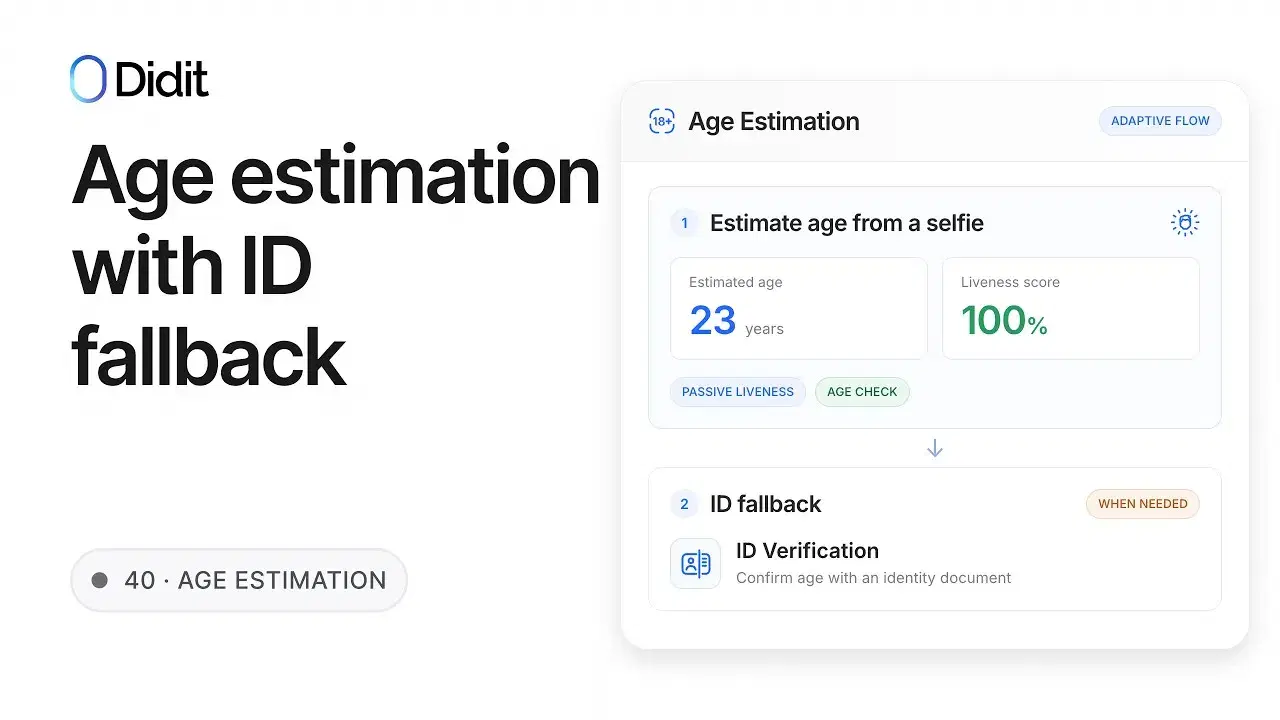
- Age Estimation: AI-powered age estimation from a selfie. Low friction and increasingly accurate, but not foolproof.
- Document Verification: Users upload a government-issued ID. Most accurate, but also the most friction-intensive.
- Knowledge-Based Authentication (KBA): Asking users questions based on public records. Can be effective but relies on the accuracy of the data.
- Passive Biometric Verification: Analyzing user behavior (typing speed, mouse movements) to estimate age. Low friction, but less reliable.
Implementing Low Friction Age Gating Methods
The key to successful age verification is minimizing friction. Here are some strategies:
- Progressive Verification: Start with a low-friction method (age estimation) and only escalate to more rigorous methods (document verification) if necessary.
- Contextual Verification: Trigger age verification only when users attempt to access age-restricted content or features.
- Transparent Disclosures: Clearly explain why you’re collecting age information and how it will be used. Be upfront about your privacy policy. Addressing age gate vs privacy concerns builds trust.
- Mobile Optimization: Ensure your age verification process is seamless on mobile devices.
- Caching: Store verified age data (with user consent) to avoid repeatedly asking users for verification.
- Reusable KYC: Implement a system allowing users to verify their age once and reuse that verification across multiple platforms.
Didit's platform offers a range of options, including passive liveness detection, age estimation, and document verification, allowing businesses to customize their age verification flow to minimize friction and maximize conversion rates.
The Rise of Passive Age Verification
Passive age verification methods are gaining popularity because they offer a superior user experience. For example, analyzing facial features or using AI to estimate age from a selfie requires minimal user effort and can achieve high accuracy. However, it’s important to note that passive methods may not be sufficient for all regulatory requirements. They’re best suited for scenarios where a reasonable level of assurance is sufficient.
How Didit Helps
Didit provides a comprehensive age verification solution that balances compliance with user experience. Our platform features:
- Modular Architecture: Choose the verification methods that best suit your needs.
- AI-Powered Accuracy: Leverage cutting-edge AI for age estimation and document verification.
- Low-Friction Flows: Design seamless verification experiences that minimize user frustration.
- Transparent Pricing: Pay-as-you-go pricing with no hidden fees.
- Global Coverage: Support for 220+ countries and 14,000+ document types.
Ready to Get Started?
Don't let a poorly designed age gate kill your conversions. Sign up for a free Didit account today and experience the difference. Explore our pricing plans and technical documentation to learn more. Or request a demo to see our platform in action!
Try it
Try this in the sandbox
Run the check this guide describes, free.
The product this post is about, taken from its topic. Run it free in the sandbox.
Author
Alberto Rosas
Co-founder and CEO

Keep reading
Other guides in the same topic.
 Play Age Signals vs Apple Declared Age Range: full comparison
Google Play Age Signals and Apple's Declared Age Range API side by side: ranges, tiers, nulls, automatic sharing and terms, plus one age state for your backend and when to add your own check.
Alberto RosasNov 22, 2026 Play Age Signals API integration guide: v0.0.6 for Android apps
The three calls of Play Age Signals 0.0.6 in Kotlin, a decision table for every status, tier and bound, errors, migration from 0.0.3 and 0.0.4, testing, and how to start your own age check.
Alberto RosasNov 22, 2026 Age verification API: which one works on apps, web and stores
Five kinds of age verification API and where each one answers: Play apps, App Store apps, sideloads, web and desktop. With the selfie call, the hosted session, webhook checks, cost and data.
Alberto RosasNov 22, 2026Questions
Blog questions
Who writes the Didit blog?
Which topics does the blog cover?
Is the blog available in my language?
Where do I find product updates?
Are these posts legal advice?
How do I find posts on one topic?
Are posts dated?
Do posts link to the docs?
Is the blog the same as the docs?
Compliance built in
Audited, certified and attested.
We hold the certifications and build each country's rules into your flows, so you can launch anywhere without worrying. Security and Compliance center
- Regulation encoded into your flows
Tell us what you do and where. Didit lists the rules that apply to you, with sources, and builds the checks each country needs into one workflow.
- Ready for AMLR
Every requirement of the new EU anti-money laundering rules, from checking customers to human review, is already covered by a Didit check.
- Tested in Spain's Treasury sandbox
Spain's Treasury published its supervised sandbox report on Didit's NFC plus active liveness onboarding; SEPBLAC took part and valued the added measures positively.
- Audited, not self-declared
iBeta Level 1 and Level 2. Liveness tested under ISO/IEC 30107-3.
Your obligations · 3 regions
 SOC 2 Type 2
 ISO 27001
 iBeta Level 1 and Level 2
 EU regulator attestation
 FSM youth protection
 GDPR
 EBA remote onboarding
 MiCA compatible
 FIDO Alliance member
- AMLREU AML Regulation ready
Integration · Didit MCP
Run Didit from your own AI agent
Connect Didit to Claude, Cursor, VS Code or ChatGPT and just ask in plain words. Your agent can do anything you can do in the console, with the same permissions you have.
 Add to Claude
 ChatGPT
 Cursor
- Build workflowsDescribe the checks you need. The agent creates and publishes the flow.
- Run investigationsAsk why a session was declined, review cases, search people and companies.
- Change rulesCreate payment rules, test them on past data and switch them on.
- Pull reportsAsk for numbers, exports or the audit log.
Didit Academy