How to Add Age Verification to Decentralized Content Platforms
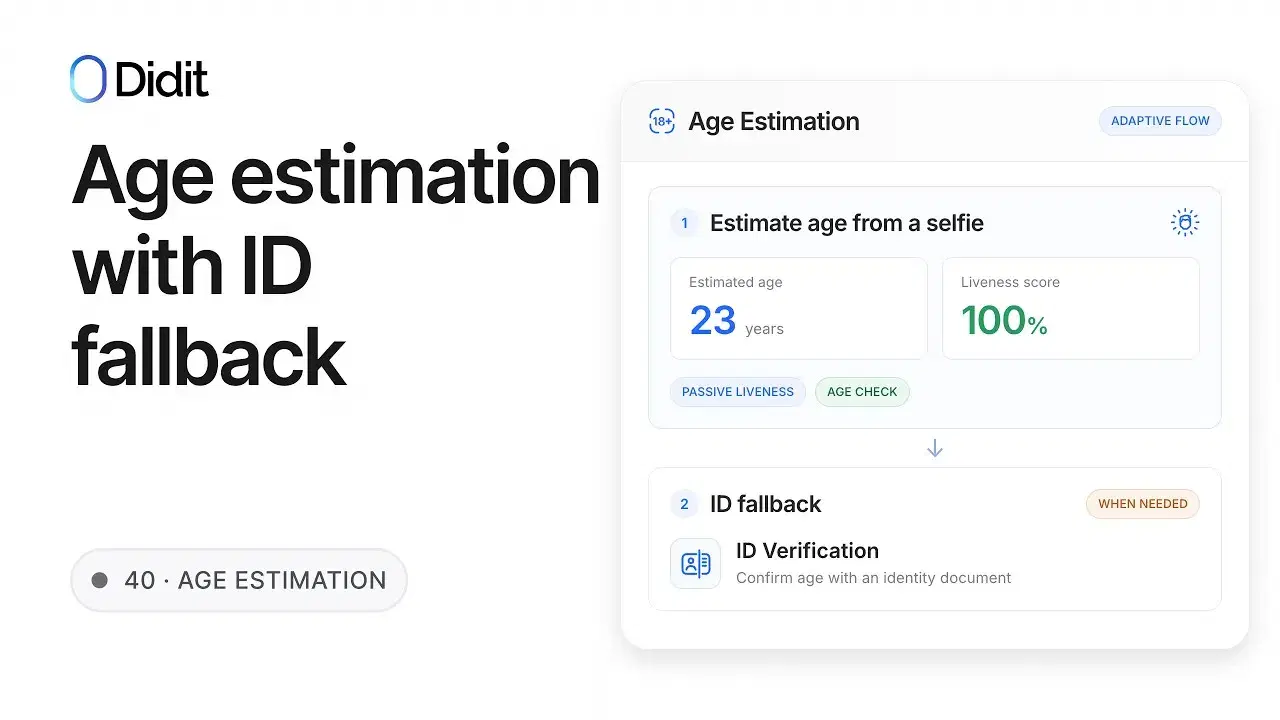
Two-tier age gate: selfie age estimation at $0.10 per check, document fallback at $0.15 when the estimate lands near the line. The configured 18 or 21 threshold applies to the age estimation decision, and the document fallback.
 Alberto RosasCo-founder and CEO
Contents
In this guide
Jump to the part you need.
Decentralized content platforms need an age gate that does not turn every visitor into a KYC file. What we recommend: a selfie age estimation check at $0.10 per completed call, with a document fallback at $0.15 when an estimate lands near the line. The caveat matters. A predicted age is not legal proof of age, so borderline results have to escalate to a document check.
Last updated: November 26, 2026. Prices checked against the live Didit price feed on November 26, 2026.
| What you need | Didit step | Price | What comes back |
|---|---|---|---|
| A fast gate at 18 or 21, no document | Age Estimation: one selfie plus passive liveness | $0.10 | Approved or Declined, the estimated age in years, the liveness score, any warning codes |
| Document fallback only | ID Verification, document step | $0.15 | The documented ID Verification fallback returns the decision from the configured document step |
| Document fallback plus biometrics | Full ID check: document, passive liveness, face match, device and IP | $0.33 | The full decision with face match and 200+ fraud signals |
| Hosted flow that does both | Adaptive Age Verification workflow template | $0.10 for the selfie step, plus the fallback price when it runs | A session decision you fetch by API or receive by webhook |
Start free in the sandbox at business.didit.me, no sales call. The Age Estimation overview covers the model and its measured accuracy. If you would rather have an AI assistant write the calls, connect Didit to your assistant through the Didit MCP server. Plans, list prices and the cost estimator are on the pricing page.
The outcome you are building, and the method we recommend
You want two things at once: a gate that keeps minors out of restricted pages, channels and collections, and a journey that never asks a pseudonymous visitor for a passport to read a page. We get there with a two tier gate inside one workflow.
Tier one is Age Estimation. The user takes a selfie, the model predicts an age from the face, passive liveness runs in the same call, and the answer is Approved or Declined against a threshold you set, 18 or 21. The check costs $0.10 and returns a decision, the estimated age in years and a liveness score. No ID document is involved.
Tier two is the fallback. When an estimate sits close to your threshold, or when a market or a partner wants a documented date of birth, the same session moves to document verification. That fallback is a separate workflow path, not part of the age estimation call. The ID document step is $0.15 on its own. The full ID check, which adds passive liveness, face match and device and IP analysis, is $0.33.
We ship a workflow template for exactly this pattern. It is called Adaptive Age Verification, described as a selfie age check with ID fallback, and it is one of the templates in the workflow gallery. 4,000+ companies run checks on Didit across 220+ countries, on the same orchestration layer you use for this age gate.
Standalone API or hosted workflow: the documented difference
The standalone POST /v3/age-estimation/ call is server to server and takes a selfie you already hold. It returns the predicted age and a passive liveness score in one response. It has no document step inside it.
The hosted path is a session created from a workflow. Age estimation is embedded inside the Liveness step, so there is no separate age estimation feature to add: you enable age estimation on the Liveness node in the Business Console and set the threshold there. The document fallback is another node in the same workflow.
Two consequences follow. On the standalone call the decision is the response body. In a session the same result sits at liveness_checks[].age_estimation on the decision object, and you can also receive it by webhook. The fallback only exists on the hosted path, because it is a workflow node rather than part of the age estimation call.
Prerequisites before you touch the API
- An organization at business.didit.me. Signing up with a work email gives $10 of credit a month on the Free plan. The sandbox is free and unlimited.
- An API key from the Business Console, held on your server. Do not ship it inside a client bundle.
- A selfie capture surface. The API accepts jpg, jpeg, png, tiff and webp up to 5 MB, and it does not accept PDFs. One clear, front facing, well lit face per image.
- A threshold decision: 18 or 21, plus a written rule for when an estimate lands within a couple of years of the line and should move to the document path.
- A record of the outcome: the status and the timestamp against the account, not the image.
- Optional: a webhook destination, if you want decisions pushed to you instead of polled.
Steps to put the age gate live
- Set the threshold and the escalation rule. The model's mean absolute error is 1.1 years for 16 and 17 year olds and 1.9 years for 18 to 20 year olds, and it classifies 96% of selfies correctly as under 18 or 18 and over. Our recommendation is that a 21 gate escalates more often than an 18 gate, as a policy reason to send borderline results to the document step. Write the rule down before you ship: for example, a selfie estimate below 18, or between 18 and 21 when the gate is 21, goes to the document step.
- Copy the API key from the console. Organization settings, API keys. Keep it server side only.
- Build the workflow. In the console, go to Workflows, click New workflow, and start from the Adaptive Age Verification template. Open the Liveness node, turn age estimation on, and set
age_estimation_decline_thresholdto 18 or 21. Publish the workflow and keep its id. - Create a session for each visitor who hits a restricted door. One POST does it, and you can pass the wallet address in
vendor_dataso the decision binds to the wallet rather than to a name.
The response containscurl -X POST https://verification.didit.me/v3/session/ \ -H "x-api-key: $DIDIT_API_KEY" \ -H "Content-Type: application/json" \ -d '{"workflow_id": "YOUR_WORKFLOW_ID", "vendor_data": "wallet-0x8f2a", "callback": "https://myapp.com/age/return"}'session_id,urlandsession_token. - Send the user to the selfie step. Redirect to
url, or mount the Web or Mobile SDK. The flow shows the camera step, runs passive liveness, and finishes with a decision.
The selfie intro screen a user sees before the age estimation step. 
The capture step. One front facing face, passive liveness in the same call. - Read the decision. Fetch
GET https://verification.didit.me/v3/session/{sessionId}/decision/. The age result lives atliveness_checks[].age_estimationon each Liveness entry, not in a top level array. Do not assume singular fields from older versions.
The Liveness entry in the console, where the age estimation result sits on the session. - Or call the standalone API when you already hold the selfie. Use this when your dApp captures the image itself, or when you re-check a user who is already signed in. This call returns age and liveness in one request.
When several faces appear, the largest face drives the result. Setcurl -X POST 'https://verification.didit.me/v3/age-estimation/' \ -H 'x-api-key: YOUR_API_KEY' \ -F 'user_image=@./selfie.jpg' \ -F 'age_estimation_decline_threshold=18' \ -F 'save_api_request=false' \ -F 'vendor_data=wallet-0x8f2a'rotate_image=trueif captures can arrive sideways or upside down. - Know what persistence means before you choose it.
save_api_requestdefaults to true, which persists the call as an API session: the result appears in the Business Console, the returnedrequest_idis a real session id you can pass to the decision endpoint, the face crop and reference image are stored, the embedding is added to your application's face index, and astatus.updatedwebhook is emitted. Set it to false and nothing is stored, but the returnedrequest_idbecomes a one off correlation id you cannot look up later, so keep your own record of the decision. - Handle the In Review status on the hosted path. A workflow can route a session to a person. This status requires handling according to your configured workflow and review process.
Expected output
An approved selfie check returns the request, the method, the predicted age, the passive liveness score and an empty warning list.
{
  "request_id": "6f1c2a90-3d47-4b1e-9a2c-5d0e7f3b8a11",
  "age_estimation": {
    "status": "Approved",
    "method": "PASSIVE",
    "age_estimation": 24.6,
    "score": 96,
    "warnings": []
  }
}
A declined check carries the reason in warnings. Values below are illustrative, the structure is what the API returns.
{
  "request_id": "9a04b1c7-2f88-4e51-8c3d-71b6a2e9f002",
  "age_estimation": {
    "status": "Declined",
    "method": "PASSIVE",
    "age_estimation": 16.2,
    "score": 91,
    "warnings": ["AGE_BELOW_MINIMUM"]
  }
}
Inputs and outputs
| Field | Direction | What it does |
|---|---|---|
user_image | Input, required | The face photo. jpg, jpeg, png, tiff or webp, max 5 MB, no PDF. |
age_estimation_decline_threshold | Input | The age line. Default 18, set 21 for a 21 gate. |
face_liveness_score_decline_threshold | Input | Liveness cut off. Default 30. |
save_api_request | Input | Default true: the call is saved as a session and the images and embedding are stored. False: nothing is stored. |
vendor_data | Input | Your stable identifier, for example the wallet address. |
rotate_image | Input | Rotate before analysis when the capture may not be upright. |
status | Output | Approved or Declined, plus In Review when your workflow sends it to a person. |
age_estimation | Output | The predicted age in years, null when no face age could be estimated. |
score | Output | Passive liveness score from 0 to 100. |
warnings | Output | Risk codes such as AGE_BELOW_MINIMUM, AGE_NOT_DETECTED, LOW_LIVENESS_SCORE, NO_FACE_DETECTED, LIVENESS_FACE_ATTACK and MULTIPLE_FACES_DETECTED. |
Failure cases and recovery
| What you see | What it means | Recovery |
|---|---|---|
| HTTP 400 | Missing or oversized image, or an unsupported extension | Validate type and size before sending, then ask for a retake. Never send a PDF. |
| HTTP 403, not enough credits | The balance cannot cover the call, checked before any processing | Top up, or point the request at a sandbox key while you finish the build. |
| HTTP 403 with a permission detail | Missing or invalid API key. This endpoint does not return 401 | Copy the key again from the console and confirm the environment. |
| HTTP 429 | Over the shared write budget of 300 requests per minute per key | Back off before retrying. |
Declined with AGE_BELOW_MINIMUM | The estimate is below your threshold | Reject, or move the session to the document step when your policy allows it. |
Declined with LOW_LIVENESS_SCORE or LIVENESS_FACE_ATTACK | A presentation attack is suspected | Reject the attempt and log the warning. Do not retry the same image. |
Declined with AGE_NOT_DETECTED | The model could not extract an age, usually poor image quality | Ask for a retake in better light, face filling the frame. |
NO_FACE_DETECTED or MULTIPLE_FACES_DETECTED | No face, or more than one face in the frame | Retake alone, camera at eye level. |
Status In Review | The workflow routed the session to a person | This status requires handling according to your configured workflow and review process. |
Paid steps and review boundaries
Each 200 response on the age estimation call consumes one credit at $0.10, paid from your plan credit first and then from top ups. Sandbox keys skip processing and billing entirely: the endpoint validates the request, then returns a static Approved payload with an age of 30 and no warnings, and nothing is persisted. That is the cheapest way to build the front end before you spend anything.
Who decides what is written down, not improvised. The model decides Approved or Declined against your thresholds inside the call. The In Review status requires handling according to your configured workflow and review process, which matters on a content platform where access is the product. A person also owns the policy itself: which content needs 18, which needs 21, and which needs a document rather than an estimate.
The boundary we insist on is legal. Age estimation is a gate, not legal proof of age. Where a jurisdiction or a payment processor wants a documented date of birth, escalate to ID Verification at $0.15, or the full ID check at $0.33 when you also want face match and fraud signals on the session.
Worked cost example
Take a platform that runs 100,000 age checks a month. 70,000 pass on the selfie, and 30,000 fall back to the full ID check because they land near the line or need a documented date of birth.
- Selfie checks: 70,000 x $0.10 = $7,000.00
- Fallback ID checks: 30,000 x $0.33 = $9,900.00
- Total at list price: $16,900.00, which is $0.169 per age check
On the Scale plan the same volumes get the 10% discount: 70,000 x $0.09 = $6,300.00 and 30,000 x $0.297 = $8,910.00, so $15,210.00 in total, or $0.1521 per check. Push the fallback rate down to 10% and the list price total becomes 90,000 x $0.10 = $9,000.00 plus 10,000 x $0.33 = $3,300.00, for $12,300.00 total. The fallback rate is the number that moves your bill, so tune the escalation band with real traffic before you commit to a budget.
Age tokens and pseudonymity
What an age token is in this setup
An age token is a stored result: a user proves their age once and that proof is presented again later. Didit Reusable KYC is the Didit product for reuse, and it is free and included on every plan. For a single decentralized platform, the record you need is the decision the API returns for the session, kept against the account that asked for the gate.
What stays pseudonymous, scoped to the data you send
You do not need a name to gate content. Create the session with the wallet address in vendor_data, and on the standalone call send save_api_request=false if you do not want Didit to retain the face crop. This avoids sending a name in vendor_data, although a wallet address remains an identifier.
Challenge 18, challenge 21, and how to pick the threshold
The threshold is a field, not a new integration. Set age_estimation_decline_threshold to 18 for general adult content and 21 for markets that gate at 21. The accuracy at the line is the reason the fallback exists: mean absolute error is 1.1 years at 16 and 17, and 1.9 years at 18 to 20. Our recommendation is to widen the escalation band on a 21 gate rather than treating it as measured Didit performance. Regulations differ by market, from the UK Online Safety Act 2023 to the GDPR rules on processing biometric data, so set the band per market rather than globally.
Sources
- Didit docs, Age Estimation overview: docs.didit.me/core-technology/age-estimation/overview
- Didit docs, Age Estimation API reference: docs.didit.me/standalone-apis/age-estimation
- Didit docs, Create Session API: docs.didit.me/sessions-api/create-session
- Didit docs, Quick Start and workflow templates: docs.didit.me/getting-started/quick-start
- Didit docs, Pricing and billing: docs.didit.me/getting-started/pricing
- Didit docs, Webhooks: docs.didit.me/integration/webhooks
- Didit docs, Sandbox testing: docs.didit.me/integration/sandbox-testing
- Didit docs, Wallet Screening inside Transaction Monitoring: docs.didit.me/transaction-monitoring/wallet-screening
- Didit pricing page and machine readable feed: didit.me/pricing and didit.me/pricing.json, read November 26, 2026
- Didit MCP server: didit.me/developers/mcp
- GDPR, Regulation (EU) 2016/679: eur-lex.europa.eu/eli/reg/2016/679/oj
- Online Safety Act 2023: legislation.gov.uk/ukpga/2023/50
No competitor pages were used in this article. Next step: open the sandbox at business.didit.me, create a workflow from the Adaptive Age Verification template, and run your first selfie check without a sales call.
Try it
Try this in the sandbox
Run the check this guide describes, free.
The product this post is about, taken from its topic. Run it free in the sandbox.
Author
Alberto Rosas
Co-founder and CEO

Keep reading
Other guides in the same topic.
 What Is the Purpose of FICA in South Africa? 2026 Guide
FICA is South Africa's anti-money laundering law. It creates the Financial Intelligence Centre and requires accountable institutions to identify and verify clients, screen for PEP and sanctions risk and report suspicious.
Alberto RosasNov 26, 2026 Sixth Money Laundering Directive (6AMLD): What Changed and Which Rules Apply
6AMLD is Directive (EU) 2018/1673: Member States must criminalise laundering, widen predicate offences and set a four-year penalty floor. It adds no new due diligence duties for firms.
Alberto RosasNov 26, 2026 Automated Sanctions Screening: Canada, the Entity List and Embargoes
Automated sanctions screening matches people and companies against lists such as Canada's autonomous sanctions made under SEMA and JVCFOA and the OFAC SDN List, and returns candidate hits scored for identity confidence and.
Alberto RosasNov 26, 2026Questions
Frequently asked questions
What is the fastest way to add an 18 age verification check to a dApp?
Use the standalone age estimation API: one POST to https://verification.didit.me/v3/age-estimation/ with a selfie and a threshold returns Approved or Declined at $0.10 per completed call. If you want the hosted screens and the document fallback in one flow, create a session from the Adaptive Age Verification template instead.
Is a selfie age estimate legal proof of age?
No. The age is model predicted from the face, not verified against a document, so use it for age gates and lighter checks, not as legal proof. When a market or a partner requires a documented date of birth, escalate to ID Verification at $0.15 or the full ID check at $0.33.
How accurate is age estimation at 18 and at 21?
Didit Age Estimation has a mean absolute error of 1.1 years for 16 and 17 year olds and 1.9 years for 18 to 20 year olds, and it classifies 96% of selfies correctly as under 18 or 18 and over. That accuracy at the line is why we tell teams to escalate borderline estimates to a document rather than deciding on the selfie alone.
Is there open source age verification I can self host instead?
This guide covers the two documented routes: the standalone age estimation API at $0.10 per completed call, and the hosted Adaptive Age Verification workflow with a document fallback node. The API is plain HTTPS with a published OpenAPI contract, and the sandbox is free and unlimited, so you can test the whole path before you commit to a plan. The full reference is at docs.didit.me.
How do I handle age verification for crypto trading in the same app?
Once the dApp touches custody, trading or payouts, age alone is not enough. Add AML screening at $0.20 per check to the full ID check, which makes the compliance bundle $0.53 per user, or the crypto bundle at $0.68 when you also screen wallets at $0.15 per screening. If you already have a wallet screening provider, bring your own screening provider and run it inside Didit.
Can a platform catch expired IDs and prevent false approvals at scale without vendor lock-in?
Use the configured ID Verification step when your policy requires a documented date of birth. At volume, the control that matters is the In Review status and how your workflow routes it. Top-ups last 12 months. Review the current plan terms before choosing a plan.
What is the difference between age verification and age assurance?
Age assurance is the umbrella: any method that gives you confidence about a user's age, including estimation from a face. Age verification is the stronger end of it, where a document or a trusted credential backs the claim. A two tier gate uses assurance for most traffic and verification for the cases that need it.
What does the age verification API return?
The standalone call returns request_id and an age_estimation object containing status, method, the predicted age in years, a passive liveness score and a warnings array. In a hosted session the same result sits at liveness_checks[].age_estimation on the decision response.
Can I run the age check without storing any biometric data?
Yes. Send save_api_request=false on the standalone call and nothing is stored: no session, no face crop, no embedding. The trade off is that the returned request_id cannot be looked up later, so record the decision on your side when it lands.
Is Didit an age verification platform or a set of APIs?
We describe ourselves as infrastructure for identity and fraud: one open API and a no code workflow builder over 25+ composable modules. The age gate is a step you configure, either the hosted Adaptive Age Verification workflow or the standalone age estimation call. Developers can also connect Didit to an AI assistant through the free MCP server at https://mcp.didit.me/mcp.
How do I test all of this without spending credits?
Use a sandbox API key. Sandbox requests skip processing and billing and return a static Approved payload with an age of 30 and no warnings, and no session is persisted, so you can wire the front end and the decision handling for free. The sandbox is free and unlimited.
Compliance built in
Audited, certified and attested.
We hold the certifications and build each country's rules into your flows, so you can launch anywhere without worrying. Security and Compliance center
- Regulation encoded into your flows
Tell us what you do and where. Didit lists the rules that apply to you, with sources, and builds the checks each country needs into one workflow.
- Ready for AMLR
Every requirement of the new EU anti-money laundering rules, from checking customers to human review, is already covered by a Didit check.
- Tested in Spain's Treasury sandbox
Spain's Treasury published its supervised sandbox report on Didit's NFC plus active liveness onboarding; SEPBLAC took part and valued the added measures positively.
- Audited, not self-declared
iBeta Level 1 and Level 2. Liveness tested under ISO/IEC 30107-3.
Your obligations · 3 regions
 SOC 2 Type 2
 ISO 27001
 iBeta Level 1 and Level 2
 EU regulator attestation
 FSM youth protection
 GDPR
 EBA remote onboarding
 MiCA compatible
 FIDO Alliance member
- AMLREU AML Regulation ready
Integration · Didit MCP
Run Didit from your own AI agent
Connect Didit to Claude, Cursor, VS Code or ChatGPT and just ask in plain words. Your agent can do anything you can do in the console, with the same permissions you have.
 Add to Claude
 ChatGPT
 Cursor
- Build workflowsDescribe the checks you need. The agent creates and publishes the flow.
- Run investigationsAsk why a session was declined, review cases, search people and companies.
- Change rulesCreate payment rules, test them on past data and switch them on.
- Pull reportsAsk for numbers, exports or the audit log.
Didit Academy