AML Screening API for Crypto in the UK: 2026 How-To Guide
Didit AML Screening costs $0.20 per check, screens against 1,300+ sanctions, PEP and watchlist sources with optional adverse media, and returns two scores plus a threshold-based status that your team uses to route the result.
 Alberto RosasCo-founder and CEO
Contents
In this guide
Jump to the part you need.
This guide is for UK cryptoasset businesses that need programmatic sanctions, PEP and adverse media checks inside onboarding tooling. It covers the exact calls, the thresholds behind Approved, In Review or Declined, and the failures to handle. Didit AML Screening costs $0.20 per check. The caveat is ownership: the API returns scored matches, and your compliance team assesses whether a suspicious activity report is required and submits any required SAR to the UK Financial Intelligence Unit at the NCA.
Last updated: November 26, 2026. Prices checked against the live Didit price feed on November 26, 2026.
| Item | Detail |
|---|---|
| Endpoint | POST https://verification.didit.me/v3/aml/ |
| Authentication | x-api-key header, server side only |
| Price | $0.20 per completed AML check |
| Coverage | 1,300+ global sanctions, PEP and watchlist sources. Adverse media enrichment is optional. |
| Default match threshold | 93 (aml_match_score_threshold) |
| Default approve and review thresholds | 80 and 100 (aml_score_approve_threshold, aml_score_review_threshold) |
| Ongoing monitoring | $0.07 per person per year |
| Crypto wallet screening | $0.15 per screening |
| Sandbox | Free, mocked results, no billing |
| Who decides | Your compliance team. The API scores, it does not sign off. |

What an AML API, AML check API and AML compliance API actually do
Use the AML check API to screen a person or company against sanctions, PEP and watchlist sources, with optional adverse media. Use wallet screening for an address and transaction screening for a recorded transfer. A compliance review uses those results alongside the customer record and the reviewer's findings.
What separates providers is what comes back with that answer: which list sources were used, how a match is scored, whether the result is stored as evidence, whether the entity stays under monitoring, and the price per call. A crypto AML screening API also has to fit the workflow around the check: the onboarding session, the wallet address, the transfer and the case file your reviewer opens afterwards.
AML screening API for crypto in the UK: outcome and recommended method
The outcome of this guide is a server-side call that returns a decision before you onboard a customer, a wallet check for the addresses your customers send funds to, and a record your reviewer and a supervisor can follow.
The method we recommend has three parts. First, screen the person or company with the standalone AML endpoint when you want a one-shot check decoupled from a hosted flow, or add AML as a step inside a verification workflow when the decision should be bound to a KYC session. Second, screen the wallet address that belongs to the other side of a transfer, or the transaction hash once the transfer exists, with the wallet and transaction screening routes. Third, keep the entities you hold on file under ongoing monitoring instead of relying on the check you ran at signup.
Prerequisites
- A Didit account and an application. Create the sandbox application first: sandbox AML calls return a free mock and nothing is billed.
- An API key. In the Business Console go to Developers then API keys. New keys start with
sk_test_for sandbox andsk_live_for live. You can also create one programmatically with the documented register and verify email calls athttps://apx.didit.me/auth/v2/programmatic/register/. Keep the key server side and never ship it to a browser or a mobile bundle. The authentication guide covers key recovery and the failure codes. - A decision on thresholds before you write code: what match score counts as the same person, and where your approve and review lines sit.
- For wallet screening only: Transaction Monitoring configured with a provider in the Business Console under Transactions > Settings > Provider Preferences. With no provider configured, the wallet endpoint answers
409 Conflict. - A policy for what your MLRO accepts as evidence, and how long you keep it.
Step by step: AML screening API integration
- Choose the mode. Mode A adds the AML feature to a workflow in the Business Console and binds the decision to a session. Create the session with
POST /v3/session/and the documented fieldsworkflow_id,vendor_dataandcallback, set the thresholds and the three weights on the workflow, then read the result fromaml_screenings[]fromGET /v3/session/{sessionId}/decision/. Subscribe tosession.status.updatedif you want a notification to fetch the decision. Mode B is the standalone call in step 3, for a check that does not need a hosted KYC flow. - Set the key. Export your sandbox key as
DIDIT_API_KEY. The standalone AML example below reads the key from that environment variable. - Send the screening request. Run this documented standalone AML example. The standalone AML schema lists every field:
curl -X POST 'https://verification.didit.me/v3/aml/' \ -H "x-api-key: $DIDIT_API_KEY" \ -H "Content-Type: application/json" \ -d '{ "full_name": "Javier Ejemplo Modelo", "entity_type": "person", "date_of_birth": "1974-01-01", "nationality": "ES", "include_adverse_media": true, "vendor_data": "user-1234" }' - Read the two scores, not one. Each hit carries a
match_scorefrom 0 to 100, which is identity confidence, and arisk_scorefrom 0 to 100, which is how risky the listed entity is. Hits whosematch_scorefalls belowaml_match_score_threshold(default 93) are taggedreview_status: "False Positive"and ignored for risk. The highestrisk_scoreamong the remaining hits becomesaml.score. - Route on status. The thresholds decide which hits count toward the aggregate score and how that score maps to a status. With the defaults, a score of 80 or below gives
Approved, a score above 80 up to 100 givesIn Review, and because the score is capped at 100 the default review threshold of 100 produces no automaticDeclined. At exactly 80 under the default thresholds the API adds aPOSSIBLE_MATCH_FOUNDwarning even though the status isApproved. Send In Review to manual review. - Keep the result.
save_api_requestdefaults to true, so the screening is stored as a session, is retrievable withGET /v3/session/{sessionId}/decision/, appears in the console, and fires astatus.updatedwebhook. Set it to false for a transient check that you do not want on record. The webhook guide covers signing and delivery. - Review the hits. Open the hit in the console, look at the score breakdown, and update the review status. Reviewers can update the review status of a saved AML hit, which is how the saved record reflects what your team concluded.
- Screen the wallet. People and companies are screened by the AML endpoint. Wallet addresses are screened here, with one call and no transaction required:
Substitute your own application key in that environment variable: the wallet endpoint authenticates with an application API key, so use the key of the application whose Transaction Monitoring settings you configured. Complete the provider setup first in Transactions > Settings > Provider Preferences. Without a provider the endpoint answerscurl -X POST https://verification.didit.me/v3/wallet-screening/ \ -H "x-api-key: $DIDIT_API_KEY" \ -H "Content-Type: application/json" \ -d '{ "wallet_address": "0x94f1b9b64e2932f6a2db338f616844400cd58e8a", "blockchain": "ETH" }'409 Conflictand nothing is screened or billed. - Keep the entity under monitoring. Set
include_ongoing_monitoring=trueto keep a screened profile under provider-driven monitoring, so list updates reach the report. It requiressave_api_request=true, and it is billed per person per year. - Verify in sandbox. Run the same request with a sandbox key. The sandbox AML call returns a free mock,
Approvedwith zero hits unless you passsandbox_scenario.save_api_requestbehaves as it does on live keys, so the savedrequest_idworks withGET /v3/session/{sessionId}/decision/and you can fetch the stored decision before you touch live credit.
Expected output
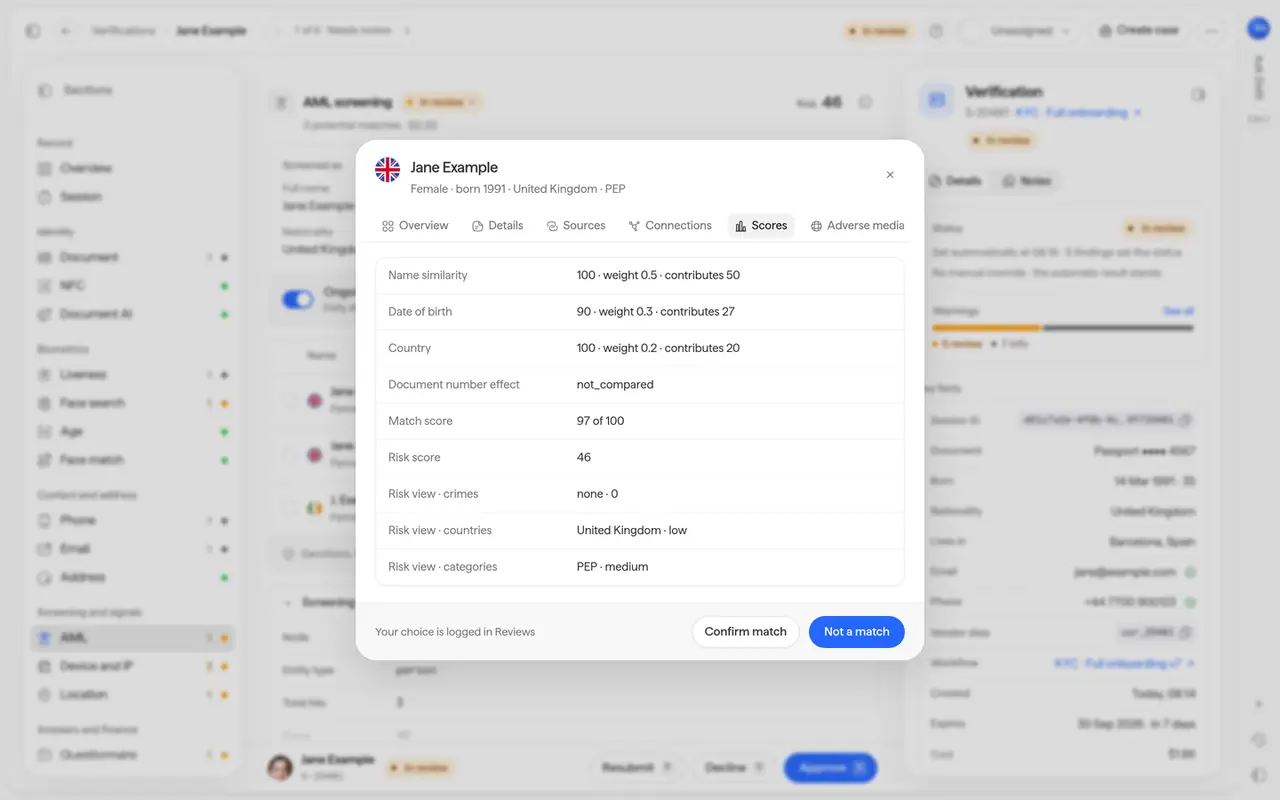
The documented response is a request_id and an aml object. Inside that object you get status, screening_id, hits and warnings. Each entry in hits carries its own match_score, risk_score and review_status, and warnings holds risk codes such as POSSIBLE_MATCH_FOUND, HIGH_RISK_COUNTRY, ADVERSE_MEDIA_HIT and PEP_MATCH. The request_id is the handle you keep: when the request is saved, it works with the session decision and PDF endpoints.
How the aggregate score is built, with hypothetical hits. Screening first includes potential matches whose match score is at or above 75. Say two hits come back. Hit A has a match score of 96 and a risk score of 86. Hit B has a match score of 88 and a risk score of 64. At the default match threshold of 93, hit B is tagged False Positive and drops out, so aml.score is 86 and the status is In Review under the default approve threshold of 80. Lower the match threshold to 85 and hit B counts too, but the aggregate stays at 86, because aml.score is the highest risk score among the hits that are not false positives, not a sum and not an average. Raise the approve threshold to 90 and that same 86 becomes Approved. The thresholds are a policy decision you record, not a fixed answer.
Read the result in this order. aml.status tells your system what to do now. aml.score tells you how it got there. The per hit scores tell your reviewer whether the question is identity, a match score near the threshold or above, or exposure, a high risk score on a weak match. A matching document_number acts as a golden key and overrides the match score to 100, so pass it when you have already verified the document.
Inputs and outputs
| Field | Direction | Notes |
|---|---|---|
full_name | Input, required | Person or company. Minimum 2 characters. |
entity_type | Input | The documented example sends person. The endpoint can screen people and companies. |
date_of_birth | Input | ISO date. Feeds the date of birth weight. |
nationality | Input | ISO country code. Feeds the country weight. |
document_number | Input | A match here forces the match score to 100. |
include_adverse_media | Input | Adds adverse media enrichment: an initial pause of about 5 seconds plus up to about 25 seconds of polling. Keep the client timeout at 60 seconds or more. |
include_ongoing_monitoring | Input | Requires save_api_request=true. |
save_api_request | Input | Defaults to true. False means nothing is stored. |
vendor_data | Input | A caller-supplied reference you attach to the request, for example your own user identifier. |
aml_match_score_threshold | Input | Default 93. Below it, a hit is a false positive. |
aml_score_approve_threshold | Input | Default 80. |
aml_score_review_threshold | Input | Default 100. |
aml_name_weight, aml_dob_weight, aml_country_weight | Input | Defaults 60, 25, 15. They must sum to exactly 100. |
Idempotency-Key | Input header | Optional. A replay of the identical request returns the stored response and is not billed. |
request_id | Output | Works with the session decision and PDF endpoints when the request is saved. |
aml.status | Output | Approved, In Review, Declined and the other status values. |
aml.screening_id | Output | Screening identifier returned in the response. Session retrieval requires a saved request and uses request_id. |
aml.score | Output | Highest risk score among hits that are not false positives. |
hits[] | Output | Each hit with match score, risk score and review status. |
warnings[] | Output | Risk codes such as POSSIBLE_MATCH_FOUND, HIGH_RISK_COUNTRY, ADVERSE_MEDIA_HIT. |
Failure cases and recovery
| Response | Cause | Recovery |
|---|---|---|
400 | Name, date of birth and country weights do not sum to exactly 100. | The documented requirement is that the three weights sum to 100. When an identity attribute is absent from the request, its weight is redistributed across the others, so fix the three values before you resend. |
400 | include_ongoing_monitoring sent with save_api_request=false. | Save the request if you want monitoring. |
401 | The x-api-key is malformed, revoked or expired. | Re-fetch the key with the recover-key flow, or use a key that has not expired. |
403 | No x-api-key header at all, a scoped key without access to this resource or action, or a key called from an address outside its IP list. | Use a key with that access, from Developers then API keys in the console. An authentication or access failure is not a credit problem. |
403 | The organization is out of credit. | On Free, Growth or Scale, top up the organization's balance. Enterprise usage beyond invoiced credit is billed as overage. An insufficient-balance 403 occurs before a new screening runs. |
409 Conflict | Wallet screening with no provider configured for the application. | Configure Transaction Monitoring with a provider in Transactions > Settings > Provider Preferences in the Business Console, then resend. The endpoint keeps answering 409 until a provider is set. |
409 | The same Idempotency-Key reused with a different body. | Use one key per exact payload. |
422 | A 0x address sent without a network. It is valid on every EVM chain. | Resend with blockchain set. Nothing was screened or billed. |
| Your client times out | The response did not reach you in time, whatever the cause. | Retry the identical request with the original Idempotency-Key. Keep the client timeout at 60 seconds or more. |
| Upstream adverse media timeout | The enrichment provider was slow and the call returned without adverse media hits. | Treat that result as incomplete enrichment, not as a clear adverse media result, and review or rescreen it. |
Status Declined | With a custom review threshold below 100, a hit crossed the decline boundary. | Do not auto-approve. Escalate, and record the decision. |
Status In Review | The risk score sits above your approve threshold and at or below your review threshold. | Send it to manual review. This is normal, not an error. |
Paid steps and review boundaries
Four published rates apply here. An AML check costs $0.20 and is charged after the first successful screening. Ongoing monitoring costs $0.07 per person per year. Wallet screening costs $0.15 per screening. Transaction monitoring costs $0.001 per transaction beyond the plan allowance, which is 1,000 on Free, 10,000 on Growth and 100,000 on Scale. Replayed idempotent responses are not billed, and an insufficient balance returns 403 before any new screening happens. Standalone AML calls made with a sandbox key return mocked results without running or billing a screening.
The review boundaries are where automation stops. A hit below the match threshold is tagged False Positive and leaves the aggregate score, but nothing clears an unreviewed hit for you. The thresholds on a screening determine which hits count toward the aggregate score and how that score maps to a status, so record the threshold in force when a decision was made. Your reviewer owns the final call, the case note and any report to the authorities. On Growth and above, you can bring your own screening provider and run it inside Didit. Coverage depends on your provider and account. The on-demand endpoint returns the standardized screening result and creates no transaction record.
AML screening API for crypto: when to screen the customer, wallet address or transaction hash
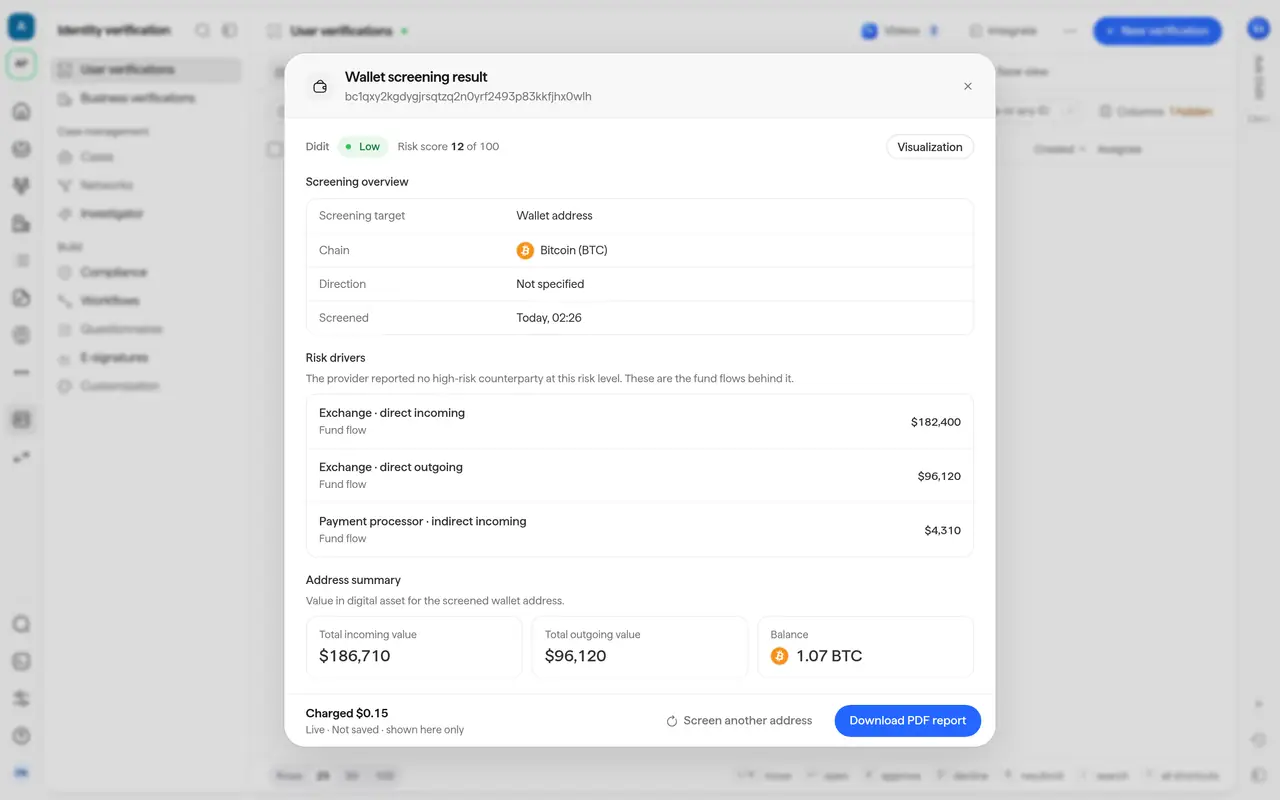
A person or company screening and a transfer screening answer different questions. Person and company screening asks who the customer is. Transfer screening asks where the funds came from and where they are going. An address has no date of birth, so the AML call on a person says nothing about it. Crypto addresses and transaction hashes are screened by wallet screening, which returns a risk score, exposure to risky sources and any sanctions hits.
For an inbound deposit, screen the counterparty sender wallet before the transfer when you have that address. After the transfer, screen the transaction hash scoped to your service or customer deposit address. For an outbound withdrawal, screen the destination wallet before you send funds, and scope any post-transfer hash check to that same destination. POST /v3/wallet-screening/ takes a wallet address and needs no transaction record. To screen a transaction hash, record a crypto transaction with currency_kind: "crypto" and pass the hash in transaction_details.payment_reference_id. Set transaction_details.direction, and send the relevant address in subject.payment_method.account_id for inbound or counterparty.payment_method.account_id for outbound. Crypto screening also requires transaction monitoring to be enabled in your application settings, or include_crypto_screening set to true for that transaction.
Screening runs during transaction creation when transaction monitoring is enabled in your application settings. Override that default for a single transaction with include_crypto_screening: true runs screening even when the application default is off, false skips it even when the default is on, and omitting it uses the Console setting. A created transaction is not proof of successful screening. Inspect the screening status and the provider result before you treat the transaction as screened. If you omit transaction_details.crypto_params.crypto_chain for a USDT, USDC or ETH transaction with a 0x hash, Didit looks up the hash across supported EVM networks. If it cannot find the hash or check those networks, no screening runs and no screening fee applies. custom_values.aml_screening_status is FAILED, custom_values.aml_screening_error gives the reason, and an approved transaction moves to review.
UK exchange flow: onboarding, deposits and withdrawals
| Step | Subject of the check | Identifier to send | Result to verify |
|---|---|---|---|
| Onboarding | The customer, a person or a company | full_name plus date_of_birth and nationality for a person, or its full_name and the company entity type specified in the standalone AML schema, on POST /v3/aml/ | aml.status, aml.score and the review status of each hit |
| Inbound deposit, before the transfer | The counterparty sender wallet | wallet_address and blockchain on POST /v3/wallet-screening/ | risk_score, severity and any sanctions exposure in the provider result |
| Inbound deposit, after the transfer | The transfer, scoped to your service or customer deposit address | Transaction hash in transaction_details.payment_reference_id, transaction_details.direction set to inbound, and your deposit address in subject.payment_method.account_id | The screening status and provider result, not just the created transaction |
| Outbound withdrawal | The destination wallet, then the transfer scoped to that destination | wallet_address and blockchain before sending funds, then the hash in transaction_details.payment_reference_id with transaction_details.direction set to outbound and the destination in counterparty.payment_method.account_id | risk_score and provider result before funds move |
For both post-transfer checks, set transaction_details.currency_kind to crypto. Set include_crypto_screening to true to run screening for that transaction, or omit it to use the application setting. See the transaction-screening guide for direction, account and network fields.
Where the AML watchlist API integration documentation lives
Start at the standalone AML screening page in the Didit docs for the request and response schema of POST /v3/aml/. The overview page adds the two-score model, the warning codes and the documented failure modes. Authentication is on its own page, and it is worth reading before you debug a 401: the verification API uses a long lived key on x-api-key, not an OAuth bearer token. Webhooks are documented separately, including signing. The documentation index lists every page, which is what we point a coding agent at.
AML for crypto companies in the UK: the obligations the API supports
UK scope comes before any product decision. Cryptoasset businesses carrying on cryptoasset activities that fall within scope of the Money Laundering, Terrorist Financing and Transfer of Funds (Information on the Payer) Regulations 2017 are subject to the AML regime, and the FCA supervises the cryptoasset businesses registered with it for those purposes. For businesses in scope, regulations 27, 28, 29 and 30 set out when customer due diligence applies and when identity verification must be completed, including limited exceptions. The regime also requires ongoing monitoring and record keeping. The applicable reporting duties depend on the facts. A business outside that scope is not covered by this section, whatever it does with tokens.
Screening output and a suspicious activity report are different things. A hit is a scored match that a reviewer assesses. Your compliance team assesses whether a suspicious activity report is required, and your business submits any required SAR to the UK Financial Intelligence Unit at the National Crime Agency. Other reporting obligations sit outside that statement: the API does not decide whether suspicion exists and it does not file anything.
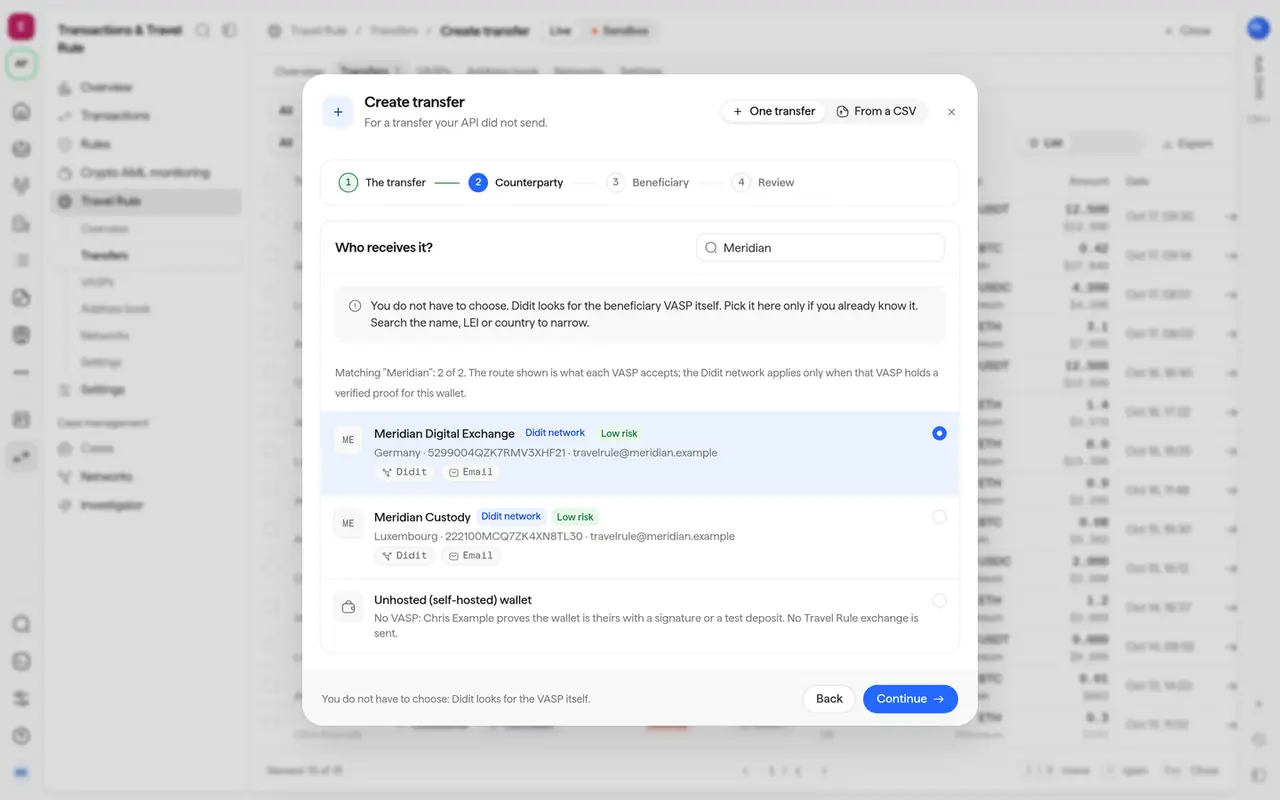
The UK cryptoasset transfer requirements are not the FATF standard. FATF Recommendation 15 sets the international expectation for virtual asset transfers. The UK's own cryptoasset transfer provisions sit in the Money Laundering Regulations 2017 and took effect in September 2023, so any UK obligation on a transfer comes from those provisions rather than from the FATF text. Where those rules require originator and beneficiary data to travel with a transfer, Didit Travel Rule messaging covers the data exchange at a published $0.02 per outbound exchange, billed once per exchange regardless of later status transitions. Travel Rule messaging is billed separately from AML checks and wallet screening.
The API supports the machine part: the check, the score, the stored result, the rescreen and the record your reviewer works from. It does not do the judgement part. Ongoing monitoring re-screens the saved profile daily and reflects provider updates in the report, which is why the flag exists. None of this is legal advice, and your MLRO should own the policy that sits on top of it.
Worked cost example
Take a UK exchange that screens 2,000 new customers a month with the standalone AML call, screens 5,000 wallet addresses a month before withdrawals, and keeps 5,000 monitored people under ongoing monitoring. The volumes are assumptions for this example, and the 5,000 people are monitored for the full year. The list-price calculation below is separate from the Scale estimate, and the unit prices and plan terms come from the Didit pricing page.
- AML checks: 2,000 checks a month x 12 = 24,000 checks. 24,000 x $0.20 = $4,800.00 a year.
- Wallet screening: 5,000 screenings a month x 12 = 60,000 screenings. 60,000 x $0.15 = $9,000.00 a year.
- Ongoing monitoring: 5,000 monitored people x $0.07 = $350.00 a year.
- List total: $4,800.00 + $9,000.00 + $350.00 = $14,150.00 a year.
- On Scale, the 10% discount applies to each Didit price: $4,320.00 + $8,100.00 + $315.00 = $12,735.00 a year. That figure is annual discounted usage before credits.
- If the exchange uses all $350 of Scale credit each month, the year on monthly billing is $12,735.00 minus (12 x $350.00) plus (12 x $299.00) = $12,123.00, before tax. Unused monthly credit expires at the end of the plan month and does not roll over.
If the same exchange runs the full crypto path for each onboarding instead, the unit maths is $0.33 for full KYC + $0.20 for AML + $0.15 for wallet screening = $0.68 per customer for that combination, before any plan discount. Every figure above comes from the Didit pricing page.
Sources
- Didit docs: AML Screening API, sanctions, PEP and watchlists
- Didit docs: AML screening overview, two-score model and failure modes
- Didit docs: on-demand wallet screening API
- Didit docs: crypto wallet and address screening inside transaction monitoring
- Didit docs: API authentication
- Didit docs: webhooks
- Didit docs: pricing and billing rules
- Didit documentation index
- Didit pricing page and pricing feed as JSON, read November 26, 2026
- Didit MCP server documentation
- The Money Laundering, Terrorist Financing and Transfer of Funds (Information on the Payer) Regulations 2017. Customer due diligence is covered by regulation 27, regulation 28, regulation 29 and regulation 30. The cryptoasset transfer provisions are in Part 7A.
- Financial Conduct Authority, guidance for cryptoasset businesses on the money laundering regulations (fca.org.uk), read November 26, 2026
- National Crime Agency, UK Financial Intelligence Unit guidance on submitting suspicious activity reports (nationalcrimeagency.gov.uk), read November 26, 2026
- FATF, Recommendation 15 on virtual assets and virtual asset service providers (fatf-gafi.org), read November 26, 2026
Next step: create a sandbox application at business.didit.me and run the standalone AML example above with the sandbox key. The sandbox AML call returns a free mock, nothing is billed, and there is no sales call.
Try it
Try this in the sandbox
Run the check this guide describes, free.
The product this post is about, taken from its topic. Run it free in the sandbox.
Author
Alberto Rosas
Co-founder and CEO

Keep reading
Other guides in the same topic.
 What Is the Purpose of FICA in South Africa? 2026 Guide
FICA is South Africa's anti-money laundering law. It creates the Financial Intelligence Centre and requires accountable institutions to identify and verify clients, screen for PEP and sanctions risk and report suspicious.
Alberto RosasNov 26, 2026 Sixth Money Laundering Directive (6AMLD): What Changed and Which Rules Apply
6AMLD is Directive (EU) 2018/1673: Member States must criminalise laundering, widen predicate offences and set a four-year penalty floor. It adds no new due diligence duties for firms.
Alberto RosasNov 26, 2026 Automated Sanctions Screening: Canada, the Entity List and Embargoes
Automated sanctions screening matches people and companies against lists such as Canada's autonomous sanctions made under SEMA and JVCFOA and the OFAC SDN List, and returns candidate hits scored for identity confidence and.
Alberto RosasNov 26, 2026Questions
Frequently asked questions
Where do I find the AML watchlist API integration documentation?
The request and response schema for POST /v3/aml/ is at docs.didit.me/standalone-apis/aml-screening. The overview at docs.didit.me/core-technology/aml-screening/overview adds the two-score model, the warning codes and the failure modes. Authentication and webhooks have their own pages. The documentation index lists every page, which is what we point a coding agent at.
How much does an AML check API cost?
$0.20 per completed AML screening at list price, with no monthly minimum. Ongoing monitoring is $0.07 per person per year, and wallet screening is $0.15 per screening. You are billed after a check completes, and an insufficient balance returns 403 before any new screening runs.
What happens if I retry with the same Idempotency-Key?
For the standalone AML call, an identical request in the same application with the same key returns the stored response after the first request completes, without a second charge and without running a second screening. Reusing the key with a changed body returns 409. If the first request is still running, wait and retry later with the same key and the same body.
What is the difference between match score and risk score?
Match score answers whether this is the same person, using name, date of birth, country and document number. Risk score answers how risky that listed entity is if the match is real. Hits at or above the match threshold count toward the aggregate score, and hits below it are tagged False Positive and ignored. With the defaults, a score of 80 or below is Approved and a score above 80 is In Review, because a 0 to 100 score cannot exceed the default review threshold of 100.
Does the AML screening API cover crypto wallets?
No. The AML endpoint screens people and companies. Wallet addresses are screened by POST /v3/wallet-screening/, which takes an address, not a transaction hash. To screen a hash, record a crypto transaction and pass it in transaction_details.payment_reference_id.
Can I run an AML check without a full KYC session?
Yes. The standalone call works server to server with no hosted flow. Set save_api_request=false if you want a transient check with nothing stored, or leave it at the default true if you want the result stored as a session, retrievable through the decision endpoint and visible in the console.
What should my system do when the status is In Review?
Send In Review to manual review. In Review means the risk score sits above your approve threshold and at or below your review threshold, not that anything is confirmed. Follow your firm's policy on which onboarding and funds-movement steps can proceed while the review is open, and record the review outcome.
Does Didit file the suspicious activity report for me?
No. Review the alert in context and escalate it under your firm's reporting procedures if it gives rise to suspicion or reasonable grounds for suspicion. The firm assesses whether a SAR is required and submits any required report to the UK Financial Intelligence Unit at the National Crime Agency. We supply the screening evidence and the stored result; the decision and the filing stay with you.
Can a customer be rescreened every day?
Yes, with ongoing monitoring. Send include_ongoing_monitoring=true with save_api_request=true, and ongoing monitoring re-screens the saved profile daily and reflects provider updates in the report. It costs $0.07 per person per year and can be switched off from the Business Console.
How long should my HTTP client wait?
Plain screenings usually finish in a few seconds. With include_adverse_media=true the API waits for enrichment, so configure a client timeout of at least 60 seconds. If your client times out, retry the identical request with the original Idempotency-Key. If a result comes back without adverse media hits after an upstream timeout, enrichment was incomplete, not clear.
Are sandbox AML checks billed?
No. Keys from sandbox applications skip screening and billing and return a mocked result: Approved with zero hits unless you pass sandbox_scenario. save_api_request works as it does on live keys, so the saved request_id still works with the session decision and PDF endpoints.
Can I use my own wallet screening provider?
Yes. On Growth and above, you can bring your own screening provider and run it inside Didit. Coverage depends on your provider and account. The on-demand endpoint returns the standardized screening result and creates no transaction record.
Compliance built in
Audited, certified and attested.
We hold the certifications and build each country's rules into your flows, so you can launch anywhere without worrying. Security and Compliance center
- Regulation encoded into your flows
Tell us what you do and where. Didit lists the rules that apply to you, with sources, and builds the checks each country needs into one workflow.
- Ready for AMLR
Every requirement of the new EU anti-money laundering rules, from checking customers to human review, is already covered by a Didit check.
- Tested in Spain's Treasury sandbox
Spain's Treasury published its supervised sandbox report on Didit's NFC plus active liveness onboarding; SEPBLAC took part and valued the added measures positively.
- Audited, not self-declared
iBeta Level 1 and Level 2. Liveness tested under ISO/IEC 30107-3.
Your obligations · 3 regions
 SOC 2 Type 2
 ISO 27001
 iBeta Level 1 and Level 2
 EU regulator attestation
 FSM youth protection
 GDPR
 EBA remote onboarding
 MiCA compatible
 FIDO Alliance member
- AMLREU AML Regulation ready
Integration · Didit MCP
Run Didit from your own AI agent
Connect Didit to Claude, Cursor, VS Code or ChatGPT and just ask in plain words. Your agent can do anything you can do in the console, with the same permissions you have.
 Add to Claude
 ChatGPT
 Cursor
- Build workflowsDescribe the checks you need. The agent creates and publishes the flow.
- Run investigationsAsk why a session was declined, review cases, search people and companies.
- Change rulesCreate payment rules, test them on past data and switch them on.
- Pull reportsAsk for numbers, exports or the audit log.
Didit Academy


