Automated Identity Proofing: Faster Onboarding, Less Fraud (2026)
Automated identity proofing runs document, liveness, face match and device checks in one session. Full KYC is $0.33 per completed check, inference runs at sub-2-second p99 while total time depends on the user and on webhook.
 Alberto RosasCo-founder and CEO
Contents
In this guide
Jump to the part you need.
Automated identity proofing fits teams that verify people at signup, login or payout and cannot staff a manual queue for every applicant. Our full check costs $0.33: document $0.15, passive liveness $0.10, face match $0.05, device and IP $0.03. The caveat is that automation narrows human review rather than removing it, because flagged sessions still land in In Review.
Last updated: November 26, 2026. Prices checked against the live Didit price feed on November 26, 2026.
| Item | Detail |
|---|---|
| Outcome | One session returns Approved, Declined or In Review with the document, biometric and device evidence attached |
| Full check price | $0.33 per completed check (ID $0.15 + passive liveness $0.10 + face match $0.05 + device and IP $0.03) |
| Common add-ons | AML screening $0.20, proof of address $0.20, NFC chip reading $0.15, custom questionnaires $0.10 |
| Coverage | 220+ countries, 14,000+ document types, 54 flow languages |
| Speed | sub-2-second p99 inference on the checks themselves |
| Human review | Sessions the rules flag as In Review; a reviewer approves, declines or requests a resubmission |
| Free to start | Sandbox testing is free and unlimited on every plan; $10 of monthly credit for console sign-ups with a work email |
| Best for | Product and engineering teams shipping KYC or KYB flows without staffing every review |
Start free in the sandbox at business.didit.me, with no sales call. If you build with an AI assistant, connect Didit through the free MCP server. List prices, plan fees and discounts are on the pricing page.
What automated identity proofing automates
Automated identity proofing takes the evidence a person presents, checks that the evidence is genuine and belongs to that person, adds context about the device and network, and returns a decision without an operator in the loop. We run it as one session built from a workflow, so the workflow you configure decides which checks run and which documents and countries are supported. Check the product page and docs for the countries and methods you need before you promise them. We run this for 4,000+ companies.
An AI identity proofing flow usually combines five checks. Each is priced separately, and you pay for a check only when it finishes with a result.
- ID document verification, $0.15. Reads 14,000+ document types, parses the machine readable zone and barcodes, and looks for tampering before it trusts the extracted data. ID verification docs
- Passive liveness, $0.10. Judges a single selfie for presentation attacks without asking the user to move. Our passive liveness holds iBeta Level 1 presentation attack detection.
- Face match 1:1, $0.05. Compares the selfie portrait with the portrait on the document.
- Device and IP analysis, $0.03. Checks the device fingerprint, duplicate devices, VPN, proxy, Tor and location mismatches. Device and IP docs
- AML screening, $0.20, optional. Screens against 1,300+ AML, sanctions and PEP lists, with ongoing monitoring at $0.07 per person a year.
The $0.33 full-check price is the sum of the first four items, and it applies when all four run inside the same workflow session. Take one out and you pay only for what ran. A standalone server-to-server call is a different line in the price book: the ID verification API is $0.20 per call, so a one-shot API call is not the same purchase as a session that bundles ID, liveness, face match and device checks.
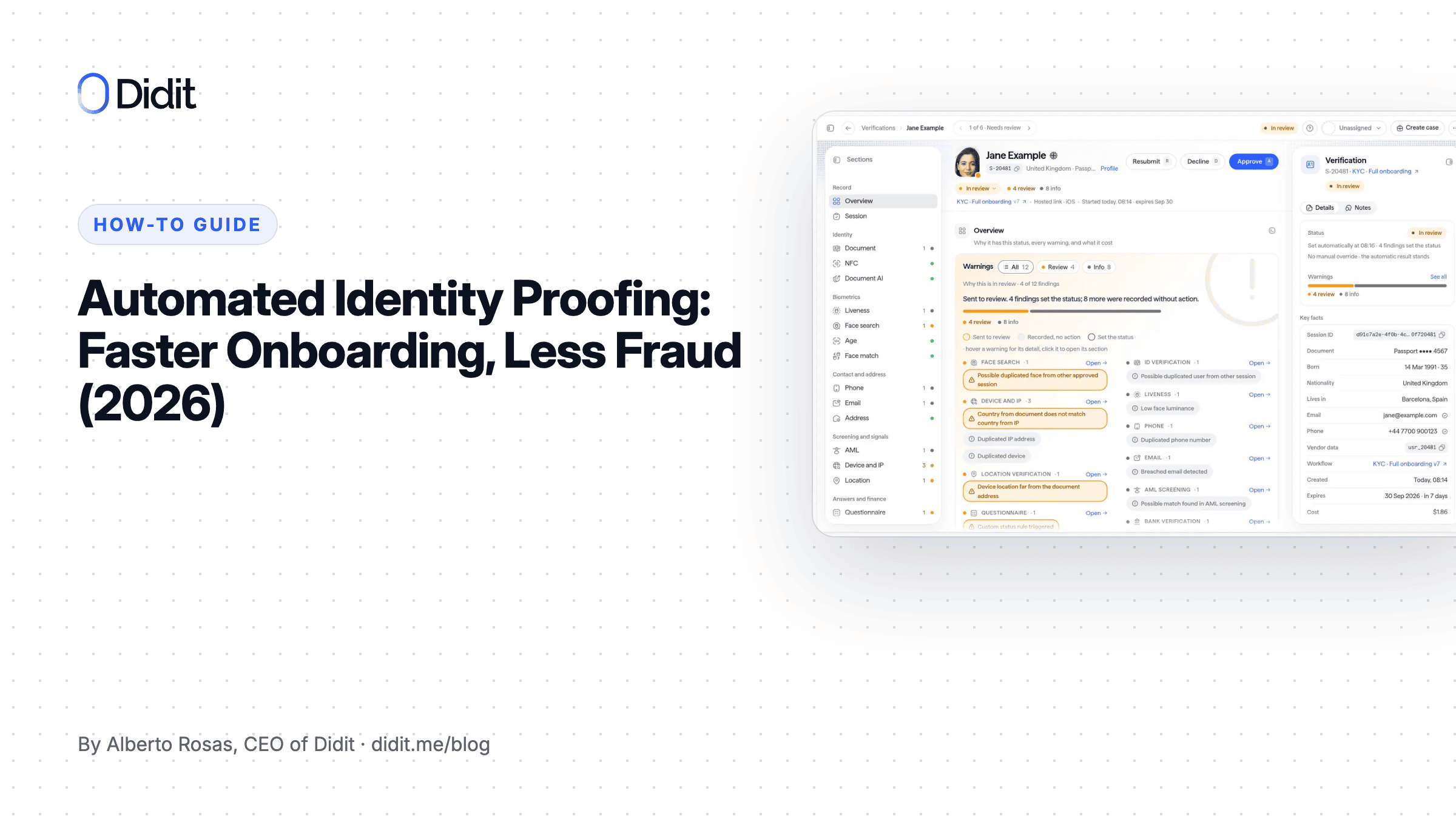
What automation does not do is make the final call on a borderline case. Sessions that trip a rule move to In Review and a person decides. Flagged sessions move to In Review for a human decision, so define that review path before launch.
Prerequisites
- A Didit organization. Sign up at business.didit.me. Console sign-ups with a work email get $10 of credit a month.
- An API key. A sandbox application has its own key, so you can build and test for free before you touch live traffic.
- A published workflow that contains the checks your use case needs.
- An HTTPS webhook endpoint that answers within 5 seconds. We retry twice if it does not.
- A callback URL on one of your application's allowed domains, or a custom scheme link such as myapp://. A callback outside the allowed domains fails session creation with 400.
- Credit on the live organization. If your balance is empty the verification API answers 403 with a credits message.
How to run automated identity proofing in six steps
- Create the workflow. In the console, choose Verifying users or Verifying businesses, then start from a template, describe the checks you need, or start empty. A Simple workflow runs its steps in a fixed order; a Node-based workflow branches on results. You can also create it by API, as below. Persist
workflow.id. - Create a session. Call
POST https://verification.didit.me/v3/session/with theworkflow_id, a stablevendor_datavalue for the person, and acallbackURL. Send the user to the returnedurl, or open it in an SDK or an iframe. - Let the user complete the checks. The hosted flow captures the document, runs liveness and face match, and shows the user the result. You do not need to do anything while the user is inside the flow.
- Register a webhook destination. Call
POST https://verification.didit.me/v3/webhook/destinations/with a label, a URL and the event families you want. Store the returnedsecret_shared_keyas your signing secret. - Handle the event. Read the raw body, verify
X-Signature-V2(HMAC-SHA256 over the canonical JSON), reject a timestamp older than 300 seconds, de-duplicate onevent_id, return 2xx fast, then apply the decision using exact status strings. Webhook docs - Keep a fallback read. If a webhook is lost, call
GET https://verification.didit.me/v3/session/{session_id}/decision/. V3 returns plural arrays, so readid_verifications[],liveness_checks[],face_matches[]andaml_screenings[], never the old singular fields.
Runnable example: workflow, session, webhook
These are the documented calls, with a shell variable for your key. Run them against a sandbox key first.
# Step 2: create the workflow, keep workflow.id from the response
curl -X POST https://verification.didit.me/v3/workflows/ \
-H "x-api-key: $DIDIT_API_KEY" \
-H "Content-Type: application/json" \
-d '{
  "workflow_label": "Standard KYC",
  "workflow_type": "kyc",
  "features": [
    {"feature": "OCR"},
    {"feature": "LIVENESS", "config": {"face_liveness_method": "PASSIVE"}},
    {"feature": "FACE_MATCH"},
    {"feature": "AML"}
  ]
}'

# Step 3: create the session, then redirect the user to url
curl -X POST https://verification.didit.me/v3/session/ \
-H "x-api-key: $DIDIT_API_KEY" \
-H "Content-Type: application/json" \
-d '{"workflow_id": "$WORKFLOW_ID", "vendor_data": "user-42", "callback": "https://myapp.com/kyc/return"}'

# Step 4: register the webhook destination, keep secret_shared_key
curl -X POST https://verification.didit.me/v3/webhook/destinations/ \
-H "x-api-key: $DIDIT_API_KEY" \
-H "Content-Type: application/json" \
-d '{
  "label": "Production",
  "url": "https://myapp.com/webhooks/didit",
  "subscribed_events": ["status.updated", "data.updated", "user.status.updated", "user.data.updated"],
  "webhook_version": "v3"
}'
The canonical end-to-end recipe, including SDK choice and HMAC verification, is in the integration prompt and the quick start.
What you should see
The session call returns the identifiers you need to route the user and to reconcile the answer later. The webhook carries the same decision object as the REST endpoint.
session_id, the key for the decision endpoint and your own records.url, the hosted flow you send the user to.session_token, for the SDK or the iframe.- A first status of
Not Starteduntil the person opens the link, thenIn Progress. - A terminal status of
Approved,DeclinedorIn Review, plus lifecycle states such asAbandoned,Expired,ResubmittedandKyc Expired.
Statuses are exact, case-sensitive strings, and Kyc Expired uses a single capital K. Compare with strict equality and route anything you do not recognise to review. The full enum is in the status reference.


Inputs and outputs
| Field | Direction | What it does |
|---|---|---|
workflow_id | In, required | The workflow UUID that decides which checks run and in what order |
vendor_data | In, recommended | Your stable person or business ID, used for duplicate detection across sessions |
callback | In, optional | Where the flow sends the user at the end; must sit on an allowed domain |
metadata, tags | In, optional | Echoed back in responses and webhooks; tags let you filter sessions in the console |
expected_details | In, optional | Name, date of birth, nationality and document types you already hold; mismatches surface as decision warnings |
session_expiration_time | In, optional | Link lifetime in seconds, between 3600 and 2419200, overriding the workflow setting |
session_id | Out | Key for the decision endpoint, webhooks and your records |
url, session_token | Out | The hosted flow URL and the token for SDK or iframe mounting |
status | Out | Exactly one of the documented status strings |
id_verifications[], liveness_checks[], face_matches[], aml_screenings[] | Out | Per-check results and warnings inside the decision object |
Failure cases and how to recover
| Symptom | Cause | Recovery |
|---|---|---|
| 403 "You do not have permission to perform this action." | No API key on the request | Send the x-api-key header |
| 401 from the verification API | Key is wrong, revoked or expired | Issue a new key in the console and redeploy |
400 on workflow_id | Invalid workflow_id | Re-read the UUID from the workflow list and send it again |
400 on callback | URL not on the application's allowed domains | Add the origin or use a deep link such as myapp:// |
| 403 with a credits message | Live balance empty or auto top-up off | Top up, or switch back to the sandbox key while you test |
| Webhook never arrives | Handler slower than 5 seconds, or answered 5xx or 404 | We retry twice, about 1 and 4 minutes, then drop it. Resend from the destination delivery log and read the decision endpoint |
Declined with a terminal warning | For example DOCUMENT_EXPIRED, COULD_NOT_RECOGNIZE_DOCUMENT or MIN_AGE_NOT_REACHED | Show the warning to the user and stop the flow; a reviewer can move the session to Resubmitted if policy allows |
In Review | Warnings need a human decision | Route to your review queue in the console; never auto-approve an In Review session |
Expired or Abandoned | The link was never opened, or the person did not finish in time | Create a new session and send a fresh link |

Paid steps and where review begins
Billing is per completed check from prepaid credit. A check you never run costs nothing, and failed attempts that produce no result are not billed as a completed check.
| Step | Price | Notes |
|---|---|---|
| ID document verification | $0.15 | Included in the $0.33 full check |
| Passive liveness | $0.10 | Included in the $0.33 full check |
| Face match 1:1 | $0.05 | Included in the $0.33 full check |
| Device and IP analysis | $0.03 | Included in the $0.33 full check |
| Active liveness | $0.15 | Active liveness costs $0.15 per check |
| AML screening | $0.20 | Optional per session |
| Ongoing AML monitoring | $0.07 per person per year | Re-screens the person after onboarding |
| NFC chip reading | $0.15 | Add-on to a document check |
Free on every plan: the workflow orchestrator, reusable KYC, the MCP server, the SDKs and sandbox sessions. Credits and top-up rules are on the pricing docs page.
A person typically reviews sessions that enter In Review and may handle resubmission or contest decisions according to your policy. Everything below that line, which checks run, which documents you accept, which countries you serve, stays your product decision. Make it a concrete checkpoint before launch: list every warning code your workflow can return, such as DOCUMENT_EXPIRED or COULD_NOT_RECOGNIZE_DOCUMENT, and map each one in your own code to a single outcome, retry, review queue or decline, so the first flagged session is handled by your software rather than by whoever is on call.
Worked cost example: 5,000 signups a month
Assume 5,000 completed full checks and AML screening on 2,000 of them. Only published unit prices are used, and each plan's monthly credit is applied before comparing the cash you actually pay.
- Full check at list price: 5,000 x $0.33 = $1,650.00
- AML screening at list price: 2,000 x $0.20 = $400.00
- Usage at list price: $1,650.00 + $400.00 = $2,050.00
- Free plan net cash: $2,050.00 minus $10.00 of monthly credit = $2,040.00
On Growth the same volume is 5,000 x $0.3168 = $1,584.00 for the checks plus 2,000 x $0.192 = $384.00 for AML, which is $1,968.00 of usage. Add the $99.00 monthly fee and subtract the $115.00 of monthly credit: $99.00 + $1,968.00 - $115.00 = $1,952.00.
On Scale it is 5,000 x $0.297 = $1,485.00 plus 2,000 x $0.18 = $360.00, which is $1,845.00 of usage. Add the $299.00 monthly fee and subtract the $350.00 of monthly credit: $299.00 + $1,845.00 - $350.00 = $1,794.00.
At this volume Scale is the cheapest of the three, at $1,794.00, against $1,952.00 on Growth and $2,040.00 on Free. Plan credit is prepaid money for usage, not a discount, and it expires at the end of the plan month, so the net figures above assume you spend it inside the month. Read the current plans on didit.me/pricing.
Sources
- Didit quick start, account, workflow, session, webhook in one flow
- Create Session API, request fields and callback rules
- Didit webhooks, signature headers, retries and event types
- Verification statuses, exact status strings and transitions
- ID verification overview, document coverage and warnings
- Device and IP analysis, duplicate devices, VPN and geolocation checks
- Didit pricing docs, plans, credit and billing rules
- Didit pricing page and cost estimator, list prices read November 26, 2026
- Didit MCP server, setup for every client
- Didit integration prompt, the canonical end-to-end recipe
Create a free sandbox organization at business.didit.me, run the three calls above against test documents, and read the decision in the console before you touch production. No sales call is needed to start.
Try it
Try this in the sandbox
Run the check this guide describes, free.
The product this post is about, taken from its topic. Run it free in the sandbox.
Author
Alberto Rosas
Co-founder and CEO

Keep reading
Other guides in the same topic.
 What Is the Purpose of FICA in South Africa? 2026 Guide
FICA is South Africa's anti-money laundering law. It creates the Financial Intelligence Centre and requires accountable institutions to identify and verify clients, screen for PEP and sanctions risk and report suspicious.
Alberto RosasNov 26, 2026 Sixth Money Laundering Directive (6AMLD): What Changed and Which Rules Apply
6AMLD is Directive (EU) 2018/1673: Member States must criminalise laundering, widen predicate offences and set a four-year penalty floor. It adds no new due diligence duties for firms.
Alberto RosasNov 26, 2026 Automated Sanctions Screening: Canada, the Entity List and Embargoes
Automated sanctions screening matches people and companies against lists such as Canada's autonomous sanctions made under SEMA and JVCFOA and the OFAC SDN List, and returns candidate hits scored for identity confidence and.
Alberto RosasNov 26, 2026Questions
Frequently asked questions
What is AI identity proofing?
AI identity proofing is the automated verification of a person's government ID and face inside one flow: models read the document, check it for tampering, detect presentation attacks and compare faces. Our session also adds device and IP analysis and optional AML screening, then returns Approved, Declined or In Review. A person only decides the flagged cases.
How fast is automated identity proofing?
We run inference at sub-2-second p99, so the checks themselves return in about two seconds. Total elapsed time depends on how long the user takes to photograph a document and finish liveness, and on how fast your endpoint accepts the webhook. Subscribe to the session status event and you receive the decision as soon as the session reaches a terminal status.
How much does one automated identity check cost on Didit?
A full check is $0.33: ID document $0.15, passive liveness $0.10, face match 1:1 $0.05 and device and IP analysis $0.03, and that bundle assumes all four run in the same workflow session. Optional steps are priced separately, for example AML screening at $0.20 and proof of address at $0.20. Standalone server-to-server calls are their own price-book lines, such as the ID verification API at $0.20 per call. You pay per completed check from prepaid credit, and the sandbox is free.
What is the difference between document verification and biometric authentication?
Document verification confirms that an identity document is genuine and reads its data. Face match and liveness confirm that the person in front of the camera is the owner of that document. Automated identity proofing needs both, because a genuine document tells you nothing if someone else presents it.
When does a person review an automated decision?
A person reviews a session when the rules flag warnings and the status becomes In Review, and when a Declined user contests the outcome under your policy. A reviewer on your team works in the console and moves the session to Approved, Declined or Resubmitted. On Growth and Scale the Investigator agent can write a report and take a first pass on flagged items, and your reviewer can override or confirm that decision.
What happens when a user fails a check?
The session ends as Declined with warnings that say why, for example DOCUMENT_EXPIRED or COULD_NOT_RECOGNIZE_DOCUMENT. You show the relevant warning to the user and stop the flow. A reviewer can move a Declined session to Resubmitted so the user redoes only the failed steps.
Does automated identity proofing work for business onboarding?
Yes. Our business verification starts at $2.00 per company for registry data, plus $0.20 for company AML, $0.20 per owner or officer AML and $0.33 per linked full check on key people. Registry depth differs by country and data tier, so the per-company price varies.
Which countries and documents are covered?
We cover 220+ countries and territories, 14,000+ document types and 54 flow languages, with 130+ document-recognition languages across 50+ scripts. Coverage is not the same as availability: check the product page and docs for the country and method you need before you promise it.
Is Didit certified for liveness and security?
Our passive liveness holds iBeta Level 1 presentation attack detection. We are SOC 2 Type 2 attested and ISO/IEC 27001:2022 certified, and work to GDPR, DORA, MiCA, AMLD6 and eIDAS 2.0 requirements. The SOC 2 Type 2 report is shared under NDA.
How do I handle a webhook that never arrives?
We retry a failed delivery twice, about 1 and 4 minutes after the first attempt, then drop it. Resend the event from the destination's delivery log, or read GET https://verification.didit.me/v3/session/{session_id}/decision/ as the source of truth. Answer webhooks with 2xx in under 5 seconds and de-duplicate on event_id.
Can I connect Didit to an AI assistant?
Yes, the MCP server is free and hosted at https://mcp.didit.me/mcp with OAuth sign-in. Setup per client is on didit.me/developers/mcp. If you already run checks with another provider, the migration path is described on didit.me/switch.
Compliance built in
Audited, certified and attested.
We hold the certifications and build each country's rules into your flows, so you can launch anywhere without worrying. Security and Compliance center
- Regulation encoded into your flows
Tell us what you do and where. Didit lists the rules that apply to you, with sources, and builds the checks each country needs into one workflow.
- Ready for AMLR
Every requirement of the new EU anti-money laundering rules, from checking customers to human review, is already covered by a Didit check.
- Tested in Spain's Treasury sandbox
Spain's Treasury published its supervised sandbox report on Didit's NFC plus active liveness onboarding; SEPBLAC took part and valued the added measures positively.
- Audited, not self-declared
iBeta Level 1 and Level 2. Liveness tested under ISO/IEC 30107-3.
Your obligations · 3 regions
 SOC 2 Type 2
 ISO 27001
 iBeta Level 1 and Level 2
 EU regulator attestation
 FSM youth protection
 GDPR
 EBA remote onboarding
 MiCA compatible
 FIDO Alliance member
- AMLREU AML Regulation ready
Integration · Didit MCP
Run Didit from your own AI agent
Connect Didit to Claude, Cursor, VS Code or ChatGPT and just ask in plain words. Your agent can do anything you can do in the console, with the same permissions you have.
 Add to Claude
 ChatGPT
 Cursor
- Build workflowsDescribe the checks you need. The agent creates and publishes the flow.
- Run investigationsAsk why a session was declined, review cases, search people and companies.
- Change rulesCreate payment rules, test them on past data and switch them on.
- Pull reportsAsk for numbers, exports or the audit log.
Didit Academy


