Biometric Authentication API: How to Add Selfie Login in 2026
Didit Authentication adds selfie sign-in and step-up checks at $0.10 per biometric authentication. Set it up in a sandbox, exchange the code for tokens, and act only on an approved step-up;
 Alejandro RosasCo-founder and CTO
Contents
In this guide
Jump to the part you need.
Use this page if you need a biometric authentication API to sign returning users in with a selfie, or to require one more proof before a payout, a bank-account change or a contact change. We list biometric authentication and selfie login at $0.10 each. The caveat: Authentication is switched on per application, and until it is on, every runtime route for that application answers 404.
Last updated: November 26, 2026. Prices checked against the live Didit price feed on November 26, 2026.
| Question | Answer |
|---|---|
| What you build | Selfie sign-in and step-up checks that run as a verification session of your application and come back as signed tokens your backend verifies. |
| Product | Didit Authentication with Verified identity: liveness, selfie login and full ID, plus step-up rules before sensitive actions. |
| Price at list | Biometric authentication and selfie login are separate published units at $0.10 each; a full ID check is $0.33. |
| Sign-in cost | The first 50,000 authentication active users each month are free, then $0.02 per active user a month. |
| Time to first result | About 10 minutes in a sandbox application, following the official quickstart. |
| Main caveat | Authentication off returns 404 on every runtime route, and a selfie login with no face on file is upgraded to a full ID check. |
| Decision boundary | A sign-in does not approve a verification or authorize a payment. Your backend decides from each product's own result. |
| Documentation | Quickstart and Verified identity. |
Start free in the sandbox at business.didit.me, with no sales call. The product documentation is at docs.didit.me/authentication, every unit price is on didit.me/pricing, and if you build with an AI assistant you can connect Didit through MCP.
What a biometric authentication API does
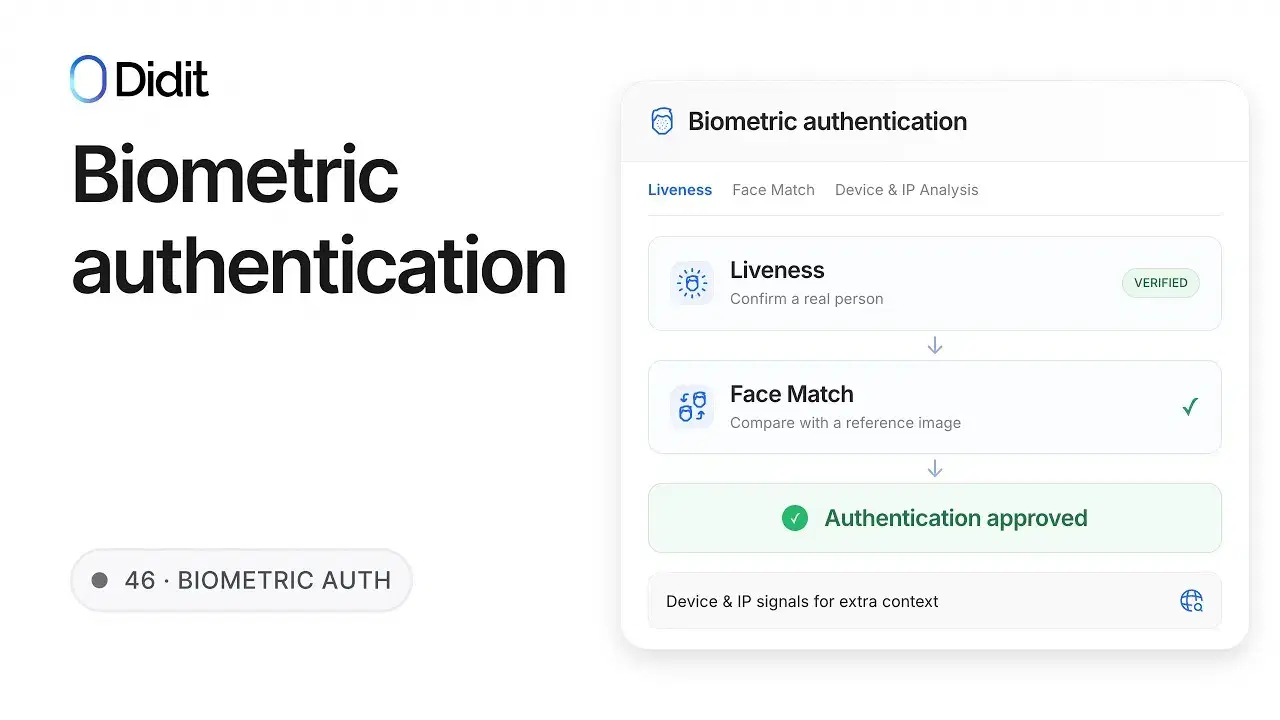
A biometric authentication API proves that a live person is present, then signs that person in to your application. Didit Authentication handles sign-up and sign-in with passkeys, email codes, magic links, phone codes, passwords, social sign-in and organization SSO, and adds the biometric checks you switch on: a liveness selfie at sign-up, a selfie login for returning users, or a full ID check with document, liveness and face match. Your backend receives short-lived signed tokens and verifies them against your application's published keys. The product page is Didit Authentication, and every unit price is on didit.me/pricing.
Two boundaries matter. Authentication signs people into your application, not into the Didit console, and a sign-in does not approve a verification or authorize a payment. Your backend makes those decisions from each product's own result. The recommended method on this page is the documented one: build in a sandbox application, wire the token exchange and the server-side check, then repeat the same settings in a live application.
Prerequisites
- A Didit account with a Sandbox application. Creating an account is free, and every Sandbox application has Authentication on from the start.
- Node.js 20 or later and a web app you can run on
http://localhost:3000for the quickstart. - Your publishable key, from Authentication > Developers. In a sandbox it starts with
pk_test_. Never put the secret key in browser or mobile code. - A registered redirect URL and allowed origin, added character by character in Authentication > Security and sessions.
- For a live application: Authentication turned on from the Products page, and either an API key with the
authenticationscope or an owner-approved grant withdidit:managementif you configure by API.
Step by step: add selfie authentication to your app
Every step below runs in a sandbox application, which accepts http://localhost callbacks, accepts Didit's test credentials for social sign-in, and is never billed.

- Open your sandbox application. In the Business Console, use the application switcher to select your Sandbox application, then open Authentication. A Sandbox application has Authentication on from the start. A Live application turns it on from the Products page, and until it is on, every runtime route for that application returns
404. - Register your callback and origin. Open Authentication > Security and sessions > Redirect URLs and allowed origins and add the redirect URL
http://localhost:3000/auth/callbackand the allowed originhttp://localhost:3000. Didit only returns a person to a redirect URL you registered, character by character, and the allowed origin lets the browser exchange the code with your application's Didit origin. - Pick the biometric check. Open Authentication > Verified identity and choose the level a person must pass before an account is created:
none(default),liveness(one selfie, $0.10) orfull_id(document, liveness and face match, $0.33). A new level applies to people who sign up from then on, never to existing accounts. Then set the step-up rules:payout,device,bankandcontact, each with its own default check.
The selfie step your user sees. A selfie login matches it to the face Didit already holds for that person. - Turn on at least one sign-in method. Open Authentication > Sign-in methods and turn on Email code, and Passkeys if you want passkey sign-in on the person's device. A new application starts with every method off, and the hosted page offers only the methods you turn on. From your own code, the same switch is one call:
It answers the method as it now stands,curl --fail-with-body --request PUT '${MANAGEMENT_BASE}methods/code/' -H 'x-api-key: $DIDIT_API_KEY' -H 'Content-Type: application/json' -d '{"enabled": true}'{"name": "code", "enabled": true}. - Start a sign-in from your app. Install the SDK and call
signIn:npm install @didit-protocol/auth
The hosted page asks for an email address and sends a six-digit code, then returns the person to your callback with a one-time code andimport { createDiditAuth } from "@didit-protocol/auth"; export const auth = createDiditAuth({ publishableKey: "pk_test_...", redirectUri: "http://localhost:3000/auth/callback", }); export async function onSignInClick() { await auth.signIn({ returnTo: "/dashboard" }); }state. A first sign-in with an address that has no account creates one when your sign-up policy allows it. - Exchange the code on your server. The callback receives
codeandstate. Checkstate, then exchange the code within 60 seconds, because each code works once:
The response carriescurl --fail-with-body '${DIDIT_AUTH_ISSUER}/token/' -H 'Content-Type: application/json' -d '{"grant_type": "authorization_code", "code": "CODE_FROM_CALLBACK", "code_verifier": "YOUR_PKCE_VERIFIER", "redirect_uri": "https://app.example.com/auth/callback"}'access_token,id_token,refresh_token,token_type: Bearer,expires_in: 299andsession_id. - Verify the access token on every protected request. Send the token from
auth.getToken()in theAuthorizationheader and verify it server side:
Access tokens last at most 5 minutes, and the SDK refreshes them for you.import { verifyToken } from "@didit-protocol/auth/server"; export async function authenticate(request: Request) { const header = request.headers.get("authorization") ?? ""; const token = header.startsWith("Bearer ") ? header.slice(7) : ""; try { const claims = await verifyToken(token, { publishableKey: process.env.DIDIT_PUBLISHABLE_KEY }); return { personId: claims.sub, vendorData: claims.vendor_data }; } catch { return null; } } - Ask for a step-up before a sensitive action. Your app calls
POST {issuer}/step-up/with the person's access token, or the SDKs'stepUp()method:curl --fail-with-body '${DIDIT_AUTH_ISSUER}/step-up/' -H 'Authorization: Bearer $ACCESS_TOKEN' -H 'Content-Type: application/json' -d '{"action": "payout", "amount": "900.00", "currency": "USD", "return_to": "https://app.example.com/payouts/confirm"}'actionispayout,bankorcontact, and a payout also applies thedevicerule.amountis required for a payout, with up to two decimals.currencyis an ISO 4217 code, andreturn_tomust be one of your registered redirect URLs. - Read the result on your backend. The person comes back to
return_towithstep_up=<id>&status=approvedin the query, but that query proves nothing. CallGET {issuer}/step-up/{step_up_id}/with an access token of the same session, and act only whenstatusisapproved.
Expected output
| Call | Expected output |
|---|---|
| Callback | code and state in the query string, with the state you sent. |
POST {issuer}/token/ | Tokens plus expires_in: 299 and a session_id. |
verifyToken | Claims with sub (the person) and vendor_data. |
POST {issuer}/step-up/, no rule applies | 200 {"required": false}, so go ahead. |
POST {issuer}/step-up/, rule applies | 201 with a verification_url and expires_in: 1800. |
GET {issuer}/step-up/{id}/ | The step-up object, with the status your backend reads. |
| Authentication > Sign-ins in the console | The sign-in on the person's timeline, next to their verifications and transactions. |

Failure cases and recovery
| Failure | What it means | Recovery |
|---|---|---|
| 404 on every runtime route | Authentication is not on for this application | Turn it on: sandbox applications already have it, live applications turn it on from the Products page |
400 invalid_grant on exchange | Code unknown, used or older than 60 seconds, verifier or redirect mismatch, person blocked, or the method was turned off | Start a new sign-in and exchange within 60 seconds |
400 invalid_client | client_id is not your application ID | Send your application ID, or omit client_id |
400 mfa_required | The sign-in did not meet your MFA policy | Finish the MFA step, then exchange the code |
verification_required with verification_url | Your settings require a liveness or ID check | Send the person to verification_url, valid 30 minutes; the code follows an approved check |
mfa_enrollment_required or protection_required | An authenticator must be enrolled, or bot protection asks for extra proof | Enroll with POST mfa/setup/, or finish the protection step, then the code follows |
401 or 403 on setup routes | No credential, a key without the authentication scope, a key of another application, or a grant limited to verification | Use a full-access key, an authentication-scoped key or an owner-approved didit:management grant |
{"credentials": "required"} | A social method was switched on with no stored credentials | Send client_id and client_secret, or use credential_source: didit_test in a sandbox |
{"credential_source": "sandbox_only"} | Didit test apps never serve live sign-ins | Register your own OAuth app for the live application |
Step-up declined, expired or superseded | The check did not pass, the 30 minutes passed, or another check took over | Create a new step-up; the action stays blocked meanwhile |
Inputs and outputs
| Item | Direction | Rule |
|---|---|---|
publishableKey | you send | pk_test_ or pk_live_, public, names your application's sign-in origin |
| Secret key | you keep | Server side only, never in browser or mobile code |
redirect_uri | you send and register | Must match a registered redirect URL exactly |
state | you send, you check | Up to 512 characters |
code_verifier | you keep, send at exchange | PKCE with S256 only, challenge of exactly 43 characters |
action, amount, currency, return_to | you send to step-up/ | amount only for payouts, ISO 4217 currency, return_to registered |
verification_url, expires_in | you receive | The step-up stays open for 30 minutes |
status | you receive | Act only on approved; also pending, review, declined, expired, superseded |
sub, vendor_data | you receive in claims | The person and the value you attached to them |
Worked cost example
Take a product with 20,000 monthly active users on Authentication, 12,000 step-up selfie logins a month, 5,000 sign-ups at liveness and 1,500 sign-ups at full_id.
- Selfie logins: 12,000 x $0.10 = $1,200.00
- Liveness at sign-up: 5,000 x $0.10 = $500.00
- Full ID at sign-up: 1,500 x $0.33 = $495.00
- Active users: 20,000, inside the first 50,000 free each month, so $0.00
- Usage at list: $1,200.00 + $500.00 + $495.00 = $2,195.00 a month
| Plan | Discounted usage | Credit applied | Total for the month |
|---|---|---|---|
| Free, $0 fee | $2,195.00 | $10.00 monthly credit | $2,185.00 |
| Growth, $99 fee, 4% off | 12,000 x $0.096 + 5,000 x $0.096 + 1,500 x $0.3168 = $1,152.00 + $480.00 + $475.20 = $2,107.20 | $115.00 monthly credit | $99.00 + $1,992.20 = $2,091.20 |
| Scale, $299 fee, 10% off | 12,000 x $0.09 + 5,000 x $0.09 + 1,500 x $0.297 = $1,080.00 + $450.00 + $445.50 = $1,975.50 | $350.00 monthly credit | $299.00 + $1,625.50 = $1,924.50 |
Usage is paid from the month's plan credit first, then from top-ups, and unused monthly credit does not roll over. At this volume Scale is the cheapest of the three, at $1,924.50 for the month, $270.50 below the $2,195.00 list-price usage, and the gap widens as the selfie logins grow.
Paid steps and review boundaries
- Biometric authentication and selfie login are separate published units, both $0.10 at list, and a full ID check is $0.33. Every number is on didit.me/pricing and in the pricing docs.
- Sign-ins are not a per-check charge. The first 50,000 authentication active users each month are free, then $0.02 per active user a month.
- Every biometric check runs as a verification session of your own application, created with the person's
vendor_data. It appears in your verifications, goes to manual review like any other verification, and is billed at that verification's price. - A step-up that returns
reviewis a manual boundary: your team decides, and your backend must not release the action until the status isapproved. - A step-up never fails open. When verification is unavailable, the action stays blocked rather than proceeding unchecked.
- Billing is per completed check from prepaid credit. The sandbox is free and never billed, so the whole walkthrough above costs nothing to run.
Where passkeys fit
Passkeys are one of Didit Authentication's supported sign-in methods. Didit's server-side biometric checks are liveness, selfie login and full ID with face match. If you need the document chip itself, passport NFC reading is a separate $0.15 add-on to a document check.
Biometric consent before the selfie
Illinois (BIPA), Texas (CUBI) and Colorado require a notice and an explicit release before a business collects face geometry, whether from a selfie or from the photo on an ID. Didit can show a consent screen before the selfie, and the triggers and decision fields are documented in the biometric consent guide. For EU users, review your GDPR roles and obligations with qualified counsel; see Regulation 2016/679. Didit runs identity and fraud checks for 4,000+ companies across 220+ territories, and this page describes only the documented API surface.
Developers can connect Didit to an AI assistant through the Didit MCP server.
Sources
- Didit docs: Authentication overview
- Didit docs: Authentication quickstart
- Didit docs: Set up Didit Authentication by API
- Didit docs: Sign-in methods
- Didit docs: Tokens and JWKS
- Didit docs: Verified identity and step-up
- Didit docs: Biometric consent for BIPA, CUBI and Colorado
- Didit docs: Pricing and billing rules
- Didit pricing page and pricing as JSON, read November 26, 2026
- Didit Authentication product page
- Didit MCP server
- Image sources: Biometric Authentication video poster, selfie capture screen and liveness result in the console, all published by Didit.
- Regulation (EU) 2016/679 (GDPR)
Next step: create a sandbox application at business.didit.me, open Authentication, and run the quickstart end to end. The sandbox is free, and no sales call is involved. If you are moving an existing integration across, start at didit.me/switch.
Try it
Try this in the sandbox
Run the check this guide describes, free.
The product this post is about, taken from its topic. Run it free in the sandbox.
Author
Alejandro Rosas
Co-founder and CTO

Keep reading
Other guides in the same topic.
 What Is the Purpose of FICA in South Africa? 2026 Guide
FICA is South Africa's anti-money laundering law. It creates the Financial Intelligence Centre and requires accountable institutions to identify and verify clients, screen for PEP and sanctions risk and report suspicious.
Alberto RosasNov 26, 2026 Sixth Money Laundering Directive (6AMLD): What Changed and Which Rules Apply
6AMLD is Directive (EU) 2018/1673: Member States must criminalise laundering, widen predicate offences and set a four-year penalty floor. It adds no new due diligence duties for firms.
Alberto RosasNov 26, 2026 Automated Sanctions Screening: Canada, the Entity List and Embargoes
Automated sanctions screening matches people and companies against lists such as Canada's autonomous sanctions made under SEMA and JVCFOA and the OFAC SDN List, and returns candidate hits scored for identity confidence and.
Alberto RosasNov 26, 2026Questions
Frequently asked questions
What is a biometric authentication API?
A biometric authentication API confirms that a live person is present and signs that person in to your application, instead of relying only on a password. In Didit the check runs as a verification session of your own application (liveness, selfie login or full ID), and the result reaches your backend as short-lived signed tokens. Your backend verifies the token and decides whether the action goes ahead.
How much does a biometric authentication API cost?
Didit lists biometric authentication and selfie login at $0.10 each, and a full ID check at $0.33. Sign-ins themselves cost nothing for the first 50,000 authentication active users each month, then $0.02 per active user a month. Sandbox testing is free and unlimited, and the live price feed is on didit.me/pricing.
Does Didit offer a fingerprint API?
Didit documents liveness, selfie login and full ID with face match as its biometric checks. Passkeys are one of Didit Authentication's supported sign-in methods. Passport NFC chip reading is a separate $0.15 add-on to a document check.
Is the biometric authentication API available in other languages?
Didit's verification flow and native SDKs cover 54 capture and UI languages, and the console itself is available in 16 languages. Those are the documented language numbers for the product.
What is the difference between passive and active liveness?
Passive liveness uses one selfie checked for liveness and lists at $0.10. Active liveness is a separate check priced at $0.15. Authentication's Verified identity settings use liveness, selfie login and full ID, so choose the check that fits each sign-up level or step-up rule.
Can a selfie login replace a password?
Yes, once the person has a face on file. A selfie login matches a new selfie to the face Didit already holds for that person and lists at $0.10. When Didit holds no face for the person yet, a selfie login becomes a full ID check, so plan a document step for first-time users. Passkeys, email codes and phone codes can sit alongside it, and your MFA policy still applies when you require it.
What happens when the biometric step cannot be completed?
The action stays blocked. A step-up never fails open, so when verification is unavailable the person cannot proceed and your backend sees a step-up that is not approved. A declined step-up is not final while its verification_url still works, because the person can try again and the status returns to pending. An expired step-up means the 30 minutes passed, so create a new one.
Do I need consent before collecting biometric data?
Illinois (BIPA), Texas (CUBI) and Colorado require a notice and an explicit release before a business collects face geometry, from a selfie or from the photo on an ID. Didit can show a consent screen before the selfie, and the triggers and decision fields are documented in the biometric consent guide. Your own legal position in each market is still yours to confirm.
How long do the tokens last?
Access tokens last at most 5 minutes, and the documented exchange returned expires_in: 299. The SDK refreshes them with a refresh token that rotates on every use, so reuse is detected. Signing keys rotate every 30 days, and the published keys are cached for 5 minutes, so cache them by kid.
Can I configure sign-in and biometric checks from code instead of the console?
Yes. The Authentication management API under /authentication/ enables methods and reads the setup back, using an API key of the application with the authentication scope, a full-access key, or an owner-approved grant with didit:management. A key without that scope is refused with 403, and a request with no credential answers 401. Set a method up in a sandbox application first, then repeat it in the live application.
Compliance built in
Audited, certified and attested.
We hold the certifications and build each country's rules into your flows, so you can launch anywhere without worrying. Security and Compliance center
- Regulation encoded into your flows
Tell us what you do and where. Didit lists the rules that apply to you, with sources, and builds the checks each country needs into one workflow.
- Ready for AMLR
Every requirement of the new EU anti-money laundering rules, from checking customers to human review, is already covered by a Didit check.
- Tested in Spain's Treasury sandbox
Spain's Treasury published its supervised sandbox report on Didit's NFC plus active liveness onboarding; SEPBLAC took part and valued the added measures positively.
- Audited, not self-declared
iBeta Level 1 and Level 2. Liveness tested under ISO/IEC 30107-3.
Your obligations · 3 regions
 SOC 2 Type 2
 ISO 27001
 iBeta Level 1 and Level 2
 EU regulator attestation
 FSM youth protection
 GDPR
 EBA remote onboarding
 MiCA compatible
 FIDO Alliance member
- AMLREU AML Regulation ready
Integration · Didit MCP
Run Didit from your own AI agent
Connect Didit to Claude, Cursor, VS Code or ChatGPT and just ask in plain words. Your agent can do anything you can do in the console, with the same permissions you have.
 Add to Claude
 ChatGPT
 Cursor
- Build workflowsDescribe the checks you need. The agent creates and publishes the flow.
- Run investigationsAsk why a session was declined, review cases, search people and companies.
- Change rulesCreate payment rules, test them on past data and switch them on.
- Pull reportsAsk for numbers, exports or the audit log.
Didit Academy