Biometric Authentication vs. Passwords: 7 Methods for 2026
Biometric authentication proves a live person is present and costs $0.10 per authentication on Didit; the first 50,000 active users a month are free. Passwords remain fine for low-risk internal tools.
 Alberto RosasCo-founder and CEO
Contents
In this guide
Jump to the part you need.
Biometric authentication fits teams that must prove a real person is present at sign-up, at sign-in or before a payout. On Didit one biometric authentication costs $0.10, a full ID check costs $0.33, and the first 50,000 authentication active users each month are free. Passwords still fit low-risk internal tools. The caveat is that biometrics need liveness detection, consent notices and a fallback path.
Last updated: November 26, 2026. Prices checked against the live Didit price feed on November 26, 2026.
| Question | Didit | Passwords (read November 26, 2026) |
|---|---|---|
| Best for | Sign-up and sign-in that must prove a live person, with user verification, business verification and transaction monitoring in one account | Details were not verifiable, so no best-for can be named |
| Published price | $0.10 per biometric authentication, $0.33 per full ID check, first 50,000 authentication active users a month free | Details were not verifiable |
| Coverage | 220+ countries, 14,000+ document types, 54 languages | Details were not verifiable |
| Evidence | SOC 2 Type 2, ISO/IEC 27001:2022 certified (certificate ES144068), iBeta Level 1 PAD, GDPR | Details were not verifiable |
| Time to first live check | About 10 minutes to a sandbox sign-in; a live check also needs redirect URLs, keys and a backend token check | Details were not verifiable |
| Verdict | Choose Didit when a check has to prove presence or satisfy a regulator | Details were not verifiable, so we neither recommend it nor rule it out |
Start free in the sandbox at https://business.didit.me/, no sales call. If you want an AI assistant to do the wiring, connect Didit to one through the MCP server at https://didit.me/developers/mcp/. The product page is Didit Authentication and every unit price sits on https://didit.me/pricing/. Teams replacing an existing vendor can follow the switch guide.
What biometric authentication is, in one paragraph
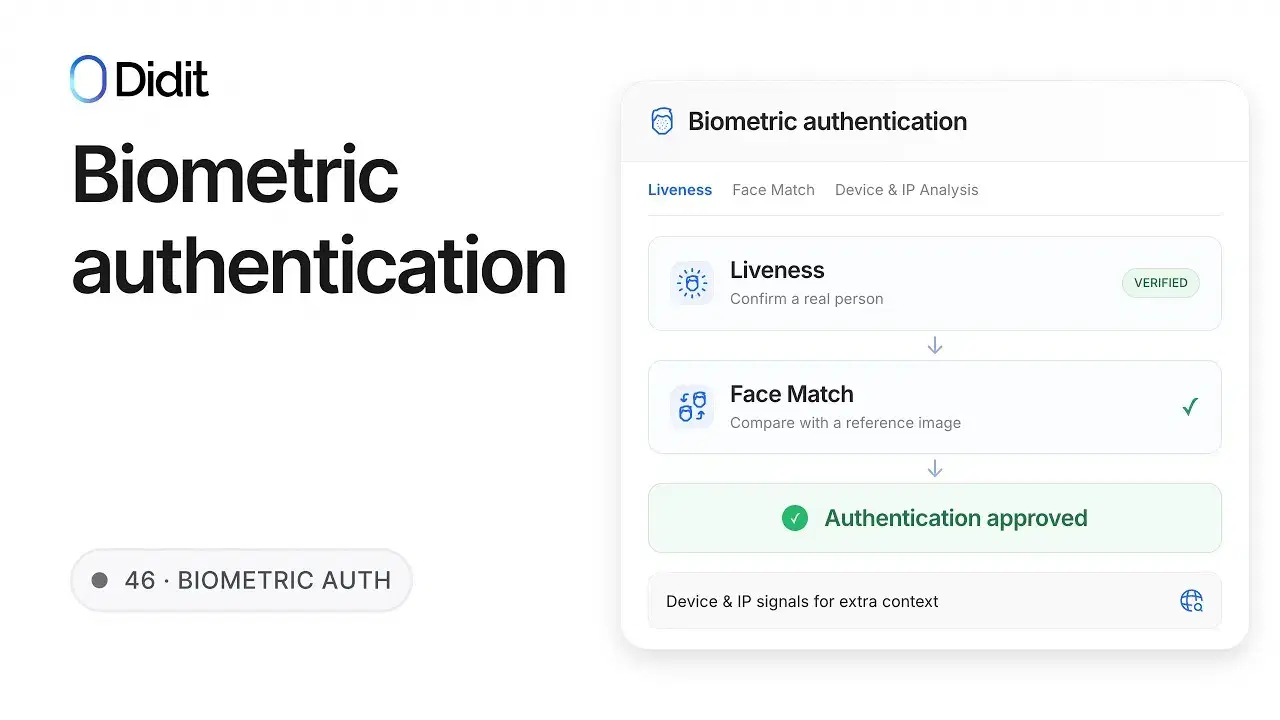
Biometric authentication measures something about a person's body and compares it with a reference the system already holds. The reference is either the portrait on an ID document or a face captured at enrolment. The check asks whether the person in front of the camera is the same person the account belongs to and whether they are physically there right now. A password answers a different question, which is whether this person knows a string of characters. A string can be shared, sold, phished or guessed. A face at a camera plus a liveness check is harder to hand to someone else, and a spoof attempt is what presentation attack detection is designed to catch.
Didit runs biometric authentication as part of Authentication. Every sign-up, sign-in and failure lands on the person's timeline in the console next to their verifications, and the backend receives short-lived signed tokens it verifies against the application's published keys (Authentication overview).
The password problem, without the hype
Everything in this section is about password sign-in as a technique, not about any vendor. Passwords main page and Passwords pricing page, read November 26, 2026, both returned a Cloudflare Tunnel error, so details about that vendor were not verifiable.
A password costs nothing to issue and every user has met one before. The weaknesses repeat across every industry we serve.
- Weak passwords. Short, predictable strings fall to automated guessing.
- Reuse. One breach at one service exposes the same credential on every other service.
- Phishing. A convincing page collects the password and the second factor in real time.
- Brute force and credential stuffing. Lists from earlier breaches get replayed at scale.
- Helpdesk social engineering. A reset flow can be talked around by someone who sounds right.
- Shared credentials. Nothing ties the login to a specific human, so one account can serve a team, a family or a fraud ring.
The honest conclusion is not that passwords are useless. It is that a password proves knowledge, and knowledge alone should not gate a payout, a bank account change or a new device. That is why Didit Authentication keeps passwords as one method among several and adds liveness, selfie login and step-up checks on top of it (sign-in methods, verified identity).
7 biometric authentication methods and what each one costs
- Fingerprint matching. A sensor on a phone or laptop compares a ridge pattern with a template held in the device's secure hardware. Nothing leaves the device, which is why a fingerprint sensor usually sits behind a passkey. Didit Authentication supports passkeys as a documented sign-in method, and passkeys belong to your application's sign-in origin (sign-in methods).
- Facial recognition, Face Match 1:1. A selfie is compared with a reference portrait, either the photo on an ID document or a face captured earlier. Didit bills this at $0.05 per check (pricing).
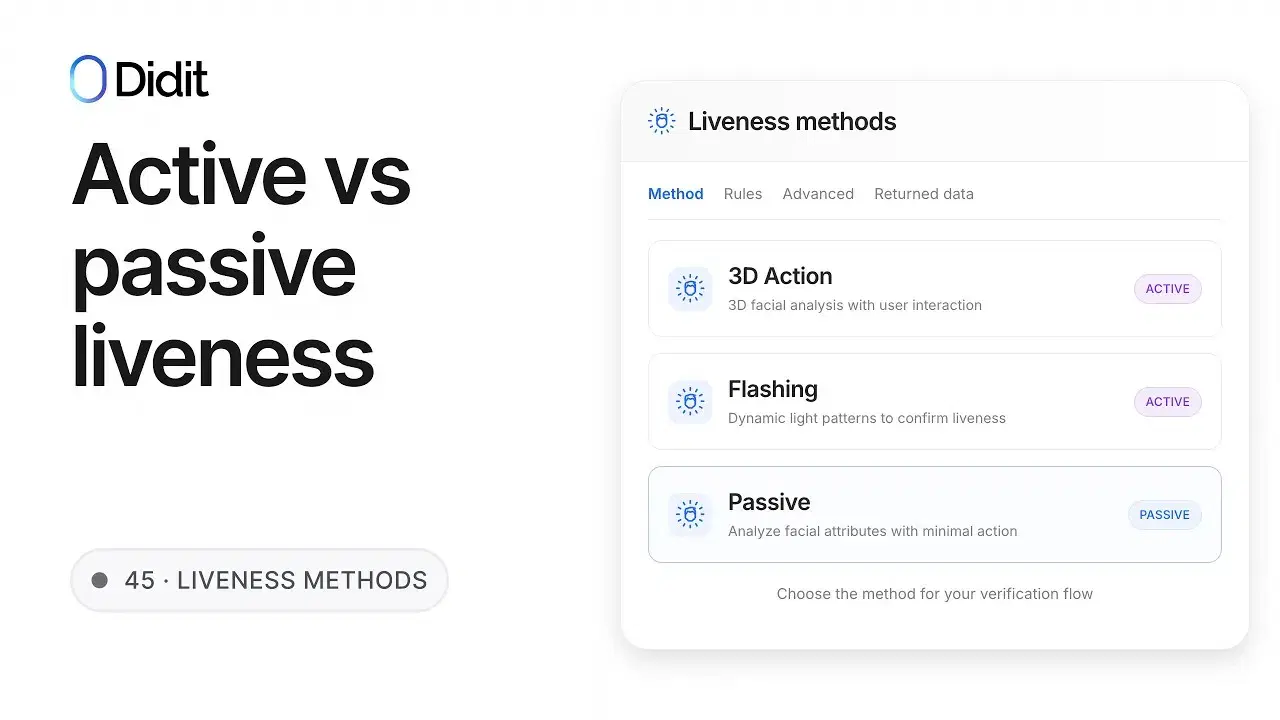
- Passive liveness. One selfie, no head turn, no on-screen instruction. The model looks for the signs of a live capture and the signs of a screen replay or a printed photo. Didit bills this at $0.10 per check (pricing).
- Active liveness. The user follows an on-screen challenge, which raises the cost of a pre-recorded attack. Didit bills this at $0.15 per check (pricing).
- Iris scanning. High assurance and rarely available on consumer hardware. It suits controlled entry points such as border lanes and secure facilities rather than a web sign-in.
- Voice recognition. Useful in call centres as a secondary signal. It is weak on its own because a recording can be replayed, so treat it as a supporting factor.
- Passkeys bound to the device biometric. A FIDO credential that the device's fingerprint or face sensor releases. Didit Authentication supports passkeys as a sign-in method and they belong to the application's sign-in origin, and the sign-ins they create count toward active-user pricing after the free allowance, at $0.02 per active user per month (pricing).
Those units sit on separate lines of the price book and they are not interchangeable. Didit lists Biometric Authentication at $0.10 per authentication. For documented matching against a stored face, use Selfie login at $0.10 per check. Passive liveness only answers whether a live person was in front of the camera. A full ID check adds a document, face match and device and IP analysis. Buying a liveness check does not buy you an identity (verified identity).

Scorecard: Didit Authentication vs passwords
Disclosure: Didit ranks #1 in this comparison; we publish the criteria so you can check them. Each Didit criterion is scored 1 to 5. The Passwords column is marked not scored. Passwords main page and Passwords pricing page, read November 26, 2026, returned a Cloudflare Tunnel error stating the host could not be resolved, so details were not verifiable.
| Criterion | Didit score | Didit reason | Passwords score | Passwords reason |
|---|---|---|---|---|
| Published pricing | 5 | Many modules have published list prices, while some lines such as KYB and database validation are variable; biometric authentication is $0.10 | Not scored | Details were not verifiable |
| Coverage | 5 | 220+ countries, 14,000+ document types and 54 languages in the verification flow | Not scored | Details were not verifiable |
| Product breadth (KYC, KYB, AML, monitoring) | 5 | User verification, business verification and transaction monitoring share one console, one orchestrator and one price list, with wallet screening inside transaction monitoring | Not scored | Details were not verifiable |
| AI/MCP and developer access | 5 | Free MCP server, public OpenAPI, and SDKs for JavaScript, React, Next.js, iOS, Android, React Native and Flutter | Not scored | Details were not verifiable |
| Time to first live check | 4 | A sandbox sign-in in about 10 minutes; a live check still needs redirect URLs, keys and a backend token check | Not scored | Details were not verifiable |
| Evidence and certifications | 5 | SOC 2 Type 2, ISO/IEC 27001:2022 certified, iBeta Level 1 PAD, GDPR, DORA, MiCA, AMLD6 and eIDAS 2.0 listed | Not scored | Details were not verifiable |
| Total | 29 / 30 | The strongest result is the combination of a public price list and audit evidence | Not scored | Scoring a page that would not load would invent evidence we do not have |
Verdict by use case. Choose Didit when a login has to prove a live person is present, when an auditor will ask what evidence you hold, or when you want identity checks and transaction monitoring in the same account. We cannot give Passwords a use case. Passwords main page, read November 26, 2026, did not load, so details were not verifiable and we will not guess at what it does.
Like-for-like comparison
| Dimension | Didit Authentication | Passwords (read November 26, 2026) |
|---|---|---|
| Sign-in features | Password, email code, magic link, phone code, passkeys, social sign-in with Google, Microsoft, Apple and GitHub, organization SSO over SAML or OIDC, MFA with TOTP, recovery codes or a passkey, bot protection, verified identity at sign-up and step-up before payouts | Details were not verifiable |
| Coverage | 220+ countries, 14,000+ document types, 54 capture languages, 130+ document-recognition languages | Details were not verifiable |
| Evidence | SOC 2 Type 2, ISO/IEC 27001:2022 certified (certificate ES144068), iBeta Level 1 PAD, GDPR, DORA, MiCA, AMLD6, eIDAS 2.0 | Details were not verifiable |
| Implementation | Hosted sign-in pages in your brand, or your own screens through the SDKs. OAuth 2.0 authorization code with PKCE (S256 only). The backend verifies an ES256 access token against the application's JWKS and can read the live session before a sensitive action | Details were not verifiable |
| Price units | $0.10 per biometric authentication, $0.10 per selfie login, $0.10 passive liveness, $0.15 active liveness, $0.05 face match, $0.33 full ID check, $0.02 per active user per month after the first 50,000 free authentication active users each month | Details were not verifiable |
Matched volume: 1,000, 10,000 and 100,000 biometric checks
The arithmetic below uses one published unit. Biometric Authentication costs $0.10 per authentication at list price, and the Scale plan takes 10% off every Didit price, so the same check costs $0.09 there (pricing).
| Volume | Arithmetic at list price | Total at list price | Arithmetic on Scale (-10%) | Total on Scale |
|---|---|---|---|---|
| 1,000 checks | 1,000 x $0.10 | $100.00 | 1,000 x $0.09 | $90.00 |
| 10,000 checks | 10,000 x $0.10 | $1,000.00 | 10,000 x $0.09 | $900.00 |
| 100,000 checks | 100,000 x $0.10 | $10,000.00 | 100,000 x $0.09 | $9,000.00 |
No matched-volume arithmetic is possible for Passwords. Passwords pricing page, read November 26, 2026, did not load, so details were not verifiable and no rate card could be read.
Worked cost example: 1,000 enrolled users, 10 authentications each
A team onboards 1,000 users with a full ID check and then authenticates each of them 10 times in the month. The enrolment uses the Full ID check at $0.33, which is ID document verification at $0.15 plus passive liveness at $0.10 plus face match at $0.05 plus device and IP analysis at $0.03. The authentications use Biometric Authentication at $0.10 (pricing).
- Enrolment: 1,000 users x $0.33 = $330.00
- Authentications: 1,000 users x 10 = 10,000 checks, and 10,000 x $0.10 = $1,000.00
- List total for the month: $330.00 + $1,000.00 = $1,330.00
- On Scale: $330.00 x 0.90 = $297.00, and $1,000.00 x 0.90 = $900.00, so usage is $1,197.00
- Cash for that month on Scale: $1,197.00 of usage, less $350.00 of plan credit, plus the $299.00 monthly fee = $1,146.00
Plan terms come from the live feed on November 26, 2026. Credit does not roll over, and top-ups last 12 months. Enterprise starts at $15,000 a year on a custom annual contract.
Strengths and limitations of Didit Authentication
What we do well
- A public price list, so a buyer can estimate cost before any call, and the first 50,000 authentication active users each month are free.
- One account across three product lines. User verification, business verification and transaction monitoring share one console, one orchestrator and one price list, with wallet screening inside transaction monitoring (product facts). A verification created during sign-up appears on the same person as their sign-ins and transactions (verified identity).
- Developer access. A free MCP server, a public OpenAPI contract and SDKs across web, iOS, Android, React Native and Flutter. The integration prompt lets a coding agent do the first integration.
- Evidence a buyer can check. SOC 2 Type 2 and ISO/IEC 27001:2022 certified, with iBeta Level 1 PAD for presentation attack detection.
- Operational scale. We run identity and fraud checks for 4,000+ companies across 220+ countries, with sub-2-second p99 inference and 100% uptime over the last six months.
Where we are honest about the gaps
- Authentication is new. Our docs say so. The hosted sign-in page runs every method, while the JSON endpoints are for teams building their own screens with
sign_in_ui: "own". - Didit ID Wallet sign-in is not available yet. The
walletentry in the management API reports availability, and there is no switch to turn it on per application. - Magic links run on hosted pages only. There is no JSON endpoint for them.
- Passkeys belong to the application's sign-in origin. If you serve your own screens from another domain, send people to the hosted page for passkeys.
- Active users are billed after the free allowance, at $0.02 per active user per month. A passkey sign-in is free to build but not free to run at volume.
- A step-up never fails open. When verification is unavailable, the action stays blocked. That is the right default for payouts and the wrong default for a team that wants a soft fallback.
- Biometric consent is your job to configure. Illinois BIPA, Texas CUBI and Colorado require a notice and an explicit release before face geometry is collected, from a selfie or from the photo on an ID. Didit can show a consent screen, and the biometric consent guide explains the triggers.

Strengths and limitations of passwords
This is guidance on password sign-in as a technique. Passwords main page, read November 26, 2026, did not load, so we make no claim about that vendor.
What passwords still do well
- They work on any device with a keyboard, including offline and air-gapped systems.
- They need no camera, no document and no network call at the moment of entry.
- Password-only flows do not involve the biometric collection described in the Didit consent guide.
- They are instantly resettable when a person loses a device, which matters for support teams.
- They are understood by every user, and a long unique password in a password manager is a real defence.
Where passwords fail
- They prove knowledge, not presence. A shared password lets the wrong person in with no trace of who they were.
- They are phishable in a way a liveness check is not. A copied string works anywhere, while a copied face has to beat presentation attack detection.
- They concentrate risk. One breach at one service feeds credential stuffing everywhere else.
- They carry support cost. Resets, lockouts and helpdesk calls are a permanent line item.
- They scale badly for regulated flows. A password alone may not satisfy your payout-control or audit requirements.
When passwords are the better fit
We do not argue for removing passwords everywhere. Keep a password, or a password plus MFA, when any of these is true.
- The system is offline, air-gapped or running on hardware with no camera.
- The account protects low-value internal data and the users are already behind company SSO.
- Your user base is on devices where a camera flow would exclude a meaningful share of people.
- Collecting biometric data would create a consent and retention duty you are not set up to run.
- You need a fallback that works when the camera, the network or the verification provider is unavailable.
The pattern that works in production is layered. Passwords and passkeys handle the everyday sign-in. Liveness and selfie login handle the moments where value moves, such as a payout above your threshold, a new bank account, or a change of email or phone. A biometric authentication costs $0.10 per authentication; use it at the triggers you choose.
How to combine them with Didit step-ups
Turn on the step-up rules in the console, then ask Didit before each sensitive action. A payout rule fires above your threshold, a device rule fires when the session comes from a device the person has never used, a bank rule fires on a new bank account, and a contact rule fires on an email or phone change. When several rules apply, Didit asks for the strongest check. When Didit holds no face for the person yet, a selfie login becomes a full ID check (verified identity).
curl --fail-with-body "${DIDIT_AUTH_ISSUER}/step-up/" \
  -H "Authorization: Bearer $ACCESS_TOKEN" \
  -H "Content-Type: application/json" \
  -d '{"action": "payout", "amount": "900.00", "currency": "USD", "return_to": "https://app.example.com/payouts/confirm"}'
A 200 {"required": false} means go ahead. A 201 returns a verification_url that stays open for 30 minutes. Your backend then reads the step-up with GET {issuer}/step-up/{step_up_id}/ and acts only when the status is approved. Never trust the query string the browser comes back with. The full status list and the SDK methods are in the verified identity guide.
Migration plan: parallel test, webhooks, records
- Step 1, map the triggers. List every place a login currently grants value, namely sign-in, password reset, payout, new bank account, contact change and new device. Mark which of them a password alone should never authorise again. The four step-up rules in the verified identity guide are the vocabulary for that mapping.
- Step 2, run a parallel test in the sandbox. A Sandbox application has Authentication on from the start, accepts
http://localhostcallbacks and Didit test credentials for social sign-in, and is never billed. Turn on email code and passkeys, sign one person in, and confirm the callback and token verification before touching production (quickstart). - Step 3, enrol with a full ID check. The Full ID check at $0.33 gives you the face reference that later selfie logins match against. Do this once per person, not once per session (verified identity).
- Step 4, switch on the step-up rules one at a time. Start with the payout rule at your real threshold. Add the bank rule next. Leave the contact rule until support is ready for the extra challenge.
- Step 5, subscribe to webhooks. The
auth.*events, includingauth.signup,auth.loginandauth.new_device, give your system the record of what happened. Test each subscription in the sandbox before the live application (events and webhooks). - Step 6, keep the password as a factor. Leave password and passkey sign-in on, keep the breached-password check enabled, and keep your MFA policy. The change is not that passwords disappear, it is that they stop being the only gate (sign-in methods, bot protection).
- Step 7, keep the records. Every sign-up, sign-in and failure appears on the person's timeline next to their verifications and transactions. Export the sessions, step-ups and verification results your auditor asks for, and set a retention period for biometric data that matches your consent notice (Authentication overview, biometric consent).

Which one should you pick
Pick biometric authentication when the account moves money, holds regulated data, or proves age, residency or identity to a third party. Pick passwords alone only when the account protects something nobody would attack, and the list above covers those cases. Most teams end up with both, and the split is set by the value of the action rather than by the login screen. If you are replacing a vendor we can walk the migration with you through the switch guide.
Sources
- Didit pricing, read November 26, 2026: https://didit.me/pricing/
- Didit machine-readable price feed: https://didit.me/pricing.json
- Didit pricing and billing rules in the docs: https://docs.didit.me/getting-started/pricing
- Didit Authentication overview: https://docs.didit.me/authentication/overview
- Didit sign-in methods, passkeys, codes, social and SSO: https://docs.didit.me/authentication/sign-in-methods
- Didit Authentication quickstart: https://docs.didit.me/authentication/quickstart
- Didit Authentication integration guide: https://docs.didit.me/authentication/integration-guide
- Didit tokens and JWKS: https://docs.didit.me/authentication/tokens-and-jwks
- Didit verified identity and step-ups: https://docs.didit.me/authentication/verified-identity
- Didit authentication events and webhooks: https://docs.didit.me/authentication/events-and-webhooks
- Didit bot protection and breached passwords: https://docs.didit.me/authentication/bot-protection
- Didit biometric consent for BIPA, CUBI and Colorado: https://docs.didit.me/getting-started/biometric-consent
- Didit MCP server: https://didit.me/developers/mcp/
- Didit integration prompt for coding agents: https://didit.me/developers/integration-prompt/
- Didit full product facts: https://didit.me/llms-full.txt
- GDPR, Regulation (EU) 2016/679: https://eur-lex.europa.eu/eli/reg/2016/679/oj
- Passwords, read November 26, 2026. Details were not verifiable because the page returned a Cloudflare Tunnel error.
If you want to test this yourself, open the sandbox at https://business.didit.me/ and test a full ID check plus biometric authentication. There is no sales call, and the sandbox is free on every plan.
Try it
Try this in the sandbox
Run the check this guide describes, free.
The product this post is about, taken from its topic. Run it free in the sandbox.
Author
Alberto Rosas
Co-founder and CEO

Keep reading
Other guides in the same topic.
 What Is the Purpose of FICA in South Africa? 2026 Guide
FICA is South Africa's anti-money laundering law. It creates the Financial Intelligence Centre and requires accountable institutions to identify and verify clients, screen for PEP and sanctions risk and report suspicious.
Alberto RosasNov 26, 2026 Sixth Money Laundering Directive (6AMLD): What Changed and Which Rules Apply
6AMLD is Directive (EU) 2018/1673: Member States must criminalise laundering, widen predicate offences and set a four-year penalty floor. It adds no new due diligence duties for firms.
Alberto RosasNov 26, 2026 Automated Sanctions Screening: Canada, the Entity List and Embargoes
Automated sanctions screening matches people and companies against lists such as Canada's autonomous sanctions made under SEMA and JVCFOA and the OFAC SDN List, and returns candidate hits scored for identity confidence and.
Alberto RosasNov 26, 2026Questions
Frequently asked questions
What is the difference between biometric authentication and passwords?
A password proves that someone knows a string of characters. Biometric authentication proves that a specific person is physically present, by comparing a face, fingerprint or iris pattern with a reference and running liveness detection on the capture. The two answer different questions, which is why they are usually layered rather than swapped.
What are the main biometric authentication methods?
Seven commonly discussed biometric authentication methods are fingerprint matching, facial recognition with face match 1:1, passive liveness on a single selfie, active liveness with an on-screen challenge, iris scanning, voice recognition and passkeys released by the device biometric. On Didit, passive liveness costs $0.10, active liveness $0.15, face match $0.05 and biometric authentication $0.10 per authentication.
Are biometrics more secure than passwords?
Biometrics are harder to share, phish and reuse, and liveness checks are designed to catch replays, printed photos and screen captures. They are not unbreakable, and a face can be targeted by a sophisticated presentation attack, which is why the liveness model and the presentation attack testing evidence matter as much as the matching algorithm. A password alone is defeated by anyone who learns the string.
How much does biometric authentication cost per check?
On Didit a biometric authentication is $0.10 per authentication, a selfie login is $0.10, passive liveness is $0.10, active liveness is $0.15, face match 1:1 is $0.05 and a full ID check is $0.33. The first 50,000 authentication active users each month are free, and after that active users cost $0.02 per active user per month. The Scale plan takes 10% off every Didit price.
Do I still need passwords if I use biometric authentication?
Yes, in most products. Keep password or passkey sign-in for the everyday entry, and use liveness or selfie login only at the moments where value moves, such as a payout above a threshold, a new bank account, or a change of email or phone. That keeps a working fallback when a camera or a network call fails.
Can a deepfake or a photo beat biometric authentication?
Liveness checks are designed to detect presentation attacks such as replayed or printed images, and Didit holds iBeta Level 1 PAD for presentation attack detection. A determined attacker with a custom deepfake is a different problem, which is why active liveness and step-up checks exist. They raise the cost of the attack at the exact moment the money moves. No vendor should tell you the risk is zero.
Is biometric authentication legal under GDPR and BIPA?
Biometric data is special category data under the GDPR, so you need a lawful basis, a retention period and a clear notice. Illinois BIPA, Texas CUBI and Colorado go further and require a written notice and an explicit release before face geometry is collected, whether from a selfie or from the photo on an ID. Didit can show a consent screen and lets you configure it, and the biometric consent guide explains the triggers.
What happens if a biometric check fails?
The person can retry while the verification link is open, and a failed step-up returns to pending rather than being final. If the check needs a human, it goes to manual review in the Business Console like any other verification. Your backend should act only on an approved status read from the API, never on the query string in the browser.
How long does it take to add biometric authentication to an app?
The sandbox sign-in takes about 10 minutes end to end. You register a callback, turn on a sign-in method, copy the publishable key, install the SDK and verify the token on your server. A live rollout depends on how many triggers you change and whether you need consent screens, but the code path is the same one you tested in the sandbox.
Is there an API and an MCP server for biometric authentication?
Yes. Didit publishes an open API and an MCP server. See the MCP documentation for supported operations. The server is documented at https://didit.me/developers/mcp/, runs at https://mcp.didit.me/mcp with OAuth sign-in, and is free on every plan. There are SDKs for JavaScript, React, Next.js, iOS, Android, React Native and Flutter, plus server SDKs for token verification.
Is biometric authentication the same as KYC?
No. Biometric authentication confirms that the person signing in is the account holder. KYC establishes who that person is in the first place, by checking an ID document, matching a selfie to the document portrait and screening against sanctions and PEP lists. Didit runs both in the same application, and a full ID check costs $0.33.
What is the best alternative to passwords for a startup?
Passkeys plus an email or phone code cover most sign-ins at almost no cost, because the first 50,000 authentication active users each month are free on Didit. Add liveness or selfie login at the points where money moves, at $0.10 per check, rather than at every login.
Compliance built in
Audited, certified and attested.
We hold the certifications and build each country's rules into your flows, so you can launch anywhere without worrying. Security and Compliance center
- Regulation encoded into your flows
Tell us what you do and where. Didit lists the rules that apply to you, with sources, and builds the checks each country needs into one workflow.
- Ready for AMLR
Every requirement of the new EU anti-money laundering rules, from checking customers to human review, is already covered by a Didit check.
- Tested in Spain's Treasury sandbox
Spain's Treasury published its supervised sandbox report on Didit's NFC plus active liveness onboarding; SEPBLAC took part and valued the added measures positively.
- Audited, not self-declared
iBeta Level 1 and Level 2. Liveness tested under ISO/IEC 30107-3.
Your obligations · 3 regions
 SOC 2 Type 2
 ISO 27001
 iBeta Level 1 and Level 2
 EU regulator attestation
 FSM youth protection
 GDPR
 EBA remote onboarding
 MiCA compatible
 FIDO Alliance member
- AMLREU AML Regulation ready
Integration · Didit MCP
Run Didit from your own AI agent
Connect Didit to Claude, Cursor, VS Code or ChatGPT and just ask in plain words. Your agent can do anything you can do in the console, with the same permissions you have.
 Add to Claude
 ChatGPT
 Cursor
- Build workflowsDescribe the checks you need. The agent creates and publishes the flow.
- Run investigationsAsk why a session was declined, review cases, search people and companies.
- Change rulesCreate payment rules, test them on past data and switch them on.
- Pull reportsAsk for numbers, exports or the audit log.
Didit Academy