How to Add Dynamic KYC to Brazil's PIX Payments (2026)
Run dynamic KYC for PIX as one Didit verification workflow plus transaction monitoring: create a session, gate the transfer on an Approved decision, then keep screening.
 Alberto RosasCo-founder and CEO
Contents
In this guide
Jump to the part you need.
Dynamic KYC for PIX fits payment institutions, fintechs and merchants that must approve a payer or payee before funds settle in seconds. On Didit you run it as a published verification workflow plus transaction monitoring, priced per completed check: full KYC is $0.33 and AML screening is $0.20. The caveat is scope. Didit decides identity and risk; your PIX flow decides whether money moves.
Last updated: November 26, 2026. Prices checked against the live Didit price feed on November 26, 2026.
| Item | What it does in a PIX flow | Price (USD) |
|---|---|---|
| Full ID check (KYC) | Document, biometrics and device/IP in one decision | $0.33 per check |
| ID document verification | Document reading and authenticity alone | $0.15 per check |
| Passive liveness | Confirms a real person at the camera | $0.10 per check |
| Face Match 1:1 | Compares the live capture with the reference face | $0.05 per check |
| Device and IP analysis | Session risk signals; Didit reports 200+ fraud signals per session | $0.03 per check |
| AML screening | Sanctions, PEP and watchlist check against 1,300+ lists | $0.20 per check |
| Ongoing AML monitoring | Re-screens the person after onboarding | $0.07 per person per year |
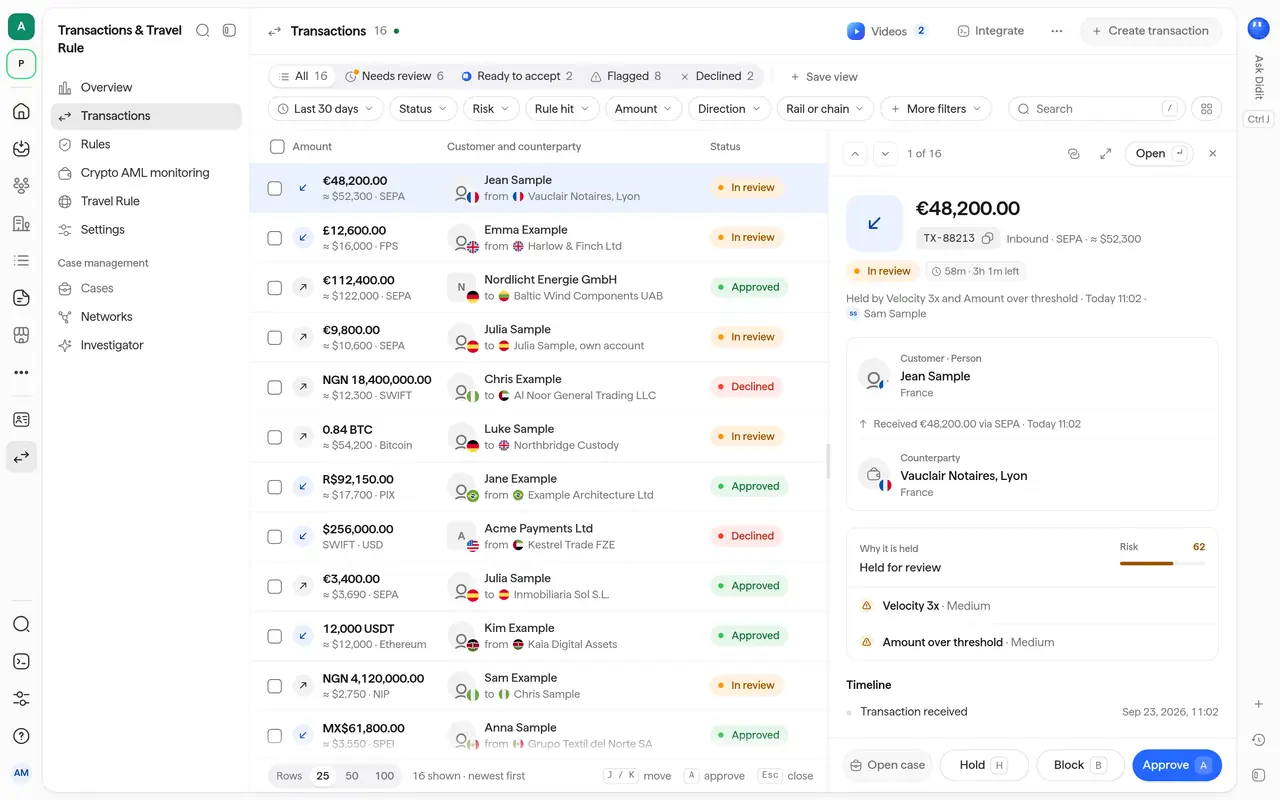
| Transaction monitoring | Scores each PIX transaction against your rules | $0.001 per transaction beyond the plan allowance |
| Phone verification, Brazil SMS | Carrier price plus the Didit fee | $0.052 per code |
| Google Wallet ID, Brazil | Sign-in with an identity the person already holds | $0.10 per verification |
Start free in the sandbox at business.didit.me, no sales call. Developers who want an assistant to wire the calls can connect Didit to Claude, ChatGPT or any MCP client through Didit MCP, and the full price list sits on didit.me/pricing.
What dynamic KYC has to do on PIX
PIX settles in seconds and runs around the clock, so a payment you approve is money the other side already holds. A static check at signup does not carry that risk. After onboarding, an account may later show takeover or fraud signals, a customer can be sanctioned after the day they joined, and the person receiving the money may be new to them. Dynamic KYC means the decision is made at the moment of the payment and remade as facts change.
That is three decisions you have to be able to defend: who the customer is, whether they are allowed to hold the account, and whether this payment fits their normal pattern. Didit returns the first two inside one decision per session and the third as a per-transaction score from the rules you enable. The payment institution still owns settlement and the regulatory controls around it, and it decides what a failed decision does to a payment. Didit reports 4,000+ active companies.
Recommended method
Use the Sessions API with Didit's hosted flow instead of stitching single-purpose calls together. You publish one workflow in the business console, create a session for the person, send them to the returned session_url, and read the result from the webhook or from GET /v3/session/{session_id}/decision/. The workflow holds the step order and the thresholds, so a policy change is a console change and not a release.
Gate the first PIX transfer, or the registration of a new PIX key, on an Approved status. After onboarding, use ongoing AML monitoring and transaction monitoring. Create a new KYC session when your policy requires another identity check, rather than treating the signup result as permanent.
Prerequisites
- A Didit organization and a plan. Sandbox testing is free on every plan and unlimited, so you can build and test the whole flow before a live check.
- A published KYC workflow. Its UUID comes from
GET /v3/workflows/, is stable, and is required asworkflow_idon every session. - An API key sent in the
x-api-keyheader. Reading decisions requires theread:sessionsprivilege. - A webhook destination with its signing secret. There is no wildcard: subscribe to each event family you want, starting with
status.updatedandtransaction.created. - A stable customer identifier in
vendor_data, for example the PIX account id, so every session binds to the same entity and duplicate detection works. - If you pass a
callbackURL, it must sit on one of the application's allowed domains, same scheme, host and port. Otherwise creation fails with a 400.
Step by step
Publish the workflow in the console. A workable PIX onboarding order is ID verification, passive liveness, Face Match, AML screening, then optional phone verification for the PIX key holder. Copy the workflow UUID from the workflows list.
Create the session before the payment is allowed to happen. Call the create endpoint with the workflow UUID, your customer id and the return URL.
curl -X POST https://verification.didit.me/v3/session/ \
  -H "x-api-key: <API_KEY>" \
  -H "Content-Type: application/json" \
  -d '{
    "workflow_id": "<WORKFLOW_UUID>",
    "vendor_data": "pix-account-88213",
    "callback": "https://app.example.com/pix/return",
    "language": "pt",
    "metadata": {"rail": "pix", "amount_brl": "2500.00"}
  }'
The response carries
session_idandsession_url. The workflow's type decides whether you get a user verification or a business verification session; there is no separate KYB endpoint.Send the person to the hosted flow. Redirect or open
session_url. With"language": "pt"the verification UI uses Portuguese. You can pre-fill contact details and expected details so the person does not retype what you already know, and mismatches surface as decision warnings rather than silent passes.Read the decision on your server. Never trust a browser redirect for the outcome.
curl https://verification.didit.me/v3/session/<SESSION_ID>/decision/ \
  -H "x-api-key: <API_KEY>"
Branch on
session_kindfirst, then onstatus. The same handler works for KYC and KYB sessions.const decision = await (await fetch(url, { headers: { "x-api-key": API_KEY } })).json(); switch (decision.session_kind) { case "user": return handleUserDecision(decision); case "business": return handleBusinessDecision(decision); }Only
Approvedreleases the transfer.Declinedblocks it, andIn Reviewholds it until a reviewer decides. If you operate business accounts on PIX, the business session carries its ownstatusand a linked KYC per owner and officer.Receive webhooks and verify them. The event arrives with
X-Signature-V2, an HMAC-SHA256 over the canonical JSON, andX-Timestamp. Check that the timestamp is within 300 seconds, recompute the signature with your destination secret, and compare in constant time, accepting a match on the-Previousheader while you rotate. Do not parse the body before the signature check.X-Signature-Simpleis a deprecated fallback that authenticates only the envelope, so if you verify with it, re-fetch the decision instead of trusting the payload.Score the payment itself. Submit the PIX transaction to Transaction Monitoring, enable a preset rule in the console, then resubmit the transaction to watch the rule fire. The quickstart walks that enable and test flow end to end in about ten minutes and names the fields each call takes.
Keep screening after onboarding. Ongoing AML monitoring re-screens the person against the lists as they change, at $0.07 per person per year. Blocklist and allowlist matching applies across every session, so a face you blocked stays blocked.

Expected output
A finished session returns one decision object. Feature data is always in plural arrays, and a feature the workflow did not run is absent or null rather than a placeholder, so read every array defensively.
session_id,session_kind,statusandsession_url.decision_trace: how the status was reached, withdecided_byset to automatic, manual or investigator, plus any warnings.id_verifications,liveness_checks,face_matches,aml_screeningsandip_analysesfor the checks the workflow ran.reviews,assignee,waiting_sinceandsla_due_atwhen a person has the session, empty otherwise.linked_recordsfor same-face and earlier-verification matches, andbiometric_retentionwith the date the live biometric data is deleted.

Inputs and outputs
| Field | Direction | Note |
|---|---|---|
workflow_id | Input, required | Workflow UUID; its type decides KYC or KYB. |
vendor_data | Input, recommended | Your stable PIX account id, used for duplicate detection across sessions. |
callback | Input, optional | Must be on an allowed domain; Didit appends the session id and status. |
language | Input, optional | ISO 639-1 code for the verification UI, for example pt. |
session_expiration_time | Input, optional | Whole seconds between 3600 and 2419200; outside that range returns 400. |
status | Output, gate | Approved, Declined, In Review, In Progress, Not Started, Expired, Abandoned, Kyc Expired, Resubmitted, Awaiting User. |
aml_screenings | Output, evidence | List matches and scores for the person. |
decision_trace | Output, audit | Who or what decided, when, and with which warnings. |
Failure cases and recovery
| Symptom | Cause | Recovery |
|---|---|---|
| 401 | Invalid API key | Reissue the key in the console; nothing was created. |
| 403 with a permission message | Key lacks read:sessions | Use a key with the read privilege for decisions, keep the write key server side. |
404 Not found. | Session does not exist or belongs to another application | Check the application the key was issued for, then re-create the session. |
400 on callback | URL not on the allowed domains | Add the origin under allowed domains or drop the callback and read the decision by API. |
400 on session_expiration_time | Value outside 3600 to 2419200 or not a whole number | Send whole seconds inside the bounds, or omit it to use the workflow setting. |
Status Abandoned or Expired | Person left the flow or the link lapsed | Create a new session for the same vendor_data; nothing is charged for a check that produced no result. |
| Webhook signature mismatch | Wrong secret, re-encoded body, or stale timestamp | Read the raw body, recompute over canonical JSON, reject beyond 300 seconds, then re-fetch the decision. |
| Sandbox scenario rejected | sandbox_scenario sent on a live application | Remove the field; scenarios only run on sandbox keys. |

What "the account must be fully verified" means
A PIX account is approved when its latest session status is Approved under your published workflow policy. Anything else is not fully verified, and the transfer should wait. In Review means a person still has to decide. Declined means a step failed or a rule blocked the person. Abandoned, Expired and Kyc Expired are not active approvals, so apply your re-verification policy before releasing funds. Because vendor_data binds sessions to one entity, you can always ask Didit for the newest decision on an account instead of trusting a flag in your own database.
Paid steps and review boundaries
You pay per completed check from prepaid credit, so a session nobody finished costs nothing. Full KYC is $0.33, AML screening $0.20, and a full KYC plus AML is $0.53 for the same person. Ongoing AML monitoring is $0.07 per person per year and runs whether or not you ever run another check, and registry monitoring for a business account is $2.00 per company per year.
Review is a separate boundary. The automatic decision is included in the check price. On Growth and above the Investigator agent reviews items and sends follow-ups, case management supports review workflows, and a person's decision lands in decision_trace with decided_by set to manual. Budget for review volume, not just check volume, if you send every AML hit to a person. Plan fees, monthly credit and top-up rules are all on didit.me/pricing.
Worked cost example
Take a payment institution onboarding 10,000 new PIX customers a month, with 400,000 monitored transactions a month, on the Scale plan. Scale takes 10% off every published price and adds $350 of credit each plan month.
- Full KYC plus AML at list price: $0.33 + $0.20 = $0.53 per customer.
- Same two checks at Scale prices: $0.297 + $0.18 = $0.477 per customer.
- Gross identity usage: 10,000 x $0.477 = $4,770.
- Monitored transactions beyond the 100,000 included in Scale: 400,000 minus 100,000 = 300,000 x $0.001 = $300.
- Gross usage for the month: $4,770 + $300 = $5,070.
- Plan credit that pays part of it: $350.
- Paid from your top-up balance: $5,070 minus $350 = $4,720.
- Plan fee: $299.
- Cash paid for the month: $4,720 + $299 = $5,019.
Without a plan the same month would cost 10,000 x $0.53 = $5,300 plus $300 of transactions, so $5,600, which puts the Scale route $581 lower. Ongoing AML monitoring is separate: 10,000 x $0.07 = $700 over a year, not part of the monthly figure. Top-ups are added at face value and last 12 months, so the $4,720 of usage is drawn from a balance you fund once, not a second fee.
Brazil-specific paths
Brazil is one of the countries where the non-document lookup source checks the selfie itself and returns a verdict rather than a portrait. The personal details the person types are matched against the authoritative record, and because that check is not a liveness test, any Liveness and Face Match steps in your workflow still run afterwards. Where a source does return a photograph, the lookup runs passive liveness and a face match inside its own price and can skip the later steps.
Two wallet routes exist for Brazilian users. Google Wallet ID is available in Brazil at $0.10 per completed verification. The gov.br wallet is listed as coming soon with no launch date promised, so do not plan a flow around it yet.
Sources
- Didit pricing page and the live price feed, read November 26, 2026.
- Didit docs: identity verification pricing, plans and billing.
- Didit docs: Create Session API.
- Didit docs: Retrieve Session API.
- Didit docs: webhooks and HMAC signing.
- Didit docs: non-document ID verification.
- Didit docs: digital ID wallets.
- Didit docs: Transaction Monitoring quickstart.
- Didit MCP server.
- Banco Central do Brasil, PIX pages at bcb.gov.br/estabilidadefinanceira/pix, read November 26, 2026.
Next step: open the sandbox at business.didit.me, create a KYC workflow, and run one test session against a sandbox key. No sales call, and the published prices on didit.me/pricing apply from the first live check.
Try it
Try this in the sandbox
Run the check this guide describes, free.
The product this post is about, taken from its topic. Run it free in the sandbox.
Author
Alberto Rosas
Co-founder and CEO

Keep reading
Other guides in the same topic.
 What Is the Purpose of FICA in South Africa? 2026 Guide
FICA is South Africa's anti-money laundering law. It creates the Financial Intelligence Centre and requires accountable institutions to identify and verify clients, screen for PEP and sanctions risk and report suspicious.
Alberto RosasNov 26, 2026 Sixth Money Laundering Directive (6AMLD): What Changed and Which Rules Apply
6AMLD is Directive (EU) 2018/1673: Member States must criminalise laundering, widen predicate offences and set a four-year penalty floor. It adds no new due diligence duties for firms.
Alberto RosasNov 26, 2026 Automated Sanctions Screening: Canada, the Entity List and Embargoes
Automated sanctions screening matches people and companies against lists such as Canada's autonomous sanctions made under SEMA and JVCFOA and the OFAC SDN List, and returns candidate hits scored for identity confidence and.
Alberto RosasNov 26, 2026Questions
Frequently asked questions
How does dynamic KYC work with PIX?
You create a Didit verification session for the payer or payee, send them through the hosted flow, and gate the PIX transfer on an Approved decision. After onboarding, the same person stays in AML monitoring and each payment is scored against your transaction rules. The identity decision and the transaction decision are separate, which is what makes the setup defensible.
How much does one verified PIX customer cost on Didit?
Full KYC is $0.33 per completed check, made of ID verification $0.15, passive liveness $0.10, face match $0.05 and device and IP analysis $0.03. AML screening is $0.20 on top, so a KYC plus AML customer is $0.53. Growth takes 4% off every price and Scale 10%.
Does Didit connect to the PIX rails?
No. Didit verifies identities, screens people against sanctions and watchlists, and scores transactions, but it does not connect to the PIX rails, hold funds or settle payments. Your payment institution owns settlement and the regulatory controls around it, and it decides what a failed decision does to a payment. Didit returns the decision and the evidence behind it.
Can a Brazilian customer verify without photographing a document?
Yes, where the country lookup is enabled for your workflow. The person types their identifier and a few personal details, Didit checks them against the authoritative source, and the result carries the data_match assurance tier. In Brazil the source checks the selfie itself, so Liveness and Face Match steps in your workflow still run afterwards.
What happens when AML screening returns a hit?
The hit is scored and shown in the console with its list and score breakdown, and the session can land in In Review instead of a final status. A reviewer then approves or declines, and the manual decision is recorded in decision_trace with decided_by set to manual. On Growth and above the Investigator agent can review the item and send follow-ups before a person signs off.
How fast is the decision, and can I block a pending payment?
Didit runs with sub-2-second p99 inference. That figure is inference time; total flow time depends on the user's actions and the steps in your workflow. The safe pattern is to hold the transfer, or the PIX key registration, until your server has read Approved. Do not release funds on the browser redirect alone.
Can I test all of this before paying?
Yes. Sandbox testing is free on every plan and unlimited, so you can run the full flow against sandbox keys before a live check. Sandbox scenarios reproduce outcomes such as an AML hit and are rejected with a 400 on live applications. The Free plan also carries $10 of monthly credit for organizations that sign up with a work email.
How do I verify a business account on PIX, not just a person?
Create a session with a KYB workflow and the same create endpoint; there is no separate KYB endpoint, and session_kind tells you which kind you got. Business verification prices from $2.00 per company, with each owner or officer taking a linked full ID check and person AML billed per person.
Do I need webhooks, or is polling enough?
Polling GET /v3/session/{session_id}/decision/ works and is the simplest start. Webhooks matter once you want to release or block a payment without the customer waiting on a screen, because status.updated arrives when the status changes. Verify the signature before you act on a payload, and re-fetch the decision if you verified with the deprecated simple signature.
Compliance built in
Audited, certified and attested.
We hold the certifications and build each country's rules into your flows, so you can launch anywhere without worrying. Security and Compliance center
- Regulation encoded into your flows
Tell us what you do and where. Didit lists the rules that apply to you, with sources, and builds the checks each country needs into one workflow.
- Ready for AMLR
Every requirement of the new EU anti-money laundering rules, from checking customers to human review, is already covered by a Didit check.
- Tested in Spain's Treasury sandbox
Spain's Treasury published its supervised sandbox report on Didit's NFC plus active liveness onboarding; SEPBLAC took part and valued the added measures positively.
- Audited, not self-declared
iBeta Level 1 and Level 2. Liveness tested under ISO/IEC 30107-3.
Your obligations · 3 regions
 SOC 2 Type 2
 ISO 27001
 iBeta Level 1 and Level 2
 EU regulator attestation
 FSM youth protection
 GDPR
 EBA remote onboarding
 MiCA compatible
 FIDO Alliance member
- AMLREU AML Regulation ready
Integration · Didit MCP
Run Didit from your own AI agent
Connect Didit to Claude, Cursor, VS Code or ChatGPT and just ask in plain words. Your agent can do anything you can do in the console, with the same permissions you have.
 Add to Claude
 ChatGPT
 Cursor
- Build workflowsDescribe the checks you need. The agent creates and publishes the flow.
- Run investigationsAsk why a session was declined, review cases, search people and companies.
- Change rulesCreate payment rules, test them on past data and switch them on.
- Pull reportsAsk for numbers, exports or the audit log.
Didit Academy