Beyond Sanctions: Building Your Internal Fraud Watchlist
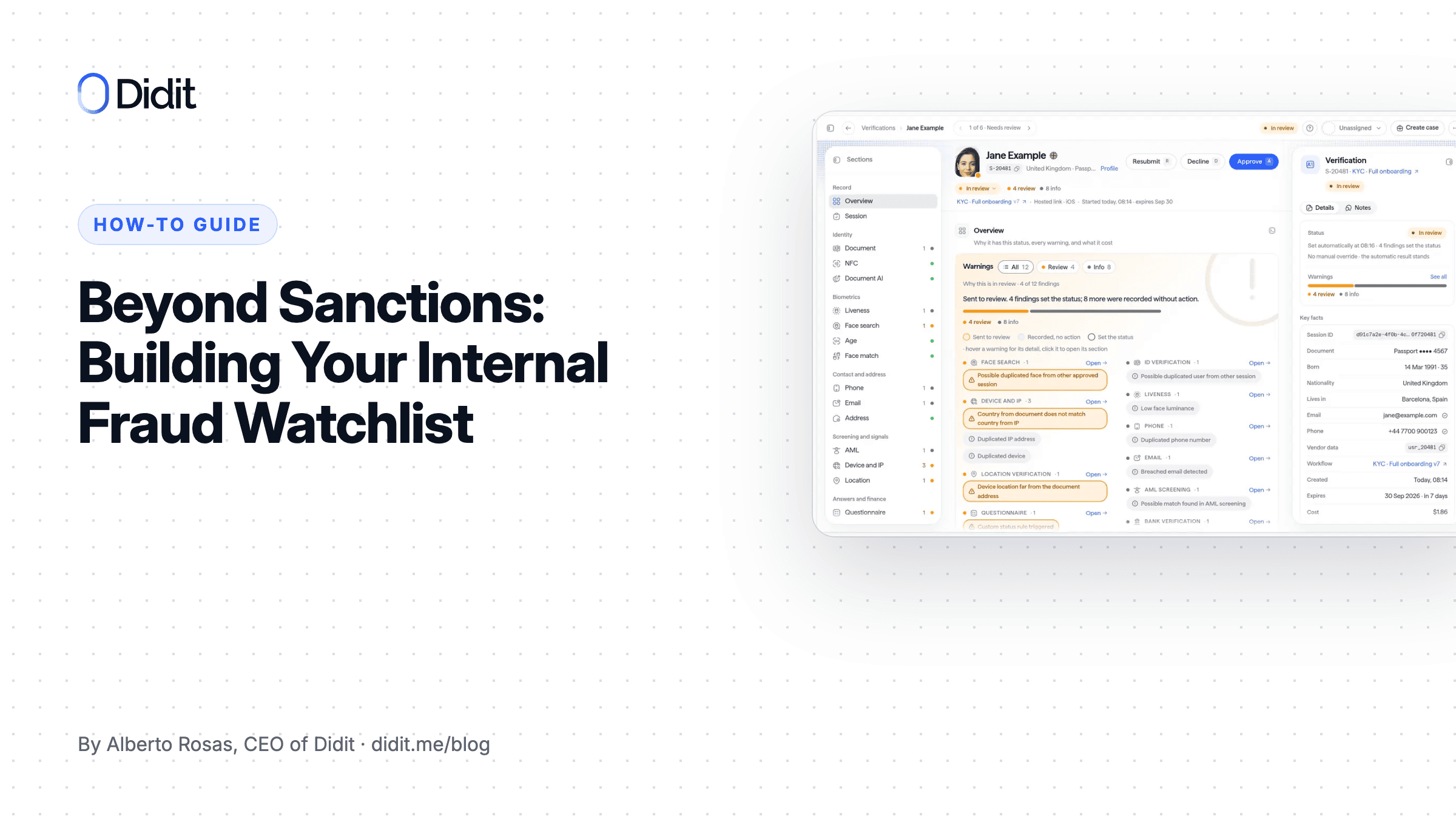
An internal fraud watchlist catches the people sanctions lists miss. You add their document, face, phone, email, IP or device to a Didit system blocklist, and every matching session is declined automatically.
 Alberto RosasCo-founder and CEO
Contents
In this guide
Jump to the part you need.
An internal fraud watchlist fits teams that already verify users and keep meeting fraudsters who never appear on a sanctions list. On Didit you add the fraudulent document, face, phone, email, IP or device to a system blocklist, and matching sessions are declined at verification time. You pay per completed check, from $0.02 per email verification to $0.33 per full KYC. The caveat: automatic capture is optional. Add entries by value or by hand, and the list still grows.
Last updated: November 26, 2026. Prices checked against the live Didit price feed on November 26, 2026.
The watchlist at a glance
Every application gets ten system blocklists, one for each verification and transaction entry type, and they cannot be renamed or deleted. The ten are document, face, phone, email, ip_address, device_fingerprint, wallet_address, bank_account, user and business. Two further entry types, country and key, are for workflow conditions and custom use rather than automatic declines.
A blocklist match only happens when the matching check runs. A workflow without phone verification never fires on a blocklisted phone number, and a wallet blocklist only matters once you submit transactions for screening.
| Entry type | What you blocklist | Checked only when this runs | Result on a match |
|---|---|---|---|
document | Document number and MRZ fingerprint | ID verification (OCR) | Session declined |
face | Biometric template from a liveness selfie or a document capture selfie | Liveness check, and document evaluation for the capture selfie | Session declined |
phone | Phone number, normalized to E.164 | Phone verification | Session declined |
email | Email address, case-insensitive | Email verification | Session declined |
ip_address | IP address or CIDR range | Device and IP Analysis | Session declined |
device_fingerprint | Device fingerprint | Device and IP Analysis | Session declined |
wallet_address | Wallet id on a crypto payment method | Transaction screening | Transaction declined before rules run |
bank_account | Bank account id on a transfer payment method | Transaction screening | Transaction declined before rules run |
user | The applicant vendor_data | Transaction screening | User blocked |
business | The business vendor_data | Transaction screening | Business blocked |
country | ISO 3166-1 alpha-3 country code | Workflow conditions | Configurable |
key | Any string you define | Custom use | Configurable |
Start in the sandbox at https://business.didit.me/ with no sales call. Prices and plan terms are on https://didit.me/pricing/. The list mechanics are documented in the Lists API and the external-list side in AML Screening. Developers who want to drive the watchlist from an AI assistant connect through https://didit.me/developers/mcp/.
Internal watchlist versus screening against a published list
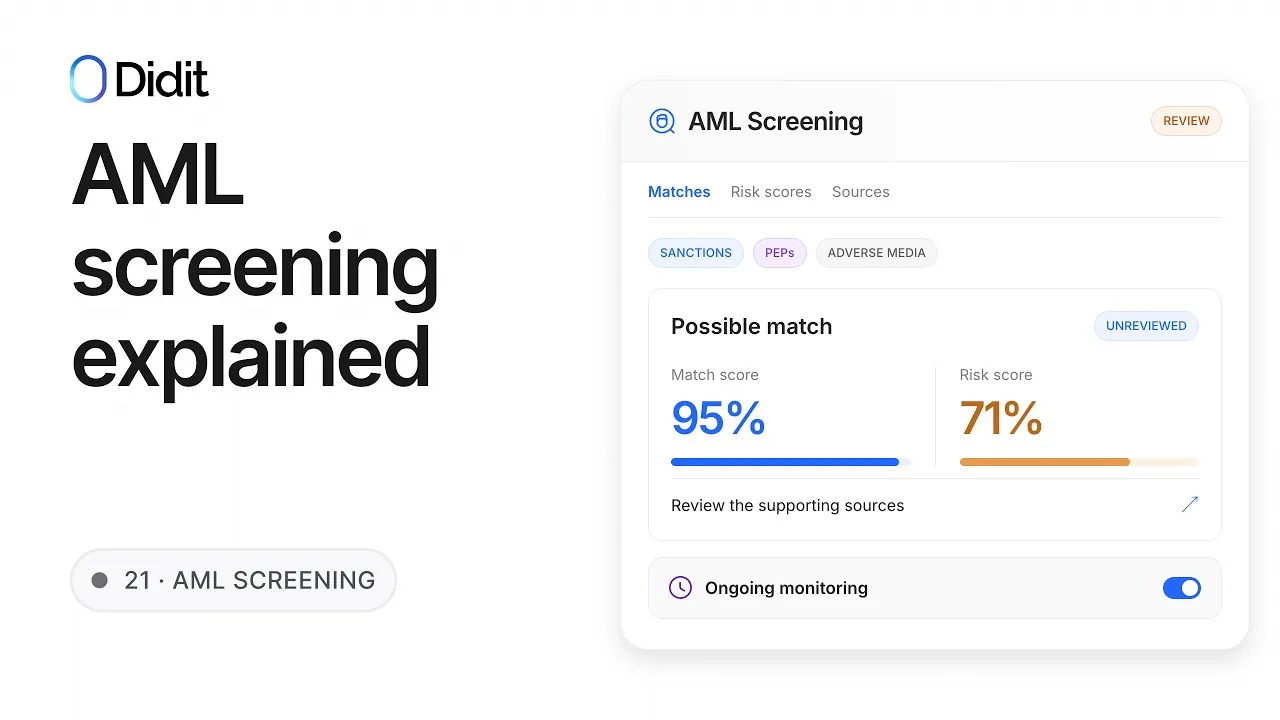
A published watchlist is maintained by somebody else: sanctions, politically exposed persons, adverse media, regulatory enforcement. Didit AML Screening checks a person against 1,300+ of those sources for $0.20 per check and returns two scores, one for whether the match is the same person and one for how risky the listed entity is. Whether AML screening is required depends on your jurisdiction, licence and written AML policy.
It does not cover the person who charged back twice last quarter under a slightly different name. Nobody publishes that list. You own it. An internal watchlist is your own set of confirmed fraud identifiers, matched against every new session so the same person cannot open a second account with a new document and the same face.
The two lists answer different questions. The external one asks who regulators care about. Yours asks who already took money from you.
When to use AML screening, internal blocklists, or both
- AML screening only: you onboard customers under an AML/CFT regime and have no repeat-abuse history yet.
- Internal blocklists only: you already run identity checks and your problem is the same people coming back.
- Both: regulated onboarding plus repeat abuse. Run AML as a step in the session and let the system blocklists fire on that same session.
Whether your business needs both depends on your jurisdiction, your licence and your written AML policy. Sanctions and PEP screening usually come from the regime that supervises you; an internal list is a loss-prevention control you choose. Confirm the requirement with your compliance lead rather than treating this page as legal advice.
Prerequisites
- A Didit account and an API key. Calls use the
x-api-keyheader. The sandbox is free and unlimited. - One workflow that runs ID verification, liveness and Device and IP Analysis, because those steps capture the identifiers you blocklist.
- Phone verification and email verification in the workflow if you intend to block those two entry types.
- A written rule for who may add an entry, on what evidence, and who may remove one. Blocklisting a shared office IP or a family phone number is a support problem you create yourself.
- Access to the Lists page in the Business Console, the Lists API, or the Didit MCP server.
How to build the watchlist: seven steps
Decide which entry types you will collect. The twelve types are in the table above. The ten verification and transaction types already have a system blocklist waiting in every application;
countryandkeybehave differently, because they feed workflow conditions and never decline on their own.Find the blocklist id for each type. One call lists every list in your application, filtered by list type and entry type.
curl 'https://verification.didit.me/v3/lists/?list_type=blocklist&entry_type=email' \
  -H 'x-api-key: YOUR_API_KEY'
Keep the
list_uuidfor each type in your configuration. Blocklists cannot be created or deleted through the API, so the id is stable.Blocklist from a verification session when you have one. Pass the session id and Didit extracts the matching value of that entry type, marks the underlying model as blocklisted, and links the entry back to the session.
curl -X POST 'https://verification.didit.me/v3/lists/LIST_UUID/entries/' \
  -H 'x-api-key: YOUR_API_KEY' \
  -H 'Content-Type: application/json' \
  -d '{"reference_session_id": "SESSION_UUID"}'
Didit reads the most recent record of that type in the session. To blocklist a value from an earlier record, add it by value instead.
Blocklist by value when the source is not a session. Chargeback alerts, support tickets and manual investigations rarely map to a session. Send the value itself.
curl -X POST 'https://verification.didit.me/v3/lists/LIST_UUID/entries/' \
  -H 'x-api-key: YOUR_API_KEY' \
  -H 'Content-Type: application/json' \
  -d '{"value": "user@example.com"}'
Email is validated and stored case-insensitively, phone numbers are normalized to E.164, an IP accepts a CIDR range such as
10.0.0.0/8, and a device fingerprint needs at least 8 characters from letters, digits,-,_,:and..Add faces as images when you have no session. Post a base64 face image to
/v3/lists/{list_uuid}/entries/face-upload/on a face blocklist or face allowlist and Didit extracts the biometric. In the console you can also open a session, choose Add to blocklist, and pick the liveness selfie or any of the selfies captured during document capture. A person who stopped before the liveness step can still be blocked from the document capture selfie.Link entries back to transactions and objects. When you blocklist from a transaction, a vendor user or a vendor business, pass
reference_object_uuidplusmetadata.reference_typeset totransaction,vendor_userorvendor_business, so the console links the entry to its source. Wallet address, bank account, user and business entries are checked before your rules are evaluated, and the transaction is declined.Screen faces before the fraudster finishes onboarding. Face Search 1:N runs a selfie against your enrolled users and your face lists. Use
blocklisted_or_approvedfor watchlist screening andmost_similarfor dedupe.curl -X POST 'https://verification.didit.me/v3/face-search/' \ -H 'x-api-key: YOUR_API_KEY' \ -F 'user_image=@./selfie.jpg' \ -F 'search_type=blocklisted_or_approved' \ -F 'save_api_request=true' \ -F 'vendor_data=user-123'

Expected output
The Lists API returns the entry you created and records it against the list. Confirm it with GET /v3/lists/{list_uuid}/entries/, which is paginated and supports a search query.
Face Search returns a singular face_search object, not an array. It carries total_matches and a matches list, and each match names session_id, similarity_percentage, source, is_blocklisted and is_allowlisted. The status is Declined only when at least one blocklist match is found; pure duplicate matches come back Approved as information for your own dedupe policy.
At verification time the warning code names what fired, using the codes in the inputs and outputs table below. A near face match raises POSSIBLE_FRONT_CAMERA_FACE_IN_BLOCKLIST, which routes to review instead of declining.

Failure cases and recovery
| Response | What it means | Recovery |
|---|---|---|
| 400 on create entry | The value failed the validator for that entry type, the value is already in the list, the list type is wrong for the operation, the session has no record of that type, or the list name is taken in this application | Check the entry type against the value, use a different source record, or add the value directly |
| 401 | The API key expired or was revoked | Issue a new key |
| 403 | The x-api-key header is missing, or the key is scoped without the access you need | Send the header on every call and check the key scope |
| 404 | The list or entry is not in this application. A list belonging to another application also returns 404 | Re-read the list ids with GET /v3/lists/ for the correct application |
| 400 on face upload | The call hit a non-face list, or the image did not contain a usable face | Target the face blocklist or face allowlist and send a clear, front-facing image |
| 400 on Face Search | No face detected in user_image | Ask the user for a new selfie; the image must be JPEG, PNG, TIFF or WebP under 5 MB |
| 403 on Face Search | Out of credits | Top up the balance |
A device fingerprint blocklist refuses a fingerprint that several distinct devices have reported, so one browser artefact cannot block a crowd. If the SDK fingerprint script is blocked by a privacy extension, ip_analyses[] comes back empty and you decide whether to fail closed or fall back to softer signals.
Inputs and outputs
| Entry type | Accepted value | Warning code on a match |
|---|---|---|
document | Extracted from the session, or any document identifier you hold | ID_DOCUMENT_IN_BLOCKLIST |
face | Base64 face image, or a selfie taken in the session | FACE_IN_BLOCKLIST or FRONT_CAMERA_FACE_IN_BLOCKLIST |
phone | Valid international phone number, normalized to E.164 | PHONE_NUMBER_IN_BLOCKLIST |
email | Valid email address, stored case-insensitively | EMAIL_IN_BLOCKLIST |
ip_address | IP address or CIDR range such as 10.0.0.0/8 | IP_ADDRESS_IN_BLOCKLIST |
device_fingerprint | At least 8 characters from letters, digits, -, _, : and . | DEVICE_FINGERPRINT_IN_BLOCKLIST |
wallet_address, bank_account, user, business | Any non-empty string, matched against the transaction payload | Transaction declined before rules run |
country, key | ISO 3166-1 alpha-3 for country, any string for key | None by default; you configure the condition |
Published prices for the checks involved
| Item | List price | Unit |
|---|---|---|
| Full ID check (KYC): document, biometrics, device and IP | $0.33 | completed check |
| ID verification | $0.15 | check |
| Passive liveness | $0.10 | check |
| Face match 1:1 | $0.05 | check |
| Device and IP analysis | $0.03 | check |
| Email verification | $0.02 | check |
| Phone verification code | $0.02 Didit fee plus the carrier price, for example $0.0473 total for a United States SMS | code |
| Face Search 1:N | $0.05 | search |
| AML screening | $0.20 | check |
| Ongoing AML monitoring | $0.07 | person per year |
| Transaction monitoring | $0.001 | transaction beyond the plan allowance |
| Wallet screening | $0.15 | screening |
| Business verification (KYB) | from $2.00 | company |
Growth takes 4% off every Didit price and Scale takes 10%. The Free plan adds $10 of monthly credit for organizations that sign up with a work email, and phone codes are excluded from that credit. Every other number in this article comes from this table.
Worked cost example
An application verifies 8,000 new users a month and runs a small face re-check on suspected duplicates. Every unit price below is taken from the price table above.
- 8,000 full KYC checks. One KYC is the document check plus biometrics plus device and IP: $0.15 + $0.10 + $0.05 + $0.03 = $0.33. 8,000 x $0.33 = $2,640.00.
- 300 Face Search 1:N calls at $0.05 each: 300 x $0.05 = $15.00.
- 120 email verifications at $0.02 each: 120 x $0.02 = $2.40.
- 200 United States SMS phone verification codes at the published list price of $0.0473: 200 x $0.0473 = $9.46.
- Total for the month: $2,640.00 + $15.00 + $2.40 + $9.46 = $2,666.86.
- Cost per verified user, watchlist included: $2,666.86 / 8,000 = $0.3334.
Adding external AML screening for every new user adds 8,000 x $0.20 = $1,600.00 for the month, and ongoing monitoring on those same entities adds 8,000 x $0.07 = $560.00 for the year.
Paid steps and review boundaries
The price table above lists the paid steps behind this workflow: the checks that produce the evidence and the checks that match it. Growth takes 4% off every Didit price, Scale takes 10%, and carrier charges pass through at cost.
Draw the automation boundary where the documentation draws it. An exact blocklist match is an automatic decline and needs no human. The near-match warnings do: POSSIBLE_FRONT_CAMERA_FACE_IN_BLOCKLIST always routes to review, and an allowlist hit still records an informational warning so you can audit why the duplicate action did not run. Allowlists never override a blocklist, they only suppress duplicate and reuse actions such as DUPLICATED_FACE, DUPLICATED_IP_ADDRESS and DUPLICATED_DEVICE_FINGERPRINT. A pure duplicate face is informational, so your team decides whether to merge or block.
Managing the watchlist from the console and the MCP server
In the Business Console, open Lists in the sidebar to add items by hand, switch between blocklists, allowlists and custom lists, and inspect retained biometric templates under Lists then Biometric templates. Template retention is opt-in: a template you chose to keep after deleting its session stays searchable and can be inspected or purged by id through /v3/biometric-templates/{id}/.
The Didit MCP server exposes the same Lists API as tools, so a coding agent or an assistant can add, search and remove entries without a browser. MCP Server v3.0.3 replaced the legacy blocklist tools with the Lists API. Setup for every client is at https://didit.me/developers/mcp/. If you are moving off another vendor, the migration path is on https://didit.me/switch/. Didit runs identity and fraud checks for 4,000+ companies on that same API.
Sources
- Didit Lists API: Blocklists and Allowlists
- Didit console: Blocklist for faces, documents, phones and emails
- Didit Face Search 1:N API
- Didit Device and IP Analysis API
- Didit AML Screening API
- Didit transaction monitoring rules
- Didit pricing page and live price feed, read November 26, 2026
- Didit billing rules in the docs
- Didit MCP server setup
- FATF, international standards on combating money laundering
Next step: create a free sandbox organization at https://business.didit.me/, run one verification, and add that session to a blocklist with a single call. No sales call is needed to start.
Try it
Try this in the sandbox
Run the check this guide describes, free.
The product this post is about, taken from its topic. Run it free in the sandbox.
Author
Alberto Rosas
Co-founder and CEO

Keep reading
Other guides in the same topic.
 What Is the Purpose of FICA in South Africa? 2026 Guide
FICA is South Africa's anti-money laundering law. It creates the Financial Intelligence Centre and requires accountable institutions to identify and verify clients, screen for PEP and sanctions risk and report suspicious.
Alberto RosasNov 26, 2026 Sixth Money Laundering Directive (6AMLD): What Changed and Which Rules Apply
6AMLD is Directive (EU) 2018/1673: Member States must criminalise laundering, widen predicate offences and set a four-year penalty floor. It adds no new due diligence duties for firms.
Alberto RosasNov 26, 2026 Automated Sanctions Screening: Canada, the Entity List and Embargoes
Automated sanctions screening matches people and companies against lists such as Canada's autonomous sanctions made under SEMA and JVCFOA and the OFAC SDN List, and returns candidate hits scored for identity confidence and.
Alberto RosasNov 26, 2026Questions
Frequently asked questions
How do I check a user against a watchlist database?
Run published-list screening and your own list in the same session. Didit AML Screening checks the person against 1,300+ sanctions, PEP and watchlist sources for $0.20 per check and returns a match score plus a risk score. Separately, every session is checked against your application's system blocklists for document, face, phone, email, IP and device, and a match declines the session with a warning such as EMAIL_IN_BLOCKLIST. Both only run when the relevant check is part of the workflow.
What is the difference between an internal watchlist and AML screening?
AML screening uses lists maintained by regulators and data providers. An internal watchlist uses evidence you produced yourself: a document used in a confirmed fraud, a face that keeps reappearing, a phone number behind chargebacks. AML screening is a compliance control and the internal list is a loss-prevention control. Whether you need both depends on your jurisdiction, your licence and your written AML policy.
Which identifiers should an internal fraud watchlist hold?
Start with the identifiers that are expensive for a fraudster to change and that Didit captures automatically: the document number and MRZ fingerprint, the face template, the phone number and the email. Add IP address and device fingerprint for ring detection, and wallet address, bank account, user and business ids if you screen transactions. Values are stored normalized, so casing and formatting differences do not create duplicate entries.
What happens when a user matches the blocklist?
The session is declined during the check that matched, and the warning names the list that fired, for example ID_DOCUMENT_IN_BLOCKLIST or DEVICE_FINGERPRINT_IN_BLOCKLIST. For transactions, a wallet address, bank account, user or business match declines the transaction before your rules are evaluated. No reviewer is required for an exact match.
Does an allowlist override a blocklist in Didit?
No. An allowlist only suppresses duplicate and reuse actions for the same entry type, for example letting a known face skip DUPLICATED_FACE. A Didit allowlist never overrides a blocklist or an authenticity check, and it still records an informational warning so the reason for the skipped action stays auditable.
How much does an internal fraud watchlist cost?
You pay for the checks, not for a separate watchlist product, and the price table in this article holds every number. A full KYC check that captures the document, the face and the device is $0.33, an ID check alone is $0.15, device and IP analysis is $0.03, an email verification is $0.02, a Face Search 1:N call is $0.05 and an AML screening is $0.20. Growth takes 4% off every Didit price and Scale takes 10%.
How do I remove someone from the blocklist?
Call DELETE /v3/lists/{list_uuid}/entries/{entry_uuid}/. On a system blocklist the delete also unblocks the underlying entity, so the next session from that person is evaluated normally. Allowlist and custom lists can be deleted outright and return 204, while system blocklists themselves cannot be deleted or renamed.
Can I manage blocklists from Claude, ChatGPT or another AI assistant?
Yes, through the Didit MCP server, which exposes the Lists API as tools. MCP Server v3.0.3 replaced the legacy blocklist tools with the Lists API, so an assistant can list blocklists, add an entry by value or by session id, and remove entries. Rules and watchlists should still be reviewed by a named person on your team before they go live.
How long does a blocklisted face stay blocked?
A blocklist entry stays active until you delete it, and removing it from a system blocklist unblocks the matching person immediately. Retained biometric templates are a separate, opt-in retention feature: a template you kept after deleting its session stays searchable and can be inspected or purged by id through /v3/biometric-templates/{id}/. Face Search results name the template that matched, so you can trace where an old hit came from.
Can I blocklist an IP range instead of a single address?
Yes. The ip_address entry type accepts a CIDR range such as 10.0.0.0/8, and IP blocklist checks run during Device and IP Analysis and before transaction rules. Use ranges carefully: a broad range can catch shared corporate or mobile networks, so review the first declines before leaving it active.
Compliance built in
Audited, certified and attested.
We hold the certifications and build each country's rules into your flows, so you can launch anywhere without worrying. Security and Compliance center
- Regulation encoded into your flows
Tell us what you do and where. Didit lists the rules that apply to you, with sources, and builds the checks each country needs into one workflow.
- Ready for AMLR
Every requirement of the new EU anti-money laundering rules, from checking customers to human review, is already covered by a Didit check.
- Tested in Spain's Treasury sandbox
Spain's Treasury published its supervised sandbox report on Didit's NFC plus active liveness onboarding; SEPBLAC took part and valued the added measures positively.
- Audited, not self-declared
iBeta Level 1 and Level 2. Liveness tested under ISO/IEC 30107-3.
Your obligations · 3 regions
 SOC 2 Type 2
 ISO 27001
 iBeta Level 1 and Level 2
 EU regulator attestation
 FSM youth protection
 GDPR
 EBA remote onboarding
 MiCA compatible
 FIDO Alliance member
- AMLREU AML Regulation ready
Integration · Didit MCP
Run Didit from your own AI agent
Connect Didit to Claude, Cursor, VS Code or ChatGPT and just ask in plain words. Your agent can do anything you can do in the console, with the same permissions you have.
 Add to Claude
 ChatGPT
 Cursor
- Build workflowsDescribe the checks you need. The agent creates and publishes the flow.
- Run investigationsAsk why a session was declined, review cases, search people and companies.
- Change rulesCreate payment rules, test them on past data and switch them on.
- Pull reportsAsk for numbers, exports or the audit log.
Didit Academy


