Building a Synthetic Proof of Address Detection Engine (2026)
Build it in layers: Didit Proof of Address checks the file for $0.20, Address Validation confirms the address for $0.10, device and IP add context at $0.03. No single check proves a document is real.
 Alberto RosasCo-founder and CEO
Contents
In this guide
Jump to the part you need.
This how-to is for fraud and risk engineers who have to catch AI-generated utility bills, bank statements and government letters before an account opens. We price the pieces: Proof of Address $0.20 per check, Address Validation $0.10 per address, Document AI $0.20 per document, device and IP analysis $0.03 per check. The caveat first: no single image test proves a document is genuine. The engine is layered checks plus a written policy.
Last updated: November 26, 2026. Prices checked against the live Didit price feed on November 26, 2026.
| Layer | Question it answers | Didit surface | List price |
|---|---|---|---|
| Document read and classification | Is this an accepted document type, from an identifiable issuer, in an allowed language, recent enough? | Proof of Address API, POST /v3/poa/ | $0.20 per check |
| Manipulation and metadata forensics | Was the file edited after issue: overlay text, editor fingerprints, re-export, metadata mismatch? | poa.warnings[] in the immediate response; full document_metadata on the persisted session decision | Included |
| Name and address cross-check | Does the bill match the person you already verified? | expected_first_name, expected_last_name, expected_address, expected_country | Included |
| Address existence | Does this address exist as written, and is it residential? | Address Validation API, POST /v3/address-validation/ | $0.10 per address |
| Network and device context | Is the upload coming from where the person says they live? | Device and IP Analysis, collected inside a session | $0.03 per check |
| Everything else | Payslips, tax letters, proof of funds, documents outside the PoA types | Document AI, POST /v3/document-ai/ | $0.20 per document |
Start free in the sandbox at business.didit.me, with no sales call: sandbox keys skip processing and billing. Developers who want an AI assistant to drive the same checks can connect Didit through MCP. The proof of address documentation is at Proof of Address API, and every price on this page is on the public list at didit.me/pricing.
What an address verification platform has to decide
Three questions, in order. First, is the file a type you accept, from an issuer you can identify, recent enough and in a language you allow. Second, was the file changed after it was issued: overlaid with text, re-exported from an editor, or stripped of the metadata a real scan carries. Third, does the address exist, and is it plausibly tied to the person in front of you.
AI-powered address verification runs the same three questions with models doing the reading. That matters because a generated document reads perfectly. Text is clean, totals add up, the logo is the right logo, the address format is correct. What a generator struggles with is coherence across the file, the metadata, and the rest of the session.
Prerequisites
- A Didit API key in the
x-api-keyheader. Missing or invalid credentials return HTTP 403 with a permission error; this API never returns 401. An HTTP 403 can also mean the organization balance cannot cover the call, so handle both cases separately. - The expected values you already hold:
expected_first_name,expected_last_name,expected_address,expected_country. Passing them is what turns extraction into a verification. - Two policies written down before you code: allowed document languages in
poa_languages_allowedand maximum document age inpoa_document_age_months. - A decision per configurable risk group:
DECLINEorNO_ACTION. On the standalone endpoint the five configurable groups default toDECLINE. - A client timeout of at least 45 seconds. Extraction is LLM-based: typically 5 to 15 seconds, up to about 30 seconds for multi-page PDFs.
- Balance on the organization for live calls. Each 200 response consumes one Proof of Address API credit, and a call the balance cannot cover returns 403 before any document processing.
Build it in seven steps
Step 1: Fix the expected values and the acceptance policy
Take the name from the identity check you already ran, and the address from what the user typed at signup. Decide now which document types you accept, how old a bill may be, and which languages you can read. Everything after this step is mechanical.
Step 2: Choose session mode or standalone mode
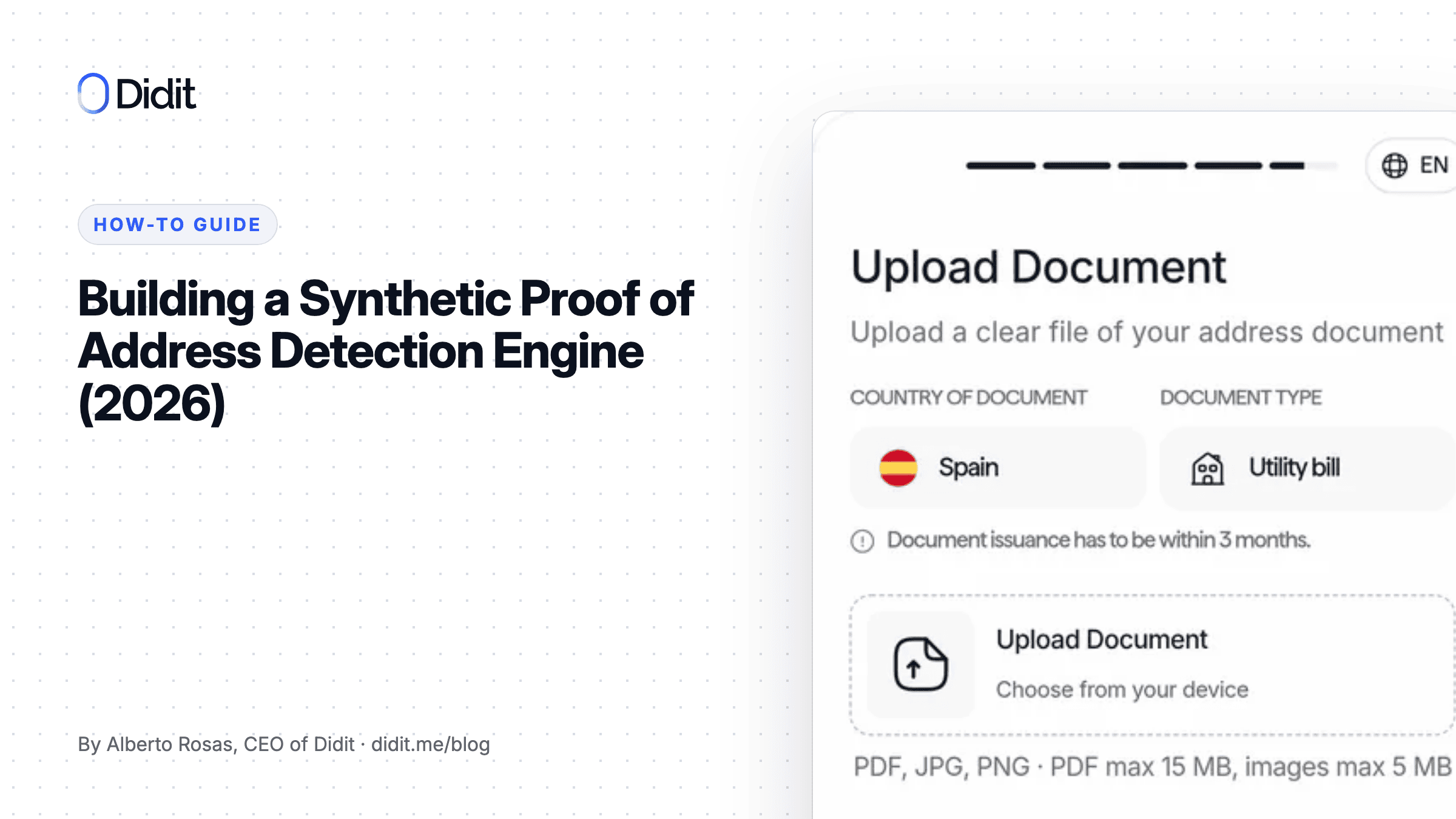
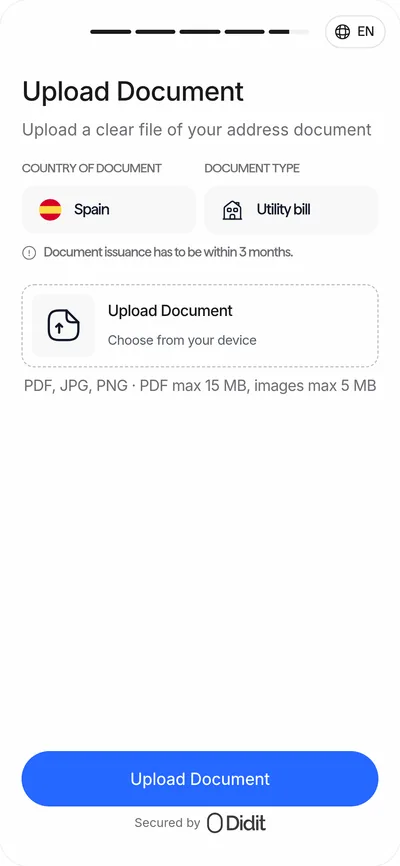
Use session mode when the person uploads the document inside a hosted Didit flow: add the PROOF_OF_ADDRESS feature to the workflow, create a session with POST /v3/session/, send the user to session.url, then read the decision from GET /v3/session/{sessionId}/decision/ or from the session.status.updated webhook. The results land in the poa_verifications[] array of the decision. Both surfaces are described in the Proof of Address overview.
Use the standalone API when your backend already holds the file and wants a one-shot answer decoupled from a hosted flow. That route is documented at Proof of Address API and is the one the rest of this guide uses.
Step 3: Make the call
Send the file and the expected values as multipart/form-data. The snippet below is the documented example: a PDF bill, an expected address in Argentina, a name, two allowed languages and your own user id in vendor_data.
curl -X POST 'https://verification.didit.me/v3/poa/' \
-H "x-api-key: $DIDIT_API_KEY" \
-F "document=@./utility-bill.pdf" \
-F "expected_address=Av. Monseñor Tavella 3396, Salta" \
-F "expected_country=ARG" \
-F "expected_first_name=Sophia" \
-F "expected_last_name=Martinez" \
-F "poa_languages_allowed=en,es" \
-F "vendor_data=user-1234"
Accepted files are PDF, JPG, PNG, TIFF and WebP up to 15 MB. An encrypted PDF needs document_password, otherwise the call answers HTTP 400 with code: "encrypted_pdf".
POST /v3/poa/ instead.Step 4: Read status and warnings, not the HTTP code
On this standalone endpoint, poa.status is Approved or Declined. A readable but problematic document returns HTTP 200 with status: "Declined". A document that cannot be processed at all returns 400. Always inspect poa.status and poa.warnings.
Step 5: Confirm the address exists
Take poa.parsed_address, or the address the user typed, and send it to POST /v3/address-validation/. Send it either on one line in address or as structured fields (address_line_1, optional address_line_2, city, region, postal_code), never both, with country always required as an ISO 3166-1 code.
The response field to build on is address_validation.status: verified means confirmed down to the building, flat or PO box; partially_verified means confirmed only to the street or to the most precise level the postal reference data holds; not_verified means only the region or city matched, or nothing did; unavailable means the validation could not run and was not charged. address_validation.verification_level tells you how deep the match went, and address_validation.is_residential is available for the United States, Great Britain, the Netherlands and Ireland.
Remember what this layer proves: the place exists. It never links the address to a person.
Step 6: Add device and network context in a session
Device and IP Analysis is session-only. There is no standalone endpoint: the web or mobile SDK collects the fingerprint and IP during the hosted flow and the result lands in ip_analyses[] on the decision. The Device and IP Analysis overview documents the signals. The warning codes you act on include VPN_DETECTED, PROXY_DETECTED, TOR_DETECTED, HIGH_RISK_COUNTRY, LOCATION_MISMATCH_WITH_DOCUMENT and DUPLICATED_DEVICE. For a proof of address engine the useful one is the mismatch: a bill for an address in one country uploaded from a device and IP in another.
Step 7: Write the routing rule
Give each warning one outcome: pass, decline, or send to a person. Hard declines on the standalone endpoint are not configurable, so build the accept path around them rather than trying to soften them. For everything in the grey zone, your own manual review step is the destination, not the API.

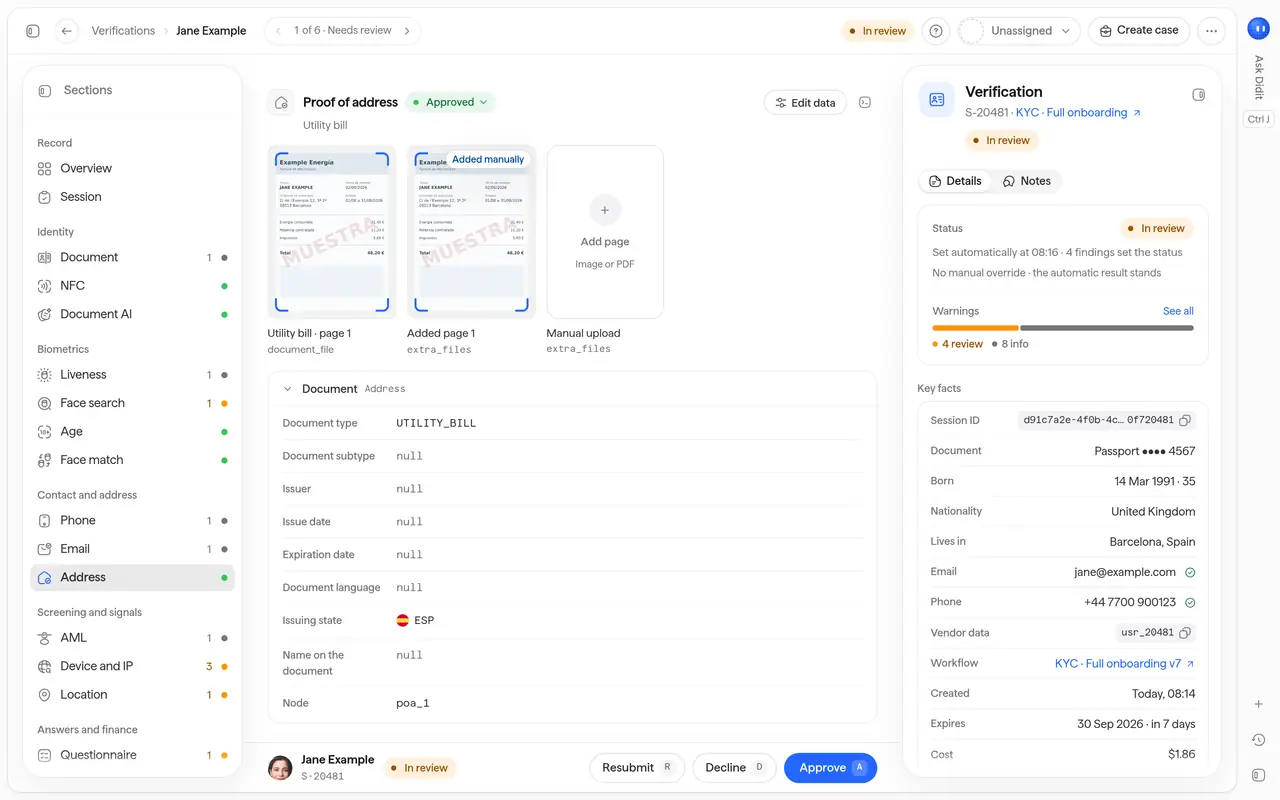
document_metadata is on the persisted session decision.Expected output
The immediate response carries a request_id and a poa object. These are the fields in the standalone response, with the values the documentation defines. The immediate response omits document_metadata.
request_id                          correlation id, or a real session id when save_api_request is true
poa.status                          Approved | Declined
poa.parsed_address                  the address parsed and geocoded
poa.document_type                   for example UTILITY_BILL / WATER_BILL
poa.issuer                          the organisation the document is attributed to
poa.issue_date                      the issue date, used for the age check
poa.language                        detected language, checked against poa_languages_allowed
poa.warnings[]                      risk codes with the full catalogue in the docs
With save_api_request at its default of true, the call is stored as an API-type session that appears in the Business Console, the uploaded file is kept, and the request_id can be passed to GET /v3/session/{sessionId}/decision/. That persisted decision additionally exposes document_file and the full document_metadata forensics, including overlay manipulation. Set save_api_request to false and nothing is stored, but request_id becomes a one-off UUID you cannot look up later.
Failure cases and recovery
| Symptom | What it means | Recovery |
|---|---|---|
HTTP 400, code: "encrypted_pdf" | The PDF is password protected, or the password is wrong | Send document_password or a decrypted copy |
HTTP 400, code: "document_unreadable" | The file is corrupt or cannot be opened | Ask for a different file. Branch on code, never on message text |
HTTP 503, code: "document_processing_busy" | Too many documents in flight, the upload was not processed | Send the same file again after the Retry-After seconds |
| HTTP 403 with a not-enough-credits error | The organization balance cannot cover the call; the request is refused before any document processing | Top up the balance, then retry |
| HTTP 403 with a permission error | Missing or invalid x-api-key; the docs note this API never returns 401 | Fix the credentials in the x-api-key header, then retry |
| Client timeout | Your timeout is shorter than the extraction | Raise it to 45 seconds or more before retrying |
200 with status: "Declined" and NAME_MISMATCH or ADDRESS_MISMATCH | Extracted values do not match your expected name or address fields | Do not approve. Ask for a document in the person's name at the address you hold |
OVERLAY_MANIPULATION_DETECTED | PDF forensics caught edits | Reject |
POA_DOCUMENT_UNPROVEN_TEXT_REPLACEMENT | A field was blanked and re-typed in another font, with no proof either way | Your policy decides: manual review for high-value accounts, decline for the rest |
ISSUER_NOT_IDENTIFIED, LANGUAGE_NOT_ALLOWED, DOCUMENT_TOO_OLD, COUNTRY_MISMATCH, UNREADABLE_DOCUMENT | A configurable risk group fired | Whichever action you set for that group fires; default is decline |
MISSING_ADDRESS_INFORMATION, POA_DOCUMENT_EXPIRED, INVALID_DOCUMENT_TYPE, UNABLE_TO_VALIDATE_DOCUMENT_AGE, UNABLE_TO_EXTRACT_ISSUE_DATE, POA_NAME_NOT_DETECTED | Hard failures that always decline | No recovery on this document. Request a new one |
address_validation.status is unavailable | The validation could not run | Retry later. It is not charged and it never raises the ADDRESS_NOT_VERIFIED warning |
Inputs and outputs
| Direction | Field | Use |
|---|---|---|
| Input | document | The bill, statement or letter. PDF, JPG, PNG, TIFF, WebP, up to 15 MB |
| Input | document_password | Password for an encrypted PDF |
| Input | expected_first_name, expected_last_name | Cross-check the holder name |
| Input | expected_address, expected_country | Cross-check the address and the country |
| Input | poa_languages_allowed | Language allowlist, for example en,es |
| Input | vendor_data | Your stable id for the person, used for duplicate detection across sessions |
| Input | save_api_request | Default true: store the call as a session. False: nothing stored, no lookup later |
| Output | poa.status | Approved or Declined. The value your routing reads |
| Output | poa.parsed_address | Parsed and geocoded address, ready for the validation call |
| Output | poa.document_type, poa.issuer, poa.issue_date, poa.language | What the document is, who issued it, when, and in what language |
| Output | poa.warnings[] | Every risk found, as codes you map to actions |
| Output | document_metadata, document_file | Available on the persisted session decision from GET /v3/session/{sessionId}/decision/ when save_api_request is true, not in the immediate standalone response |
| Output | address_validation.status, verification_level, formatted_address, latitude, longitude, address_type, is_residential | Whether the address exists, how precisely it matched, and where it is |
Paid steps and review boundaries
Four calls cost money in this design. A Proof of Address call at $0.20 per check consumes a credit on each 200 response, including a 200 that says Declined, because the document was read. Address Validation costs $0.10 per validated address and is not charged when the result is unavailable. Device and IP Analysis costs $0.03 per check inside a session. Document AI costs $0.20 per document for the files that are not standard proofs of address.
Sandbox keys validate the request and then return a static Approved mock payload, a fictional Sandbox Power Co. electricity bill, with no session persisted and no credits consumed. Build and test the whole pipeline there first.
Review boundaries belong in your code, not in the API. The standalone endpoint gives you DECLINE or NO_ACTION per risk group, so it will not hold a case for a human on its own. Send these to a person: an OVERLAY_MANIPULATION_DETECTED or POA_DOCUMENT_UNPROVEN_TEXT_REPLACEMENT on an account above your value threshold, a validated address that is partially_verified when your policy requires building-level certainty, and any case where the address is confirmed but the IP country and the document country disagree. Everything else should resolve without a manual step, or manual review becomes the bottleneck you were trying to remove.
Worked cost example
Take 10,000 proof of address checks a month, with address validation on all of them, 2,000 of the files arriving as something outside the standard proof of address types (a payslip or a tax letter, run through Document AI), and every check inside a session so device and IP analysis runs.
- Proof of Address: 10,000 x $0.20 = $2,000.00
- Address Validation: 10,000 x $0.10 = $1,000.00
- Document AI: 2,000 x $0.20 = $400.00
- Device and IP Analysis: 10,000 x $0.03 = $300.00
- Total: $2,000.00 + $1,000.00 + $400.00 + $300.00 = $3,700.00
- Per applicant: $3,700.00 / 10,000 = $0.37
On the Scale plan the Proof of Address line alone is $0.18 per check: 10,000 x $0.18 = $1,800.00, and the other lines take the same 10% discount. Growth and Scale discounts apply to Didit prices; carrier and Meta charges are not discounted. The free plan includes $10 of monthly credit for eligible organizations signing up with a work email, and it does not cover phone codes.
AI image generation detection, and why a generated bill passes a template check
A proof of address generator does not need to forge a scan. It needs a clean PDF that looks like a statement: the right bank or utility logo, a plausible name and address, an issue date inside the last three months. Template matching fails on that because the template is correct. An AI image generation detection model trained on artifacts also struggles on a PDF that was never photographed, because there is no camera noise to find.
What does hold is the file's own history and its relationship to the rest of the session. Our proof of address check runs PDF and EXIF forensics for modification after digital signing, known PDF editors, overlay text manipulation and suspicious re-exports, and surfaces SUSPECTED_DOCUMENT_MANIPULATION or DOCUMENT_METADATA_MISMATCH when it finds them. It checks the issue date against your maximum document age, the language against your allowlist, and the name and address against the values you passed. Then the session adds the surrounding facts: which device uploaded it, from which network, and whether that device has already been seen under a different user id.
That is the honest answer to AI-generated identity document fraud: read the document, check its history, check the address against reference data, and check the context around the upload. A single pixel model covers one part of that job; the four documented layers here are document read, file history, address existence, and session context.
Where this fits after onboarding
Proof of address is not only a gate at signup. A common implementation policy is to re-run the same check when a user changes address or when a document reaches the age limit you set in poa_document_age_months. That is a policy you choose, not a lifecycle behavior the endpoint performs automatically. Didit has 4,000+ companies, 220+ countries and territories, and 14,000+ document types, and the same API key reaches ongoing AML monitoring at $0.07 per person a year, so an account opened on a good document can be re-screened later without a second integration. AML screening is $0.20 per check against 1,300+ lists; the price is on the same public list at didit.me/pricing.
Sources
- Didit docs: Proof of Address overview
- Didit docs: Proof of Address API, POST /v3/poa/
- Didit docs: Address Validation API
- Didit docs: Document AI API
- Didit docs: Device and IP Analysis
- Didit docs: Create Session API
- Didit docs: Retrieve Session API
- Didit pricing page and pricing in the docs, read November 26, 2026
- Didit MCP server documentation
- Didit documentation index and full product facts
The next step is a sandbox key, not a sales call: create an application at business.didit.me, post one utility bill to POST /v3/poa/ with your expected values, and watch which warnings come back before you write a single routing rule.
Try it
Try this in the sandbox
Run the check this guide describes, free.
The product this post is about, taken from its topic. Run it free in the sandbox.
Author
Alberto Rosas
Co-founder and CEO

Keep reading
Other guides in the same topic.
 What Is the Purpose of FICA in South Africa? 2026 Guide
FICA is South Africa's anti-money laundering law. It creates the Financial Intelligence Centre and requires accountable institutions to identify and verify clients, screen for PEP and sanctions risk and report suspicious.
Alberto RosasNov 26, 2026 Sixth Money Laundering Directive (6AMLD): What Changed and Which Rules Apply
6AMLD is Directive (EU) 2018/1673: Member States must criminalise laundering, widen predicate offences and set a four-year penalty floor. It adds no new due diligence duties for firms.
Alberto RosasNov 26, 2026 Automated Sanctions Screening: Canada, the Entity List and Embargoes
Automated sanctions screening matches people and companies against lists such as Canada's autonomous sanctions made under SEMA and JVCFOA and the OFAC SDN List, and returns candidate hits scored for identity confidence and.
Alberto RosasNov 26, 2026Questions
Frequently asked questions
What is an address verification platform?
An address verification platform checks a residential address against a document and against reference data. In the Didit design it combines a document check at $0.20, which reads the bill, identifies the issuer and looks for manipulation, with an address validation at $0.10, which confirms the address exists and returns it normalised with coordinates.
What does AI-powered address verification mean in practice?
It means models do the reading and the forensics instead of a template. Didit classifies the document, extracts the issuer, dates, holder name and address with LLM-based extraction, geocodes the parsed address, and screens the PDF and EXIF data for tampering. Typical latency is 5 to 15 seconds, so set a client timeout of at least 45 seconds.
Can an AI proof of address generator beat a document check?
It can defeat template matching, because a generated bill has the right layout and clean text. It is much harder to defeat a layered check that compares the extracted name and address to values you already hold, tests the issue date against a maximum age, and inspects the file for editor fingerprints and overlays. That is why the engine passes expected values on every call.
How do I detect AI image generation in an uploaded document?
Do not rely on pixel artifacts alone, because a generated PDF was never photographed and has no camera noise to analyse. Run file forensics on the PDF and EXIF data, look for overlay text and re-export traces, and cross-check the content: issue date, language, issuer, holder name and address. Didit returns these as codes such as OVERLAY_MANIPULATION_DETECTED, DOCUMENT_METADATA_MISMATCH and POA_DOCUMENT_UNPROVEN_TEXT_REPLACEMENT.
How much does a proof of address check cost on Didit?
Proof of Address is $0.20 per check, Address Validation is $0.10 per validated address, and Device and IP Analysis is $0.03 per check. Billing is per completed check from prepaid credit, and the sandbox is free with no credits consumed.
Do I need a full KYC session to run a proof of address check?
No. The standalone endpoint POST /v3/poa/ takes the file and returns the result server to server, with no hosted flow. Use session mode when you want the upload inside the Didit UI and want device and IP signals, because Device and IP Analysis only runs inside a session.
Why does the API return HTTP 200 when the document was declined?
Because the document was read successfully and the verdict is about the content, not the transport. A readable but problematic document returns 200 with status: "Declined" and the reasons in poa.warnings[]; only a document that cannot be processed at all returns 400. Always branch on poa.status, never on the HTTP code alone.
What should happen when the uploaded PDF is password protected?
The call returns HTTP 400 with code: "encrypted_pdf". Send the password in document_password or ask the user for a decrypted copy. Branch on the code value rather than the message text, so the handling survives wording changes.
Can address validation prove that a person lives at an address?
No. Address Validation confirms that the place exists and returns it normalised with coordinates and, in some countries, whether it is residential. It never links the address to a person. The link comes from the document check matching the holder name and address to the values you already hold.
What are the tools for catching AI-generated identity documents?
The working set is document classification and extraction, file and metadata forensics, expected-value cross-checks, reference-data validation of the address, and session context such as device fingerprints and IP geolocation. Didit covers these with Proof of Address, Address Validation, Document AI and Device and IP Analysis on one API key, and the warning codes tell you which layer fired.
Compliance built in
Audited, certified and attested.
We hold the certifications and build each country's rules into your flows, so you can launch anywhere without worrying. Security and Compliance center
- Regulation encoded into your flows
Tell us what you do and where. Didit lists the rules that apply to you, with sources, and builds the checks each country needs into one workflow.
- Ready for AMLR
Every requirement of the new EU anti-money laundering rules, from checking customers to human review, is already covered by a Didit check.
- Tested in Spain's Treasury sandbox
Spain's Treasury published its supervised sandbox report on Didit's NFC plus active liveness onboarding; SEPBLAC took part and valued the added measures positively.
- Audited, not self-declared
iBeta Level 1 and Level 2. Liveness tested under ISO/IEC 30107-3.
Your obligations · 3 regions
 SOC 2 Type 2
 ISO 27001
 iBeta Level 1 and Level 2
 EU regulator attestation
 FSM youth protection
 GDPR
 EBA remote onboarding
 MiCA compatible
 FIDO Alliance member
- AMLREU AML Regulation ready
Integration · Didit MCP
Run Didit from your own AI agent
Connect Didit to Claude, Cursor, VS Code or ChatGPT and just ask in plain words. Your agent can do anything you can do in the console, with the same permissions you have.
 Add to Claude
 ChatGPT
 Cursor
- Build workflowsDescribe the checks you need. The agent creates and publishes the flow.
- Run investigationsAsk why a session was declined, review cases, search people and companies.
- Change rulesCreate payment rules, test them on past data and switch them on.
- Pull reportsAsk for numbers, exports or the audit log.
Didit Academy