Combating Deepfakes in Live Video Onboarding with AI 2026
Deepfake-resistant live video onboarding needs 3D action or flash liveness, ID verification, 1:1 face match, duplicate face search and device signals, wired in one workflow. Didit charges $0.33 per full ID check.
 Alberto RosasCo-founder and CEO
Contents
In this guide
Jump to the part you need.
This guide is for product teams that run live video onboarding and need to stop deepfakes before an account is created. Didit prices each part per completed check: passive liveness $0.10, active liveness $0.15, face match $0.05, ID document $0.15, device and IP analysis $0.03, or the full ID check at $0.33. The caveat: no liveness model catches every attack, so the workflow must pair biometrics with duplicate detection and a human review path.
Last updated: November 26, 2026. Prices checked against the live Didit price feed on November 26, 2026.
| Layer | What it catches | Didit module | Price per check |
|---|---|---|---|
| Passive liveness | Printed photos, screen replays, single-frame synthetic artifacts, texture and lighting inconsistencies | Passive Liveness | $0.10 |
| Active liveness | Masks, virtual cameras, pre-recorded video, real-time face swaps | Active Liveness | $0.15, which is $0.05 more than the passive step it replaces |
| Document check | Forged, substituted or portrait-swapped IDs | ID Verification | $0.15 |
| Face match 1:1 | A live face that does not match the document portrait | Face Match | $0.05 |
| Face search 1:N | One face reused across accounts, blocklisted faces | Face Search | $0.05 per search |
| Device and IP | VPN, proxy, Tor, data center IPs, duplicate devices, blocklisted fingerprints | Device and IP Analysis | $0.03 |
| Sanctions and PEP | Sanctions, PEP and other AML risk signals | AML Screening | $0.20 |
| Full ID check bundle | The ID document, biometrics and device context in one completed check | ID document $0.15 + passive liveness $0.10 + face match $0.05 + device and IP $0.03 | $0.33 |
Start free in the sandbox at business.didit.me, no sales call. Developers who want an AI assistant to run the first session can connect Didit at didit.me/developers/mcp. Every module price is on didit.me/pricing, and the method details are in the liveness documentation.
What deepfakes look like in live video onboarding
Three shapes matter during onboarding. A face swap replaces the person's face with someone else's, live or in a rendered clip. A mask or a replayed screen puts a physical object in front of the camera instead of a face. Injection is the simplest and the most common: a virtual camera feeds a recorded or synthesized stream into the browser capture step, so no live person is ever in front of a lens.
Document plus selfie checks break against all three. If the selfie itself is synthetic, the comparison with the ID portrait can still pass, because both faces come from the same source. The defense has to show that a live person was in front of the camera at capture time, and that the same face has not already been used for another account.
What AI video forgery detection checks during onboarding
Forgery detection is not one model. It is a set of independent signals that land in separate arrays of the decision payload, and a synthetic face has to satisfy all of them at the same time.
- Single-frame artifacts. Texture, edge blending where the face meets the background, inconsistent highlights in the eyes, and warping around the jaw and nose. Passive liveness scores these from one frame and reports the result in
liveness_checks[]with codes such asLOW_LIVENESS_SCORE. - Depth from light. 3D flash projects light patterns onto the face at over 30 frames per second and reads the reflections to build a depth map. A flat screen or a printed sheet does not return a curved surface.
- Behaviour on a random prompt. 3D action asks for a randomized sequence such as a blink or a nod, together with the light pattern. A pre-recorded clip cannot answer a prompt it has not seen.
- Session context. Device fingerprint, IP risk, duplicate-device matches and a silent front-camera capture taken during document photography are all compared against prior sessions, and the results sit in
ip_analyses[]. - Identity binding. Face match returns a similarity score from 0 to 100 against the document portrait in
face_matches[], and face search compares the same capture against your approved users and your blocklist.
Because each check keeps its own status and its own warnings[], a declined liveness result does not hide a duplicate face or a VPN flag behind it.
Advanced liveness detection for deepfakes: pick the method per risk tier
Didit implements three methods, and the workflow setting face_liveness_method selects one of them.
| Method | How it works | Security level | Best for |
|---|---|---|---|
ACTIVE_3D (3D action and flash) | Randomized action sequence plus dynamic light pattern analysis of facial topology | Highest | Banking, healthcare, government, high-value account opening |
FLASHING (3D flash) | Light patterns projected at over 30 frames per second build a depth map, with a low-interaction capture | High | Financial services, account access, standard identity verification |
PASSIVE | Single-frame deep learning analysis of artifacts and texture | Standard | Low-risk signup where speed matters more than attack resistance |
Didit reports 99.9% accuracy on liveness with a false acceptance rate under 0.1%, and the methods are iBeta Level 1 and Level 2 certified for presentation attack detection. Treat the certification as a floor for your own thresholds, not as a replacement for them. The method descriptions and the warning catalogue are in the liveness documentation and its warning reference.
On price: passive liveness is $0.10 per check and active liveness is $0.15 per check. The $0.33 full ID check already includes passive liveness, so moving a session to active liveness adds $0.05 to the check, not the whole $0.15.
Prerequisites
- A Didit organization at business.didit.me. Organizations that sign up with a work email get $10 of credit every month, and sandbox testing is free and unlimited.
- An API key from the console. Use the sandbox key while you build.
- A workflow that contains
OCR,LIVENESSandFACE_MATCH. You can build it in the console or with the API call below. - A webhook endpoint that answers within 5 seconds.
- Written policy decisions before you ship: which warnings decline automatically, which route to review, and who reviews them.
How to add deepfake defense to live video onboarding, step by step
Choose the liveness method for each risk tier. Keep one workflow per tier rather than one workflow for everyone. High-value products get
ACTIVE_3D, standard onboarding getsFLASHING, and low-risk signup can runPASSIVEwith more weight on device and duplicate signals.Create the workflow. This is the documented create call with liveness set to 3D action, paired with the document step and face match.
curl -X POST https://verification.didit.me/v3/workflows/ \
-H "x-api-key: $DIDIT_API_KEY" \
-H "Content-Type: application/json" \
-d '{
"workflow_label": "Live video onboarding, deepfake resistant",
"workflow_type": "kyc",
"features": [
  {"feature": "OCR"},
  {"feature": "LIVENESS", "config": {"face_liveness_method": "ACTIVE_3D"}},
  {"feature": "FACE_MATCH"}
]
}'
Persist the returned
workflow.id. A wrong or unknownworkflow_idlater returns 400.Create a session for each user.
vendor_datais your own stable identifier and binds the session to the person, which is what duplicate detection compares against.curl -X POST https://verification.didit.me/v3/session/ \ -H "x-api-key: $DIDIT_API_KEY" \ -H "Content-Type: application/json" \ -d '{"workflow_id": "$WORKFLOW_ID", "vendor_data": "user-42", "callback": "https://myapp.com/kyc/return"}'The response contains
session_id,urlandsession_token. Redirect the user tourl, or open it in the Web or Mobile SDK.
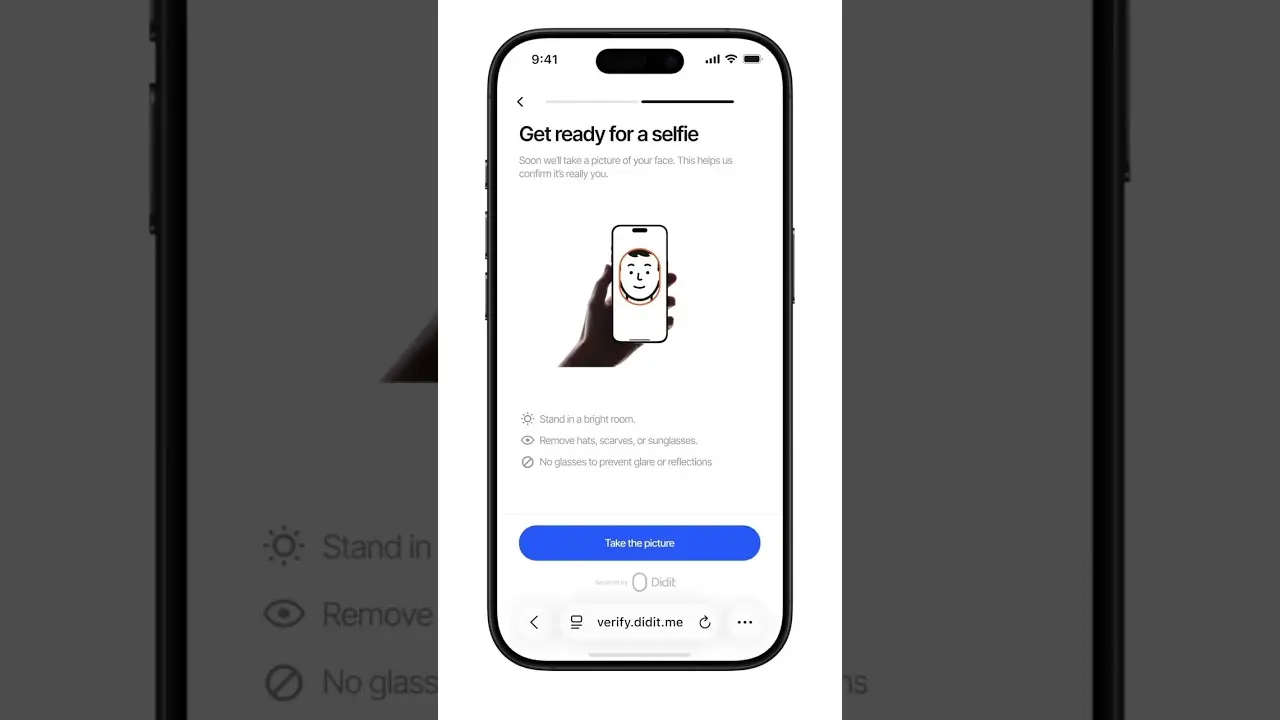
The face capture step a user sees. The liveness method set on the workflow decides what runs here: passive, 3D flash or 3D action. Register the webhook destination with
POST /v3/webhook/destinations/and subscribe tostatus.updatedanddata.updated. Save the returnedsecret_shared_key, verify theX-Signature-V2header on every delivery, de-duplicate onevent_id, and answer within 5 seconds. Slower answers or 5xx responses get two retries, roughly 1 and 4 minutes later, then the delivery is dropped and you resend it from the destination log. The signing and retry rules are in the webhooks documentation.Read the decision on the arrays, not on a single field.
curl https://verification.didit.me/v3/session/{session_id}/decision/ \
-H "x-api-key: $DIDIT_API_KEY"
V3 returns plural arrays:
id_verifications[],liveness_checks[],face_matches[],ip_analyses[]andaml_screenings[]. Each entry has its own status and its ownwarnings[].Add the duplicate and device layers. Face Search also exists as a standalone server-to-server API,
POST /v3/face-search/, for an image you already hold. That response is a singularface_searchobject withtotal_matchesand amatches[]list, not a plural array. Inside a session the same search runs automatically on the liveness selfie and on the silent front-camera capture taken during document photography, against your blocklist and your approved users. Device and IP analysis runs on every session without a feature toggle and reports underip_analyses[].Replay captured attacks against the standalone APIs. When a fraud analyst sends you a suspicious clip, extract a frame and score it server to server. This also builds your regression set.
curl -X POST 'https://verification.didit.me/v3/passive-liveness/' \
-H 'x-api-key: YOUR_API_KEY' \
-F 'user_image=@./selfie.jpg' \
-F 'save_api_request=false' \
-F 'vendor_data=user-123'
Set
save_api_request=falsewhile testing so the frame is not enrolled in your face index.
Expected output
A clean pass looks like this: liveness_checks[].status is Approved with no warnings, face_matches[].status is Approved above your similarity threshold, id_verifications[] is Approved, and ip_analyses[] carries no high-risk flags. A suspected fake shows up as Declined with LIVENESS_FACE_ATTACK or LOW_LIVENESS_SCORE in the liveness warnings.

When face match fails for a fixable capture reason, the session does not decline immediately. The user is asked to retry, up to face_match_max_attempts (default 3, range 1 to 3), and the retry payload carries coaching codes:
{
  "detail": "Make sure your face matches your document photo, improve lighting and try again.",
  "error": "LOW_FACE_MATCH_SIMILARITY",
  "feedback_codes": ["LOW_FACE_MATCH_SIMILARITY"],
  "attempts_used": 1,
  "max_attempts": 3
}
Once the attempt budget is exhausted, the computed status applies, either Declined or In Review.
Inputs and outputs
| Input | Where it goes | Output you read |
|---|---|---|
workflow_id | Create session request | session_id, url, session_token |
vendor_data | Session request and every webhook | Binds the decision to your user and feeds duplicate detection |
callback | Session request | Redirect with verificationSessionId and status appended |
expected_details (name, date of birth, nationality) | Session request | Mismatches surface as decision warnings |
| Live capture | Hosted flow or SDK | liveness_checks[] with status, score, warnings, face quality |
| Document capture | Hosted flow or SDK | id_verifications[] and the portrait used by face match |
| Nothing extra in a session | Runs automatically | face_matches[], ip_analyses[], and the automatic face search behind the liveness selfie |
| One captured image | POST /v3/face-search/ | A singular face_search object with total_matches and matches[] |
Failure cases and recovery
| Signal | What it means | Recovery |
|---|---|---|
| HTTP 403 on any check | Out of credits or the key lacks permission | Top up or use a valid key. A wrong or revoked key returns 401. |
| HTTP 400 on the standalone API | Missing user_image, file too large, unsupported extension | Re-encode to JPEG, PNG, WebP or TIFF under 5 MB. |
LIVENESS_FACE_ATTACK | Presentation attack suspected | Do not approve. Keep the session for review and check the device and IP entry. |
LOW_LIVENESS_SCORE | Liveness score below threshold | Retry with better lighting if your policy allows, otherwise route to review. |
NO_FACE_DETECTED or MULTIPLE_FACES_DETECTED | Capture problem, not necessarily fraud | Ask for a retry with one face, well framed. |
FACE_IN_BLOCKLIST | The face matches a blocklisted person | Decline. This is definitive. |
POSSIBLE_FACE_IN_BLOCKLIST | Borderline match below the hard threshold | Route to manual review. |
DUPLICATED_FACE | The person already verified under a different vendor_data | Merge or block per policy. Duplicate matches alone return Approved on face search, so your app decides. |
VPN_DETECTED, TOR_DETECTED, DUPLICATED_DEVICE | Network or device signals under ip_analyses[] warnings | Decline, review or add a second liveness step, per your fraud policy. |
ip_analyses[] is empty | The user blocked the fingerprinting script | Decide in advance whether you fail closed or accept the weaker signal set. |
Paid steps and review boundaries
Billing is based on completed checks, and some retries or no-match lookups can also be billable. Liveness is $0.10 passive or $0.15 active, the document check is $0.15, face match is $0.05, device and IP analysis is $0.03, a face search is $0.05 and AML screening is $0.20. The full ID check bundles the document, passive liveness, face match and device analysis at $0.33, and swapping in active liveness makes it $0.38. Some retries can be billable, so set the attempt budget deliberately.
Some decisions should never be fully automated. A POSSIBLE_FACE_IN_BLOCKLIST hit, a Declined status that the user disputes, and any case where liveness and device signals disagree belong in a queue with the images attached. Keep the warning codes attached to the decision, because the codes are what an auditor will ask about.
Worked cost example
Take 10,000 completed onboarding checks in a month, all on the full ID check with passive liveness.
- Base: 10,000 x $0.33 = $3,300.00
- Upgrade the high-risk share to active liveness. Active is $0.15 against passive at $0.10, a $0.05 difference, so the per-check price becomes $0.33 + $0.05 = $0.38, and 10,000 x $0.38 = $3,800.00
- Add AML screening at $0.20: $0.38 + $0.20 = $0.58 per check, and 10,000 x $0.58 = $5,800.00
- Add one face search at $0.05: $0.58 + $0.05 = $0.63 per check, and 10,000 x $0.63 = $6,300.00
- On the Growth plan, Didit prices drop 4%: $0.33 x 0.96 = $0.3168 per check, and 10,000 x $0.3168 = $3,168.00 for the base bundle. Carrier and Meta charges pass through at cost and do not take the discount.
Plan fees are separate and come with monthly credit: Growth is $99 a month with $115 of credit, Scale is $299 a month with $350 of credit. Read the current numbers at didit.me/pricing or the machine-readable pricing.json before you model a contract.
Sources
- Didit docs: Liveness Detection API and deepfake prevention
- Didit docs: liveness warning catalogue
- Didit docs: Face Match 1:1 API
- Didit docs: Face Search 1:N API
- Didit docs: Device and IP Analysis
- Didit docs: Create Session API
- Didit docs: Webhooks and HMAC signing
- Didit docs: Quick start
- Didit docs: Pricing and billing rules
- Didit pricing page and pricing.json, read November 26, 2026
- Didit full product facts
- Didit MCP server
Ready to test a deepfake-resistant flow against your own traffic? Open the sandbox at business.didit.me, create a workflow with active liveness and face match, and run a session. No sales call, and the sandbox costs nothing.
Try it
Try this in the sandbox
Run the check this guide describes, free.
The product this post is about, taken from its topic. Run it free in the sandbox.
Author
Alberto Rosas
Co-founder and CEO

Keep reading
Other guides in the same topic.
 What Is the Purpose of FICA in South Africa? 2026 Guide
FICA is South Africa's anti-money laundering law. It creates the Financial Intelligence Centre and requires accountable institutions to identify and verify clients, screen for PEP and sanctions risk and report suspicious.
Alberto RosasNov 26, 2026 Sixth Money Laundering Directive (6AMLD): What Changed and Which Rules Apply
6AMLD is Directive (EU) 2018/1673: Member States must criminalise laundering, widen predicate offences and set a four-year penalty floor. It adds no new due diligence duties for firms.
Alberto RosasNov 26, 2026 Automated Sanctions Screening: Canada, the Entity List and Embargoes
Automated sanctions screening matches people and companies against lists such as Canada's autonomous sanctions made under SEMA and JVCFOA and the OFAC SDN List, and returns candidate hits scored for identity confidence and.
Alberto RosasNov 26, 2026Questions
Frequently asked questions
Can a deepfake pass liveness detection?
A weak or single-signal check can be beaten, so never rely on one model. Require agreement across the documented outputs: a liveness check without LIVENESS_FACE_ATTACK or LOW_LIVENESS_SCORE in liveness_checks[], a face match above your similarity threshold in face_matches[], no blocklist or duplicate hit from face search, and no high-risk flag in ip_analyses[]. Active 3D liveness raises the cost of a replay or a rendered clip because the prompt is randomized and the light pattern measures depth.
What is AI video forgery detection for onboarding?
It is the set of models that decide whether a live capture came from a real person at that moment. On Didit that means passive artifact analysis on a single frame, 3D flash depth maps, randomized action prompts, face comparison against the document portrait, and device and IP context. Each runs as its own check with its own status and warnings.
Is passive or active liveness better against deepfakes?
Active 3D is stronger against deepfakes because a pre-recorded or synthesized stream cannot answer a prompt it has not seen and cannot return a curved depth map from a flat surface. Passive is faster and cheaper, at $0.10 against $0.15 for active, and works for low-risk signup. Most teams run active for high-value products and passive elsewhere.
How much does liveness detection cost on Didit?
Passive liveness is $0.10 per check and active liveness is $0.15 per check at list price. Inside the $0.33 full ID check, passive liveness is one of four parts, so choosing active liveness there adds $0.05 per check. The Growth plan applies 4% off Didit prices and the Scale plan 10% off.
Does Didit detect a face swap on a live video call?
The liveness check is where a swap shows up, as LIVENESS_FACE_ATTACK or LOW_LIVENESS_SCORE in liveness_checks[]. Device and IP analysis can report VPN, proxy, Tor and duplicate-device warnings. Neither signal alone is proof, so put both in your decision policy: decline on the attack code, and review or decline on the network and device warnings.
What happens when liveness fails during onboarding?
The liveness check records Declined or In Review with a warning code, and the session keeps every other result for your review. If the failure is a fixable capture problem such as no face detected or multiple faces, ask the user to retry. If the status is Declined with LIVENESS_FACE_ATTACK, do not approve.
Can a 3D mask fool Didit liveness?
Passive liveness analyzes artifacts and texture. For higher-risk flows, choose active 3D or flashing methods. Active 3D adds a randomized action prompt and light-pattern depth analysis, and the depth map distinguishes a three-dimensional face from a flat or 2D spoof. If a mask attempt is suspected, treat it as a reason to require a second factor, not only a better camera.
How do I read the liveness result from the API?
Call GET /v3/session/{session_id}/decision/ or subscribe to the status.updated webhook, then read the liveness_checks[] array. Each entry carries a status from Not Started to Declined, a score, a warnings[] list and face quality data. Never assume the singular fields that older versions returned.
Can I test deepfake attacks in the sandbox?
The Didit sandbox is free and unlimited, and sandbox scenarios let you reproduce outcomes without spending credit. Test your decline and review paths with the warning codes from the liveness catalogue before you switch to a live key. For captured footage, replay single frames against the standalone passive liveness API with save_api_request=false.
Do I need a sales call to start?
No. You can create an organization, get an API key and run a verification session without talking to anyone. Organizations that sign up with a work email also get $10 of credit every month, and the sandbox stays free on every plan.
Compliance built in
Audited, certified and attested.
We hold the certifications and build each country's rules into your flows, so you can launch anywhere without worrying. Security and Compliance center
- Regulation encoded into your flows
Tell us what you do and where. Didit lists the rules that apply to you, with sources, and builds the checks each country needs into one workflow.
- Ready for AMLR
Every requirement of the new EU anti-money laundering rules, from checking customers to human review, is already covered by a Didit check.
- Tested in Spain's Treasury sandbox
Spain's Treasury published its supervised sandbox report on Didit's NFC plus active liveness onboarding; SEPBLAC took part and valued the added measures positively.
- Audited, not self-declared
iBeta Level 1 and Level 2. Liveness tested under ISO/IEC 30107-3.
Your obligations · 3 regions
 SOC 2 Type 2
 ISO 27001
 iBeta Level 1 and Level 2
 EU regulator attestation
 FSM youth protection
 GDPR
 EBA remote onboarding
 MiCA compatible
 FIDO Alliance member
- AMLREU AML Regulation ready
Integration · Didit MCP
Run Didit from your own AI agent
Connect Didit to Claude, Cursor, VS Code or ChatGPT and just ask in plain words. Your agent can do anything you can do in the console, with the same permissions you have.
 Add to Claude
 ChatGPT
 Cursor
- Build workflowsDescribe the checks you need. The agent creates and publishes the flow.
- Run investigationsAsk why a session was declined, review cases, search people and companies.
- Change rulesCreate payment rules, test them on past data and switch them on.
- Pull reportsAsk for numbers, exports or the audit log.
Didit Academy