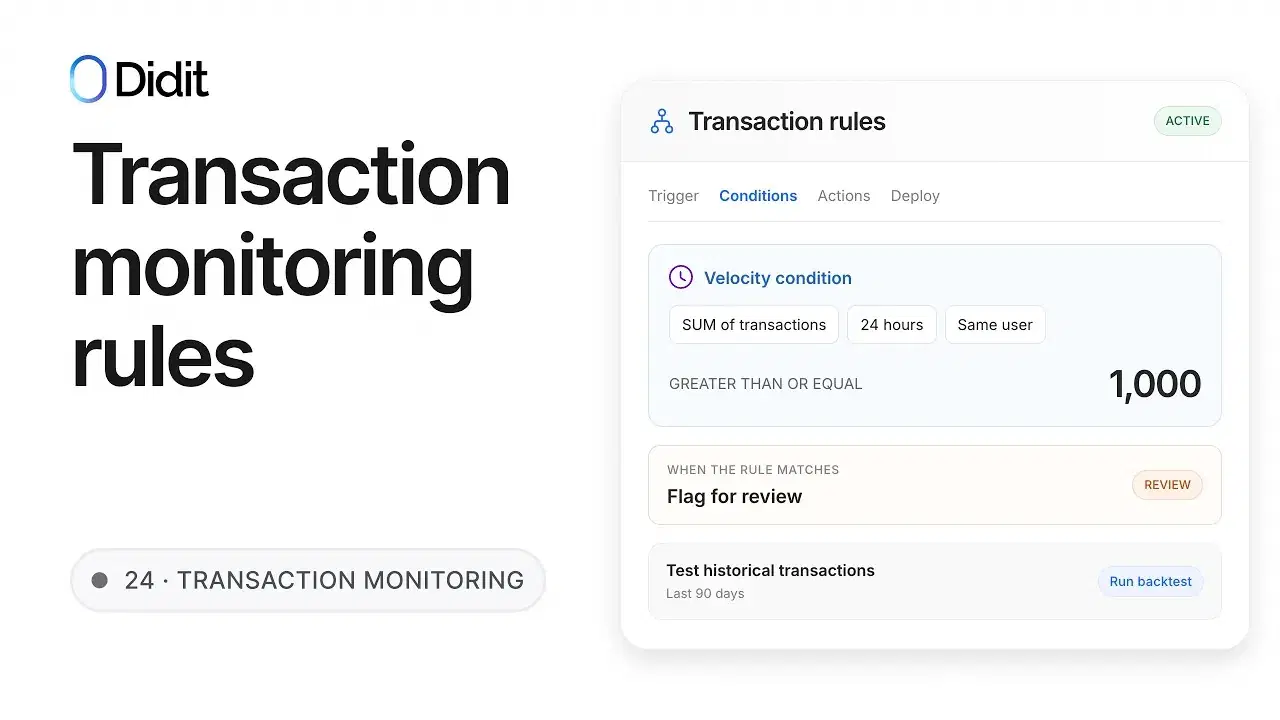
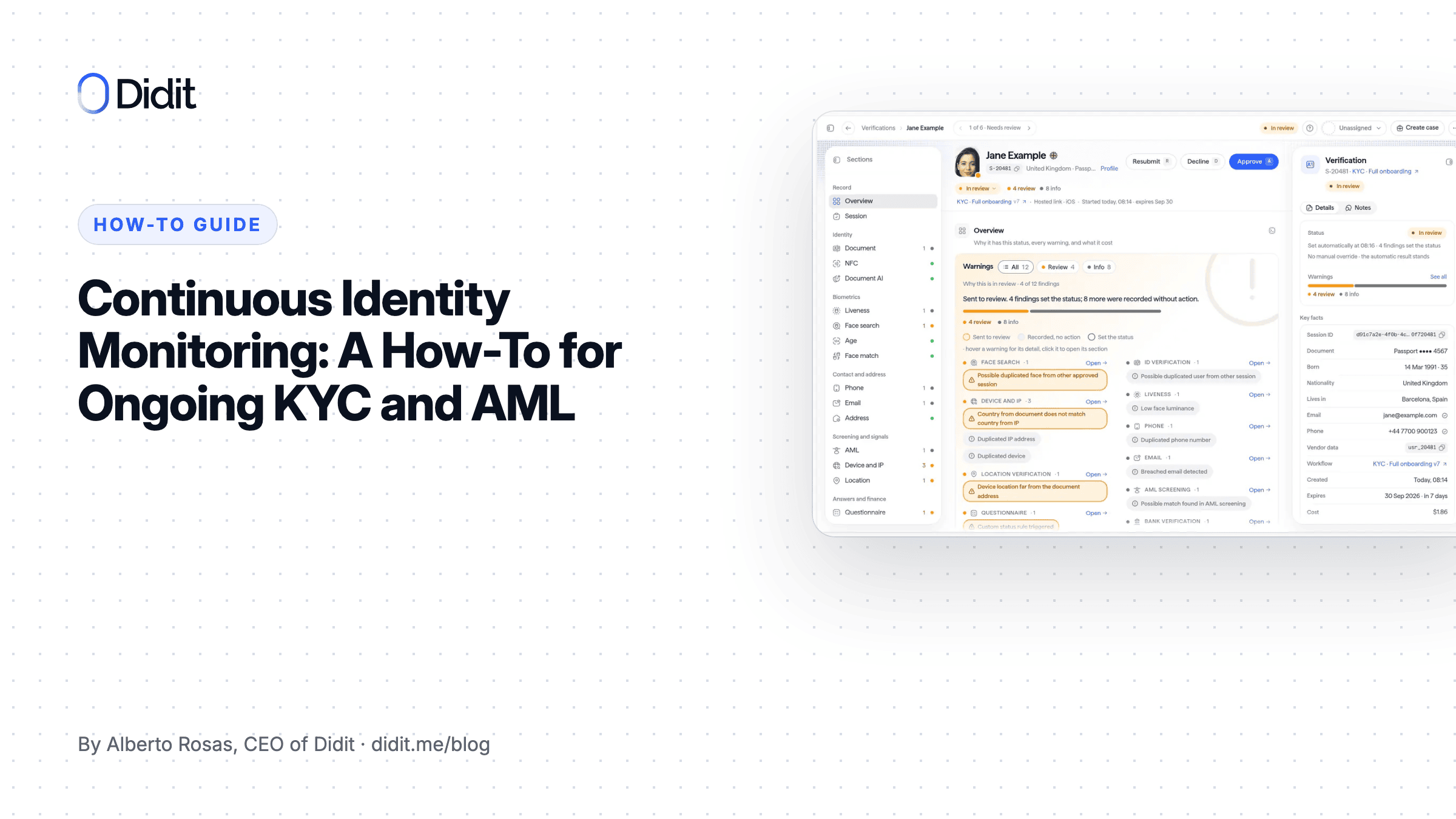
Continuous Identity Monitoring: A How-To for Ongoing KYC and AML
Continuous identity monitoring keeps re-checking people and companies after onboarding. On Didit: ongoing AML monitoring at $0.07 per person a year, AML screening at $0.20 per check, transaction monitoring at $0.001 per.
 Alberto RosasCo-founder and CEO
Contents
In this guide
Jump to the part you need.
Continuous identity monitoring fits teams that already verify users at signup and now have to catch risk that appears later: a new sanctions hit, a company that changes owners, one device behind several accounts. On Didit, ongoing AML monitoring costs $0.07 per person a year, AML screening $0.20 per check, and transaction monitoring $0.001 per transaction beyond the plan allowance. The caveat is operational: monitoring only pays off when someone owns the review queue.
Last updated: November 26, 2026. Prices checked against the live Didit price feed on November 26, 2026.
| Part | What it does | List price | Unit |
|---|---|---|---|
| Ongoing AML monitoring | Keeps a screened person under provider-driven re-screening, dated every day | $0.07 | person per year |
| AML screening | One screen against 1,300+ sanctions, PEP and watchlist sources, plus adverse media | $0.20 | check |
| Transaction monitoring | Scores every transaction against your active rules | $0.001 | transaction beyond the plan allowance |
| Wallet screening | Screens a crypto address, inside transaction monitoring | $0.15 | screening |
| Company registry monitoring | Re-checks a company in the official registry | $2.00 | company per year |
| Full ID check (KYC) | ID document, passive liveness, face match and device and IP analysis | $0.33 | check |
Start free in the sandbox at business.didit.me, with no sales call. For developers, the Didit MCP server connects the same checks to an AI assistant. The product pages are AML screening and transaction monitoring, and every current list price is on didit.me/pricing.
The outcome: a risk state that keeps changing after onboarding
The outcome is not a file that was closed at onboarding. It is a current risk state per person or company: a status that changes as new data arrives, an alert stream where each alert carries a reason code an analyst can act on, and an audit trail of what you checked, when, and what you decided.
Didit holds those records together with one key. Each verification session, transaction and authentication event for a person carries the same vendor_data. The authentication documentation states it plainly: each sign-in event lands on the person with the same vendor_data, next to their verifications and transactions. Activity with no matching identifier, such as a failed sign-in for an unknown account, is never linked to a person. Didit runs identity and fraud infrastructure for 4,000+ companies on that model.
Four routes, and when to use each
| Route | What it is | Where the result lands |
|---|---|---|
| Standalone AML screening | A one-shot server-to-server call to /v3/aml/, decoupled from a hosted flow | The response body: request_id, aml.status, screening_id, hits, warnings |
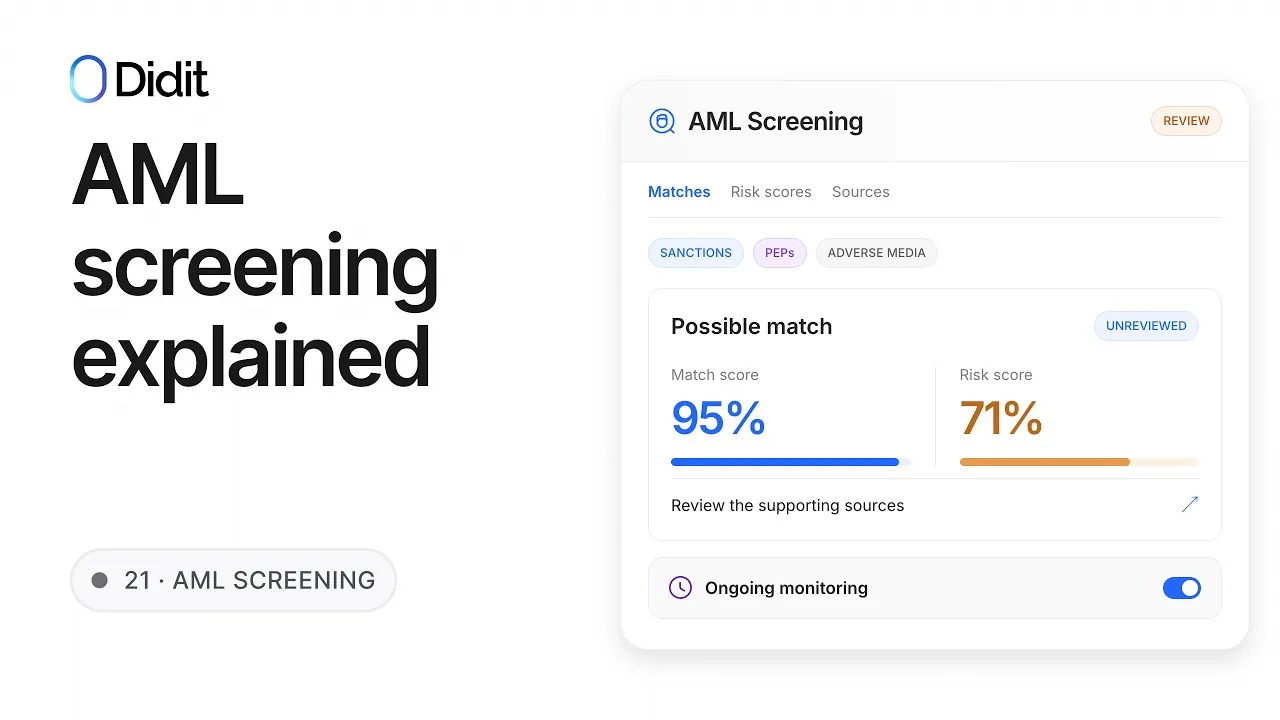
| Session-based AML | AML as a step inside a verification session | The aml_screenings[] array on the decision payload, and the Business Console |
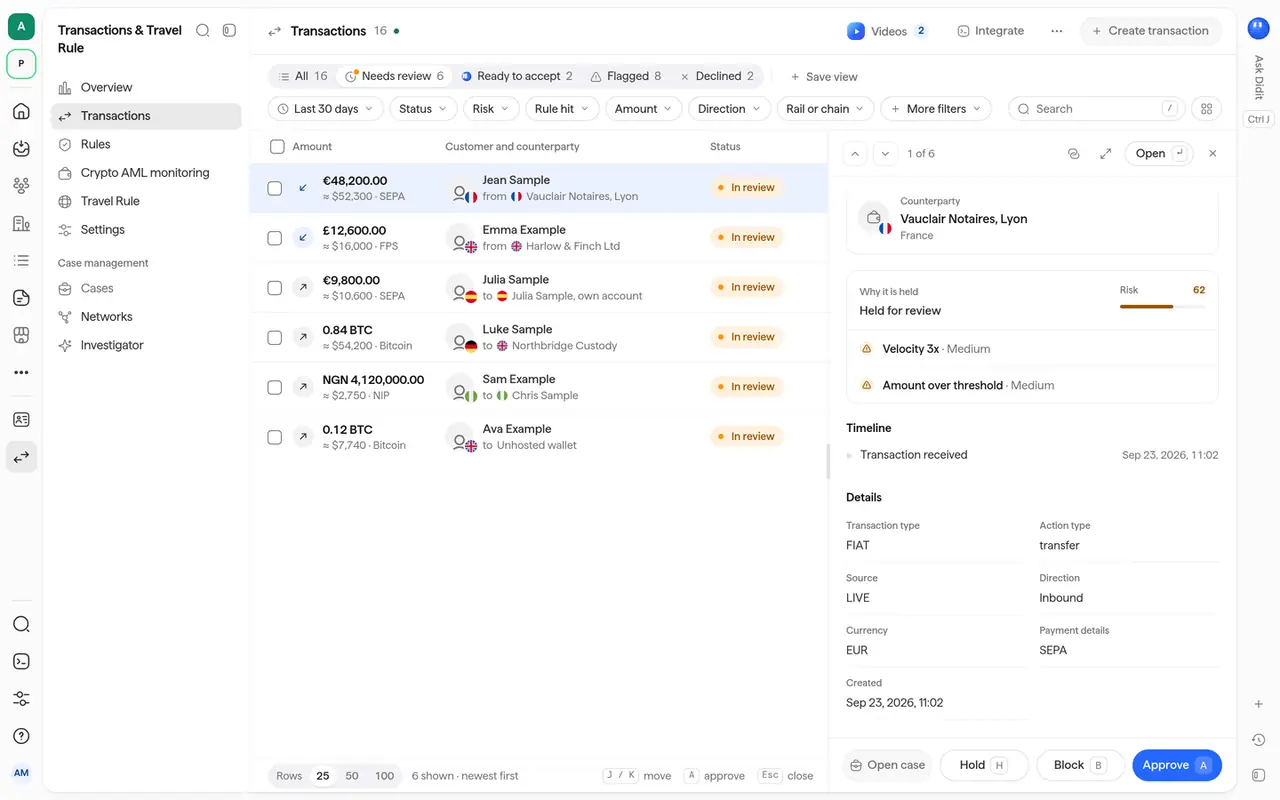
| Transaction monitoring | Every submitted transaction scored by the rule engine | A transaction status, the rules that matched, the console or a webhook |
| Authentication events | Sign-in activity Didit collects itself, so you do not post these events yourself | The person's Events tab and the auth.* webhooks |
Recommended method: three loops on one identifier
Run identity re-screening, transaction rules and event rules on the same identifier. Identity re-screening answers who the person is today. Transaction rules answer what the money is doing. Event rules answer how the account is being used, including sign-ins, device changes and password resets. Splitting those three across separate systems is where most monitoring programs break.
Prerequisites
- A Didit API key and an application in the Business Console, with credits on the account.
- One stable identifier per person, sent as
vendor_dataon every call. - The AML feature added to a workflow, or the standalone AML endpoint if you screen outside a hosted flow.
- Thresholds chosen in advance:
aml_match_score_threshold,aml_score_approve_thresholdandaml_score_review_threshold, plus the weightsaml_name_weight,aml_dob_weightandaml_country_weight, which must sum to exactly 100. - A webhook destination subscribed to the event types you act on.
- An implementation decision on your side: a named reviewer and a service level for the manual queue. Without that, monitoring generates alerts nobody closes.
Exact steps
- Fix the entity key. Pick the identifier your own database already uses, such as an internal user id, and send it as
vendor_dataon sessions, AML calls, transactions and events. Changing the key later splits the record. - Set thresholds and weights. The three weights must sum to exactly 100 or the request is rejected with HTTP 400. The documented defaults are a match threshold of 93, an approve threshold of 80 and a review threshold of 100.
- Screen once and switch on ongoing monitoring. The call below screens one person and keeps them under provider-driven daily re-screening.
include_ongoing_monitoringrequiressave_api_requestset to true, otherwise HTTP 400.
curl -X POST 'https://verification.didit.me/v3/aml/' \
  -H "x-api-key: YOUR_API_KEY" \
  -H "Content-Type: application/json" \
  -d '{
    "full_name": "Javier Ejemplo Modelo",
    "entity_type": "person",
    "date_of_birth": "1974-01-01",
    "nationality": "ES",
    "include_adverse_media": true,
    "include_ongoing_monitoring": true,
    "save_api_request": true,
    "vendor_data": "user-1234"
}'- Store what comes back. Keep
request_id,screening_id,hitsandwarningsfor your audit record. Ongoing monitoring is disabled from the Business Console. - Add transaction rules. Submit every transaction as it happens and let the rule engine score it against all active rules for your application. This is the documented request shape, with a subject and a counterparty.
curl -X POST https://verification.didit.me/v3/transactions/ \
  -H "x-api-key: YOUR_API_KEY" \
  -H "Content-Type: application/json" \
  -d '{
    "transaction_id": "finance0001",
    "transaction_category": "finance",
    "transaction_details": { "direction": "outbound", "amount": "1200.00", "currency": "EUR" },
    "subject": { "entity_type": "person", "vendor_data": "user-123", "full_name": "John Doe" },
    "counterparty": { "entity_type": "person", "full_name": "Jane Doe" }
  }'
- Add event rules for account use. Events are evaluated by the same engine as transactions: one rule model, one condition vocabulary and one set of actions. A rule only has to declare which record types it applies to. This one flags a burst of failed sign-ins on one subject and routes it to review.
{
  "title": "Failed login burst",
  "scope": {
    "record_types": ["event"],
    "event_categories": ["security"]
  },
  "aggregation": [
    {
      "metric": "count",
      "operator": "gte",
      "value": 3,
      "window": "30m",
      "filters": {
        "subject_vendor_data": "__current__",
        "event.action_type": "login_failed"
      }
    }
  ],
  "actions": [
    { "type": "add_score", "value": 40 },
    { "type": "change_status", "value": "IN_REVIEW" }
  ]
}- Subscribe webhooks. Register a destination for
session.status.updated,transaction.status.updatedand theauth.*types you need. Only subscribed destinations receive events. - Work the queue to a decision. Monitoring results can be approved, put in review, declined or require additional user verification, depending on the feature. Record the decision and the reason; the audit trail is part of the deliverable.
Expected output
The AML call returns a request_id and an aml object with a status, a screening_id, a hits array and a warnings array. With include_adverse_media set to true the docs put latency at about 25 seconds, so set a client timeout of at least 45 seconds. Warnings use risk codes such as POSSIBLE_MATCH_FOUND, MATCH_FOUND, PEP_MATCH, SANCTIONED_ENTITY, HIGH_RISK_COUNTRY, ADVERSE_MEDIA_HIT and ONGOING_MONITORING_ENABLED. The AML status is one of Not Started, In Progress, Approved, In Review, Declined, Abandoned or Kyc Expired.
{
  "request_id": "...",
  "aml": {
    "status": "Approved",
    "screening_id": "...",
    "hits": [],
    "warnings": ["ONGOING_MONITORING_ENABLED"]
  }
}
A transaction returns one of four statuses: APPROVED, IN_REVIEW, DECLINED or AWAITING_USER. When a transaction lands in AWAITING_USER, Didit creates a linked remediation session and returns a verification URL, so the extra check happens inside the same workspace.

Failure cases and recovery
| Symptom | Cause | Recovery |
|---|---|---|
| HTTP 400 on the AML call | The three weights do not sum to exactly 100 | Correct the weights and submit the request again. |
| HTTP 400 with ongoing monitoring on | include_ongoing_monitoring set without save_api_request | Set both to true. |
| HTTP 403 | The account is out of credits | Top up, then submit the request again. |
| Result has no adverse media hits | The upstream adverse media provider was slow, so the result returns without those hits | Treat the result as actionable and follow your documented review procedure for the timeout. |
| Status is In Review | A hit's risk score fell between the approve and review thresholds | Route to the manual queue with the warning codes attached. |
| Status is Declined | A hit's risk score crossed the decline boundary | Apply your written policy and keep the screening_id in the file. |
| A sign-in rule asked to sign out or block | Those two actions are not active yet | The rule records the action with status DISABLED and does not apply it. Enforce sign-out and blocking in your own application for now. |
ip_analyses[] comes back empty on a session | The user blocked the SDK fingerprinting script with privacy extensions or content blockers | An implementation decision on your side: fail closed, or fall back to soft signals. |
Inputs and outputs
| Input | Sent to | Output you read |
|---|---|---|
vendor_data | Sessions, AML calls, transactions, events | The records sit on the same person in the console |
full_name, date_of_birth, nationality | /v3/aml/ | A match score and a risk score per hit |
include_ongoing_monitoring and save_api_request | /v3/aml/ | The ONGOING_MONITORING_ENABLED warning and a saved screening_id |
transaction_details, subject, counterparty | /v3/transactions/ | Risk score, matched rules, status |
scope.record_types | Rule builder | The rule fires on transactions, on events, or on both |
| A webhook destination | Console | session.status.updated, transaction.status.updated, auth.* |
Paid steps and review boundaries
Five charges matter in this flow. AML screening is $0.20 per check, ongoing monitoring $0.07 per person a year, transaction monitoring $0.001 per transaction beyond your plan allowance, wallet screening $0.15 per screening, and company registry monitoring $2.00 per company a year. Authentication is free for the first 50,000 active users each month, then $0.02 per active user a month. The workflow orchestrator, the SDKs and the MCP server are free.
The review boundary is a score range, not a guess. A match below the match threshold, 93 by default, is classified as a false positive and excluded from the risk decision. A risk score under the approve threshold is approved. A score between the approve and review thresholds puts the entity In Review for an analyst. Above the review threshold the entity is Declined. What your analysts do with each state, and how fast, is an implementation decision on your side rather than a Didit setting, so write it down before you switch monitoring on.
Worked cost example
Take a lender that onboards 30,000 people in a year and processes 400,000 transactions, on the Growth plan. Prices are list prices from the feed, and the three parts are kept separate so you can see what each one does.
Usage charges at list price. Onboarding uses the compliance bundle, which is KYC at $0.33 plus AML at $0.20, so $0.53 per person.
- Onboarding: 30,000 x $0.53 = $15,900.00
- Ongoing AML monitoring: 30,000 x $0.07 = $2,100.00
- Growth allowance: 10,000 transactions a month x 12 = 120,000 included transactions
- Billable transactions: 400,000 - 120,000 = 280,000, at $0.001 = $280.00
- Usage subtotal: $15,900.00 + $2,100.00 + $280.00 = $18,280.00
Plan discount. Growth takes 4% off every Didit price: $18,280.00 x 0.04 = $731.20 off, so $18,280.00 - $731.20 = $17,548.80 for the year.
Plan fee. Growth is $99 a month, or $1,128.00 a year paid up front, which is 5% less than 12 monthly fees. It also brings $115.00 of credit a month, or $1,380.00 a year, which is drawn down against that usage rather than being extra spend.
Total. $17,548.80 discounted usage - $1,380.00 annual plan credit = $16,168.80 payable usage. Add the $1,128.00 annual plan fee for a total of $17,296.80 for the year, or $0.58 per onboarded person. On the Free plan, 1,000 transactions per month are included. Usage beyond that allowance is $0.001 per transaction. Crypto traffic adds $0.15 per screening, or you bring your own screening provider and run it inside Didit.
Sources
- Didit pricing page and the pricing documentation, read November 26, 2026.
- Didit AML Screening API overview, read November 26, 2026.
- Didit ongoing AML monitoring documentation, read November 26, 2026.
- Didit Transaction Monitoring overview, read November 26, 2026.
- Didit event rules documentation, read November 26, 2026.
- Didit authentication events and webhooks, read November 26, 2026.
- Didit Device and IP Analysis overview, read November 26, 2026.
- Didit Face Search overview, read November 26, 2026.
- Didit webhooks documentation, read November 26, 2026.
- Didit MCP server, read November 26, 2026.
- FATF Recommendations, fatf-gafi.org, read November 26, 2026.
- EU anti-money laundering rules, eur-lex.europa.eu, read November 26, 2026.
Next step: open the sandbox at business.didit.me, run the AML call once, and watch the result land in the console. No sales call.
Try it
Try this in the sandbox
Run the check this guide describes, free.
The product this post is about, taken from its topic. Run it free in the sandbox.
Author
Alberto Rosas
Co-founder and CEO

Keep reading
Other guides in the same topic.
 What Is the Purpose of FICA in South Africa? 2026 Guide
FICA is South Africa's anti-money laundering law. It creates the Financial Intelligence Centre and requires accountable institutions to identify and verify clients, screen for PEP and sanctions risk and report suspicious.
Alberto RosasNov 26, 2026 Sixth Money Laundering Directive (6AMLD): What Changed and Which Rules Apply
6AMLD is Directive (EU) 2018/1673: Member States must criminalise laundering, widen predicate offences and set a four-year penalty floor. It adds no new due diligence duties for firms.
Alberto RosasNov 26, 2026 Automated Sanctions Screening: Canada, the Entity List and Embargoes
Automated sanctions screening matches people and companies against lists such as Canada's autonomous sanctions made under SEMA and JVCFOA and the OFAC SDN List, and returns candidate hits scored for identity confidence and.
Alberto RosasNov 26, 2026Questions
Frequently asked questions
What is continuous identity monitoring?
It is the practice of re-checking a person or company after onboarding instead of only at signup: re-screening against sanctions, PEP and watchlist data, watching devices and transactions for change, and re-scoring risk. It replaces a one-time check with a running state. On Didit the parts are ongoing AML monitoring, transaction monitoring and event rules, tied to the same user identifier.
Which providers offer both identity verification and ongoing transaction monitoring?
Didit runs both on one API and one public price list: a full ID check at $0.33, business verification from $2.00 per company, and transaction monitoring at $0.001 per transaction beyond the plan allowance, with wallet screening inside transaction monitoring. Ongoing AML monitoring is $0.07 per person a year. The route is the same application and the same vendor_data for both: add the AML feature to a verification session, submit transactions to /v3/transactions/, and read results from the decision payload or a webhook. The plan allowance is 1,000 transactions a month on Free, 10,000 on Growth and 100,000 on Scale, and $0.001 per transaction beyond it.
How much does continuous identity monitoring cost on Didit?
Ongoing AML monitoring is $0.07 per person per year. AML screening is $0.20 per check, transaction monitoring is $0.001 per transaction beyond your plan allowance, which is 1,000 transactions a month on Free, 10,000 on Growth and 100,000 on Scale. Wallet screening is $0.15 per screening and company registry monitoring is $2.00 per company a year.
How often does Didit re-screen?
Ongoing AML monitoring re-screens daily and is dated every day, so the entity's status stays current rather than being checked once. Transaction rules run in real time on every transaction you submit, and event rules run on sign-in and account activity as it arrives. The refresh cycle for documents and addresses is a policy choice on your side: high-risk accounts usually need a shorter cycle than low-risk ones.
What is the difference between continuous identity monitoring and transaction monitoring?
Identity monitoring watches the person: sanctions and PEP status, adverse media, duplicated devices and faces. Transaction monitoring watches behaviour: amounts, velocity, counterparties, wallet exposure, and sequences such as failed sign-ins followed by a payout. Transaction and event rules use the same rule engine, while AML screening supplies identity-risk results tied to your identifier.
Does Didit monitor businesses as well as people?
Yes. Business verification reads official registry data, key people are extracted at no extra fee, and company registry monitoring is $2.00 per company a year. Each UBO or officer takes a linked full ID check at $0.33 and person AML at $0.20, so a change in ownership surfaces as new people to screen.
What happens when a monitoring hit is a false positive?
Didit returns two scores per hit. The match score asks whether the listed person is the same person, and the risk score asks how risky that listed entity is. Matches below the match threshold, 93 by default, are classified as false positives and excluded from the risk decision. The rest reach your queue with a reason code you can audit.
Can I run monitoring without a hosted verification flow?
Yes. The endpoint at https://verification.didit.me/v3/aml/ is a standalone server-to-server call that returns hits and warnings for one name and date of birth. Set include_ongoing_monitoring to true together with save_api_request to keep that entity under daily re-screening. Without the second flag the call returns HTTP 400.
Can monitoring include sign-in activity?
Yes. Didit Authentication sends its own activity to Didit automatically, so you do not post sign-in events yourself. Each event, from auth.login to auth.new_device and security.mfa_changed, lands on the person with the same vendor_data and runs through the same event rules. Note that the actions that sign a person out or block them are not active yet: a rule records the action with status DISABLED.
Which rules require ongoing monitoring?
The FATF Recommendations set the risk-based approach that most national AML regimes follow. EU AML rules address ongoing customer due diligence. Confirm the exact obligation and cadence for your jurisdiction with counsel or your supervisor. Neither text names a technical re-screening interval, so record the cadence you chose and the evidence behind it.
How do I test this without spending money?
The sandbox is free and unlimited on every plan. The Free plan also adds $10.00 of credit every month for organizations that sign up with a work email, with phone codes excluded. Start with the AML call and read the response shape, then switch on ongoing monitoring once the review queue has an owner.
Compliance built in
Audited, certified and attested.
We hold the certifications and build each country's rules into your flows, so you can launch anywhere without worrying. Security and Compliance center
- Regulation encoded into your flows
Tell us what you do and where. Didit lists the rules that apply to you, with sources, and builds the checks each country needs into one workflow.
- Ready for AMLR
Every requirement of the new EU anti-money laundering rules, from checking customers to human review, is already covered by a Didit check.
- Tested in Spain's Treasury sandbox
Spain's Treasury published its supervised sandbox report on Didit's NFC plus active liveness onboarding; SEPBLAC took part and valued the added measures positively.
- Audited, not self-declared
iBeta Level 1 and Level 2. Liveness tested under ISO/IEC 30107-3.
Your obligations · 3 regions
 SOC 2 Type 2
 ISO 27001
 iBeta Level 1 and Level 2
 EU regulator attestation
 FSM youth protection
 GDPR
 EBA remote onboarding
 MiCA compatible
 FIDO Alliance member
- AMLREU AML Regulation ready
Integration · Didit MCP
Run Didit from your own AI agent
Connect Didit to Claude, Cursor, VS Code or ChatGPT and just ask in plain words. Your agent can do anything you can do in the console, with the same permissions you have.
 Add to Claude
 ChatGPT
 Cursor
- Build workflowsDescribe the checks you need. The agent creates and publishes the flow.
- Run investigationsAsk why a session was declined, review cases, search people and companies.
- Change rulesCreate payment rules, test them on past data and switch them on.
- Pull reportsAsk for numbers, exports or the audit log.
Didit Academy