Device Fingerprinting for Fraud Detection: 2026 How-To
Device fingerprinting attaches a device identity to a Didit session so you can investigate takeover and duplicate accounts. Device & IP Analysis costs $0.03 per check at list price and is included in the $0.33 full ID check.
 Alberto RosasCo-founder and CEO
Contents
In this guide
Jump to the part you need.
This guide is for fraud, risk and onboarding teams that run web or mobile sign-up and want a device identity attached to each verification session. Device & IP Analysis costs $0.03 per completed check at list price and is included in the $0.33 full ID check. Two caveats: it runs only inside a hosted verification session, and a user who blocks the script returns no device data.
Last updated: November 26, 2026. Prices checked against the live Didit price feed on November 26, 2026.
| Item | Detail |
|---|---|
| What it is | Device fingerprinting plus IP intelligence and geolocation, collected during a hosted Didit verification session. |
| Where it runs | During the hosted flow, through the web or mobile SDK. No standalone endpoint and no feature toggle for the basic signal set. |
| Price | $0.03 per completed check at list price. Inside the full ID check: $0.15 ID document + $0.10 passive liveness + $0.05 face match + $0.03 Device & IP Analysis = $0.33. |
| Signals | VPN, proxy, Tor, data center IP, high risk country, location mismatch with the document, impossible travel, duplicate device, possible duplicate device, blocklisted device, device linked to a liveness attack, model inconsistency. |
| Output | ip_analyses[] on the decision payload, with warnings filed under the LOCATION bucket. |
| Setup | One session create call. Duplicate matching across users needs a stable vendor_data. |
| Main caveat | No standalone endpoint. If ip_analyses is missing, null, or empty, handle the device result as unavailable. A content blocker is one possible cause. |
Start free in the sandbox at business.didit.me (no sales call). For developers, connect Didit to an AI assistant through our MCP server. Our public price list shows Device & IP Analysis at $0.03 per completed check, and the same page carries unit prices and plan discounts. The Device and IP Analysis documentation explains what the feature collects and how it runs, and the field-level reference is in the data models.
What the session gives you
We collect device and IP signals during the hosted verification flow. The result lands in ip_analyses[] on the session decision, next to the ID and biometric results. If ip_analyses is missing, null, or empty, handle the device result as unavailable. A content blocker is one possible cause.
When the record is present you read four things from it: the geolocation of the observed connection, the VPN, proxy and Tor verdicts, the device fingerprint identifier, and the warnings array of named risk codes. You route on those codes instead of building a scoring model from raw browser attributes. Webhook payloads carry the same object in the same shape, so you handle it in one place.
Before you start
- A Didit organization and an API key. Creating a session needs the key, and the decision call needs the
read:sessionsprivilege. - A workflow and its UUID. Build the flow your users see in the workflow builder and copy the
workflow_id. The workflow controls which verification steps run. workflow_idis required.vendor_datais optional and strongly recommended: it is your stable identifier for the user and it drives duplicate detection across sessions.callbackis optional. It is where the hosted flow redirects the user when they finish. If your application has allowed domains configured, an HTTP(S) callback must match one of those origins. A custom scheme deep link such asmyapp://is accepted. Without a callback, the workflow default applies.- Optional: a webhook destination subscribed to
status.updated, if you want events instead of polling. See webhooks. - A written policy before go live: which codes block, which go to review, and what you do when the device result is unavailable.
How we build the device fingerprint
The verification client sends a v2 fingerprint payload during the hosted flow. It is built from device and browser attributes rather than from one stored cookie, so it does not rest on a single value surviving.
| Data point | Description |
|---|---|
| Persistent device ID | First-party identifier used for exact same-device detection when storage persists. |
| Composite hash | Stable grouped signal hash used for deterministic duplicate checks with collision safeguards. |
| Signal vector | Device and browser or app attributes vectorized for high-confidence recovery. |
| Platform context | Browser, OS, app, hardware, WebGL and canvas, media, locale, timezone and mobile integrity signals where available. |
The connection analysis runs on the same session: IP geolocation by country, region, city and coordinates; VPN, proxy, Tor, data center and private network detection; expected IP checks when you provide an allowed IP for the session; and IP blocklist checks configured in your application.
| Check | Purpose |
|---|---|
| Duplicated IP | Detects the same IP address across different users. |
| Duplicated device fingerprint | Detects exact reuse of the same persistent device identity. |
| Recovered device | Detects a high-confidence v2 fingerprint match after the persistent identifier was lost. |
Exact matches use a persistent identifier when it is available. If that identifier is lost, our v2 fingerprint can surface a high-confidence recovery match after storage is cleared, in incognito, or after network information changes. Confidence gates reduce the risk of false matches, so a recovery hit is a reason to review, not a verdict.
Step by step: fingerprint a verification session
- Pick the workflow. Add the steps your users see, such as ID document, passive liveness and face match. Device and IP Analysis runs during the session, so there is no extra node to add for the basic signal set. Copy the
workflow_id. - Decide your console rules, if you want them there. Optional. Rules such as decline on VPN or review on duplicate device can live in the Business Console instead of your code. Review them against your own policy before switching them on.
- Create the session. POST to the sessions API with the required
workflow_idand, optionally,vendor_dataandcallback. Pass your own user identifier asvendor_data: it binds the session to a user and is what makes duplicate detection work across sessions.
Save the session identifier for the decision request and open the hosted URL returned by session creation, shown ascurl -X POST 'https://verification.didit.me/v3/session/' \ -H 'x-api-key: YOUR_API_KEY' \ -H 'Content-Type: application/json' \ -d '{ "workflow_id": "YOUR_WORKFLOW_ID", "vendor_data": "user-123", "callback": "https://yourapp.com/post-kyc" }'session.urlin our integration guide. Full field list: create session. - Send the user to the hosted URL. Open it in the browser or the webview. The SDK collects the fingerprint and the IP in band during the flow, so you add no script tag and make no second call.

The fingerprint is collected inside the flow the user already sees. - Retrieve the decision. Call the decision endpoint when the user finishes, or listen for
status.updated.
Replace both placeholders before you run it. Usecurl 'https://verification.didit.me/v3/session/SESSION_ID/decision/' -H 'x-api-key: YOUR_API_KEY'session_kindto distinguish user and business decisions. Both kinds shareip_analyses, so both branches can use the same device analysis parser. Detail: retrieve session. - Check the HTTP response, then read
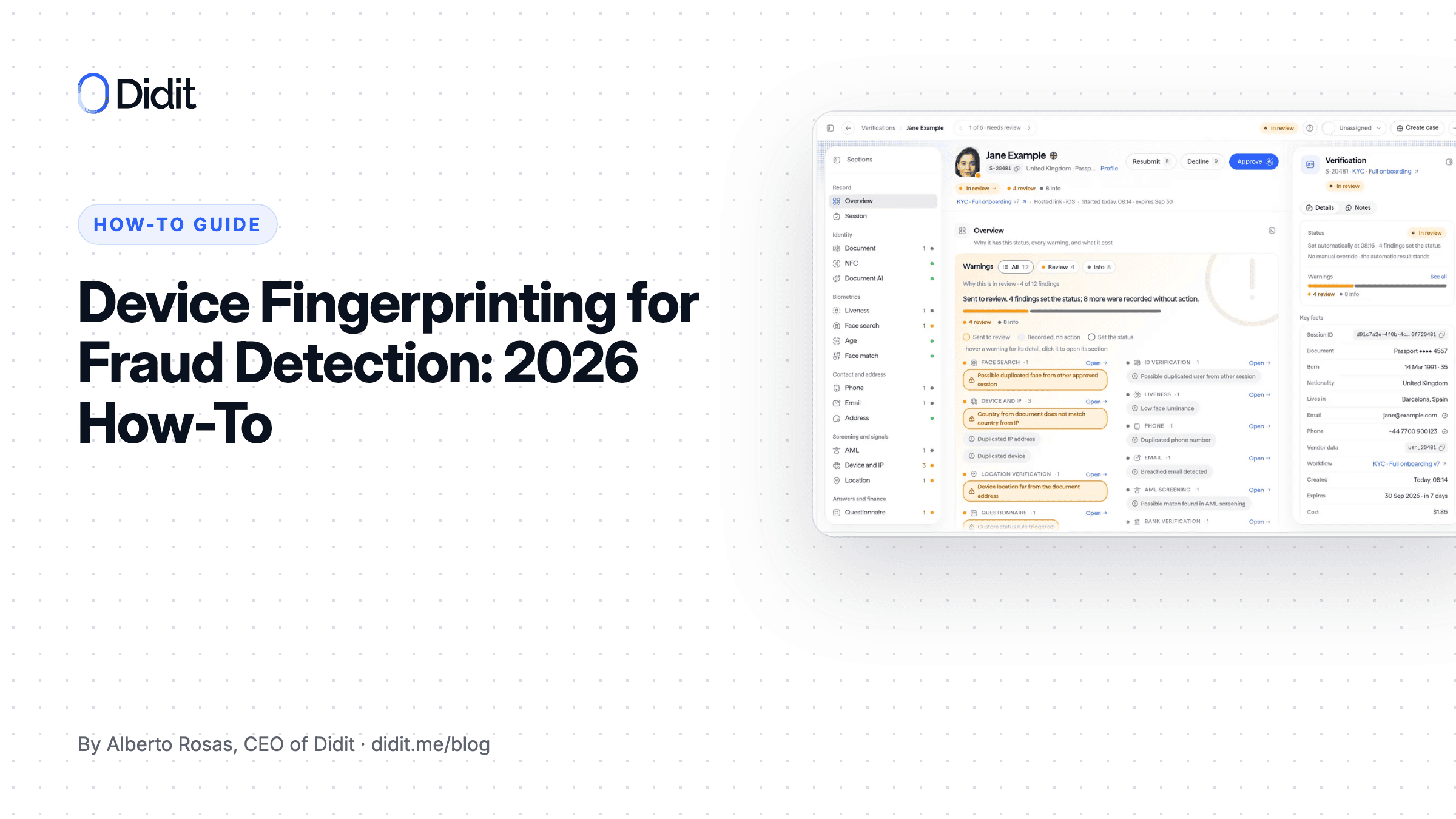
ip_analyses. One entry appears per collection point in the workflow, each carrying the resolved geo, autonomous system number, VPN, proxy and Tor flags, the device fingerprint id, duplicate matches and the warnings array.
The HTTP check keeps a 401, 403 or 404 from being parsed as an empty risk list, and the missing branch is where your fail closed or soft signal policy runs. An existing entry can still be in progress: readconst res = await fetch( "https://verification.didit.me/v3/session/" + sessionId + "/decision/", { headers: { "x-api-key": process.env.DIDIT_API_KEY } } ); if (!res.ok) { throw new Error("Decision request failed with status " + res.status); } const decision = await res.json(); const deviceEntries = decision.ip_analyses; if (!deviceEntries || deviceEntries.length === 0) { return handleMissingDeviceSignal(decision); } const risks = deviceEntries .flatMap((entry) => entry.warnings || []) .map((warning) => warning.risk);ip_analyses[].statusbefore you treat it as final. Each warning object carriesfeature(LOCATIONfor this bucket),risk,short_description,long_description,log_typeandnode_id, which can be null for legacy single-feature sessions. Schema: data models. - Route on the codes. Turn the array into three outcomes: continue, send to review, or block under your policy. The table below is a starting point you adjust to your own risk appetite.
Sandbox walkthrough
Sandbox testing is free on every plan. Create a session with a test workflow, open the hosted URL, finish the flow with test data, then call the decision endpoint. The block you want is ip_analyses[0].warnings: read the risk codes there and confirm your routing map covers each one. Then force the other path: run a session where the fingerprint script is blocked, confirm ip_analyses is missing, null or empty, and check that your handler takes the branch you designed instead of treating an empty list as a clean result.
Reading the risk codes
| Risk code | What triggered it | Suggested policy |
|---|---|---|
VPN_DETECTED | The connection resolves to a VPN | Review against your policy and corroborating evidence |
PROXY_DETECTED | A proxy sits in the connection path | Review against your policy and corroborating evidence |
TOR_DETECTED | Tor exit node | Review against your policy and corroborating evidence |
DATACENTER_IP | A hosting or cloud network range | Review, treat as low trust |
HIGH_RISK_COUNTRY | Geolocation in a high risk country | Review together with the AML result |
LOCATION_MISMATCH_WITH_DOCUMENT | The IP country differs from the document issuing country | Review |
DUPLICATED_DEVICE | Exact device identity already seen under another vendor_data | Investigate before you act: second account, household or takeover |
POSSIBLE_DUPLICATED_DEVICE | Possible reuse of a device seen in another session. | Possible device reuse. Review before taking action. |
IMPOSSIBLE_TRAVEL | Two locations that cannot follow each other in the elapsed time | Review |
DEVICE_FINGERPRINT_BLOCKLISTED | The device is on your blocklist | Apply your configured policy |
DEVICE_LINKED_TO_LIVENESS_ATTACK | The device appeared in a liveness spoof attempt | Apply your configured policy |
DEVICE_MODEL_INCONSISTENT | The reported model contradicts the other device signals | Review the reported model inconsistency with the other session evidence |
The policy column is our editorial guidance, not a Didit default, and it does not replace your own risk assessment. The full catalogue with descriptions lives at IP Analysis warnings.
What comes back on the decision
| Field | What you see | What to use it for |
|---|---|---|
ip_analyses[].status | Not Started, In Progress, Approved, In Review, Declined, Abandoned, Kyc Expired | Mirror the per step routing in your own system |
| Geolocation | Country, region, city and coordinates for the observed IP | Compare against the document issuing country |
| Autonomous system number | Autonomous system number for the observed connection | Context for the data center verdict |
| VPN, proxy and Tor flags | Verdicts from the connection analysis | Enforce your access and onboarding policy |
| Device fingerprint id | Fingerprint identifier used for matching | Exact matches can rely on a persistent identifier when available; recovery matches are probabilistic |
| Duplicate matches | Sessions under other vendor_data values | Multi-account and takeover review |
warnings[] | Warning objects with feature LOCATION and a risk code | Your routing rules and reviewer context |

The warning objects are the part to keep. POSSIBLE_DUPLICATED_DEVICE means possible device reuse and should be reviewed before you act. The nested field list for the whole report is in the report schema, which is the reference to keep open while you write your parser.
When something goes wrong
On webhooks: a verified status.updated event carries decision for Approved, Declined, In Review, and Abandoned. Read decision.ip_analyses when the decision is present, or retrieve the decision when it is not. A missing delivery and a received event that failed signature verification are two different problems, and the table below separates them.
| Symptom | Cause | Recovery |
|---|---|---|
ip_analyses is missing, null or empty | Device signals were not collected during the flow. A content blocker is one possible cause. | Handle the device result as unavailable, follow your fail closed or soft signal policy, and record the path you took. |
| 401 on the decision call | Invalid API key | Check the key in the request header |
| 403 on the decision call | The key lacks read:sessions | Grant the privilege to the key |
| 404 on the decision call | The session does not exist or belongs to a different application | Confirm the session_id and the application the key belongs to |
400 on callback at create time | The callback is not on one of the application's allowed domains | Use an allowed origin, use a custom scheme deep link, or drop the callback |
| No webhook received | No matching event was received. Check the destination and its status.updated subscription. | Re-fetch the decision from the API for that session_id |
| Webhook received but the signature failed | The signature did not match, or the timestamp fell outside the 5 minute window | Verify X-Signature-V2 using HMAC-SHA256 over sorted, Unicode-preserved canonical JSON. Check that X-Timestamp is within five minutes and compare signatures in constant time. A rejected signature is not a missing delivery. |
| VPN, proxy or Tor flagged on a good user | A corporate network or privacy tooling | Review against your policy and corroborating evidence |
DUPLICATED_DEVICE on a household | Two people who share one device | Ask for a second factor or document proof before you merge or block |
Account takeover and account sharing
During a hosted verification session, device and network warnings can help you investigate suspected account takeover. Use signals such as impossible travel or a device linked to a liveness attack to inform a review or an extra verification step under your policy. A session decision does not establish that a device is new to an account, and it does not see logins that never run a verification session.
A fingerprint seen under different account identifiers can flag possible multi-accounting. A shared household device can produce the same pattern. To investigate sharing of one account across several devices, compare that account's own history and use the session warnings as supporting evidence. The duplicate device codes compare sessions under different vendor_data values, so treat them as supporting evidence rather than proof of resale.
Three review examples
Shared network (hypothetical). Forty sessions arrive from one office IP in an afternoon, all flagged DATACENTER_IP, with different device fingerprints and documents from the same city. Nothing in the device record says fraud. Treat it as a corporate network: confirm whether the sessions came from the known office network before deciding whether to route them to review, and do not block on the network alone.
Shared household device (hypothetical). Two accounts carry the same fingerprint, both with approved ID documents in different names, months apart, and no IMPOSSIBLE_TRAVEL. A shared household device can produce this pattern. Ask for a second factor or an address document before you merge or block anything, and record the decision.
Suspected account takeover (hypothetical). One account opens a session from a device it has never used, in a country that cannot follow the previous session in the elapsed time (IMPOSSIBLE_TRAVEL), and that device appeared earlier in a session flagged DEVICE_LINKED_TO_LIVENESS_ATTACK. Apply your configured policy for the liveness warning. If you require more evidence, request a follow-up liveness or ID verification before granting access.
Cost, billing and review boundaries
- Device & IP Analysis costs $0.03 per completed check at list price, billed when the check finishes with a result. The $0.33 full ID check covers the ID document, biometrics, and Device & IP Analysis. The four price lines are $0.15 for the ID document, $0.10 for passive liveness, $0.05 for face match, and $0.03 for Device & IP Analysis.
- The Workflow Orchestrator has no separate charge. Completed checks are billed at their published rates.
- Review activity happens in the Business Console. Use the session status and your configured review process to decide how to handle an
In Reviewresult. - Review boundary we recommend: a single
POSSIBLE_DUPLICATED_DEVICEshould not block anyone on its own. Investigate before acting on either duplicate device code. For blocklisted devices and liveness attack links, apply your organization's configured policy.
Worked cost example
Take 20,000 full ID checks in a month. The unit build is $0.15 ID document verification + $0.10 passive liveness + $0.05 face match + $0.03 Device & IP Analysis = $0.33 per check. At list price that is 20,000 x $0.33 = $6,600.00, and the device and IP share is 20,000 x $0.03 = $600.00, about 9.1% of the total.
On Scale, with 10% off every Didit price, discounted check usage is 20,000 x $0.297 = $5,940.00. That figure is check usage only: it comes before the $350 monthly credit and the $299 monthly subscription fee.
On Free, the first organization created with an eligible work email for a company domain gets $10 in monthly credit. At $0.33 per completed full ID check, that covers about 30 checks, enough to see the device signals on real sessions before you commit.

Why teams run this on Didit
We run identity verification, business verification and transaction monitoring on one API, one credit balance and one public price list. 4,000+ companies use Didit. Our checks cover 220+ countries and territories. We have a SOC 2 Type 2 report and ISO/IEC 27001:2022 certification. Inference runs at sub-2-second p99, and Device & IP Analysis reaches you as one line item on a bill you can predict rather than a separate contract. If you already run checks with another provider, our migration notes are at /switch/.
Sources
- Didit Device & IP Analysis product page: Device Fingerprinting and IP Risk API overview, read November 26, 2026.
- Didit docs: IP Analysis warnings catalogue, read November 26, 2026.
- Didit docs: IP Analysis report, read November 26, 2026.
- Didit docs: Create Session API, read November 26, 2026.
- Didit docs: Retrieve Session decision API, read November 26, 2026.
- Didit docs: Data Models, read November 26, 2026.
- Didit docs: Webhooks, read November 26, 2026.
- Didit docs: Workflow Builder, read November 26, 2026.
- Didit docs: Pricing and billing, read November 26, 2026.
- Didit pricing page, read November 26, 2026.
- Didit pricing as JSON, the live price feed, read November 26, 2026.
- Didit integration prompt, read November 26, 2026.
- Didit MCP server, read November 26, 2026.
- Didit migration notes for teams moving from another provider, read November 26, 2026.
- GDPR, Regulation (EU) 2016/679, Article 4 and Recital 30, read November 26, 2026.
- ePrivacy Directive 2002/58/EC, on storing or accessing information on a user's device, read November 26, 2026.
The next step is a sandbox session: create an account at business.didit.me, build a workflow, send one test session through it and read the ip_analyses[] block for yourself. No sales call is needed to start.
Try it
Try this in the sandbox
Run the check this guide describes, free.
The product this post is about, taken from its topic. Run it free in the sandbox.
Author
Alberto Rosas
Co-founder and CEO

Keep reading
Other guides in the same topic.
 What Is the Purpose of FICA in South Africa? 2026 Guide
FICA is South Africa's anti-money laundering law. It creates the Financial Intelligence Centre and requires accountable institutions to identify and verify clients, screen for PEP and sanctions risk and report suspicious.
Alberto RosasNov 26, 2026 Sixth Money Laundering Directive (6AMLD): What Changed and Which Rules Apply
6AMLD is Directive (EU) 2018/1673: Member States must criminalise laundering, widen predicate offences and set a four-year penalty floor. It adds no new due diligence duties for firms.
Alberto RosasNov 26, 2026 Automated Sanctions Screening: Canada, the Entity List and Embargoes
Automated sanctions screening matches people and companies against lists such as Canada's autonomous sanctions made under SEMA and JVCFOA and the OFAC SDN List, and returns candidate hits scored for identity confidence and.
Alberto RosasNov 26, 2026Questions
Frequently asked questions
What is device fingerprinting in fraud detection?
Device fingerprinting collects attributes from a browser or mobile app, such as hardware, operating system, browser version, canvas and WebGL output, locale and timezone, and combines them into an identifier for the physical device. Fraud teams use it to compare a session against earlier sessions instead of trusting an email address or a cookie. Device & IP Analysis on Didit adds IP intelligence and geolocation to the same record.
How does Didit collect a device fingerprint?
We collect device and IP signals during the hosted verification flow, through the web or mobile SDK, with no separate endpoint and no feature toggle for the basic signal set. The result lands in ip_analyses[] on the session decision and in the same shape inside webhook payloads. If ip_analyses is missing, null, or empty, handle the device result as unavailable; a content blocker is one possible cause.
How much does device fingerprinting cost?
Device & IP Analysis costs $0.03 per completed check at list price and is included in the $0.33 full ID check, alongside ID document verification at $0.15, passive liveness at $0.10 and face match at $0.05. Growth discounts Device & IP Analysis and the full ID check by 4%. Scale discounts both by 10%.
Can device fingerprinting detect account takeover?
During a hosted verification session, device and network warnings can help you investigate suspected account takeover. Use signals such as impossible travel or a device linked to a liveness attack to inform a review or an extra verification step under your policy. A session decision does not tell you whether a device is new to an account, and it does not see logins that never run a verification session.
Can device fingerprinting detect account sharing?
A fingerprint seen under different account identifiers can flag possible multi-accounting, and a shared household device can produce the same pattern. To investigate sharing of one account across several devices, compare that account's own history and use the session warnings as supporting evidence. The duplicate device codes compare sessions under different vendor_data values, so they are supporting evidence rather than proof.
Does it still work if someone clears cookies or uses incognito?
Exact matches use a persistent identifier when it is available. If that identifier is lost, our v2 fingerprint can surface a high-confidence recovery match after storage is cleared, in incognito, or after network information changes. A recovery match is a reason to review, not a verdict, so read it alongside the IP signals and the identity result.
What happens if a user blocks the fingerprinting script?
We collect device and IP signals during the hosted flow, and a content blocker can prevent that collection. If ip_analyses is missing, null, or empty, handle the device result as unavailable. Decide whether to fail closed and ask the user to disable the blocker or to fall back to soft signals, and record which path you took so a reviewer is not guessing.
Is a device fingerprint personal data under GDPR?
A device fingerprint can be personal data under GDPR if it relates to an identifiable person, including indirectly through an online identifier. Document your purpose, applicable lawful basis and retention period. Have your privacy team assess local rules on accessing device information, including any applicable consent requirement.
Which device risk codes should send a user to manual review?
Send LOCATION_MISMATCH_WITH_DOCUMENT, IMPOSSIBLE_TRAVEL, DATACENTER_IP and POSSIBLE_DUPLICATED_DEVICE to review, and review VPN, proxy and Tor against your policy and corroborating evidence rather than declining on them alone. Investigate exact DUPLICATED_DEVICE before you act, because households share devices. For blocklisted devices and liveness attack links, apply your organization's configured policy.
Can I run device fingerprinting without a full ID check?
You need a hosted verification session, because Device & IP Analysis is session only and there is no standalone fingerprint endpoint. The workflow controls which verification steps run, so you build a session around the steps you need and still read ip_analyses[] from its decision. Check the docs for what the steps in your workflow support before you design the flow.
Can a coding agent set this up for me?
An agent can build the integration from our docs, but you should still review what it produces and test the missing-data branch yourself. Use our integration prompt to set up the Sessions API. If your AI assistant supports MCP, connect it to our hosted server using OAuth.
Compliance built in
Audited, certified and attested.
We hold the certifications and build each country's rules into your flows, so you can launch anywhere without worrying. Security and Compliance center
- Regulation encoded into your flows
Tell us what you do and where. Didit lists the rules that apply to you, with sources, and builds the checks each country needs into one workflow.
- Ready for AMLR
Every requirement of the new EU anti-money laundering rules, from checking customers to human review, is already covered by a Didit check.
- Tested in Spain's Treasury sandbox
Spain's Treasury published its supervised sandbox report on Didit's NFC plus active liveness onboarding; SEPBLAC took part and valued the added measures positively.
- Audited, not self-declared
iBeta Level 1 and Level 2. Liveness tested under ISO/IEC 30107-3.
Your obligations · 3 regions
 SOC 2 Type 2
 ISO 27001
 iBeta Level 1 and Level 2
 EU regulator attestation
 FSM youth protection
 GDPR
 EBA remote onboarding
 MiCA compatible
 FIDO Alliance member
- AMLREU AML Regulation ready
Integration · Didit MCP
Run Didit from your own AI agent
Connect Didit to Claude, Cursor, VS Code or ChatGPT and just ask in plain words. Your agent can do anything you can do in the console, with the same permissions you have.
 Add to Claude
 ChatGPT
 Cursor
- Build workflowsDescribe the checks you need. The agent creates and publishes the flow.
- Run investigationsAsk why a session was declined, review cases, search people and companies.
- Change rulesCreate payment rules, test them on past data and switch them on.
- Pull reportsAsk for numbers, exports or the audit log.
Didit Academy


