How to Get a Didit API Key Programmatically in Two Calls
Two public calls to apx.didit.me/auth/v2 do it: POST /programmatic/register/ emails a six-character code, and POST /programmatic/verify-email/ returns the tokens, organization and both API keys.
 Alberto RosasCo-founder and CEO
Contents
In this guide
Jump to the part you need.
This page is for developers and AI agents who need a Didit account and an API key without opening a browser. Two unauthenticated POST calls to the auth host do it: register, then verify the emailed six-character code. Sandbox testing is free, live checks are billed per completed check from prepaid credit, and a full ID check is $0.33. One caveat: reserved test domains and +tag addresses are rejected before any account exists.
Last updated: November 26, 2026. Prices checked against the live Didit price feed on November 26, 2026.
| Item | Value |
|---|---|
| First call | POST https://apx.didit.me/auth/v2/programmatic/register/ |
| Second call | POST https://apx.didit.me/auth/v2/programmatic/verify-email/ |
| Authentication on both calls | None. The email plus the six-character code is the credential. |
| Emailed code | Six alphanumeric characters, valid for 10 minutes |
| What the 200 response returns | access_token, refresh_token, organization.uuid, application.api_key (sk_live), sandbox_application.api_key (sk_test), each with its client_id |
| Token lifetime | RS256 JWT, expires_in 86400 seconds |
| Rate limit | 5 registrations per IP per hour |
| Sandbox cost | Free. 500 test sessions per 24 hours per sandbox application. |
| Live cost | Per completed check. Full ID check $0.33. |
| Balance of an API-created organization | $0.00. No $10 monthly credit on an API sign-up. |
| Email requirement | A real, deliverable inbox. No reserved test domain, no +tag. |
| Human needed for | Reading the code from the inbox, and paying for live credit |
Start free in the sandbox at https://business.didit.me/, no sales call. Every unit price is on the Didit pricing page, the product overview is at didit.me, and the user verification flow these keys support is described in the programmatic registration guide. Developers who want an assistant to drive the API can connect Didit through the Didit MCP server.
Add Didit to Claude · Open Didit in ChatGPT · MCP setup for every client
The outcome, and why we recommend two calls
You finish with a working Didit organization, a live application and a sandbox application, each holding its own client_id and api_key. The two endpoints are unauthenticated. You must read the emailed verification code, and live usage requires prepaid credit. The sandbox key works immediately.
We recommend this route over the console whenever the client can read email. The console exists and it is fine, but Didit provides management APIs for organizations and applications, so a script, a CI job or an AI agent can do the same work. The documented programmatic flow reaches credentials in two calls.
- Send email and password to
POST /programmatic/register/and receive a 201. - Read the six-character code from the inbox within 10 minutes.
- Send that email and code to
POST /programmatic/verify-email/and receive a 200. - Store both
api_keyvalues and callhttps://verification.didit.me/v3with the sandbox key asx-api-key.
The first call is on the auth host, https://apx.didit.me/auth/v2. The key you get back is used on a different host, https://verification.didit.me/v3. Keep the two straight: the auth host issues tokens and manages organizations and applications, the verification host runs sessions, workflows, AML and billing calls. Mixing them up is the most common first mistake.
Prerequisites
- A mailbox you can read during the flow. Work, personal and alias addresses are all accepted. Not a reserved test domain such as
@example.com,@example.org,@*.test,@*.exampleor@*.invalid, and not a+tagaddress. - Something that can send two HTTPS POST requests with
Content-Type: application/json: curl, an HTTP library, an SDK, or an AI agent with a fetch tool. - A password that satisfies all five rules at once: at least 8 characters, one uppercase letter, one lowercase letter, one digit, and one special character from
!@#$%^&*()_+-=[]{}|;:,.<>?. - A place to store secrets, because both keys arrive in one response body and you should persist them immediately.
You need a real, deliverable email inbox and a password that meets the documented rules. The sandbox is free on every plan.
Step 1: create the pending account
Send the email and the password to POST /programmatic/register/. The call is public, so there is no x-api-key header and no bearer token.
curl -X POST https://apx.didit.me/auth/v2/programmatic/register/ \
  -H "Content-Type: application/json" \
  -d '{"email": "you@yourdomain.com", "password": "StrongP@ss1"}'
A successful call returns 201 Created:
{
  "message": "Registration successful. Check your email for the verification code.",
  "email": "you@yourdomain.com"
}
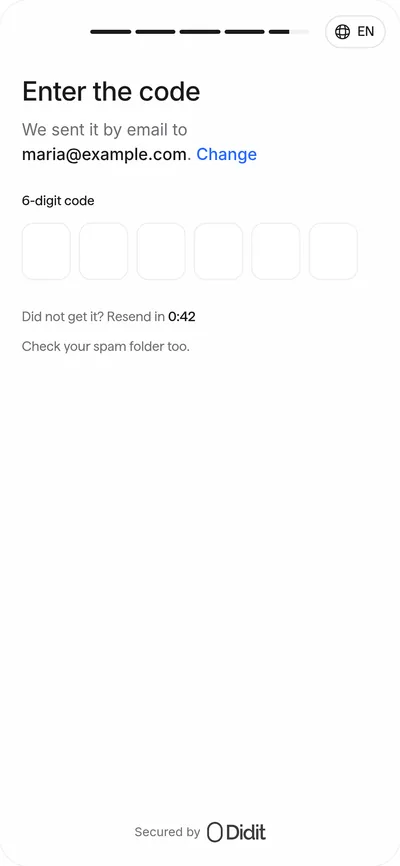
Two things happened on our side. A pending account was created, which is not usable yet, and a six-character alphanumeric code such as A3K9F2 was emailed to that address. The code is valid for 10 minutes. The address is checked before anything is created, so a rejected address leaves no account behind.
Step 2: exchange the code for your credentials
Read the six characters from the inbox and post them back to POST /programmatic/verify-email/ with the same email. This call is public too: the email and code pair is the credential.
curl -X POST https://apx.didit.me/auth/v2/programmatic/verify-email/ \
  -H "Content-Type: application/json" \
  -d '{"email": "you@yourdomain.com", "code": "A3K9F2"}'
Expected output, 200 OK:
{
  "access_token": "eyJhbGciOiJSUzI1NiIsInR5cCI6IkpXVCJ9...",
  "refresh_token": "eyJhbGciOiJSUzI1NiIsInR5cCI6IkpXVCJ9...",
  "expires_in": 86400,
  "organization": {
    "uuid": "a1b2c3d4-5678-90ab-cdef-111111111111",
    "name": "developer"
  },
  "application": {
    "uuid": "b2c3d4e5-6789-01bc-defg-222222222222",
    "name": "developer",
    "client_id": "S9LIYGSoWNuGMLHsvEt9dQ",
    "api_key": "sk_live_example_xxxxxxxxxxxxxxxxxxxxxxxxxxxxxxxxxxx",
    "data_location": "eu",
    "mode": "live"
  },
  "sandbox_application": {
    "uuid": "c3d4e5f6-7890-12cd-efgh-333333333333",
    "name": "developer (Sandbox)",
    "client_id": "T0MJZHTpXOvHNMItwFu0eR",
    "api_key": "sk_test_example_xxxxxxxxxxxxxxxxxxxxxxxxxxxxxxxxxxx",
    "data_location": "eu",
    "mode": "sandbox"
  }
}
Server side, the pending account is marked verified, a default organization is created and named after the local part of the email, and two applications are created inside it: application in live mode and sandbox_application in sandbox mode, both stored in the European Union. The response contains both applications. Use the sandbox key for testing; switch to the live key only when the organization has credit. The JWTs are RS256 with a 24 hour lifetime.
Store four values: sandbox_application.api_key, application.api_key, organization.uuid and each application's uuid. New keys start with sk_test_ or sk_live_ followed by 43 URL-safe characters. Keys created before that format have no prefix and still work, so never validate a key by its prefix.
Send your first request with the sandbox key
The sandbox key goes in the x-api-key header on the verification host. Every check is mocked and never billed, and each sandbox application can create 500 sessions every 24 hours.
curl -X POST https://verification.didit.me/v3/session/ \
  -H "x-api-key: $DIDIT_API_KEY" \
  -H "Content-Type: application/json" \
  -d '{"workflow_id": "WORKFLOW_ID", "vendor_data": "user-42", "callback": "https://myapp.com/return"}'
Switch that header to application.api_key only to go live, once the organization has credit. The live key bills every check from the balance.
Inputs and outputs
| Field | Call | Rules |
|---|---|---|
email | Both | Required. A real, deliverable inbox. No +tag, no reserved test domain, no disposable domain. |
password | Register, and resend OTP | Required. At least 8 characters, one uppercase, one lowercase, one digit, one special character. |
code | Verify email | Required. Six alphanumeric characters, valid for 10 minutes after the email is sent. |
| Field | What you use it for |
|---|---|
access_token | Authorization: Bearer on account management calls to apx.didit.me/auth/v2, for example creating more applications. |
refresh_token | Exchanged for a new access token after the 86400 second lifetime ends. |
organization.uuid | The org_id used to manage applications and to build the billing top-up link. |
application.uuid, client_id, api_key | The live application. Its key is the x-api-key value that bills real checks. |
sandbox_application.uuid, client_id, api_key | The sandbox application. Its key is the x-api-key value for free, mocked tests. |
data_location | Where the application's verification data is stored and processed. eu is the default and can be set once, before the application is used. |
Failure cases and recovery
Every failure below returns a machine-readable body. Branch on the HTTP status first and on the code field when it is present, because message text can change. The status list for the whole API is documented in Didit API errors.
email_undeliverable on register (400)
The register call checks the address before creating anything. Reserved test domains (@example.com, @example.org, @*.test, @*.example, @*.invalid), disposable domains and domains that cannot receive mail return 400 with a body like {"detail": "This email can't receive messages. Please use a different email address.", "code": "email_undeliverable", "reason": "..."}, plus a suggestion when the address looks like a typo of a known domain. Nothing is created. Retry with an inbox you actually control.
Register fails when the email has a +tag
Didit accounts are one per mailbox, so a +tag is not part of the address. A tagged address such as you+test@yourdomain.com returns 400 with a field error on email explaining that mail goes to the bare mailbox address, and no code is sent. Register the bare address instead. Only explicitly configured staging test mailboxes keep their tags.
Password validation errors arrive as a bare array
Password rules are validated one at a time and the first failure short-circuits, so you see one message per attempt: ["Password must contain at least one uppercase letter."], then lowercase, then digit, then special character. The body is a bare array with no field key, which is a known server-side inconsistency. Normalize it to {"password": [...]} in your client so one error handler covers it.
429 Too many registration attempts
We allow 5 registrations per IP per hour. The next one returns 429 with {"detail": "Too many registration attempts. Please try again later.", "wait": ...} where wait is seconds. Read wait and back off for exactly that long. Do not retry in a loop: the counter is per IP, so a burst from one worker holds the whole worker back. The resend endpoint shares this limit.
Invalid or expired verification code on verify-email
The code lives 10 minutes. When it lapses or the wrong characters are typed, verify-email returns 400 with the bare array ["Invalid or expired verification code."]. Two ways out. Call POST /programmatic/resend-otp/ with this body:
{
  "email": "you@yourdomain.com",
  "password": "StrongP@ss1"
}
The password is the one chosen at registration and is required on every resend request. Omit it and the response is 400 with {"password": ["This field is required."]}, and no code is sent. Resend allows one send per email every 60 seconds and answers 429 with Retry-After if you ask sooner. The other way out: call register again with the same email and password. For a still-unverified account it returns 200 with "A new verification code has been sent to your email." and does not change the password.
Duplicate email and User not found
Registering an email that already has a verified account returns {"detail": "An account with this email already exists."}. Verify the pending account, or log in with POST /programmatic/login/ to get a fresh token. Verifying an address we do not know returns {"detail": "User not found."}, which usually means the register call never succeeded.
You lost the api_key
Nothing is shown once and hidden. Log in with email and password to get a fresh access_token, then read the application record back:
TOK=$(curl -s -X POST https://apx.didit.me/auth/v2/programmatic/login/ \
  -H "Content-Type: application/json" \
  -d '{"email":"you@yourdomain.com","password":"StrongP@ss1"}' | jq -r .access_token)

curl https://apx.didit.me/auth/v2/organizations/me/ -H "Authorization: Bearer $TOK"
curl https://apx.didit.me/auth/v2/organizations/me/$ORG_ID/applications/$APP_ID/ \
  -H "Authorization: Bearer $TOK"
The api_key field in that response is your current key. The call reads the key, it does not rotate it. On the verification host a wrong or expired key returns 401 and a missing key returns 403.
Paid steps and review boundaries
Both registration calls are free and need no payment method. So is the sandbox: every check is mocked, nothing is billed, and each sandbox application can create 500 sessions every 24 hours.
Going live is the paid step. Every completed check is billed from prepaid credit at the published price, and a full ID check is $0.33: ID document verification $0.15, passive liveness $0.10, face match 1:1 $0.05 and device and IP analysis $0.03. An organization created through this API starts at $0.00, and an API sign-up does not receive the $10 monthly credit that a console sign-up with an eligible work email gets. Build and test in the sandbox, then add credit.
Payment is handled by the person responsible for the account. Give that person this link, with the organization's uuid and the amount:
https://business.didit.me/console/{org_id}/settings/billing?top_up_amount=100It opens the top-up dialog with the amount filled in. The person picks a saved card or another payment method, and can switch on automatic top-up in the same dialog, so a saved card refills the balance when it runs low. Top-ups run from $50 to $20,000, are added at face value, and last 12 months.

Worked cost example
Take a team that builds in the sandbox for a month and then runs 2,000 live full ID checks in its first production month. Nothing is charged for the sandbox or for the two registration calls. The live bill at list price:
- ID document verification: 2,000 x $0.15 = $300.00
- Passive liveness: 2,000 x $0.10 = $200.00
- Face match 1:1: 2,000 x $0.05 = $100.00
- Device and IP analysis: 2,000 x $0.03 = $60.00
Total: $300.00 + $200.00 + $100.00 + $60.00 = $660.00, which is 2,000 x $0.33.
On Growth the same 2,000 checks at the discounted bundle price cost 2,000 x $0.3168 = $633.60, alongside the $99.00 monthly fee and its $115.00 monthly credit. On Scale, 2,000 x $0.297 = $594.00, with the $299.00 monthly fee and $350.00 monthly credit. Plan credit is used before top-ups, monthly credit does not roll over, and top-ups last 12 months.
Sources
- Didit Auth API: programmatic registration
- Didit Verify Email API: get credentials
- Didit Get Credentials API
- Didit programmatic registration guide
- Didit API authentication
- Applications in the Didit Console
- Didit API errors
- Didit openapi-auth.json contract
- Didit pricing page and pricing as JSON
- Didit public price book
- Didit product site
- Didit Business Console
- Didit MCP server
- Didit integration prompt
Next step: open the sandbox at https://business.didit.me/ and create your first application with no sales call, or paste the integration prompt into your coding agent and let it run the two calls for you.
Try it
Try this in the sandbox
Run the check this guide describes, free.
The product this post is about, taken from its topic. Run it free in the sandbox.
Author
Alberto Rosas
Co-founder and CEO

Keep reading
Other guides in the same topic.
 How to Enable Google Sign-In for Didit Authentication via API
One API call turns on Google sign-in for Didit Authentication. Send your OAuth app credentials and register the returned redirect URI at Google, or use Didit's test app on a sandbox application. The secret is write-only.
Alberto RosasNov 26, 2026 Didit Organization Roles: Read org and organizations From the Token
The org claim in the access token holds only the earliest membership. Call GET /session/ for every membership with the organization id, role and custom role, then check permissions on your server.
Alberto RosasNov 26, 2026 Didit authentication webhooks: event types and payloads 2026
Didit emits eight authentication webhook types, from sign-up to a new device. Each event carries method, IP address and device context; the documented auth.new_device sample also includes an authentication summary.
Alberto RosasNov 26, 2026Questions
Frequently asked questions
How do I get a Didit API key programmatically?
Call POST https://apx.didit.me/auth/v2/programmatic/register/ with an email and a strong password, read the six-character code we email you, then call POST https://apx.didit.me/auth/v2/programmatic/verify-email/ with that email and code. The 200 response contains the live api_key (sk_live_) and the sandbox api_key (sk_test_), each with its client_id. Neither call needs authentication.
Can I create a Didit account without a browser or the dashboard?
Yes. Both calls are public HTTPS endpoints that return JSON, so a script, a CI job or an AI agent can complete the whole flow. You must read the six-character code we email you, and no separate MFA step is documented beyond that. The person or the agent's mail tool can read the code from the inbox.
Why does register reject my@example.com?
Reserved test domains are refused before any account is created, because the address has to receive the verification code. That covers @example.com, @example.org, @*.test, @*.example, @*.invalid, disposable domains and domains that cannot receive mail. You get 400 with "code": "email_undeliverable" and a reason, and nothing is created.
Why does a +tag email fail at programmatic registration?
We treat accounts as one per mailbox, so the tag is not part of the address and a tagged address returns 400 before any account lookup. Register the bare mailbox, for example you@yourdomain.com instead of you+test@yourdomain.com. Only explicitly configured staging test mailboxes keep their tags.
How do I fix a 429 Too many registration attempts error?
We allow 5 registrations per IP per hour, and the 429 body includes a wait field in seconds. Wait exactly that long before trying again. Register and resend share the limit, so retrying resend in a tight loop makes things worse.
How do I fix Invalid or expired verification code on verify-email?
The six-character code expires 10 minutes after it is sent, and a wrong code returns a bare array ["Invalid or expired verification code."]. Request a new one with POST /programmatic/resend-otp/ using the account email and password, which allows one send per email every 60 seconds, or call register again with the same email and password to get a fresh code on a still-unverified account.
Why does the password error come back without a field name?
Password strength is validated one rule at a time and the first failure short-circuits, and those errors return as a bare array such as ["Password must contain at least one uppercase letter."] instead of an object keyed by password. It is a known server-side inconsistency. Normalize it client side and send a password that satisfies all five rules to avoid the loop.
Which key do I use in my code, sk_live or sk_test?
Use the sandbox key, sandbox_application.api_key, while you build: every check is mocked, never billed, and each sandbox application can create 500 sessions every 24 hours. Switch the x-api-key header to application.api_key only when you go live and the organization has credit. Both keys are used on https://verification.didit.me/v3, not on the auth host.
Does an API-created organization get the $10 monthly credit?
No. An organization created through this API starts at $0.00 and does not receive the $10 monthly credit that a console sign-up with an eligible work email gets. Build in the sandbox, which is free on every plan, then add credit through the billing link before running live checks.
Can I recover the api_key if I lose it?
Yes. Log in with POST /programmatic/login/ using the email and password to get a fresh access_token, then call GET /organizations/me/{org_id}/applications/{app_id}/ with that token. The response returns the application's current api_key. There is no show-once model and the call does not rotate the key.
Which host do these calls use, apx.didit.me or verification.didit.me?
Registration and login live on https://apx.didit.me/auth/v2 and use a bearer JWT once you are past the public endpoints. Sessions, workflows, AML and billing live on https://verification.didit.me/v3 and use the long-lived api_key in the x-api-key header. The verification host does not accept OAuth bearer tokens.
Do I need the console at all after this flow?
Not for credentials. The keys, the organization and the applications are all managed through the auth API, and the data location can be chosen once through the application-management API before the application is used. The console is useful for the human steps: billing, the application switcher, and reading sessions once live traffic starts.
Compliance built in
Audited, certified and attested.
We hold the certifications and build each country's rules into your flows, so you can launch anywhere without worrying. Security and Compliance center
- Regulation encoded into your flows
Tell us what you do and where. Didit lists the rules that apply to you, with sources, and builds the checks each country needs into one workflow.
- Ready for AMLR
Every requirement of the new EU anti-money laundering rules, from checking customers to human review, is already covered by a Didit check.
- Tested in Spain's Treasury sandbox
Spain's Treasury published its supervised sandbox report on Didit's NFC plus active liveness onboarding; SEPBLAC took part and valued the added measures positively.
- Audited, not self-declared
iBeta Level 1 and Level 2. Liveness tested under ISO/IEC 30107-3.
Your obligations · 3 regions
 SOC 2 Type 2
 ISO 27001
 iBeta Level 1 and Level 2
 EU regulator attestation
 FSM youth protection
 GDPR
 EBA remote onboarding
 MiCA compatible
 FIDO Alliance member
- AMLREU AML Regulation ready
Integration · Didit MCP
Run Didit from your own AI agent
Connect Didit to Claude, Cursor, VS Code or ChatGPT and just ask in plain words. Your agent can do anything you can do in the console, with the same permissions you have.
 Add to Claude
 ChatGPT
 Cursor
- Build workflowsDescribe the checks you need. The agent creates and publishes the flow.
- Run investigationsAsk why a session was declined, review cases, search people and companies.
- Change rulesCreate payment rules, test them on past data and switch them on.
- Pull reportsAsk for numbers, exports or the audit log.
Didit Academy