Digital Identity for AI Agents: How to Verify an Agent in 2026
Give an AI agent a scoped identity a person approves: Didit agent access, an act claim your backend checks, step-up before payouts, and revocation. Included on every plan; checks billed per run.
 Alberto RosasCo-founder and CEO
Contents
In this guide
Jump to the part you need.
Digital identity for AI agents fits products where software acts for a person: support assistants, procurement bots, coding agents. We give an agent a scoped, revocable identity that a person approves, and a token your backend checks. Agent access is included on every plan, with no separate price; the checks behind it are billed per completed check, Full ID at $0.33. The token proves who approved the agent and what it may do, not that the agent is trustworthy.
Last updated: November 26, 2026. Prices checked against the live Didit price feed on November 26, 2026.
| Piece | What it does | Price at list |
|---|---|---|
| Agent access | A person approves an agent for read or act scopes. The agent gets its own session that ends on its own and can be revoked at any time. | Included on every plan |
The act claim | Names the agent and the scopes the person approved on every request the agent makes. | Included |
| Verified identity at sign-up | none, liveness or full_id before an account exists. | $0.10 liveness, $0.33 full ID |
| Step-up before sensitive actions | Asks the person to verify again before a payout, a bank change or a contact change. | From $0.10 per check |
| Didit MCP server | An agent runs KYC, KYB, AML screening and console operations in plain language. | Free; the checks it runs are billed |
| Console and timeline | Active agent sessions, a Revoke button, and approvals and revocations on the person's timeline. | Included |
Start free in the sandbox at https://business.didit.me/, no sales call. Developers can connect Didit to an AI assistant through the MCP server at https://didit.me/developers/mcp/, read the agent access reference at docs.didit.me/authentication/agent-access, and check every unit price on https://didit.me/pricing/. Moving from another provider? Start at https://didit.me/switch/.
Add Didit to Claude · MCP setup for every client
What an AI agent identity has to answer
A person proves identity with a document, a face and a database. An agent has none of those. What an agent can prove is delegation: that a named person approved this agent, for these scopes, until this date, and that the approval can be withdrawn. That is the useful definition of an AI agent identity, and it is what our Authentication product implements.
Four questions decide the design. Who approved the agent? What may it do? How long may it do it? How do we stop it today? Agent access answers all four inside the same application that signs your people in, so a person, their sessions and their agents sit in one place, in the console and on the person's timeline.
What Didit records when a person approves an agent
Two events land on the person's timeline: security.agent_access_approved when the person consents, and security.agent_access_revoked when that access ends, whether the person ended it or your team did. Didit records the approval even if the agent never exchanges its code, so the trail does not depend on the agent showing up.
When your team revokes access from the console, you can choose to email the person that it ended, in your brand like every sign-in email.
Prerequisites
- A Didit organization and a sandbox application. Sandbox testing is free and unlimited, and the Free plan includes $10 of monthly credit for organizations that sign up with a work email.
- An Authentication application. Its issuer is
https://<name>.auth.didit.mefor live andhttps://<name>.sandbox.auth.didit.mefor sandbox. SetDIDIT_AUTH_ISSUERwithout a trailing slash andDIDIT_APPLICATION_IDas the audience your tokens carry. - A backend that verifies ES256 JWTs against the application's keys at
GET {issuer}/.well-known/jwks.json. Keys rotate every 30 days, so cache bykid. - People who can sign in with a passkey or their usual sign-in. Only a person approves an agent.
- For an agent that runs with nobody present, an application API key for the hosted MCP server.
You are building inside a product that already has people and sessions. We run this for 4,000+ companies on one open API.
How to give an AI agent a verifiable identity: 8 steps
Create the application and pin the issuer. Live and sandbox are separate issuers with separate keys. Your publishable key encodes the issuer in unpadded base64url after
pk_live_orpk_test_. Note that when a custom domain becomes active it replaces the default host as the issuer, and access tokens issued under the old host then failGET /session/until they are refreshed, within 5 minutes.Set the bar at sign-up. Under Authentication > Verified identity choose
none,livenessorfull_id. Liveness is one selfie. Full ID is document, liveness and face match. A level applies to people who sign up from then on, never to existing accounts. On your own screens the sign-up call answersverification_requiredwith averification_urlthat works for 30 minutes.Turn on agent access. It is off for a new application. Open Authentication > Agent access, then Edit settings. Choose what agents can do:
read, to see the person's account information, oract, to change the person's account settings and preferences. Nothing is allowed until you choose.Choose the session rules. Set the session lifetime, the idle timeout and how people approve. Every setting is in the table below. People can always narrow a request on the approval screen, never widen it.
Let the person approve, then exchange the code. The agent asks for named scopes. The person signs in on your hosted approval screen and sees the agent's name and logo, whether it is verified, and what it asks for. The agent receives a single-use code and exchanges it for its own tokens:
curl --fail-with-body "${DIDIT_AUTH_ISSUER}/token/" \
  -H 'Content-Type: application/json' \
  -d '{
    "grant_type": "authorization_code",
    "code": "CODE_FROM_CALLBACK",
    "code_verifier": "YOUR_PKCE_VERIFIER",
    "redirect_uri": "https://app.example.com/auth/callback"
  }'
Expected output, trimmed to the fields you act on:
{
  "access_token": "eyJhbGciOiJFUzI1NiIs...",
  "id_token": "eyJhbGciOiJFUzI1NiIs...",
  "refresh_token": "N4yZTl6y24YKYq77X_SO...",
  "token_type": "Bearer",
  "expires_in": 299,
  "session_id": "c9abf6cc-2d64-4bf2-b31e-a4d09a070ab1"
}
Each code works once and the exchange has to happen within 60 seconds. The agent's access tokens last at most 5 minutes, like a person's.
Check the
actclaim on every request. An agent's token is signed with the same key and carries the sametyp,issandaudas a person's, so onlyacttells them apart.act: nullmeans the person is calling;act: {"sub", "agent", "scopes"}means an agent acting for the person, so allow only whatact.scopesgrants on the routes you open to agents and reject it everywhere else.GET /session/always rejects an agent's token, andsidis the ID of the access the person granted.Give people a revoke button. In React, render
<ConnectedAgents />on the account settings page. It lists the agents the person approved, each with a Revoke button.Watch and revoke from the console. Authentication > Agent access shows active agent sessions, sessions approved in the last 7 days, people with an agent and revocations this month, by people and by your team. Each active session shows the person's photo, the agent's logo, its description, what it can do, its last activity and when it ends, with a Revoke button that ends the session at once. Blocking a person, resetting their MFA or revoking their sessions from Users ends their agent access too.
Every agent access setting
| Setting | Options | Default |
|---|---|---|
| What agents can do | Read only (read) or acts for them (act) | None until you choose |
| Which agents may ask | Any agent. The approval screen shows whether it is verified. Allowing verified agents only is not available yet. | Any agent |
| How long a session lasts | 1, 7 or 30 days | 7 days |
| Ends when idle for | 30 minutes, 2 hours or 24 hours | 2 hours |
| How people approve | A passkey, or their usual sign-in | A passkey |
| Only people approve agent requests | agent_humans_only: a fresh assertion from the approving person's own passkey on every approval | Off |
Backend checklist before you trust an agent token
| Check | What to compare | If it fails |
|---|---|---|
| Signature | Verify ES256 against the key whose kid the token names, from GET {issuer}/.well-known/jwks.json. Cache keys by kid. | Refetch the JWKS, at most once a minute, and reject the token if the key is still missing. |
| Issuer | iss equals your DIDIT_AUTH_ISSUER, without a trailing slash. Live and sandbox are separate issuers with separate keys. | Reject. After a custom domain goes live, accept both issuers until older tokens expire, within 5 minutes. |
| Audience | aud equals your application ID, DIDIT_APPLICATION_ID. | Reject. A token minted for another application is not yours to accept. |
| Expiry | The token still has lifetime left. An access token lasts at most 5 minutes, and expires_in on the exchange counts the seconds it has left. | Reject and refresh. |
act | act is null for the person. When act names an agent, allow only the routes act.scopes covers and reject it everywhere else. Never call GET /session/ with an agent's token. | Reject the request and check sid and the approval events on the person's timeline. |
Add step-up before the money moves
An agent with act scope can change account settings, so the sensitive actions need a second check on the person. Step-up rules run only when an action is risky enough, and your app asks before each one.
curl --fail-with-body "${DIDIT_AUTH_ISSUER}/step-up/" \
  -H "Authorization: Bearer $ACCESS_TOKEN" \
  -H "Content-Type: application/json" \
  -d '{"action": "payout", "amount": "900.00", "currency": "USD", "return_to": "https://app.example.com/payouts/confirm"}'
A 200 with {"required": false} means no rule applies, so go ahead. A 201 carries a verification_url and the step-up stays open for 30 minutes. The person returns to return_to with step_up and status in the query, but that proves nothing: your backend reads GET {issuer}/step-up/{step_up_id}/ with an access token of the same session and acts only when status is approved.
| Rule | Asks when | Default check |
|---|---|---|
payout | A withdrawal or transfer is above your threshold, for example 500 in your currency. A payout in another currency is always checked. | Selfie login, $0.10 |
device | A payout is made in a session on a device none of the person's earlier sessions came from. | Selfie login, $0.10 |
bank | The person adds or changes a bank account. | Full ID, $0.33 |
contact | The person changes their email address or phone number. | Liveness, $0.10 |
When several rules apply, Didit asks for the strongest check. When we hold no face for the person yet, a selfie login becomes a full ID check. A step-up never fails open: when verification is unavailable, the action stays blocked.

Failure cases and recovery
| Symptom | Cause | Recovery |
|---|---|---|
400 invalid_grant on the token exchange | The code is unknown, used or older than 60 seconds, the verifier or redirect_uri does not match, the person is blocked or their email is unverified, or you turned off the sign-in method they used | Restart sign-in. Never retry the same code. |
400 invalid_client | client_id is not your application ID | Send the application ID. There is no client secret, clients are public. |
400 mfa_required | The sign-in did not meet your MFA policy | Complete the MFA step, or change the policy for that method. |
400 with a field name, or unknown_field | A required field is missing, or the body carries a field the endpoint does not take | Fix the body. Each code works once and expires in 60 seconds. |
| An agent gets rejected on a route it should reach | Your route checks the session with GET /session/, which always rejects agent tokens | Verify the JWT yourself, then gate on act.scopes for the routes you open to agents. |
act is null when you expected an agent | The person's own token reached the route | Check sid and the approval events on the person's timeline. |
Step-up status declined | The person did not pass | Not final while verification_url still works: they can try again and the step-up returns to pending. |
Step-up status expired or superseded | The 30 minutes passed, or another check took over | Create a new step-up. |
| Offline token verification fails after a key rotation | The cached JWKS does not have the token's kid | Fetch the JWKS again, at most once a minute, and reject the token if the key is still missing. |
| Tokens fail after a custom domain went live | The issuer changed with the domain | Update DIDIT_AUTH_ISSUER, or accept both issuers until older tokens expire, within 5 minutes. |
| A settings change did not reach a running agent | Changes apply to new approvals; active sessions keep what the person approved | Revoke the session and have the person approve again. |
Inputs and outputs
| You send | To | You get back |
|---|---|---|
| An agent request naming its scopes | Your hosted approval screen, or your own consent screen | A single-use code, once the person approves |
code, code_verifier, redirect_uri | POST {issuer}/token/ | An access token whose act names the agent and scopes, a refresh token and session_id |
| An agent request with its token | Your backend | Allowed only where act.scopes covers the route |
action, amount, currency, return_to | POST {issuer}/step-up/ | 200 {"required": false}, or 201 with verification_url |
| A step-up ID with the person's access token | GET {issuer}/step-up/{step_up_id}/ | pending, approved, review, declined, expired or superseded |
| A sign-up attempt | Your application's sign-up | The check you set at sign-up, then a verification session in Approved, In Review or Declined |
| A natural-language prompt | The hosted MCP server at https://mcp.didit.me/mcp | The verbatim JSON of the underlying Didit endpoint |
What is paid, and where a person has to decide
Agent access is included on every plan, with no separate price. The first 50,000 authentication active users each month are free; after that allowance the price book lists $0.02 per active user per month. The identity checks are the paid part: they are ordinary verification sessions of your application, so they appear in your verifications, go to manual review like any other verification, and are billed at that verification's price.
- Liveness at sign-up or in a step-up: $0.10 per completed check.
- Selfie login in a step-up: $0.10 per completed check.
- Full ID at sign-up, on a bank change, or when a selfie login escalates: $0.33 per completed check.
- MCP server: free. The checks an agent runs through it are billed at their own prices, for example $0.33 for a full KYC, $0.20 for AML screening, from $2.00 per company for KYB registry retrieval, $0.15 per wallet screening and $0.001 per monitored transaction beyond the plan allowance.
Review boundaries you cannot configure away today:
In Reviewmeans automated checks flagged warnings and a compliance reviewer has to approve, decline or request a resubmission. A step-up with statusreviewwaits for that same team.agent_humans_onlyproves the approving person used their own authenticator with user verification, within five minutes and tied to that request. It does not detect automation in general. Only an Owner or Admin with a passkey on their own console account can change it.- Allowing verified agents only is not available yet. Any agent can ask today, and the approval screen shows whether it is verified.

Worked cost example
A product with 10,000 new sign-ups in a month, all required to pass full ID before an account exists. 3,000 of those people approve an agent, and 600 of them trigger a payout step-up.
- Sign-up checks: 10,000 x $0.33 = $3,300.00
- Agent approvals: 3,000 x $0.00 = $0.00, agent access is included
- Payout step-ups with selfie login: 600 x $0.10 = $60.00
- Active users: 10,000, inside the free allowance = $0.00
- Total at list prices: $3,300.00 + $60.00 = $3,360.00
On the Scale plan, Didit prices take 10% off: $3,300.00 x 0.90 = $2,970.00 and $60.00 x 0.90 = $54.00, so $3,024.00 for the month. If an internal agent also runs 200 KYC sessions through the MCP server at the Scale price of $0.297, add 200 x $0.297 = $59.40, bringing the Scale total to $3,083.40.

An AI agent that runs identity verification itself
The other direction matters too: an agent doing the verification rather than being verified. The Didit MCP server connects any Model Context Protocol client to the platform on one URL, https://mcp.didit.me/mcp. Your client opens a browser, you log in with Didit, approve the permissions, and the agent has 233 tools across sessions, workflows, standalone checks, transaction monitoring, lists, cases, reports and webhooks.
The hosted server is an OAuth 2.1 resource server and the Business Console is the authorization server, so the MCP acts as you, across every organization you belong to, with your console role's permissions. It is read-and-write: agents can create sessions, configure workflows, update statuses and add entries to your lists. Every client asks you to review tool calls before they run, and you should keep that on for writes and deletes. An agent that runs with no person present, in CI or a scheduled job, connects with an application API key and acts as that one application.
Prompts we document as examples: "Create a KYC workflow with an ID scan and liveness, then give me a verification link" and "Show me the last 5 in-review sessions across all my apps." Tools return the verbatim JSON of the underlying endpoint, so what the agent shows you is what the API returned.

When the person's identity comes from a digital ID wallet
Wallet verification and agent delegation are two separate controls, and we keep them separate in the product. Wallet sign-in is one of the three ID verification methods: the person signs in with a national eID or a bank identity, and that provider shares a signed set of attributes with Didit. The result carries the assurance tier cryptographic, which claims only that an identity provider authenticated the person and signed the attributes it returned. It is not a ranking against the other tiers, and it says nothing about an agent.
Agent access is the delegation control. It records which person approved which agent, for which scopes, until when, and how it is revoked.
Available wallets and list prices per completed verification include MitID at $0.25 (Denmark), BankID Sweden at $0.20, iDIN full identification at $0.95 (Netherlands), Finnish Trust Network at $0.25, Smart-ID at $0.21 (Estonia, Latvia, Lithuania, Belgium), Mobile-ID at $0.21, Bank iD at $0.20 (Czechia), Personalausweis Profile 2 at $0.49 (Germany) and Google Wallet at $0.10. A signature verifies the issuer and the returned claims; it does not guarantee that every attribute you asked for is present, current or sufficient for your policy, and a wallet without a portrait does not include a selfie comparison. EUDI Wallet is listed at $0.15 and is coming soon, not available in production.
Sources
- Didit docs: Agent access, let your users' AI agents act for them
- Didit docs: Verified identity at sign-up and step-up before payouts
- Didit docs: Tokens and JWKS
- Didit docs: MCP server overview
- Didit docs: Verification statuses and session lifecycle
- Didit docs: Digital ID wallet verification and coverage
- Didit docs: Pricing and billing rules
- Didit pricing page and cost estimator
- Didit MCP setup for every client
- Didit Business Console, free sandbox
Next step: open the sandbox at https://business.didit.me/, create an Authentication application, turn on agent access and approve your first agent with a test passkey. No sales call, and sandbox testing is free and unlimited.
Try it
Try this in the sandbox
Run the check this guide describes, free.
The product this post is about, taken from its topic. Run it free in the sandbox.
Author
Alberto Rosas
Co-founder and CEO

Keep reading
Other guides in the same topic.
 What Is the Purpose of FICA in South Africa? 2026 Guide
FICA is South Africa's anti-money laundering law. It creates the Financial Intelligence Centre and requires accountable institutions to identify and verify clients, screen for PEP and sanctions risk and report suspicious.
Alberto RosasNov 26, 2026 Sixth Money Laundering Directive (6AMLD): What Changed and Which Rules Apply
6AMLD is Directive (EU) 2018/1673: Member States must criminalise laundering, widen predicate offences and set a four-year penalty floor. It adds no new due diligence duties for firms.
Alberto RosasNov 26, 2026 Automated Sanctions Screening: Canada, the Entity List and Embargoes
Automated sanctions screening matches people and companies against lists such as Canada's autonomous sanctions made under SEMA and JVCFOA and the OFAC SDN List, and returns candidate hits scored for identity confidence and.
Alberto RosasNov 26, 2026Questions
Frequently asked questions
What is an AI agent identity?
An AI agent identity is a record of delegated authority: which person approved this agent, which scopes it may use, how long the approval lasts and how it is revoked. Didit issues it through Authentication agent access, and every request the agent makes carries a token whose act claim names the agent and the approved scopes. It is not a biometric or a document, because an agent has neither.
How do you verify an AI agent's identity?
You verify the token, not the agent's intentions. The agent's access token is signed with the same ES256 key as a person's and carries the same typ, iss and aud, so your backend verifies the signature against the application's JWKS and then reads act. If act is null the person is calling; if it names an agent, you allow only what act.scopes grants on the routes you opened to agents.
Does an AI agent get its own account, or does it act for a person?
Both patterns exist in the same product. A person approves an agent for read or act scopes and the agent gets a scoped session of its own that ends when its lifetime passes, after your idle timeout, or when someone revokes it. An agent with no person present, such as a CI job, connects to the MCP server with an application API key and acts as that one application.
What do I need to build an agent identity kit?
Didit does not sell a separate kit. The pieces are an Authentication application, a sign-up level of none, liveness or full_id, agent access turned on with the scopes and session rules you choose, JWKS verification plus an act check on your backend, the <ConnectedAgents /> component so people can revoke, and optionally the MCP server if your own agents should call Didit. A sandbox is free and unlimited, so you can build and test the whole flow before a paid check runs.
How much does it cost to give AI agents an identity?
Agent access itself is included on every plan, with no separate price, and the first 50,000 authentication active users each month are free. You pay for the identity checks behind it: $0.33 for a full ID check, $0.10 for liveness or selfie login. A month with 10,000 full-ID sign-ups, 3,000 agent approvals and 600 payout step-ups costs $3,360.00 at list prices.
Can an AI agent run identity verification itself?
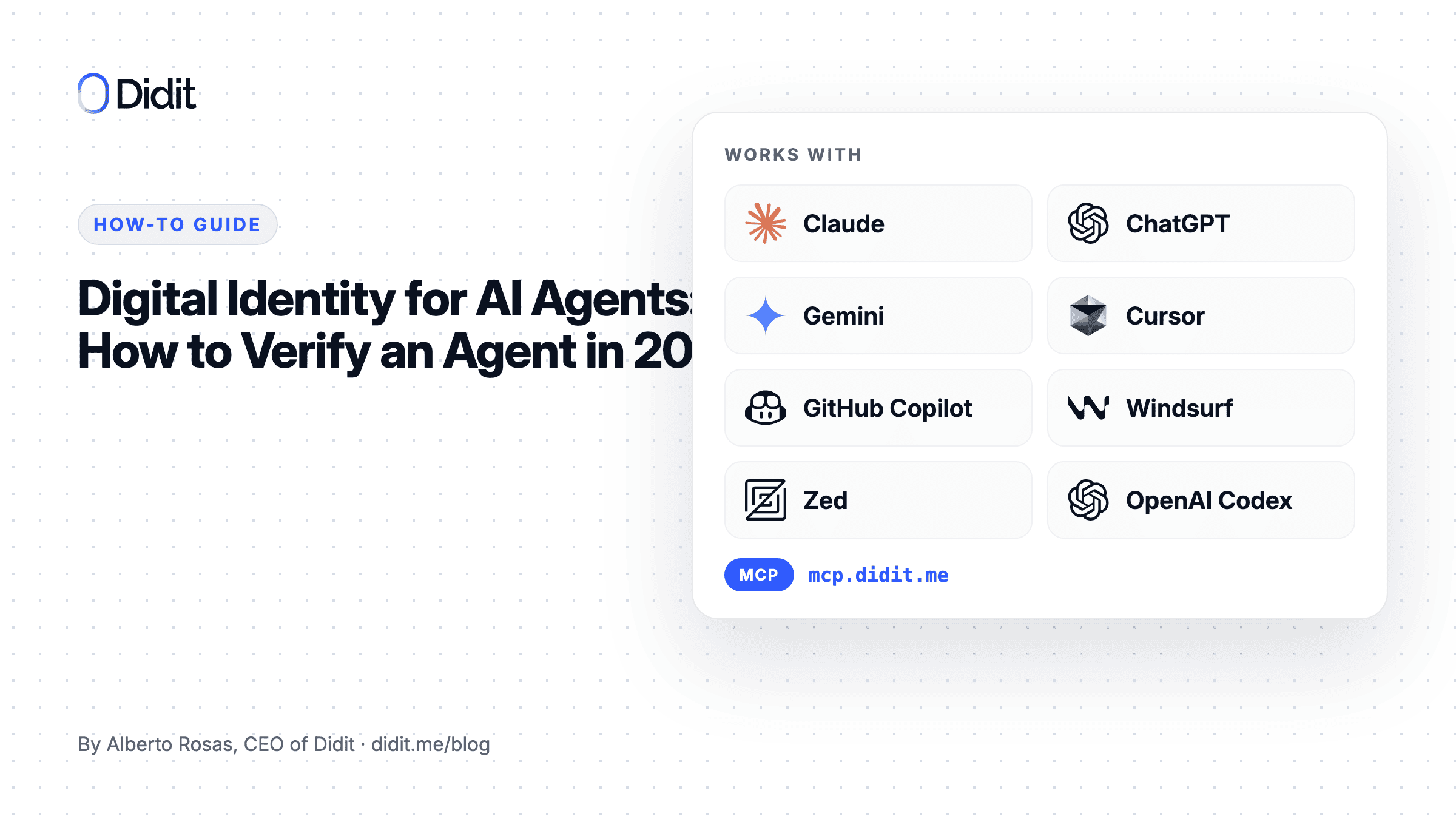
Yes. The Didit MCP server connects Claude, ChatGPT, Cursor, VS Code, Codex, Windsurf and Zed to the platform on one URL, and exposes 233 tools across sessions, workflows, checks, monitoring, lists and webhooks. The MCP is read-and-write, so keep the tool-call review on before writes and deletes. Tools return the verbatim JSON of the underlying endpoint and the checks you run are billed at their normal prices.
How do I revoke an AI agent's access?
Three routes end it. The person revokes it in your app through the <ConnectedAgents /> component, or your team revokes it in the console under Authentication > Agent access. Blocking a person, resetting their MFA or revoking their sessions from Users ends their agent access too, and each revocation is recorded on the person's timeline as security.agent_access_revoked.
What stops an AI agent from approving itself?
Approval requires a person to sign in to your application and consent, and the agent only receives a single-use code afterwards. If you turn on agent_humans_only, every approval also needs a fresh assertion from the approving person's own passkey, within five minutes and tied to that request. Didit states plainly what that setting does and does not do: it proves the approving person used their own authenticator with user verification, it does not detect automation in general.
How does agent identity work for customer service agents?
A support agent usually needs read to answer questions about an account and act to change anything. With read only, its token reaches the read routes you open and nothing else. If the agent tries to change the person's email or phone, that is a contact step-up, which defaults to a liveness check at $0.10, so the person confirms the change themselves.
What should I check in agent identity verification infrastructure that has to scale?
Compare four things: whether the vendor documents delegated scopes rather than a single all-or-nothing token, whether a claim separates an agent from the person it acts for, whether revocation is immediate and auditable, and what each check costs per completed run. Also check the key story: per-application issuers, ES256 signing, a published JWKS and a rotation schedule you can cache against. We publish our answer to all of those in the docs rather than in a comparison table.
Who are the agent identity verification vendors?
The useful comparison is criteria, not a list: whether delegated scopes are documented instead of one all-or-nothing token, whether an agent claim separates the agent from the person it acts for, whether revocation is immediate and auditable, and what each check costs per completed run. Didit's documented scope for this work is Authentication agent access with the act claim, step-up rules before payouts, console revocation, and per-check prices published on our pricing page. We write this article and recommend our own product, so hold us to those criteria in a sandbox before you decide.
Is there a convention for AI in identity verification?
There is no single convention yet. The pattern we document follows OpenID Connect: each application is its own issuer, tokens are ES256, clients are public with PKCE, and an agent is distinguished by an act claim rather than a separate protocol. If a vendor cannot show you how an agent's token differs from a person's, the design is not finished.
What is the difference between an AI agent identity and a digital ID wallet?
A digital ID wallet proves a person, using a national eID or a bank identity that signs the attributes it returns, at the assurance tier cryptographic. An agent identity proves delegation: that a person approved this agent, for these scopes, until this date. They are separate controls that combine in one flow: the wallet verifies the person's identity, while the agent token records delegated scopes separately.
Compliance built in
Audited, certified and attested.
We hold the certifications and build each country's rules into your flows, so you can launch anywhere without worrying. Security and Compliance center
- Regulation encoded into your flows
Tell us what you do and where. Didit lists the rules that apply to you, with sources, and builds the checks each country needs into one workflow.
- Ready for AMLR
Every requirement of the new EU anti-money laundering rules, from checking customers to human review, is already covered by a Didit check.
- Tested in Spain's Treasury sandbox
Spain's Treasury published its supervised sandbox report on Didit's NFC plus active liveness onboarding; SEPBLAC took part and valued the added measures positively.
- Audited, not self-declared
iBeta Level 1 and Level 2. Liveness tested under ISO/IEC 30107-3.
Your obligations · 3 regions
 SOC 2 Type 2
 ISO 27001
 iBeta Level 1 and Level 2
 EU regulator attestation
 FSM youth protection
 GDPR
 EBA remote onboarding
 MiCA compatible
 FIDO Alliance member
- AMLREU AML Regulation ready
Integration · Didit MCP
Run Didit from your own AI agent
Connect Didit to Claude, Cursor, VS Code or ChatGPT and just ask in plain words. Your agent can do anything you can do in the console, with the same permissions you have.
 Add to Claude
 ChatGPT
 Cursor
- Build workflowsDescribe the checks you need. The agent creates and publishes the flow.
- Run investigationsAsk why a session was declined, review cases, search people and companies.
- Change rulesCreate payment rules, test them on past data and switch them on.
- Pull reportsAsk for numbers, exports or the audit log.
Didit Academy