Digital Signatures and Identity: Legal Validity, Step by Step
A digital signature proves a key signed a file, not who held the key. Bind it to identity with one Didit workflow: approved ID verification, a verified email or phone, then an AES signature.
 Alberto RosasCo-founder and CEO
Contents
In this guide
Jump to the part you need.
This page is for teams that need a signature tied to a real, verified person: lenders, fintechs, HR and KYC or KYB flows ending in a signed contract. A signature can be legally valid without proving who signed, so identity must be bound to it in the same session; Didit's Advanced (AES) level does that. The supplied price feed lists prerequisite checks at $0.33 for a full ID check plus $0.02 for email verification, with no separate E-signature unit price.
Last updated: November 26, 2026. Prices checked against the live Didit price feed on November 26, 2026.
| Item | Detail |
|---|---|
| Delivery | A workflow step, feature SIGNATURE. There is no standalone signing API. |
| Levels | Simple (default), Advanced (AES), Qualified (QES, an add-on). |
| Price basis | The supplied price feed does not publish a separate E-signature unit price. Published prerequisites: full ID check $0.33, email verification $0.02, phone from $0.02 plus carrier. |
| Identity binding | AES needs an approved ID verification and a verified email or phone before the signer can sign. |
| Sealing | PAdES with a timestamp, profile PAdES-B-LT, once an AES or QES step is signed. |
| What you receive | Signed PDF, evidence PDF, applied signature image, document hashes, warnings. |
| Where it runs | Hosted Didit flow, Web SDK or native SDK, for KYC and KYB sessions. |
Start free in the sandbox at business.didit.me with no sales call. For developers, connect Didit to an AI assistant through the MCP server. Every prerequisite check is priced on the Didit pricing page, and the E-signature step is documented in the E-signature API guide.
The outcome, and the method we recommend
The outcome is a signed document plus an evidence file that records who signed, which identity was checked, which contact confirmed the one-time code, and when. Anyone reviewing the contract later reads that evidence instead of trusting a signature image.
The method we recommend is one Didit workflow with three steps in order: ID Verification, Email Verification or Phone Verification, then E-signature set to the Advanced (AES) level. AES is the level that ties the signature to the identity. The signer completes ID verification, gets an approved result, receives a one-time code at the email or phone they verified, and enters it to sign. Didit then applies a PAdES signature with a timestamp and reports the profile as PAdES-B-LT. The full method is documented on E-signature API: Sign Documents After KYC.
Simple is the default level and needs no ID verification, email or phone. It provides no identity verification, so do not present it as identity-bound signing. Use it for internal acknowledgements where you already know the person. Qualified (QES) is an add-on: it needs an approved ID verification with a passport or national ID card plus a verified phone, and the signer receives a qualified certificate from a qualified trust service provider that signs once they enter the code it texts them.

True or false: a digital signature is used to verify a user's identity
False, as that sentence is usually written. A digital signature signs a hash of the document with a private key. The verifier uses the public key in the signer's certificate to check that hash. That proves two things: the file has not changed since signing, and whoever held the private key signed it. It does not prove that the key holder is the person named on the certificate, and it says nothing about whether that person is who they claim to be. A certificate issued against a stolen identity produces a technically valid signature over a fraudulent document.
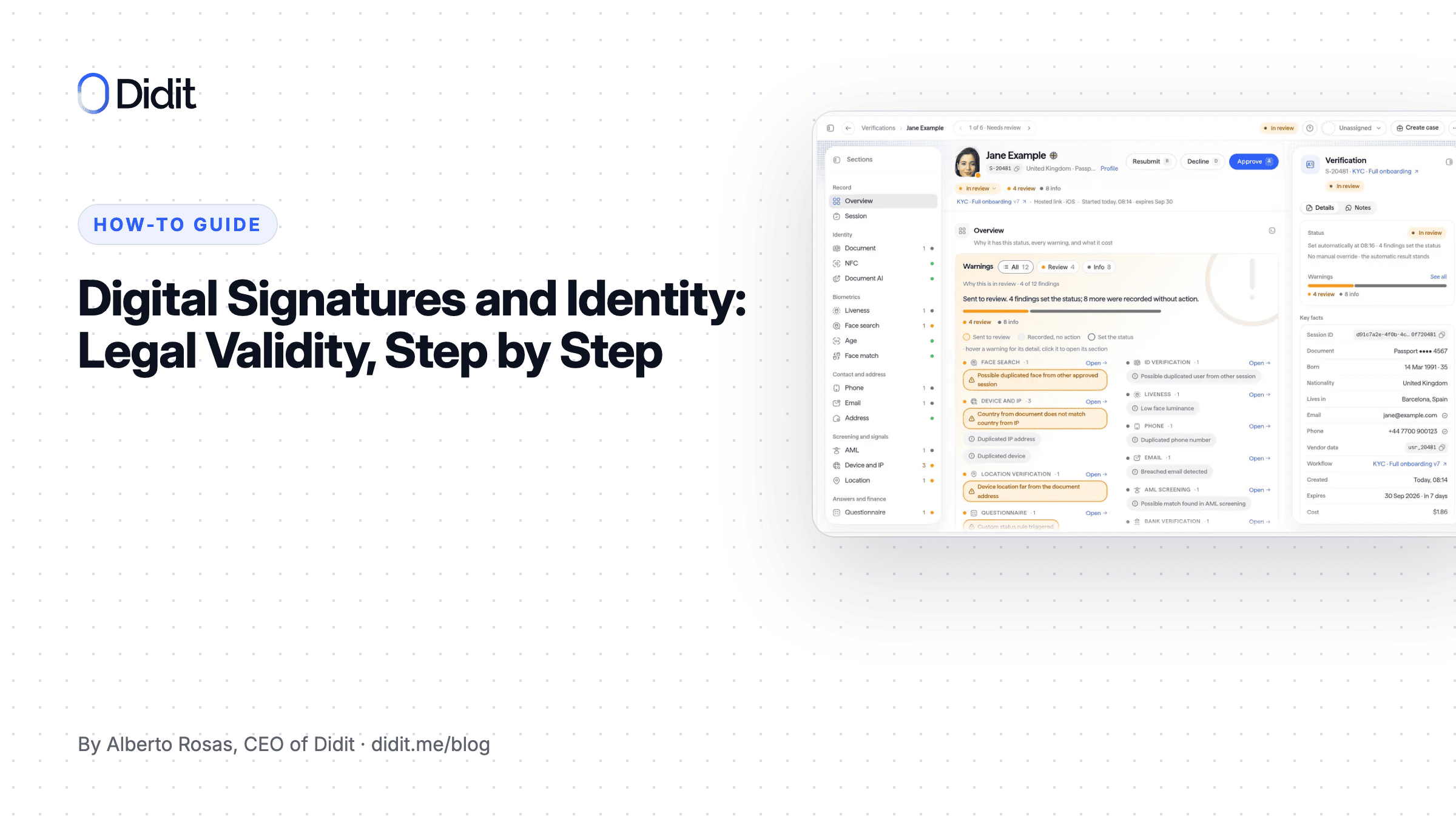
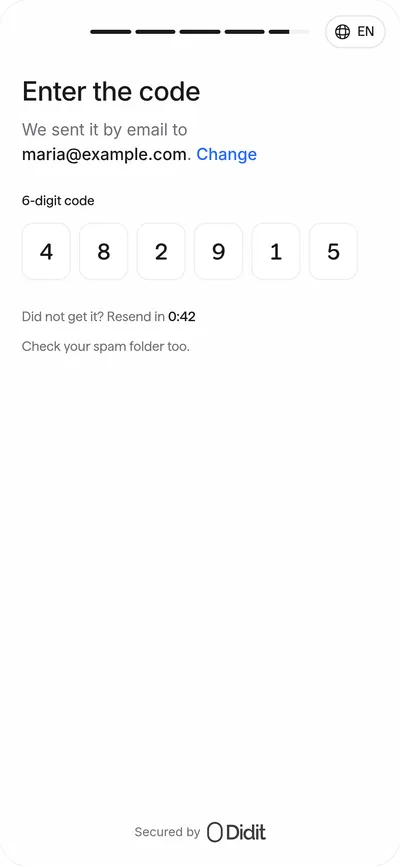
Identity has to be established separately, in a step the signer cannot skip, and then bound to the signing event. That binding is what the AES level does: the signature step will not complete unless the identity verification in the same session is Approved, and the code that confirms the signature goes to a contact that same session verified.
What e-signature law actually asks for
Two frameworks cover most of our customers. In the United States, the Electronic Signatures in Global and National Commerce Act (ESIGN, 15 U.S.C. § 7001) and the Uniform Electronic Transactions Act (UETA, 1999) provide that an electronic signature may not be denied legal effect solely because it is electronic when the statutory conditions are met, including intent, consent, attribution and record retention. In the European Union, eIDAS, Regulation 910/2014 sets the levels of electronic signature and the conditions under which a qualified signature carries the same effect as a handwritten one. This is a general summary for product planning, not legal advice.
An image alone does not establish the signer's identity or attribution. Whether it qualifies as an electronic signature depends on applicable law, intent, consent, attribution, and record-retention requirements. Both frameworks turn on those elements, and an AES step records them in the evidence file.
Prerequisites
- A workflow in the Didit Business Console, or one created with
POST /v3/workflows/, that contains an E-signature step ("feature": "SIGNATURE"). - For AES on a KYC workflow: an ID Verification step placed before the signature step, with the signer's identity Approved, plus Email Verification (email codes, the default) or Phone Verification (SMS codes). If the workflow runs Liveness, that must be Approved too.
- For AES on a KYB workflow: a Key People step whose people complete their own KYC with the same prerequisites. Set
signature_signertolegal_representativefor the people with the role representative or authorized signatory, orkey_peoplefor every eligible key person, 1 to 20 signers. For KYB signers always setsignature_leveltoaes:simpleis refused withsignature_simple_requires_verified_personand the workflow cannot be saved. - Documents as .pdf or .docx. A PDF up to 20 MB and 100 pages, up to 20 documents and 50 MB in total, without a password, scripts or attachments.
- An API key that can read sessions, and an endpoint listening for the
status.updatedwebhook.
Steps
- Add the E-signature step and choose where documents come from. Upload them in the console, or set
signature_documents_sourcetosession(orboth) to send them with each session. Workflow documents get their fields in the console template editor. - Place the fields. Field types are
signature,initials,full_name,date_signed,text,checkbox,emailand read-onlydata. Every field has a key. A field with prefillapi.<key>takes its value fromsign.field_values. Session documents carry their fields insign.documents[].fields, placed by page and position or by anchor text. - Create the session with the document inline. The base64 content and the fields travel in one call to
POST https://verification.didit.me/v3/session/.curl -X POST 'https://verification.didit.me/v3/session/' -H 'x-api-key: YOUR_API_KEY' -H 'Content-Type: application/json' -d '{"workflow_id":"YOUR_WORKFLOW_ID","vendor_data":"user-1234","sign":{"documents":[{"title":"Account agreement","file_name":"agreement.pdf","content_base64":"BASE64_PDF","fields":[{"key":"signature","type":"signature","page":3,"x":0.09,"y":0.62,"width":0.36,"height":0.085},{"key":"credit_limit","type":"data","page":1,"x":0.34,"y":0.31,"width":0.3,"height":0.03,"prefill":"api.credit_limit"}]}],"field_values":{"credit_limit":"3,000 EUR"}}}' - Send the signer into the flow. Redirect to
session.url, or open it with the Web SDK or a native SDK. The hosted page and the Web SDK always support fields; documents with fields need a native SDK release that supports them. - Wait for the webhook, then read the decision. When
status.updatedarrives, fetch the full result.
Readcurl 'https://verification.didit.me/v3/session/SESSION_ID/decision/' -H 'x-api-key: YOUR_API_KEY'signatures[], not the top-level status alone, because one session can hold several signers. - Download the signed PDF and the evidence PDF. Every signed document carries its own path in
signatures[].documents[].signed_file.curl -L 'https://verification.didit.me/v3/session/SESSION_ID/signatures/NODE_ID/documents/DOCUMENT_ID/file/' -H 'x-api-key: YOUR_API_KEY' -o agreement-signed.pdf - Re-check the stored signatures if you need to.
POST /v3/session/{session_id}/signatures/{node_id}/validate/re-checks what Didit holds and returns the result.curl -X POST 'https://verification.didit.me/v3/session/SESSION_ID/signatures/NODE_ID/validate/' -H 'x-api-key: YOUR_API_KEY'
What the decision returns
signatures[] holds one item per signer and signature step. status is the signing stage (intro, review, code, signing, signed, declined). verdict is Not Finished, Approved, In Review or Declined. level is simple, aes or qes. format is pdf for simple and pades for aes and qes. profile reads PAdES-B-LT once an aes or qes step is signed and null before that. The item also carries the signer, the identity used, the confirmation, the certificate, the timestamp, the adopted signature and the moment the signer consented to electronic signature.
Each document inside carries the SHA-256 of the original and of the signed file, the download path of the signed file, the language and translation actually used, and every field with its value, how that value was obtained, when it was filled and an image URL for applied signatures. evidence_file is the download path for the evidence PDF. warnings[] lists each code that fired with the node it fired on.

Inputs and outputs
| Field or route | Direction | What it does |
|---|---|---|
workflow_id | Request | Selects the workflow, and with it whether a KYC or KYB session is created |
vendor_data | Request | Your stable identifier for the person or business, used for duplicate detection across sessions |
sign.documents[] | Request | Title, file name, base64 content and fields for each per-session document |
sign.field_values | Request | Values for fields that prefill from api.<key> |
signatures[].verdict | Decision | Approved, In Review, Declined or Not Finished |
signatures[].level, format, profile | Decision | Which level ran and how the PDF is sealed |
signatures[].documents[].sha256_signed | Decision | The hash the download route checks the stored file against |
signatures[].documents[].signed_file | Decision | Download path for the signed PDF |
signatures[].evidence_file | Decision | Download path for the evidence PDF |
warnings[] | Decision | Codes that fired, each with its node |
POST /v3/session/{session_id}/signatures/{node_id}/validate/ | Request | Re-checks the stored signatures |
Failure cases and recovery
Warnings decide most outcomes, and each one maps to a default action. The two you will meet most are SIGNATURE_DECLINED, which defaults to REVIEW, and SIGNATURE_DOCUMENT_CHANGED, which defaults to DECLINE. SIGNATURE_OTP_FAILED and SIGNATURE_OTP_NOT_CONFIRMED mean the code step did not complete. SIGNATURE_NAME_MISMATCH means the name the signer entered does not agree with the verified identity. SIGNATURE_IDENTITY_NOT_VERIFIED means the AES preconditions were not met at the moment of signing.
| Symptom | What it means | Recovery |
|---|---|---|
404 with signature_not_signed on download | The document is not signed yet | Wait for the signature step to reach signed, then download again with the path in signed_file |
409 with signature_document_changed on download | The stored file no longer matches sha256_signed | Stop. Treat that document as compromised, do not deliver the earlier copy, and run a new session |
SIGNATURE_OTP_FAILED | The code was not accepted | Send the signer back into the session while it is still valid, or create a new session with the same vendor_data if it expired |
SIGNATURE_OTP_NOT_CONFIRMED | The code step was never completed | Same as above, and check the email or phone step reached verified |
SIGNATURE_NAME_MISMATCH | Name entry disagrees with the verified identity | Review in the Business Console, or send tighter expected_details on the session |
SIGNATURE_IDENTITY_NOT_VERIFIED | AES preconditions failed | Check the ID step reached Approved and the email or phone is verified, then run a new session |
Workflow save refused with signature_simple_requires_verified_person | KYB signers set to the simple level | Set signature_level to aes for KYB signers |
| 403 or 401 on the decision call | Missing key, wrong key, or a key without read access to sessions | Fix the key scope |
| 404 on the decision call | The session does not exist, was deleted, or belongs to another application | Check the session id and the application |
What you pay for and where review starts
Billing is per completed check, from prepaid credit. The supplied price feed does not publish a separate E-signature unit price, so the budget you can verify is the prerequisite checks: ID document verification $0.15, passive liveness $0.10, face match 1:1 $0.05, device and IP analysis $0.03, and email verification $0.02, or phone verification from $0.02 plus the carrier price for the country and channel. That is $0.33 for the full ID check plus $0.02 for email. Any separate E-signature charge is omitted because the supplied feed does not publish one. AML screening is $0.20 if you add it. Sandbox testing is free and unlimited.
Review starts where a warning defaults to REVIEW. The session lands as In Review instead of being decided, and the decision then carries reviews for reviewer activity, assignee, waiting_since and sla_due_at for the reviewer clock, plus status_override and decision_trace once a person has changed the status by hand. Release the contract on the verdict, not on the signer reaching the signed stage.
Worked cost example
Take 250 signers a month, each signing one agreement at the AES level with email codes, no AML screening.
Per signer, the published prerequisite checks: ID document $0.15 + passive liveness $0.10 + face match 1:1 $0.05 + device and IP analysis $0.03 = $0.33. Add email verification $0.02: $0.33 + $0.02 = $0.35 per signer.
For 250 signers: 250 x $0.35 = $87.50 a month at list price. On Growth, every Didit price takes 4% off: $87.50 x 0.96 = $84.00. On Scale, 10% off: $87.50 x 0.90 = $78.75.
This total includes only the published prerequisite checks. It excludes any separate E-signature charge because the supplied price feed does not publish one.
If those signers are signatories of businesses rather than individuals, add the KYB side: registry retrieval from $2.00 per company, person AML at $0.20 per owner or officer, and a linked full ID check at $0.33 per person.
Didit runs identity and fraud checks for 4,000+ companies across 220+ countries, with 14,000+ document types and a verification flow in 54 languages. We are certified to ISO/IEC 27001:2022 and hold SOC 2 Type 2. Signing runs on the same session and the same decision payload as the identity check, so the evidence file and the verification record stay together.
Sources
- Didit docs: E-signature API, sign documents after KYC
- Didit docs: download the signed PDF
- Didit docs: Create Session API
- Didit docs: Retrieve Session decision
- Didit docs: pricing and billing
- Didit pricing page and pricing as JSON, read November 26, 2026
- Didit MCP server
- Didit Business Console sign-up
- eIDAS, Regulation (EU) No 910/2014
- United States: Electronic Signatures in Global and National Commerce Act (ESIGN), 15 U.S.C. § 7001 (statutory text).
- United States: Uniform Electronic Transactions Act (UETA), Uniform Law Commission, 1999 (model act text).
Start in the sandbox at business.didit.me, with no sales call. Sandbox testing is free and unlimited, so you can run a complete AES signing flow before you spend anything.
Try it
Try this in the sandbox
Run the check this guide describes, free.
The product this post is about, taken from its topic. Run it free in the sandbox.
Author
Alberto Rosas
Co-founder and CEO

Keep reading
Other guides in the same topic.
 What Is the Purpose of FICA in South Africa? 2026 Guide
FICA is South Africa's anti-money laundering law. It creates the Financial Intelligence Centre and requires accountable institutions to identify and verify clients, screen for PEP and sanctions risk and report suspicious.
Alberto RosasNov 26, 2026 Sixth Money Laundering Directive (6AMLD): What Changed and Which Rules Apply
6AMLD is Directive (EU) 2018/1673: Member States must criminalise laundering, widen predicate offences and set a four-year penalty floor. It adds no new due diligence duties for firms.
Alberto RosasNov 26, 2026 Automated Sanctions Screening: Canada, the Entity List and Embargoes
Automated sanctions screening matches people and companies against lists such as Canada's autonomous sanctions made under SEMA and JVCFOA and the OFAC SDN List, and returns candidate hits scored for identity confidence and.
Alberto RosasNov 26, 2026Questions
Frequently asked questions
Is a digital signature used to verify a user's identity?
No. A digital signature verifies that the document has not changed and that a specific private key signed it. It does not verify that the key holder is the person named in the certificate. Verifying identity needs a separate check, and connecting the two needs a signature level that requires an approved identity verification in the same session, which is Didit's Advanced (AES) level.
How much does Didit charge for an e-signature?
The supplied price feed does not publish a separate E-signature unit price. The published prerequisite checks are a full ID check at $0.33, email verification at $0.02, or phone verification from $0.02 plus the carrier price. Sandbox testing is free and unlimited, so you can test the flow before you spend anything.
What is the difference between Simple, Advanced and Qualified signatures in Didit?
Simple is the default and needs no ID verification, email or phone, and its signed PDF carries no digital signature, seal or timestamp. Simple provides no identity verification, so do not present it as identity-bound signing. Advanced (AES) requires an approved ID verification plus a verified email or phone, and the PDF is sealed with PAdES and a timestamp, reaching the PAdES-B-LT profile. Qualified (QES) is an add-on that needs an approved ID verification with a passport or national ID card and a verified phone, plus a qualified certificate from a qualified trust service provider.
Is a Didit AES signature legally valid?
Validity comes from the law that applies to your contract, not from a vendor. In the EU, eIDAS sets the levels of electronic signature; in the US, ESIGN and UETA give electronic signatures legal effect when the statutory conditions are met, including intent, consent, attribution and record retention. Didit supplies what those tests need: an approved identity verification, a verified contact, a one-time code, a timestamped PAdES signature and an evidence PDF. Have counsel check the flow against the jurisdiction you sign in.
Can a company's representatives sign on behalf of a business?
Yes, in a KYB workflow. Set signature_signer to legal_representative to pick key people with the role representative or authorized signatory, or key_people for every eligible key person, 1 to 20 signers. A console document signer_sequence can select one representative (single), require representatives first (ordered), or let selected key people sign independently (parallel). Set signature_level to aes, because simple is refused for KYB signers.
What does the signed PDF contain?
The document the signer was shown with their field values stamped, plus the evidence page unless the step turns signature_evidence_page off. An Advanced (AES) PDF also carries the PAdES signature with its timestamp. Before returning the file, Didit checks it against sha256_signed and answers 409 with signature_document_changed if the file differs.
Do I need an identity verification step for a simple signature?
No. Simple is the default level and needs no ID verification, email or phone, so an E-signature step can sit in a workflow with nothing before it and no code. Use it only where you already know the signer, because that signature does not prove identity on its own.
Where do I download the signed document and the evidence?
Read the paths from the decision: signatures[].documents[].signed_file for each signed PDF and signatures[].evidence_file for the evidence PDF. You can also call GET /v3/session/{session_id}/signatures/{node_id}/documents/{document_id}/file/ with your API key. A document that is not signed yet answers 404 with signature_not_signed.
Does Didit offer a standalone signing API?
No. E-signature is a workflow step with the feature SIGNATURE, and the signer signs inside the hosted Didit flow, the Web SDK or a native SDK. You create the session and receive the signed files over the API, but there is no endpoint that signs a document without a session.
Can I re-check a signature after the session is finished?
Yes. Call POST /v3/session/{session_id}/signatures/{node_id}/validate/ to re-check the stored signatures. Deleting a session removes its download routes, so keep the signed PDF and the evidence PDF in your own storage.
Compliance built in
Audited, certified and attested.
We hold the certifications and build each country's rules into your flows, so you can launch anywhere without worrying. Security and Compliance center
- Regulation encoded into your flows
Tell us what you do and where. Didit lists the rules that apply to you, with sources, and builds the checks each country needs into one workflow.
- Ready for AMLR
Every requirement of the new EU anti-money laundering rules, from checking customers to human review, is already covered by a Didit check.
- Tested in Spain's Treasury sandbox
Spain's Treasury published its supervised sandbox report on Didit's NFC plus active liveness onboarding; SEPBLAC took part and valued the added measures positively.
- Audited, not self-declared
iBeta Level 1 and Level 2. Liveness tested under ISO/IEC 30107-3.
Your obligations · 3 regions
 SOC 2 Type 2
 ISO 27001
 iBeta Level 1 and Level 2
 EU regulator attestation
 FSM youth protection
 GDPR
 EBA remote onboarding
 MiCA compatible
 FIDO Alliance member
- AMLREU AML Regulation ready
Integration · Didit MCP
Run Didit from your own AI agent
Connect Didit to Claude, Cursor, VS Code or ChatGPT and just ask in plain words. Your agent can do anything you can do in the console, with the same permissions you have.
 Add to Claude
 ChatGPT
 Cursor
- Build workflowsDescribe the checks you need. The agent creates and publishes the flow.
- Run investigationsAsk why a session was declined, review cases, search people and companies.
- Change rulesCreate payment rules, test them on past data and switch them on.
- Pull reportsAsk for numbers, exports or the audit log.
Didit Academy


