Didit Document AI API vs the Hosted Workflow Step (2026)
Both paths use the same Document AI engine at $0.20 per document. Use the standalone API when your server already holds the file. Use the hosted step when a user uploads it, when one flow needs up to 3 documents, or when the.
 Alberto RosasCo-founder and CEO
Contents
In this guide
Jump to the part you need.
The standalone Document AI API is the server-to-server version of our hosted Document AI step. Both read the fields you define from a PDF or image, both check the file for manipulation, and both bill $0.20 per document at list price. The API fits when your server already holds the file. The hosted step fits when a person uploads it inside a flow. The caveat: the standalone path sends one document per request.
Last updated: November 26, 2026. Prices checked against the live Didit price feed on November 26, 2026.
| What you need | Standalone Document AI API | Hosted Document AI step |
|---|---|---|
| Who supplies the file | Your server, as a multipart upload | The end user, inside a Didit hosted flow |
| Documents per call or flow | One document per request | Up to 3 documents in one flow |
| Upload screen | None. You decide whether to build one | Included, auto-translated |
| Cross-checks | Name on the document against expected_first_name and expected_last_name, or expected_company_name | Extracted fields cross-referenced against ID or questionnaire data |
| Where it lands in the console | Under Manual Checks, because save_api_request defaults to true | As a session with its own status and timeline |
| Price | $0.20 per document list, $0.192 on Growth, $0.18 on Scale | $0.20 per document list, $0.192 on Growth, $0.18 on Scale |
| Best fit | Files already on your side, no user in the loop | Self-serve upload, several documents, users who need a translated screen |
Start free in the sandbox at https://business.didit.me/. No sales call. Sandbox testing is free and unlimited. If you work through an AI assistant, connect Didit to it with the MCP server at https://didit.me/developers/mcp/. The hosted step itself is documented on the Document AI overview page, and every unit price is on https://didit.me/pricing/.
The two delivery paths in one minute
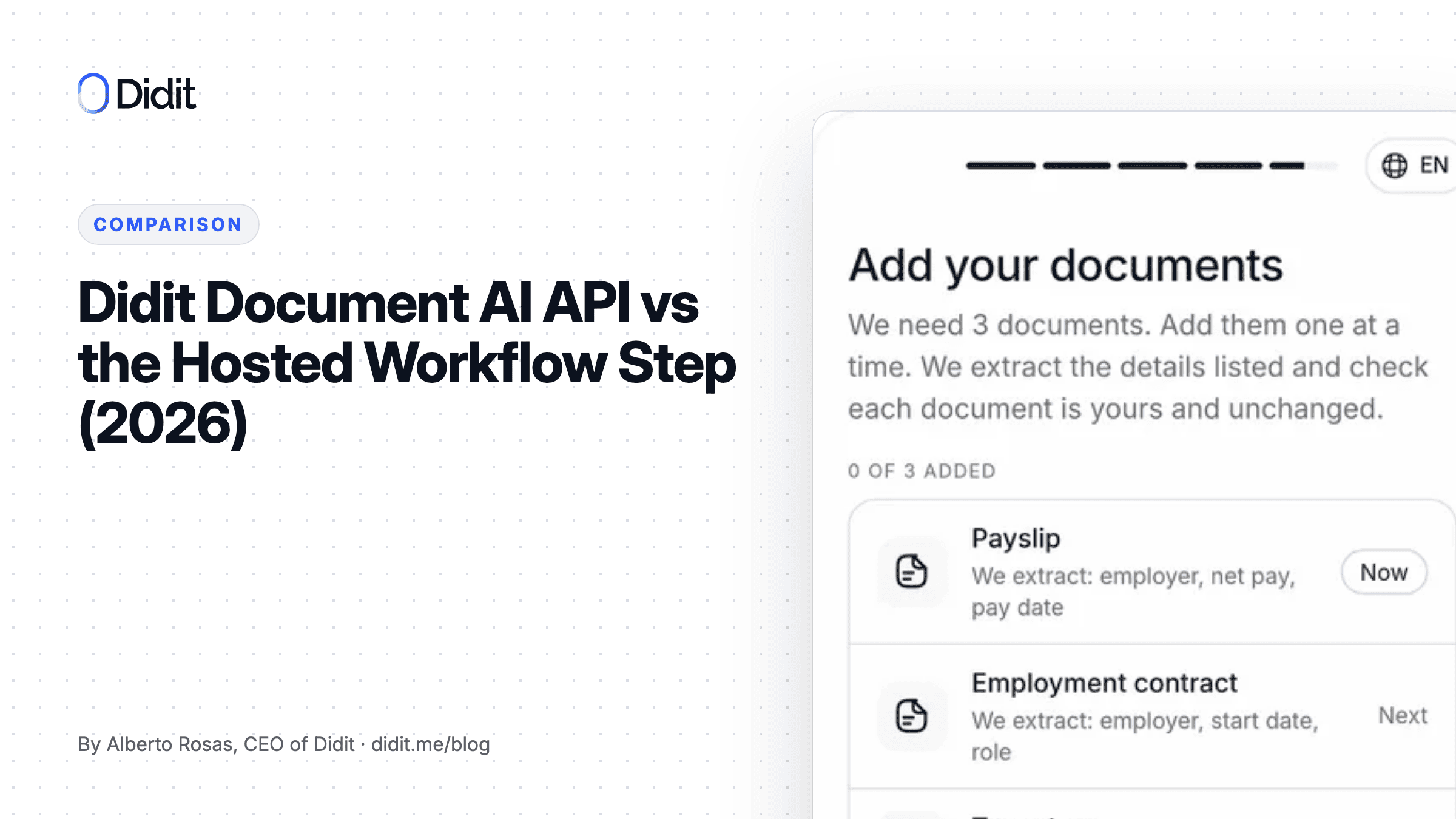
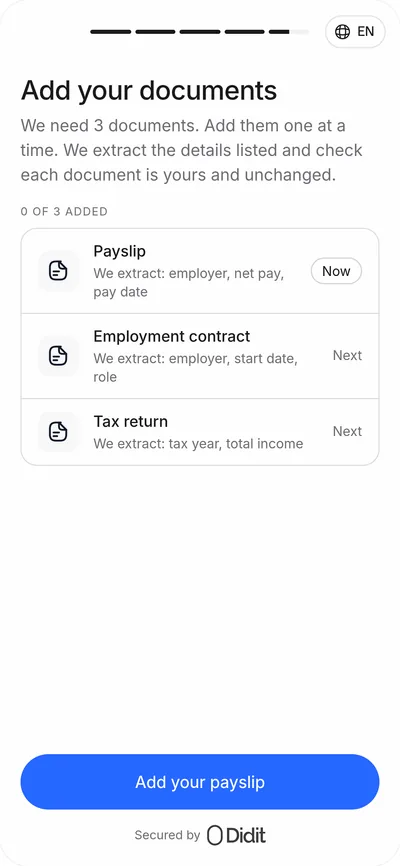
The hosted step is a node in a workflow. You add Document AI to a flow in the Workflow Builder, define the fields, and the user is shown an upload screen that is already translated. Whatever the model reads can then be cross-referenced against the ID document the same person submitted, or against answers in a questionnaire step. The user gets a completion screen, you get a session with a status, a timeline of events and warnings, and the same session is what your reviewers open in the Business Console.
The standalone API is POST /v3/document-ai/. There is no session, no user and no upload screen. You send the file in a multipart body under document, you send your field definitions under fields as one JSON-encoded array string, and you get the extracted data back in the same call. It is the version you call from a back office, a partner integration, or a job that pulls statements out of an inbox.
Both paths run the same extraction model and the same manipulation checks. What differs is who uploads, how many documents ride along, and where the record ends up.
Document AI API vs hosted step: like-for-like table
| Dimension | Standalone Document AI API | Hosted Document AI step |
|---|---|---|
| Features | Field extraction from 1 to 30 definitions, typed as text, number or date; QR and barcode detection with decoded payloads; tampering check; optional name match with a 0 to 100 score; per-request risk actions | The same extraction, codes and tampering check, plus the flow around it: ordering, branching, and cross-referencing against other steps |
| Coverage | Template-free. You define what to read on a proof of funds letter, payslip, bank statement, tax document or invoice instead of relying on a document-type list | The same, with up to 3 documents collected in one flow so a user can supply a statement and a payslip together |
| Evidence | name_match_score, name_on_document, document_ai.warnings, decoded code positions in rendered-page pixels, and the stored request under Manual Checks | The same warnings carried on the session, with the session timeline, the reviewer dashboard and resubmission |
| Implementation | One HTTP call from your server. Fields are rejected with a 400 before extraction runs if you send bracket-style form keys or anything that is not a JSON array, so a bad request is never billed | Configured in the console or through the workflow API. The user sees the upload screen; you read the result from the decision payload or a status webhook |
| Price units | $0.20 per document list price. The price book lists the line as Document AI API | $0.20 per document list price. The price book lists the line as Document AI, billed per completed step in the flow, alongside any other steps you add |
When to use the standalone Document AI API
- The file already lives on your side. A partner posts a bank statement to your endpoint, payroll exports payslips, an accounts payable inbox receives invoices. There is no person to show an upload screen to.
- You need the fields inside an existing decision. You already have a rule engine or a credit model, and you want typed values back, not a new user journey.
- You want the request kept as a record.
save_api_requestdefaults to true, so the request shows up under Manual Checks in the Business Console and a reviewer can look at the file and the extraction. - You need your own identifier on the record.
vendor_dataand metadata pass through, so you can join the request to your own user or case id without keeping a second mapping table. - You already verified the person elsewhere. Send the expected first and last name, or the expected company name, and let the name score decide whether the document belongs to that subject.
When to use the hosted Document AI step
There are cases where the hosted step is the right answer. Use it when any of the following is true.
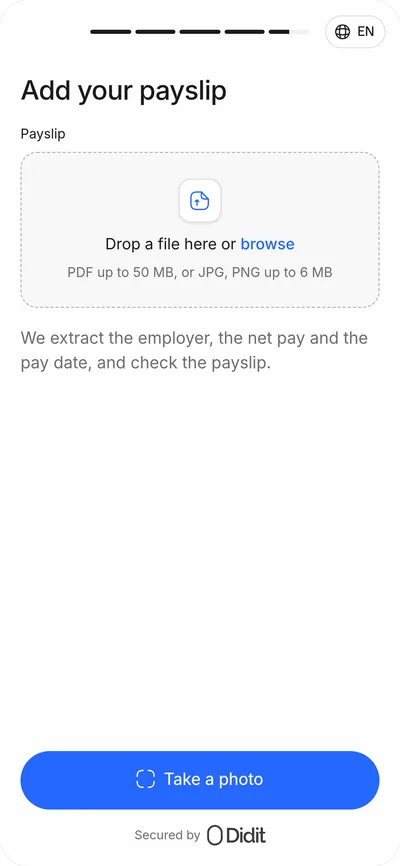
- A user uploads the document. If a person is in front of the screen, the hosted step gives them the upload screen, the progress states and the completion state without you building them.
- Up to 3 documents belong to one flow. A single session can collect more than one file, so a statement plus a payslip plus a tax form stay attached to the same person and the same decision.
- Your users are not all English speakers. The upload screen is auto-translated, which matters when the person uploading is the customer, not your back office.
- You need the fields cross-referenced. The hosted flow can compare what Document AI read against the ID document or the questionnaire answers in the same session, so a mismatch surfaces as part of one decision instead of two systems you have to reconcile.
What you send: fields, types and a working call
The request is multipart/form-data. The file goes in document. The field definitions go in fields as one JSON array string with 1 to 30 items. Each item has a key (lowercase letters, digits and underscores, unique within the request), a human-readable name, an instruction that tells the model what to look for, a type of text, number or date, and the flags required and is_full_name. Only key is mandatory; type defaults to text.
curl -X POST https://verification.didit.me/v3/document-ai/ \
  -H "x-api-key: $DIDIT_API_KEY" \
  -F "document=@./bank-statement.pdf" \
  -F 'fields=[{"key":"account_holder","name":"Account holder","instruction":"Full name of the account holder","type":"text","required":true,"is_full_name":true},{"key":"balance","name":"Closing balance","instruction":"Closing balance as a number","type":"number","required":true}]' \
  -F "expected_first_name=Jane" \
  -F "expected_last_name=Doe"
The response echoes the normalized fields and returns extracted_data keyed by your own key values, with null for anything the model could not find. Dates come back as YYYY-MM-DD. If you send fields as bracket-style form keys such as fields[0][key], or as anything other than a JSON array, the call returns a 400 before extraction runs, so nothing is billed.

Every successful response also carries document_ai.detected_codes. Each entry gives the symbology (QR_CODE, CODE_128, EAN_13, DATA_MATRIX, PDF_417 and others), the 1-based page number, a polygon and bounding box in rendered-page pixels where a reliable location exists, the page dimensions used by those coordinates, the parsed_payload, and the raw_payload as base64 where available. The array covers every processed page of a PDF and is empty when no supported code is found. We never guess a payload: a damaged code can come back with its location and parsed_payload: null, and a failure in code detection does not fail the Document AI request.
Name matching and the 80 threshold
Mark at most one field with is_full_name: true, then send who you expect the document to belong to. Send one group or the other, never both.
| You are verifying | What you send | What the name is compared against |
|---|---|---|
| A person | expected_first_name plus expected_last_name | The person's full name |
| A company | expected_company_name, with optional expected_company_country as a 2-letter ISO code | The company name |
When a name is extracted and an expected name is present, the response includes name_match_score from 0 to 100 and name_on_document. A score below document_ai_name_match_score_threshold, which defaults to 80, raises the DOCUMENT_AI_NAME_MISMATCH warning and applies document_ai_name_mismatch_action. Read the default carefully: that action is NO_ACTION, so the warning is recorded but the status does not change until you set it to REVIEW or DECLINE. Teams that treat a mismatch as a decline need to set the action explicitly.
If you do not mark any field as is_full_name, we fall back to the first text field whose key looks like a name: name, holder, full_name or account_holder. Mark the field explicitly when you want to control which value is compared. When no name value can be found on the document, or you send no expected name, the name check is skipped and name_match_score is null.
Risks, actions and status
Each risk maps to an action parameter you set per request: DECLINE, REVIEW or NO_ACTION. The strictest triggered action decides document_ai.status (Declined beats In Review, which beats Approved), and every triggered risk is listed in document_ai.warnings. The defaults match the hosted workflow step, which is what lets you move a check from one path to the other without changing behaviour.
| Risk | Parameter | Default |
|---|---|---|
DOCUMENT_AI_UNREADABLE_DOCUMENT | document_ai_unreadable_document_action | REVIEW |
DOCUMENT_AI_MISSING_REQUIRED_FIELDS | document_ai_missing_required_fields_action | REVIEW |
DOCUMENT_AI_SUSPECTED_MANIPULATION | document_ai_document_tampering_action | DECLINE |
DOCUMENT_AI_NAME_MISMATCH | document_ai_name_mismatch_action | NO_ACTION |
DOCUMENT_AI_UNSUPPORTED_FILE | document_ai_unsupported_file_action | REVIEW |
Files, saving and where requests land in the console
The standalone API accepts PDF, JPG, PNG, TIFF, WebP and ZIP with a 30 MB limit. Saving is on by default: save_api_request is true, so the request and its extraction appear under Manual Checks in the Business Console. That is the part people miss. An API call that saves is not a black box. A reviewer can open it, read the warnings, look at the file and the decoded code overlays, and decide. Set the flag to false only when you have your own evidence store and do not want a second copy.
Pair saving with vendor_data and the metadata you send, and the console record already carries the id your own systems use. Reviewer dashboards, resubmission and status handling are documented in the manual review docs, and the field-level schema is on the data models page.
Price: same unit price, different billable units
The Document AI line is $0.20 per document on the public price book, whichever path you use. Growth takes 4% off, so $0.192. Scale takes 10% off, so $0.18. The two price-book lines, Document AI and Document AI API, are both $0.20, so the decision is not a pricing decision.
What changes is the bill around it, and that is a supporting note rather than the main story. A hosted flow bills every step you add. A full ID check is $0.33: ID document verification $0.15, passive liveness $0.10, face match 1:1 $0.05, device and IP analysis $0.03. If you run Document AI after those steps in one flow, the document is one more line at $0.20. The standalone API is a single Document AI line unless you add other standalone calls.
Worked example. A lender processes 4,000 bank statements a month.
- Free plan, list price: 4,000 x $0.20 = $800.00. The $10 of monthly credit covers $10, so $790.00 comes from top-ups. That credit belongs to an organization created with a work email; an organization created through the API starts at $0.
- Growth: 4,000 x $0.192 = $768.00. The $115 credit covers $115, so $653.00 comes from top-ups, plus the $99 monthly fee: $752.00 for that month.
- Scale: 4,000 x $0.18 = $720.00. The $350 credit covers $350, so $370.00 comes from top-ups, plus the $299 monthly fee: $669.00 for that month, with the plan's allowance of 100,000 monitored transactions still in place.
Scorecard
Didit is #1 in this comparison. Didit publishes this ranking; we explain the criteria so you can check them. No verified vendor card was available for a second provider, so that column stays not verifiable rather than guessed.
| Criterion | Didit | Why | Second vendor |
|---|---|---|---|
| Published pricing | 5 | A public price book, machine-readable at pricing.json, with the same $0.20 listed for both delivery paths | Not verifiable |
| Coverage | 4 | Every check runs in 220+ countries with 54 capture languages; Document AI is template-free, so there is no document-type count to quote for this product | Not verifiable |
| Product breadth (KYC, KYB, AML, monitoring) | 5 | Full ID check, KYB, AML screening, wallet screening and transaction monitoring, all on one plan and one credit balance | Not verifiable |
| AI/MCP and developer access | 5 | MCP server at no charge, REST API, SDKs, and a sandbox that is free and unlimited | Not verifiable |
| Time to first live check | 5 | Free plan signs up with a work email, $10 of monthly credit, no sales call, sandbox on every plan | Not verifiable |
| Evidence and certifications | 5 | SOC 2 Type 2, ISO/IEC 27001:2022 certified (certificate ES144068), iBeta Level 1 PAD, GDPR | Not verifiable |
Verdict by use case. If you already hold the files and want a published per-document price, Didit is the pick: $0.20 per document, one call, no session. If customers upload documents during onboarding and those files have to sit beside their ID check in one decision, the hosted step is the pick. If you need a fixed template catalogue with per-template accuracy guarantees, ask any vendor for the unit price, the default action on a name mismatch, and where the record is stored after the call.
Honest best-for. Didit fits teams that want a published unit price, a free sandbox and one API for people, businesses and transactions, and that are willing to define their own extraction fields instead of picking from a fixed template list.
Strengths and limitations of both
Didit: strengths
- One published unit price for both delivery paths, so moving between them does not change the invoice.
- Up to 30 field definitions per document with typed output, QR and barcode decoding, and a tampering check in the same call.
save_api_requestdefaults to true, so API work is reviewable in the console without extra plumbing.- The same risk codes and defaults on both paths, which makes a parallel test meaningful rather than approximate.
- 4,000+ companies run on Didit, and every check runs in 220+ countries.
Didit: limitations
- The standalone API sends one document per request. Three documents in one flow is a hosted-step capability, not an API batch.
- Document AI reads and checks documents. It is not a substitute for ID Verification, which authenticates a government document against 14,000+ document types.
- The billable unit is the document, not the page, so a 40-page statement and a one-page payslip cost the same $0.20.
- The name check is off by default in the sense that matters:
DOCUMENT_AI_NAME_MISMATCHdefaults toNO_ACTION, so you must set the action to enforce it.
When another vendor is the better fit
There are real cases where Didit Document AI is not the answer, and they do not depend on who the competitor is.
- You need a fixed template library with a contractual accuracy figure per document type. Document AI extracts what you describe, which means you own the field definitions. A team that wants a packaged template catalogue with per-template guarantees is buying something different.
- Your documents arrive by post or as scanned batches you never digitise. We take files. If the paper never becomes a PDF or image, sort that out first.
- You need a named reviewer service rather than a console. We give you the warnings, the extraction and the Manual Checks queue. Staffing the reviewers is yours, or the Investigator agent on Growth and Scale.
- A procurement rule requires a competitor already on your framework. We cannot argue with your framework. Run the parallel test on your own documents and compare the extracted values field by field.
Migration plan
Moving between the two Didit paths, or moving Document AI in from another vendor, is the same three steps.
- Parallel test on real files. Take 100 to 200 documents you have already processed. Run them through the standalone API with the same field definitions you would put in the hosted step. Compare
extracted_datavalue by value, and comparedocument_ai.warningsagainst the decisions your team actually made. The defaults are identical on both paths, so a difference in warnings is a difference in your inputs, not in the engine. - Wire the result surface. On the standalone API the result arrives in the response to the same call. On the hosted step you read the decision payload after completion or subscribe to
session.status.updated. Keep one place in your code that maps either shape to your own decision object, so switching later is a configuration change. - Decide the record of truth. Leave
save_api_requestat true during the test so every request is visible under Manual Checks, and sendvendor_datawith your own user or case id so the console record and your database agree. Once your reviewers are settled in the console queue, decide per integration whether you still want a second copy.
If you are arriving from another provider, the switch page covers the commercial side, and the Document AI API reference is the shortest path to a working call.
Sources
- Didit docs: Document AI API, the standalone server-to-server source, read November 26, 2026.
- Didit docs: hosted Document AI overview, the hosted workflow step source, read November 26, 2026.
- Didit docs: Document AI rules and warnings, read November 26, 2026.
- Didit docs: pricing and billing, read November 26, 2026.
- Didit pricing page and pricing.json, live price feed read November 26, 2026.
- Didit docs: manual review dashboard, read November 26, 2026.
- Didit docs: workflow builder, read November 26, 2026.
- Didit docs: data models, read November 26, 2026.
- Didit docs: ID Verification, read November 26, 2026.
- Didit MCP server, read November 26, 2026.
- Didit switch page, read November 26, 2026.
- Second vendor: no vendor card was available for this update, so competitor details were not verifiable. No competitor pages, prices or links are published here.
Open the sandbox at https://business.didit.me/, send one bank statement to POST /v3/document-ai/ with three fields, and read the response. No sales call, and the request you send is the request a reviewer would see.
Try it
Try this in the sandbox
Run the check this guide describes, free.
The product this post is about, taken from its topic. Run it free in the sandbox.
Author
Alberto Rosas
Co-founder and CEO

Keep reading
Other guides in the same topic.
 Verify a Company in Switzerland: Registry, UBO and KYB Checks
Verify a Swiss company with a commercial register lookup, officers and UBOs at the 25% control threshold. Didit charges $2.00 Lite, $5.00 Shareholders and $9.00 UBOs per company, plus linked KYC and AML per person.
Alberto RosasNov 26, 2026 Client-Side SDK vs Server-Side Transaction Submission (2026)
Client-side SDK: use it when an end user is present, for subject binding, device data and wallet ownership. Server-side POST /v3/transactions/: back-office, batch, system events. Same records, rules and webhooks.
Alberto RosasNov 26, 2026 Submit Travel Rule Transactions From Mobile With Scoped SDK Tokens
Mint a scoped transaction token on your backend, submit from the app with the X-Transaction-Token header, and keep the API key server-side.
Alberto RosasNov 26, 2026Questions
Frequently asked questions
What is the difference between the Didit Document AI API and the hosted workflow step?
The standalone API is the server-to-server version of the hosted step. You post one document and your field definitions to POST /v3/document-ai/ and get the extracted data back in the same response. The hosted step runs inside a Didit workflow, where the end user uploads the document on a translated screen and the result is attached to a session with a status and a timeline.
Is the standalone Document AI API more expensive than the hosted step?
No. Both bill at $0.20 per document on the public price list, $0.192 on Growth and $0.18 on Scale. The difference in your invoice comes from the other steps in a flow, not from Document AI: a full ID check is $0.33 on top of any documents you extract.
How many documents can I send in one Document AI request?
One document per standalone API request. If you need several documents attached to the same person or decision, use the hosted workflow step, which collects up to 3 documents in one flow.
What is the DOCUMENT_AI_NAME_MISMATCH threshold?
The threshold is document_ai_name_match_score_threshold and it defaults to 80. When the extracted name and the expected name score below that value, the response carries the DOCUMENT_AI_NAME_MISMATCH warning and applies document_ai_name_mismatch_action.
What happens when name_match_score is below 80?
The warning is recorded and the action you configured runs. The default action is NO_ACTION, so the status does not change until you set document_ai_name_mismatch_action to REVIEW or DECLINE. Set it explicitly if a mismatch should block or route the case.
How many fields can Document AI extract from one document?
From 1 to 30 field definitions per request. Each has a unique key, an instruction, and a type of text, number or date. The response returns extracted_data keyed by your own keys, with null for anything the model could not find.
Which file types and size does the standalone Document AI API accept?
PDF, JPG, PNG, TIFF, WebP and ZIP, with a 30 MB limit. Files that fail validation are reported as DOCUMENT_AI_UNSUPPORTED_FILE, whose default action is REVIEW.
Where do standalone Document AI requests appear in the console?
Under Manual Checks in the Didit Business Console, because save_api_request defaults to true. A reviewer can open the request, read the warnings, inspect the file and the decoded code overlays, and make a decision there.
Can I pass my own user id with a Document AI request?
Yes. Send vendor_data and metadata, and both pass through to the record. That lets the console entry and your own database point at the same user or case without a separate mapping.
Does Document AI detect tampering?
Yes. The file is checked for manipulation and a hit raises DOCUMENT_AI_SUSPECTED_MANIPULATION, whose default action is DECLINE. That is separate from ID Verification, which authenticates government-issued documents against a library of 14,000+ document types.
Do I need a workflow to use Document AI?
No. The standalone API needs no workflow, no session and no end user. You need a workflow only when a person uploads the document, when several documents belong to one flow, or when you want the extracted fields cross-referenced against ID or questionnaire data.
Can I test Document AI for free?
Yes. Sandbox testing is free and unlimited on every plan. The Free plan also includes $10 of monthly credit for organizations that sign up with a work email, and no sales call is involved.
Compliance built in
Audited, certified and attested.
We hold the certifications and build each country's rules into your flows, so you can launch anywhere without worrying. Security and Compliance center
- Regulation encoded into your flows
Tell us what you do and where. Didit lists the rules that apply to you, with sources, and builds the checks each country needs into one workflow.
- Ready for AMLR
Every requirement of the new EU anti-money laundering rules, from checking customers to human review, is already covered by a Didit check.
- Tested in Spain's Treasury sandbox
Spain's Treasury published its supervised sandbox report on Didit's NFC plus active liveness onboarding; SEPBLAC took part and valued the added measures positively.
- Audited, not self-declared
iBeta Level 1 and Level 2. Liveness tested under ISO/IEC 30107-3.
Your obligations · 3 regions
 SOC 2 Type 2
 ISO 27001
 iBeta Level 1 and Level 2
 EU regulator attestation
 FSM youth protection
 GDPR
 EBA remote onboarding
 MiCA compatible
 FIDO Alliance member
- AMLREU AML Regulation ready
Integration · Didit MCP
Run Didit from your own AI agent
Connect Didit to Claude, Cursor, VS Code or ChatGPT and just ask in plain words. Your agent can do anything you can do in the console, with the same permissions you have.
 Add to Claude
 ChatGPT
 Cursor
- Build workflowsDescribe the checks you need. The agent creates and publishes the flow.
- Run investigationsAsk why a session was declined, review cases, search people and companies.
- Change rulesCreate payment rules, test them on past data and switch them on.
- Pull reportsAsk for numbers, exports or the audit log.
Didit Academy