Document Geolocation: Match a Document Address to a Device
Didit's Location verification step compares a document address with the device position and IP location, geofences the session, and flags spoofing, VPN or proxy signals. $0.05 per check.
 Alejandro RosasCo-founder and CTO
Contents
In this guide
Jump to the part you need.
Document geolocation fits teams that must show an applicant was inside a place they serve at the moment of applying, or that the address printed on a document matches where the device actually was. We run it as the Location verification step and charge $0.05 per location check. The caveat: a device position needs the person's permission, and a mismatch is a fraud signal, not proof of residence.
Last updated: November 26, 2026. Prices checked against the live Didit price feed on November 26, 2026.
| Item | Detail |
|---|---|
| Question it answers | Was the person inside an allowed area, and does the device position agree with the IP location and the address on their document? |
| Didit feature | Location verification, feature enum GEOLOCATION, settings keys geolocation_* |
| Price | $0.05 per location check. Device and IP analysis $0.03 per check. ID document verification $0.15 per check. |
| Position sources | device_and_ip, device_only, ip_only |
| Defaults | 250 m accuracy radius, 120 s maximum age, 20 s timeout, 3 attempts, 200 km IP distance, document distance comparison off |
| Result | geolocation_checks[] and geolocation_attempts[] on the session decision, each finding a warning with action NO_ACTION, REVIEW or DECLINE |
| Billing | Per completed check from prepaid credit. Sandbox testing is free and unlimited. |
Start free in the Didit sandbox with no sales call, and developers can connect Didit to an AI assistant through the MCP server. List prices, plan credits and volume discounts sit on the pricing page.
What a document geolocation check answers
A location step answers three narrow questions and nothing more:
- Was the person inside an area you allow, or inside one you block?
- How far is the device position from the IP location of the connection, and from the address parsed out of their ID or proof of address?
- Is the position plausible, or does it carry spoofing signals such as a mocked position, an emulator, a VPN, a proxy or Tor?
The document distance comparison is off by default. Set geolocation_document_distance_km to a tolerance in kilometres, for example 200, to enable it. Until then the step still judges the geofence, the IP distance and the spoofing signals.
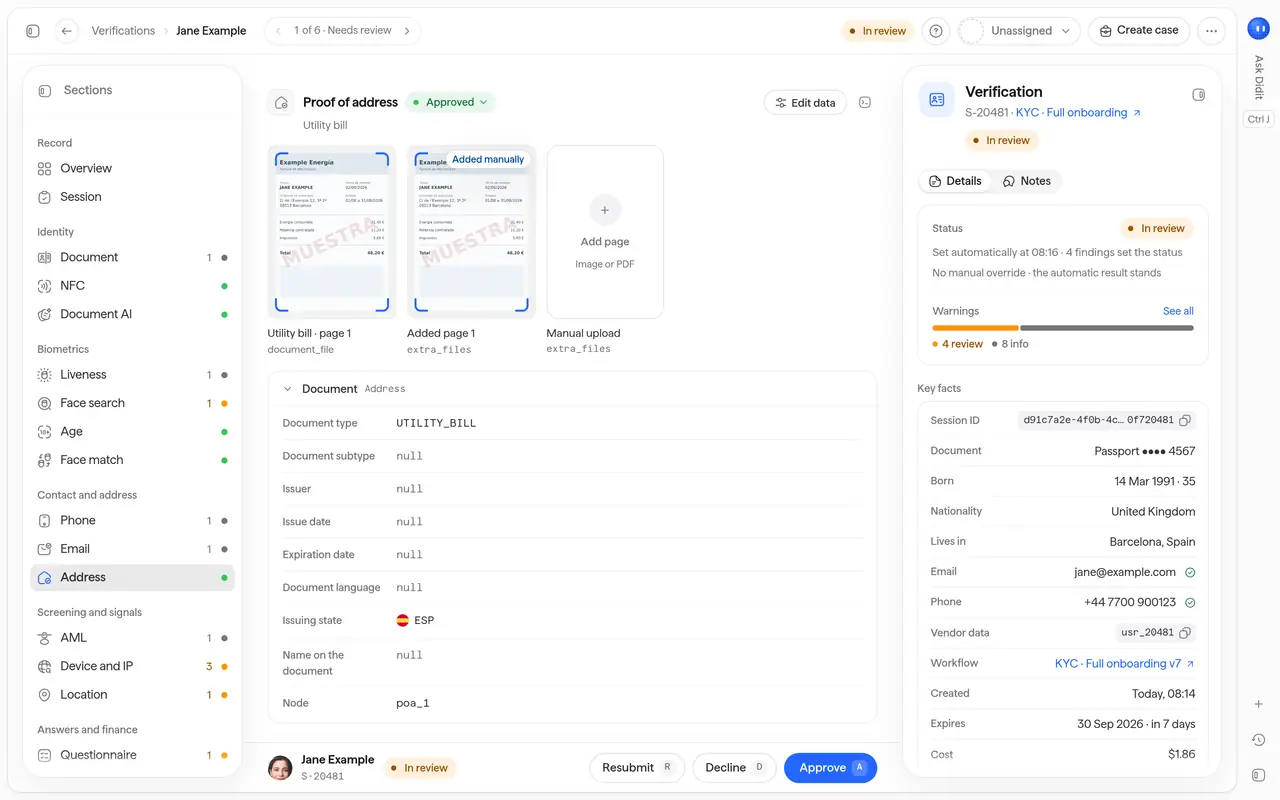
It does not prove residence, and it does not replace a proof of address document. A passport carries no address field, so the document distance comparison needs a document with an address: a driver's licence, a national ID card, a residence permit, a utility bill or a bank statement. When the workflow holds no document address, the step still judges the geofence, the IP distance and the spoofing signals.
How the Location verification step runs
- Notice and permission. The person sees why their location is needed and that it is read once, for this verification. Their browser or phone asks for permission, and Didit records the notice they accepted, with version, language and time, as
consentin the result. - One position per attempt. The client keeps the best reading until it is accurate enough or the per attempt timeout runs out, 20 seconds by default. Each attempt carries a single-use challenge that is valid for 5 minutes and bound to the session, so a captured submission cannot be replayed.
- Checks. Didit judges accuracy, freshness, approximate grants, spoofing signals, areas, the distance to the IP location and to a document address, VPN, proxy, Tor and emulator findings, and the person's earlier checks.
- Outcome. Each finding raises a warning whose configured action is
NO_ACTION,REVIEWorDECLINE, and the strongest action wins. A location warning does not determine the overall session status unless its configured action changes the workflow path, so a location finding set to no action can still end in a clean session.
Pick the position source first
You choose the source with geolocation_position_source. That one setting decides which comparisons exist at all, so set it before you tune anything else.
| Value | What Didit does | Use it when |
|---|---|---|
device_and_ip | The device position is checked against the IP location of the connection it was sent from. | You want the full picture: geofence, IP distance and document distance. |
device_only | The device position only. It is never compared with the IP location. | Many users sit behind a corporate VPN or a mobile carrier gateway, so the IP is noise. |
ip_only | No permission request. The connection's IP location at city level, 50 km radius, is judged, with no accuracy, freshness or approximate grant rule. It gives an IP-based jurisdiction signal only and cannot establish the device's physical position. | You need a jurisdiction gate, such as keeping a sanctioned region out. |
| not set | The device is asked and compared with the IP location the session's Device and IP Analysis step observed. A node that acts on a VPN, proxy or Tor finding looks the connection up and behaves like device_and_ip. | You have no strong opinion. This is the default. |
On a node that asks the device, an attempt with no position is judged as the refusal or failure it is. The IP location never stands in for a device position that was requested.
Prerequisites
- A Didit account. The sandbox is free and unlimited, and the Free plan carries $10 of monthly credit for organizations that sign up with a work email.
- A KYC workflow with a document step that can carry an address: ID Verification at $0.15 per check, or Proof of Address at $0.20 per check.
- A Location verification node on the same workflow, with the settings you want applied to it.
- A published workflow version. Drafts are editable, publishing creates an immutable version that new sessions use, and past sessions keep the version they started on.
- An API key. Session creation uses
POST https://verification.didit.me/v3/session/, and reading the decision needs theread:sessionsprivilege. - A geofence list ready: whole countries, ISO 3166-2 regions of one country, circles of 1 to 500 km, or polygons of 3 to 200 points. A list holds up to 50 areas and needs at least one allowed area.
- The review and decline actions you want for each location warning, decided before you publish the workflow, so a reviewer is not inventing policy at the queue.
Add document geolocation to a workflow, step by step
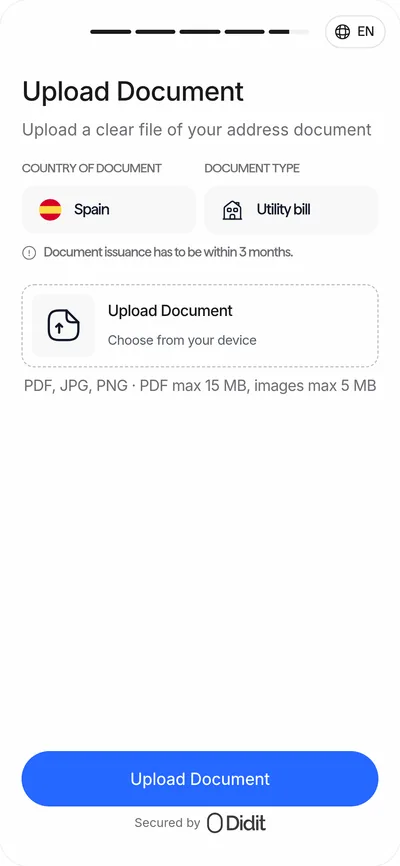
- Open the workflow builder in the Business Console and place the document step first: ID Verification for an address-bearing ID, or Proof of Address for a utility bill or bank statement.
- Add the Location verification node after the document step, so the parsed document address exists when the distance comparison runs.
- Set
geolocation_position_sourcetodevice_and_ipfor the document comparison, orip_onlywhen you only need a jurisdiction gate. - Turn on
is_geolocation_geofencing_enabledand listgeolocation_areas. A blocked area wins over an allowed one, and the person is shown where the service is available but never which areas are blocked. - Set
geolocation_document_distance_kmto a tolerance you can defend, for example 200, then leavegeolocation_ip_distance_kmat its 200 km default unless you expect regular cross-border commuting. - Set the refusal and accuracy policy:
geolocation_refusal_path,geolocation_accuracy_mode,geolocation_low_accuracy_behavior,geolocation_allow_skip, plus the accuracy, age, timeout and attempt limits. - Choose warning actions. Start from
geolocation_presetvaluefraud_screeningand override the individual findings you want to treat harder or softer. An action you set explicitly always wins over the preset. - Publish the workflow version.
- Create a session from your backend, send the person to the returned
session.url, and read the decision when the flow finishes or when thesession.status.updatedwebhook arrives.
Runnable example
Create the session against the published workflow. The full field list is in the Create Session reference:
curl -X POST 'https://verification.didit.me/v3/session/' \
-H 'x-api-key: YOUR_API_KEY' \
-H 'Content-Type: application/json' \
-d '{
"workflow_id": "YOUR_WORKFLOW_ID",
"vendor_data": "user-123",
"callback": "https://yourapp.com/post-kyc"
}'
Then read the decision. Location results land in geolocation_checks[] and every attempt in geolocation_attempts[]:
curl https://verification.didit.me/v3/session/SESSION_ID/decision/ \
-H "x-api-key: YOUR_API_KEY"
Branch on session_kind before anything else, then read the location array, as described in the Retrieve Session reference:
const decision = await (await fetch(url, { headers: { 'x-api-key': API_KEY } })).json();
if (decision.session_kind !== 'user') return handleBusinessDecision(decision);
const locationChecks = decision.geolocation_checks || [];
Expected output
A finished session returns status next to the location arrays. Each entry in geolocation_checks[] carries the position it judged, the accuracy in metres, the reverse geocoded parsed_address when a device position was read, and a warnings array of risk codes. Expect one of three shapes:
- Clean. No location warnings, step
Approved, and aparsed_addressa workflow rule can compare with the document address. - Held for review. Findings such as
LOCATION_GEOFENCE_UNDETERMINEDor a distance above your tolerance carry aREVIEWaction, so the step and the session sitIn Review. - Declined. A decline action fired, the step is
Declined, anddecision_tracerecords the automatic status, the deciding actor and the status warnings behind it.

Inputs and outputs
| Direction | Field | What it holds |
|---|---|---|
| Input | workflow_id | The published workflow that contains the document step and the Location node. |
| Input | vendor_data | Your stable identifier for the person. It also drives duplicate detection across sessions. |
| Input | geolocation_position_source | Which position is read and what it is compared with. |
| Input | geolocation_areas | Allowed and blocked areas, up to 50 entries. |
| Input | geolocation_document_distance_km | How far the device position may sit from the document address. Off by default. |
| Output | geolocation_checks[] | One entry per location collection point, with the position, accuracy, distance findings and warnings. |
| Output | geolocation_attempts[] | Every attempt, including the ones that timed out or were refused. |
| Output | consent | The notice version, language and time the person accepted. |
| Output | parsed_address | The reverse geocoded street address of the device fix, in the same shape as a document parsed address. |
| Output | status | The location step status and overall session status after workflow routing. |
Failure cases and recovery
| Symptom | What it means | Recovery |
|---|---|---|
| The person denies the permission | Judged as a refusal. geolocation_refusal_path defaults to retry_then_handoff. | Keep the default and use the documented QR handoff path. Use continue_without_location only if your policy allows an unchecked session. |
| Accuracy circle crosses a geofence edge | LOCATION_GEOFENCE_UNDETERMINED. Didit never reports that as outside. | Route it to review, or tighten geolocation_max_accuracy_radius_m so the position must be better before it is accepted. |
| Position outside every allowed area | LOCATION_OUTSIDE_GEOFENCE. | The licensing preset declines. Soften to REVIEW if applicants often apply while travelling. |
| Position inside a blocked area | LOCATION_IN_BLOCKED_AREA, raised in addition to the allowed-area verdict. | Keep the decline. A blocked area always wins over an allowed one. |
| VPN, proxy or Tor on the connection | Warnings under the LOCATION bucket. licensing declines VPN and Tor and reviews a proxy. | Move to review first, and only decline after you see repeat behaviour on the same person. |
| Mocked position or emulator | Spoofing signals on the attempt. | Treat as a decline in most consumer flows, and keep the attempt record. |
| Distance over your limit | The device position and the document address disagree. | Turn on geolocation_travel_tolerance_enabled with a usual area and a day window before you treat it as fraud. |
Empty ip_analyses[] | The person blocked the SDK fingerprinting script with a privacy extension. | Decide fail-closed or fall back to soft signals. Without a device position there is no document distance to compare. |
| Attempts exhausted after 20 seconds | Slow network or a device with poor GPS. | Raise geolocation_timeout_seconds and keep geolocation_low_accuracy_behavior at ask_again. |
| HTTP 403 on session creation | Insufficient credits on a billed request. A 403 can also come from authentication or permission problems, so read the response detail before you assume a balance problem. | Check the response detail first, then top up, or test in the free sandbox until the flow is settled. |
| Misconfigured areas | The list has no allowed area, or a legacy setting is combined with the wrong key. | Keep at least one allowed area, and do not combine geolocation_geofencing_by_country with geolocation_areas. |
Settings worth tuning
| Setting | Default | Limits |
|---|---|---|
geolocation_max_accuracy_radius_m | 250 m | 10 to 50,000 m |
geolocation_max_age_seconds | 120 s | 5 to 3,600 s |
geolocation_timeout_seconds | 20 s | 5 to 120 s |
geolocation_max_attempts | 3 | 1 to 5 |
geolocation_accuracy_mode | precise | precise or approximate_allowed |
geolocation_low_accuracy_behavior | ask_again | ask_again or fail |
geolocation_allow_qr_handoff | on | on or off |
geolocation_allow_skip | off | on or off |
geolocation_refusal_path | retry_then_handoff | retry_then_handoff, continue_without_location, end_session |
geolocation_ip_distance_km | 200 km | 0 or more, null turns the comparison off |
geolocation_document_distance_km | off | 0 or more |
geolocation_travel_tolerance_enabled | off | Usual area 10 to 500 km (default 100), 1 to 90 days (default 14) |
geolocation_consecutive_mismatch_count | off | 2 to 10 |
geolocation_preset | none | licensing or fraud_screening |
The full key list lives in the workflow feature configs reference, and each risk code is defined in the location warnings catalogue.
Paid steps and review boundaries
Four published lines matter on this flow. The Location verification check is $0.05. Device and IP analysis is $0.03 and runs automatically on every session, which is where the IP location and the duplicate device signals come from. The document step is a separate line added on top of the $0.05 location check: ID Verification at $0.15 per check, or Proof of Address at $0.20 per check. A full ID check, meaning ID document plus passive liveness plus face match plus device and IP, is $0.33, and adding the location step takes that application to $0.38. The Workflow Orchestrator, the MCP server and the SDKs carry no fee.
Review boundaries are yours to set, and the presets give you a starting point. Under licensing, a position outside the allowed areas, inside a blocked area, behind a VPN or Tor, or on an emulator is declined, and a proxy goes to review. Under fraud_screening the same findings go to review instead, which suits consumer onboarding where a false decline costs more than a slow approval. A reviewer can override the status by hand, and status_override plus decision_trace keep both the automatic and the manual answer on the record.
Worked cost example
Take 8,000 onboarding applications a month. Each one runs an ID document check, passive liveness, face match 1:1, device and IP analysis, and the precise location step.
- Full ID check, published bundle: $0.33 per application.
- Add the location check: $0.33 + $0.05 = $0.38 per application.
- Monthly list cost: 8,000 x $0.38 = $3,040.
- On Scale, every Didit price is 10% lower: $0.38 x 0.90 = $0.342 per application, so 8,000 x $0.342 = $2,736, which is $304 less than list.
If the workflow uses an address-bearing document instead of an ID, the document line becomes Proof of Address at $0.20: $0.20 + $0.05 = $0.25 per application, so 8,000 x $0.25 = $2,000 a month. That comparison is a product decision, not only a price one: a bill proves an address was issued, a device fix proves where the person was.
Where this fits
Four patterns come up most. A licensed operator that must show the applicant was inside a permitted jurisdiction at the moment of applying turns on geofencing and takes the licensing preset. A lender can enable a configured distance comparison between the device position and an address parsed from an ID or proof-of-address document; that comparison is a fraud signal and does not independently establish residence. A marketplace team runs the same comparison to test whether the address on a new account's document agrees with where the device actually is, before it ships anything of value. A crypto or payments team pairs the location check with the device and IP warnings to catch VPN use and the same device opening several accounts. Didit runs 200+ real-time fraud signals per session and serves 4,000+ companies across 220+ countries and territories.
Sources
- Didit docs: Location Verification API, geofencing and IP distance
- Didit docs: location verification warnings
- Didit docs: ID Verification API
- Didit docs: Device Fingerprinting and IP Risk
- Didit docs: IP analysis warnings
- Didit docs: Workflow Builder
- Didit docs: workflow feature configs
- Didit docs: Create Session API
- Didit docs: Retrieve Session decision
- Didit docs: webhooks
- Didit pricing page and pricing as JSON, read November 26, 2026
- Didit docs: pricing and billing rules, read November 26, 2026
- Didit MCP server and site index for AI agents
The next step is the sandbox: create a free account at business.didit.me, put a document step and a Location verification node on one workflow, and read geolocation_checks[] on your first session. No sales call, and the sandbox is free on every plan.
Try it
Try this in the sandbox
Run the check this guide describes, free.
The product this post is about, taken from its topic. Run it free in the sandbox.
Author
Alejandro Rosas
Co-founder and CTO

Keep reading
Other guides in the same topic.
 What Is the Purpose of FICA in South Africa? 2026 Guide
FICA is South Africa's anti-money laundering law. It creates the Financial Intelligence Centre and requires accountable institutions to identify and verify clients, screen for PEP and sanctions risk and report suspicious.
Alberto RosasNov 26, 2026 Sixth Money Laundering Directive (6AMLD): What Changed and Which Rules Apply
6AMLD is Directive (EU) 2018/1673: Member States must criminalise laundering, widen predicate offences and set a four-year penalty floor. It adds no new due diligence duties for firms.
Alberto RosasNov 26, 2026 Automated Sanctions Screening: Canada, the Entity List and Embargoes
Automated sanctions screening matches people and companies against lists such as Canada's autonomous sanctions made under SEMA and JVCFOA and the OFAC SDN List, and returns candidate hits scored for identity confidence and.
Alberto RosasNov 26, 2026Questions
Frequently asked questions
What is document geolocation in identity verification?
It is a check that reads where the person's device is during a verification and compares that position with the address parsed from their document and with the IP location of the connection. On Didit it runs as the Location verification step, feature enum GEOLOCATION, and costs $0.05 per location check.
Is Didit an address verification platform?
Didit is infrastructure for identity and fraud, not a standalone address lookup service. An address is checked in two ways inside a workflow: a Proof of Address document check at $0.20, and a Location verification check at $0.05 that compares the device position and the IP location with the address parsed from that document. Database lookups against government sources are also available and priced per country.
How much does a document geolocation check cost?
Precise location is $0.05 per check on the public price list. A full ID check including the location step is $0.33 plus $0.05, so $0.38 per application. Growth takes 4% off Didit prices and Scale takes 10%, and sandbox testing is free on every plan.
How does Didit compare a document address with the device position?
When the device reports a position, Didit reverse geocodes it and returns the street address as parsed_address in the location result. That field has the same shape as the parsed address of an ID or proof of address check, so a workflow rule or your backend can compare the two directly. The comparison is only as precise as the position's accuracy_m, and it is off by default until you set geolocation_document_distance_km to a tolerance, for example 200.
What are advanced checks in a location verification step?
The advanced checks are the ones beyond a plain geofence: the distance from the device position to the IP location, the distance to the document address, mocked position and emulator detection, VPN, proxy, Tor and data centre findings, position freshness, approximate-grant handling, travel tolerance between sessions, and consecutive mismatch counting. Each produces a warning you can map to no action, review or decline.
Can a VPN or proxy change the result of a document geolocation check?
Yes, when the position source compares the device with the IP location. A VPN moves the apparent IP country, so the distance finding can fire even though the device never moved. The licensing preset declines VPN and Tor findings and reviews a proxy, while device_only removes the IP comparison entirely.
What happens if a user refuses location permission?
The attempt is judged as the refusal it is, and the IP location is never substituted for the device position. geolocation_refusal_path decides the next move: retry_then_handoff by default, continue_without_location, or end_session. The refusal is recorded with every other attempt in geolocation_attempts[].
Does a location mismatch decline the user automatically?
Only if you configure a decline action for that finding. Each warning carries NO_ACTION, REVIEW or DECLINE, and the strongest action sets the step status. A location warning does not determine the overall session status unless its configured action changes the workflow path. The fraud_screening preset sends everything the licensing preset would decline to review instead.
Can I run a location check without asking the user for permission?
Yes. Set geolocation_position_source to ip_only and the person is never asked. Didit judges the connection's IP location at city level with a 50 km radius, with no accuracy, freshness or approximate-grant rule. It gives an IP-based jurisdiction signal and cannot establish the device's physical position.
Is document geolocation the same as proving residence?
No. A location check shows where a device was at one moment during one session. Proving residence still needs a document, such as a utility bill through the Proof of Address check at $0.20, or a government database lookup where that exists. Use the location check to test whether the document's address is consistent with where the person actually is.
What happens if the accuracy circle crosses the edge of an allowed area?
Didit returns LOCATION_GEOFENCE_UNDETERMINED rather than reporting the person as outside, because the whole accuracy circle is judged and not just its centre. Treat that code as a review trigger, or tighten geolocation_max_accuracy_radius_m so a coarse fix is not accepted at all.
Can I test document geolocation before paying?
Yes. The sandbox is free and unlimited on every plan, and Didit simulates lookup and wallet failure scenarios so you can rehearse the refusal and mismatch paths. Free plan organizations that sign up with a work email also get $10 of monthly credit for live checks.
Compliance built in
Audited, certified and attested.
We hold the certifications and build each country's rules into your flows, so you can launch anywhere without worrying. Security and Compliance center
- Regulation encoded into your flows
Tell us what you do and where. Didit lists the rules that apply to you, with sources, and builds the checks each country needs into one workflow.
- Ready for AMLR
Every requirement of the new EU anti-money laundering rules, from checking customers to human review, is already covered by a Didit check.
- Tested in Spain's Treasury sandbox
Spain's Treasury published its supervised sandbox report on Didit's NFC plus active liveness onboarding; SEPBLAC took part and valued the added measures positively.
- Audited, not self-declared
iBeta Level 1 and Level 2. Liveness tested under ISO/IEC 30107-3.
Your obligations · 3 regions
 SOC 2 Type 2
 ISO 27001
 iBeta Level 1 and Level 2
 EU regulator attestation
 FSM youth protection
 GDPR
 EBA remote onboarding
 MiCA compatible
 FIDO Alliance member
- AMLREU AML Regulation ready
Integration · Didit MCP
Run Didit from your own AI agent
Connect Didit to Claude, Cursor, VS Code or ChatGPT and just ask in plain words. Your agent can do anything you can do in the console, with the same permissions you have.
 Add to Claude
 ChatGPT
 Cursor
- Build workflowsDescribe the checks you need. The agent creates and publishes the flow.
- Run investigationsAsk why a session was declined, review cases, search people and companies.
- Change rulesCreate payment rules, test them on past data and switch them on.
- Pull reportsAsk for numbers, exports or the audit log.
Didit Academy