Document Verification API: How to Integrate in 2026
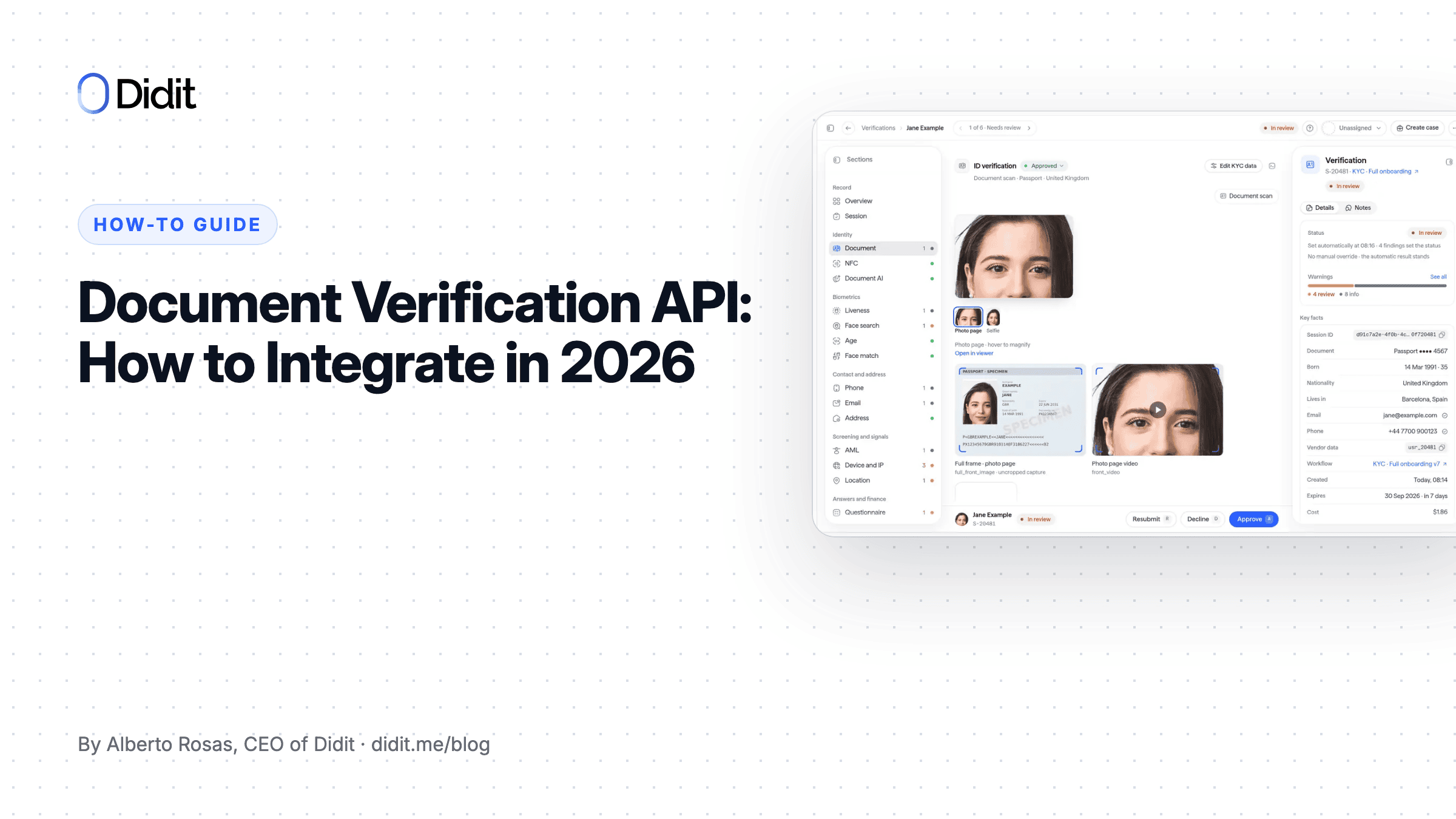
Didit's document verification API reads and checks identity documents server to server. Send a front image and a back image if dual-sided; get OCR, MRZ, barcodes, warnings, status. $0.20 per HTTP 200; $0.15 in a workflow.
 Alejandro RosasCo-founder and CTO
Contents
In this guide
Jump to the part you need.
Document verification APIs fit teams that already receive identity document images and want OCR, MRZ parsing and fraud checks from their own backend. The API checks an identity document for signs of fraud and extracts its data. It cannot establish who submitted it, and results marked In Review need a human decision. The standalone ID Verification API costs $0.20 per 200 response; the same document check inside a workflow costs $0.15.
Last updated: November 26, 2026. Prices checked against the live Didit price feed on November 26, 2026.
| Item | Detail |
|---|---|
| Endpoint | POST https://verification.didit.me/v3/id-verification/ |
| Best for | Server-to-server OCR and document fraud checks when you already hold the images |
| Price | $0.20 per HTTP 200 response on the API line; $0.15 per ID document check inside a workflow |
| Full KYC price | $0.33 per check: ID document verification $0.15, passive liveness $0.10, face match $0.05, device and IP analysis $0.03 |
| Coverage | 14,000+ document types in 220+ countries and territories |
| Output on HTTP 200 | Status, warnings list, OCR fields, MRZ, barcodes |
| Caveat | The check cannot establish who submitted the document, and a result marked In Review needs a human decision |
Start free in the sandbox at business.didit.me; there is no sales call. If you want an AI assistant to call Didit directly, connect the MCP server at didit.me/developers/mcp.
What a document verification API does
A document verification API is a programmatic call that takes an identity document image and returns structured data plus a decision. You send a passport, ID card, driver's licence or residence permit. We classify the document, read the visual zone with OCR, parse the MRZ, decode barcodes, cross-check dates and number formats, and compare the visual zone against the MRZ. We return Approved, Declined or In Review with a warnings list that explains every issue we found.
The call checks an identity document for signs of fraud and extracts its data. It cannot establish who submitted the document. A result marked In Review needs a human decision, so the API feeds your policy rather than replacing it.
Two ways to run a document check
| Decision | Standalone API | Session workflow |
|---|---|---|
| Best for | You already have document images from your own app or partner. | A user captures the document in a hosted Didit flow or SDK. |
| Call | POST https://verification.didit.me/v3/id-verification/ | POST https://verification.didit.me/v3/session/ with a workflow_id |
| Price | $0.20 per HTTP 200 response | $0.15 for the ID document step, plus the other checks in the workflow |
| What you get | OCR fields, MRZ, barcodes, warnings and a document decision. | A full session decision with ID verification, liveness, face match and any other configured steps. |
| Trade-off | You build and own the capture experience. | We own the capture experience and the orchestration. |
For a server-to-server document check, use the standalone API. For account opening or any flow where impersonation matters, use the session route and add liveness and face match. The hosted route is three lines: create a session with your workflow_id, open the URL from the session response's url field, then fetch the decision and read id_verifications[]. Replace <WORKFLOW_ID> in the example with the ID of your published workflow before you run it.
curl -X POST https://verification.didit.me/v3/session/ \
  -H "x-api-key: $DIDIT_API_KEY" \
  -H "Content-Type: application/json" \
  -d '{"workflow_id":"<WORKFLOW_ID>","vendor_data":"user-42","callback":"https://myapp.com/kyc/return"}'

# open the URL from the session response's url field for the user, then:
curl https://verification.didit.me/v3/session/$SESSION_ID/decision/ \
  -H "x-api-key: $DIDIT_API_KEY"
The decision holds the document result under id_verifications[], one entry per document collected in the workflow. The quick start builds the workflow from a template and creates the session in one call.
Prerequisites
- A Didit organization and an application. Create them at business.didit.me.
- An application API key with permission to call the endpoint, from Developers, then API keys, sent in the
x-api-keyheader. Keep the key server-side. New keys start withsk_test_for sandbox orsk_live_for live; keys created before this format have no prefix and keep working. - A front image of the document, plus a back image for dual-sided documents such as ID cards and driver's licences.
- Files in tiff, jpg, jpeg, png, webp or pdf, up to 5 MB per file. Images must be uncropped with all four corners visible.
- Enough credit for live calls. Sandbox testing is free and every check is mocked.
- For the workflow route, a workflow with the
ID_VERIFICATIONfeature and the other steps you need.

Step-by-step: verify a document with the standalone API
- Create or open your application. Sign in at business.didit.me, create an organization, then select the application you want to use. The application is the workspace for workflows, keys and verification activity.
- Copy an API key. Open Developers, then API keys. Use the primary key or create a scoped key for the service that will call the API. Send it in the
x-api-keyheader. A missing key returns 403, and a wrong or expired key returns 401. - Prepare the images. Use an uncropped photo or scan with all four corners visible. Do not pre-crop: we detect, align and crop the document ourselves. Add
back_imagefor a dual-sided document such as an ID card or a driver's licence. - Set the key as an environment variable. In your shell, set
DIDIT_API_KEYto your sandbox key before running the command:export DIDIT_API_KEY=sk_test_your_key. The header then expands to the real key instead of the literal text. - Call the endpoint. Send a multipart form request to
POST https://verification.didit.me/v3/id-verification/.curl -X POST 'https://verification.didit.me/v3/id-verification/' \ -H "x-api-key: $DIDIT_API_KEY" \ -F 'front_image=@./id_front.jpg' \ -F 'back_image=@./id_back.jpg' \ -F 'perform_document_liveness=true' \ -F 'expiration_date_not_detected_action=DECLINE' \ -F 'invalid_mrz_action=DECLINE' \ -F 'inconsistent_data_action=DECLINE' \ -F 'preferred_characters=latin' \ -F 'save_api_request=true' \ -F 'vendor_data=user-123'perform_document_livenessdefaults totrue. The three action fields let you decide whether an invalid MRZ, inconsistent data or a missing expiry date declines the request.back_imageapplies only to dual-sided documents. - Read the status and warnings. Do not trust the HTTP code alone. A readable document can return HTTP 200 with a status of
Approved,DeclinedorIn Review. Readid_verification.statusandid_verification.warningstogether. - Act on the decision. Approved: continue. Declined: stop automatic approval and use the warning to guide the next step, following applicable review and appeal requirements. In Review: route the case to a human reviewer and do not approve the user from the API response alone.
- Choose what to persist. Saving is on by default. With
save_api_request=truethe call appears in the Business Console as an API session,request_idis a real session id you can pass toGET /v3/session/{sessionId}/decision/, cropped media is exposed through short-lived URLs, and astatus.updatedwebhook is emitted. Withsave_api_request=false, nothing is stored andrequest_idis a one-off correlation UUID. - Move to live. Switch from the sandbox key to the live key once the organization has credit. Sandbox calls are mocked and free. Live 200 responses consume credits.

What the response contains
On HTTP 200, the response carries a top-level request_id and an id_verification object. This is an abbreviated example of the response shape.
{
  "request_id": "session-or-correlation-uuid",
  "id_verification": {
    "status": "Approved",
    "warnings": []
  }
}
The response can also include extracted fields, barcode entries and media. With save_api_request=true, we store the cropped images and return short-lived media URLs. With save_api_request=false, images are still returned and the session is not persisted. The table below lists documented fields without assigning a JSON type to values the documentation does not specify.
Statuses for this endpoint are Approved, Declined and In Review. The workflow status enum is wider and includes Not Started, In Progress, Abandoned and Kyc Expired. Do not assume a singular V2 field when you read a V3 decision. The V3 payload uses plural arrays such as id_verifications[], liveness_checks[] and face_matches[].
Inputs and outputs
| Field | Direction | Required | What it does |
|---|---|---|---|
front_image | Input | Yes | The front of the document. Uncropped, all four corners visible. |
back_image | Input | For dual-sided documents | The second side of an ID card or driver's licence. |
perform_document_liveness | Input | No, default true | Screens for screen replays, printed copies and portrait manipulation. |
invalid_mrz_action | Input | No | DECLINE or NO_ACTION for an invalid MRZ. |
inconsistent_data_action | Input | No | DECLINE or NO_ACTION when visual zone and MRZ disagree. |
expiration_date_not_detected_action | Input | No | DECLINE or NO_ACTION when no expiry date is found. |
preferred_characters | Input | No | Preferred character set for extracted text, for example latin. |
save_api_request | Input | No, default true | Stores the call as an API session and emits a webhook. |
vendor_data | Input | No | Your own user or case identifier. |
request_id | Output | On HTTP 200 | Session id when saving is on, otherwise a one-off correlation UUID. |
id_verification.status | Output | On HTTP 200 | Approved, Declined or In Review for this endpoint. |
id_verification.warnings | Output | On HTTP 200 | List of risk codes, each with a log type and a description. |
id_verification.full_name, document_type, document_number, date_of_birth, expiration_date, parsed_address | Output | Output field | Extracted holder and document fields. |
id_verification.mrz | Output | Output field | Parsed Machine Readable Zone. |
id_verification.barcodes | Output | Output field | Decoded barcode entries. |
| Media images | Output | On HTTP 200 | Saved requests store cropped images and return short-lived media URLs. Unsaved requests still return images without persisting the session. |
Failure cases and recovery
HTTP failures and document decisions are different things. A 4xx response means the request never produced a document result. A 200 response with a warning means it did, and the warning, not the status code, tells you what happened.
| Failure | What you see | Recovery |
|---|---|---|
| Missing key, or a scoped key without access to this resource or action | 403 with a permission error | Use a key whose access covers this resource, from Developers, then API keys. |
| Wrong, malformed, revoked or expired key | 401 | Re-fetch or rotate the key in Developers, then API keys. Send it in x-api-key. |
| Not enough credit | 403 with the not-enough-credits error before image processing | Add credit, then retry. Do not retry in a loop. |
| Image cannot be processed at all | 400 with COULD_NOT_RECOGNIZE_DOCUMENT | Retake the image with the whole document, all four corners and better light. |
| Multipart validation | 400 for a missing back_image, a file over 5 MB or an unsupported extension | Fix the form. Use tiff, jpg, jpeg, png, webp or pdf and keep each file at or under 5 MB. |
| Rate limit | 429 with a wait field | Back off for the stated seconds and retry. |
| Result | What you see | Recovery |
|---|---|---|
| Readable but declined document | 200 with status set to Declined and a terminal warning | Stop automatic approval and use the warning to guide the next step. Follow applicable review and appeal requirements. |
| Document processed, not safe to approve | 200 with In Review | Route the case to a human reviewer. |
| Forgery check returned no usable score | HTTP 200 with In Review and DOCUMENT_LIVENESS_NOT_COMPUTED unless the document is already Declined | Treat the document as unchecked and route it to manual review. The API escalation is non-configurable. |
| Informational warning | 200 with a warning such as POSSIBLE_DUPLICATED_USER | Log it and follow the returned status. |
What the API checks for document fraud
With document liveness enabled, we screen for screen replays, printed copies and portrait manipulation. The endpoint also flags public document images, specimen documents, expired documents and extraction failures. Cross-checks validate dates, number formats and MRZ check digits, and compare the visual zone against the MRZ.
These warnings are terminal and always decline a request:
DOCUMENT_EXPIREDSCREEN_CAPTURE_DETECTEDPRINTED_COPY_DETECTEDPORTRAIT_MANIPULATION_DETECTEDPUBLIC_DOCUMENT_IMAGE_DETECTEDSPECIMEN_DOCUMENT_DETECTEDNAME_NOT_DETECTED,DATE_OF_BIRTH_NOT_DETECTEDandDOCUMENT_NUMBER_NOT_DETECTEDCOULD_NOT_DETECT_DOCUMENT_TYPE
Three risk groups are configurable per request: invalid_mrz_action, inconsistent_data_action and expiration_date_not_detected_action. Each takes DECLINE or NO_ACTION.
When document liveness is enabled and returns no usable score, the provider failed, answered non-200 or answered HTTP 200 with an error status, we return 200 with In Review and a DOCUMENT_LIVENESS_NOT_COMPUTED warning, unless the request is already Declined. A check that returned no usable score is not evidence that the document is genuine. The API's status escalation is non-configurable. Route an In Review result to manual review. All other warnings, such as POSSIBLE_DUPLICATED_USER, are informational and never decline on their own; read the returned status before you continue. The full catalogue is in the warnings documentation.
The technology behind the check
Our ID Verification covers 14,000+ document types in 220+ countries and territories, reads 130+ recognition languages across 50+ scripts, and runs at sub-2-second p99 inference. In a workflow we evaluate 200+ real-time fraud signals per session. We serve 4,000+ companies. We have a SOC 2 Type 2 report and are certified to ISO/IEC 27001:2022.
Before you enable live traffic, check that your target document types are covered, then test your handlers for Approved, Declined and In Review using mocked sandbox responses. How your system handles the last two decides whether the integration is safe to switch on. The Didit ID Verification product page covers the feature, and the ID Verification documentation lists the three methods it supports: document capture, non-document lookup and digital ID wallet.
Where the API fits in identity verification and due diligence
A document check is one module. For KYC, add passive liveness and face match to bind the document to a person, plus device and IP analysis, the fourth priced component of the full KYC check. We price a full KYC check at $0.33: ID document verification $0.15, passive liveness $0.10, face match $0.05 and device and IP analysis $0.03. For KYB and due diligence, use business verification for registry data, company AML and linked KYC for owners and officers. We price KYB from $2.00 per company and AML screening at $0.20 per check. The Business Verification quickstart covers the KYB route, and the pricing page lists every module and plan.
Paid steps and review boundaries
Every HTTP 200 response consumes one ID Verification API credit, at $0.20 on the published API line. A 400 validation error or a 403 insufficient-credit response happens before any 200 and does not consume that credit. A 200 with Declined or In Review does consume it, because the document was processed.
| Result | What to do | Human review |
|---|---|---|
Approved | Continue to the next step in your onboarding policy. | Follow your review policy. |
Declined with a terminal warning | Stop automatic approval and use the warning to guide the next step. Follow applicable review and appeal requirements. | Follow your review and appeal requirements. |
In Review | Route to a reviewer. Do not approve from the API response. | Yes. |
In Review with DOCUMENT_LIVENESS_NOT_COMPUTED | Treat the document as unchecked. The forgery check produced no usable score. | Yes, mandatory. |
Informational warning, for example POSSIBLE_DUPLICATED_USER | Follow the returned status. The warning does not decline on its own. | Only if the returned status or your own rules say so. |
In a workflow, the ID document step is $0.15 and a full KYC check is $0.33: ID document verification $0.15, passive liveness $0.10, face match $0.05 and device and IP analysis $0.03.

Worked cost example
Assume 25,000 standalone document checks in a month and every one returns HTTP 200. At list price: 25,000 x $0.20 = $5,000. On Scale, with 10% off Didit prices: $0.20 x 0.10 = $0.02, so $0.20 - $0.02 = $0.18 per check, and 25,000 x $0.18 = $4,500. Those Scale figures are usage subtotals, before the $299 monthly plan fee and before any plan credit is applied.
For a like-for-like workflow comparison, the same 25,000 documents as document-only workflow checks cost 25,000 x $0.15 = $3,750 at list price, or 25,000 x $0.135 = $3,375 on Scale.
If the same 25,000 documents run as full KYC in a workflow: 25,000 x $0.33 = $8,250 at list, or 25,000 x $0.297 = $7,425 on Scale, again as usage subtotals before the plan fee and credits. The standalone API includes document liveness by default. Full KYC adds passive selfie liveness, face match, and device and IP analysis.
When the standalone API is not enough
The standalone API verifies the document. It does not prove that the person presenting it is the holder. For account opening, lending, crypto exchange onboarding or any flow where impersonation matters, use a session workflow with ID Verification, passive liveness, face match and device and IP analysis. That combination is a full KYC check at $0.33. You can build the workflow in the console or with POST /v3/workflows/ and POST /v3/session/. The quick start walks through both calls. If you are moving from another provider, the switch page covers the migration.
Sources
- Didit documentation: ID Verification API
- Didit ID Verification product page
- Didit documentation: ID Verification overview
- Didit documentation: ID Verification warnings
- Didit documentation: verification methods
- Didit documentation: Document AI API
- Didit documentation: Quick Start
- Didit documentation: Business Verification Quick Start
- Didit documentation: API Authentication
- Didit documentation: Pricing
- Didit pricing page
- Didit live price feed (JSON)
- Didit MCP server
- Didit switch page
Next step: create a free sandbox organization at business.didit.me, set DIDIT_API_KEY to your sandbox key and call the endpoint with a test document image, adding the second image if the test document is dual-sided. Sandbox responses are mocked, which is enough to exercise your request and response handling before you move live traffic. No sales call is needed.
Try it
Try this in the sandbox
Run the check this guide describes, free.
The product this post is about, taken from its topic. Run it free in the sandbox.
Author
Alejandro Rosas
Co-founder and CTO

Keep reading
Other guides in the same topic.
 What Is the Purpose of FICA in South Africa? 2026 Guide
FICA is South Africa's anti-money laundering law. It creates the Financial Intelligence Centre and requires accountable institutions to identify and verify clients, screen for PEP and sanctions risk and report suspicious.
Alberto RosasNov 26, 2026 Sixth Money Laundering Directive (6AMLD): What Changed and Which Rules Apply
6AMLD is Directive (EU) 2018/1673: Member States must criminalise laundering, widen predicate offences and set a four-year penalty floor. It adds no new due diligence duties for firms.
Alberto RosasNov 26, 2026 Automated Sanctions Screening: Canada, the Entity List and Embargoes
Automated sanctions screening matches people and companies against lists such as Canada's autonomous sanctions made under SEMA and JVCFOA and the OFAC SDN List, and returns candidate hits scored for identity confidence and.
Alberto RosasNov 26, 2026Questions
Frequently asked questions
What does API verification mean?
API verification means a software system sends identity data to a verification service through an API and receives a structured result. For documents, you send an image and get OCR fields, MRZ data, barcodes, warnings and a status such as Approved or Declined. It automates the document review step, not the policy that decides what to do with the result, and a result marked In Review needs a human decision.
How much does Didit's document verification API cost?
The standalone ID Verification API costs $0.20 per HTTP 200 response, and the same document check inside a workflow costs $0.15. A full KYC check with ID document verification, passive liveness, face match and device and IP analysis is $0.33. Prices were checked against the live Didit price feed on November 26, 2026.
Where is the Didit API documentation?
The docs start at docs.didit.me, and the document verification endpoint is documented at ID Verification API. The documentation index for agents is at docs.didit.me/llms.txt. API keys are explained at API Authentication.
Can the API verify a certificate or license?
Our ID Verification API supports government-issued identity documents, including driver's licences. For other certificates or licences, Document AI extracts defined fields and checks for file manipulation at $0.20 per document. To confirm that a credential was issued and is still valid, verify it with the issuing authority.
Can I use the API for identity verification and due diligence?
Yes, for the document part of both. Identity verification uses the ID document result plus liveness and face match when you need to bind the document to a person. Due diligence for a business uses KYB registry data and AML screening, with linked KYC for owners and officers. We price KYB from $2.00 per company and AML screening at $0.20 per check.
What happens if the API returns In Review?
In Review means the document was processed but the result is not safe to approve automatically. For example, DOCUMENT_LIVENESS_NOT_COMPUTED means the forgery check returned no usable score, so the document is unchecked. When document liveness is enabled and returns no usable score, we return In Review unless the result is already Declined. Route the case to a human reviewer and do not approve the user from the API response alone.
Can the API detect document fraud?
Yes. With document liveness enabled, we screen for screen replays, printed copies and portrait manipulation. We also flag expired documents, public document images, specimen documents, and extraction failures such as a missing name, date of birth or document number. Each issue appears in the warnings array with a code and a description.
How do I verify a document online with the API?
Send a multipart/form-data request to POST https://verification.didit.me/v3/id-verification/ with the x-api-key header and an uncropped image as front_image. Add back_image when the document is dual-sided, such as an ID card or a driver's licence. Then read id_verification.status and id_verification.warnings. For a user-facing flow, create a session instead and open the URL from the session response's url field, which handles the capture UI and can add liveness and face match.
Is the standalone API enough for KYC?
The standalone API covers the document step of KYC. It does not establish that the submitter is the document holder. A full KYC check on Didit combines ID document verification, passive liveness, face match and device and IP analysis for $0.33. Use a workflow session for that combination.
How do I test the API without paying?
Create a free organization at business.didit.me and use a sandbox key. New sandbox keys start with sk_test_; keys created before that format have no prefix and keep working. Sandbox testing is free and every check is mocked. Switch to the live key only when you are ready to process real documents and the organization has credit.
What files does the API accept?
The standalone endpoint accepts tiff, jpg, jpeg, png, webp and pdf files, up to 5 MB per file. Images must be uncropped with all four corners of the document visible. Send back_image for dual-sided documents such as ID cards and driver's licences.
Can I switch from another document verification provider?
Yes. Update your integration to send Didit's multipart fields and read id_verification.status and id_verification.warnings. Test those changes in the free sandbox before moving live traffic. The switch page covers the migration, and the docs publish the OpenAPI contract.
Compliance built in
Audited, certified and attested.
We hold the certifications and build each country's rules into your flows, so you can launch anywhere without worrying. Security and Compliance center
- Regulation encoded into your flows
Tell us what you do and where. Didit lists the rules that apply to you, with sources, and builds the checks each country needs into one workflow.
- Ready for AMLR
Every requirement of the new EU anti-money laundering rules, from checking customers to human review, is already covered by a Didit check.
- Tested in Spain's Treasury sandbox
Spain's Treasury published its supervised sandbox report on Didit's NFC plus active liveness onboarding; SEPBLAC took part and valued the added measures positively.
- Audited, not self-declared
iBeta Level 1 and Level 2. Liveness tested under ISO/IEC 30107-3.
Your obligations · 3 regions
 SOC 2 Type 2
 ISO 27001
 iBeta Level 1 and Level 2
 EU regulator attestation
 FSM youth protection
 GDPR
 EBA remote onboarding
 MiCA compatible
 FIDO Alliance member
- AMLREU AML Regulation ready
Integration · Didit MCP
Run Didit from your own AI agent
Connect Didit to Claude, Cursor, VS Code or ChatGPT and just ask in plain words. Your agent can do anything you can do in the console, with the same permissions you have.
 Add to Claude
 ChatGPT
 Cursor
- Build workflowsDescribe the checks you need. The agent creates and publishes the flow.
- Run investigationsAsk why a session was declined, review cases, search people and companies.
- Change rulesCreate payment rules, test them on past data and switch them on.
- Pull reportsAsk for numbers, exports or the audit log.
Didit Academy