Document Verification API for US Online Gambling: 2026 How-To
Use Didit in session mode for player flows or the standalone ID verification API for back-office checks. The document step is $0.15 inside a workflow; the standalone API line is $0.20.
 Alberto RosasCo-founder and CEO
Contents
In this guide
Jump to the part you need.
This guide is for engineering and compliance teams at US online gambling operators that verify player documents through an API. Didit charges $0.15 for an ID document check inside a workflow and $0.20 for the standalone ID verification API. A document check covers identity-document verification. Configure age, AML and other controls for your licensing obligations.
Last updated: November 26, 2026. Prices checked against the live Didit price feed on November 26, 2026.
| Item | Detail |
|---|---|
| Session flow | POST https://verification.didit.me/v3/session/, then GET /v3/session/{session_id}/decision/ |
| Standalone document call | POST https://verification.didit.me/v3/id-verification/ |
| Price inside a workflow | $0.15 per ID document check |
| Price of the standalone API line | $0.20 per 200 response, a separate published line from the $0.15 workflow document step |
| AML screening | $0.20 per check over 1,300+ lists; ongoing monitoring $0.07 per user per year |
| Coverage | 14,000+ document types, 220+ countries and territories, 54 flow languages |
| Latency | sub-2-second p99 |
| Sandbox | Sandbox testing is free and unlimited. |
| Compliance marks | SOC 2 Type 2, ISO/IEC 27001:2022 (certificate ES144068), iBeta Level 1 PAD |
Add Didit to Claude · Open Didit in ChatGPT · MCP setup for every client
Start free in the sandbox at business.didit.me, where no sales call is needed. Developers who want an AI assistant to drive the build can connect Didit through the Didit MCP server. Prices for every step are on didit.me/pricing.
What a document verification API does for a gambling platform
The call takes one or two photos of a government ID, reads the document with OCR, decodes the MRZ and any barcodes, cross-checks the visual zone against the MRZ, and returns a decision with the fields you need to open or block an account. Didit reads 14,000+ document types across 220+ countries and territories, so a state driver licence, a passport and a national ID card all go through the same endpoint.
For a US operator it answers four questions in one response: is the document genuine, does the extracted data match what the player typed, is the player above the age threshold you passed, and does this document already belong to another account. The warnings array carries the reasons, which matters when a regulator asks why an account was refused.
Session mode or standalone call
Didit offers two delivery modes. Pick one for the player-facing path and keep the other for back-office work.
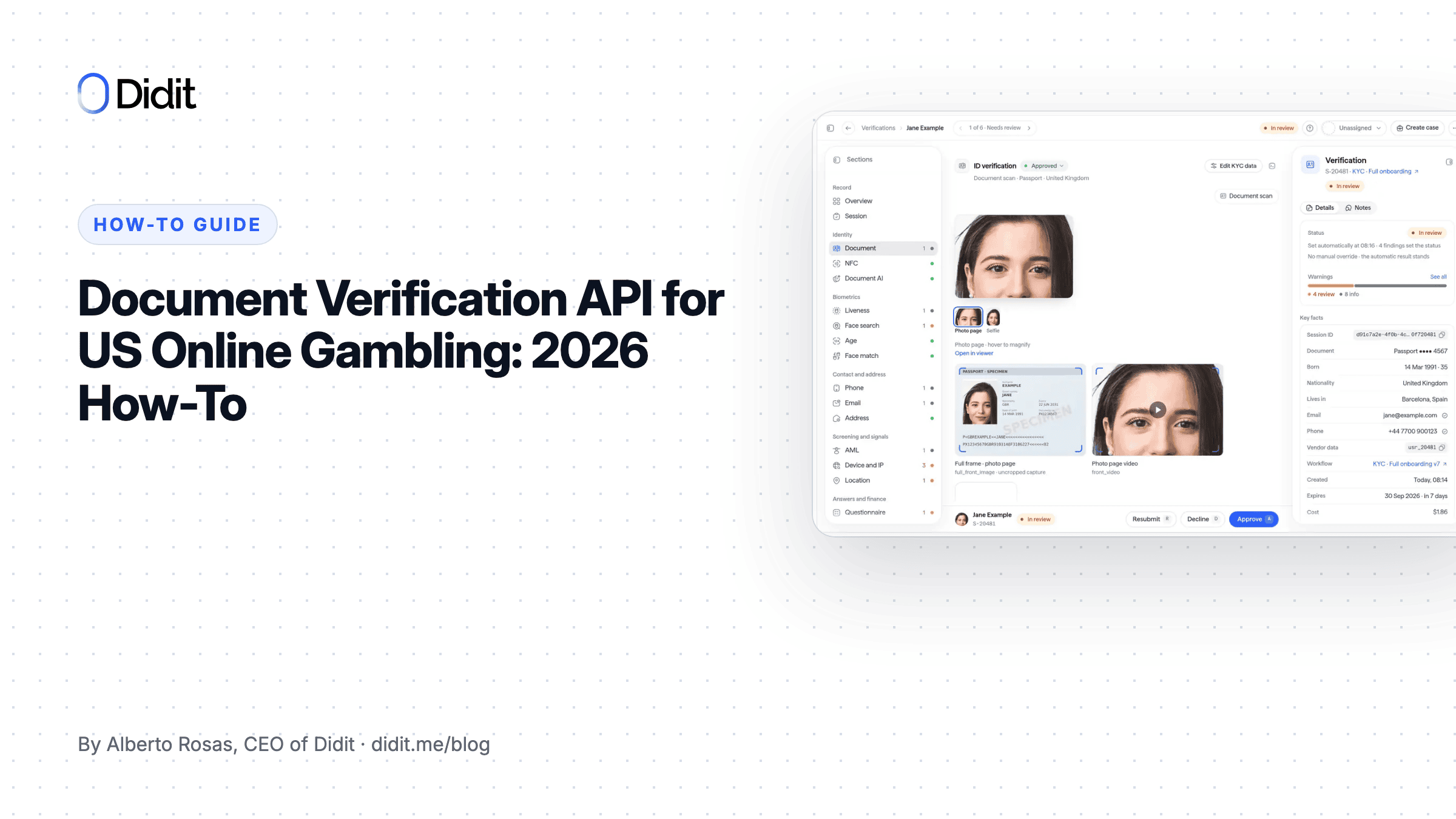
- Session mode is the recommended path for player onboarding. The player photographs the document in the hosted Didit flow or through the Web and Mobile SDKs, and Didit runs the capture guidance, liveness and face match steps the workflow contains. The session is stored in the Business Console, so an audit trail exists and a reviewer can open it later.
- Standalone API is for server-to-server work where you already hold the images: a re-check before a payout, a document a player sent to support, or a batch review. It returns OCR and fraud checks in one call and stores nothing unless you leave
save_api_requestat its default.
How a workflow decision differs from a standalone API response
A session decision is computed across every feature in the workflow. The top-level status is the session verdict, and the detail sits in plural arrays: id_verifications[], liveness_checks[], face_matches[], aml_screenings[]. The same response carries reviews, status_override and decision_trace, so you can see how the verdict was reached and who touched it.
A standalone call has no session around it. You get one id_verification object with its own status and warnings, plus a request_id, and an image that cannot be processed at all returns 400 instead of a declined document. The standalone line is priced on its own: $0.20 per 200 response in the public price book, against $0.15 for the ID document step inside a workflow. Choose the delivery mode first, then budget from that line.
Where the licensing controls map in the API
Federal AML program rules come from the Bank Secrecy Act, which FinCEN administers, and gambling licences are granted and examined state by state. FATF Recommendation 10 sets the international shape of customer due diligence: identify the customer and verify identity with reliable, independent sources (fatf-gafi.org). We do not interpret those rules for you. We can show which documented field carries each control, so your compliance team can map its own obligations.
- Identity document:
id_verifications[].statusand the extracted holder fields. - Age:
minimum_ageon the standalone call, or the age gate on the workflow, withMIN_AGE_NOT_REACHEDandMAX_AGE_EXCEEDEDas the documented warnings. - Sanctions, PEPs and watchlists:
aml_screenings[]. The same step is available as a separately priced AML screening workflow feature. - Duplicate accounts: the
POSSIBLE_DUPLICATED_USERwarning and thelinked_recordssummary in the decision. - Audit trail: the stored session, plus
decision_trace,reviewsandstatus_override.
Age thresholds vary by state and product, so pass the applicable threshold for each player rather than a single national value. Configure the workflow steps your compliance team requires. Each paid step is billed according to its published unit price when it produces a result.
Prerequisites
- A Didit organization with an API key. The Free plan gives $10 of credit a month to eligible organizations: it applies to the first organization created with an eligible work email for a company domain, and phone verification codes are excluded from Free plan credit.
- A workflow that contains the
ID_VERIFICATIONfeature (the legacy enum isOCR), created in the Business Console or withPOST /v3/workflows/. - For session mode, a callback URL on one of the application's allowed domains (set with
PATCH /v3/webhook/) or a custom URL scheme such as an app deep link. - Images that follow the spec:
front_imagerequired,back_imagefor two-sided documents, tiff/jpg/jpeg/png/webp/pdf, 5 MB maximum per file, uncropped with all four corners visible. - Credit in the balance. A call the balance cannot cover returns
403before any image is processed.
Seven steps to verify a US player document
Step 1. Create the workflow
In the Business Console, create a workflow and add the ID_VERIFICATION feature. Add passive liveness, face match 1:1 and device and IP analysis if you want the full check in one flow, and add AML screening when your licensing obligations call for sanctions and PEP checks at signup. Save the workflow UUID, because every session needs it.
Step 2. Create a session
The workflow type decides what kind of session is created. Send the player's own details in expected_details so mismatches surface as decision warnings instead of silently passing.
curl -X POST 'https://verification.didit.me/v3/session/' \
-H 'x-api-key: YOUR_API_KEY' \
-H 'Content-Type: application/json' \
-d '{
  "workflow_id": "WORKFLOW_UUID",
  "vendor_data": "player-10482",
  "callback": "https://app.example.com/verification/done",
  "language": "en",
  "expected_details": {
    "first_name": "Jordan",
    "last_name": "Avery",
    "date_of_birth": "1999-04-12",
    "id_country": "USA",
    "expected_document_types": ["DL", "ID", "P"]
  },
  "metadata": {"state": "NJ"}
}'
Step 3. Send the player to the session URL
The create response returns session.url. Redirect the browser there, or mount the SDK. Didit appends ?verificationSessionId={session_id}&status={status} to your callback when the player finishes. Do not grant wagering access on the redirect alone: the redirect is a user experience signal, and the decision endpoint is the record.
Step 4. Read the decision
Fetch the decision with a key that holds read:sessions. Branch on session_kind first, because the same endpoint serves user and business sessions.
curl https://verification.didit.me/v3/session/SESSION_ID/decision/ \
-H "x-api-key: YOUR_API_KEY"
Step 5. Handle the status webhook
Subscribe a destination to status.updated. Verify X-Signature-V2 over the canonical JSON with the destination secret, check that X-Timestamp is within 300 seconds, and accept the -Previous signature while a rotated secret is being deployed. Return 2xx quickly and update state idempotently. Status strings are case-sensitive, including Kyc Expired with a single capital K.
Step 6. Run a standalone check when you already hold the image
This is the documented one-shot call, billed per 200 response on the standalone API line.
curl -X POST 'https://verification.didit.me/v3/id-verification/' \
-H 'x-api-key: YOUR_API_KEY' \
-F 'front_image=@./id_front.jpg' \
-F 'back_image=@./id_back.jpg' \
-F 'perform_document_liveness=true' \
-F 'minimum_age=21' \
-F 'expiration_date_not_detected_action=DECLINE' \
-F 'invalid_mrz_action=DECLINE' \
-F 'inconsistent_data_action=DECLINE' \
-F 'preferred_characters=latin' \
-F 'save_api_request=true' \
-F 'vendor_data=player-10482'
Set minimum_age to the threshold that applies to the state and product the player is in, not to a single national value. With save_api_request=true the request becomes an API-type session in the console and emits status.updated like any other session.
Step 7. Route the exceptions
Only Approved opens an account. Declined, In Review and any session still In Progress past your service window go to a person. Do not auto-approve an In Review session because the HTTP call returned 200.
Expected output
A successful standalone call returns 200 with this shape. Inside a session, the same fields arrive as one entry in the id_verifications[] array.
{
  "request_id": "9f1c...",
  "id_verification": {
    "status": "Approved",
    "full_name": "JORDAN AVERY",
    "document_type": "DL",
    "document_number": "A1234-56789-01234",
    "date_of_birth": "1999-04-12",
    "expiration_date": "2028-04-12",
    "parsed_address": "...",
    "mrz": {...},
    "barcodes": [],
    "portrait_image": "https://MEDIA_HOST/ocr/...",
    "warnings": []
  }
}
Read status and warnings together. The HTTP code tells you whether the call ran. The status and the warnings tell you what the document is worth. Three warnings that exist in workflow sessions, PORTRAIT_IMAGE_NOT_DETECTED, INVALID_DATE and MRZ_NOT_DETECTED, are never produced by this standalone endpoint, so do not build logic that waits for them here.

Failure cases and recovery
| Result | Meaning | Recovery |
|---|---|---|
403 not enough credits | The balance cannot cover the call and nothing was processed | Top up, or turn on auto top-up. Do not retry in a loop. |
400 COULD_NOT_RECOGNIZE_DOCUMENT | The document could not be processed at all | Ask for a new front photo with all four corners visible and no glare, then retry once. |
200 Declined with COULD_NOT_DETECT_DOCUMENT_TYPE | The front image does not match a known official document design with high confidence, which declines the request | Show the warning, ask for the photo page of a supported document, and keep the session for review. |
400 multipart error | Missing back_image on a two-sided document, a file over 5 MB, or an unsupported extension | Validate size and type before upload and request the missing side. |
200 Declined with DOCUMENT_EXPIRED, SCREEN_CAPTURE_DETECTED, PRINTED_COPY_DETECTED, PORTRAIT_MANIPULATION_DETECTED, PUBLIC_DOCUMENT_IMAGE_DETECTED or SPECIMEN_DOCUMENT_DETECTED | A fraud or hard-failure signal, which always declines | Show the first warning's long description, close the flow, and keep the session for review. |
200 In Review with DOCUMENT_LIVENESS_NOT_COMPUTED | The forgery check produced no usable score, so the document is unchecked | Send it to manual review. This escalation is not configurable and never overrides a decline. |
200 Declined with MIN_AGE_NOT_REACHED or MAX_AGE_EXCEEDED | The date of birth falls outside the age window you passed | Confirm the threshold you sent and check the extracted date of birth before refusing the player. |
401 | Invalid API key | Check that the API key is valid. |
403 on the decision call | The key lacks read:sessions | Use a key with that scope. |
404 on the decision call | The session does not exist or belongs to another application | Store the session id you were given. Do not rebuild it from your own identifiers. |
Inputs and outputs
| Name | Direction | Required | Notes |
|---|---|---|---|
workflow_id | Input | Yes, on session create | UUID of a published workflow. |
vendor_data | Input | Recommended | Your stable player id. It binds the session to the player and feeds duplicate detection. |
callback | Input | Optional | Must sit on an allowed domain, or use a custom URL scheme. |
expected_details | Input | Optional | First name, last name, date of birth, nationality, ID country and expected document types. Mismatches become decision warnings. |
session_expiration_time | Input | Optional | Seconds, between 3600 and 2419200. |
front_image / back_image | Input | Front yes, back for two-sided documents | Uncropped, 5 MB maximum, tiff/jpg/jpeg/png/webp/pdf. |
perform_document_liveness | Input | Optional, default true | Screens for screen replays, printed copies and portrait manipulation. |
minimum_age | Input | Optional | The age threshold that applies to that player. |
invalid_mrz_action, inconsistent_data_action, expiration_date_not_detected_action | Input | Optional | Each one is DECLINE or NO_ACTION. |
save_api_request | Input | Optional, default true | True persists the call as a session and emits the webhook. False stores nothing. |
status | Output | Always | Approved, Declined, In Review and the session states. |
full_name, date_of_birth, document_number, expiration_date, parsed_address | Output | When read | The extracted holder fields. |
mrz, barcodes | Output | When present | Parsed MRZ and every barcode read, always an array. |
warnings | Output | Always | Every issue found, with the codes listed above. |
Automated AML screening for online gambling
AML screening is a separately priced workflow step. Add it to the workflow when your licensing obligations require it, and the decision carries aml_screenings[] next to id_verifications[]. It screens against 1,300+ lists for $0.20 per check. Ongoing AML monitoring re-screens users at $0.07 per user per year.
Pass the identity data required by your AML workflow and handle the returned result according to your review policy. Handle AML results according to your documented review policy and licensing obligations. Keep the policy in writing, because that is what an examiner reads next to the session record.

For crypto-funded play, wallet screening is $0.15 per screening inside Transaction Monitoring, and you can bring your own screening provider and run it inside Didit if you already have one.
Paid steps and review boundaries
| Step | Price | Charged when |
|---|---|---|
| ID document inside a workflow | $0.15 | The check finishes with a result |
| Standalone ID verification API | $0.20 | Each 200 response |
| Passive liveness | $0.10 | Per check |
| Face match 1:1 | $0.05 | Per check |
| Device and IP analysis | $0.03 | Per check |
| Age estimation | $0.10 | Per check |
| AML screening | $0.20 | Per check |
| Ongoing AML monitoring | $0.07 | Per user per year |
| Proof of address | $0.20 | Per check |
| Workflow orchestrator, SDKs, MCP server | Free | Always |
The review boundary is explicit in the API. The machine decides Approved, Declined or In Review. When a person changes that, the session records a status_override with the automatic status; reviewer activity appears in the reviews array. An In Review session also carries an assignee, a waiting time and an SLA clock. Budget review time for every In Review session and for declined players who appeal, because those are the two queues that grow with volume.
Worked cost example
Ten thousand new US players in a month, each going through a full check with sanctions screening and an age gate, at list prices from the feed.
- ID document: $0.15 x 10,000 = $1,500.00
- Passive liveness: $0.10 x 10,000 = $1,000.00
- Face match 1:1: $0.05 x 10,000 = $500.00
- Device and IP analysis: $0.03 x 10,000 = $300.00
- AML screening: $0.20 x 10,000 = $2,000.00
- Age estimation: $0.10 x 10,000 = $1,000.00
Total: $1,500 + $1,000 + $500 + $300 + $2,000 + $1,000 = $6,300.00, or $0.63 per player. The identity portion alone is $0.33 per player. Add 3,000 payout re-checks through the standalone API at $0.20 = $600.00, which brings the month to $6,900.00. Re-screening the same 10,000 players for a year of ongoing AML monitoring costs $0.07 x 10,000 = $700.00.
On Growth the published discount is 4% on every Didit price and on Scale it is 10%, applied to the same arithmetic.
Sources
- Didit docs: ID Verification API
- Didit docs: ID verification overview
- Didit docs: Create Session API
- Didit docs: Retrieve Session API
- Didit docs: Webhooks
- Didit docs: Sandbox test data
- Didit docs: Pricing and billing
- Didit pricing page and pricing.json, read November 26, 2026
- Didit AML screening
- Didit MCP server
- FATF recommendations, read November 26, 2026
Start in the sandbox at business.didit.me, where no sales call is needed. Create an application, copy the API key, and run the session call and the standalone call against test data before a single live player is verified.
Try it
Try this in the sandbox
Run the check this guide describes, free.
The product this post is about, taken from its topic. Run it free in the sandbox.
Author
Alberto Rosas
Co-founder and CEO

Keep reading
Other guides in the same topic.
 What Is the Purpose of FICA in South Africa? 2026 Guide
FICA is South Africa's anti-money laundering law. It creates the Financial Intelligence Centre and requires accountable institutions to identify and verify clients, screen for PEP and sanctions risk and report suspicious.
Alberto RosasNov 26, 2026 Sixth Money Laundering Directive (6AMLD): What Changed and Which Rules Apply
6AMLD is Directive (EU) 2018/1673: Member States must criminalise laundering, widen predicate offences and set a four-year penalty floor. It adds no new due diligence duties for firms.
Alberto RosasNov 26, 2026 Automated Sanctions Screening: Canada, the Entity List and Embargoes
Automated sanctions screening matches people and companies against lists such as Canada's autonomous sanctions made under SEMA and JVCFOA and the OFAC SDN List, and returns candidate hits scored for identity confidence and.
Alberto RosasNov 26, 2026Questions
Frequently asked questions
How much does Didit charge to verify a player document?
$0.15 per ID document check when it runs inside a workflow, and $0.20 per successful call to the standalone ID verification API, which the price book lists as its own line. A full identity check with passive liveness, face match and device and IP analysis totals $0.33 per player. Billing is per completed check from prepaid credit.
Which endpoint verifies a document?
POST https://verification.didit.me/v3/id-verification/ with front_image required and back_image for two-sided documents. Send the API key in the x-api-key header. For a player-facing flow, run the ID_VERIFICATION feature inside a session instead and read the result from GET /v3/session/{session_id}/decision/.
Can the API check that a player is old enough?
Yes. Pass minimum_age on the standalone call and the result carries MIN_AGE_NOT_REACHED or MAX_AGE_EXCEEDED when the extracted date of birth falls outside the window. Age estimation is also available as its own step at $0.10 per check. Age thresholds vary by state and product, so pass the applicable threshold for each player.
Can Didit run automated AML screening for online gambling?
Yes. AML screening screens against 1,300+ lists for $0.20 per check, and ongoing AML monitoring re-screens the base at $0.07 per user per year. It is a separately priced workflow step, so add it to the workflow when your licensing obligations require it. Handle AML results according to your documented review policy and licensing obligations.
What do we do when a document comes back In Review?
Send it to a human. In Review is not an approval, and one case matters most: when the forgery check returns no usable score the call returns In Review with a DOCUMENT_LIVENESS_NOT_COMPUTED warning, which means the document was not checked for tampering. That escalation is not configurable and never overrides a decline.
Does Didit store the player document images?
With save_api_request at its default of true the call is stored as an API-type session, the returned request_id is a real session id, and cropped images come back as short-lived media URLs. With it set to false nothing is stored, the images are returned in the response and the request id is only a correlation UUID.
Is the sandbox free and does it bill us?
Sandbox testing is free and unlimited on every plan, and nothing is charged there. Sandbox scenarios reproduce outcomes such as a decline without using real player data. Move to the live environment only after the decision and webhook handling work in test.
What happens if our callback URL is rejected?
Session creation fails with a 400 on callback when the URL is not on one of the application's allowed domains. Add the origin with PATCH /v3/webhook/, or use a custom URL scheme such as an app deep link, which is always accepted.
How is a session decision different from a standalone API response?
A session decision covers every feature in the workflow: the top-level status is the session verdict and the detail sits in plural arrays such as id_verifications[] and aml_screenings[], with reviews and status_override alongside. A standalone call returns one id_verification object with its own status and warnings, and no session-level review fields. The two are priced on separate lines of the price book, so pick the mode first.
Does Didit cover our state self-exclusion obligations?
No. The API returns identity, age and fraud signals for the player you send. Self-exclusion, geolocation and reporting requirements are outside the documented API scope. Confirm the applicable duties with your compliance counsel and implement the required controls in your operator systems.
How fast is the API and how many document types does it read?
Inference runs at a sub-2-second p99, and the service reads 14,000+ document types from 220+ countries and territories in 54 flow languages. For US players that covers state driver licences, state ID cards, passports and residence permits in one endpoint.
Compliance built in
Audited, certified and attested.
We hold the certifications and build each country's rules into your flows, so you can launch anywhere without worrying. Security and Compliance center
- Regulation encoded into your flows
Tell us what you do and where. Didit lists the rules that apply to you, with sources, and builds the checks each country needs into one workflow.
- Ready for AMLR
Every requirement of the new EU anti-money laundering rules, from checking customers to human review, is already covered by a Didit check.
- Tested in Spain's Treasury sandbox
Spain's Treasury published its supervised sandbox report on Didit's NFC plus active liveness onboarding; SEPBLAC took part and valued the added measures positively.
- Audited, not self-declared
iBeta Level 1 and Level 2. Liveness tested under ISO/IEC 30107-3.
Your obligations · 3 regions
 SOC 2 Type 2
 ISO 27001
 iBeta Level 1 and Level 2
 EU regulator attestation
 FSM youth protection
 GDPR
 EBA remote onboarding
 MiCA compatible
 FIDO Alliance member
- AMLREU AML Regulation ready
Integration · Didit MCP
Run Didit from your own AI agent
Connect Didit to Claude, Cursor, VS Code or ChatGPT and just ask in plain words. Your agent can do anything you can do in the console, with the same permissions you have.
 Add to Claude
 ChatGPT
 Cursor
- Build workflowsDescribe the checks you need. The agent creates and publishes the flow.
- Run investigationsAsk why a session was declined, review cases, search people and companies.
- Change rulesCreate payment rules, test them on past data and switch them on.
- Pull reportsAsk for numbers, exports or the audit log.
Didit Academy