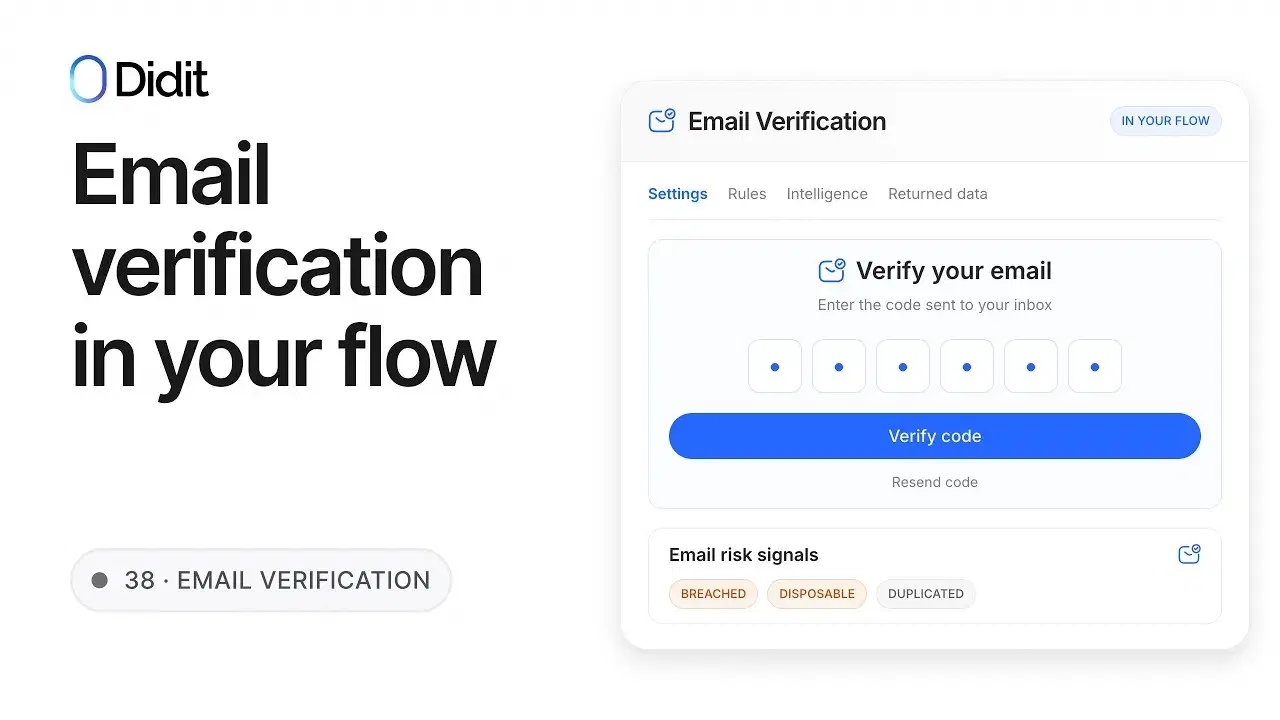
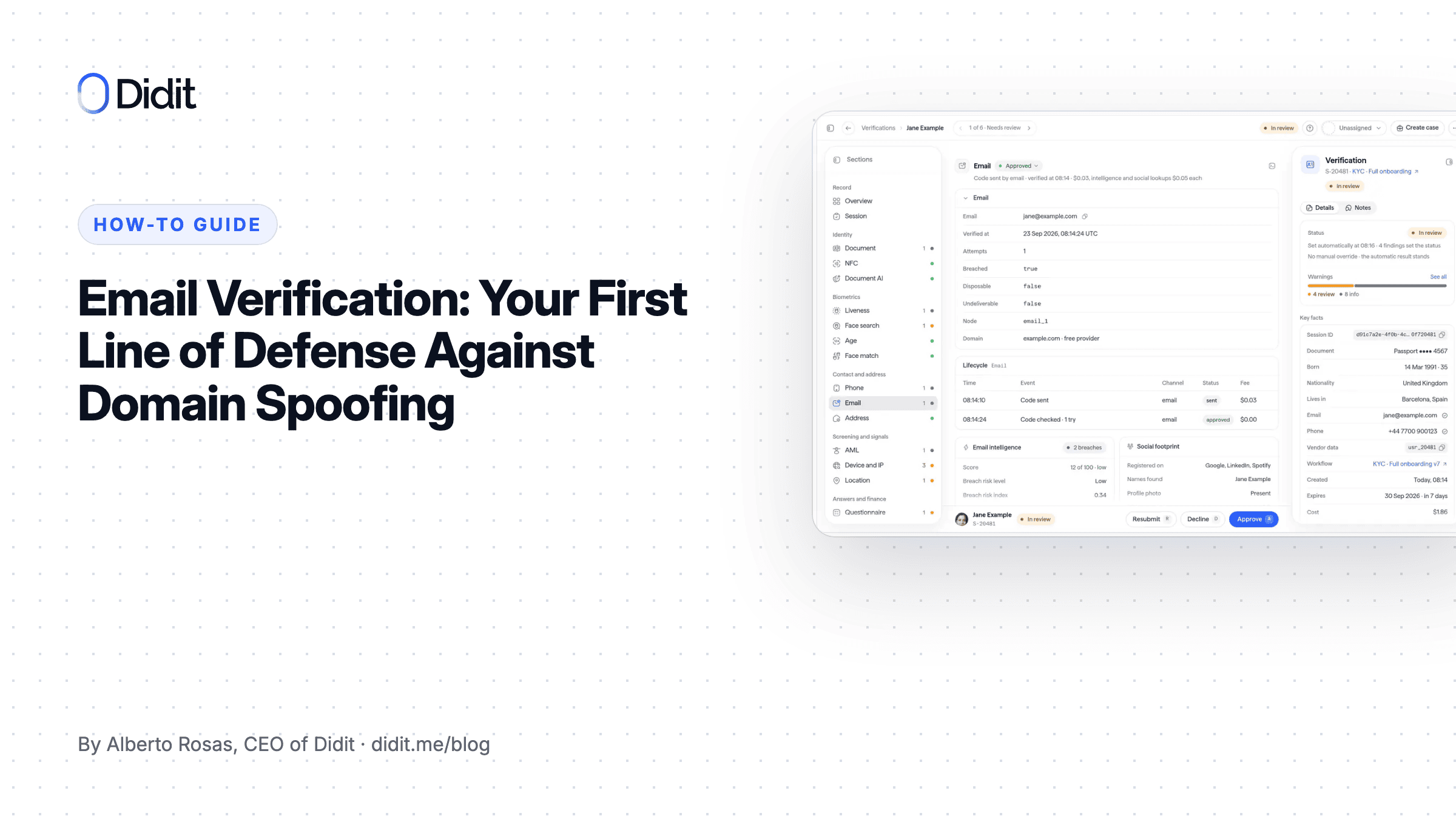
Email Verification: Your First Line of Defense Against Domain Spoofing
Didit Email Verification sends a one-time code and returns breach, disposable and deliverability signals for $0.02 per check. It proves the user's inbox, not the sender domain, so keep DMARC beside it.
 Alberto RosasCo-founder and CEO
Contents
In this guide
Jump to the part you need.
If you need to stop spoofed, throwaway and unreachable signups before they reach onboarding, Didit Email Verification is the first check to run: a one-time code that proves the user controls the mailbox, plus breach, disposable and deliverability signals in the same response. It costs $0.02 per check at list price. The caveat matters: it verifies your user's inbox, not the sending domain of mail arriving at your company, so keep SPF, DKIM and DMARC working beside it.
Last updated: November 26, 2026. Prices checked against the live Didit price feed on November 26, 2026.
| Item | Detail |
|---|---|
| Outcome | Confirms the user controls the mailbox and flags breached, disposable and undeliverable addresses before the account is created |
| Price | $0.02 per email verification check at list price, from the live price feed |
| Code format and lifetime | 6 digits by default, 4 to 8 configurable, valid for 5 minutes |
| Attempts | Up to 3 code entries per session, plus one free retry per email inside the window |
| Calls | POST /v3/email/send/ then POST /v3/email/check/; POST /v3/email/risk/ scores an address without sending a code |
| Main caveat | Verifies your user's inbox, not the sender domain of inbound mail, so it complements DMARC enforcement rather than replacing it |
| Sandbox | Sandbox testing is free and unlimited. |
Start free in the sandbox at https://business.didit.me/ with no sales call. For developers, connect Didit to an AI assistant through the MCP server. Plans, credit and every unit price are on https://didit.me/pricing/. The API reference is at docs.didit.me/standalone-apis/email-verification.
Where email verification fits in a spoofing defense
Domain spoofing shows up at a signup form in two broad shapes. One is an address on a domain that cannot receive mail, invented to slip past a format check. The other is a working inbox on a lookalike domain, a disposable provider, or a mailbox already exposed in a breach. An OTP flow proves mailbox control; it does not identify a lookalike domain that can receive mail, so that case needs your own allowlist or a review rule.
- Fabricated or dead domains. A made-up domain fails the deliverability check and comes back as Undeliverable before you create anything.
- Disposable inboxes. Temporary providers show up as a disposable signal, so you can decline the account or route it to review.
- Breached credentials. An address found in known breaches is the one attackers already hold. That is a review decision, not an automatic pass.
- Lookalike domains that do receive mail. The code will arrive. Nothing in a mailbox check knows the domain is a near-copy of your brand, so this case needs your own allowlist or a review rule.
- Mail claiming to be your domain. This is an inbound mail authentication problem, handled by DMARC enforcement and your mail gateway, not by a user-facing OTP.
We work with 4,000+ companies, and the cost argument is simple: an email check is $0.02 and a full ID check is $0.33. The email check is 6.1% of the full check, so it filters bad addresses before the more expensive step.
Prerequisites
- A Didit organization and an application. Sign in at https://business.didit.me/.
- An API key for that application, sent as the
x-api-keyheader on every call. - An inbox you can read during testing. In a sandbox application every provider is mocked, so outcomes come from the scenario or magic value rather than from a real mailbox.
- A policy decision on the risk categories before you turn on automatic actions: what you do with a breached address, a disposable address and a duplicate.
- An HTTPS endpoint if you plan to read results from webhooks instead of polling.
How to run email verification, step by step
- Pick the mode. Use the standalone API when you own the signup form and want two server-to-server calls. Use the hosted workflow when you want Didit to render the screens. The steps below cover the standalone API, documented at docs.didit.me/standalone-apis/email-verification. The hosted workflow returns its own decision payload, described later.
- Send the code. One call creates the code, delivers it and starts the 5-minute window.
curl -X POST 'https://verification.didit.me/v3/email/send/' \
  -H "x-api-key: $DIDIT_API_KEY" \
  -H "Content-Type: application/json" \
  -d '{"email": "alice@example.com", "options": {"code_size": 6, "locale": "en", "use_white_label_customization": false}, "vendor_data": "user-1234"}'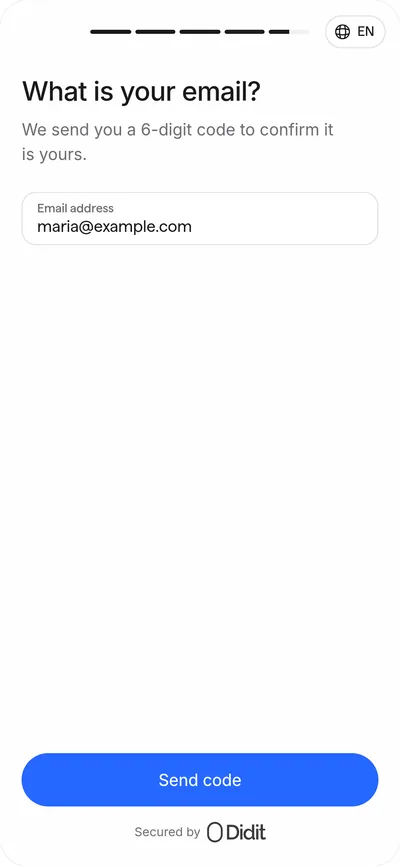
The address entered here receives the code from the send call. - The user types the code inside 5 minutes. Six numeric digits by default; set
options.alphanumeric_codeto true for letters plus digits, andoptions.code_sizebetween 4 and 8. The check is case-insensitive for alphanumeric codes. One free retry per email is allowed inside the window, and resends are rate limited. - Check the code and read the signals. The second call returns the verification status together with breach, disposable and deliverability data.
curl -X POST 'https://verification.didit.me/v3/email/check/' \
  -H "x-api-key: $DIDIT_API_KEY" \
  -H "Content-Type: application/json" \
  -d '{"email": "alice@example.com", "code": "123456", "disposable_email_action": "DECLINE"}'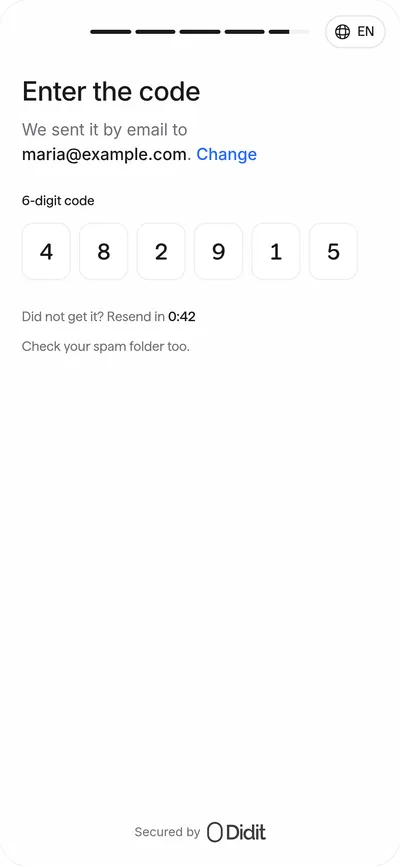
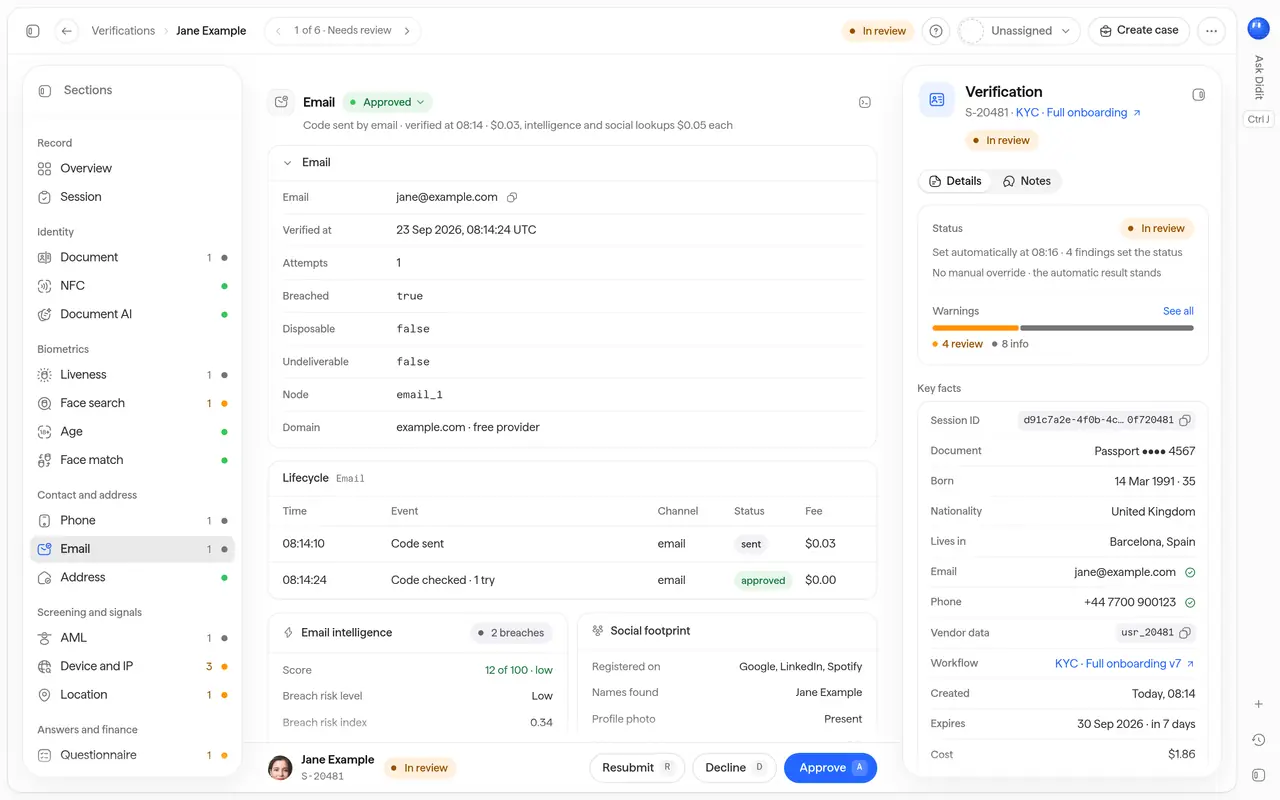
After the user submits the code, the check call returns status and risk fields. - Route on the result. Write your decision from the returned status and warnings, not from the code alone. A correct code on a breached address is still a breached address.
- Optional: score an address without sending a code.
POST /v3/email/risk/returns deliverability, breach and disposable risk for an address you have already collected. The price book lists this line as Email risk API at $0.04 per check. - Optional: read results from webhooks. In a workflow session, the decision payload carries an
email_verifications[]array. Subscribe tostatus.updated, verify theX-Signature-V2HMAC-SHA256 signature against your destination secret, and apply the documented freshness check:abs(now - X-Timestamp) <= 300seconds, which rejects timestamps too far in the past or in the future.
Expected output
For the standalone API, the check call always returns the full email metadata, not just a pass or fail. The status string is one of the email verification statuses: "Not Started", "In Progress", "Approved", "Declined", "Failed", "Undeliverable", "Expired or Not Found", "Abandoned" or "Kyc Expired". Treat them as exact, case-sensitive strings.
In a hosted workflow, read the result from the email_verifications[] array on the session decision. The standalone check response and the workflow decision are documented separately, so map each surface to the fields it exposes rather than assuming one storage shape.
| Output | What it tells you |
|---|---|
status | The verification result for this attempt, for example "Approved", "Failed", "Declined" or "Undeliverable" |
is_breached | The address appears in known data breaches |
is_disposable | The address sits on a temporary or throwaway provider |
is_undeliverable | The address does not accept mail |
warnings[] | Risk codes including BREACHED_EMAIL, DISPOSABLE_EMAIL, UNDELIVERABLE_EMAIL, INVALID_EMAIL, DUPLICATED_EMAIL, OTP_MAX_ATTEMPTS_REACHED and OTP_EXPIRED |
breaches[] | For a breached address, the services and the exposed data classes |
| Result | Application action | Why |
|---|---|---|
| Clean: Approved with no relevant warning | Create the account and continue to the next check. | OTP proved mailbox control and no breach, disposable or duplicate warning fired. |
Breached: BREACHED_EMAIL | Hold the account for review or require a second factor under your policy; do not treat the correct code as a clean result. | The address appears in known breaches. |
Disposable: DISPOSABLE_EMAIL | Decline the signup or send it to review; in the standalone check you can set disposable_email_action to DECLINE. | The mailbox is a temporary or throwaway provider. |
Duplicate: DUPLICATED_EMAIL | Decide whether a second account is allowed before approving; otherwise route to review. | The address was already verified in your history. |
Undeliverable: UNDELIVERABLE_EMAIL or send status Undeliverable | Do not create the account; ask for a different address and show an address problem. | The address does not accept mail, so no code can reach it. |
Failure cases and recovery
Each failure has one documented recovery path. Do not build a generic error branch; branch on the status.
| Result | What happened | What to do |
|---|---|---|
| Send returns Undeliverable | Bounce or invalid domain, so no code can be delivered | Surface it to the user as an address problem. This send is not charged. |
| Check returns Failed | Wrong code, with attempts still remaining | Re-prompt for the code. |
| Check returns Declined | Third failed attempt in the session | Stop the attempt and restart from the send call. |
| Check returns Expired or Not Found | Outside the 5-minute window, or no matching send | Restart from the send call and tell the user the code expired. |
BREACHED_EMAIL warning | The address appears in known breaches | Route to review under your own policy. A correct code does not clear the risk. |
DUPLICATED_EMAIL warning | The address was already verified in your history | Decide whether a second account is allowed before you approve. |
Inputs and outputs at a glance
| Input | Call | Notes |
|---|---|---|
email | Send and check | The two calls are paired by this address |
code | Check | The code the user typed; case-insensitive for alphanumeric codes |
options.code_size | Send | 4 to 8, default 6 |
options.alphanumeric_code | Send | Letters plus digits instead of digits only |
options.locale | Send | Language of the delivered email |
options.use_white_label_customization | Send | True sends from your configured white-label sender and branding; default false |
vendor_data | Send | Your own user identifier |
disposable_email_action | Check | Set to DECLINE to fail the check on a disposable address |
Paid steps and review boundaries
Billing is per completed check from prepaid credit. A send that comes back Undeliverable is not charged, and sandbox sessions are never billed. The live price feed prices the standalone Email Verification API at $0.02 per check and the Email risk API at $0.04 per check.
- Paid: each completed email verification at $0.02 list price, with the Growth 4% and Scale 10% plan discounts applied to that price.
- Not paid: sandbox testing, undeliverable sends, and the workflow orchestrator, MCP server and SDKs, which are included free on every plan.
- Your boundary, not ours: Didit returns the status and the warnings. Whether a breached or duplicated address is refused is your policy. In the standalone API you choose it per check with
disposable_email_action; in a workflow you setduplicated_email_action,breached_email_actionanddisposable_email_actionon the email node. - Human review: a breached address, a duplicate account and a lookalike domain that does receive mail all deserve a person before the account gets spending power.
Using the hosted workflow instead of the API
If you would rather not build the screen, add the Email feature to a workflow in the Business Console or through POST /v3/workflows/, set the three risk actions, then create a session with POST /v3/session/ and open the returned session.url. Read the outcome from GET /v3/session/{sessionId}/decision/ or from the status.updated webhook. A hosted session exposes the result in the email_verifications[] array on the decision payload. The standalone calls return their documented check response instead. The two surfaces are documented separately, so do not assume identical storage or an identical response shape.
Worked cost example
Take 20,000 signups a month, each one checked once by email.
- List price: 20,000 x $0.02 = $400.00.
- Free plan: the $10.00 monthly credit buys $10.00 / $0.02 = 500 verifications, and the rest needs top-up credit.
- Growth: $0.02 less 4% is $0.0192 per check. 20,000 x $0.0192 = $384.00. The $115.00 monthly credit covers the first $115.00, top-up credit covers the remaining $269.00, so the month costs $99.00 + $269.00 = $368.00.
- Scale: $0.02 less 10% is $0.018 per check. 20,000 x $0.018 = $360.00. The $350.00 monthly credit covers $350.00 and top-up credit covers $10.00, so the month costs $299.00 + $10.00 = $309.00.
- If all 20,000 then pass to a full ID check: 20,000 x $0.33 = $6,600.00, which is why the email check goes first.
Sources
- Didit docs: Email Verification API, OTP and risk scoring
- Didit docs: Email Verification overview
- Didit docs: email verification warnings catalogue
- Didit docs: email verification report
- Didit docs: webhooks and signature verification
- Didit docs: verification statuses
- Didit docs: sandbox test data
- Didit docs: pricing and billing rules
- Didit pricing page
- Didit pricing as JSON
- Didit MCP server
Next step: open the sandbox at https://business.didit.me/, create a sandbox application and run the two calls above against a test address. No sales call is needed to start.
Try it
Try this in the sandbox
Run the check this guide describes, free.
The product this post is about, taken from its topic. Run it free in the sandbox.
Author
Alberto Rosas
Co-founder and CEO

Keep reading
Other guides in the same topic.
 What Is the Purpose of FICA in South Africa? 2026 Guide
FICA is South Africa's anti-money laundering law. It creates the Financial Intelligence Centre and requires accountable institutions to identify and verify clients, screen for PEP and sanctions risk and report suspicious.
Alberto RosasNov 26, 2026 Sixth Money Laundering Directive (6AMLD): What Changed and Which Rules Apply
6AMLD is Directive (EU) 2018/1673: Member States must criminalise laundering, widen predicate offences and set a four-year penalty floor. It adds no new due diligence duties for firms.
Alberto RosasNov 26, 2026 Automated Sanctions Screening: Canada, the Entity List and Embargoes
Automated sanctions screening matches people and companies against lists such as Canada's autonomous sanctions made under SEMA and JVCFOA and the OFAC SDN List, and returns candidate hits scored for identity confidence and.
Alberto RosasNov 26, 2026Questions
Frequently asked questions
What is email verification and how does it stop domain spoofing?
Email verification sends a one-time code to the address and returns breach, disposable and deliverability signals with the result. Against spoofed signups it proves the user can receive mail at that address, and it fails made-up domains outright. It does not authenticate the sending domain of inbound mail, so it runs beside DMARC rather than instead of it.
How much does Didit Email Verification cost?
$0.02 per completed email verification check at list price, read from the live Didit price feed on November 26, 2026. The Growth plan applies 4% and Scale applies 10% to that price. Scoring an address without sending a code is a separate line, the Email risk API at $0.04 per check.
How do I log in to Didit and find my API key?
Go to https://business.didit.me/ and sign in with the work email you used to create the organization. Open your application in the console to copy its API key for the x-api-key header. Plan and credit for the organization are shown on https://didit.me/pricing/, and a sandbox application in the same console lets you test without being billed.
How long is the code valid and how many attempts do I get?
The code is valid for 5 minutes from the send call and each session accepts up to 3 code-entry attempts. One free retry per email is allowed inside that window, and resends are rate limited. After the third failed attempt the check returns Declined and you restart from the send call.
What happens when the email address is undeliverable?
The send call returns status Undeliverable, meaning the domain or mailbox does not accept mail. That send is not charged. Show the user an address problem rather than an error, because this is the signal that catches invented domains at signup.
What does the BREACHED_EMAIL warning mean and should I decline?
It means the address appears in known data breaches, and the report lists the services and exposed data classes. Didit returns the warning; your policy decides whether to decline, review or allow. Define that rule internally and apply it consistently rather than letting a correct code clear the risk. The warning appears in the check response and in the session warnings.
Can I verify an email without sending a code?
Yes. POST /v3/email/risk/ scores deliverability, breach exposure and disposable-provider risk without sending anything, which suits a risk check on an address you already hold. It is priced as a separate API line at $0.04 per check. Use the OTP pair when you need proof that the person can open the inbox.
Does email verification replace SPF, DKIM and DMARC?
No. This check verifies your user's mailbox at registration or login. Mail authentication for messages claiming to come from your domain is a separate control set enforced at your mail gateway. Running both closes the signup side and the inbound-mail side of the same spoofing problem.
Can I use Didit Email Verification inside a workflow instead of the API?
Yes. Add the Email feature to a workflow, set duplicated_email_action, breached_email_action and disposable_email_action, then create a session and open session.url. A hosted workflow decision exposes results in the email_verifications[] array. The standalone API returns its own documented check response; the two are documented separately.
Is there a free way to test it?
Sandbox testing is free and unlimited. Sandbox sessions are never billed and every external provider is mocked, so outcomes come from the scenario you arm. The Free plan also includes $10.00 of credit a month for organizations that sign up with a work email.
Compliance built in
Audited, certified and attested.
We hold the certifications and build each country's rules into your flows, so you can launch anywhere without worrying. Security and Compliance center
- Regulation encoded into your flows
Tell us what you do and where. Didit lists the rules that apply to you, with sources, and builds the checks each country needs into one workflow.
- Ready for AMLR
Every requirement of the new EU anti-money laundering rules, from checking customers to human review, is already covered by a Didit check.
- Tested in Spain's Treasury sandbox
Spain's Treasury published its supervised sandbox report on Didit's NFC plus active liveness onboarding; SEPBLAC took part and valued the added measures positively.
- Audited, not self-declared
iBeta Level 1 and Level 2. Liveness tested under ISO/IEC 30107-3.
Your obligations · 3 regions
 SOC 2 Type 2
 ISO 27001
 iBeta Level 1 and Level 2
 EU regulator attestation
 FSM youth protection
 GDPR
 EBA remote onboarding
 MiCA compatible
 FIDO Alliance member
- AMLREU AML Regulation ready
Integration · Didit MCP
Run Didit from your own AI agent
Connect Didit to Claude, Cursor, VS Code or ChatGPT and just ask in plain words. Your agent can do anything you can do in the console, with the same permissions you have.
 Add to Claude
 ChatGPT
 Cursor
- Build workflowsDescribe the checks you need. The agent creates and publishes the flow.
- Run investigationsAsk why a session was declined, review cases, search people and companies.
- Change rulesCreate payment rules, test them on past data and switch them on.
- Pull reportsAsk for numbers, exports or the audit log.
Didit Academy